







About the Game
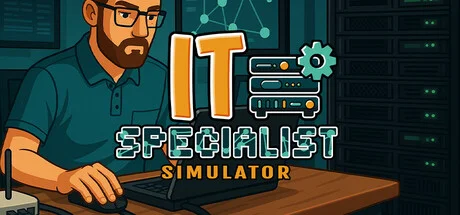
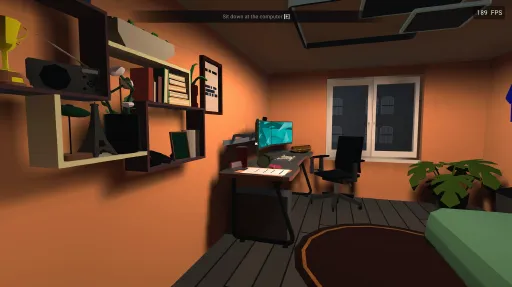
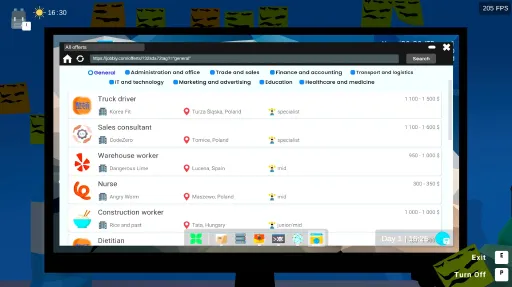
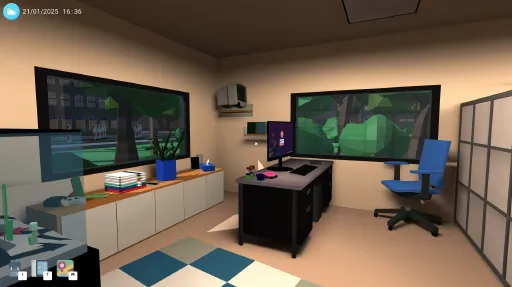
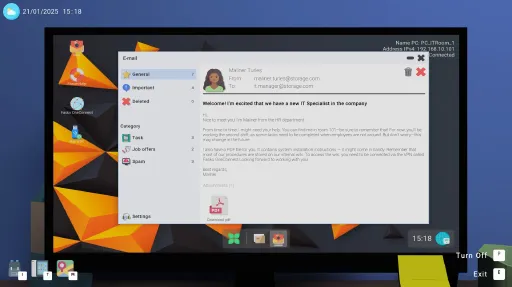
IT Specialist Simulator from Pixel Team RED is exactly the niche it sounds like — a job-sim where you're the IT person, ticket queue is your enemy, and SLA timers are your boss. You start on Helpdesk, diagnosing the obligatory printer problems and OneDrive issues, then progress through Network Administrator, Sysadmin, and IT Project Manager career tracks as you accumulate certifications and skill points.
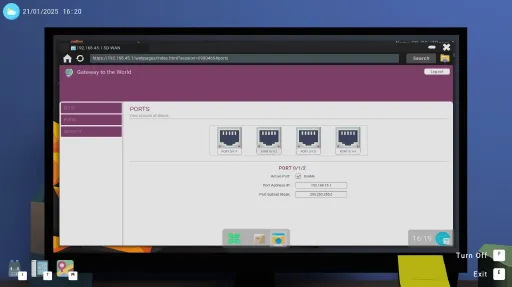
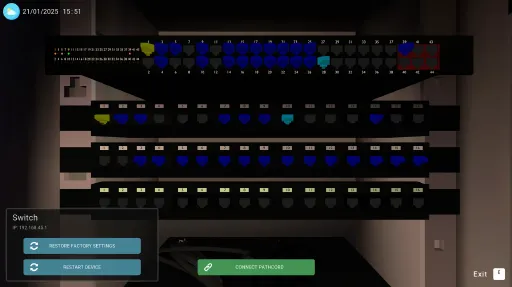
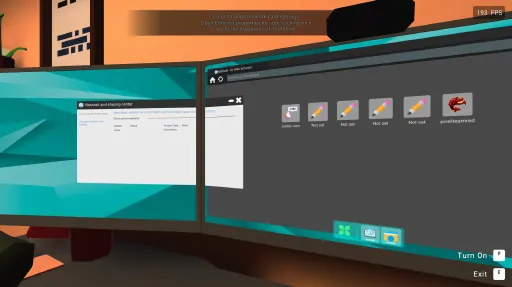
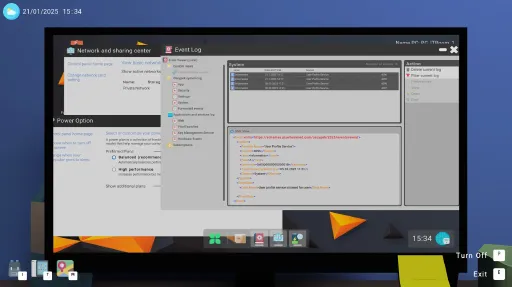
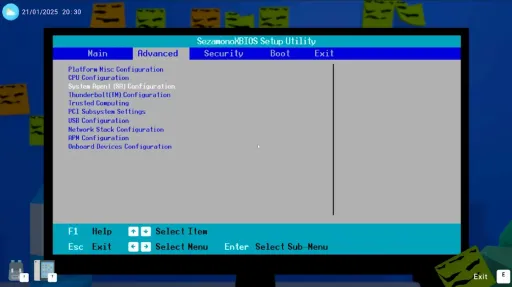
The simulation depth is shockingly real for a parody — you actually pull command outputs from a fake CLI to diagnose network issues, route packets through simulated subnet diagrams, and physically swap RAM/SSD/PSU components in 3D server racks. People who work in IT call it "weirdly therapeutic." The Early Access launch was November 2025; this build is 21379224 with all current content patches.
Packaged with CSF + Goldberg, fully offline-playable. 421 MB installed. Single-player only — there's no co-op IT department mode (though many wish there was).
Screenshots
15 images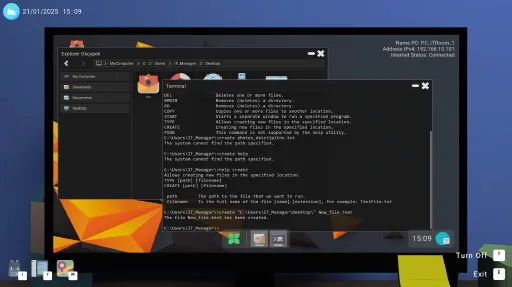
Version Information
Steam Patch Notes
Official update history
Hello everyone!
Today, we're releasing a new patch update — version 1.4.4. We hope you're simply having a great time playing the game!
The game's cover art on Steam has also been updated, and we hope you like the new look. It was rendered entirely in the game engine.
[img src="{STEAM_CLAN_IMAGE}/45240152/268dc179cff49dbceee9a7ad4d876c65ff5f83f4.png"]
Tablet and controls
Fixed custom dropdown lists on the tablet sometimes closing immediately after being opened.
Added a short input guard to prevent the click used to open a dropdown from also dismissing it.
Preserved scrolling and selection behavior in the Wi-Fi EAP and authentication dropdowns.
Tablet input fields now release keyboard focus correctly when the pause menu is opened.
Improved recovery from stale interaction locks that could leave the player unable to move or control the camera after closing a device or menu.
Replaced an unreliable Wi-Fi dropdown with a more consistent custom implementation while preserving its original appearance.
Fixed intermittent selection problems with EAP and authentication methods.
Improved PAC address validation in both regular tasks and the tutorial.
PAC addresses containing harmless leading or trailing whitespace are now accepted.
Improved tutorial protection against situations that could prevent further progress.
Interactions
Fixed interactions being available during the initial phase of teleportation.
Prevented computer ports, printers, RCP devices, and other interactable objects from opening while the player is being teleported.
Improved emergency interaction recovery to prevent the player from remaining locked.
Fixed overlapping monitor and teleport animations.
Improved cursor unlocking after leaving different devices and applications.
Tasks and localization
Improved the Shipping Quote task with clearer instructions explaining the expected calculator behavior.
Clarified the avatar personalization task so its title, message, and objective explicitly state that the browser avatar must be changed.
Improved validation for multiple programming tasks so equivalent, correctly working solutions are accepted.
Fixed Workday Planner tasks not completing after a successful run.
Workday Planner now verifies the currently saved code instead of accepting results from an older execution.
Fixed Call Statistics validation for alternative valid variable names, including fourth_hour and four_hour.
Fixed MyChats incorrectly starting when the Python file contained a syntax error.
Fixed Parcel Cost Calculator progress after saving and loading the game.
Improved validation of Python scripts using main.py.
Improved TEMP and TMP environment-variable validation to accept equivalent valid Windows paths.
Fixed router ping objectives when the network uses a different valid subnet.
Improved detection of successful Python commands executed through the terminal.
Network Scanner and Salary Calculator tasks will no longer turn off the assigned computer during generation.
Added automatic Python availability where it is required by generated programming tasks.
Improved handling of whitespace and other harmless formatting differences in task input fields.
Main menu and save files
Fixed Support Pack avatars being visible in the new world creator when the DLC was not installed.
Fixed both avatar selection arrows so the available list wraps correctly without skipping the first avatar.
Added an additional safeguard preventing a DLC avatar from being stored in a newly created save when the DLC is unavailable.
Reworded the older-save notice to explain that the save runs using the current game version and is permanently updated at the end of the current in game day.
Improved the older-save window with a consistent opening and closing animation, background fade, and time-scale-independent transitions.
Improved the readability and presentation of blurred menu overlays.
Improved compatibility with saves created in older game versions.
PixelLab courses
Completed lessons are now stored in a shared session wide progress database.
Reading a lesson on one computer now correctly updates its completion indicator on every other computer.
Lesson completion is preserved when leaving the website.
Course progress is included in subsequent game saves.
Map and interface
Added an option for the minimap to follow the player.
Added an option for the minimap to rotate with the player.
Minimap preferences are saved globally between sessions.
The default configuration is now:
Follow Player: On
Rotate Map With Player: Off
Fixed incorrect player marker rotation when map rotation was disabled.
The minimap is refreshed immediately after changing either option.
Improved responsiveness of task previews and large UI lists.
Reduced lag when opening the pause menu while certain network tasks are active.
Fixed additional blur and multi-monitor window positioning issues.
Network and devices
Improved communication between devices located in different subnets and connected through a router.
Fixed several network task verification problems.
Improved detection of successful and unsuccessful ping results.
Added additional safeguards for network topology and device availability checks.
Improved RCP validation, including PoE connection requirements where applicable.
Improved performance when working with large device and network lists.
Applications
The IT computer now receives Python and Pixel Code Studio when required.
Added a Pixel Code Studio desktop shortcut with the correct icon.
Fixed missing Pixel Code Studio installation files after loading older saves.
Fixed missing PDF Reader files when an application was marked as installed.
Applications are now repaired only when they are marked as installed but their required files are missing.
Fixed inactive application objects attempting to start coroutines.
Improved support for multiple terminal and Pixel Code Studio windows.
⭐ Reviews help us a lot ⭐
If you enjoy IT Specialist Simulator and would like to support us, leaving a review on Steam helps us a lot.
No pressure - we completely understand if you'd rather wait a little longer. However, every honest review helps increase the game's visibility and allows us to continue working on it.
Thank you! 🏆
Fixes:
Gameplay and Progression
Fixed a random issue where the mouse cursor would sometimes not appear when using certain devices.
Improved the handling of downloaded files. Clicking a downloaded PDF now opens it correctly.
Tasks and Objectives
Tasks related to network issues now check the configuration more accurately.
Improved tasks that use the terminal so they now work correctly even when the player has multiple terminals open at the same time.
Fixed validation of programming tasks across different language versions of the game, including older save files.
UI and Menu
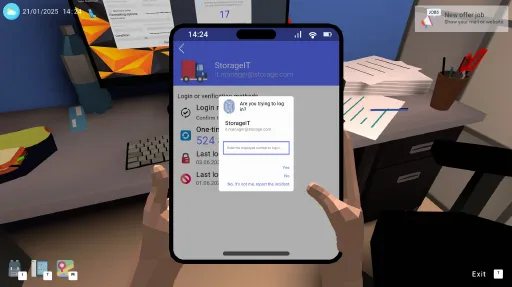
Improved the authentication app on the tablet. Clearer messages are now displayed when entering the code.
Tutorial
Fixed an issue in the tutorial that could block further progress when opening a downloaded PDF file.
Performance
Introduced several performance improvements related to searching for and handling devices.
Improved networking and routing.
Reduced unnecessary hint refreshes and repetitive background operations.
Introduced additional stability fixes and minor improvements to the game's overall performance.
⭐ Reviews Help Us a Lot
If you're enjoying IT Specialist Simulator and would like to support us, leaving a review on Steam helps us a lot.
No pressure - we completely understand if you'd rather wait a little longer. However, every honest review helps increase the game's visibility and allows us to keep working on it.
Thank you! 🏆
⭐Our New Game - Add It to Your Wishlist!⭐
As you know, we recently announced our new project. It's a story-driven game being developed mainly by a new member of our team. Of course, IT Specialist Simulator is still actively being developed and remains our top priority. However, if you'd like to support the new project as well, we encourage you to check it out and add the game to your wishlist. Thanks!
https://store.steampowered.com/app/4786880/BOUND/Hello everyone,
Today we're releasing a small emergency update due to the large number of reports regarding TVs. We identified the issue and fixed it. After updating the game, the problem should no longer occur!
EA 1.4.0 is coming in just one month. We can also reveal another secret about the upcoming update. The game will include a Python programming course. The course is designed in a way similar to real programming bootcamps.
[img src="{STEAM_CLAN_IMAGE}/45240152/6810b98ebebeb140319731aacff4700f8ce00cf6.png"]
⭐Our New Game⭐
We would also appreciate it if you added our new game to your wishlist. It really helps support us.
[dynamiclink href="https://store.steampowered.com/app/4786880/PROTOCOL_BOUND/"]
⭐ Reviews Help Us a Lot
If you're enjoying IT Specialist Simulator and would like to support us, leaving a review on Steam makes a huge difference.
No pressure—we completely understand if you'd rather wait a little longer. However, every honest review helps improve the game's visibility and allows us to continue developing it.
Thank you! 🏆
Fixed:
an issue where the tutorial could get stuck at 19:00
an issue where the ENTER key could not be pressed
an issue with the incorrect order of tutorial instructions
These issues were identified thanks to player reports submitted through the in-game bug reporting system, including:
save files
screenshots
⭐Our New Game⭐
We would also like to invite you to add our new game to your wishlist. It really helps support our work.
[dynamiclink href="https://store.steampowered.com/app/4786880/PROTOCOL_BOUND/"]
⭐ Reviews Help Us a Lot
If you're enjoying IT Specialist Simulator and would like to support us, leaving a Steam review makes a huge difference.
No pressure—we completely understand if you'd rather wait. However, every honest review helps improve the game's visibility and allows us to continue developing it.
Thank you! 🏆
Thanks to a report on the community page from player @stemon, we identified a critical bug that prevented further use of the PayApp application after changing the code.
We apologize for the inconvenience. If this issue affected you, after loading your save — the PayApp application password will be reset to 0000.
Additionally, we are releasing fixes for two bugs related to tasks.
The Server update we are working on is coming in June.
Thank you for your support!
https://store.steampowered.com/app/4322720/IT_Specialist_Simulator__Support_Pack/
Added:
new task type - Server, these tasks appear only from level 7. Currently, there are only a few server-related tasks and they mainly concern password policies. This category is experimental and the chance of receiving such a task is 1/50 (2%). These tasks are counted as computer tasks. Instructions for completing these tasks are available in the game starting from version 1.1.4.
new task category - Server, also available on the tablet in FreeMode
ability to change the PIN code for the PayApp application
added new mouse cursors - we’ve seen many requests for more distinctive cursors, so here we present new cursors available in the settings
[img src="{STEAM_CLAN_IMAGE}/45240152/d082126b93e975ee45fe30889683e6ce9c05f623.png"]
Fixed:
Some buttons in the browser had an issue with their outline on hover
transactions in the PayApp on the tablet were always positive and displayed in green
the Cancel button in the power options view now works correctly
Changes:
The computer in the IT room is now powered on at game start because it acts as a server and should run continuously. This change does not apply to the first day of work.
more graphics have been replaced
What’s coming in future updates?
First of all, you can expect new server-related tasks. We’re not yet sure whether we’ll start with a simple Active Directory setup or introduce more typical job-related elements, such as tasks for an MS Admin.
When are the next updates?
The next update will be released at the end of June. The Q3 update, however, will be available in mid-September and will focus mainly on programming and new applications related to hacking (white hat).
Hello!
Today, in this new year 2026, we are coming to you with the first batch of fixes! As you may have noticed, IT Specialist Simulator did not receive a discount during the Winter Sale… unfortunately, this was beyond our control. The game had not yet reached a full month after release by December 20. So, the sale ends today — and at the same time, you now have the opportunity to purchase the game at -20%.
https://store.steampowered.com/app/3266090/IT_Specialist_Simulator/
We also read a lot of feedback on Steam and in the surveys that many of you continue to fill out. We take everything into account, analyze it, and note the ideas that realistically can be added to the game.
About the update
Update EA 1.1.2 is a small update mainly focused on bug fixes. However, we added two key changes to the game, as well as several smaller ones:
- From now on, the process of creating a new playthrough is divided into two stages. This is also related to a new feature many players requested. You can now choose the length of your workday.
- full-time — working hours from 14:00 to 22:00 — real gameplay time: 40 minutes
- 3/4 time — working hours from 16:00 to 22:00 — real gameplay time: 30 minutes
- part-time — working hours from 18:00 to 22:00 — real gameplay time: 20 minutes
This is an important change for you. Old saves will be set to full-time by default. If you prefer shorter sessions, you now have that option.
{STEAM_CLAN_IMAGE}/45240152/62d62fac95b0bc76cfb3525f44838dd4c19eead6.gif - full-time — working hours from 14:00 to 22:00 — real gameplay time: 40 minutes
- Task Manager charts — you can now view CPU, GPU, RAM, and disk charts. The computer’s performance depends on the PC configuration and BIOS settings. For example: if you leave only one core enabled, the chart will spike upward.
{STEAM_CLAN_IMAGE}/45240152/71b0fccb6aca6bceb6289a17e46550409655fa49.gif - New sounds — we have added 3 new sound files. Many more will be added soon.
- Steam Cloud added — if you have cloud saves enabled, your saves should now synchronize between devices.
Fixes
We mainly focused on gameplay fixes. Here is the list:
- In Free Play mode, PDF and ISO files are downloaded automatically. Additionally, the PDF READER app is available on all computers.
- Key binding saving should now work correctly.
- Tutorial completion data is stored in a different place, preventing situations where you would need to repeat the tutorial.
- One task was not generating due to a data-transfer bug — this has been fixed.
- The HR computer now moves correctly.
- Save deletion improved.
- Task time is now calculated correctly after the end of the day. Expired tasks will no longer reappear.
- If you do not connect to Wi-Fi during the tutorial, the game will revert to previous steps.
- Internal language system improved.
- Collision with the table in the intro has been corrected.
- Debug files should now correctly appear in %appdata%.
- The tutorial in Free Play mode appears only once.
- Game logs are automatically deleted after 3 in-game days.
- Application shutdown system improved.
Trading cards
We are currently working on Steam trading cards, and you should see them later in January!
{STEAM_CLAN_IMAGE}/45240152/d3ef48312c7437e45b128b6a59cdd1ffb9159107.png
{STEAM_CLAN_IMAGE}/45240152/0781f5b7909accd0e76e0e6b121d4dcd37694624.jpg
Summary
The next update introducing new content is planned for March 2026. We hope you have enjoyed the game so far and are looking forward to what is coming next.
We also encourage you to check out the fan-made wiki created by @Mario8494, @Quinn, and @DatMayo.
https://it-specialist-simulator.fandom.com/wiki/IT_Specialist_Simulator_Wiki
Today marks exactly one week since the game’s release. Over 7,000 players have already played our game, which is currently in Early Access! We are incredibly grateful for that!
Today we’re bringing an update containing bug fixes you’ve been reporting to us on Discord and via email. We’ve also added a few small features.
You can expect the next update with new mechanics, tasks, applications and more in mid-December!
Freeplay Mode
We know that many of you are waiting for the freeplay mode. We are currently working on this mode. It will be handled through a dedicated app on the tablet, where you will select the device type and the task you want to train. Of course, this mode will have no time limits and will default to Easy mode, meaning all hints will be available.
{STEAM_CLAN_IMAGE}/45240152/2ef8a94e0e605380c2ba452b8ffdeb9255252a5c.png
Added:
- System installation – added a new window view during the file-copying stage from the USB drive. If you disconnect the USB stick, you will receive an appropriate message. In previous views, the installer would simply close and the system would attempt to boot using the default option – Boot Menu
{STEAM_CLAN_IMAGE}/45240152/1a00bcf6f44225c841ebdf05c0cfa4340ac26f0a.png - Unlocked system installation/repair tasks – due to fixing the bugs related to this part of the game
Fixed:
- Tasks related to the BIOS no longer cause issues with booting computers – the problem occurred mainly in one specific task
- Fixed the office printer task – the task was not checking one of the conditions (although it was still marked as completed)
- The router now receives the correct IP address after restoring factory settings – previously it incorrectly received an x.x.122.1 address
- The switch and router now receive the correct login and password after factory reset
- Fixed the post-processing options in the menu (incorrect loading order)
- FileExplorer app on the tablet – fixed the context menu, buttons no longer overflow the screen, scroll fixed
- PDF Reader app on the tablet – scroll fixed, and opening a new PDF now correctly resets the view to page one
- Network outlet data should now load correctly for Easy and Medium difficulty levels
- Fixed an issue where pressing the Play button in the Menu triggered multiple animations
Changed:
- Changed the BIOS startup key to F10
{STEAM_CLAN_IMAGE}/45240152/48d3818b474dce3db7e91108ca1237e857820c8d.png - Rebuilt the boot sequence after launching from BIOS or after a blue screen
- More tasks have been updated and now include a new type of hint
- Changes to the PDF file system
- Saving PDF files on the tablet – PDF files downloaded on versions EA 1.0.9 or EA 1.0.10 are not compatible. When you try to open them, you will see a corrupted file message
{STEAM_CLAN_IMAGE}/45240152/355f6921b0cad4ed1e8146bd607f4cd7344b3485.png - The system now installs with the Admin user folder – only when using newly downloaded ISO files
- Changed the sequence for transitioning to the exit sequence after 23:00
Before you play
If you continue your playthrough using an old save, make sure to delete the old PDF files from both your computer and tablet. Additionally, reinstall the new version of OScypek onto your USB drive!
Thank you for reporting the bugs. We’ve noticed that some issues appear on the following in-game days — we’re investigating this and will continue working on it. For now, we’ve fixed several problems.
Fixed:
- Fixed an issue with missing translation in the app store when downloading an application
{STEAM_CLAN_IMAGE}/45240152/db930e6e50bb32ae6386976f253338fb39c95584.png - Fixed the interface of the Properties, Permissions and Advanced Permissions apps — the text now adjusts properly to the length of the file path
{STEAM_CLAN_IMAGE}/45240152/a1f0e1d2db4559c11ce87209bc34cce6fc578d54.gif - If the player has no save files, the game now automatically opens the New Game tab. The Play button is hidden in the Load Game tab until a save file is selected
{STEAM_CLAN_IMAGE}/45240152/4111a0e813fc6268aca2c473a1a526c1aa9f6b3e.gif - The button linking to the Avocado project now works correctly on every computer
The link warning — we corrected the text on one button that could be misleading
{STEAM_CLAN_IMAGE}/45240152/a4a5933060a40f40de6728c6aa86ee34b3a01ab6.gif - Fixed an issue in the RACK cabinets — addressing now displays correctly for every device
{STEAM_CLAN_IMAGE}/45240152/026acfd497672d08b55bcb4b0eb6ee58dd163400.gif - Fixed the infinite BootMenu loop — the issue was caused by a USB drive that the system treated as faulty
{STEAM_CLAN_IMAGE}/45240152/30c054a11666eedfd320156fe5b0f0ae91e3eee2.gif - A large number of tasks did not save internal variables, which caused the map or tasks to not load properly after loading a save, or tasks displayed incorrect values
{STEAM_CLAN_IMAGE}/45240152/7aefe868f122484e5a03a5284b7ec20a083077ec.png - Task achievements did not work correctly
{STEAM_CLAN_IMAGE}/45240152/d8d8d75308850312e4bfb77fd33e87bfb92f5bf9.png - Removed an unnecessary “Button” label in the PDF app on the tablet
- Added saving of cloud data — we accidentally overlooked this part of the save system
- PDF files now save correctly on the tablet (remember: to open a PDF file, you must do it through the app, not the tablet’s file system)
- Fixed an incorrect password that appeared in the hints for one of the tasks
- Fixed assigning correct drive letters for external drives — the USB stick often lost its letter and turned into the cloud drive, causing the cloud to stop working on day two
- Fixed Terminal and PowerShall — pressing the numpad Enter key previously caused consoles to freeze
- Fixed an issue when shutting down the computer — some applications didn’t close in time and couldn’t be used the next day
- Fixed a system installation issue — installation should now run smoothly. We are not restoring system-installation tasks yet — we want to ensure everything works perfectly
- Fixed an issue with system repair via USB drive — the system would freeze on the data verification screen
- In network-related office printer tasks, addressing in the step-by-step instructions now displays correctly
- Fixed a blur effect that sometimes persisted throughout the whole game if the player created a new save
- Improved loading — it is now split into several stages. Additionally, the 99% loading freeze should no longer occur. The Play button no longer appears when no save is selected.
Changes:
- We removed the ability to shut down the computer using the function key (default P) — many of you reported accidentally turning off the computer, even though we added text-field focus in the last update. We decided that shutting down through system options is enough.
{STEAM_CLAN_IMAGE}/45240152/7194c1d1b2e5acfca7adaee4187f1c33267656e5.gif - Updated the “help” command in cmd with missing lines and changed system names to OScypek
{STEAM_CLAN_IMAGE}/45240152/89fd6ae24852c3e25ac542ccdf5d51d8370a8813.gif - When pressing F1 (Restart) during boot, the computer now proceeds with a normal startup (previously it saved options from Advanced Startup Settings)
- Limited the number of lines in cmd and powershall to 100
- Raised the browser window by 25px — it’s now aligned with the top edge of the monitor
- In office printer tasks, task info no longer refers to a specific person
Added:
- Added the ability to type ' in cmd and powershall — previously you couldn’t type names like Olivia_O'Neill
{STEAM_CLAN_IMAGE}/45240152/8fdb6e81ac7ded4bdd8514a991893047b7d52555.gif - We added new object models including:
- 6 corkboard models
- corkboard pins
- power adapter plug
- coffee machine model with a display
- 6 corkboard models
Thank you for reporting the issues. Some of them simply happened because we were tired when creating certain features — honestly, some of those mistakes were pretty silly on our part. There was also the “99% loading screen” bug — we asked players not to use demo save files, but… not everyone saw the message.
Changelog
Added
- Added a warning when exiting the game if a link opens your real browser
{STEAM_CLAN_IMAGE}/45240152/d5ecbac11d849c71239d26516f26d1cf286886fc.gif
[] The computer now automatically assigns default Boot Menu values on startup
[] Added a Pause button — you must press the button to start your break!
{STEAM_CLAN_IMAGE}/45240152/39d00be8cd31b6991389f4b01ae89893b7d8afc6.gif
Changed
- Updated the help descriptions for 10 tasks — now including step-by-step instructions. We’re still working on the rest. Over the next few days, every task will receive a full explanation and a video showing the correct solution.
{STEAM_CLAN_IMAGE}/45240152/b6f2999802543601b7c1ce8a84cd55ca18a92ba6.gif - The Mail app now opens without showing any messages. Emails appear only after selecting a category.
{STEAM_CLAN_IMAGE}/45240152/05530193738e012fcd12277fdf113a43ca359eb3.gif - Reduced the number of generated job offers by 75%
- On Easy difficulty, increased SLA time for each task by 3 hours
Bug Fixes
- RJ45 port labels now display correctly
- The 99% loading bug should no longer occur
- Fixed multiple Boot Menu–related issues — the system should now start properly (requires reinstalling the USB drive)
- Fixed a bug when downloading the OScypek ISO system file
Work & Testing
Please share feedback if you encounter tasks that include step-by-step instructions. We want to know if they’re clear and helpful — soon each of these tasks will also include a button that links to a tutorial video.
We’ve also started working on the Free Play mode, which will have simple rules:
- No SLA
- No saving
- A tablet app that allows generating specific tasks
- No time limits
- Ability to leave the session at any time
Thank you for purchasing our game! It means a lot to us that you enjoy your experience. Remember — this is a hobby project, and we’re not working on it 24/7. We all work in IT during the day :)
[img src="{STEAM_CLAN_IMAGE}/45240152/7e31ecb58dc005f85bd526bfb078a4e695878d35.png"]
Added:
- We've extended the general level gameplay time to approximately 45 minutes,
- Added the option to disable email notification sounds — available in the email settings,
- Added a new informational email during gameplay,
- Added a new forum thread type — Networks — currently there's only one thread there,
- Added a new slide to the tutorial on the general level,
- Added a new TV channel to the intro,
- Added sound effects to the intro,
- Added the ability to open network card properties via double-click
- Added new information about employees on map
Fixed:
- Fixed several minor typos,
- Reduced the volume of sound effects,
- Fixed a bug related to the network card where the player couldn't click the "Properties" button,
- Improved the display of the network card window – the blue highlight now disappears when clicking anywhere outside
We're actively reviewing and analyzing every comment on Steam and YouTube. We're also reading through the surveys you're filling out — thank you! ❤️ However, we’d like to clarify a few things:
- We will not be adding mechanics related to eating and sleeping on the general level,
- The Early Access release will include only the general level (and possibly the first specialization branch),
- The general level will have its own tutorial, similar to the one in the intro,
- The general level will gain a second floor — currently under renovation 😅,
- Computers, network devices, and other equipment will gain many new features,
We're planning around 250–350 different tasks for the Early Access release 😅
Current Release
Build 25354308
Uploaded Sep 29, 2026
System Requirements
How to Install
IT Specialist Simulator.exe to play
Troubleshooting tips
• Run Redist/_CommonRedist installers if game won't start
• Add folder to Windows Defender exclusions
• Run as administrator
Download
Direct link available
Needed when extracting (WinRAR / 7-Zip) — not a site login.
CAA36F8A
c29c326bbf7c31840542443deb06e2e6c40157dcafadf8308867cfb61e956f64
You May Also Like
View All









Download IT Specialist Simulator for PC with a direct link or via torrent. Get the full version of IT Specialist Simulator for free. IT Specialist Simulator is a Casual released by Pixel Team RED.