







About the Game
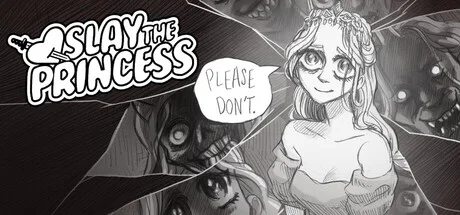
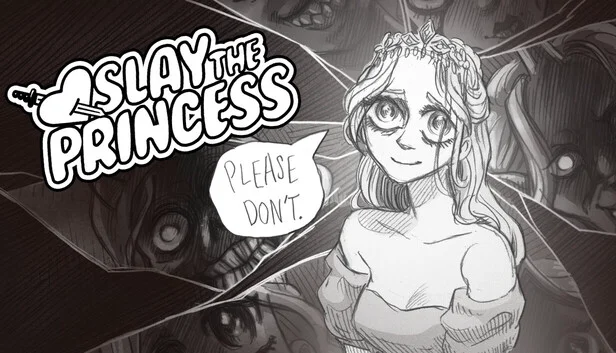
Slay the Princess — The Pristine Cut is Black Tabby Games' definitive edition of their cult psychological horror visual novel. You're on a path in the woods. At the end of the path is a cabin. In the basement of the cabin is a Princess. You're here to slay her, the Narrator says, or it's the end of the world. The Princess will do anything — charm, lie, plead, kill you a dozen times over — to stop you. The Pristine Cut adds three new chapters, expanded routes, and additional voice work to the already-dense original.
It's fully voice-acted by Jonathan Sims (the Magnus Archives) and Nichole Goodnight, with hand-drawn art rendering every twist of the loop in deliberately unsettling detail. The branching structure means a single playthrough sees only a fraction of the content; finishing the game means seeing many princesses and many endings, each peeling another layer off what's actually happening on this path.
Packaged by TENOKE as a scene release. 13 GB installed. Fully offline-playable, no Steam account required. Single-player only.
Version Information
Steam Patch Notes
Official update history
Fixed a rare logic error in spectre where a player who triggered the "harsh" spectre variant would unintentionally be pushed to the "friendly" spectre menu.
Fixed reported typos/mistranslations for the Polish translation. (Still working on compiling and fixing these for other languages, more polish fixes to come as well)
Fixed a sprite in PatD where the Princess has two left hands.
Assorted minor fixes.
1. Fixed a number of typos or instances where the spoken dialogue didn't sync word-for-word with the written text.
2. Restored a handful of inaccessible dialogue lines that were blocked by broken logic.
3. Changed chapter 1 knife -> betray tower start so that displayed art is more consistent with narrated actions. (Specifically, the Princess now has a more accurate level of battle damage)
4. Adjusted volume for a handful of lines that were too quiet.
5. Fixed a mistranslation in Japanese for first meeting with Her.
6. Switched .wav lossless for the pristine cut soundtrack in the supporter's pack for .flac to save space. Replaced Unknown Together and Apotheosis livetracks in the lossless soundtrack with up-to-date in-game versions.
I'm sure there's other stuff I'm forgetting, but this is what comes to mind.
Happy new year!
Tony
January 1 Edit:
A couple of small fixes for typos missed in yesterday's round + a few minor visual fixes.
Added a new line of dialogue in the lead-up to Damsel 3, and added an extra dialogue option to the climax.
Assorted smaller bug fixes, incl. a bug where TSM's torso would disconnect when selecting a red dialogue option from the Apotheosis route.
Just pushed a new patch that both resolves the save data edge cases we were initially trying to fix in yesterday's patch, and that now includes better failsafes to avoid triggering the rare save issues some users ran into with the following userflow:
1. Playing on October 30th build, pick [wait forever]
2. Game quits to desktop, as intended. Before boot-up, steam downloads October 31 patch.
3. Transition between builds creates new edge case making main menu difficult to access.
This patch should no longer cause that issue, AND it should cause games and save files to work correctly for players who experienced the above and did not repair their installs.
Next on the short-term docket is fixing some inconsistent animation jumps with the leave with the shifting mound animation. Longer term on the docket is adding some sort of indicator (a checkmark?) when a given route in the gallery. That one might take a little while though.
Cheers, and thank you so much for your patience while we hammered this out!
Sorry again to folks who ran into a weird bug with the [wait forever] option earlier today.
I just pushed what should be a fix for those issues to a beta branch. You can access the branch with the password waitforevertest
Instructions on how to access a beta branch can be found here: https://uk.gamesplanet.com/community/news_updates/363353-instructions-how-to-access-a-private-beta-preview-or
If you ran into the problems that came up in this thread (https://steamcommunity.com/app/1989270/eventcomments/4630356482652714742?snr=2_9_100003_) switching to the test branch *should* resolve the issue. And if this branch doesn't cause any unforeseen issues, I'll move it to live tomorrow.
If you're in the majority of players whose game is currently working properly, only try out this branch if you're willing to test it out and make sure it doesn't cause any issues with your game.
Cheers, and so sorry if you ran into problems with the build earlier today!
Tony
Disable Steam Cloud for the game.
Go to <game dir>\game\saves. Delete gimmick-LT1.save and quick-1-LT1.save files, if present.
Go to %AppData%\RenPy\SlaythePrincess-1651597024 (windows); HOME/Library/RenPy/SlaythePrincess-1651597024 (Mac);
Linux: $HOME/.renpy/SlaythePrincess-1651597024 (Linux)
And do the same as above.
That should be it
Although I'm not sure how it behaves on transition between patches
It also could be quick-1-LT1.save - delete it too if present.
If this leads to an error screen, you can drop this save file into your saves file and reboot the game. After it boots, you should be save to load and continue on your previous saves. https://www.dropbox.com/scl/fi/z8ca0yk8n1za5whba09f1/quick-1-LT1.save?rlkey=091nadldnn8bwxonck4e4a9yb&st=96trpsjd&dl=0
Extremely sorry about this issue! But these steps should resolve the problem and allow you to continue without losing progress.
Improved logic for [Wait Forever] crash to desktop. It now uses a specialized save slot so it won't write over any quick-saves, and has fail-safes in place to prevent a rare edge case caused by manually loading an old save generated by the fake crash.
Here's what's been pushed on this build:
• Corrected incorrectly swapped "Our Song" entries for P&D.
• Fixed incorrect gallery images and thumbnails for Cage, HEA, P&D, Tower
• Fixed visual glitch with tsm "hand" sprites seen in tlq
• Fixed visual glitch with nightmare's dress while puppetted by tsm in tlq
• Fixed a missing "talk" sprite in HEA
• Fixed a bug in the adversary where the game could lose track of whether the player had a knife
• Fixed a bug in the witch that would erroneously grant a gallery unlock under incorrect circumstances
• Fixed a bug in the finale where a variant of the fury's sprite would not properly display, and instead it would display her default sprites
• Incremented an unused variable during the mirror conversation to unlock a previously unobtainable dialogue option.
• Fixed an issue w/ translations where 3 lines in HEA would not play english audio
Than you all so much for playing!
If you want to wipe the incorrectly given version of the achievement, its API name is: "ACH_GALLERY" (no quotes)
A few other fixes:
For Simplified Chinese, it turns out I'd accidentally gotten the Princess' spooky and normal fonts (pink and red) swapped. I've switched them back. Please let me know if this leads to any issues and I will fix it right away!
For Steam Deck, a display issue was causing the volume sliders in the preferences screen to flow off the screen and become unusable. The Steam Deck is rendering the preferences menu in a *weird* counterintuitive way. While I look into this further, I've disabled some redundant preferences (parallax which doesn't currently work on deck; and auto-forward) so that the sliders display properly and those tools are usable.
We've fixed a number of other small issues as well.
Thanks so much for your patience while we sort this out.
Title.
The achievement to finish the gallery should now be working as intended. If you've already finished the gallery, just start a new game and get to the first menu in the woods, and the achievement should go off for you.
A few other fixes — including compressing some images for the new "leave with the shifting mound" ending that make it more performant on windows.
And for those of you who missed the earlier patch notes today, we updated the supporter's pack with more stuff, including high res chibis of each princess :)
Fixes should be a decent place at this point, gonna slow down and take it a lil easy.
Thank you for your patience and for playing our game!
Tony
Quite a few little changes here.
The gallery will now continue to display "hints" when you hover over thumbnails for CGs, even after you've already unlocked them! A lot of folks requested this change and it was a good idea, so in it goes!
Sliders now correctly change color when selected on controller.
For the shifting mound [wait forever] sequence, the game now deletes the quick save it creates after you've rebooted. This should avoid a rare issue where manually loading that save after the fact introduced issues with persistent data.
In simplified chinese, we have replaced the narrator/voices font with one that is more legible. hope this helps!
and then there's a number of other assorted fixes.
Note: the "finish the gallery" achievement is still broken. we're actively investigating it - hopefully we have a fix soon. (and regardless, you won't lose progress on the achievement, since it will check against your current unlocks.)
we have also updated a few things with the supporter pack:
1. it's now been reduced to two primary folders in the game directory — one for music, one for art.
2. for music, we've added an mp3 option for the pristine cut OST (as opposed to lossless)
3. we've added hd versions of the gallery chibis to the art side of the supporter's pack
Thank you all so much for playing!
Tony
EDIT 2 — New update. Gallery hovering and other buxfixes implemented. Finish the gallery achievement temporarily disabled until we drill down the issue. Sorry about that folks and sorry for everyone who was accidentally granted it early.
When something is broken but nobody else would realize it isn't working.
It looks like a tweak to Ren'py we introduced to improve controller UX for sliders in the preferences menu broke the hover effect in the gallery. We've rolled back that Ren'py tweak, which means sliders won't retain a "hovered" color when selected, but now thumbnails and icons in the gallery should correctly display their hovered variants.
Looking into finding a way to make both work at once, but for now, the gallery UI takes precedence over slider UI.
This hotfix also includes a couple of things mentioned in Hotfix 5, but that should now work properly (instead of get immediately rolled back)
They are: If you've finished the game and are returning for the first time, we check to see if you've earned the "Our Song" achievement, and if so, we automatically unlock the gallery. This should clear up some confusion on how to access it.
The achievement to finish the gallery should now function properly.
Thanks so much for your patience as we work all of this out.
Current Release
Not available
System Requirements
How to Install
setup.exe
Troubleshooting tips
• Run Redist/_CommonRedist installers if game won't start
• Add folder to Windows Defender exclusions
• Run as administrator
Download
Direct link available
Needed when extracting (WinRAR / 7-Zip) — not a site login.
You May Also Like
View All





Download Slay the Princess — The Pristine Cut for PC with a direct link or via torrent. Get the full version of Slay the Princess — The Pristine Cut for free. Slay the Princess — The Pristine Cut is a Adventure released by Black Tabby Games.