







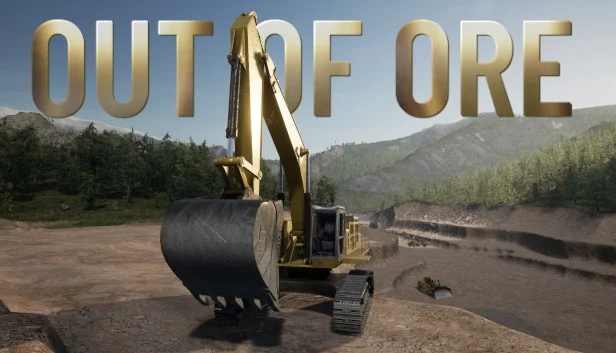
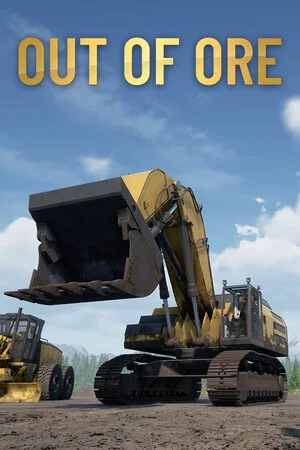
Out of Ore
by North Modding Company AB · 31 Oct, 2022
455 downloads
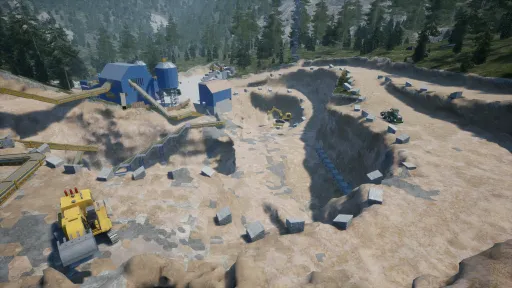
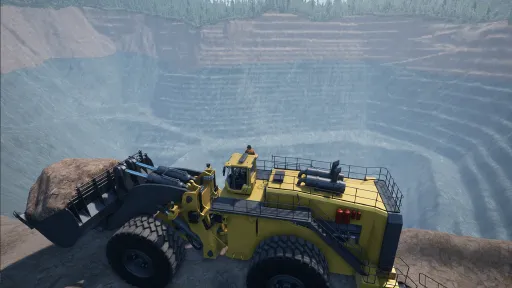
About the Game
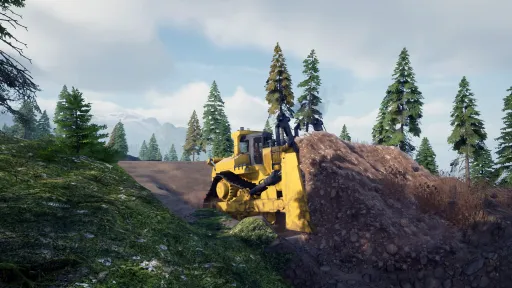
You are sent out to the most northen base "Company Mining Corp" has,
and its up to you to prospect for ore, mine it and sell it to earn a profit.
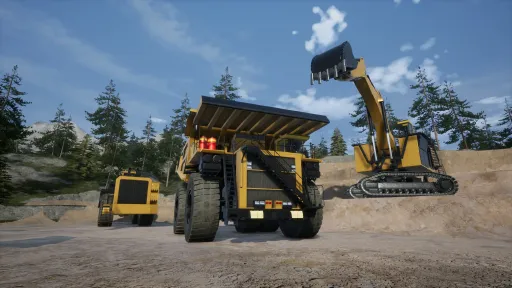
Run your own mining company build your site and expand your fleet.
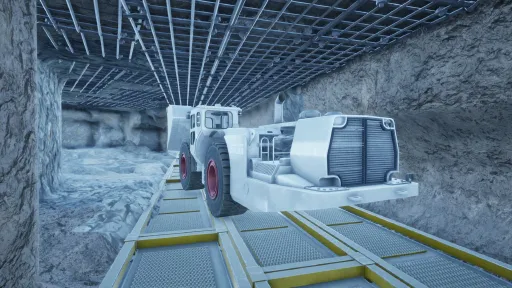
You can explore the wilderness, dig, blast or build
on seven different maps with a size of 400 000 square kilometers.
Unlock vehicles and items throughout the journey to increase your productivity.
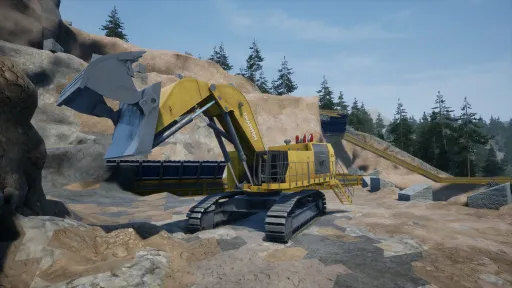
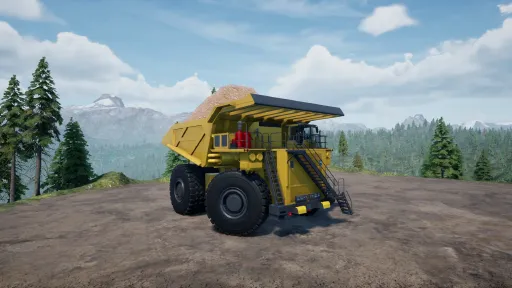
There are many types of equipment with a lot of variation.
Every vehicle can be customized with lights, gps, paint, tires or tracks.
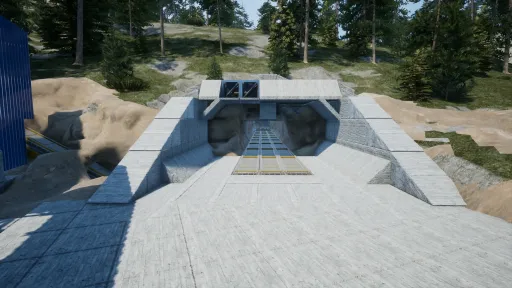
Set off to look for ore and build your own production plant that can sort, crush or refine your ore.
Explore your new surroundings and build whatever your heart desires.
Embark on a long and exciting journey and work your way from laborer at level 1,
all the way to level 70 where you finally become King of Klondike.
and the game supports both Joysticks, Controllers, Headtracking (Opentrack) and Wheels
The game is a "Work in progress" and developed by a small 5 person crew
Screenshots
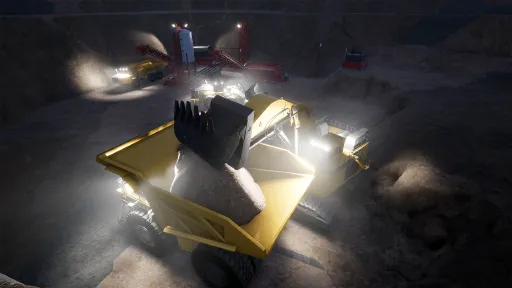
15 images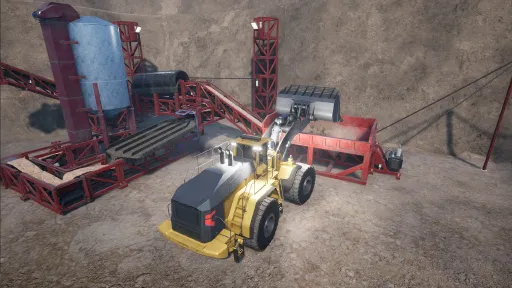
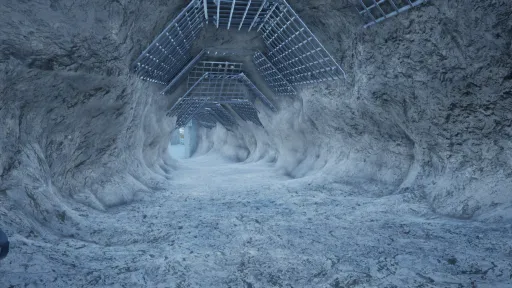
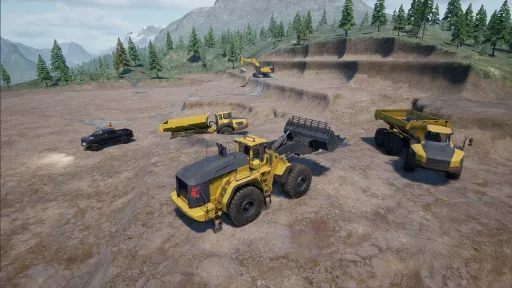
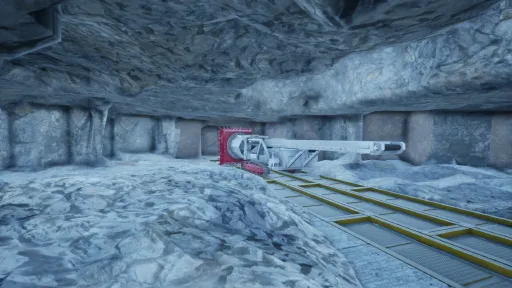
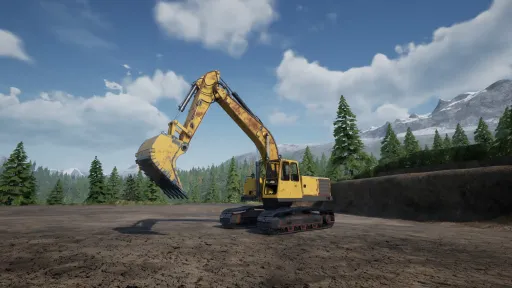
Version Information
Steam Patch Notes
Official update history
Hello everyone and happy Friday!
We are back with another Beta update!
Since the first release of V0.36, we have been going through your reports and taking care of several issues that have been causing problems. At the same time, we are continuing to look into the things that still need some attention.
This update brings changes to several areas of the game. Auto Level should now behave more consistently for Multiplayer clients, ground and material flickering has been improved, and saving your game should now be significantly faster, especially with larger savegames.
There are plenty of other changes included as well, from vehicle and production fixes to some pricing adjustments and smaller quality of life improvements.
Further down, we will go through some of the bigger changes, followed by the full list of fixes and improvements included in this update.
As always, a big thank you to everyone testing the Beta and sending us your reports and feedback.
Remember that the Beta update is optional and is still being tested and polished with the help of those who choose to take part in Beta testing and reporting. We also recommend to always making a backup before switching between game versions!
How to join the Beta branch
Right-click Out of Ore in your Steam Library and select Properties.
In the Properties menu, select Betas from the left sidebar.
Select "beta - Latest beta for players" from the dropdown list.
The Beta should begin downloading automatically.
[img src="https://clan.fastly.steamstatic.com/images//42596158/916856ad2ed5e58fe0fa2cd20e1b18a876113d99.png" style="border: none; -webkit-user-drag: none; max-width: 100%; position: relative; z-index: -1; pointer-events: none;"]
Below, we want to highlight a couple of the changes in more detail, with everything else listed further down in the patch notes.
Auto Level
We have added a new Current Level indicator to Auto Level.
Once you have either activated Auto Level or used Set Height, the Current Level indicator will show the current level of your blade, making it easier to see where your blade is compared to the level you are working towards.
[img src="https://clan.fastly.steamstatic.com/images//42596158/4943cf0244dde442ca338943469b1d8962162cdc.png" style="border: none; -webkit-user-drag: none; display: block; max-width: 100%; position: relative; z-index: -1;"]
Multiplayer
We have added saving notifications and the save countdown for Multiplayer clients. Previously, these notifications were only shown to the host. Clients will now also be able to see when the game is about to save and when saving is in progress.
We have also made a significant improvement to game saving times. Saving should now take considerably less time, especially on larger savegames where it could previously take several minutes.
Time and Weather
We added a new Freeze Sky option, which can be found in the OS menu under the Time Multiplier settings.
When Freeze Sky is enabled, you can speed up the game time while keeping your selected weather and time of day unchanged. Ore prices will still recover based on the selected Time Multiplier speed.
[img src="{STEAM_CLAN_IMAGE}/42596158/f2ffca39d8fd4a7b83c4c148bbe84fcd318f0e0e.png"]
[img src="https://clan.fastly.steamstatic.com/images//42596158/6d0d3ad7431dccfef4bd61fe4a78dd857dcaf179.png" style="border: none; -webkit-user-drag: none; max-width: 100%; position: relative; z-index: -1; pointer-events: none;"]
Current patch fixes & improvements
Removed Platinum ore from the ore price menu
Fixed an issue where flexible conveyors could sometimes appear incorrectly after reloading the game
Fixed an issue where the Chariton FX4000FS boom arm became slow with a full bucket
Fixed an issue where Multiplayer clients could not pass through metal doors
Adjusted loader bucket angle when on the ground to improve steering and pushing material
Fixed an issue where Auto Level could wobble and behave inconsistently for Multiplayer clients
Fixed an issue where the Auto Level HUD did not appear after reloading a game (press "Activate" to show the HUD again)
Added a Current Level indicator to Auto Level
Fixed an issue where vehicles could have wear and dirt visible inside their cabins
Fixed conveyor and factory element sound and smoke effects
Fixed the Man Lift incorrectly showing a fill bar
Added the missing default keybind for Auto Level Offset Decrease and changed the default Auto Level Offset Increase keybind
Adjusted Coil and Sheet pricing to make them profitable
Improved material flickering on flat ground caused by Z-fighting
Fixed Bank loan interest so it is now deducted every in-game hour
Fixed an issue where the fuel truck had too short a range when filling baggers
Fixed overlapping text on the Mine Office wall screen
Added the save countdown and screen notifications for Multiplayer clients while terraforming is locked and the game is auto-saving
Fixed the Borderless screen setting; it is now locked to the maximum resolution and prevents resolution editing
Fixed Dozers speed while working on an incline
Fixed the GLS 450Aj shop description
Significantly improved game saving speed
How to report a bug/issue?
When sending in bug reports, it is a huge help if you can describe the issue in as much detail as possible.
Useful information includes:
Your game version, which can be found on the main menu (for example, V0.35.5511)
What happened
What appears to cause the issue
Steps we can follow to reproduce it
If the issue involves a vehicle, which vehicle(s) are affected
If the game crashes, please include the crash report
Your Discord/Steam name or email address so we can reach out if additional information is needed
You can find the bug report link in the game menu or use the Bug Report Link.
How to find savegames and crash reports
Savegames:
%localappdata%\\OutOfOre\\Saved\\SaveGames
Crash reports:
%localappdata%\\OutOfOre\\Saved\\Crashes
Note:
Copy the path above and paste it directly into the File Explorer address bar or the Windows search box.
If you're unsure about %localappdata%, you can also find these files by navigating to:
C:\\Users\\YourUsername\\AppData\\Local\\OutOfOre\\Saved\\
[img src="https://clan.fastly.steamstatic.com/images//42596158/8961b053bf0d139ca2e1a07d9cde33a707c6f437.png" style="border: none; -webkit-user-drag: none; max-width: 100%; position: relative; z-index: -1; pointer-events: none;"]
Our new system for bug reports, crash reports, and suggestions has already made it much easier for us to communicate with players and follow up when we need more information.
If you have submitted a report, remember to keep an eye out for a reply from us. We may sometimes need additional details, files or clarification before we can continue investigating an issue. Responding to these follow-ups helps us move the report forward and get a clearer picture of what is happening.
That’s it for this Beta update!
Thank you to everyone testing and helping us improve the Beta.
More to come, and we will keep you updated!
Best Regards,
Christian & The Team
Hello everyone!
A new hotfix is now available on the beta branch, addressing an issue where Windows could prevent the Out of Ore executable from launching.
This issue was related to Windows Smart App Control, which could block the game executable from running for some players.
We are continuing to work through the reports coming in, and more fixes will follow as we resolve them.
Thank you to everyone sending in reports and helping us track down these issues!
Remember that this is an optional Beta update and is still being polished with the help of everyone participating in beta testing and reporting issues.
[img src="{STEAM_CLAN_IMAGE}/42596158/43232f1f19b9ff7036b2890812a00b626e678826.png"]
Currently fixed issues:
Fixed issue where Windows Smart App would not allow game to start
How to join the Beta branch
If you wish to play the beta branch and try the latest fixes:
1. Right-click on Out of Ore in your Steam library and select Properties.
2. In the Properties menu, select Betas from the left sidebar.
3. Select "beta - Latest beta for players" from the dropdown list.
4. The beta should begin downloading automatically.
How to report a bug/issue?
When sending in bug reports, it is a huge help if you can describe the issue in as much detail as possible.
Useful information includes:
Your game version, which can be found on the main menu (for example, V0.35.5511)
What happened
What appears to cause the issue
Steps we can follow to reproduce it
If the issue involves a vehicle, which vehicle(s) are affected
If the game crashes, please include the crash report
Your Discord/Steam name or email address so we can reach out if additional information is needed
You can find the bug report link in the game menu or use the Bug Report Link.
How to find savegames and crash reports
Savegames:
%localappdata%\\OutOfOre\\Saved\\SaveGames
Crash reports:
%localappdata%\\OutOfOre\\Saved\\Crashes
Note:
Copy the path above and paste it directly into the File Explorer address bar or the Windows search box.
If you're unsure about %localappdata%, you can also find these files by navigating to:
C:\\Users\\YourUsername\\AppData\\Local\\OutOfOre\\Saved\\
Best Regards,
Christian & The Team
Hello everyone!
A new hotfix is now available on the beta branch, bringing a couple of fixes following the latest Beta update.
We have fixed the smoke animation and audio issues on multiple production elements. We have also fixed an issue with Auto Level GPS, where the HUD would not return after reloading a save.
After reloading your game, the Auto Level HUD will now appear again once Auto Level is activated.
We are continuing to work through the reports coming in, and more fixes will follow as we resolve them.
Thank you to everyone sending in reports and helping us track down these issues!
Remember that this is an optional Beta update and is still being polished with the help of everyone participating in beta testing and reporting issues.
[img src="{STEAM_CLAN_IMAGE}/42596158/43232f1f19b9ff7036b2890812a00b626e678826.png"]
Currently fixed issues:
Fixed smoke animation and audio issues on production elements
Fixed issue where activating Auto Level GPS after reload will now bring up HUD once auto level is activated
How to join the Beta branch
If you wish to play the beta branch and try the latest fixes:
1. Right-click on Out of Ore in your Steam library and select Properties.
2. In the Properties menu, select Betas from the left sidebar.
3. Select "beta - Latest beta for players" from the dropdown list.
4. The beta should begin downloading automatically.
How to report a bug/issue?
When sending in bug reports, it is a huge help if you can describe the issue in as much detail as possible.
Useful information includes:
Your game version, which can be found on the main menu (for example, V0.35.5511)
What happened
What appears to cause the issue
Steps we can follow to reproduce it
If the issue involves a vehicle, which vehicle(s) are affected
If the game crashes, please include the crash report
Your Discord/Steam name or email address so we can reach out if additional information is needed
You can find the bug report link in the game menu or use the Bug Report Link.
How to find savegames and crash reports
Savegames:
%localappdata%\\OutOfOre\\Saved\\SaveGames
Crash reports:
%localappdata%\\OutOfOre\\Saved\\Crashes
Note:
Copy the path above and paste it directly into the File Explorer address bar or the Windows search box.
If you're unsure about %localappdata%, you can also find these files by navigating to:
C:\\Users\\YourUsername\\AppData\\Local\\OutOfOre\\Saved\\
Best Regards,
Christian & The Team
Hello everyone!
A new hotfix is now available on the beta branch, addressing a crash that could occur while loading certain savegames.
The crash was caused by a flexible conveyor sometimes becoming invalid during the loading process. This has now been fixed.
We are continuing to work through the reports coming in, and more fixes will follow as we resolve them.
Thank you to everyone sending in reports and helping us track down these issues!
Remember that this is an optional Beta update and is still being polished with the help of everyone participating in beta testing and reporting issues.
[img src="{STEAM_CLAN_IMAGE}/42596158/43232f1f19b9ff7036b2890812a00b626e678826.png"]
Currently fixed issues:
Fixed an issue where a flexible conveyor could sometimes become invalid while loading a save, causing the game to crash.
How to join the Beta branch
If you wish to play the beta branch and try the latest fixes:
1. Right-click on Out of Ore in your Steam library and select Properties.
2. In the Properties menu, select Betas from the left sidebar.
3. Select "beta - Latest beta for players" from the dropdown list.
4. The beta should begin downloading automatically.
How to report a bug/issue?
When sending in bug reports, it is a huge help if you can describe the issue in as much detail as possible.
Useful information includes:
Your game version, which can be found on the main menu (for example, V0.35.5511)
What happened
What appears to cause the issue
Steps we can follow to reproduce it
If the issue involves a vehicle, which vehicle(s) are affected
If the game crashes, please include the crash report
Your Discord/Steam name or email address so we can reach out if additional information is needed
You can find the bug report link in the game menu or use the Bug Report Link.
How to find savegames and crash reports
Savegames:
%localappdata%\\OutOfOre\\Saved\\SaveGames
Crash reports:
%localappdata%\\OutOfOre\\Saved\\Crashes
Note:
Copy the path above and paste it directly into the File Explorer address bar or the Windows search box.
If you're unsure about %localappdata%, you can also find these files by navigating to:
C:\\Users\\YourUsername\\AppData\\Local\\OutOfOre\\Saved\\
Best Regards,
Christian & The Team
Hello everyone!
A quick hotfix patch is now out, addressing the parking brake issue we have seen several of you reporting.
We know there are still other reports coming in, and we are working through those as well. More fixes will follow as we get through them.
Thank you to everyone sending in reports and helping us find these issues!
Remember this is optional Beta update and it is being polished thanks to those who wish to be part of beta testing and reporting.
We remind to always send in bug reports and huge help is if you can describe issue as detailed as possible.
Including game version ( you will see it on main menu , usually like V0.35.5511 for example)
How it happens? What causes it. How to duplicate it.
If issue is vehicle(s) , which one?.
If game crashes please include crash report so team can find the issue
Also your discord/steam name or email so we can reach out to you If necessary for additional info.
You can find link to bug report in game menu or use Bug Report Link .
If you wish to play beta branch and try it out , here is how to do that:
1. Right-click on "Out of Ore" in your Steam library and select Properties.
2. In the Properties menu, click on Betas from the left sidebar.
3. Select "beta - Latest beta for players" from the dropdown list.
4. The beta should begin downloading automatically.
[img src="{STEAM_CLAN_IMAGE}/42596158/43232f1f19b9ff7036b2890812a00b626e678826.png"]
Currently fixed issues :
Fixed issue with parking brake not working properly on some vehicles
How to report a bug/issue?
When sending in bug reports, it is a huge help if you can describe the issue in as much detail as possible.
Useful information includes:
Your game version, which can be found on the main menu (for example, V0.35.5511)
What happened
What appears to cause the issue
Steps we can follow to reproduce it
If the issue involves a vehicle, which vehicle(s) are affected
If the game crashes, please include the crash report
Your Discord/Steam name or email address so we can reach out if additional information is needed
You can find the bug report link in the game menu or use the Bug Report Link.
How to find savegames and crash reports
Savegames:
%localappdata%\\OutOfOre\\Saved\\SaveGames
Crash reports:
%localappdata%\\OutOfOre\\Saved\\Crashes
Note:
Copy the path above and paste it directly into the File Explorer address bar or the Windows search box.
If you're unsure about %localappdata%, you can also find these files by navigating to:
C:\\Users\\YourUsername\\AppData\\Local\\OutOfOre\\Saved\\
Best Regards,
Christian & The Team
Hello everyone!
We are back with a new Beta update, and this time we have three new additions for you to try out: Auto Level, Flexible Conveyors and Manlifts!
With these additions, we are looking to make some everyday tasks a little easier, from keeping a consistent ground level, to putting together production lines and reaching those harder to access areas around your mine sites and buildings.
Alongside the new features, V0.36 also brings further performance improvements, adjustments and fixes across the game.
We are continuing to work through other reported issues and feedback as well. Not everything that has been reported is included in this update, as some areas affect larger parts of the gameplay and need more time and attention than a quick fix, such as economy, camera modes, vehicle behavior and more. We will continue working through these areas step by step in the upcoming updates.
Further down, we will take a closer look at each of the new features, how they are intended to work and how to get started with them.
As always, thank you to everyone taking part in the Beta and continuing to send us your bug reports, feedback and suggestions!
Remember that the Beta update is optional and is still being tested and polished with the help of those who choose to take part in Beta testing and reporting. We also recommend to always do a backup before switching between game versions!
How to join the Beta branch
Right click Out of Ore in your Steam Library and select Properties.
In the Properties menu, select Betas from the left sidebar.
Select "beta - Latest beta for players" from the dropdown list.
The Beta should begin downloading automatically.
[img src="https://clan.fastly.steamstatic.com/images//42596158/916856ad2ed5e58fe0fa2cd20e1b18a876113d99.png" style="border: none; -webkit-user-drag: none; max-width: 100%; position: relative; z-index: -1; pointer-events: none;"]
Auto Level
Keeping your blade level has not always been an easy task, especially when working across larger areas. Auto Level is intended to help with this by automatically keeping your blade or bucket at a selected working height.
For this first version, Auto Level is keeping things simple and works with a flat horizontal level. It will help keep your blade or bucket at the height you have set, but tilted or sloped levels are not supported yet.
This is our first step with Auto Level, and we would like to build further on the system as development continues.
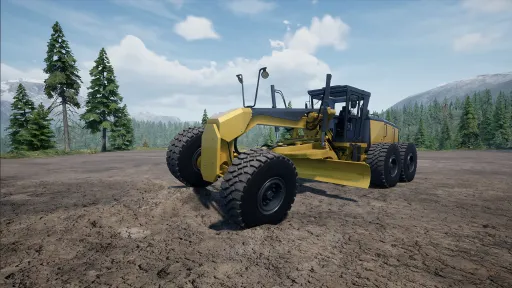
Auto Level is currently available for loaders, dozers and graders.
The DX100A Dozer and L8000/L10000 loaders do not currently support Auto Level as these are older machines.
How to get started
To use Auto Level, you first need to purchase the Auto Level GPS from the store under:
Equipment → GPS → Auto Level Receiver
Once purchased, equip the GPS in one of the vehicle's light slots.
If the vehicle does not currently support Auto Level, a message will be shown in the Vehicle Inventory.
Controls
You can find the Auto Level controls under:
Settings → Controls → Vehicle
Scroll down towards the bottom of the Vehicle controls.
Activate Auto Level
Activates or deactivates Auto Level. When active, the blade or bucket will automatically move towards the selected working height.
Set Height
Sets the current blade or bucket height as your target height and activates Auto Level.
Height Offset Increase
Raises the working height by 15 cm with each press.
Height Offset Decrease
Lowers the working height by 15 cm with each press.
The offset can also be adjusted while Auto Level is active.
Setting the height manually
You can also enter a target height manually.
While sitting in the vehicle, open the Vehicle Inventory (I). At the top you will find the Set Auto Level Target input.
Enter the height you want to use. You can press Enter or simply close the inventory and the target will update automatically.
The height is displayed in centimeters.
Height Offset
The Height Offset allows you to make smaller adjustments without entering a completely new target height.
Each step changes the working height by 15 cm.
For example, if your target is set to 13,300 cm and you add an offset of +30 cm, Auto Level will work 30 cm above the original target.
Your current offset is shown on the Auto Level display.
On Target
The On Target indicator helps you see when the blade or bucket has reached the selected working height.
Once the blade is level with the target, On Target will turn green.
The Diff value shows how far the blade or bucket currently is from the selected working height in centimeters.
Auto Mode
Once your height is set and Auto Level is active, the blade or bucket will automatically follow the selected working height.
Auto Level will disengage if you manually lift the blade or bucket. It can also disengage when the machine is under a heavy load, for example when a dozer is pushing a large amount of material.
Once disengaged, you will need to activate Auto Level again.
This is intentional so the blade or bucket is not completely locked into position and the machine can still behave naturally while working.
Manlift
Manlifts give you an easier way to reach areas that would otherwise be difficult to access.
There are two versions available, wheeled and tracked, giving you a choice depending on where and how you want to use them. Both can be purchased from the store under Vehicles → Lift.
Manlifts can be useful around buildings and mine sites, or when you need to reach difficult areas, such as when placing explosives.
The two available models are:
GLE 450 AJC
Tracked
GLE 450AJ
Wheeled
Manlifts are designed to be operated by a single person. In Multiplayer, having multiple players on the platform at the same time is possible, but you are doing so at your own risk!
Controls
You can find the Manlift controls under:
Settings → Controls → Lift
Flexible Conveyors
Flexible Conveyors give you more freedom when connecting different parts of your production setup, especially when the input and output points do not quite line up with each other.
They are intended for shorter connections and smaller adjustments between production equipment rather than replacing regular conveyors over longer distances. Flexible Conveyors have a maximum length of 6 meters.
A Flexible Conveyor can be connected starting from either an input or an output side, making it easier to fit into both new and existing production lines.
You can purchase Flexible Conveyors from the store under:
Factory → Conveyors → Flexible Conveyor
Flexible Conveyors can also be painted.
Connecting Flexible Conveyors
Flexible Conveyors are designed to connect between two already placed production elements.
If you remove one of the elements that a Flexible Conveyor is connected to, the Flexible Conveyor will also need to be removed and placed again once your production equipment is back in position.
Currently, you cannot place a production element and snap it back onto an already placed Flexible Conveyor.
[img src="https://clan.fastly.steamstatic.com/images//42596158/6d0d3ad7431dccfef4bd61fe4a78dd857dcaf179.png" style="border: none; -webkit-user-drag: none; max-width: 100%; position: relative; z-index: -1; pointer-events: none;"]
Current patch fixes & improvements
Fixed characters not standing correctly on moving vehicles
Fixed big dual hopper top part being different color
Added a hint when player does not have enough material to place ore on the ground
Added display hint when the player tries to place building elements on land they do not own
Mossy rocks in the world can be destroyed with pickaxe
Fixed an issue where the engine won't stop properly after the player leaves the vehicle
Removed a pre-placed ramp far from start area on Coal Country map
Improved vehicle physics, animation and hydraulics performance
Improved voxel foliage save loading performance when moving around
Improved vehicle collision update behavior
Fixed an issue where a joining client's time was set 00:00 when the host's game was paused
Fixed issue where falling dirt effect sound keeps playing once player has exited vehicle
Improved bank input to accept numeric values only and prevent negative or oversized values
Added Gold ore to Metal Ore Sorter as output
Fixed issue where compact roller's drum was visually moving faster than vehicle
Fixed issue where hand tools (axe, shovel, fast shovel) were missing effect sounds when used
Fixed issue where GPS horizontal tilt was mirrored and improved GPS angle display
Fixed issues with sounds and high/low gear speed differences on some larger excavators
How to report a bug/issue?
When sending in bug reports, it is a huge help if you can describe the issue in as much detail as possible.
Useful information includes:
Your game version, which can be found on the main menu (for example, V0.35.5511)
What happened
What appears to cause the issue
Steps we can follow to reproduce it
If the issue involves a vehicle, which vehicle(s) are affected
If the game crashes, please include the crash report
Your Discord/Steam name or email address so we can reach out if additional information is needed
You can find the bug report link in the game menu or use the Bug Report Link.
How to find savegames and crash reports
Savegames:
%localappdata%\\OutOfOre\\Saved\\SaveGames
Crash reports:
%localappdata%\\OutOfOre\\Saved\\Crashes
Note:
Copy the path above and paste it directly into the File Explorer address bar or the Windows search box.
If you're unsure about %localappdata%, you can also find these files by navigating to:
C:\\Users\\YourUsername\\AppData\\Local\\OutOfOre\\Saved\\
[img src="https://clan.fastly.steamstatic.com/images//42596158/8961b053bf0d139ca2e1a07d9cde33a707c6f437.png" style="border: none; -webkit-user-drag: none; max-width: 100%; position: relative; z-index: -1; pointer-events: none;"]
While working through player reports and feedback, there are several areas we feel need more focused attention. Rather than making smaller individual fixes here and there, we want to look at these areas more closely and find a good balance that works well for as many players as possible.
For some of these areas, we also want to start using player surveys. This will give everyone an easier way to share your thoughts and help us get a broader picture of how the community feels, rather than relying mainly on individual opinions and reports when deciding what may need to be changed or improved.
We know there are players who prefer realism and players who prefer a more sandbox experience, so finding a balance that works well for both sides is not always an easy task.
We are also working on a new system for bug reports, crash reports, suggestions and feedback.
Your reports are a huge help, but sometimes we simply need a little more information to figure out what is happening. If no contact information was included with the report, there has not really been a way for us to ask those follow up questions.
The new system should make that communication much easier and help us work together with you when a report needs some extra information or clarification.
That’s it for this Beta update!
We hope you enjoy trying out the new additions, and as always, we appreciate everyone taking the time to test, report issues and share feedback with us.
There is more to come, and we look forward to sharing more with you soon!
Best Regards,
Christian & The Team
Hello everyone!
Thank you for everyone who has been submitting bug reports , and in this hotfix we addressed some of the new bugs players encountered.
Remember this is optional Beta update and it is being polished thanks to those who wish to be part of beta testing and reporting.
We remind to always send in bug reports and huge help is if you can describe issue as detailed as possible.
Including game version ( you will see it on main menu , usually like V0.35.5511 for example)
How it happens? What causes it. How to duplicate it.
If issue is vehicle(s) , which one?.
If game crashes please include crash report so team can find the issue
Also your discord/steam name or email so we can reach out to you If necessary for additional info.
You can find link to bug report in game menu or use Bug Report Link .
If you wish to play beta branch and try it out , here is how to do that:
1. Right-click on "Out of Ore" in your Steam library and select Properties.
2. In the Properties menu, click on Betas from the left sidebar.
3. Select "beta - Latest beta for players" from the dropdown list.
4. The beta should begin downloading automatically.
How to find crashes/savegames:
1. For savegames:
%localappdata%\\OutOfOre\\Saved\\SaveGames
2. For crash reports:
%localappdata%\\OutOfOre\\Saved\\Crashes
Note:
Copy the path above and paste it directly into the File Explorer address bar or the Windows search box.
If you're unsure about %localappdata%, you can also find these files by navigating to: C:\\Users\\YourUsername\\AppData\\Local\\OutOfOre\\Saved\\
[img src="{STEAM_CLAN_IMAGE}/42596158/43232f1f19b9ff7036b2890812a00b626e678826.png"]
Currently addressed issues and fixes and improvements:
Fixed issue where buying arvik EX500D would spawn Chariton EX200A
Fixed issue where some vehicles were missing cab collision
Team will be continuing work on reports as well new features .
Best Regards,
Christian & The Team
Hello everyone!
With this smaller Beta update, we mainly focused on addressing reported bugs and making further fixes and adjustments based on players reports and feedback.
Alongside these fixes and improvements, we have also added the new V2 versions of several existing maps. You can read more about them further down in this post.
A number of adjustments have been made to vehicles and how they behave, but these changes are not their final state.
We will continue tweaking and improving vehicles with future updates as we gather more feedback and continue development.
At the same time, the team continues working on several other areas of the game, with more taking shape that we look forward to showing and talking about in upcoming Development News.
As always, thank you to everyone taking part in the Beta and sending in bug reports, feedback, and suggestions!
Remember that this is an optional Beta update and is still being tested and polished with the help of those who choose to take part in Beta testing and reporting.
We also recommend to always do a backup before switching between game versions!
When sending in bug reports, it is a huge help if you can describe the issue in as much detail as possible.
Useful information includes:
Your game version, which can be found on the main menu (for example, V0.35.5511)
What happened
What appears to cause the issue
Steps we can follow to reproduce it
If the issue involves a vehicle, which vehicle(s) are affected
If the game crashes, please include the crash report
Your Discord/Steam name or email address so we can reach out if additional information is needed
You can find the bug report link in the game menu or use the Bug Report Link.
How to join the Beta branch
Right-click Out of Ore in your Steam Library and select Properties.
In the Properties menu, select Betas from the left sidebar.
Select "beta - Latest beta for players" from the dropdown list.
The Beta should begin downloading automatically.
How to find savegames and crash reports
Savegames:
%localappdata%\\OutOfOre\\Saved\\SaveGames
Crash reports:
%localappdata%\\OutOfOre\\Saved\\Crashes
Note:
Copy the path above and paste it directly into the File Explorer address bar or the Windows search box.
If you're unsure about %localappdata%, you can also find these files by navigating to:
C:\\Users\\YourUsername\\AppData\\Local\\OutOfOre\\Saved\\
[img src="{STEAM_CLAN_IMAGE}/42596158/58d08e06f44f00fc15debeb5446011b2d5eb40b9.png"]
New V2 Maps
We are introducing updated V2 versions of several existing maps to the Beta.
The new V2 maps are:
Iron Mountain Pit
Mine Town
Coal Plant
Quarry
Forest Quarry
Coal Country (DLC map)
These versions bring some of the newer systems and improvements introduced with Moivaara to existing maps. This includes the new foliage, Land Purchase system, and prebuilt store locations around the maps.
The new physical stores allow you to purchase vehicles, equipment, tools, ore, and other items at lower prices than purchasing remotely through the in-game store menu, rewarding players who choose to visit the store locations directly.
The V2 versions now replace the previous versions in the Create New Game menu only. This means the change only applies when you create a new game.
If you already have a savegame on an older version of one of these maps, you can continue loading and playing it as normal.
Existing savegames are not converted or changed by the new V2 versions.
This allows us to bring newer features to existing maps without affecting or changing the worlds players have already built.
[img src="{STEAM_CLAN_IMAGE}/42596158/583e988f84c4fd3a23eed53ddd312ed702194b05.png"]
[img src="{STEAM_CLAN_IMAGE}/42596158/b2d51844b8d7b290bd51a15591d3703d69c5ae7e.png"]
[img src="{STEAM_CLAN_IMAGE}/42596158/43232f1f19b9ff7036b2890812a00b626e678826.png"]
Currently Addressed Issues, Fixes & Improvements
Added new V2 map versions: Iron Mountain Pit, Mine Town, Coal Plant, Quarry, Forest Quarry, and Coal Country (DLC map)
Updated V2 map preview images
Added new controls for manual reverse gears (R2, R3)
Fixed an issue where trucks could struggle to select the proper gear when reversing
Adjusted Pickup steering angle speed for better turning in sharp corners
Tweaked Baggers weight and traction
Fixed an issue where the Bagger fill meter could remain overloaded
Fixed various visual issues with Baggers where the tracks could clip through their bodies
Adjusted Loader bucket precision when cutting into material and adjusted the cutting angle
Adjusted Biggest Loaders speed when pushing material
Tweaked Excavators interaction with dirt
Tweaked Excavators traction and weight
Reduced the amount of material Loaders push upwards along mountainsides and walls
Adjusted Dozer blade precision when interacting with the ground
Fixed the Paver not placing asphalt properly on player-created roads and adjusted smoothness
Fixed an issue where Rollers would compact the asphalt too much after paving
Fixed the Tunneler front blade offset and collision being visible
Fixed an issue where trucks could lose material while dumping depending on the dumping angle
Updated Moivaara foliage spawning when placing grass from the player inventory
Fixed an issue where too many power cables could cause FPS drops
Fixed Tailings not being purchasable in the store
Fixed Wind Turbine blade directions
Fixed the Watchtower roof offset and collision
Updated the cinematic drone HUD, control hints, and control saving
That wraps up the changes for this Beta update!
Let us know in the comments:
What has been your favorite map so far and why?
Jump in, check out the fixes and improvements, and give the new V2 maps a try.
We hope you enjoy the update, and we will see you in the next one!
Best Regards,
Christian & The Team
Hello everyone!
Team has continued on addressing the bug reports as well as new things that will be coming to the game. More details about what's next will be introduced in the next Developer news!
Thank you for everyone who has submitted bug reports , feedback and suggestions!
Remember this is optional Beta update and it is being polished thanks to those who wish to be part of beta testing and reporting.
We remind to always send in bug reports and huge help is if you can describe issue as detailed as possible.
Including game version ( you will see it on main menu , usually like V0.35.5511 for example)
How it happens? What causes it. How to duplicate it.
If issue is vehicle(s) , which one?.
If game crashes please include crash report so team can find the issue
Also your discord/steam name or email so we can reach out to you If necessary for additional info.
You can find link to bug report in game menu or use Bug Report Link .
If you wish to play beta branch and try it out , here is how to do that:
1. Right-click on "Out of Ore" in your Steam library and select Properties.
2. In the Properties menu, click on Betas from the left sidebar.
3. Select "beta - Latest beta for players" from the dropdown list.
4. The beta should begin downloading automatically.
How to find crashes/savegames:
1. For savegames:
%localappdata%\\OutOfOre\\Saved\\SaveGames
2. For crash reports:
%localappdata%\\OutOfOre\\Saved\\Crashes
Note:
Copy the path above and paste it directly into the File Explorer address bar or the Windows search box.
If you're unsure about %localappdata%, you can also find these files by navigating to: C:\\Users\\YourUsername\\AppData\\Local\\OutOfOre\\Saved\\
[img src="{STEAM_CLAN_IMAGE}/42596158/43232f1f19b9ff7036b2890812a00b626e678826.png"]
Currently addressed issues and fixes and improvements:
Fixed issue where client couldn't chop trees in first person
Adjusted Emilian L9 cutting width and material positioning in scoop
Adjusted Bar Roller input and output ratio to 1:1
Updated Tutorial popup messages
Fixed issue where global ore pricing didn't follow market price changes
Tweaked dynamic pricing incline and recovery speed, adjusted vendors funds
Fixed issue where some explosives did not remove foliage
Added map icon to paver
Adjusted vehicles general color
Optimized in game map rendering and performance
fixed missing stairs collisions on HT300 & HT500 rock trucks
Adjusted pipeline, factory buildings and resource pricings in the store
Tweaked excavators and loaders buckets and how they push material
Fixed issue where Steel Beam was not displayed in shop menu
Team will be continuing work on reports as well new features .
Best Regards,
Christian & The Team
Hello everyone!
We have fixed and tweaked some more bugs and issues players have reported and continue on some more reports we have received.
Remember this is optional Beta update and it is being polished thanks to those who wish to be part of beta testing and reporting.
We remind to always send in bug reports and huge help is if you can describe issue as detailed as possible.
Including game version ( you will see it on main menu , usually like V0.35.5511 for example)
How it happens? What causes it. How to duplicate it.
If issue is vehicle(s) , which one?.
Also your discord/steam name or email so we can reach out to you If necessary for additional info.
You can find link to bug report in game menu or use Bug Report Link .
If you wish to play beta branch and try it out , here is how to do that:
1. Right-click on "Out of Ore" in your Steam library and select Properties.
2. In the Properties menu, click on Betas from the left sidebar.
3. Select "beta - Latest beta for players" from the dropdown list.
4. The beta should begin downloading automatically.
[img src="{STEAM_CLAN_IMAGE}/42596158/43232f1f19b9ff7036b2890812a00b626e678826.png"]
Currently addressed issues and fixes :
Fixed issue where client started quests didn't progress in multiplayer session
Fixed issue with Moivaara physical store and inventory shop prices being the same
Fixed client standing in a angle when loading into multiplayer saves
Fixed issue where player could only place ore to ground while running in first person view
Fixed issue where client couldn't attach excavator attachments
Various spelling mistakes in the shop
Fixed issue where player wasn't able to gain XP while chopping trees
Tweaked wheel loaders speed
Best Regards,
Christian & The Team
Hello everyone and happy friday!
Team has worked another patch of fixes and improvements! There will be more fixes addressed and big thank you for everyone who has helped us finding bugs during beta testing !
Remember this is optional Beta update and it is being polished thanks to those who wish to be part of beta testing and reporting.
We remind to always send in bug reports and huge help is if you can describe issue as detailed as possible.
Including game version ( you will see it on main menu , usually like V0.35.5511 for example)
How it happens? What causes it. How to duplicate it.
If issue is vehicle(s) , which one?.
Also your discord/steam name or email so we can reach out to you If necessary for additional info.
You can find link to bug report in game menu or use Bug Report Link .
If you wish to play beta branch and try it out , here is how to do that:
1. Right-click on "Out of Ore" in your Steam library and select Properties.
2. In the Properties menu, click on Betas from the left sidebar.
3. Select "beta - Latest beta for players" from the dropdown list.
4. The beta should begin downloading automatically.
[img src="{STEAM_CLAN_IMAGE}/42596158/43232f1f19b9ff7036b2890812a00b626e678826.png"]
Fixes that we have done today :
Fixed issue with company funds conflict with land info in dashboard
Fixed issue where Sell points didn't give player correct Vendor Sell Price
Fixed 8000 series excavator cabs to be more forward
Fixed Attila EW200A B100 not being able to attach equipment
Increased "skip day" with placeable bed from 6:00 to 8:00
Adjusted 4WD pickup gear changing uphill
Increased amount of material placed from player hand
Increased how fast player can place material from hand by holding down the action button
Adjusted color saturation on all maps
Tweaked Fuel truck front suspension
Reduced roughness for vehicle paint
Improved performance when opening in game shop menu
Best Regards,
Christian & The Team
Hello everyone!
We have been working on fixing more of reports the community has sent to us and here is another hotfix!
We will continue refining game as well fixing any bugs beta players have sent to us!
Remember this is optional Beta update and it is being polished thanks to those who wish to be part of beta testing and reporting.
We remind to always send in bug reports and huge help is if you can describe issue as detailed as possible.
Including game version ( you will see it on main menu , usually like V0.35.5511 for example)
How it happens? What causes it. How to duplicate it.
If issue is vehicle(s) , which one?.
Also your discord/steam name or email so we can reach out to you If necessary for additional info.
You can find link to bug report in game menu or use Bug Report Link .
If you wish to play beta branch and try it out , here is how to do that:
1. Right-click on "Out of Ore" in your Steam library and select Properties.
2. In the Properties menu, click on Betas from the left sidebar.
3. Select "beta - Latest beta for players" from the dropdown list.
4. The beta should begin downloading automatically.
[img src="{STEAM_CLAN_IMAGE}/42596158/43232f1f19b9ff7036b2890812a00b626e678826.png"]
Fixes that we have done today :
Adjusted some ore prices for more profitable processing down the production line
Removed old placeable sell point and updated new sell point descriptions
Fixed Ore Price menu to show correct vendor sell values
Added scroll option to Ore Price menu
Fixed issue where baggers fill meter gets stuck
Increased larger baggers weights
Corrected 20, 60, 60 series rock truck default rim color when spawning
Fixed issue where character gets stuck on steel chairs
Added key bind hints to cinematic drone to toggle vertical mode and to exit
Fixed Attila EW200A B100 , Chariton EX500D B140 and EX300D B120 control conflict issues
Fixed missing Focused Follow Camera mode on front shovel excavators
Fixed dashboard not showing correct weight on sold ore
We will carry on fixing multiple other bugs we have received !
Best Regards,
Christian & The Team
Current Release
Build 25808949
Uploaded Oct 13, 2026
System Requirements
How to Install
OutOfOre.exe to play
Troubleshooting tips
• Run Redist/_CommonRedist installers if game won't start
• Add folder to Windows Defender exclusions
• Run as administrator
Download
Direct link available
Needed when extracting (WinRAR / 7-Zip) — not a site login.
791D686F
7d34bd433f12833dee38964f8e5acd1eed841a3a3160c57e7166bd2bb115494a
You May Also Like
View All





Download Out of Ore for PC with a direct link or via torrent. Get the full version of Out of Ore for free. Out of Ore is a Adventure released by North Modding Company AB.