








About the Game
Regular Human Workshop is a 2D physics simulation sandbox. There are no predefined goals or objectives. Simply throw objects into the world and interact with them in various ways.
Core Features:
HUMAN RAGDOLLS
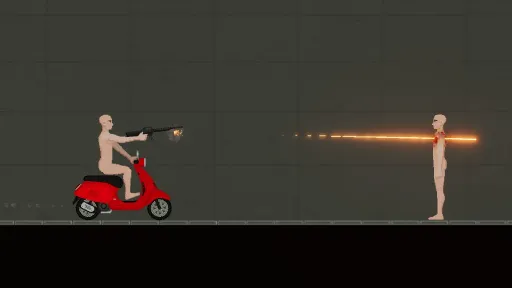
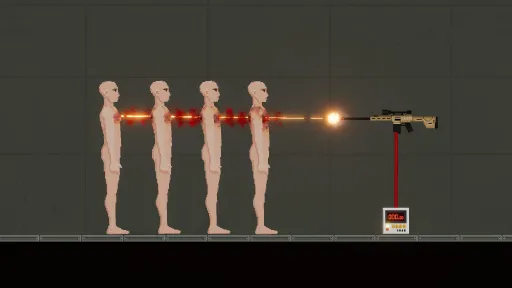
Ragdoll simulates a human body that balances itself on two feet no problem. You can force it to walk, sit, squat or turn it into a pile of guts by stabbing, shooting, burning, beating or tearing it to pieces. Furthermore, these ragdolls are gifted with life-like features such as blood circulation, consciousness and sensation of pain.
GRAVITY
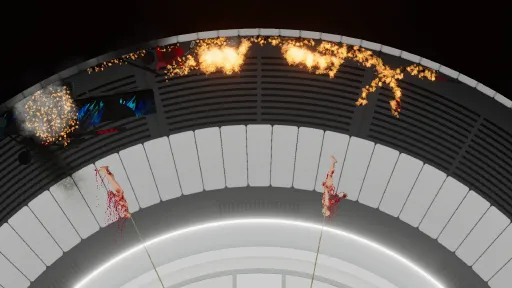
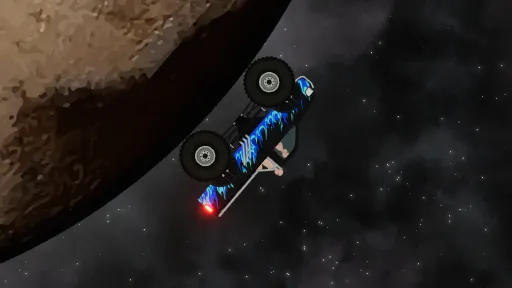
Gravity is a given, but in Regular Human Workshop some levels have their own unique types of gravitation. Each and every object or effect in the game are designed to adjust to these gravitational differences.
AUTOMATION
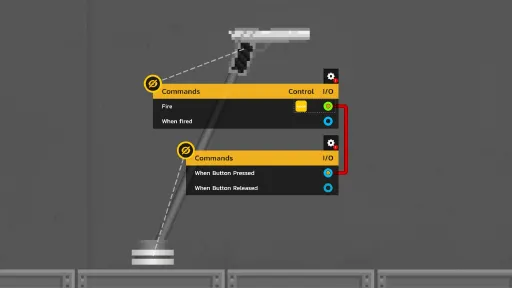
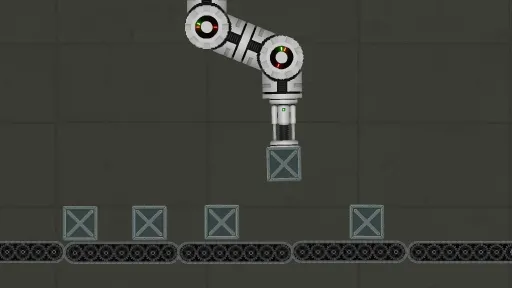
Most of the game's objects can be connected together using IO (Input/Output) system, which is designed to be as easy to use as possible. Connect the button with the gun using wires (see the example above); and now when the button is pressed, the gun will fire. With this simple when something happens, do something system, everyone can create fun automatons using myriad of devices, sensors, detectors and other objects. On top of that, the game allows loop connections, which makes it possible to create complex automation systems.
SLOW MOTION
Things may be happening too fast for the naked eye to catch in this world. And sometimes you just want to witness the spectacle of a bullet flying through ragdoll's body or an explosion turning a structure into rubble in it's full glory. A possibility to slow down or pause the time with a press of a button allows you to witness mayhem that unfolds in a slower pace.
SAVE SYSTEM
Sometimes you want to keep your creations for later use. The game allows you to copy or save a group of objects and then paste them anywhere on the screen.
Screenshots
7 images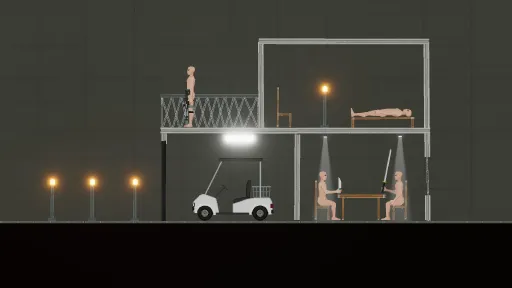
Version Information
Steam Patch Notes
Official update history
On the site: Build 13901565
Up to date
Fixed some small bugs.
View on Steam
Hello everyone,
With the update V1.05, I have changed the directory where files of creations are saved. I didn't want to trash your computer with unnecessary files, so the program should have copied files from the old location to the new one and deleted the old directory. But something went wrong and files were not copied, but the directory was deleted and some of you lost your work. I am sorry for being so stupid. Those who haven't started the game with new update files may not be copied, but also they won't be deleted. Later today I will release a fix, so those files will be copied correctly.
I'm sorry for such a stupid mistake, I take full responsibility and your anger towards me. I will make sure this won't happen again.
View on Steam
With the update V1.05, I have changed the directory where files of creations are saved. I didn't want to trash your computer with unnecessary files, so the program should have copied files from the old location to the new one and deleted the old directory. But something went wrong and files were not copied, but the directory was deleted and some of you lost your work. I am sorry for being so stupid. Those who haven't started the game with new update files may not be copied, but also they won't be deleted. Later today I will release a fix, so those files will be copied correctly.
I'm sorry for such a stupid mistake, I take full responsibility and your anger towards me. I will make sure this won't happen again.
- Fixed Super Balancer bug
View on Steam
Bug Fixes:
- Fixed objects screenshot bug when saving creation
- Fixed object drag bug when timescale is changed through UI slider
- Fixed camera control bug when the camera is moved with arrow keys
View on Steam
- Fixed objects screenshot bug when saving creation
- Fixed object drag bug when timescale is changed through UI slider
- Fixed camera control bug when the camera is moved with arrow keys
Current Release
Build 13901565
Uploaded Sep 15, 2026
System Requirements
OS
N/A
CPU
2 GHz
RAM
4 GB RAM
GPU
Intel HD Graphics 4000 or other shader model 4.0
How to Install
1
Download all files
2
Extract the .ZIP file to a folder (use WinRAR or 7-Zip)
3
Run Regular Human Workshop.exe to play
Troubleshooting tips
• Run Redist/_CommonRedist installers if game won't start
• Add folder to Windows Defender exclusions
• Run as administrator
Download
Direct link available
Archive password
Needed when extracting (WinRAR / 7-Zip) — not a site login.
CRC32
4FB02A45
SHA-256
bbd5e46923abdd35a479a7316471b9d3f4d294183dbb7b011a7167b6e9e9fa67
How: Right-click the downloaded file → 7-Zip / WinRAR → CRC SHA → compare with the values above.
You May Also Like
View All






Download Regular Human Workshop for PC with a direct link or via torrent. Get the full version of Regular Human Workshop for free. Regular Human Workshop is a Indie released by Dead Joker.