About the Game
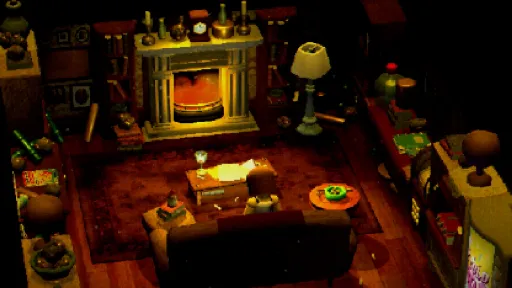
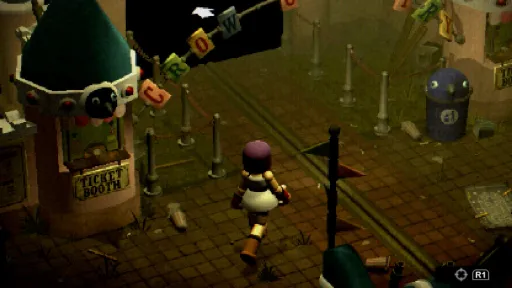
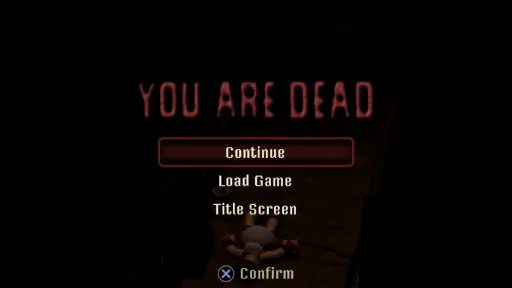
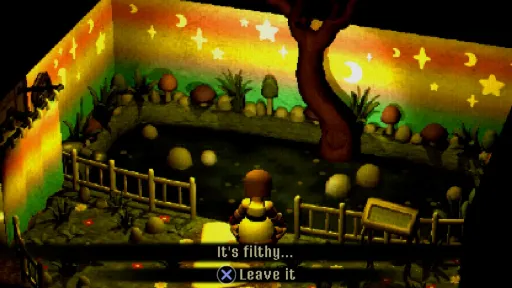
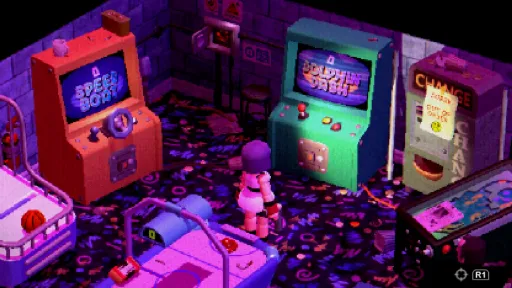
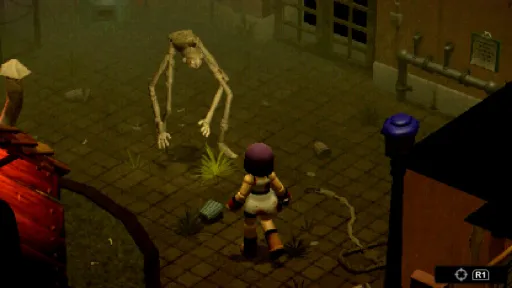
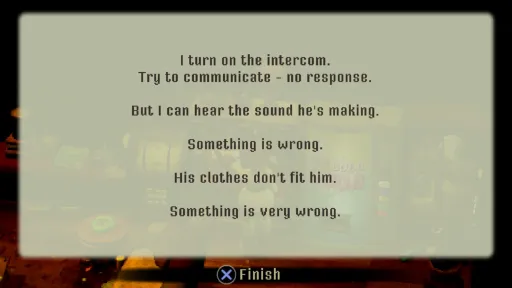
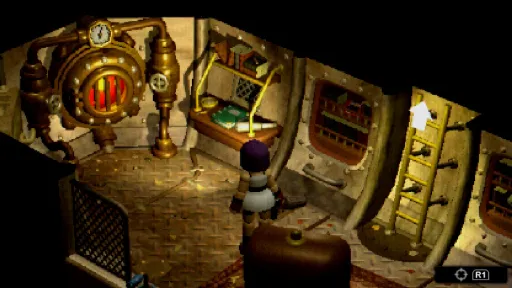
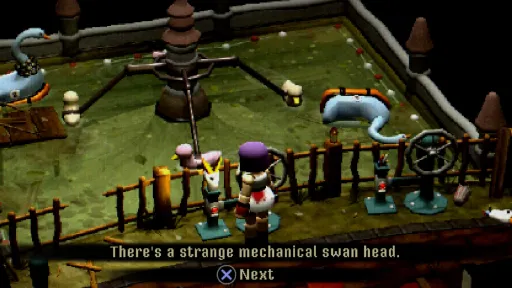
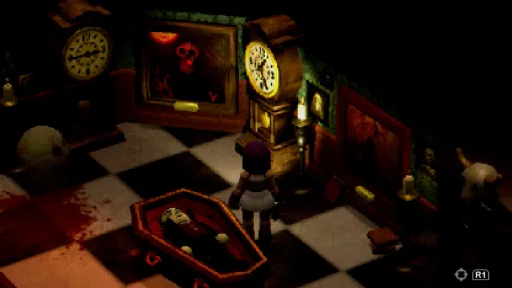
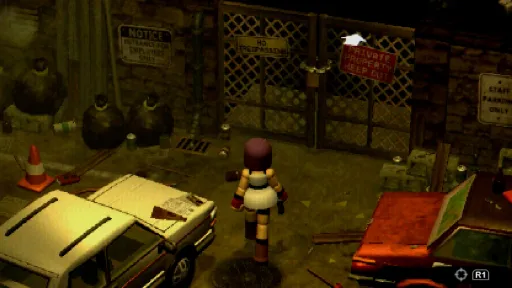
A survival horror game, where you’ll test yourself against puzzles and riddles as you investigate the eerie tranquility of the abandoned theme park. Don’t be deceived by the whimsical surroundings, something is awfully wrong in Crow Country.
As you unlock new areas, backtrack and discover more, you gradually piece together why Edward really shut down his park and where he mysteriously disappeared to. You’ve heard some pretty disturbing rumors, but they couldn’t possibly be true…..right?
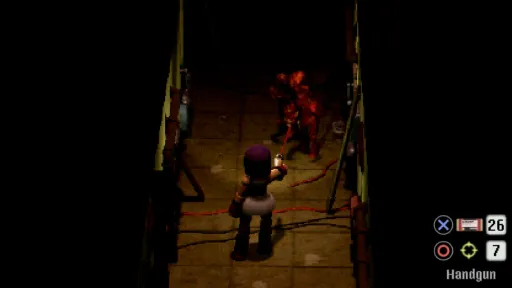
For visitors to the park who are more interested in spotting crows and taking in the sights, Exploration Mode allows you to journey on without the fear of being attacked by the mysterious monsters roaming Crow Country. If you knew what those monsters really are…..
Just how far would someone go to follow their ambition? Are some sins too wicked for redemption?
A tale of reckless hubris and human greed, and now at the center of it all... you.
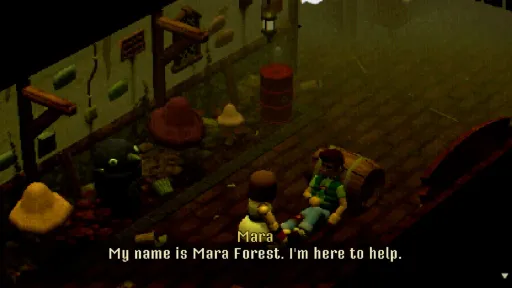
Who are you really, Mara Forest?
Screenshots
15 images
Version Information
Steam Patch Notes
Official update history
On the site: Build 18838972
Up to date
Build 18838972
Jun 12, 2025
- Fixed quick turn control display
- Fixed control display override
Build 18716943
Jun 3, 2025
- Fixes flamethrower on keyboard when shoot/reload have been switched
Build 18573568
Jun 1, 2025
- Fixed issue with wired gamepads sometimes doubling up as keyboard input and confusing the game
Build 18435138
May 13, 2025
- Fixed issue where run would stop working for a moment in new keyboard controls
Build 18410032
May 9, 2025
Hello everyone!
One year ago today, my brother Adam and I launched Crow Country here on Steam, and we were blown away by the response! We've been a 2-person company for nearly 13 years now, and have been making games together for over 20 years, but this has been our most successful year by far. So many people playing, sharing, streaming, recommending and reviewing the game, all around the world, has given us a huge boost of energy to take into our next games, so: thank you.
OK, on to the good stuff! One of the pieces of feedback we've received, here on Steam and elsewhere, is that the keyboard controls for Crow Country aren't as good as they could be. So I've been working to bring them up to the level of the gamepad controls (still our recommended way to play for now!).
That starts with a new default layout, which we've labelled CLASSIC in the settings. We took a good hard look at what other survival horror games do with their keyboard layouts, listened to comments about what's off about our old layout, and come up with something that I think should feel a lot better out of the box for new players.
{STEAM_CLAN_IMAGE}/44716389/db9d72762385ee2895d1322f0e47ab0567b2b88f.png
Next we have a layout we've labelled MOUSE. This combines keyboard for movement/aiming and some actions, with mouse to rotate the camera, plus confirm/cancel and shoot/reload mapped to the mouse clicks (plus grenades on the wheel click, or E). Mouse support has been another requested feature, and this layout is similar to some of the Resident Evil HD layouts, so hopefully folks will find it useful.
{STEAM_CLAN_IMAGE}/44716389/beb8d1d051d3f032c8032b260f300c17b7889445.png
Lastly, if you want, you can return to the old layout, now labelled ORIGINAL. Maybe you got really attached to it? Well, it's there for those who want it.
{STEAM_CLAN_IMAGE}/44716389/79340bb8296f8b9a94c41a7a0d6bcfad10799f38.png
All three of these layouts can be selected in the Controls Settings menu from the title screen or pause menu. When using keyboard, you'll see the last two settings switch to keyboard-specific ones. You'll see we also added an option to use modern movement (rather than tank controls) on the keyboard - another requested feature.
{STEAM_CLAN_IMAGE}/44716389/82307328c56bb65ab1cc23e81b37f80675ba52b3.png
One last (very minor) improvement is that if you have a controller plugged in, but start using the keyboard, you'll get keyboard controls shown. Previously controllers took priority over keyboard, now it just checks whatever you pressed last.
The requested keyboard feature we haven't finished yet is full key rebinding. With the way the game is built, it's a lot more work than we'd thought, but this update lays a lot of important groundwork to make things easier. I hope we can get it fully working soon!
A non-keyboard related update for this release - we've returned to compiling with mono rather than il2cpp. Thile il2cpp can result in slightly faster code execution, it doesn't have the mod and speedrunning tool support that mono does. So back we go! Sorry to the Crow Country speedrunning discord for having broken the autosplit for a while now, hopefully you can all enjoy running this up to date version at last.
That's it from me. Thanks again, until next time!
Tom-
View on Steam
One year ago today, my brother Adam and I launched Crow Country here on Steam, and we were blown away by the response! We've been a 2-person company for nearly 13 years now, and have been making games together for over 20 years, but this has been our most successful year by far. So many people playing, sharing, streaming, recommending and reviewing the game, all around the world, has given us a huge boost of energy to take into our next games, so: thank you.
OK, on to the good stuff! One of the pieces of feedback we've received, here on Steam and elsewhere, is that the keyboard controls for Crow Country aren't as good as they could be. So I've been working to bring them up to the level of the gamepad controls (still our recommended way to play for now!).
That starts with a new default layout, which we've labelled CLASSIC in the settings. We took a good hard look at what other survival horror games do with their keyboard layouts, listened to comments about what's off about our old layout, and come up with something that I think should feel a lot better out of the box for new players.
{STEAM_CLAN_IMAGE}/44716389/db9d72762385ee2895d1322f0e47ab0567b2b88f.png
Next we have a layout we've labelled MOUSE. This combines keyboard for movement/aiming and some actions, with mouse to rotate the camera, plus confirm/cancel and shoot/reload mapped to the mouse clicks (plus grenades on the wheel click, or E). Mouse support has been another requested feature, and this layout is similar to some of the Resident Evil HD layouts, so hopefully folks will find it useful.
{STEAM_CLAN_IMAGE}/44716389/beb8d1d051d3f032c8032b260f300c17b7889445.png
Lastly, if you want, you can return to the old layout, now labelled ORIGINAL. Maybe you got really attached to it? Well, it's there for those who want it.
{STEAM_CLAN_IMAGE}/44716389/79340bb8296f8b9a94c41a7a0d6bcfad10799f38.png
All three of these layouts can be selected in the Controls Settings menu from the title screen or pause menu. When using keyboard, you'll see the last two settings switch to keyboard-specific ones. You'll see we also added an option to use modern movement (rather than tank controls) on the keyboard - another requested feature.
{STEAM_CLAN_IMAGE}/44716389/82307328c56bb65ab1cc23e81b37f80675ba52b3.png
One last (very minor) improvement is that if you have a controller plugged in, but start using the keyboard, you'll get keyboard controls shown. Previously controllers took priority over keyboard, now it just checks whatever you pressed last.
The requested keyboard feature we haven't finished yet is full key rebinding. With the way the game is built, it's a lot more work than we'd thought, but this update lays a lot of important groundwork to make things easier. I hope we can get it fully working soon!
A non-keyboard related update for this release - we've returned to compiling with mono rather than il2cpp. Thile il2cpp can result in slightly faster code execution, it doesn't have the mod and speedrunning tool support that mono does. So back we go! Sorry to the Crow Country speedrunning discord for having broken the autosplit for a while now, hopefully you can all enjoy running this up to date version at last.
That's it from me. Thanks again, until next time!
Tom-
Build 18409547
May 9, 2025
Hello everyone!
One year ago today, my brother Adam and I launched Crow Country here on Steam, and we were blown away by the response! We've been a 2-person company for nearly 13 years now, and have been making games together for over 20 years, but this has been our most successful year by far. So many people playing, sharing, streaming, recommending and reviewing the game, all around the world, has given us a huge boost of energy to take into our next games, so: thank you.
OK, on to the good stuff! One of the pieces of feedback we've received, here on Steam and elsewhere, is that the keyboard controls for Crow Country aren't as good as they could be. So I've been working to bring them up to the level of the gamepad controls (still our recommended way to play for now!).
That starts with a new default layout, which we've labelled CLASSIC in the settings. We took a good hard look at what other survival horror games do with their keyboard layouts, listened to comments about what's off about our old layout, and come up with something that I think should feel a lot better out of the box for new players.
{STEAM_CLAN_IMAGE}/44716389/db9d72762385ee2895d1322f0e47ab0567b2b88f.png
Next we have a layout we've labelled MOUSE. This combines keyboard for movement/aiming and some actions, with mouse to rotate the camera, plus confirm/cancel and shoot/reload mapped to the mouse clicks (plus grenades on the wheel click, or E). Mouse support has been another requested feature, and this layout is similar to some of the Resident Evil HD layouts, so hopefully folks will find it useful.
{STEAM_CLAN_IMAGE}/44716389/beb8d1d051d3f032c8032b260f300c17b7889445.png
Lastly, if you want, you can return to the old layout, now labelled ORIGINAL. Maybe you got really attached to it? Well, it's there for those who want it.
{STEAM_CLAN_IMAGE}/44716389/79340bb8296f8b9a94c41a7a0d6bcfad10799f38.png
All three of these layouts can be selected in the Controls Settings menu from the title screen or pause menu. When using keyboard, you'll see the last two settings switch to keyboard-specific ones. You'll see we also added an option to use modern movement (rather than tank controls) on the keyboard - another requested feature.
{STEAM_CLAN_IMAGE}/44716389/82307328c56bb65ab1cc23e81b37f80675ba52b3.png
One last (very minor) improvement is that if you have a controller plugged in, but start using the keyboard, you'll get keyboard controls shown. Previously controllers took priority over keyboard, now it just checks whatever you pressed last.
The requested keyboard feature we haven't finished yet is full key rebinding. With the way the game is built, it's a lot more work than we'd thought, but this update lays a lot of important groundwork to make things easier. I hope we can get it fully working soon!
A non-keyboard related update for this release - we've returned to compiling with mono rather than il2cpp. Thile il2cpp can result in slightly faster code execution, it doesn't have the mod and speedrunning tool support that mono does. So back we go! Sorry to the Crow Country speedrunning discord for having broken the autosplit for a while now, hopefully you can all enjoy running this up to date version at last.
That's it from me. Thanks again, until next time!
Tom-
View on Steam
One year ago today, my brother Adam and I launched Crow Country here on Steam, and we were blown away by the response! We've been a 2-person company for nearly 13 years now, and have been making games together for over 20 years, but this has been our most successful year by far. So many people playing, sharing, streaming, recommending and reviewing the game, all around the world, has given us a huge boost of energy to take into our next games, so: thank you.
OK, on to the good stuff! One of the pieces of feedback we've received, here on Steam and elsewhere, is that the keyboard controls for Crow Country aren't as good as they could be. So I've been working to bring them up to the level of the gamepad controls (still our recommended way to play for now!).
That starts with a new default layout, which we've labelled CLASSIC in the settings. We took a good hard look at what other survival horror games do with their keyboard layouts, listened to comments about what's off about our old layout, and come up with something that I think should feel a lot better out of the box for new players.
{STEAM_CLAN_IMAGE}/44716389/db9d72762385ee2895d1322f0e47ab0567b2b88f.png
Next we have a layout we've labelled MOUSE. This combines keyboard for movement/aiming and some actions, with mouse to rotate the camera, plus confirm/cancel and shoot/reload mapped to the mouse clicks (plus grenades on the wheel click, or E). Mouse support has been another requested feature, and this layout is similar to some of the Resident Evil HD layouts, so hopefully folks will find it useful.
{STEAM_CLAN_IMAGE}/44716389/beb8d1d051d3f032c8032b260f300c17b7889445.png
Lastly, if you want, you can return to the old layout, now labelled ORIGINAL. Maybe you got really attached to it? Well, it's there for those who want it.
{STEAM_CLAN_IMAGE}/44716389/79340bb8296f8b9a94c41a7a0d6bcfad10799f38.png
All three of these layouts can be selected in the Controls Settings menu from the title screen or pause menu. When using keyboard, you'll see the last two settings switch to keyboard-specific ones. You'll see we also added an option to use modern movement (rather than tank controls) on the keyboard - another requested feature.
{STEAM_CLAN_IMAGE}/44716389/82307328c56bb65ab1cc23e81b37f80675ba52b3.png
One last (very minor) improvement is that if you have a controller plugged in, but start using the keyboard, you'll get keyboard controls shown. Previously controllers took priority over keyboard, now it just checks whatever you pressed last.
The requested keyboard feature we haven't finished yet is full key rebinding. With the way the game is built, it's a lot more work than we'd thought, but this update lays a lot of important groundwork to make things easier. I hope we can get it fully working soon!
A non-keyboard related update for this release - we've returned to compiling with mono rather than il2cpp. Thile il2cpp can result in slightly faster code execution, it doesn't have the mod and speedrunning tool support that mono does. So back we go! Sorry to the Crow Country speedrunning discord for having broken the autosplit for a while now, hopefully you can all enjoy running this up to date version at last.
That's it from me. Thanks again, until next time!
Tom-
Build 16686355
Dec 9, 2024
- Small localisation fixes
- Fixed final boss continue bug
- Other small bugfixes
Build 16065795
Oct 16, 2024
Hello everyone!
We've just released an update to the game that adds the promised new languages:
We've also spent the last few months working hard on optimising the game, both for faster loading times and better performance. That means it'll run better on lower end machines, and even use less battery on the Steam Deck.
We've had good reason to go after optimisation this strongly: we've also just launched Crow Country on Nintendo Switch! Plus, in just 6 days time, we'll be releasing on PS4. Like I said, Adam and I have been busy.
And finally, a little teaser of some more exciting news coming very soon...
{STEAM_CLAN_IMAGE}/44716389/48ad0eead62185af14a4aca733adf140f9924d76.jpg
{STEAM_CLAN_IMAGE}/44716389/7696ef0e198499a59dc90c2cc5689731f25c655e.jpg
What could it all mean...? Not long to wait!
As always, thank you so much for your support for Crow Country, it's what's gotten us through the last few months. The updates aren't done, so stay tuned for more news!
Tom & Adam
View on Steam
We've just released an update to the game that adds the promised new languages:
- Italian
- Japanese
- Korean
- Simplified Chinese
- Traditional Chinese
We've also spent the last few months working hard on optimising the game, both for faster loading times and better performance. That means it'll run better on lower end machines, and even use less battery on the Steam Deck.
We've had good reason to go after optimisation this strongly: we've also just launched Crow Country on Nintendo Switch! Plus, in just 6 days time, we'll be releasing on PS4. Like I said, Adam and I have been busy.
And finally, a little teaser of some more exciting news coming very soon...
{STEAM_CLAN_IMAGE}/44716389/48ad0eead62185af14a4aca733adf140f9924d76.jpg
{STEAM_CLAN_IMAGE}/44716389/7696ef0e198499a59dc90c2cc5689731f25c655e.jpg
What could it all mean...? Not long to wait!
As always, thank you so much for your support for Crow Country, it's what's gotten us through the last few months. The updates aren't done, so stay tuned for more news!
Tom & Adam
Build 14768389
Jun 19, 2024
- Added ability to slide down the big ladder from second playthrough onwards
- Kinder random hazard spawns on arcade machines
- Reordered mode select on title screen
- Balanced enemy movement
Current Release
18838972
Uploaded Feb 22, 2026
System Requirements
OS
Windows 10
CPU
Intel i5 or equivalent
RAM
4 GB RAM
GPU
1GB VRAM
How to Install
1
Download all files
2
Extract the .RAR file to a folder (use WinRAR or 7-Zip)
3
Run Crow Country.exe to play
Troubleshooting tips
• Run Redist/_CommonRedist installers if game won't start
• Add folder to Windows Defender exclusions
• Run as administrator
Download
Direct link available
Size
659 MB
Build
18838972
Password: cracked-games.org or 123
You May Also Like
View AllDownload Crow Country for PC with a direct link or via torrent. Get the full version of Crow Country for free. Crow Country is a Action released by SFB Games.