







About the Game
What is Kubifaktorium?
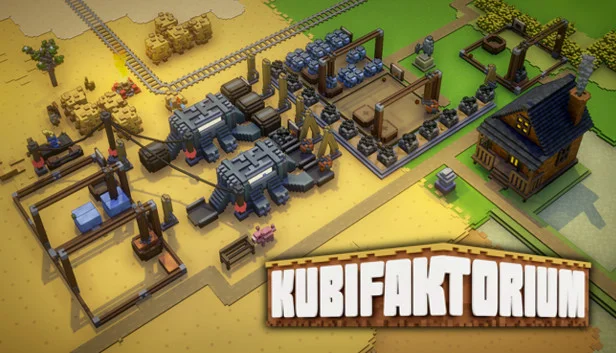
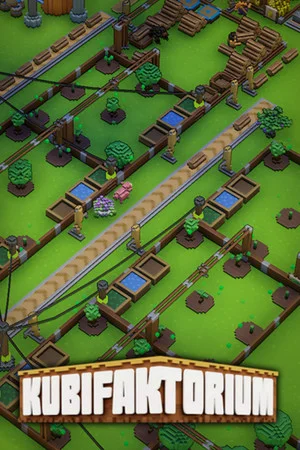
Build, manage and grow a thriving settlement in Kubifaktorium, a relaxed voxel-based colony management and automation game. The game features multiple biomes to explore, plenty of resources to exploit, complex transport systems and automations to build and interesting production chains to master.Colony Building and Management
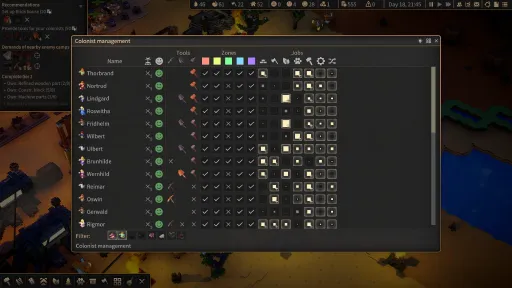
The heart of your colony consists of loyal colonists who will gather resources, farm crops and craft tools and weapons. Every colonist is unique, with their own set of skills which evolve based on the jobs they perform. Managing your colonists’ needs and abilities is vital to ensuring your colony's efficiency.Different Biomes
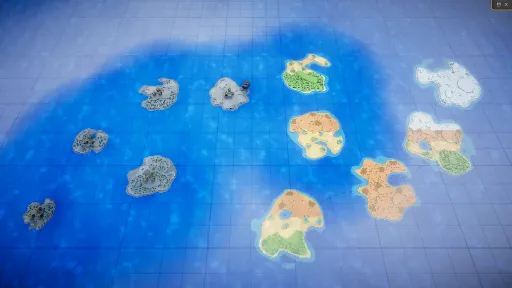
In the course of the campaign you will explore and colonize multiple islands and encounter four different biomes. Each biome features new challenges but also new resources to discover and process.Logistics and Transportation
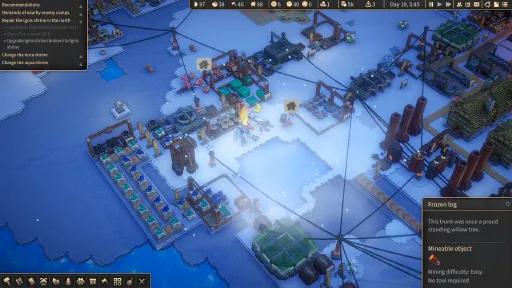
As your colony grows and your production hums along, transporting the resources you need becomes more and more challenging. Kubifaktorium features a number of transportation systems like trains, conveyor belts, zeppelins and more. Automated depots and inserters are there to help you store, sort and keep track of all your goods.Automation
While your colonists are highly motivated, their work power is limited. Fortunately, your colonists know how to craft advanced machinery like automated farms, smelters, crushers etc., which you can use to automate more and more of your production.Mod Support
Kubifaktorium is built to be mod friendly and allows players to create anything from localizations, new goods and industries to total conversions with new terrains and scenery. The game supports publishing and sharing mods via the Steam Workshop.User Interface and Accessibility
The game is designed to be easy to learn and hard to master. Multiple tutorials and extensive tooltips will teach you the game’s mechanics. The game’s campaign is built to introduce the different mechanics over time. Finally, a recommendation system can help you along when playing custom maps.Development
The game was inspired by games like Factorio, Gnomoria, The Settlers, Stonehearth and Rimworld. Kubifaktorium has been successfully Kickstarted in August 2018. The game has received hundreds of bug fixes and content patches since. The game will release on December 16th, 2021.Screenshots
10 images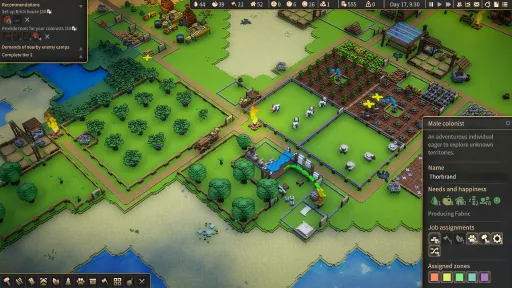
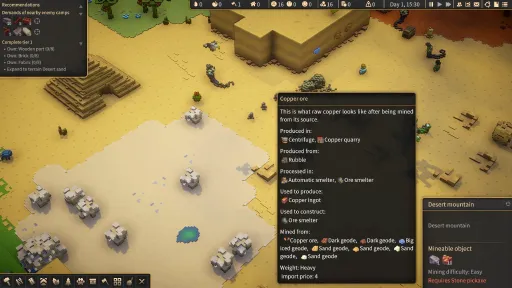
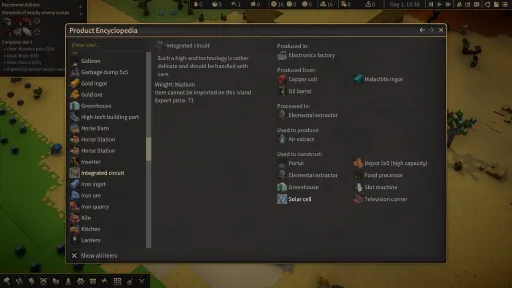
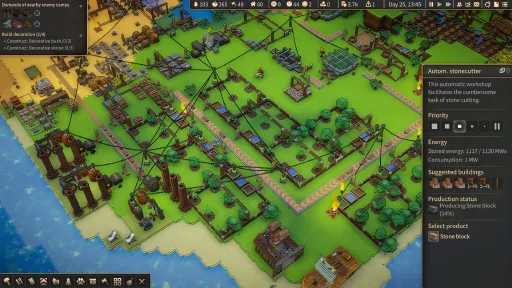
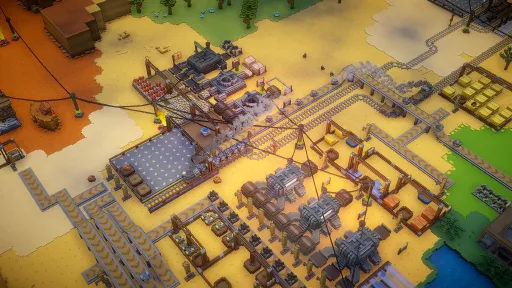
Version Information
Steam Patch Notes
Official update history
On the site: Build 9097265
Up to date
- Fixed: Loading screen sometimes not showing "press any key" at the end.
View on Steam
Summer Bonus DLC time!
This patch adds more buildings, decorations and options for your colonists to relax and regenerate on a warm summer day. :)
- Content: Added lavender and sunflowers to the grassland terrain.
- Content: Added the comfy bench, the flower arch bench and the summer patio.
- Content: Added the tropical bar.
- Content: Added potted sunflowers, a potted cactus and a mermaid statue.
- Fixed/Modding: Crops removed via DeleteObjectsInfo still showing up in the tile info panel.
- Fixed: Toggling pause via spacebar not working after loading a save game from the main scene.
- Fixed: Wording in the horse carriage tutorial.
- Fixed: The production time shown in a workshop's encyclopaedia entry and tooltips now takes efficiency into account (e.g. for the autokiln).
- Fixed: Pressing a key at the end of the loading screen no longer triggers the corresponding hotkey action.
- Misc: Reduced the number of tutorials that need to be completed for the "KubiReady"-achievement to 6.
- Modding: Added BaseInfo→CanBeFavorite.
View on Steam
This patch adds more buildings, decorations and options for your colonists to relax and regenerate on a warm summer day. :)
- Content: Added lavender and sunflowers to the grassland terrain.
- Content: Added the comfy bench, the flower arch bench and the summer patio.
- Content: Added the tropical bar.
- Content: Added potted sunflowers, a potted cactus and a mermaid statue.
- Fixed/Modding: Crops removed via DeleteObjectsInfo still showing up in the tile info panel.
- Fixed: Toggling pause via spacebar not working after loading a save game from the main scene.
- Fixed: Wording in the horse carriage tutorial.
- Fixed: The production time shown in a workshop's encyclopaedia entry and tooltips now takes efficiency into account (e.g. for the autokiln).
- Fixed: Pressing a key at the end of the loading screen no longer triggers the corresponding hotkey action.
- Misc: Reduced the number of tutorials that need to be completed for the "KubiReady"-achievement to 6.
- Modding: Added BaseInfo→CanBeFavorite.
- Modding: You can now increase the texture atlas size in the settings. Use this, if you encounter texture issues when adding content to the game via modding.
- Modding: You can now change the type of cargo ship that delivers to a port. You can use this to add your own cargo ships that have different looks or stats (e.g. speed).
- Modding: Added a debug menu option that advances all plants by one growth stage.
- Modding: Added AutomaticWorkshopInfo→CheckOutputStockpiles. Set it to false to suppress warnings regarding output stockpiles.
- Modding: Added BuildingRecipeInfo→MakeTransparentOnPlacement. Set it to false if you don't want the blueprint to be transparent.
- Modding: Added BuildingRecipeInfo→BuildProgressOnPlacement. Set it to a value >=0 to change the model used when placed.
- Modding: Added the live spawner functionality which can spawn objects over time. Have a look at the treespawner-example mod.
- Modding/Fixed: Some things not working correctly when you add properties like e.g. pasture animal behaviour to existing types.
- Fixed: "Import stockpile in auto-mode"-warning when input stockpile was removed.
View on Steam
- Modding: You can now change the type of cargo ship that delivers to a port. You can use this to add your own cargo ships that have different looks or stats (e.g. speed).
- Modding: Added a debug menu option that advances all plants by one growth stage.
- Modding: Added AutomaticWorkshopInfo→CheckOutputStockpiles. Set it to false to suppress warnings regarding output stockpiles.
- Modding: Added BuildingRecipeInfo→MakeTransparentOnPlacement. Set it to false if you don't want the blueprint to be transparent.
- Modding: Added BuildingRecipeInfo→BuildProgressOnPlacement. Set it to a value >=0 to change the model used when placed.
- Modding: Added the live spawner functionality which can spawn objects over time. Have a look at the treespawner-example mod.
- Modding/Fixed: Some things not working correctly when you add properties like e.g. pasture animal behaviour to existing types.
- Fixed: "Import stockpile in auto-mode"-warning when input stockpile was removed.
- UI: The combat robot UI now uses the drawn icons rather than the generated ones.
- UI: Added a suggested buildings panel to greenhouses.
- UI: You can now shift-click-transfer the products from farms and groves as well as auto-farms etc. to stockpiles and depots.
- Fixed: Hotkey "O" for following objects not working.
- Fixed: Hotkey "L" for opening the message log not working.
- Fixed: "double recruitable colonist count" modifier shown as modifier group.
- Fixed: Tamed polar bears can now carry things and use treadmills.
- Fixed: Outdated tooltip suggesting that people become haulers when you disable all task groups.
- Modding: Added an example that shows how dioramas can be added via modding.
View on Steam
- UI: Added a suggested buildings panel to greenhouses.
- UI: You can now shift-click-transfer the products from farms and groves as well as auto-farms etc. to stockpiles and depots.
- Fixed: Hotkey "O" for following objects not working.
- Fixed: Hotkey "L" for opening the message log not working.
- Fixed: "double recruitable colonist count" modifier shown as modifier group.
- Fixed: Tamed polar bears can now carry things and use treadmills.
- Fixed: Outdated tooltip suggesting that people become haulers when you disable all task groups.
- Modding: Added an example that shows how dioramas can be added via modding.
- UI: Added a suggested buildings panel to automated groves and farms.
- Fixed: When deconstructing a shipping port, items on the shipping port tiles are now unreserved.
- Fixed: Some strings being too long in the settings screen.
- Fixed: Outdated tooltip for color zone assignment.
- Fixed: Some fixes in the French localization.
- Fixed: Weird behaviour resulting when an item is cleaned from an exit hopper and transported away at the same time.
- Fixed: Your colonists should no longer demand slot machines or television places to be happy in mission 7.
- Engine: Upgraded from Unity 2019.4.30 → 2019.4.37
View on Steam
- Fixed: When deconstructing a shipping port, items on the shipping port tiles are now unreserved.
- Fixed: Some strings being too long in the settings screen.
- Fixed: Outdated tooltip for color zone assignment.
- Fixed: Some fixes in the French localization.
- Fixed: Weird behaviour resulting when an item is cleaned from an exit hopper and transported away at the same time.
- Fixed: Your colonists should no longer demand slot machines or television places to be happy in mission 7.
- Engine: Upgraded from Unity 2019.4.30 → 2019.4.37
- Misc: The caravan depot now has a crane and you can build depot exits/entries in it.
- UI: When in expert mode, there is now also a button for 4x speed.
- Fixed: When building a road using the "drag-method", the game now correctly places foundations when required.
- Fixed: When deselecting a building with visible input/output arrows, the arrows now disappear.
- Fixed: Lag while placing foundations.
- Fixed/Misc: Toggling a conveyor belt into a distributor and vice versa now displaces items that are currently on the belt. This prevents items from getting stuck.
View on Steam
- UI: When in expert mode, there is now also a button for 4x speed.
- Fixed: When building a road using the "drag-method", the game now correctly places foundations when required.
- Fixed: When deselecting a building with visible input/output arrows, the arrows now disappear.
- Fixed: Lag while placing foundations.
- Fixed/Misc: Toggling a conveyor belt into a distributor and vice versa now displaces items that are currently on the belt. This prevents items from getting stuck.
- Gameplay: In expert mode, production limits now also apply to automatic workshops.
- Misc: You can now adjust the speed with which dialogue text appears in the settings.
- Misc: Debug mode is no longer enabled by default.
- Misc: Added a hint that related building count toward the building limit, e.g. zeppelin+drone factories.
- Misc: The speed of scrolling the camera using the border or arrow keys or wasd keys should now be the same horizontally and vertically in ultra wide resolutions.
- Fixed: Linking a shipping port to a stockpile, selecting an invalid import good, then removing the stockpile will no longer lead to a perpetual warning.
- Fixed: Searching in encyclopaedia and build menu not working correctly, when you type past the "hyphenation-point".
- Fixed: Made some more changes to hopefully fix inserters getting stuck.
View on Steam
- Misc: You can now adjust the speed with which dialogue text appears in the settings.
- Misc: Debug mode is no longer enabled by default.
- Misc: Added a hint that related building count toward the building limit, e.g. zeppelin+drone factories.
- Misc: The speed of scrolling the camera using the border or arrow keys or wasd keys should now be the same horizontally and vertically in ultra wide resolutions.
- Fixed: Linking a shipping port to a stockpile, selecting an invalid import good, then removing the stockpile will no longer lead to a perpetual warning.
- Fixed: Searching in encyclopaedia and build menu not working correctly, when you type past the "hyphenation-point".
- Fixed: Made some more changes to hopefully fix inserters getting stuck.
- Modding/Fixed: DisableRecipeInfo not working in some cases.
- Modding/Fixed: DisableRecipeInfo not affecting encyclopaedia and tooltips.
- Modding: DisableRecipeInfo not also allows/requires you to specify the inputs of a recipe.
- Modding: Added kubi.example.changerecipe which shows how to replace an existing recipe.
- Misc: The tooltip for expert mode now says which mechanics are included.
- Modding: Added FuelBasedPowerGeneratorInfo→SpecificFuel which allows you to limit which fuel can be burned.
- Misc: Power plants no longer burn things that have no fuel value.
- Misc: Disabled the donation system for now. On some systems/maps it could lead to game freezes.
- Fixed: Descriptions for flowers.
- Fixed: Tiles staying reserved when using the logistics import mode on the cargo port (expert mode).
View on Steam
- Modding/Fixed: DisableRecipeInfo not affecting encyclopaedia and tooltips.
- Modding: DisableRecipeInfo not also allows/requires you to specify the inputs of a recipe.
- Modding: Added kubi.example.changerecipe which shows how to replace an existing recipe.
- Misc: The tooltip for expert mode now says which mechanics are included.
- Modding: Added FuelBasedPowerGeneratorInfo→SpecificFuel which allows you to limit which fuel can be burned.
- Misc: Power plants no longer burn things that have no fuel value.
- Misc: Disabled the donation system for now. On some systems/maps it could lead to game freezes.
- Fixed: Descriptions for flowers.
- Fixed: Tiles staying reserved when using the logistics import mode on the cargo port (expert mode).
- Misc: Moved game speed 3/4 to expert mode.
- UI: If you hold a modifier key (shift, ctrl, alt) while pressing H, the game will now build stone roads (as opposed to mud roads).
- Gameplay: When placing an inserter to put things in a garbage dump, the arrow is now green and a depot entry will be placed automatically.
- Gameplay: When you place a deconstruct order on a garbage dump, it will be executed only when there is no garbage remaining in it. (Otherwise the garbage would just remain forever)
- Modding: Added LockButtonInfo→ApplyOnReload which you can use to disable a function/button for a map permanently.
- Fixed: Not being able to place entry hoppers in garbage dumps after last patch.
- Fixed/Misc: The Color-Coding achievement is now given as soon as you create a new color zone using the zone tool.
- Modding: Added DisableRecipeInfo to do just that. :)
View on Steam
- UI: If you hold a modifier key (shift, ctrl, alt) while pressing H, the game will now build stone roads (as opposed to mud roads).
- Gameplay: When placing an inserter to put things in a garbage dump, the arrow is now green and a depot entry will be placed automatically.
- Gameplay: When you place a deconstruct order on a garbage dump, it will be executed only when there is no garbage remaining in it. (Otherwise the garbage would just remain forever)
- Modding: Added LockButtonInfo→ApplyOnReload which you can use to disable a function/button for a map permanently.
- Fixed: Not being able to place entry hoppers in garbage dumps after last patch.
- Fixed/Misc: The Color-Coding achievement is now given as soon as you create a new color zone using the zone tool.
- Modding: Added DisableRecipeInfo to do just that. :)
- Gameplay: When a cargo port is set to pause, it will now also prevent the port and colonists from exporting things.
- Gameplay: You can no longer build hoppers in garbage dumps.
- UI: Tooltips are now also visible for disabled buttons.
- Misc: Added an iron ore vein to story mission 8.
- Fixed: Misleading description of zeppelin factory.
- Fixed: Road layer starting when you press the "h"-key in a text box after last patch.
View on Steam
- Gameplay: You can no longer build hoppers in garbage dumps.
- UI: Tooltips are now also visible for disabled buttons.
- Misc: Added an iron ore vein to story mission 8.
- Fixed: Misleading description of zeppelin factory.
- Fixed: Road layer starting when you press the "h"-key in a text box after last patch.
- Misc: Pressing the road hotkey (H by default) now starts laying the cheapest road, rather than opening the road panel.
- Misc: You can no longer place buildings like the portals from the campaign via the encyclopaedia.
- UI: The limit text in the production selection panel now updates automatically and not only when you select it.
- Fixed: Tiles staying reserved after an inserter is destroyed.
- Fixed: Penguins having no names.
- Fixed: UI scaling in ultra wide resolutions (3.55:1 and higher).
- Fixed: Removed the conveyor logistics tutorial (the functionality was changed a few months ago but the tutorial was still there).
View on Steam
- Misc: You can no longer place buildings like the portals from the campaign via the encyclopaedia.
- UI: The limit text in the production selection panel now updates automatically and not only when you select it.
- Fixed: Tiles staying reserved after an inserter is destroyed.
- Fixed: Penguins having no names.
- Fixed: UI scaling in ultra wide resolutions (3.55:1 and higher).
- Fixed: Removed the conveyor logistics tutorial (the functionality was changed a few months ago but the tutorial was still there).
- Balance: Made the need progression slower (3→4 days per tier).
- Fixed: Some entries not showing in encyclopaedia after last patch.
- Misc: When you hover over the power icon, the game now
- Misc: Screen positions (F1-F4) are now saved when you save a game.
- Misc: Added a tooltip to the enemy camp hint text.
View on Steam
- Fixed: Some entries not showing in encyclopaedia after last patch.
- Misc: When you hover over the power icon, the game now
- Misc: Screen positions (F1-F4) are now saved when you save a game.
- Misc: Added a tooltip to the enemy camp hint text.
Current Release
Build 9097265
Uploaded Aug 14, 2022
System Requirements
OS
N/A
CPU
Intel Core i5-7600K, AMD Ryzen 5 1400 or higher
RAM
4 GB RAM
GPU
GeForce GTX 580, Radeon HD 8970M or higher
How to Install
1
Download all files
2
Extract the .RAR file to a folder (use WinRAR or 7-Zip)
3
Run Kubifaktorium-Windows64.exe to play
Troubleshooting tips
• Run Redist/_CommonRedist installers if game won't start
• Add folder to Windows Defender exclusions
• Run as administrator
Download
Direct link available
Archive password
Needed when extracting (WinRAR / 7-Zip) — not a site login.
You May Also Like
View All










Download Kubifaktorium for PC with a direct link or via torrent. Get the full version of Kubifaktorium for free. Kubifaktorium is a Indie released by Neomateria Games GmbH.