







About the Game
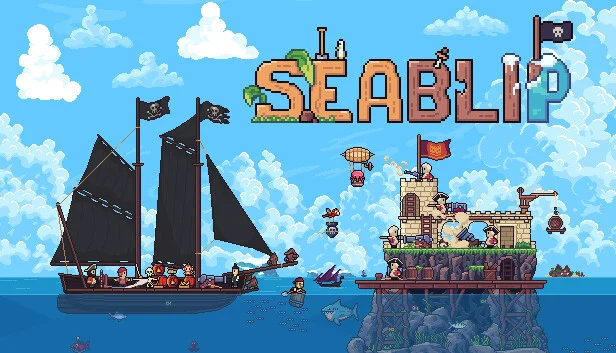
Seablip is an ambitious pirate RPG, created by solo developer Jardar.
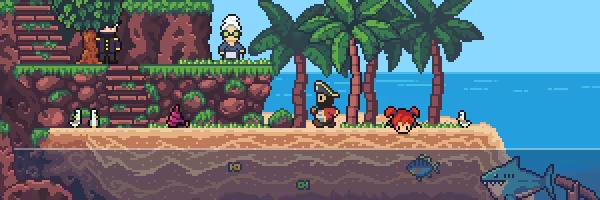
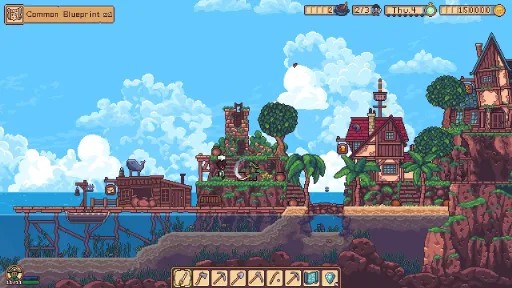
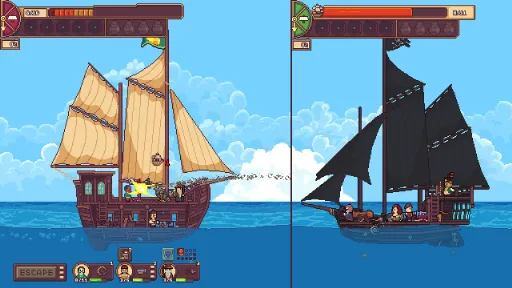
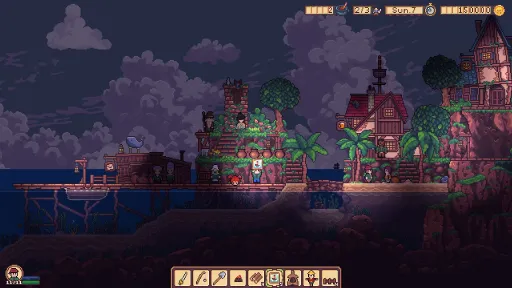
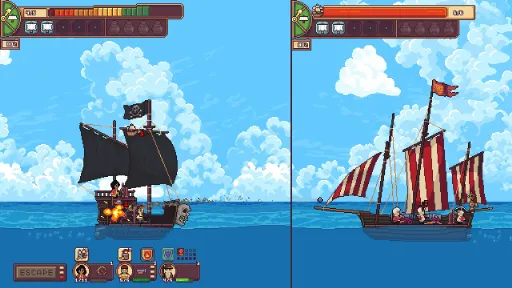
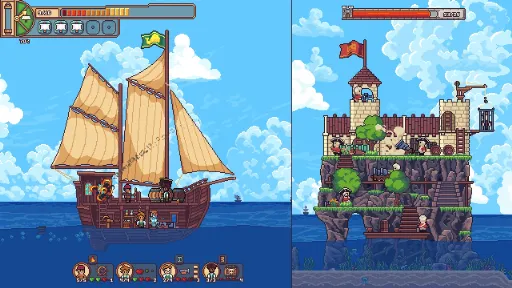
Seablip features an open world map containing many islands to explore, enemies to fight, and treasures to find. Plunder and sink enemy vessels on your path to become a feared pirate, and discover hidden secrets waiting to be discovered as you sail the sea.
Upgrade Your Ship
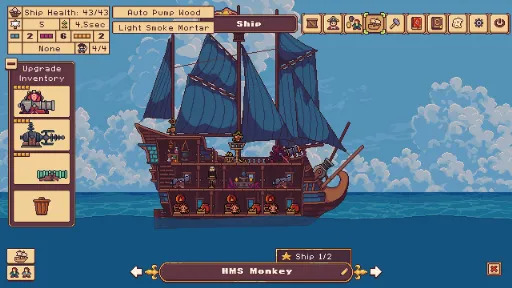
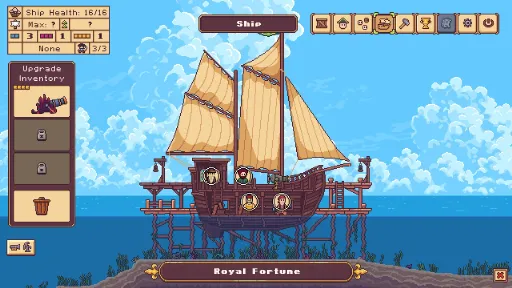
Increasing the size and quality of your ship is a crucial part of the game, by buying a better one or by upgrading your existing one.
There are more than 48 upgrades (cannons and other special upgrades) for your ship.
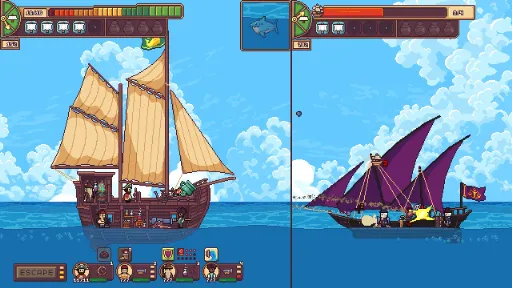
Many of the upgrades offer unique attack/defense specialties: hull breach, fire, poison gas, magic shield, and more.
Experiment with combining certain effects such as water and electricity to give you the edge in battle.
Discover new combinations to maximize your offensive and defensive options, and help you survive.
Hire Sailors
Each sailor in Seablip is unique and there is a limited number, so treat them well!
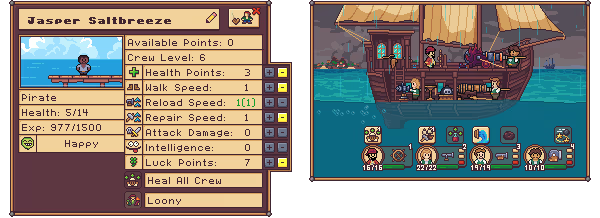
When sailors level up they will earn points to spend on attributes such as Health, Luck, and intelligence.
As they progress, sailors can learn two random skills that can be used to aid them in each battle encounter.
Different battle bonuses are given depending on the faction the sailor belongs to. Pirates, Redcoats, and Bluecoats are some of the factions you’ll come across throughout the game.
Bounty Hunter
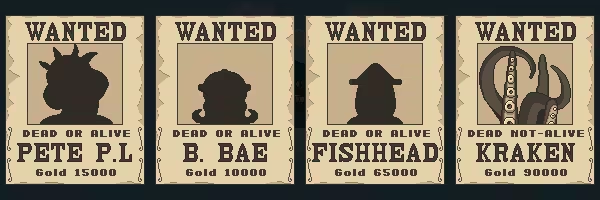
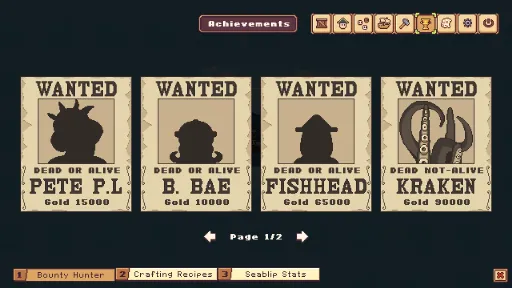
Confront the scourge of the seas as you face off against seven bosses in Seablip (more coming soon), each possessing a unique tactic and ship.
While you are free to roam as you please, defeating all the bosses is the main objective in the current Early Access version.
Minigames
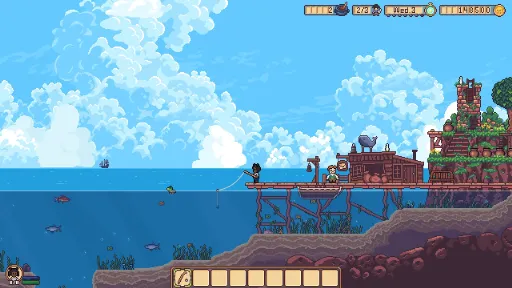
Cast your line and reel in your catch in a robust fishing minigame, as you take a break from conquering the sea.
Discover hidden secrets and treasure, and generally get up to no good as you use your excellent lockpicking skills to great effect.
Other smaller minigames are in development, and will be worked on and improved with the help of the community!
Screenshots
14 images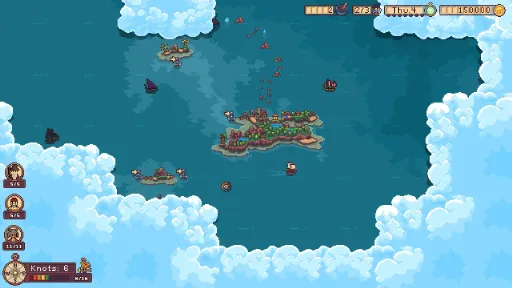
Version Information
Steam Patch Notes
Official update history
Changelog / Bugfix 0.8.5_15
- BUGFIX: Barrel crew boarding castles did not work!!
- New: Longdog quest is now protected by a easier castle!
- If you revive crew on menu (while home) they will be sent to home island if ship is full
- Buy crew on home island (from world map HUD) will send crew to island if ship is full
- Buy crew from other islands (world map HUD) will now send crew to empty bottles if you have full ship, but empty bottles
Gamepad
- Steam Virtual Keyboard does not show on select, but on submit (click) when selecting inputfields
- Fix: Island hotbar selection now deselect if the virtual mouse is removed (previously had duplicate selection)
- New: Tiny Gamepad text tutorial for Castle (on new game)
- Fix: Dpad down on ship view (no battle) focus Ship Name tag
- Fix: Dpad up on ship view (no battle) focus Crew Placement Mode
Changelog / Bugfix
- Fix: Could lose focus in Ship Salvage mode using R2
- Fix: Flying fish and seal (world map) despawn bug
- Fix: Scrollbar update for Merchant items (works with Gamepad)
- Fix: Scrollbar update for Equipment (had minor bugs)
- Fix: could not trash castle equipment using the trash button.
- Fix: Virtual mouse available again (Currently only work as a helper if gamepad gets soft locked in HUD)
- Fix: Castle Build mode exploit using num keys
- Fix: Gamepad focus stuck on Gamepad Sensitivity Dropdown button
- Fix: Item found pop up bug
Improved Gamepad Input for battle:
- Change: Focus left Ship/Castle using L2 and Focus Right Ship/Castle (if any) using R2
- Improved gamepad focus in battle: stick to last zone if jumping back and forth between HUD and ship/castle
- Shift crew using L1 and R1 (as before)
- New: South Button click on zone with crew to select this crew (if no crew is selected before)
- West Button deselect crew (as before)
- Change: East Button is now used to toggle Tactic/freeze time mode
- Ship Battle: D-Pad Up and D-Pad Down select Crew abilities (HUD).
- Castle: D-Pad to select various HUD elements
- Change: Only left stick can navigate on Ship/Castle (Since D-Pad is used for HUD jump)
Known issues:
- Gamepad: Touchscreen might not work atm.
- Gamepad: Use virtual cursor if you get soft locked in a HUD without any focus. (Let me know where it happens so I can patch it)
- Virtual mouse is removed for now. It could cause selection to glitch in placement mode on Castle/Ship.
- Mouse click no longer deselect focus.
- Updated the Castle tutorial slightly to show how you currently switch selection from HUD to placement mode.
- Gamepad have several known glitches, and might also have places where you get softlocked. Please let me know if you find anything. I will try patch it quick.
- I would appreciate if you tell me how I can improve gamepad to feel more intuitive if you find places where you don't feel the controls is fluid.
Bug fix
- Previously found pocket crew can now visit you in tavern (built on home island).
- Prison Island black screen. This is fixed and testet for some players, but let me know if you still experience it.
Other
- I have improved the odds for Pocket Crew.
NEW
Game Difficulty setting!! (Easy, normal, hard) - This is a work in progress. I might need to adjust a lot! I am trying to balance the normal version most. The Easy and Hard settings have not been tested much. Any feedback on the difficulty settings is very valuable for me, so I started a new Steam Thread for this: Seablip Difficulty Feedback
Changes
Repairing a captured ship only costs wood and, in some cases, wood and iron (Meaning it is easier to capture a new ship).
Enemy skill point balance change: reduced skill points
Enemy Crew Level reduced slightly for ship/castle battle
Crew Attack Damage is reduced slightly. Defending crew has +1 attack damage more than the boarding crew (previous +2)
Crew attack speed is removed, and is currently equal for everyone
Double Barrel Cannon reload speed increased (fixed from version 0.8.025)
Potion Lover skill has changed. This skill now revives the crew with half health if the crew dies because of crew damage.
Skeletons start with half health on revival
Double Barrel Cannon has a longer repair time if broken.
Bug fix
Finding a treasure without a crew following you could try to create a crew reaction, leading to a glitch (fixed from version 0.8.025)
The player could not level skill points above 10 (forgot to remove the old "cap") (fixed from version 0.8.025)
Bomber Parrots could drop bombs on destroyed (removed) castle modules.
Visual: The spell: Curse Damage showed x2 - changed to +1 (since this spell gives +1 damage)
Visual: Obsidian stone had a shiny iron animation.
Enemies could have multiple demonic altars for resurrection; this is now limited to 1.
Visual: Double Barrel Cannon had a sprite mask issue
Known Issues (some of them)
Confusion Cannon and Magnet can sometimes bug the crew
Sometimes, when you have destroyed a castle (no more castle parts left), there is no victory option (you have to win by enemy crew damage). Seems to only happen with pirates(?) (Will add a fix soon, trying to find the source)
Moving back and forth could potentially lead to a better attack speed for the crew (will add a cooldown).
Changing the ship while in the map challenge will not update ship's health correctly.
Visual: Castle victory menu shows the wrong crew leveled up
Note: Since the Unstable Castle Update was released, several patches have been shipped, so you might have already tried some of these changes, but here is a small overview.
Language
Spanish and Russian versions can be tested (community translated, and still WIP)
New:
Castle chest update: Item quick stack both ways (not dragged)
Hold shift to send 5 stack
Right click to send 1
Crew can go to level 20!
Crew learn skills on level 4 and level 10 (previous level 2 and 5)
Crew experience (XP) is raised per battle, and rebalanced (you can get more experience with higher intelligence)
8 more enemy castles (including some from the Octopus faction)
Changes:
Very Hard enemies are slightly stronger if you are also strong
Enemy wizards are somewhat slower, and are even slower if they have many wizards
Enemy wizards use a new spell layout (less likely to spam the same spell)
Enemy steals less gold if they win a siege (it will still hurt)
Some spells now have more duration before the effect is removed
Crew walk speed is lowered on lowest level
Various other crew stats change
Bug Fix:
Game crashed if crew reached level 11
All castle decor modules are destroyed when the first module is destroyed
Crew follow in caves with trapdoors and elevators. The crew that follows you now waits if you fall down a trapdoor, and can follow you in elevators.
Safety behaviour (prevent soft lock) for crew follows: if they have no path to rowboat, they will teleport.
Death touch spell did not always work on enemies
Player could be stuck if holding movement down while exiting rowboat
Player sometimes moved wrong direction after a vertical movement
Player could walk off the screen when inside
Sometimes Castles have 1-2 health when all modules are destroyed
Player crew did not deselect enemy castle target if the castle wall is destroyed (removed)
Permanently losing equipment if exiting Castle HUD using ESC while holding equipment
Redcoat castle without interaction: Mistake in build. It will be a feature castle position.
Rare bug when exiting Castle HUD using both buttons and at the same time using ESC
Enemy wizard's spell Silence did not work against player
Castle Bridge could use Decor as horizontal support
New
Autosave is added each time you enter the world map (sailing). This can be toggled on/off in settings.
Note: For old seadogs, the autosave feature is turned off, so you would need to turn it on in settings! For new players, it will start on.
I know several people have requested this feature, so I hope this can be of benefit for those who like the game to save more often. Autosave is an option, so for those who like to keep the old save system, just make sure to toggle off autosaves.
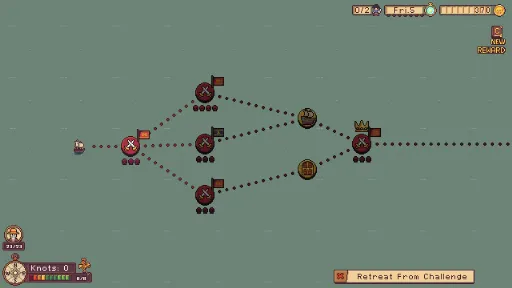
This should also work when you are doing a world map challenge (it saves after each battle). So those who want an easier playthrough can load if they lose. Or for those who need to stop playing and want to continue the challenge next time they play Seablip.
Please let me know if you experience any bugs with this new system. I have done my best to keep it bug-free, and I also added a second backup of your savefile in case something goes wrong. Each save now has two backups: "savefilename_old" (previous save) and "savefilename_backup" (backup of last "new day" savefile)
Minor
Last spell book page is saved (when loading game)
Bug fix
Controller issue. Using the keyboard for movement while a controller is attached could switch hotbar selection (island gameplay)
Wrong button on some key tutorials
Other
Addresses the Unity security vulnerability
- You can now see skills and stats for crew in Magic Bottles
- Common Blueprint Challenges can now spawn on the 1 skull challenge event
Changes
- Water Warning on Ship HUD adjusted to be more correct to how much water is in the ship
Bug Fix
- Fodder Cannon misses target (should not miss target unless a submarine underwater or target area is gone)
- The quick button and scroll wheel did not work for crew at index 6 and 7 in battle
- Walking Speed in battle was not calculated correctly!!
- Magic Magnet used in the same instant as the enemy ship is sunk could cause a visual glitch with the enemy crew
- I might or might not have fixed an issue where in certain victories the sail button only offers "Escape" (Let me know if you continue to win the battle, but do not get the option to "Sail")
- Visual bug. The Kick Crew menu did not work for a 6-size crew.
- Player Max Crew Cap increased +2 (You can now have 6 crew + Captain)
- You can see crew and enemy stats when hovering over crew while in battle (tactical mode needs to be true)
- You can see crew stats when hovering over Npc dialog for a crew you can hire + you can see crew stats on Cast Away crew rescued on the map.
- Forgot to add visible crew stats to crew in Magic Bottle, will update this in next update!!
- You can see crew likes and dislikes on gifts that are given before. (Retroactive)
- More cannon fire and impact sounds
Changes
- Ship Upgrades is renamed to "Equipment", upgrades have never been a good word for it. (Since this affects a lot of text, let me know if you find a text error where it is still called an upgrade)
- Time steps are doubled, meaning it takes twice as long for time to go to night/new day.
- In the quest note for the main story you get a warning if the quest has a time-limit (I know that not everyone is finding their way to all the "Granpa events", and will look for alternative ways for the player to get to the right destination.)
Bug Fix
- Sword in some cases disappears, and you can only see the crew animation (not certain the bug is removed)
- Items sometimes fall through the ground, when it has ground beneath itself.
- Wizard mana speed doubled now! (Each skill point gave 2.5% speed, instead of correct: 5% per point)
- Wizard 2 did not leave Redford Island when hired
- Kicked crew can now return to your island (with their old exp, skills, and skill points!! - This is retroactive for old saves)
- New NPC can move into the home island and build a tavern (after day 5) to increase how many sailors you attract per day
- You can reset wizard skill points if you have the skill master
- New sound effects for minor pick up objects on the world map and when picking up whalestones.
Changes
- Better odds for Legendary Blueprint Challenges
- Better odds for the Sword of Whales artifact
- Fodder Cannon ignores the shield and does not miss on target
- Fodder Cannon Text Update
- 2 more player ship got increased crew cap from 3 to 4
Bug Fix
- Only one flag could spawn on the player ship. (Some ships have multiple flags.)
- Barrel Head had the wrong Name Text on the Wanted Poster
- The wheel cannon text bug fixed
- One Wizard did not have a dialog
- A minor text error with Whalgrims dialog
- Pirate Territory (3 skulls) and Pink Sea (2 skulls) have a much easier challenge to unlock the area.
- Goblin area is 4 point challenge (previous 6 points)
- Enemy Wizards decreased mana charge
- New treasure island in Goblin Area (contains a spell)
- You can now buy Weak Magic Shield at Seablip Island (North East of home island)
- Reduced magic shield health on tier 2 skull enemies
- Big barrels can now be placed inside the ship (if it has a cannon window)
- Redcoat enemies with 2 skulls is now easier (was too hard)
- Ice Explorer ship increased crew size to 3 (previous 2)
- House Ship crew cap increased to 4 (previous 3)
- Crocodile Ship crew cap increased to 4 (previous 3)
Bug Fix
- One specific 4-point path challenge offered too difficult enemies.
- Oil Barrel Upgrade (Rare Blueprint)
- Thunder Barrel Upgrade (Rare Blueprint)
- You can now buy oil and thunder barrels from Barrel Island.
- Eel Charger (Ship Upgrade)
- 1 New Boss (after you learn Boulder Push)
- Oil is now a new battle effect (Combine with flames or remove with water).
- Slime on the ground is now a new battle effect (Slows down sailors' walk speed by 70% or combines with oil to make a short duration of poison gas).
- Monkey Bomber (Ship Upgrade) (Epic Blueprint)
- Banana Bomb (Currently used by Monkey Bomber)
- New Item: "Duck Floaty." You can rescue sailors from the ocean after a battle.
- You can buy Duck Floatys from Seablip Island.
- The item trade button now shows the item description.
- Akasho on Peacehaven now accepts the Love Messenger Quest, and you can learn "Boulder Push" from him.
- 1 New Achievement
Changes:
- Magic Shield Update: Dead Shield needs 18 seconds to charge (from 5 seconds before), Gold Shield needs 17 seconds (from 5 seconds), and Small Shield (upgrade) needs 20 seconds (from 18 seconds). Big Shield's durability is now 3 hits (from 6 hits before).
- Wood Auto Pump is slower. It needs 5.5 seconds to remove 1 water "bar" (old: 3.5 seconds).
- All Barrels are faster to build.
- Flame damage on the ship is now 10 seconds slower, but for each flame inside a zone, it's now 1.5 seconds faster.
- Flame damage on sailors is now 8 (ish) seconds slower, but for each flame, it is 2 seconds faster.
- Poison Gas and Flame combined have a 50% lower chance of ship damage and do less crew damage (but still powerful!).
- Blue slime can now freeze sailors (on death).
- Green slime now spawns slime on the ground.
- Slime Mortar Update: 65% chance for green slime, else one of the other colors.
- Fish Mini-Game is temporarily removed, making it much easier to catch a fish (honestly, I'm not super happy with the mini-game as it is).
- Fish do not respawn before the next day (if caught).
- Slime Mortar is now craftable (Legendary Blueprint).
- Ice Mortar projectile count reduced to 4 (from the previous 5).
- Monkey Mortar increased gold price.
- Fish torpedo ship damage was reduced to 1-2 (from the previous 3).
- Artifact Update: Longbeard Vase III can now be found on the ice biome and in caves.
Bug Fix
- Winning a battle with flames could glitch the game in rare circumstances (fixed).
- Pocket Crew could spawn on cells that were blocked/not visible (fixed).
- Hungry Tree could cause some item bugs (fixed).
- The invisible ladder on Bluecoat Island is now removed (but not for old saves).
- Item ID is updated (fixes some item glitches).
- Using a submarine and sinking an enemy ship with "barrel pirate" would glitch the game (fixed).
- Lightning storm can't find a cell on a submarine and glitch the game (fixed).
- Unloading sea battle is delayed 1 frame to avoid rare bugs after a battle (fixed).
Current Release
Build 23470861
Uploaded Jul 01, 2026
System Requirements
How to Install
Seablip.exe to play
Troubleshooting tips
• Run Redist/_CommonRedist installers if game won't start
• Add folder to Windows Defender exclusions
• Run as administrator
Download
Direct link available
Needed when extracting (WinRAR / 7-Zip) — not a site login.
5727518C
d03d366e01d8be054e4d898edfd25da958bb3721a7914726b2a6e07834eb197d
You May Also Like
View All





Download Seablip for PC with a direct link or via torrent. Get the full version of Seablip for free. Seablip is a Adventure released by Jardar Solli.