
Species: Unknown
by WanadevStudio · 23 Oct, 2025
85 downloads
About the Game
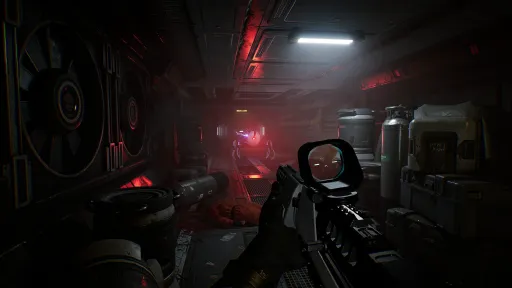
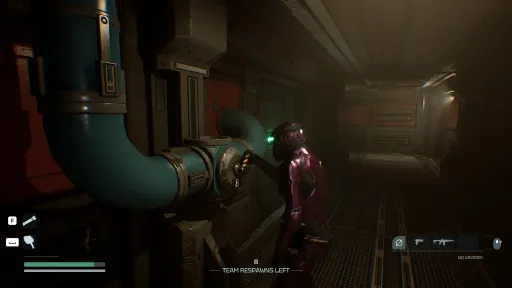
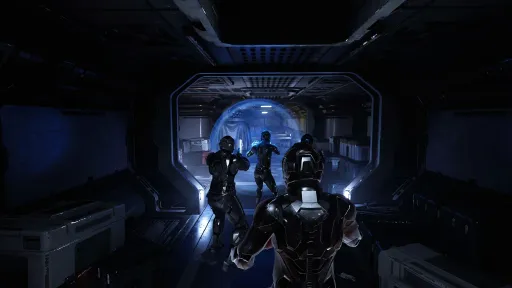
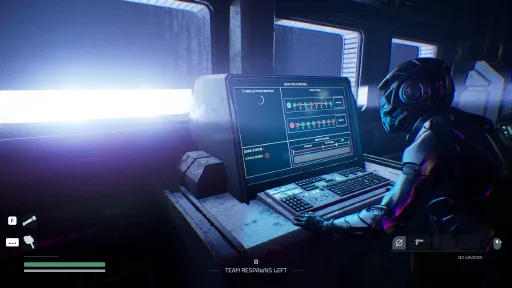
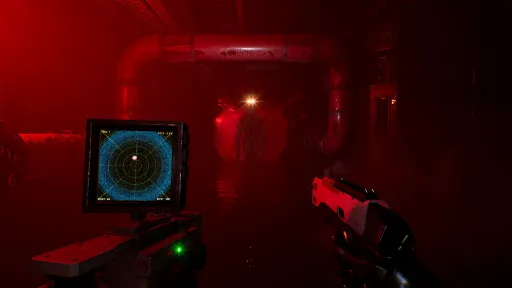
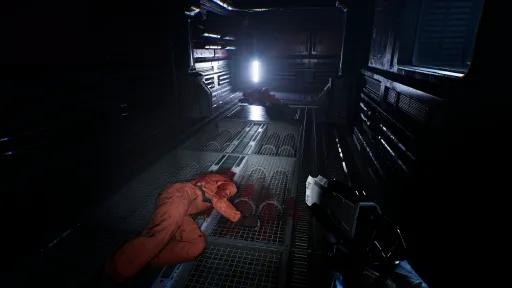
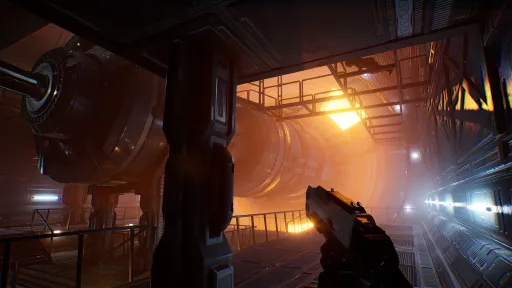
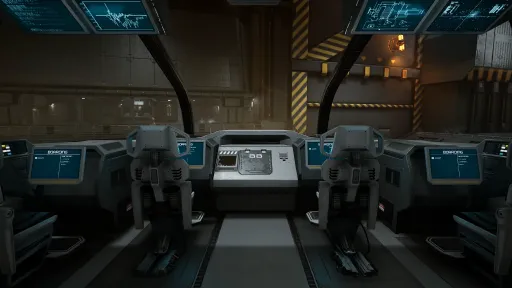
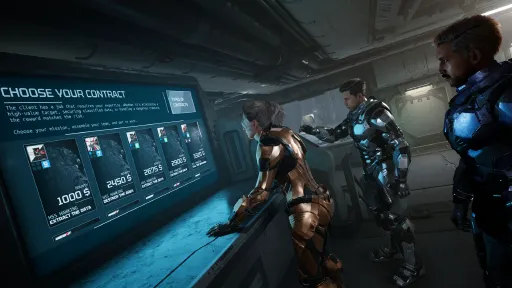
Species: Unknown is a first-person survival horror game, playable in co-op with up to 4 players (private or public servers) or solo. You play as a mercenary sent aboard an abandoned spaceship. Your job? Execute high-risk contracts, make it out alive, and claim your reward. But keep in mind that you’re not alone. Something is hunting you…
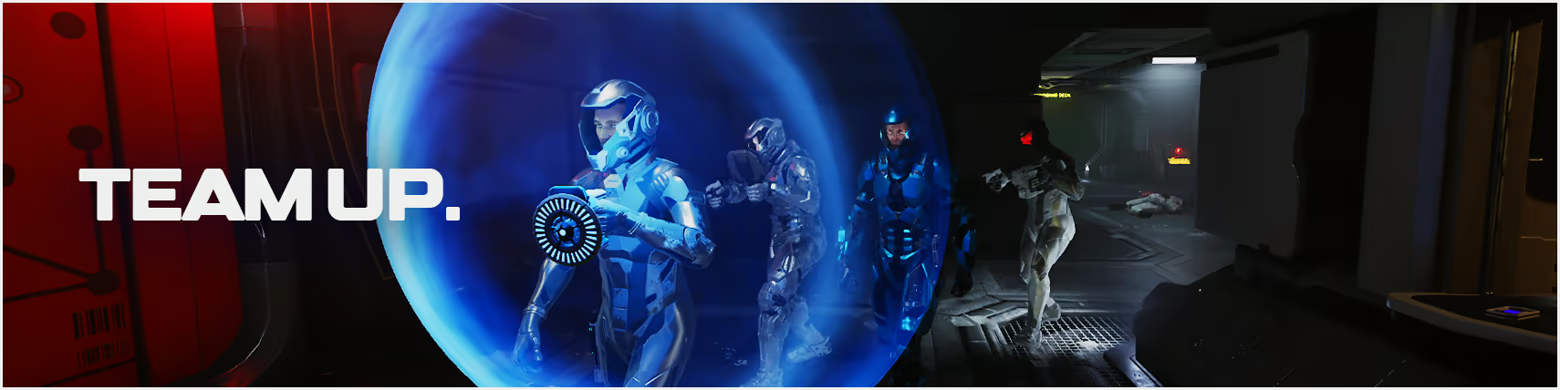
Form a squad of up to 4 players to take on different contracts with escalating difficulty. Each mission plays differently depending on your objective, your teammates, the map and which of the 5 intelligent threats is stalking you. No one survives alone, but you can try.

Every contract drops you into a different nightmare. Whether you're tasked with extracting a black box, capturing or eliminating an unknown threat, or even destroying the ship to prevent the creature from escaping… Each mission demands a specific strategy and none of them are easy.
The specimen is chosen procedurally from a growing roster of terrifying monsters. Each one comes with distinct behaviors, hunting patterns, strengths, and weaknesses. You’ll need to investigate your surroundings to gather vital clues and identify the threat in order to proceed smoothly (or not). Do your job and get rewarded, or die without anyone knowing.
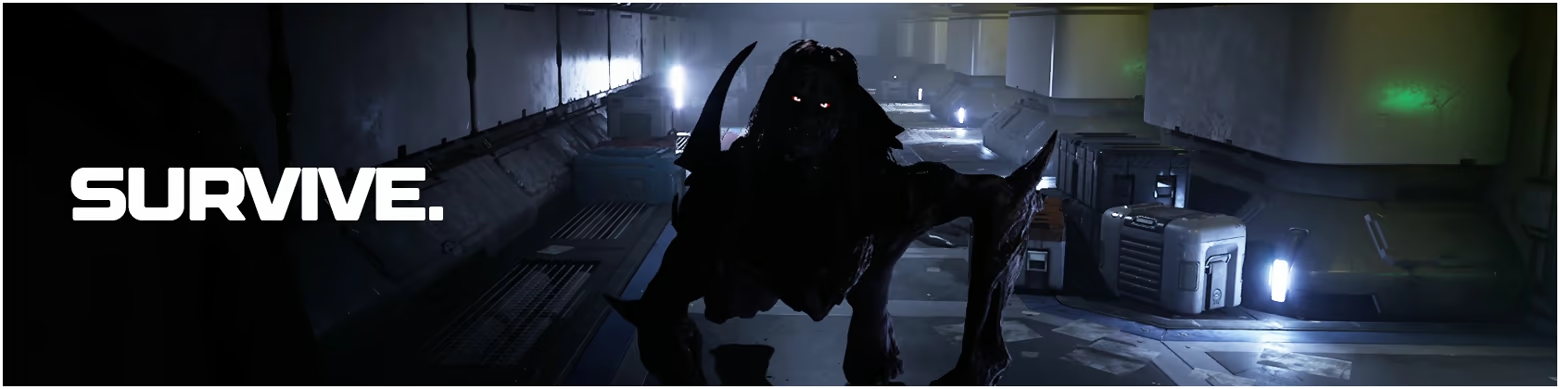
Strategize as a group, make smart use of your tools that can turn the tide, if only for a moment:
Motion Tracker : Detect nearby movement and prepare for what's coming
Shield : Block deadly attacks and buy time for your team
Health Syringe : Heal yourself or allies in the heat of battle
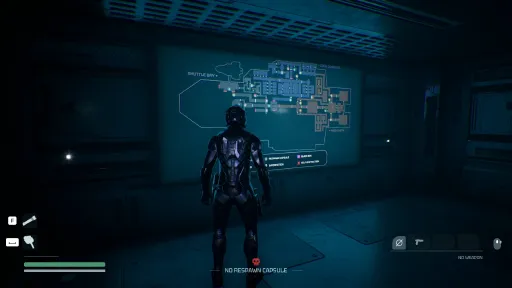
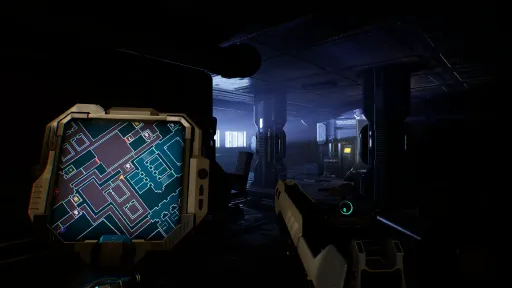
Mini-Map : Navigate pitch-black corridors with real-time positional data
Guns won’t always save you. Some threats are too resistant or simply untouchable. But the right weapon, found at the right time, can help you push through or even take the creature down.
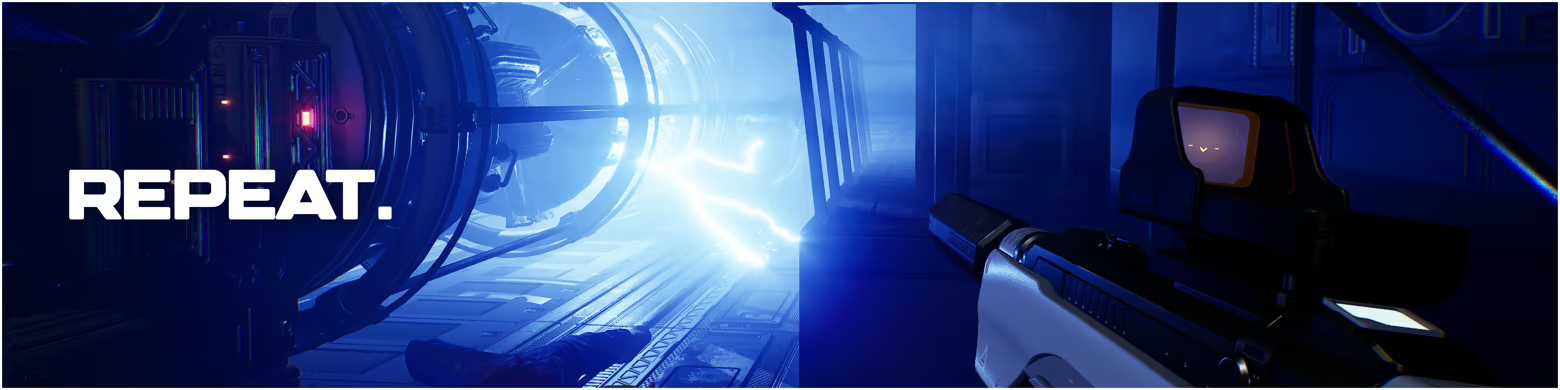
The higher the risk, the higher the reward. Completing contracts earns you credits you can use to:
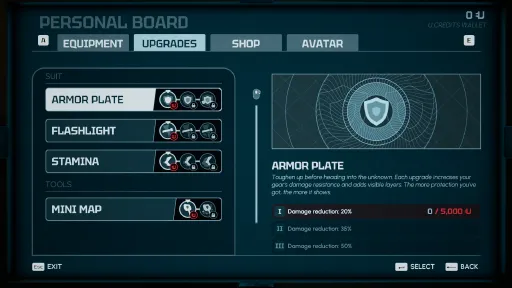
Upgrade your gear
Buy new tools
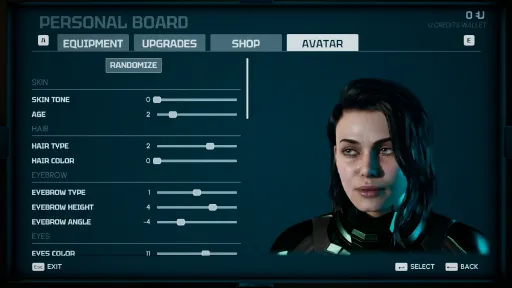
Customize your appearance
Gather lore and build your own creature museum
Screenshots
13 images
Version Information
Steam Patch Notes
Official update history
Changed
Modified wording in ID_005’s codex for more clarity
Fixed
Fixed some navigation problems for ID_005
Today, we are releasing update 0.21 for Species: Unknown.
This update introduces a new specimen, the first major new specimen added to the game since the beginning of Early Access. It is one of the biggest gameplay additions we have worked on so far, and we are very happy to finally let players discover it.
As always, thank you to everyone sharing feedback, clips, bug reports, theories, reviews, and streams around the game. Species: Unknown continues to grow thanks to the community surrounding it.
We shared a video teaser for this new specimen one week ago, and we really enjoyed watching your investigations and theories trying to figure out what it was before encountering it. Thank you for that!
A new threat aboard the HSS Hawking
A new specimen joins the bestiary. It is the main addition of this update and the result of several months of work.
We do not want to spoil too much here because discovering a creature for the first time is part of the experience, especially with friends, but here is what we can say:
The specimen can appear in all contract types (Kill, Capture, Destroying the area, Extract)
It has its own Codex entry
Its behavior differs from existing specimens
It is neither a variant nor a reskin, but a completely new enemy with its own identity
Completing contracts against it will progressively unlock its dedicated room in the Specimen Area
We sincerely hope you will enjoy learning how it works and encountering it throughout your runs.
Push-to-Talk is now available
One of the most requested features following the recent updates is now available: Push-to-Talk for proximity voice chat.
You can now configure it directly in the audio settings.
A few details:
Open communication remains the default mode
Existing players will need to assign their Push-to-Talk key in "Settings" > "Controls"
For new players, the default key is "B"
Push-to-Talk is currently not available on gamepad controllers
Since the arrival of proximity chat, voice communication has become a huge part of the experience, especially for groups discovering the game together. We therefore wanted to continue improving it based on your feedback.
Other additions and improvements
This update also includes:
New Supporter Pack wallpapers themed around the new specimen
A new Emergency Box tutorial during self-destruction evacuations
Several tutorial and codex improvements
Various fixes and quality of life adjustments
Changed
“Voicechat Mode” setting replaced by 2 separate settings: "Disable All Communications" (Off by default) and "Proximity Chat mode" ("Open" by default). You’ll need to set your voicechat preferences again with the new settings.
The fleeing specimen tutorial now reappears in each relevant mission
Updated ID_008 codex entry with info on its berserk mode
Fixed
Fixed specimen area terminal displaying incorrect "Purchase" action on some rooms already purchased
Black box receptacle in shuttle now looks properly open during self-destruction phase
[img src="{STEAM_CLAN_IMAGE}/45037108/9932fadb0113c09eda9f615823ca666e6c782ee3.jpg"]
[img src="{STEAM_CLAN_IMAGE}/45037108/851204cdc42d0ef9b214579c6551a8f2e748a378.jpg"]In this photo taken in mid-April, we see Nicolas (Game Director) prototyping the new specimen
A moment to bring friends aboard
If you have been waiting for the right moment to introduce Species: Unknown to friends, this update is probably one of the best entry points since the launch of Early Access.
To celebrate the release of this update, the game is currently on sale. On top of that, the community is very active (thank you all!), players both old and new will be discovering the new specimen live, and the overall progression experience is now much richer than it was at launch.
Species: Unknown has always been designed around cooperation and the stories players create together. Watching groups discover new features and content during update launches remains one of our favorite parts of development, and this is even more true for a content update like this one.
If you know someone who enjoys cooperative horror games, this is probably a very good time to invite them aboard the HSS Hawking.
How to bring a boost to help the indie studio
If you enjoy the game and would like to support the project, here is what genuinely helps us the most during a major update:
Talking about the game to friends who enjoy co-op horror experiences
Leaving a Steam review
Playing during the update launch period
Sharing your clips, streams, or screenshots
As an independent and self-funded studio, moments like these have a direct impact on the game’s visibility and on the future of its development. Your support directly helps introduce our work to players who are looking for memorable co-op experiences and who may not have heard about Species: Unknown yet.
Now that the update is live, we will also spend a good part of the day watching your streams, clips, and discussions around this new content. We are really looking forward to seeing your first encounters with this specimen.
You helped Species: Unknown reach over 350,000 players
When we launched Early Access, our first goal was to build a small community around the game and our work to move toward the V1. Seeing so many players today boarding the HSS Hawking, sharing moments with friends, feedback, and ideas honestly goes far beyond what we imagined at the beginning.
[img src="{STEAM_CLAN_IMAGE}/45037108/a39349a808df57b47979dbb3459f52d76dd50ee5.jpg"]
Thank you sincerely to everyone who took the time to try the game, talk about it, leave a review, or simply play it with friends. For an independent and self-funded studio like ours, it means a lot.
See you aboard the HSS Hawking, and thank you again for being part of this adventure.
The Species: Unknown team at WanadevStudio
Today, we are releasing update 0.20, an intermediate patch like the ones we plan to publish between major roadmap milestones throughout Early Access.
This update introduces a new mission modifier, improves the readability of certain menus, adjusts several audio elements, and fixes a number of issues reported by players since the last update.
Thank you to everyone who continues to share feedback on Discord and the Steam Hub.
Added
New modifier: Single-use capsules. Each respawn capsule breaks after one use. You will need to find another capsule to respawn the next time.
This new modifier should make certain missions more tense, especially when your team starts running out of margin for error. You will need to think more carefully about when and where to use a capsule, rather than assuming a previously secured area will always remain a safe fallback point.
New Tutorial & Tips tab available in the Pause menu, explaining the key points of the game you encountered during your missions.
Added explanation text when hovering over each setting.
Changed
Tweaked reverb parameters in the lobby and HSS Hawking to achieve more natural voice echoes.
Reduced global microphone gain.
Balancing
ID_010 can no longer sting players who are in the vents.
Fixed
Fixed issues with voice chat and radio volume when changing scenes, especially when starting or finishing a mission.
Potential fix for cases where more than 4 players could join the same lobby.
Fixed an issue where ID_008 did not respawn after reactivating power with the Low Power modifier.
Fixed a bug preventing a spectating player (after game over) from switching POV after changing settings.
Fixed an issue where the shuttle door appeared closed if a player loses their connection during a mission.
Fixed some boxes in the laboratory that could be climbed on.
[img src="{STEAM_CLAN_IMAGE}/45037108/24ddb9aa5dede775ba7a8db356abecf233a4cc82.jpg"]
Known issue
We are aware of an issue where the revolver can sometimes disappear from the player’s hands or another player’s hands, causing interaction bugs for an entire mission.
The behavior still appears to be very random, and we have not yet identified the exact conditions under which it occurs. Every fix we have tried so far has not made it disappear, but we have tried a new one in this update. If you have any reliable way to reproduce this issue, please open a thread on our Discord in #-su-issues-and-bugs.
Thank you for your patience on this matter.
[img src="{STEAM_CLAN_IMAGE}/45037108/b2dc90b5c1cb236d44cf6d47a20afca560a4ae0c.jpg"]Lohan working on identifying an overcrowded lobby bug. In this image, he is simulating multiple players simultaneously on his PC to reproduce multiplayer issues.
About the previous update v0.19
The Proximity Chat update generated a lot of reactions, and we wanted to take a moment to thank you.
We read many very positive comments about immersion, voices muffled by distance or walls, radio communication, and the unpredictable moments this creates during missions. This is exactly the kind of emergent gameplay we hoped this feature would bring.
We also noted more specific feedback around audio: radio volume, potential delays in certain conditions, the need for better microphone control, and especially the many requests for push-to-talk for proximity chat.
This has been a recurring topic since v0.19. We have therefore decided to work on adding a push-to-talk option for proximity chat in a future update. We cannot provide a precise timeline yet, but it is planned, and your feedback helped us prioritize it.
We also saw many interesting suggestions around communication systems: making radio use more risky, having monsters react to voice, adding text communication, or introducing communication-based mission modifiers. Not everything can be implemented immediately, but these discussions are extremely valuable in helping us move the game in the right direction.
A new specimen is coming soon
The next update will also introduce a new specimen. We are currently finalizing the last developments, particularly around rare and complex situations, as well as some animations and balancing. The design and behavior of the specimen have already been tested and validated internally. We are really looking forward to seeing you discover it, observe it, understand it… and probably fear it.
Your feedback helps us prioritize
Species: Unknown is still in Early Access. This means the game continues to evolve based on your feedback, but also within the constraints of a small independent team.
We read your messages, suggestions, bug reports, and discussions, even when we cannot respond to everything. Some feedback leads to quick fixes, while others require more design work, testing, development time, or prioritization decisions.
Thank you again for your patience, your trust, and the energy you bring to the community.
[img src="{STEAM_CLAN_IMAGE}/45037108/4689504fd0cf60e39be79ff0c41b5441ea5d9af2.jpg"]Barth (QA & Level Designer) and Guihem (Game & UI/UX Designer) during the bi-monthly meeting where we prioritize upcoming developments.
If you enjoy this update, leaving a Steam review is one of the best ways to support the game and help it reach more players.
You can leave your review directly on the game’s Steam page below.
[dynamiclink href="https://store.steampowered.com/app/2747330/Species_Unknown/"]
Thank you again for your support, we keep moving forward.
A bientôt in the HSS Hawking,
The Species: Unknown team at WanadevStudio.
Balancing
“No Map” modifier can’t happen on easy contracts
“No Map” bonus bounty increased to 500
Fixed
Fixed modifiers “Low Power System” and “No Map” now applied on bounty calculations
Fixed “No Map” modifier icon now displayed on score page
Proximity Chat & Radio are now live: distance matters, walls matter.
Today, we are releasing update 0.19. Proximity Chat is now live, bringing more tension, sometimes chaos, and unforgettable moments to your co-op sessions. This update is an intermediate patch like the ones we plan to publish between major roadmap milestones throughout Early Access.
This update is based on feedback shared by players. It also includes new features, adjustments, accessibility improvements, and bug fixes. Thank you to all players who reported these needs on the studio’s Discord server or on the Steam Hub.
Added
New modifier: No Map. The ship's map in the command deck is unavailable, you'll have to rely on other means to locate your objective.
Added Proximity Chat and Radio:
Added proximity effects on voice chat: Voices muffled by distance/obstacles, room reverb.
Added a radio for distant communication: hold the Radio button (check Settings > Controls to rebind which key to use) to talk to your teammates regardless of the distance
Hearing your teammate’s voice fade in the distance, whispering through walls, or shouting over the radio can completely change how you experience every mission.
A teammate cannot speak while respawning
A teammate in Game Over can no longer speak on the proximity voice chat (but can still use the radio)
Added a tutorial prompt to use the radio in first multiplayer contract
Added a “Radio Only” option in the “Voice Chat Mode” audio setting. This will mute your own microphone on the proximity voice chat, but you will still hear others and your radio will still work, so use this setting if you want Push-To-Talk.
We designed this feature with emergent moments in mind: distance, team work, miscommunication, with a strong sense of immersion. If you’re a content creator, this update is a great time to jump back in with your community. This is perfect for unpredictable and memorable live moments and we can’t wait to see how it plays out during your streams.
The Proximity Chat feature required a full rework of our voice system, which took more time than expected for our small team to deliver properly. Thank you for your patience, we’re really happy to finally share it with you.
We also took advantage of this major technical update to introduce features you’ve been asking for, namely improved volume control and better handling of in-game voice communication.
Added microphone on/off icons next to each player in the public session list → OFF if voice chat is disabled or no microphone connected
Added preferred languages of communication next to each player in the public session list. Each player can set their preferred languages in the "Social" settings. These languages are also displayed in the "Crew Members" tab once in game.
Added “Audio Input Gain” audio setting to adjust your own microphone sensitivity
Added “Voice Chat Volume” audio setting to adjust the overall volume of voices
Added per-player “Voice Chat Volume” setting in the "Crew Members" tab (when in a multiplayer session) to adjust the volume of each individual player
Changed
Improved UI displaying objectives and contract modifiers (now also displays contract type)
Improved settings UI: replaced some sliders with arrows, checkboxes, or dropdown lists
Changed some default gamepad buttons to include radio on Y:
B to display objectives
X to switch wheels (weapons/communications 1/2)
crouch is now only on joystick click
Display of an error message if the game fails to connect at launch and stays Offline (with details of the EOS error and a link to the Known Issues documentation to help)
Removed
Removed the temporary egg hunt
[img src="{STEAM_CLAN_IMAGE}/45037108/d4a3eda37f88dc2055854d626a0a400f82e354e5.jpg"]
Known Issues
For new players, the Radio key is “V”. But if you’ve already played the game, you will have to rebind which key to use for the radio in Settings > Controls, because your existing save will corrupt the default key (might be Invalid or “Left-Ctrl”).
About the last update (v0.18)
Thank you for all your contributions, here and on the Discord server. Your feedback is always extremely valuable for evaluating our choices, our work, and for keeping the discussion going. That’s what a living Early Access is all about. The previous post generated a lot of engagement, which is great to see. Feel free to do the same under this one.
We mainly introduced a new mission modifier (low power system) and the communication wheel.
The vast majority of players shared how much they enjoyed rediscovering the HSS Hawking with this new mission and atmosphere modifier. That’s really great to read.
You were more mixed about the communication wheel, with some players feeling it wasn’t the top priority right now. This feature was requested quite early on. It addresses a real accessibility need, especially for players who cannot use voice communication for various reasons, or who want to communicate with players speaking a different language. In a game like Species: Unknown, communication between players is essential.
We’d love to hear your first impressions:
how does proximity chat change your experience? More tension? More chaos? More fun? Or something unexpected?
Your feedback on Discord is incredibly valuable. Thank you to everyone who takes the time to write to us, report issues, share screenshots, or suggest improvements. Even if we cannot respond to everything, we do read everything, and we move forward as quickly as possible with the team we have. Here is some photos taken of the team during the dev of v0.19 update.
[img src="{STEAM_CLAN_IMAGE}/45037108/d4f64fed43befb9447c69bfa5404e2a1621337df.jpg"]Guilhem (UX/UI & Game Designer) while experimenting
[img src="{STEAM_CLAN_IMAGE}/45037108/8f35b7b7918ba066cf9f467b858577bd126cdf8c.jpg"]Guilhem (UX/UI & Game Designer) and Barth (QA & Level Designer)
[img src="{STEAM_CLAN_IMAGE}/45037108/a2e00c24d1257886d3d410f38ddf7fdd50604374.jpg"]Guilhem (UX/UI & Game Designer) and Nola (Production Director) during the "Sprint Review meeting" (the meeting dedicated to defining priorities for the next versions)
[img src="{STEAM_CLAN_IMAGE}/45037108/2acc7567d5f10af28675fde5cf62efbc3162d486.jpg"]Lohan (Game Dev) and Jérémy (Lead Dev)
If you enjoy this update, leaving a Steam review is one of the best ways to support the game and help it reach more players. By leaving a review, you help the game gain visibility among players who haven’t discovered our work yet.
You can leave your review directly on the game’s Steam page below.
[dynamiclink href="https://store.steampowered.com/app/2747330/Species_Unknown/"]
Thank you again for your support, your patience, and your trust. We will keep moving forward. See you in-game.
Au revoir,
The Species: Unknown team at WanadevStudio.
Today, we are releasing update 0.18, an intermediate patch like the ones we plan to publish between major roadmap milestones.
This update is based on feedback shared by players. It also includes new features, adjustments, accessibility improvements, and bug fixes. Thank you to all players who reported these needs on the studio’s Discord or on the Steam Hub.
Added
New modifier "Low Power System": all main systems of the ship still work (screens, doors, capsules, etc.), but most lights are out. A new modifier to experience a new journey in the HSS Hawking. Are you ready to move in the dark?
\[Multiplayer only] Communications wheel to improve gameplay and accessibility: 2 new pages in the weapon wheel to send predefined text messages to your teammates. Text messages are displayed in the top right corner of the screen.
Added a tutorial prompt to use the communications wheel on first multiplayer game
Added “Keep the last wheel used” option to reopen the last wheel used (weapon or communications 1/2). Off by default (i.e. always open weapon wheel first).
\[Limited Time] Egg hunt in the lobby: if you get all 8 hidden eggs back to the Cupola, you’ll unlock a surprise toy to play with (reset after each contract)!
Added a tutorial prompt the first time a specimen flees to go track it
Added a notification on mission return if new elements have been unlocked in your personal specimen area
[img src="{STEAM_CLAN_IMAGE}/45037108/3706f3858650adf3c62491f2b9d6d1db001b6132.png"]
[img src="{STEAM_CLAN_IMAGE}/45037108/1a4439a761c9a8f827c0cef92dcac17835d3eeb6.jpg"]
Changed
Reduced audio gain on voicechat
Updated in-game patch notes
Changed a text on the pipes screen for better clarity
Fixed
Fixed broken inputs when docking while modifying settings
Fixed the game's Windows icon
[img src="{STEAM_CLAN_IMAGE}/45037108/7bd18273cf5f28d209a70cd19b4c16637fdb6d09.jpg"]
We are very close to releasing the Proximity Chat / Radio voice system. We need to test a bit more if everything is ok in the coming week, but we can now say that the next update will be the one that adds the Proximity Chat.
Thank you for your suggestions
Your feedback on Discord is incredibly valuable. Thank you to everyone who takes the time to write to us, report issues, share screenshots, or suggest improvements. Even if we cannot respond to everything, we do read everything, and we move forward as quickly as possible with the team we have.
If you haven’t had the chance to leave a Steam review yet, now might be a good time to do so. By leaving a review, you help the game gain visibility among players who haven’t discovered our work yet.
You can leave your review directly on the game’s Steam page below.
[dynamiclink href="https://store.steampowered.com/app/2747330/Species_Unknown/"]
Thank you again for your support, your patience, and your trust. We will keep moving forward.
Au revoir,
The Species: Unknown team at WanadevStudio.
Today, we are releasing update 0.17, an intermediate patch like the ones we plan to publish between major roadmap milestones.
This update is based on feedback shared by players. It also includes new features, adjustments, accessibility improvements, and bug fixes. Thank you to all players who reported these needs on the studio’s Discord or on the Steam Hub.
Added
New “Audio Input Device” option in the Audio settings: allows you to choose which microphone to use directly from within the game.
New personal “Blacklist” feature to block players you don’t want to play with
Please note that the game uses a peer-to-peer system for both public and private sessions: the session is hosted by the player who creates it. Each player has their own personal blacklist. There are no dedicated multiplayer servers and no global blacklist.
Players you have blacklisted will not be able to join the public sessions you create (however, they can still join a session where you are a regular participant, or a private session using a code)
You will no longer see public sessions created by players you have blacklisted
You can blacklist players you encountered in your last session via Settings > Social
If you are currently hosting the session (as captain), they will be immediately kicked
Otherwise, they will simply be added to your blacklist
When kicking a player from your session as captain (via the Crew Members menu), you can also blacklist them to prevent them from rejoining
You can view your personal blacklist and unblock players via Settings > Social
Changed
New audio plugin for voice chat
Voice chat and mute settings should behave as before, but with improved quality and fewer issues (better detection of audio devices, fewer microphone problems, higher volume)
Small change: voice chat is now disabled during scene transitions (black screens)
This new plugin also enables the “Audio Input Device” option (see above) and will support upcoming features such as Push-to-Talk and Proximity Chat
Updated “Discord/Support” button in the main menu
Added a new “Access Support” button in the popup, which opens our “Known Issues & Solutions” document
This document provides solutions to common issues (offline mode, audio, performance, etc.) while we continue working on them
Fixed
Fixed an issue where ID_007 could sometimes teleport into the shuttle after the door was closed
Fixed an issue where clients could sometimes throw objects less far than the host
Fixed an issue where the wrong line could sometimes be highlighted in the shop menu
Fixed an issue where menu music could disappear after lowering and then increasing the master volume
[img src="{STEAM_CLAN_IMAGE}/45037108/1110e03207d6ee9f140f31fc7417400cf17ee191.jpg"]
Known Issues
If you encounter any issues, please check our Known Issues & Solutions page for potential fixes.
Thank you for your support and engagement around our devlogs
Sharing (even modestly) the day-to-day development of the game seems to resonate with you, and we are very happy about it. If you would like to see more behind-the-scenes content, let us know in the comments what you would like to discover. I would be happy to start integrating more photos of different development stages into my routine.
[img src="{STEAM_CLAN_IMAGE}/45037108/b2dc90b5c1cb236d44cf6d47a20afca560a4ae0c.jpg"]
[img src="{STEAM_CLAN_IMAGE}/45037108/1b577f97e6932895fe3989273c545c2e242f7bb1.jpg"]
On this picture, Lohan is hunting for multiplayers issues, simulating plural players on his own machine
[img src="{STEAM_CLAN_IMAGE}/45037108/80f78bd0c9e1a331762e447c7f45a4cca032454e.jpg"]
Guilhem (Game & UX Designer) supervising UI Design
[img src="{STEAM_CLAN_IMAGE}/45037108/ddf2610649c37da47a893b3801a140ce2ac015b8.jpg"]
Nola (Production Director) and Jeremy (Lead Dev)
Thank you for your suggestions
Your feedback on Discord is incredibly valuable. Thank you to everyone who takes the time to write to us, report issues, share screenshots, or suggest improvements. Even if we cannot respond to everything, we do read everything, and we move forward as quickly as possible with the team we have.
If you haven’t had the chance to leave a Steam review yet, now might be a good time to do so. By leaving a review, you help the game gain visibility among players who haven’t discovered our work yet.
You can leave your review directly on the game’s Steam page below.
[dynamiclink href="https://store.steampowered.com/app/2747330/Species_Unknown/"]
Thank you again for your support, your patience, and your trust. We will keep moving forward, step by step.
Au revoir,
The Species: Unknown team at WanadevStudio.
Today, we are releasing update 0.17, an intermediate patch like the ones we plan to publish between major roadmap milestones.
This update is based on feedback shared by players. It also includes new features, adjustments, accessibility improvements, and bug fixes. Thank you to all players who reported these needs on the studio’s Discord or on the Steam Hub.
Added
New “Audio Input Device” option in the Audio settings: allows you to choose which microphone to use directly from within the game.
New personal “Blacklist” feature to block players you don’t want to play with
Please note that the game uses a peer-to-peer system for both public and private sessions: the session is hosted by the player who creates it. Each player has their own personal blacklist. There are no dedicated multiplayer servers and no global blacklist.
Players you have blacklisted will not be able to join the public sessions you create (however, they can still join a session where you are a regular participant, or a private session using a code)
You will no longer see public sessions created by players you have blacklisted
You can blacklist players you encountered in your last session via Settings > Social
If you are currently hosting the session (as captain), they will be immediately kicked
Otherwise, they will simply be added to your blacklist
When kicking a player from your session as captain (via the Crew Members menu), you can also blacklist them to prevent them from rejoining
You can view your personal blacklist and unblock players via Settings > Social
Changed
New audio plugin for voice chat
Voice chat and mute settings should behave as before, but with improved quality and fewer issues (better detection of audio devices, fewer microphone problems, higher volume)
Small change: voice chat is now disabled during scene transitions (black screens)
This new plugin also enables the “Audio Input Device” option (see above) and will support upcoming features such as Push-to-Talk and Proximity Chat
Updated “Discord/Support” button in the main menu
Added a new “Access Support” button in the popup, which opens our “Known Issues & Solutions” document
This document provides solutions to common issues (offline mode, audio, performance, etc.) while we continue working on them
Fixed
Fixed an issue where ID_007 could sometimes teleport into the shuttle after the door was closed
Fixed an issue where clients could sometimes throw objects less far than the host
Fixed an issue where the wrong line could sometimes be highlighted in the shop menu
Fixed an issue where menu music could disappear after lowering and then increasing the master volume
[img src="{STEAM_CLAN_IMAGE}/45037108/1110e03207d6ee9f140f31fc7417400cf17ee191.jpg"]
Known Issues
If you encounter any issues, please check our Known Issues & Solutions page for potential fixes.
Thank you for your support and engagement around our devlogs
Sharing (even modestly) the day-to-day development of the game seems to resonate with you, and we are very happy about it. If you would like to see more behind-the-scenes content, let us know in the comments what you would like to discover. I would be happy to start integrating more photos of different development stages into my routine.
[img src="{STEAM_CLAN_IMAGE}/45037108/b2dc90b5c1cb236d44cf6d47a20afca560a4ae0c.jpg"]
[img src="{STEAM_CLAN_IMAGE}/45037108/1b577f97e6932895fe3989273c545c2e242f7bb1.jpg"]
On this picture, Lohan is hunting for multiplayers issues, simulating plural players on his own machine
[img src="{STEAM_CLAN_IMAGE}/45037108/80f78bd0c9e1a331762e447c7f45a4cca032454e.jpg"]
Guilhem (Game & UX Designer) supervising UI Design
[img src="{STEAM_CLAN_IMAGE}/45037108/ddf2610649c37da47a893b3801a140ce2ac015b8.jpg"]
Nola (Production Director) and Jeremy (Lead Dev)
Thank you for your suggestions
Your feedback on Discord is incredibly valuable. Thank you to everyone who takes the time to write to us, report issues, share screenshots, or suggest improvements. Even if we cannot respond to everything, we do read everything, and we move forward as quickly as possible with the team we have.
If you haven’t had the chance to leave a Steam review yet, now might be a good time to do so. By leaving a review, you help the game gain visibility among players who haven’t discovered our work yet.
You can leave your review directly on the game’s Steam page below.
[dynamiclink href="https://store.steampowered.com/app/2747330/Species_Unknown/"]
Thank you again for your support, your patience, and your trust. We will keep moving forward, step by step.
Au revoir,
The Species: Unknown team at WanadevStudio.
Fixed
Fixed swimming creatures stuck outside their jars
Potential fix of revolver sometimes absent in mission for client (causing interaction and animation bugs)
Fixed wrong magazine size displayed in upgrade menu for Pistol - upgrade II
Today we are releasing update 0.16, an intermediate patch similar to those we plan to publish between the major milestones of the roadmap.
This update is based on feedback shared by players. It also includes new features, adjustments, accessibility improvements, and bug fixes. Thank you to all the players who reported these needs on the studio’s Discord or on the Steam Hub.
Additions
2 new Category 1 weapons in the shop menu. Replace your basic pistol with a TMP (submachine gun) or a Revolver. Each has its own strengths and weaknesses, so choose carefully.
Category 1 weapon improvements: these 3 weapons can now be upgraded in the upgrades menu to increase magazine size and improve certain attributes (damage, fire rate, accuracy).
[img src="{STEAM_CLAN_IMAGE}/45037108/b3fb3dc83ea37843cfa71617571d36390fc7cb98.png"]
[img src="{STEAM_CLAN_IMAGE}/45037108/de61b4b905a537f880bd6a4af56391d910fae9c8.png"]
Changes
Offer to equip tool or weapon right after purchase
Changed french translation of SMG
Fixes
Added security to fix pause menu staying stuck over the screen indefinitely
Fixed layout jump + controller focus lost when opening Pause menu during mission (host only)
Fixed X-ray overlay could stay visible after using Tab + Esc keys
Fixed incoherent text layout on screens if language changed during the game
[img src="{STEAM_CLAN_IMAGE}/45037108/f1d9f49ad23ef6ffab3894a358b55f179d6f2982.jpg"]
Known Issues
The current voice chat system has several limitations and may sometimes malfunction when multiple microphones are detected on the PC. Known issues include:
your microphone does not work
you cannot hear anyone in game
voices have a strange pitch (very low or very high)
→ Check our Known Issues and Solutions page to try some workarounds while we replace this system entirely (this replacement system is currently in development but not yet robust enough to be deployed).
Development Log
With this update, I would also like to share a few discussions and photos taken during development. Many of you are interested in the technical and human side of the studio’s daily work, so it feels natural to share some of it here. And it’s a pleasure to do so.
The approach behind adding the new weapons
Update 0.16 introduces new weapons. The development process is quite comprehensive in the sense that almost everyone on the team has a role to play, and these additions also push us to revisit certain parts of the game’s architecture.
[img src="{STEAM_CLAN_IMAGE}/45037108/f380a67bd3ebff931280a389fdf757b071cc0576.jpg"]
In this photo, Nico (Game Director) is validating the intentions for the menus and the UX/UI implementation. Nico also worked earlier on the weapon game design and their implementation. This weapon design work was initiated during the previous sprint so they could be integrated during this one. During this sprint, Nico focused on other features that will be delivered later.
A sprint is the term we use for a development period. Each sprint is associated with a defined list of development tasks.
[img src="{STEAM_CLAN_IMAGE}/45037108/cba81dd20e12097b5e99d7d72f4dcf5381c50fce.jpg"]
In this photo, Lohan (Game Developer) and Guilhem (Game & UX/UI Designer) are working together on implementing the weapon purchase and upgrade menus in the game.
For Guilhem, the main point of attention on this type of task is the potential accumulation of graphical debt. As new elements are added, it is important to ensure that the menus remain readable and sustainable over time. Guilhem mainly works with Figma for mockups and Unreal Engine for their integration.
[img src="{STEAM_CLAN_IMAGE}/45037108/19059fc1c8b4eb76f8fb5fe0ed93299ecb27ee8f.jpg"]
Barth (Level Designer & QA), who is particularly involved in testing new features, discusses a case encountered during testing with Lohan.
[img src="{STEAM_CLAN_IMAGE}/45037108/ab62a20b6a3cb39b06c6b4507a23119e62b4b8c8.jpg"]
Here, Barth (Level Designer & QA) is testing the new weapons.
Why use Epic Online Services (EOS)?
Following the communication published earlier this week indicating that Epic Online Services (EOS) maintenance would temporarily impact multiplayer services this morning, several of you asked why we use an Epic service even though the game is available on Steam and not on the Epic Games Store.
Here are a few explanations that may interest you.
In Species: Unknown, there are no dedicated multiplayer servers. Your multiplayer sessions are P2P, which means that one of the players hosts the game for their friends.
Epic Online Services (EOS) is a set of online services provided by Epic Games that studios can use, independently of the store or distribution platform, to manage features such as multiplayer, player accounts, matchmaking, or other online infrastructure.
Even though the game is not available on the Epic Games Store, we still use EOS for certain online features, such as multiplayer services in Species: Unknown, as many other games do.
This is why when EOS performs maintenance, these features can be temporarily affected regardless of the platform you are playing on. We shared this information in advance so players would not be surprised if multiplayer availability was impacted.
While other solutions exist, we have already used EOS on other cross-platform games in the past, so we prefer using tools we already know rather than starting from scratch. Using EOS also makes a potential future move to cross-platform easier.
Jérémy and Benoît (Lead Developers) are our specialists when it comes to server infrastructure and multiplayer services.
[img src="{STEAM_CLAN_IMAGE}/45037108/2c01c55bbd3a72659ca1c36277ae36075bcea7f1.jpg"]
In this photo, Jérémy (Lead Developer), who is currently spending a large portion of his time improving the voice chat system. As you know, we are working on implementing proximity chat. That is why Jérémy has several PCs and microphones/headsets in front of him. This allows him to test his implementations autonomously. In the foreground of the photo, you can see Nola focused on her production and project management tasks.
...and still no news about the burglar who stole our pack of Skittles
Many of you reacted when we shared that the studio had been burglarized during the night. Especially when we mentioned that the burglar took a pack of Skittles along with a few computers. You managed to make us laugh despite the situation.
Thank you for your support and engagement around the studio’s devlogs
Sharing, even modestly, the daily life behind the game’s development seems to resonate with many of you, and we are very happy about that. If you would like to see more photos during the upcoming stages of development, let us know in the comments what you would like to discover from behind the scenes. I would be happy to add taking photos of different development steps to my routine.
Thank you for your suggestions
Your feedback on Discord is extremely valuable. Thank you to everyone who takes the time to write to us, report issues, share screenshots, or suggest improvements. Even if we cannot reply to everything, we read absolutely everything, and we move forward as quickly as possible with the team we have.
If you have not had the chance to leave your Steam review yet, this might be a good time to do so. By leaving a review, you help the game gain visibility among players who have not yet discovered our work.
You can leave your review directly on the game’s Steam page below.
[dynamiclink href="https://store.steampowered.com/app/2747330/Species_Unknown/"]
Thank you again for your support, your patience, and your trust. We will keep moving forward, step by step.
Au revoir,
The Species: Unknown team at WanadevStudio.
Current Release
23363335
Uploaded May 29, 2026
System Requirements
How to Install
SpeciesUnknown.exe to play
Troubleshooting tips
• Run Redist/_CommonRedist installers if game won't start
• Add folder to Windows Defender exclusions
• Run as administrator
Download
Direct link available
4.8 GB
23363335
534A1902
0c27d5c372e293f10d01283d9b01c0299cb9adae316c99e6127c68d8163997a2
You May Also Like
View AllDownload Species: Unknown for PC with a direct link or via torrent. Get the full version of Species: Unknown for free. Species: Unknown is a Action released by WanadevStudio.