







About the Game
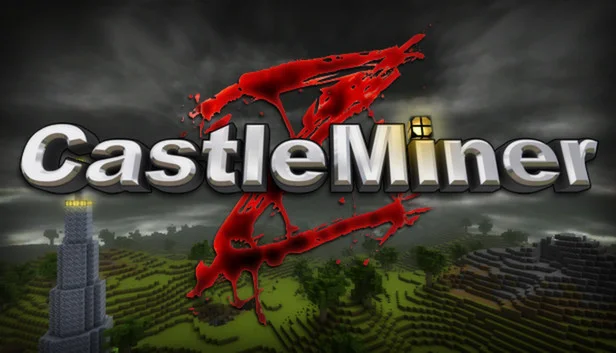
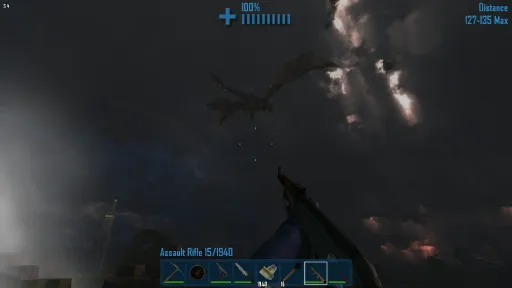
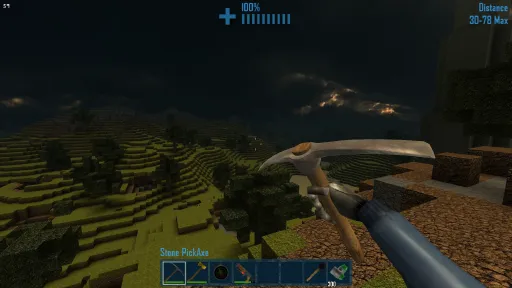
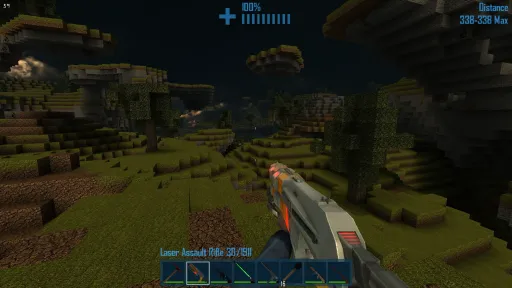
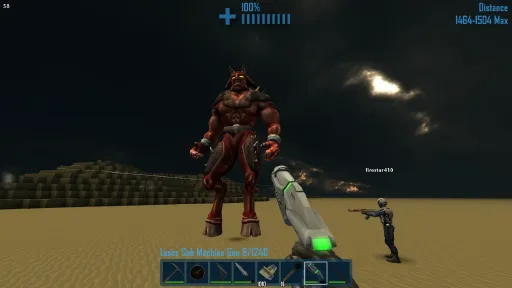
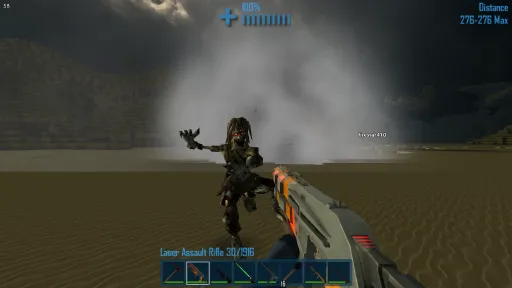
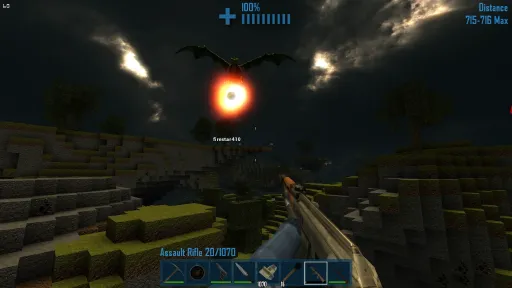
CastleMiner Z is an online coop survival horror game in a block based environment. Travel with your friends in a huge, ever-changing world and craft modern weapons to defend yourself from dragons and the zombie horde!
Play by yourself or online with friends in any of these exciting game modes:
Worlds can be saved in any game mode (except endurance) so try building a castle with enemies turned off, then grabbing some friends and loading it up with enemies turned on!
Game Play
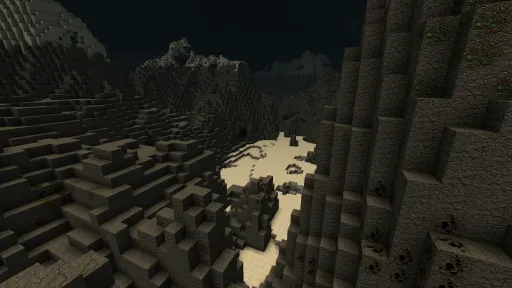
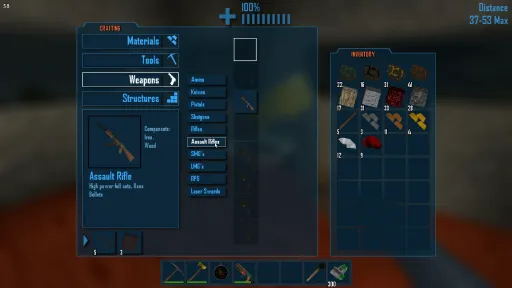
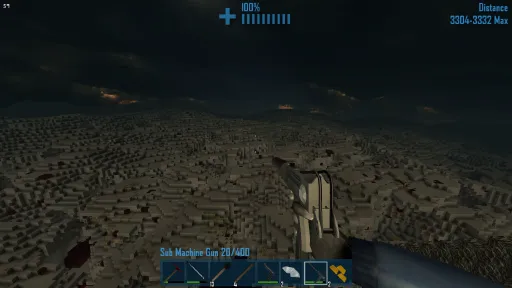
CastleMiner Z is an infinite world filled with deep places to explore, and horrifying monsters to slay. Build structures out of blocks, craft weapons and tools from raw materials, and explore the vast and frightening world around you.Play by yourself or online with friends in any of these exciting game modes:
- Endurance Mode: There are tales of a place beyond the mountains where Hell itself has torn through. How far can you get before you succumb to the zombies, dragons, skeletons, or other enemies that thirst for your blood? Run, fight, and sneak your way across dry deserts, snowy mountains, and icy expanses on your quest to vanquish the ultimate guardians of the abyss. In Endurance Mode, the world is randomized each game and the death of your party is permanent.
- Survival Mode: If you enjoy Endurance, but would rather build permanent structures and defenses, Survival Mode is where you’ll spend your time.
- Creative Mode: With simplified crafting and the ability to adjust or eliminate the enemy threat, Creative Mode is a great place to build vast structures in peace.
- Dragon Survival Mode: For those who like their trophies big and their hair singed and smoking, Dragon Survival Mode brings you up close and personal with wave after wave of the biggest, meanest, scaliest brutes in the game.
Worlds can be saved in any game mode (except endurance) so try building a castle with enemies turned off, then grabbing some friends and loading it up with enemies turned on!
Screenshots
11 images
Version Information
Steam Patch Notes
Official update history
On the site: Build 19807461
Up to date
- Various Bug Fixes
- Time Based Achievements like "MinerZ Potato" accumulate and save correctly. No longer need to be completed in Endurance Mode.
- The game can utilize more memory now leading to less out of memory crashes
- Updated the Ad for CastleMiner Z: Resurrection Please click it and add it to your wishlist.
Aliens and Hell Lord Spawners are here!
* Spawn blocks can be found randomly in the world. They are most common in Scavenger mode.
* Spawners generate enemies once you activate them with right click.
* There are 3 types of blocks found in caves: Basic Zombie, Dangerous Zombie and Alien spawners.
* Hell spawners can be found on the floors of the Hell Biome.
* A powerful Hell Lord will be summoned -- Larger and tougher than the normal version!
* Overall spawner logic has been improved.
* Spawners will reset if you run too far from the monsters.
* Earn loot blocks for clearing spawners.
We plan to shift focus to some more popular requests in upcoming updates - ones that fit into our available resources. We also would like to use spawners for some other content in the future. For now, we hope you enjoy some harder encounters!
View on Steam
* Spawn blocks can be found randomly in the world. They are most common in Scavenger mode.
* Spawners generate enemies once you activate them with right click.
* There are 3 types of blocks found in caves: Basic Zombie, Dangerous Zombie and Alien spawners.
* Hell spawners can be found on the floors of the Hell Biome.
* A powerful Hell Lord will be summoned -- Larger and tougher than the normal version!
* Overall spawner logic has been improved.
* Spawners will reset if you run too far from the monsters.
* Earn loot blocks for clearing spawners.
We plan to shift focus to some more popular requests in upcoming updates - ones that fit into our available resources. We also would like to use spawners for some other content in the future. For now, we hope you enjoy some harder encounters!
The following changes are available in the public beta branch. Anyone can try them by switching to the branch under the BETAS tab in the steam game properties.
Aliens and Hell Lord Spawners!
* Spawn blocks can be found randomly in the world. They are most common in Scavenger mode.
* There are 3 types of blocks found in caves: Basic Zombie, Dangerous Zombie and Alien spawners.
* Hell spawners can be found on the floors of the Hell Biome.
* A powerful Hell Lord will be summoned -- Larger and tougher than the normal version!
* Overall spawner logic has been improved.
* Spawners will reset if you run too far from the monsters.
* Earn loot blocks for clearing spawners.
We plan to shift focus to some more popular requests in upcoming updates - ones that fit into our available resources. We also would like to use spawners for some other content in the future. For now, we hope you enjoy some challenging encounters! We'll further tweak the behavior based on player feedback.
There's also an Alien Horde block that didn't make it into the build. If there's enough interest, we'll unleash that before we move on to new things.
We'll be moving these changes to the live server after we have some time to ensure the changes are stable and balanced.
View on Steam
Aliens and Hell Lord Spawners!
* Spawn blocks can be found randomly in the world. They are most common in Scavenger mode.
* There are 3 types of blocks found in caves: Basic Zombie, Dangerous Zombie and Alien spawners.
* Hell spawners can be found on the floors of the Hell Biome.
* A powerful Hell Lord will be summoned -- Larger and tougher than the normal version!
* Overall spawner logic has been improved.
* Spawners will reset if you run too far from the monsters.
* Earn loot blocks for clearing spawners.
We plan to shift focus to some more popular requests in upcoming updates - ones that fit into our available resources. We also would like to use spawners for some other content in the future. For now, we hope you enjoy some challenging encounters! We'll further tweak the behavior based on player feedback.
There's also an Alien Horde block that didn't make it into the build. If there's enough interest, we'll unleash that before we move on to new things.
We'll be moving these changes to the live server after we have some time to ensure the changes are stable and balanced.
This is a quick fix to repair worlds where teleport stations were changed into monster blocks. It will update existing worlds automatically by returning teleport stations to their original behavior and appearance.
View on Steam
Some players found previously placed teleport stations were disappointingly converted into monster spawners.
This patch fixes that by returning them to their true state. All blocks that were originally teleport stations before patch 1.9.7.7 will again work as expected. Your saved worlds should be automatically repaired when you next load them.
No other blocks should be affected in any way. We're going to keep this as a beta build for a couple days to validate the fix.
Let us know if you experience any issues with the Beta build!
Thank you to those that reported this issue. We appreciate your help and understanding!
View on Steam
This patch fixes that by returning them to their true state. All blocks that were originally teleport stations before patch 1.9.7.7 will again work as expected. Your saved worlds should be automatically repaired when you next load them.
No other blocks should be affected in any way. We're going to keep this as a beta build for a couple days to validate the fix.
Let us know if you experience any issues with the Beta build!
Thank you to those that reported this issue. We appreciate your help and understanding!
Spawn Blocks are randomly generated throughout the world. Waves of enemies will arise from any block after it is activated.
* Spawn Blocks are most common in Scavenger Mode, but they can be found in Explorer mode and rarely in Survival mode.
* Spawn blocks come in two forms: Grey (easy) and Red (challenging)
* Right click on a spawn block to activate it.
* Active blocks will light up and begin flashing.
* Waves of skeletons and zombies will arise from the block.
* If you defeat all the enemies, the spawn block transforms into a loot block.
* If two (or more) spawn blocks are in close proximity, they might cause a chain reaction and all activate!
[Bug Fix] Corrected an issue that prevented players from harvesting their own teleport blocks.
[Misc Fixes] Some other minor fixes for bugs not yet reported by players.
Spawn blocks are a step towards more advanced challenges. We'll be exploring those possibilities (including Alien and Demon spawners) while we look into player requests for upcoming features.
View on Steam
* Spawn Blocks are most common in Scavenger Mode, but they can be found in Explorer mode and rarely in Survival mode.
* Spawn blocks come in two forms: Grey (easy) and Red (challenging)
* Right click on a spawn block to activate it.
* Active blocks will light up and begin flashing.
* Waves of skeletons and zombies will arise from the block.
* If you defeat all the enemies, the spawn block transforms into a loot block.
* If two (or more) spawn blocks are in close proximity, they might cause a chain reaction and all activate!
[Bug Fix] Corrected an issue that prevented players from harvesting their own teleport blocks.
[Misc Fixes] Some other minor fixes for bugs not yet reported by players.
Spawn blocks are a step towards more advanced challenges. We'll be exploring those possibilities (including Alien and Demon spawners) while we look into player requests for upcoming features.
We have a fun build ready for testing in the Beta branch. Check out monster spawn blocks. Here's a breakdown of the current version.
* Spawn Blocks can be found in Scavenger Mode only (we'll expand this to other modes after testing and feedback).
* Spawn blocks come in two forms: Grey (easy) and Red (challenging)
* Right click on a spawn block to activate it.
* Active blocks will light up and begin flashing.
* Waves of skeletons and zombies will arise from the block.
* If you defeat all the enemies, the spawn block transforms into a loot block.
* If two (or more) spawn blocks are in close proximity, they might cause a chain reaction and all activate!
This build also fixes the bug that prevented players from harvesting their own teleport blocks for re-use.
Please let us know what you think. We're going to be balancing the waves and behavior based on player feedback. We also have more plans for future features regarding spawn blocks, so stay tuned!
View on Steam
* Spawn Blocks can be found in Scavenger Mode only (we'll expand this to other modes after testing and feedback).
* Spawn blocks come in two forms: Grey (easy) and Red (challenging)
* Right click on a spawn block to activate it.
* Active blocks will light up and begin flashing.
* Waves of skeletons and zombies will arise from the block.
* If you defeat all the enemies, the spawn block transforms into a loot block.
* If two (or more) spawn blocks are in close proximity, they might cause a chain reaction and all activate!
This build also fixes the bug that prevented players from harvesting their own teleport blocks for re-use.
Please let us know what you think. We're going to be balancing the waves and behavior based on player feedback. We also have more plans for future features regarding spawn blocks, so stay tuned!
- When picking up items from Loot blocks, the items will be displayed in the console.
- Global announcements are now made whenever a player reaches various milestones of kills during a play session. Enjoy a little friendly competition and bragging rights for defeating different types of enemies!
- Global announcements also occur for opening certain numbers of loot blocks.
Currently most messages are sent every 10 occurrences.
We took a little longer than we wanted on this release, but we've already made great progress on the next update. Look for a new build on the Beta branch coming soon!
View on Steam
- Global announcements are now made whenever a player reaches various milestones of kills during a play session. Enjoy a little friendly competition and bragging rights for defeating different types of enemies!
- Global announcements also occur for opening certain numbers of loot blocks.
Currently most messages are sent every 10 occurrences.
We took a little longer than we wanted on this release, but we've already made great progress on the next update. Look for a new build on the Beta branch coming soon!
Our beta server has a new change that we hope players will find useful.
- When picking up items from Loot blocks, the items will be displayed in the console.
- Global announcements are now made whenever a player reaches various milestones of kills during a play session. Enjoy a little friendly competition and bragging rights for defeating different types of enemies!
- Global announcements also occur for opening enough loot blocks.
Currently most announcements are made every 10 kills. Or every 5th kill for rarer things like Aliens.
Is there anything else you'd like to see in CMZ's console text?
View on Steam
- When picking up items from Loot blocks, the items will be displayed in the console.
- Global announcements are now made whenever a player reaches various milestones of kills during a play session. Enjoy a little friendly competition and bragging rights for defeating different types of enemies!
- Global announcements also occur for opening enough loot blocks.
Currently most announcements are made every 10 kills. Or every 5th kill for rarer things like Aliens.
Is there anything else you'd like to see in CMZ's console text?
- We added a second Item tray! Toggle between trays by pressing G.
- By popular request, you are now able to rebind the Number keys.
- Fixed mouse sensitivity slider to work as expected.
- Right clicking on doors while holding a pickaxe will no longer harvest them.
- Added an option to not have the second item tray faded. Helps performance.
- Fixed the Space Rock in loot blocks to be useful in crafting.
- Survival mode loot block rate was reduced again. We're considering turning it way down and leaving Scavenger mode as the choice for loot blocks.
Curious about that second item tray? Here's a dev post talking about it:
http://steamcommunity.com/app/253430/discussions/0/350532536104628586/
Here are the latest additions:
- We added a second Item tray! Toggle by pressing G.
- You can finally rebind any of the number keys!
- Fixed mouse sensitivity slider to work as expected.
- Survival mode loot block rate was reduced again. We're considering turning it way down and leaving Scavenger mode as the choice for loot blocks.
Please let us know of any bugs or other feedback!
1.9.7.5 fixes:
- Cancelling a teleport block no longer creates a broken, indestructible block.
- Added an option to not have the second item tray faded. Helps performance.
- Fixed the Space Rock in loot blocks to be useful in crafting.
View on Steam
- We added a second Item tray! Toggle by pressing G.
- You can finally rebind any of the number keys!
- Fixed mouse sensitivity slider to work as expected.
- Survival mode loot block rate was reduced again. We're considering turning it way down and leaving Scavenger mode as the choice for loot blocks.
Please let us know of any bugs or other feedback!
1.9.7.5 fixes:
- Cancelling a teleport block no longer creates a broken, indestructible block.
- Added an option to not have the second item tray faded. Helps performance.
- Fixed the Space Rock in loot blocks to be useful in crafting.
Teleport Stations are expensive-to-build blocks that allow players to create a network of outposts they can teleport between. We envision this as a long term goal that will hopefully make lesser ingredients such as copper and rock continue to matter. There are 3 different recipes to give flexibility in constructing teleports.
Each player must build their own teleport stations as each block is encoded to the builder. Only the builder can dig them up and move them to a new location. You need to place 2 teleport blocks to be able to benefit from this technology.
Other Changes:
- By popular demand, Dust has been removed from digging.
- By even more popular demand, we bring you: Iron Doors!
- Ore now stacks up to 255. No more 64 stack limits.
- We're experimenting with a slightly larger explosion radius on regular Rockets.
Loot Block Balancing:
- Reduced the number of drops per lucky loot block.
- Reduced the spawn frequency of lucky loot blocks.
- Reduced the drop rate of the better guns.
- Downgraded the Bloodstone LMG drop to Diamond LMG.
View on Steam
Each player must build their own teleport stations as each block is encoded to the builder. Only the builder can dig them up and move them to a new location. You need to place 2 teleport blocks to be able to benefit from this technology.
Other Changes:
- By popular demand, Dust has been removed from digging.
- By even more popular demand, we bring you: Iron Doors!
- Ore now stacks up to 255. No more 64 stack limits.
- We're experimenting with a slightly larger explosion radius on regular Rockets.
Loot Block Balancing:
- Reduced the number of drops per lucky loot block.
- Reduced the spawn frequency of lucky loot blocks.
- Reduced the drop rate of the better guns.
- Downgraded the Bloodstone LMG drop to Diamond LMG.
Current Release
Build 19807461
Uploaded Aug 28, 2026
System Requirements
OS
N/A
CPU
2.8 GHZ Dual Core
RAM
1 GB RAM
GPU
DirectX 9.0c or better with 500 mb memory
How to Install
1
Download all files
2
Extract the .ZIP file to a folder (use WinRAR or 7-Zip)
3
Run CastleMinerZ.exe to play
Troubleshooting tips
• Run Redist/_CommonRedist installers if game won't start
• Add folder to Windows Defender exclusions
• Run as administrator
Download
Direct link available
Archive password
Needed when extracting (WinRAR / 7-Zip) — not a site login.
CRC32
9CA9D9CF
SHA-256
6c1a6e7eb88887da21ecb32f27ab1919b030e027e93d1b54c6861b9a56bbc73c
How: Right-click the downloaded file → 7-Zip / WinRAR → CRC SHA → compare with the values above.
You May Also Like
View All








Download CastleMiner Z for PC with a direct link or via torrent. Get the full version of CastleMiner Z for free. CastleMiner Z is a Action released by DigitalDNA Games.