







Fireworks Mania - An Explosive Simulator
by Laumania ApS · 17 Dec, 2020
430 downloads
About the Game
Play by yourself or play with others in community hosted games.
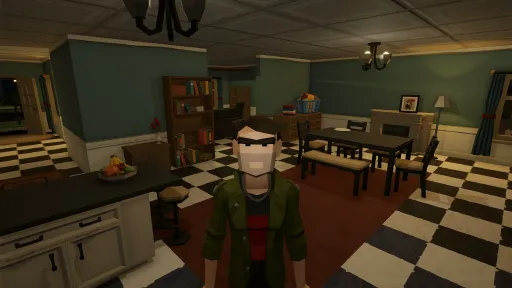
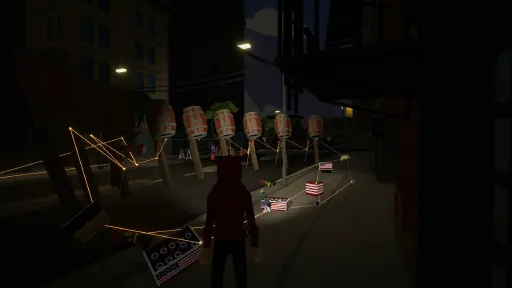
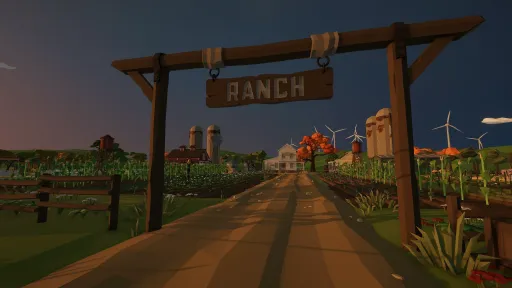
The built-in Workshop gives you access to thousands of items created by the community, like fireworks, props, maps and characters.
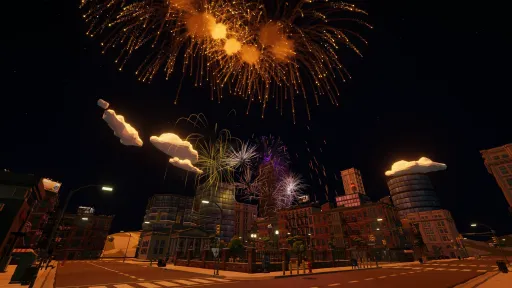
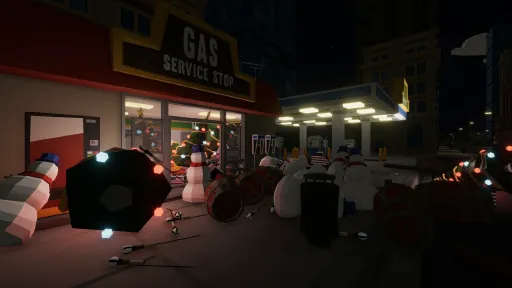
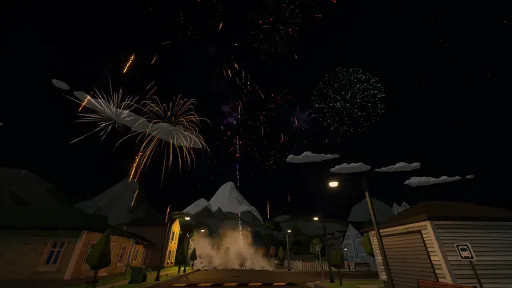
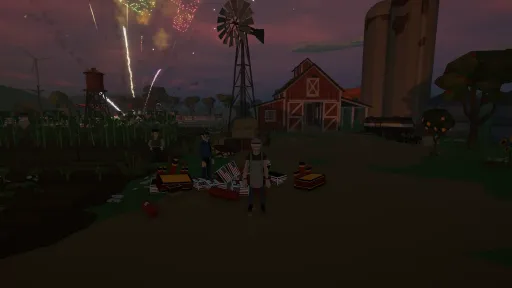
Eventhough the game is created to be a casual game where players have fun for a short while, the game can easily entertain creative players for hours, as they setup a firework show or explore the environments in the hunt for things to blow up.
Not two play-sessions are the same, as the game is heavily physics based, resulting a different outcome every time. This often leads to fun moments, when things are not going as planned.
- Enjoy!
Screenshots
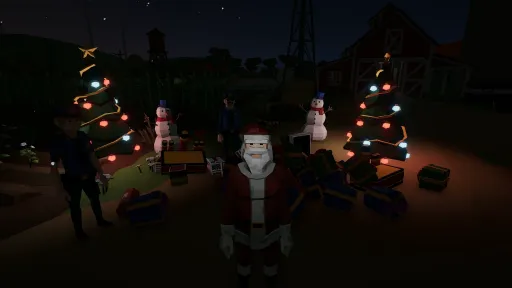
10 images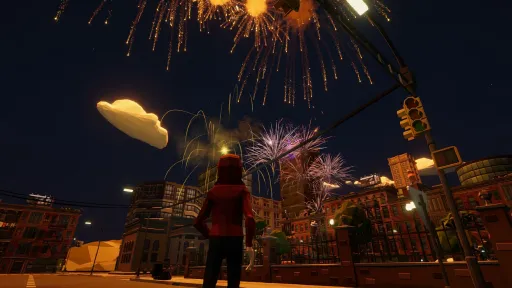
Version Information
Steam Patch Notes
Official update history
NOTE: This version is only available on the EXPERIMENTAL game version/beta. You manually need to switch to it in Steam. Right Click on Fireworks Mania -> Properties -> Game Versions & Betas -> "Experimental". To go back to the normal version, change it to "Default Public Version".
Please note that this is work-in-progress stuff. There might be bugs, features might never end up in the real version of the game and things might be a little odd.
However, I share this version as I am asking for your feedback to help me shape the game - thanks for taking your time helping out 🤓
[img src="{STEAM_CLAN_IMAGE}/36145520/f655b2b40730750cb2bdd23ad2d1222106a9b180.png"]
Added
You now get a notification when a mod replaces some of the game's own items, sounds or characters. Players without that mod get the game's own instead, and can't see the replaced items at all
Changed
Things you pick up stay their own size now instead of shrinking down in your hand. Most of you told me you preferred it that way
Crates are too heavy to pick up and carry now
The Shop works like the inventory now: just point at an item to see its details, and hold on it to unlock it. The yellow "Unlock" button is gone
The Physics Tool has a purple glow on your fingertip now, like the Erase Tool's red one. Both glows are a bit bigger too
Fixed
Some shells went silent, and some mortars and racks couldn't be seen by other players, after you'd been in a game with items from a mod with same ids
Mortars from the Workshop showed up as locked in the Shop because they had the same ids as the new base game mortars. The game's own mortars and sounds have new ids now, so they no longer clash with mods. Shells have also gotten renamed internally. NOTE: This means you will have to unlock mortars, racks and shells again, sorry, but its Experimental - just so you know 🤓
The Physics Tool's beam now ends right where you're aiming, even on things you can't pick up like walls, the ground or a light pole. Up close it used to miss the spot you were pointing at
Fixed a rare crash in voice chat
Loading a blueprint no longer leaves some single shot racks turned a bit, or tipped over under a load of Roman candles. They stay exactly where you saved them
- Happy testing, enjoy! 🤓🕺
YouTube | Twitch | Twitter | Discord
[dynamiclink href="https://store.steampowered.com/app/1079260/Fireworks_Mania__An_Explosive_Simulator/"]
NOTE: This version is only available on the EXPERIMENTAL game version/beta. You manually need to switch to it in Steam. Right Click on Fireworks Mania -> Properties -> Game Versions & Betas -> "Experimental". To go back to the normal version, change it to "Default Public Version".
Please note that this is work-in-progress stuff. There might be bugs, features might never end up in the real version of the game and things might be a little odd.
However, I share this version as I am asking for your feedback to help me shape the game - thanks for taking your time helping out 🤓
[img src="{STEAM_CLAN_IMAGE}/36145520/93eee1dd94ca5cda25b869314c3d492b064df739.png"]
As this is a bigger update in terms of new things, I want to add a few words here, instead of only the changelog as normally.
I will write more details in the upcoming Developer News, but here are some highlights.
Shop
Many players have through the years asked for "something to play for". That can be addressed in many ways, but here is the first change in that direction - a Shop.
So what does that mean?
Well, you get points for playing now, igniting fireworks, unlocking achievements and simple being active in a game session will give you points. There might be more ways to earn in the future, but it depends on your feedback.
These points you can use to unlock fireworks, props, characters and more in this new Shop.
Its a way to try and make some form of progress in an open sandbox game with no real start or end.
You can keep playing with mods exactly as you use to, so really the Shop is an optional feature for the ones who want the stuff in it.
More content
Another thing that players have been asking for, is more base game content and that's exactly what you find in this Shop.
More than 300 new items of various kinds have been added to the Shop - so have a look when you get into the game :)
For instance, there are new refreshed versions of all the legacy fireworks I originally made back in 2020!
These new versions are much more realistic than the original ones. Here are some samples.
[img src="{STEAM_CLAN_IMAGE}/36145520/bffc670d7b437f1b1ea5eaed9b2e731424293bbd.jpg"]
[img src="{STEAM_CLAN_IMAGE}/36145520/57a4b2e9140926cca1471ac844a9598e73b30302.jpg"]
[img src="{STEAM_CLAN_IMAGE}/36145520/bd3006aab1e618c29bc5d8aa7305adbbb524294c.jpg"]
[img src="{STEAM_CLAN_IMAGE}/36145520/126396838b9b072de2587673a3e154eda14685ba.jpg"]
Over the years its been very clear that mod creators are much better at making realistic fireworks than me. My time is better spend on optimizing, adding features etc. So for this big content push, it made sense to try and get some help. Therefore I reached out to Amnestey, asking if he would be interested in some contracting work, creating new unique content for the base game. Luckily, he was up for it. This freed up my time to work on other stuff, so you can now enjoy both new content and new features in this update. 🤓
Player character improvements
Another huge change is improvements to how your character works. First of all you now hold the tool you select in your physical hand and some tool models have been replaced by just your hands and fingers. Furthermore the way your character move have been improved a lot, so it feels more immersive and looks much better when you play with others.
[img src="{STEAM_CLAN_IMAGE}/36145520/c301c119ef86b57ea7ea62f29a3016e359cfb6da.png"]
[img src="{STEAM_CLAN_IMAGE}/36145520/ab6c345fccc00fe1c5bc3d7c069f42fb9cbbdd24.jpg"]
[img src="{STEAM_CLAN_IMAGE}/36145520/26e32e7c71424b55d26ffc0e9c02da93560d0101.jpg"]
[img src="{STEAM_CLAN_IMAGE}/36145520/6788c53ecc6c7d5bdc256ba4cdb24e758fbcbc80.jpg"]
Also, in you are exposed to enough explosions forces, your character will go into ragdoll mode, simply for the fun of it - he/she might even scream a bit if its too much.
[img src="{STEAM_CLAN_IMAGE}/36145520/6680817ede34440bb815a817b5fdf08270e0eb19.jpg"][img src="{STEAM_CLAN_IMAGE}/36145520/582a0748d645b2b115f657e8deaf81f702cce46d.jpg"]
This was just the tip of the iceberg, so I really encourage you to jump into the Experimental version and give it a try. There might be some things you need to get use to, but give it a little time and see if it's not really better after all.
Please share your feedback with me as it helps shapes the game to make it perfect 🤓
That's all for now, as said I will describe some more details in the upcoming Developer News, but for now, here is the full change log.
Added
The Shop is open! For a long time, a lot of you have asked for something to play for and more content in the base game, so here it is. As you play the game you earn "PyroPoints" in various ways. These points can be used to unlock various items in the new Shop. It's completely optional: no fireworks have been taken away, and you can carry on playing with mods as much as you like, exactly like before. However for the ones that like the feeling of progress by earning more and more things you can use in the game, this is exactly for you. This is the first draft of it, so I still haven't figured out exactly how the points should be earned etc. But thats part of where your feedback comes in, so we can make it even better
The Shop has 149 brand new fireworks to unlock in there to start with - cakes, rockets, tubes, roman candles, firecrackers, smoke balls and more. Plenty more coming as we go
On top of that there's 92 new shells from 3 to 6 inch, and 71 new mortars and racks to fire them from
The Shop has 64 new characters in there too, a load of civilians and a set of police, so there's a lot more choice in who you play as
27 Christmas decorations in the Shop too - neon signs, a snowman, a reindeer, light-up trees, presents and more, in case you wanna do some decorations during the holidays
There's a new Fuse Node in the Shop too - a little box to split and join your fuses. When one fuse burns in, all the others light at once
There's a Sound Track Player in the Shop as well - a speaker with a fuse that plays a song when lit, so you can put music under your shows. 11 songs to pick from, and there's a new Music volume slider under Settings > Audio
PyroPoints stop adding up if nobody touches the controls for an hour. You're earning again the moment you're back
The Home tab in the main menu isn't empty anymore - it explains how the Shop works, what earns PyroPoints, and why the game is best with headphones
Emoji show up properly now, in full color - in chat, in player names, on mod titles, everywhere. They used to be empty boxes
You can see which mods a host is running before you join now. Click the mod count in the Multiplayer host details and the whole list opens up, with names and thumbnails
Emotes have a wheel now. Hold the Tools Menu button and press E (X or Square on a controller) to flip the wheel over to your emotes, then point at one and let go to play it
Four new emotes to fill the wheel: Dab, Air Guitar, Facepalm and Thumbs Up. Air Guitar keeps going until you walk off, like the dances (Some of these might get removed again to be unlockable in the shop - just here for testing right now)
The inventory now shows roughly how long a firework lasts, right under its name in the item details - and that is exactly how long it counts against the host's spawn limit
The Shop shows how long a firework lasts, and which brand and collection it's from, so you know what you're getting before you unlock it
The Workshop has a "Recently added" row again, sitting right above "Recently updated". Turns out a brand new mod in some cases doesn't turn up under "Recently updated", so now there's a row that only shows what's new
Anything you unlock now gets a little marker showing where it is, from the tab all the way down to the item itself, so you can actually find the thing you just got. It goes away once you have clicked it
D-pad up and down on controller now do what the scroll wheel does on a mouse: hold one to move a held or spawning item nearer or further, and tap to step the fuse type or the day/night speed. Far Away View and switching perspective moved over to D-pad left and right to make room
Advanced Settings can now delete all your temp mods - the ones that get installed automatically so you can join someone's game. The button tells you how much space they're taking up. Handy if you want that space back, you will download them again anyway next time you need them
Explosions can now knock your character over! A big enough blast sends you flying as a ragdoll - jump or move to get back up once you've landed
Your character might scream if the blast was big enough (unless you're already talking in voice chat)
Don't want to be thrown around? Turn off "Ragdoll" under Settings > Game - or just "Ragdoll scream" under Settings > Audio if it's only the screaming
The Players list now shows how many fireworks and props each player has out - in red once they hit the host's limit
The host now has a little gold crown on their picture in the Players list and in front of their name tag, so everyone can see who's hosting
Changed
Your character now holds the flashlight in their left hand, pointing where you look, and other players can see it too. It's tucked away while you carry something
The Spawn, Physics and Erase tools no longer hover in front of your face. Your character gestures instead: the Physics Tool is a pointing finger with the laser shooting from the fingertip, the Erase Tool the same finger with a red glow at the tip, and while spawning you hold a little glowing model of what you're about to spawn, and the Day/Night Time tool is a pocket watch lying in your palm, turned so you can read it. All of it follows what you look at, other players see it too, and it works on (most) modded characters too
Your character now turns and leans their upper body a bit with where you look, not just the head. It keeps whatever you're holding in view when you glance sideways, and it looks a lot more natural to other players, plus it makes you feel more part of the world
Your character now steps their feet round when you turn on the spot, instead of spinning with their shoes glued to the ground. The faster you turn, the bigger the step
The Spawn Tool now holds items by their middle, so your crosshair is on the thing you're placing. Big items like the Christmas tree also start a bit further away
Things you pick up by hand now shrink to a little palm-sized version held between your character's left thumb and index finger, the same size whatever you picked up, and pop back to full size the moment you throw or drop them. Holding the throw button winds the arm back the harder you charge - other players see all of it, so they know what's coming. The current throwing animation is a bit "meh" though, so might change that. The reason object shrinks to fit your hand, is because as I started making this logic for actually holding stuff in the physical hands of the character, it looked super weird picking up a box as its way too large. So came up with the idea of shrinking it down, so everything always fit between two fingers. Only "downside"/odd thing, is that fireworks shooting off as miniature too...which both looks weird and funny. I dunno if its a feature or a bug :D
Redesigned the Fireworks inventory: the category tabs across the top are now a list on the left, with one big item grid next to it - making room for more categories down the road. Shell and mortar sizes fold out right under their category
The menu tabs have icons next to their names now - in the main menu, in the inventory and in the in-game menu. Its an attempt to make it easier to spot stuff and avoid just a block of text up there
The tabs at the top of the menus wrap around now, so going past the last one takes you back to the first when navigating the UI with a gamepad
The inventory grid now groups items by collection - each collection gets its own header line with its logo, name and brand, and everything that isn't part of one sits together under "Others" at the bottom. Should make it a lot easier to find your way around as the list keeps growing. In the future modders will be able to create these collections too to group their things in the Inventory too
The Avatar tab groups characters into collections the same way, and now scrolls straight to the character you're using instead of just highlighting it wherever it happens to be
Gave the in-game chat a refresh - everyone's profile picture sits next to what they said, the text is bigger but the heavy black box behind it is gone, so you can still watch your show while people are chatting
Secret unlockable items no longer show up as locked "?" slots in the inventory - they now stay hidden until you find them out in the world
The chat window now starts out of sight, instead of sitting there for the first ten seconds of every game. It comes back the moment somebody says something, or when you open it yourself
Scrollbars are easier to grab with the mouse, and the one in chat is less in your face
Moving a held or spawning item nearer and further is far easier to control. One scroll moves it the same distance wherever it is, instead of a small nudge up close and a huge jump out at range - and on a fast machine it was quietly ignoring most of your scrolling
Standing on something that's moving - riding a rocket, for instance - is smooth now instead of jittery, both for you and for everyone watching you do it. And if it turns, you turn with it
If you can't join a game because the host has a mod that's been removed from mod.io, the error now tells you the id of that mod, so you can let the host know
The Players tab is tidier: teleport, mute, volume, kick and ban are now in a small menu on each player - right-click a player, hit their ⋯ button, or use your controller
Improved the logic around how the player voice works and sound. Its more narrow now, so it sounds more like it coming from their mouth - you can hear where they are, they fade out more naturally over distance, and someone facing away from you sounds muffled
Removed emission from base game firework material, meaning they no longer light up in the dark. It was originally made like this to make them easier to see, however, it makes it more immersive now as they actually behave as expected when in the dark
Saving a blueprint now leaves out anything someone is holding, instead of saving it floating in mid-air
The Blueprints tab is hidden when you're in someone else's game as clients currently cannot use blueprints anyway
When you've hit the host's spawn limit, the item in your hand turns red and nothing spawns, so it's obvious. You're told once in chat, instead of in chat and a popup
The spawn ghost now flies out already facing the right way, instead of turning on the way
Shells now snap into a mortar that already has a shell in it, so you can stuff extra shells in with the Spawn Tool
When a mortar or rack won't take something, it now tosses it clearly away instead of making it hop on the spot
The dances and Air Guitar no longer bring their own rock loop with them. Now that there's actual music in the game, it got annoying fast
Fixed
Fixed the inventory opening on the first item instead of the one you last picked
Fixed rockets going nowhere when you stand on them, and objects being nearly impossible to lift with the Physics Tool while someone stands on them
Fixed the Tools Menu quick saving or quick loading out of nowhere
Fixed the Tools Menu missing your controller stick when you opened the wheel and aimed at a tool in one quick motion, so swapping tools took two or three goes. It now picks up whatever you're pointing at the moment the wheel is open
Fixed the camera swinging off on its own every time you let go of the Tools Menu on a controller. You aimed at a tool with the right stick, so the camera grabbed whatever was left of that push - it now waits for your thumb, and moves the moment you actually steer
Fixed the Fireworks inventory stuttering when you drag the scrollbar or jump a long way down a category - the more mods you have, the worse it was. It keeps up now
Fixed menu clicks and other interface sounds going missing every now and then
Fixed a shell keeping its owner's spawn slot for fifteen seconds after it had gone off, and a couple of rockets doing the same. They let go a moment after the bang now, like the rest
Fixed the Slow Clap emote clapping the instant it started, before the hands had even met. The claps now land where the animation actually claps
Fixed the chat telling you that you joined the server when you start a singleplayer game - as it makes no sense with that announcement in a singleplayer session :D
Fixed the "Players list"'s teleport button doing nothing the first time you opened the list after joining a game - you had to close it and open it again before it would listen
Fixed the join code box letting you press Join with nothing typed in, which just threw an error at you. Join stays greyed out until there's a code, and you can now back out of the box with Escape or your controller's back button
Fixed Singleplayer sometimes opening with only the built-in maps, and your mods listed out of order
Fixed things stacked on top of something staying up in the air when you erased what they were resting on. They fall down now, like you'd expect
Fixed the Physics Tool beam latching onto the wrong spot on whatever another player was carrying. On your screen it hung off the bottom of the thing instead of where they had actually grabbed it
Fixed "Most popular" in the Workshop being a different list to Most Popular on the mod.io website. It was ranking mods by today's downloads instead of all-time
Fixed getting stuck for the rest of the game if you opened your inventory while holding the Tools Menu button (Thanks to Truxtyx for figuring out how to reproduce this)
Fixed everyone in a multiplayer game freezing for a moment whenever somebody joined. The longer you had been playing, the worse it got - especially with auto despawn turned off, where all your spent fireworks pile up. It can still lag a bit if auto despawn is turned off
Fixed the game still reacting to your controller while you were tabbed out of it. It now ignores the controller until you come back, the same as it already did with your mouse and keyboard
Fixed the menus falling apart at a high UI Scale. At 150% the server browser ran off both sides of the screen, and Join and Refresh were pushed off the bottom - everything fits at every scale now
Fixed some players ending up on an old version of a mod, because the game didn't always wait for mod updates to finish before loading. And if you have two copies of the same mod installed, a popup now tells you which one is used
Fixed a small hitch when the speaker in the fireworks store was switched on or a smoke ball started hissing
Fixed the voice volume and mute you set for another player not sticking - they kept resetting
Fixed the D-pad in menus ignoring a press every now and then - the slightest touch on the thumbstick at the same moment was cancelling it out
Fixed some modded items dropping into mortar tubes far too small for them - an 80 cm cat went straight down a 2-inch tube
Fixed the inventory item details showing the previous mod's logo while the next one was still loading
Fixed the green rings that show where an item will go floating in the air beside curved and angled racks, instead of sitting on each slot
Fixed spawning quickly in some multiplayer games skipping every other item - the spawn animation played, but nothing appeared
Fixed a firework you lit in your hand staying stuck there after it was done. Your hand lets go once it's finished now
Fixed the flashlight prompt not showing up until you had opened a menu once, and sometimes showing the wrong On/Off
Fixed the throw and rotate hints disappearing when you picked something up
Fixed mortars kicking away other mortars and racks set down right next to them
Fixed players still showing up in a server's player count after they left, when a lot of people left at the same time
Fixed the spawn preview being the wrong size for some items - the cool flamingo showed up as a small one and then spawned full size
Fixed the spawn marker's line pointing up into the sky when you stand in the water in City
YouTube | Twitch | Twitter | Discord
- Happy testing, enjoy! 🤓🕺
[dynamiclink href="https://store.steampowered.com/app/1079260/Fireworks_Mania__An_Explosive_Simulator/"]
NOTE: This version is only available on the EXPERIMENTAL game version/beta. You manually need to switch to it in Steam. Right Click on Fireworks Mania -> Properties -> Game Versions & Betas -> "Experimental". To go back to the normal version, change it to "Default Public Version".
Please note that this is work-in-progress stuff. There might be bugs, features might never end up in the real version of the game and things might be a little odd.
However, I share this version as I need your feedback to help me shape the game - thanks for taking your time helping shape the game 🤓
[img src="{STEAM_CLAN_IMAGE}/36145520/8799b1c78ea87f7e3cf8e63a4e8316ce96919ca4.png"]
Added
A host's description in the Multiplayer list gets cut off when it's long. There's a "Read more" line under it now - click it and the whole thing opens in a window you can scroll
Changed
When the game is working to hold your framerate, firework lights now drop their shadows before it starts thinning out the sparks. The lights themselves stay - it's only the shadows they cast that go, and that is hard to spot in the middle of a burst
Dropped the ID number in front of every name on the Players list - it meant nothing to you and just took up space
Buttons that show a controller prompt now look like a proper prompt on a controller - no yellow plate, just the white glyph and text, with the hold filling a ring around the glyph instead of a bar
The highlight that follows your mouse or controller through the menus is the same everywhere now. It used to be a different shade in nearly every list, and in a few places it was drawn on top of the very thing it was highlighting
Turned the ambience sound down, the daytime one especially - it was way louder than it had any business being (have annoyed me for a long time, just never took the time to lower it)
The main menu blurs and dims the background once you step into one of the tabs, so everything you are reading stays easy to read whatever the fireworks are doing. The front page leaves it alone, so you can still just watch
"Got Join Code?" is no longer a tab of its own. It's a button next to Refresh on the Hosts list, or △/Y on a controller, and it opens a little box to type the code into. Get the code wrong and it's still there when you open it again, so you only have to fix the typo
Fixed
Fixed the Multiplayer list answering a failed refresh with a line of raw English error code. You get a proper message in your own language now, and hammering Refresh no longer causes the error in the first place
Fixed trying to join games one after the other throwing computer-speak at you, instead of just telling you to wait a moment and try again
Fixed the Players list only showing profile pictures for the people on your friends list. Everyone in the game gets their picture now
Fixed the sounds of things banging into each other going quiet in multiplayer unless you were standing about where the host was. You hear them around you again, wherever you are on the map
Fixed a burning fuse connection coming back unlit and at full length when you walk away from it and back again in someone else's game. It now picks up where the burn actually is
Fixed the fuse connecting sound going off again for every fuse around you when you walked back to a show, and when a blueprint loaded. It now only plays when somebody actually connects a fuse
YouTube | Twitch | Twitter | Discord
- Happy testing, enjoy! 🤓🕺
[dynamiclink href="https://store.steampowered.com/app/1079260/Fireworks_Mania__An_Explosive_Simulator/"]
NOTE: This version is only available on the EXPERIMENTAL game version/beta. You manually need to switch to it in Steam. Right Click on Fireworks Mania -> Properties -> Game Versions & Betas -> "Experimental". To go back to the normal version, change it to "Default Public Version".
Please note that this is work-in-progress stuff. There might be bugs, features might never end up in the real version of the game and things might be a little odd.
However, I share this version as I need your feedback to help me shape the game - thanks for taking your time helping shape the game 🤓
[img src="{STEAM_CLAN_IMAGE}/36145520/8ddb4408f3b7c36798bf2d7374bb1d19562354da.png"]
[img src="{STEAM_CLAN_IMAGE}/36145520/23d43b176558f2d8daf2a7a5deb9a577aa205e97.jpg"]
Added
Inventory items now have a small menu - right-click an item, hit its ⋯ button, or press ⬜/X on a controller. For now it holds the host's lock/unlock of items, which used to be hidden away on right-click and didn't work on a controller at all
The Friends list in the inventory now has an "Invite friends" button, so you can bring up the invite list without leaving the game to go find it
A new character, Maurice
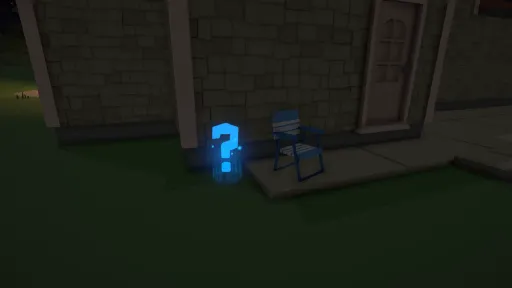
There's a new prop hidden away somewhere for you to find and unlock. That's all you're getting
Changed
Fireworks stop counting against the host's spawn limit as soon as they are done firing, instead of when the last bit of smoke has drifted away. Fire off a rocket and you can spawn the next one the moment it has burst
Mortars now count against the props limit rather than the fireworks limit. They are stands, and whatever you put in them is counted on its own
The Hosts list in Multiplayer got a redesign. You can filter and sort it now, every host shows its map, players and uptime on one line, and picking one shows a picture of the map it runs
The Hosts list no longer hides games that are full or running a different version of the game. They show up grayed out with the reason instead, so you can at least see they are there
When you host, you now pick who can join - Anyone, Friends or Invite only - instead of just Public or Private. "Private" didn't always mean quite what you'd expect, so now it says exactly what it does
The friends list now refreshes itself while you have it open, so friends you added since you started playing turn up without a restart
The Players list now shows everyone's profile picture, the same way the Friends list does, and its rows got a bit taller to fit (Some UI issues with the volume, buttons etc. will be fixed)
The Avatar tab in the inventory now opens with your current character selected, instead of just starting at the top of the list
The inventory now remembers which item you had selected in each category, so when you come back to a tab you land right back on that item instead of at the top of the list
You can place fireworks twice as fast in multiplayer now, with the wait between each down from 0.2 to 0.1 seconds. If you have hosted before, your host.config still holds the old wait - set MinTimeBetweenPlayerSpawnInSeconds to 0.1, or just delete host.config and let the game make a fresh one
Max Players when you host now tops out at 32, and never goes below 1 - leaving the field blank used to give you a game nobody could join
Fixed
Fixed shells dropping out of the spawn limit the moment they went into a mortar, which let you load up a rack and get around the limit entirely. A loaded shell counts until it has been fired
Fixed not being able to join a game you were invited to when the host had set it to private. An invite now gets you in whichever setting the host picked
Fixed the broken pieces of blown-up props offering a "Pick up" prompt that never actually did anything. Wreckage is moved with the Physics Tool, not by hand
Fixed scenery like fire hydrants shaking and trying to fall through the ground in someone else's game, once an explosion had gone off near them
Fixed the chat saying you have more fireworks in the game than the host's limit even allows, and sometimes saying it twice. It now counts the same way the limit does
Fixed an error showing up in the log when something you were pointing the Physics Tool at in someone else's game disappeared at that very moment
Fixed respawn and teleport not actually moving you when you were stuck on or in physics stuff like props or debris - they now always get you out
Fixed a warning being spammed behind the scenes for every firecracker that was already going off when it came into view in someone else's game, adding overhead right in the busiest moments
Fixed the Physics Tool pushing things you grab up close out to arm's length. They now stay where they are, so you can rotate something in place again
Fixed the Physics Tool not being able to move the broken pieces of destroyed buildings and props when you play in someone else's game - and its purple glow lighting up the whole ruin instead of the piece you grabbed
Fixed the Physics Tool refusing to pick up scenery an explosion had knocked loose, like fire hydrants, when you play in someone else's game
Fixed the smoke on the Bee Hive not lining up with it
Fixed the Weather and Season in Game Settings always showing the same defaults instead of what the map you are playing actually runs with
Fixed the game sometimes getting stuck looking low-quality and sluggish after a heavy moment - like joining a busy game or a big explosion - until Dynamic Performance Scaling was toggled off. It now recovers on its own
Fixed the "Snow" weather doing nothing when you picked it in Game Settings - it now actually snows again
Fixed notifications landing on top of each other when several showed up at once, like when your mods announce themselves as the game loads. They now stack neatly under one another
Fixed blowing up buildings in the City not counting towards the buildings-destroyed achievement. The smallest fireworks no longer chip away at them, so it takes something with a bit more punch
Fixed the button prompt on the startup warning screen doing nothing - holding it on keyboard or controller now skips past the warning, the way it says it should
YouTube | Twitch | Twitter | Discord
- Happy testing, enjoy! 🤓🕺
[dynamiclink href="https://store.steampowered.com/app/1079260/Fireworks_Mania__An_Explosive_Simulator/"]
NOTE: This version is only available on the EXPERIMENTAL game version/beta. You manually need to switch to it in Steam. Right Click on Fireworks Mania -> Properties -> Game Versions & Betas -> "Experimental". To go back to the normal version, change it to "Default Public Version".
Please note that this is work-in-progress stuff. There might be bugs, features might never end up in the real version of the game and things might be a little odd.
However, I share this version as I need your feedback to help me shape the game - thanks for taking your time helping shape the game 🤓
[img src="{STEAM_CLAN_IMAGE}/36145520/e99d25d5f41257cab09cd47cacf74645e5dd20d7.png"]
[img src="{STEAM_CLAN_IMAGE}/36145520/e0e0fd96dbd53a9bafc682bf98ca1ae59edcd749.png"]
### Added
- Achievements! From lighting your first firework with the torch to blowing up 500 buildings - and a few hidden ones for you to find. Progress counts from this version on, so everyone starts from scratch together
- A new character, Guanaco
- Characters blink now, so they feel a lot less intense when you stand face to face with someone
### Changed
- The green ghosts showing where a shell will sit got a makeover. They are now a ring around the opening of each tube slot instead of a green copy of the shell and the one you are aiming at is drawn bigger. They also fade in and out instead of blinking, are fainter, and show up further out so you no longer catch them popping in at the edge of your screen
- The ghosts now also show up when you carry a shell with the Physics Tool, not just the Spawn Tool. Aim at a slot and it is pulled into place
- Stuff you throw now with the Physics Tool tumbles through the air instead of sailing off dead flat
- The firework limit in a hosted game now only counts fireworks that haven't gone off yet. With Auto Despawn turned off, everything you had ever lit still counted, so once you hit the limit you could never spawn again
- The year cakes now have their own "New Years Collection" with its own icon, instead of hiding in the "2020 Collection" where they never belonged
- The flashlight beam is wider now, with softer edges, to avoid the odd hard black line on the ground when looking down
- Turned down the glow on the Serious Sam fountain - it was way too shiny with the new look of the game
- The Messenger cake got a smoke trail on its shots, just because
- The list of games to join now scrolls with the right stick, and got the same slim scrollbar as the rest of the game
### Fixed
- Fixed text fields not bringing up the on-screen keyboard when you play without a keyboard, on a controller or a handheld. Searching the inventory, naming a blueprint, typing a join code and so on now all pop it up, like the Workshop already did
- Fixed the button prompts not following the controller you actually have in your hands. Swapping between an Xbox and a PlayStation controller, or picking up a controller after using the mouse, now switches them straight away instead of waiting for you to press a button
- Fixed popups like Save As or Ban Player letting you arrow off them with the keyboard onto things behind them. A controller kept you inside them, the keyboard didn't
- Fixed a popup waiting its turn stealing the selection from the one you are looking at, so pressing Enter could hit a button on a popup you couldn't even see
- Fixed the stuff you drop into a mortar tube alongside the shell being stuck in the world for good once you fire it. Clear All couldn't remove it, and it went missing from saved blueprints
- Fixed player names showing up as a row of question marks in the player list when they aren't spelled with plain English letters
- Fixed shells still turning over on their way down a mortar tube when you feed them in with the Physics Tool. Last time only covered dropping them in
- Fixed the left stick walking you around while you were using it to navigate the inventory. On keyboard you can still walk with WASD with the inventory open, same as before
- Fixed things jittering and sagging in mid-air when you carry them with the Physics Tool in someone else's game. They now sit as steady as they do for the host
- Fixed a join that gets turned away, say because of a version mismatch, still taking up a spot in the host's game for a minute afterwards, so games looked fuller than they were and could keep you from getting back in
- Fixed the main menu flashing the background picture and cutting to black before fading in, if you have the background video turned off
- Fixed a handful of places where a controller could get stuck or lose the selection in the menus - the list of games to join, the shell and mortar size filters in the inventory, the list of saved blueprints, the scrollbar inside a dropdown, and the inventory grid hopping out to the search field after you closed and reopened it
- Fixed the details of a game in the join list sometimes not opening when it got selected for you, leaving you with no Join button - and staying open after a refresh, still offering Join for a game that might not be there any more
- Fixed the "Looping" particle system warnings from base game fireworks
YouTube | Twitch | Twitter | Discord
- Happy testing, enjoy! 🤓🕺
[dynamiclink href="https://store.steampowered.com/app/1079260/Fireworks_Mania__An_Explosive_Simulator/"]
NOTE: This version is only available on the EXPERIMENTAL game version/beta. You manually need to switch to it in Steam. Right Click on Fireworks Mania -> Properties -> Game Versions & Betas -> "Experimental". To go back to the normal version, change it to "Default Public Version".
Please note that this is work-in-progress stuff. There might be bugs, features might never end up in the real version of the game and things might be a little odd.
However, I share this version as I need your feedback to help me shape the game - thanks for taking your time helping shape the game 🤓
[img src="{STEAM_CLAN_IMAGE}/36145520/130f2fcfe1e7387cb2413ba3858927c6102653d8.png"]
### Added
- Sounds are now muffled when something is between you and them, and it tells the difference between being inside and outside. Stand behind a house out in the street and the show mostly just gets quieter while keeping its thump; step indoors and it goes dull, like it is coming through the wall. Both can be turned off under Settings -> Audio
- The Workshop has a new "Recently updated" row, so you can spot mods that just got a new version. It replaces the old "Recent" row, and brand new mods still turn up there
### Changed
- Other players' voices now muffle through that same system, so a wall between you finally sounds like it, and a lamp post no longer muffles someone the way a house does
- Voice chat is a bit louder across the board, as it was easy to lose under a show
- On a controller, the menu actions moved off the sticks and onto the face buttons - starting a game is now a button you hold for a moment, and the prompt on it shows you which one. The button row along the bottom is centered now too
- The Dynamic Performance Scaling indicator in the top left corner is now a readable list instead of an icon nobody could read. It names each thing the game can turn down, and what it is turning down right now goes red, so you can see exactly what is being given up to keep your framerate
- The mod list when you create a game has rows twice as tall, so the mod pictures are big enough to actually tell the mods apart
- Mods you have turned on in that list now get a gold marker down the side of the row, so you can see what is on while scrolling instead of hunting for the little checkmark
- That gold marker is now used all over the menus - the character you are using, the blueprint you picked, the server you selected - and everything you can pick out of a list lights up as you move over it, which most of it simply did not do before
- The mod list when you create a game also performs a lot better, especially if you have a lot of mods
- The featured mods at the top of the Workshop take up a lot less room now, so you get to the rest of the mod list without scrolling past them first
- The Workshop is better at getting mod pictures loaded if your connection is shaky, or if something like antivirus or a school or work network sits in between
### Fixed
- Fixed the game slowly losing framerate the longer you play with mods installed. Every modded firework you set off left a little of itself behind and it piled up over a session - this is the one a lot of you have been reporting for years
- Fixed crouching in first person leaving your view up at standing height instead of dropping with you. Holding a tool happened to make it work, which is why it came and went
- Fixed your character's head lying over on its side while flying fast or crouching. There are still some issues with the head when flying, but flying is gonna be replaced by a drone mode, so I'm not gonna spend more time on it
- Fixed your character craning its head right back with its chin buried in its chest while crouching. Your head now only looks as far up as a neck actually goes, and still tilts up to meet someone standing over you
- Fixed characters from mods bumping into things at completely the wrong size - a 0.9m character walked around in a 2.5m collision shape, so it couldn't get under things it obviously fits under
- Fixed a lit fuse getting dragged up into the sky with the rocket it was burning towards. The burning end now stays where it was lit
- Fixed fuse connections burning through way faster than the fuse type you picked whenever the two fireworks moved about - a rocking rack could take a slow fuse down to a fraction of its time, so the timing you built was not the timing you got
- Fixed a firework now and then sitting out its whole fuse time when a fuse connection reached it, instead of going off right away. It only happened when you play with others
- Fixed shells spinning round and round on their way down a mortar tube when you dropped them in turned to one side. They now just straighten up and slide in, easiest to spot on the long ones
- Fixed the green ghost and the shell snapping going away on a mortar tube once you had fired it, so every tube you used went dead for the rest of the map
- Fixed what you are holding - the see-through preview of a firework, or anything picked up with the Physics Tool - not turning with you when you glance to the side without walking
- Fixed a small stutter the first time each firework sound plays in a map, most likely to notice once a big modded show gets going
- Fixed sounds jumping to somewhere else mid-way through during a busy show - a fountain or a whistle could suddenly sound like it came from across the map
- Fixed chat and voice dropping out at the start of a game you host and having to reconnect themselves. That usually covered the first player turning up, so whatever they said on arrival went nowhere
- Fixed the Workshop leaving mod pictures stuck loading forever and mods stuck on "Downloading". A download that fails now gives up straight away and gets another go, instead of that mod staying broken until you restart the game
- Fixed the main menu flashing the still background picture for half a second every time you start the game, before the video cut in over the top of it. It now fades up instead
- Fixed more of the memory the game held onto as you played - going between the menu and a map left about 47 MB behind every single time, and the friends list kept a fresh copy of every friend's picture each time it updated
YouTube | Twitch | Twitter | Discord
- Happy testing, enjoy! 🤓🕺
[dynamiclink href="https://store.steampowered.com/app/1079260/Fireworks_Mania__An_Explosive_Simulator/"]
NOTE: This version is only available on the EXPERIMENTAL game version/beta. You manually need to switch to it in Steam. Right Click on Fireworks Mania -> Properties -> Game Versions & Betas -> "Experimental". To go back to the normal version, change it to "Default Public Version".
Please note that this is work-in-progress stuff. There might be bugs, features might never end up in the real version of the game and things might be a little odd.
However, I share this version as I need your feedback to help me shape the game - thanks for taking your time helping shape the game 🤓
[img src="{STEAM_CLAN_IMAGE}/36145520/9231c0d01acdc2abe252f065814269040809828f.png"]
[img src="{STEAM_CLAN_IMAGE}/36145520/8b247142608cd6e3b5b587e0f41efcb347309360.jpg"]
This update is HUGE, mainly internally to try and fix some of the performance issues, especially the ones happening in longer sessions. Still haven't found the smoking gun, but have found a lot of minor things, that might when added up is the smoking gun - we will see. At least I have tried to fix as many as I could.
Its not all internal stuff as you can see below, there are visual and game feel things too 🤓 For instance, I'm much happier with how the player feels to control now, give it a try.
### Changed
- Your character can now glance around without spinning on the spot - look to either side and only the head turns, until you look further round or start moving. It mostly matters for everyone else in the game: you can see which way other players are actually looking, instead of them always facing whatever they look at
- Crouching finally looks like crouching! Your character used to just get squashed down to half height, which was always meant to be a placeholder - now there is a real crouch, and crouch walking in every direction has its own animation, for you and for everyone else in the game. What you can duck under also matches what you see much better. One thing worth knowing: crouching no longer shrinks you quite as much as it used to, so a few very tight gaps you could slip under before may not let you through anymore
### Fixed
- Fixed your character sliding along the ground with its feet standing still after you stop running - it was even easier to spot on the other players. You still slow down with a bit of weight to it, but your feet now keep up with you the whole way down to a stop
- Fixed your character's feet skating along the ground while you walk and run, in every direction - forwards, backwards and sideways. Like the sliding above, it is mostly something you notice on the other players
- Fixed the game freezing up when a player joins - for both of you, and the bigger the show you had built, the longer it lasted. Your setup now fills in around the joining player in the background while you both keep playing, so a huge or heavily modded one takes a while to arrive completely, but it stays smooth the whole way. It should also fix really big setups where joining could silently fail
- Fixed fireworks quietly ending up out of sync when you play with others. When a lot happened at once - loading a big blueprint, a busy show, or somebody joining - things could go missing on the other player's screen and stay wrong for the rest of the game
- Placing mortar racks is faster, so the little freeze when you drop a big rack down, or load a blueprint full of them, should now be noticeably shorter
- Placing fireworks from mods is a bit faster too, so the little hitch when you drop a big modded rack or cake down is shorter than before
- Fixed the game slowly claiming more and more memory the longer you play, as every mod sound you set off stayed loaded for the rest of the time the game was running. Sounds you have not used for a while are now cleaned up while you play, and sounds used in a map are let go when you leave it
- Fixed the see-through preview of a mortar rack twitching and jumping back and forth on its own while you look around before placing it. Holding a mortar or a mortar rack no longer tries to drop it into another rack's tubes either, so placing racks next to each other doesn't fight you anymore
- Fixed the number keys and the flashlight key not reacting properly once you had played more than one game without restarting
- Fixed a fuse left hanging in mid air when you have the Fuse Connection Tool in your hands. If the firework you started a fuse from disappeared before you connected it to something, the half finished fuse just stayed there floating, and putting the tool away and taking it out again didn't help
- Turning off Dynamic Performance Scaling in Settings -> Advanced now really does turn it off. Fireworks further away than about 130 meters still had their spark collision taken away, so sparks fell through the ground instead of bouncing off it. Fireworks now play exactly as they were made when the setting is off, and switching it off during a show puts everything back right away
- The flashlight beam no longer looks like a solid cone with the end chopped off. It now trails off gently towards the far end and its edges are soft, so it reads as light hanging in the air instead of a shape, and it is just as bright as before
- A mod that asks for a sound which doesn't exist no longer costs you performance every single time that sound should have played
- Fixed a handful of memory leaks where each game you played without restarting left a little of itself behind. This kind of leftover buildup is one of the suspects for the game slowly losing performance over long play sessions, and this is a first batch - the hunt continues
- Fixed fireworks quietly eating framerate while doing nothing at all - fuses just standing there before they were ever lit, rockets and whistlers, and mortar racks worst of all, especially loaded ones. In a long session with lots of fireworks placed this could eat a third of your framerate or more, so big builds and long shows should now run noticeably smoother
- Fixed being told a game was full when it wasn't, with a cryptic error code on top, after sitting through the whole mod loading first. Accepting an invite no longer takes a spot in the host's game before you actually join, so a host stops losing slots that nobody is using
- The messages you get when you can't join someone's game now show up in your own language, and say what actually happened - that the game is full, that it has already ended, that the code doesn't match a game, or that the two of you are on different versions
- Fixed rockets, whistlers and firecrackers vanishing into thin air the moment they were supposed to explode when you play with others. If you weren't the host you never saw the explosion at all - strobe rockets got it every single time, normal rockets now and then. Everybody sees the whole explosion now
- The Christmas lights now actually look like the colour they are supposed to be after dark. The blue one glowed a washed out purple, the red one came out orange and the green one went pale towards white - all four read properly now, and they glow just as much as before
- Fixed pulling the fuses off a firework only working for yourself when you have joined somebody else's game. They disappeared on your screen while everybody else still had them attached, so lighting one of the other fireworks still set it off. Removing fuses now works the same for everyone, no matter who does it
- Fixed the other players you fly around with dropping out of the flying pose and standing upright in mid air, while they were in fact still flying. It happened whenever anybody picked a new character in the Inventory, and to everyone already in the game when a new player joined. The same thing also cut short an emote somebody was playing, so both stay put now
- Fixed used up fireworks still costing you framerate when you play with "Auto Despawn Used Fireworks" turned off. They go quiet once they are finished now, and still stand where you left them like they should
- Fixed some modded fireworks leaving an invisible piece of themselves behind in the world when fired. It couldn't be removed with Clear All and kept costing framerate until you left the map, so a show full of those got heavier and heavier. The game now sorts them out as they load
- Fixed some fireworks never finishing, so they stayed where they were after the show was over and kept costing you framerate for the rest of the time you were on that map. Mostly a modded thing, and every single one you lit added another to the pile - they now play out once and disappear like everything else
YouTube | Twitch | Twitter | Discord
- Happy testing, enjoy! 🤓🕺
[dynamiclink href="https://store.steampowered.com/app/1079260/Fireworks_Mania__An_Explosive_Simulator/"]
NOTE: This version is only available on the EXPERIMENTAL game version/beta. You manually need to switch to it in Steam. Right Click on Fireworks Mania -> Properties -> Game Versions & Betas -> "Experimental". To go back to the normal version, change it to "Default Public Version".
Please note that this is work-in-progress stuff. There might be bugs, features might never end up in the real version of the game and things might be a little odd.
However, I share this version as I need your feedback to help me shape the game - thanks for taking your time helping shape the game 🤓
[img src="{STEAM_CLAN_IMAGE}/36145520/631a9bad7e3ec06ace8ccef3c15cada192dd4b27.png"]
[img src="{STEAM_CLAN_IMAGE}/36145520/5268af8897f69107624c4ebb4ed8816194339ecf.jpg"]
### Added
- First batch of the new characters is in - 21 brand new ones have replaced the old character list in the Inventory, so the ones you know are gone for now. More will follow in the coming versions, and if you had one of the old characters picked, you'll start out as the new default one
- The chat window now shows if voice and text chat is actually connected: green when you are connected, amber while it is connecting or trying again (with a countdown), and red if it gave up. It is only there when you play with others
- New indicator in the top left corner that shows up when the game turns down effect quality to keep the framerate up during a heavy show, and fades away once you are back at full quality - so you can tell the difference between the game helping out and the game just looking off. You can turn it off under Settings -> Advanced. This Dynamic Performance Scaling have been changed a bit, which right now means it's not really helping that much, but I'm trying to see if I can make it do more, that are more effective, at the cost of some visuals - however you can always disable it in Settings, if you rather have sporadic low fps. Anyway, work in progress
### Changed
- The "Players" tab in the inventory now has its own two tabs, "Players" and "Friends", instead of squeezing both lists next to each other. Each one gets the narrow width in the middle of the screen like the rest of the game to make it easier on the eye
- Renamed the "Host" tab in the inventory to "Game Settings", as that describes much better what you actually find in there
- The automatic quality scaling no longer takes away firework lights and trails when a lot is going on. They were the most visible thing it removed and gained almost no framerate, so now they stay no matter how busy it gets
- Toned down the bright flash when a propane tank explodes, as it was a bit too intense with the new look of the game
- Updated the engine and networking packages the game is built on. Nothing you should notice while playing, it just picks up a bunch of under the hood fixes
### Fixed
- Big explosions and big shows run a lot smoother. The freeze when something like the KarlsSon rocket tears down a whole street had several different causes, and this version goes after all of them: the wreckage now appears spread over a few frames instead of all in the same one, fireworks and debris no longer do a pile of hidden work the moment they spawn, impact sounds are only kept track of for things close enough that you could actually hear them, and one heavy frame no longer snowballs into a real freeze by making the game catch up on all the missed physics at once. A big chain reaction now stutters briefly instead of locking up, and the slower your machine, the bigger the difference
- Fixed the game freezing for a moment when many mod sounds played for the first time at the same time, like when a big show or chain reaction goes off. This was especially noticeable on slower machines
- Fixed rockets flying much higher than they should when the game turns down physics quality to keep the framerate up during a busy show. Rockets now reach the same height no matter what is going on around them, and explosions push things around with the same strength too
- Fixed a hiccup when you load a blueprint into a map where things are already exploding - fireworks and propane tanks that appear right next to an explosion now catch fire properly, and loading a big blueprint into the middle of a chain reaction no longer upsets the game
- Fixed burned out fireworks blinking out of existence in an instant when you play with others. Everybody now sees the same little shake and shrink when a firework disappears, instead of only the host
- Objects removed with the Eraser Tool now shrink away with that same little animation instead of blinking out, and everybody playing sees it
- If a mod contains a firework that is missing its size setting, loading the map still stops - the firework would misbehave in all sorts of ways otherwise - but the error message now tells you exactly which items are at fault and which mod they came from, so you can let the mod's author know what to fix
- Fixed voice and text chat staying dead after the connection to the chat service dropped. It gave up after about 30 seconds, so you were left without chat until you noticed and typed '/reconnect' yourself. Now the game keeps trying on its own for around 10 minutes, and the chat window tells you what is going on - '/reconnect' is of course still there if you want to force it
- The "Players" and "Friends" headings in the inventory were stuck in English no matter what language you played in. They now show up in your own language like the rest of the game
YouTube | Twitch | Twitter | Discord
- Happy testing, enjoy! 🤓🕺
[dynamiclink href="https://store.steampowered.com/app/1079260/Fireworks_Mania__An_Explosive_Simulator/"]
NOTE: This version is only available on the EXPERIMENTAL game version/beta. You manually need to switch to it in Steam. Right Click on Fireworks Mania -> Properties -> Game Versions & Betas -> "Experimental". To go back to the normal version, change it to "Default Public Version".
[img src="{STEAM_CLAN_IMAGE}/36145520/669e221cc8f71a3d1716f45fb6b4c37dad213923.png"]
Please note that this is work-in-progress stuff. There might be bugs, features might never end up in the real version of the game and things might be a little odd.
However, I share this version as I need your feedback to help me shape the game - thanks for taking your time helping shape the game 🤓
### Changed
- Inventory items are now grouped: base game items first, then each mod's items together, with the mods sorted by name - so it's easier to find things and see what each mod adds
- Updated Japanese and Ukrainian translations
### Fixed
- Fixed items from some mods (typically mortars and shells) being invisible to other players in multiplayer - the player spawning them saw everything working fine, but for everyone else nothing appeared. Now everybody sees the same fireworks again
- A single broken asset in a mod can no longer silently break multiplayer spawning for everything else in that mod
YouTube | Twitch | Twitter | Discord
- Happy testing, enjoy! 🤓🕺
[dynamiclink href="https://store.steampowered.com/app/1079260/Fireworks_Mania__An_Explosive_Simulator/"]
NOTE: This version is only available on the EXPERIMENTAL game version/beta. You manually need to switch to it in Steam. Right Click on Fireworks Mania -> Properties -> Game Versions & Betas -> "Experimental". To go back to the normal version, change it to "Default Public Version".
[img src="{STEAM_CLAN_IMAGE}/36145520/73899ef5e50d0fd679fa73598e1dd7428ba83d35.png"]
Please note that this is work-in-progress stuff. There might be bugs, features might never end up in the real version of the game and things might be a little odd.
However, I share this version as I need your feedback to help me shape the game - thanks for taking your time helping shape the game 🤓
### Changed
- Loading the game with a lot of mods is now much faster. In my test with almost 400 mods enabled, loading went from about 5½ minutes to just under 3 minutes. Closing the game with many mods also no longer takes forever - it now closes right away
- Unlock notifications now show the icon of the item you unlocked next to the text, so you can see what you got at a glance
- Inventory items are now always sorted alphabetically, so things are easier to find
- The Flashlight Intensity slider now goes from -15 to +15, with 0 in the middle being the new default. The flashlight itself got a new default brightness that fits the new look of the game better, so most of you probably don't need to touch this setting at all
- Toned down the glow on the spotlight prop, the fuse tool text and player names, as they were a bit too glowy - part of the ongoing polish after the new postprocessing look
- Updated Danish, Korean and Vietnamese translations
### Fixed
- Fixed the game freezing for several seconds when opening the Inventory or switching tabs, and the framerate dropping while it was open, if you play with a lot of mods. The Inventory should now be fast and smooth no matter how many mods you have installed
- Fixed the framerate dropping a lot in the main menu when you have many mods
- Fixed impact sounds (things hitting the ground and such) only playing for the host in multiplayer - now everybody hears them
YouTube | Twitch | Twitter | Discord
- Happy testing, enjoy! 🤓🕺
[dynamiclink href="https://store.steampowered.com/app/1079260/Fireworks_Mania__An_Explosive_Simulator/"]
NOTE: This version is only available on the EXPERIMENTAL game version/beta. You manually need to switch to it in Steam. Right Click on Fireworks Mania -> Properties -> Game Versions & Betas -> "Experimental". To go back to the normal version, change it to "Default Public Version".
[img src="{STEAM_CLAN_IMAGE}/36145520/c7c1c1b1918d83caf07f71f0218d897981c4e2a0.png"]
Please note that this is work-in-progress stuff. There might be bugs, features might never end up in the real version of the game and things might be a little odd.
However, I share this version as I need your feedback to help me shape the game - thanks for taking your time helping shape the game 🤓
### Changed
- The workshop UI now has the Fireworks Mania background/look instead of the default mod.io style, so it doesn't feel like a foreign UI dropped into the game anymore. More tweaks will probably come, but it fits the rest of the game much better now
- Mod list items now show the mod info directly on the item itself instead of in a tooltip popup, so you can see the important stuff at a glance without hovering around
- Tuned the default ambient occlusion profile so shadows in corners and around objects look more natural and less odd
- The "Skip" button on the startup warning is now selected right away, so you can skip it immediately with a gamepad without having to navigate to it first
### Fixed
- Fixed the "Clear fireworks" and "Clear props" buttons in the Inventory doing nothing
- Fixed fuses showing up all white instead of their proper materials (they were actually the right fuse types, the bug was the color of the fuse type that was wrong)
- Fixed the host row in the multiplayer list looking odd with weird placeholder text by default
- Fixed a random tab (or even the dev console field) sometimes being selected at game startup when using a gamepad
- Fixed gamepad selection getting lost when reopening the Game Menu or Inventory, which could leave you unable to navigate the UI
- Fixed the vsync watchdog sometimes falsely disabling vsync, which could cause screen tearing
- Fixed the dynamic performance system sometimes starting out at low quality in a new game session, because it was measuring performance during startup/loading where the framerate is naturally all over the place - it now waits until you are actually in the game before it starts adjusting anything
- Fixed the dynamic performance system slowly scaling quality all the way down when the framerate is capped (like with vsync), as it mistook the capped frame times for the game struggling
YouTube | Twitch | Twitter | Discord
- Happy testing, enjoy! 🤓🕺
[dynamiclink href="https://store.steampowered.com/app/1079260/Fireworks_Mania__An_Explosive_Simulator/"]
NOTE: This version is only available on the EXPERIMENTAL game version/beta. You manually need to switch to it in Steam. Right Click on Fireworks Mania -> Properties -> Game Versions & Betas -> "Experimental". To go back to the normal version, change it to "Default Public Version".
[img src="{STEAM_CLAN_IMAGE}/36145520/5e30bea343d73386b81c13b5831b78413098dc92.png"]
Please note that this is work-in-progress stuff. There might be bugs, features might never end up in the real version of the game and things might be a little odd.
However, I share this version as I need your feedback to help me shape the game - thanks for taking your time helping shape the game 🤓
### Changed
- Reworked how the game automatically scales down effects to keep the framerate up when a lot is going on. Before it was pretty much all-or-nothing, which could be very visible when it kicked in. Now it scales smoothly in small steps, starting with the things you are least likely to notice, and fireworks far away are scaled down before the ones right in front of you. During really heavy load (like huge chain reactions) it also trims effects that are already playing, but only in ways designed to be invisible - particles you can already see are never removed, and an effect is never scaled back up mid-flight - so ideally you shouldn't really see it working, you should just get a more stable framerate, especially in big shows
- As a follow up to the new postprocessing profile from last version: adjusted a bunch of base game materials and lights (streetlamps, ceiling lights, flashlight, torch, fuses, sky/weather and more) so they look more right with the new profile and aren't overly glowy anymore. Still miss to go through some of the base game fireworks, as some particles are a little to glowy/strong now I think
### Fixed
- Fixed the game showing a startup error and not loading any of your installed mods when starting without internet. The game now starts up cleanly offline and your already downloaded mods load and work like normal (workshop browsing and multiplayer of course still need internet)
- Fixed mod names sometimes staying blank in the mod lists if the list was shown before the mod details had been loaded from mod.io - the rows now update themselves as soon as the data arrives
As an example of what I mean by the base game maps being overly glowy and bloomy prior to this update.
Before
[img src="{STEAM_CLAN_IMAGE}/36145520/22dcc0b3b137a39622a7741f4c06ae0913485fea.jpg"]After
[img src="{STEAM_CLAN_IMAGE}/36145520/39d0fbb849617093de43aa0a5cebbbcd3d83866b.jpg"]
Before
[img src="{STEAM_CLAN_IMAGE}/36145520/54b6ac80237f0b5da34fb78fae4cb7c98034793d.jpg"]After
[img src="{STEAM_CLAN_IMAGE}/36145520/7629b611ab5ad0d1019499cee7c1dc1b687bd662.jpg"]
YouTube | Twitch | Twitter | Discord
- Happy testing, enjoy! 🤓🕺
[dynamiclink href="https://store.steampowered.com/app/1079260/Fireworks_Mania__An_Explosive_Simulator/"]
Current Release
Build 24891849
Uploaded Aug 24, 2026
System Requirements
How to Install
Fireworks Mania.exe to play
Troubleshooting tips
• Run Redist/_CommonRedist installers if game won't start
• Add folder to Windows Defender exclusions
• Run as administrator
Download
Direct link available
Needed when extracting (WinRAR / 7-Zip) — not a site login.
7E04B9ED
6d5b6d2a7010355c79ba84971277ba8e185d4c0fc8fb5962da724ca41c4be22d
You May Also Like
View All








Download Fireworks Mania - An Explosive Simulator for PC with a direct link or via torrent. Get the full version of Fireworks Mania - An Explosive Simulator for free. Fireworks Mania - An Explosive Simulator is a Action released by Laumania ApS.