







About the Game
Build a home. Attract pets. Grow your world.
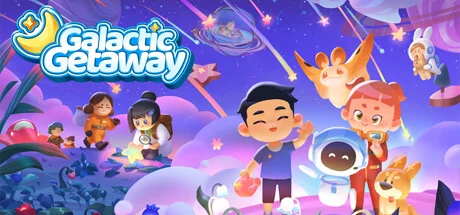
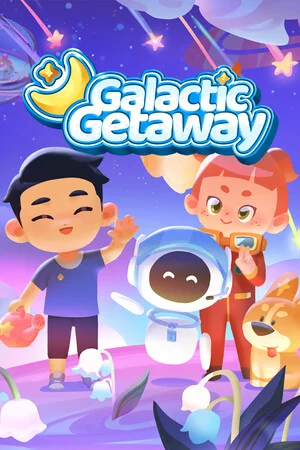
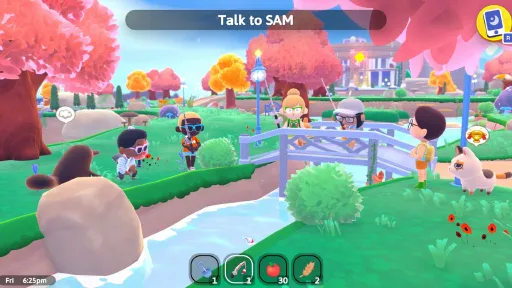
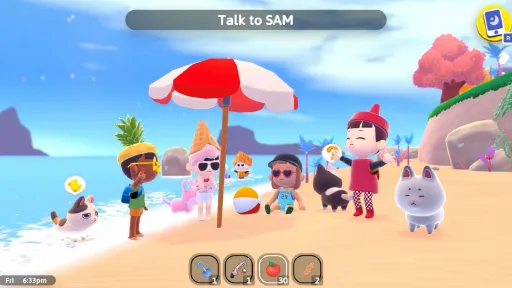
Galactic Getaway is a wholesome life sim inspired by games like Viva Piñata. Settle into your own peaceful pocket of space and build a home that attracts adorable creatures. Every crop you grow, every decoration you craft, and every detail you put into your home determines who might arrive and who might choose to stay.
🪴 Carve your very own slice of life in the stars
Your world begins with just the basics — trees, soil and sky. Create your character, choose your style and begin shaping a home that feels like your own.
🛠️ Gather resources, craft furniture and decorate your cozy new home
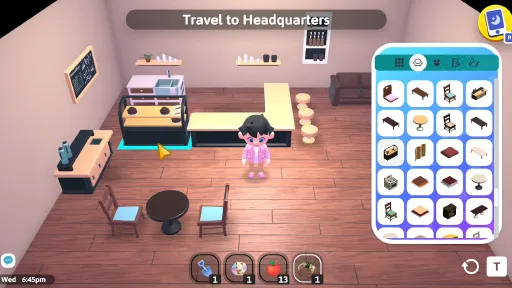
Everything you place changes how your world feels. Some creatures are drawn to calm. Others love color and clutter. Grow glowing vegetables, gather rare resources and craft furniture and decorations to bring your vision to life.
🐾 Attract adorable little creatures
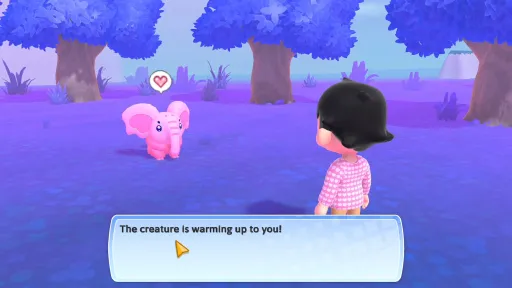
As your world evolves, new creatures will begin to appear. Each one has its own preferences and personality. Some will visit briefly. Others might settle in if the conditions feel right. Keep changing and experimenting to learn what makes them stay.
🎯 Relax with light-hearted minigames
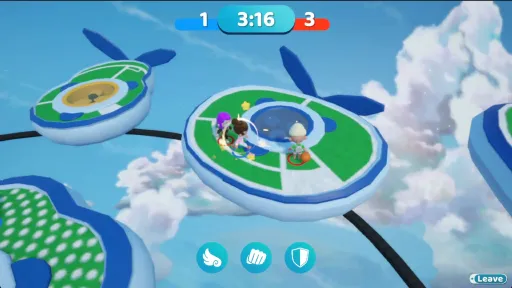
Between farming and decorating, take time to unwind with a selection of wholesome mini-games. From pastel tank battles to spaceball and fashion shows, they’re a fun way to earn rewards and enjoy the sillier side of your getaway
🧑🤝🧑 Play Solo or With Friends
Invite your friends to visit, decorate, and collect pets together. Trade decorations, team up to attract rare creatures, or just relax while your planets come to life.
👕 Customize Your Character
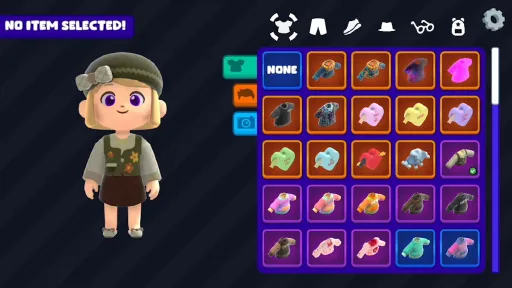
Design a cozy explorer that feels like you. Choose your hairstyle, outfit, and color palette Whether you're going full pastel space-elf or rugged galactic gardener, your vibe helps shape the world around you.
F.A.Q.
Does the game have controller support?
Yes! Although it's a work in progress.
Do I need internet to play this game?
Yes, at the start of every play session you need an internet connection to play.
Do I have to play multiplayer?
No, after the initial connection you can play the game singleplayer.
Is the game localized in other languages than English?
Not yet but we plan to do so hopefully by the end of the year.
Screenshots
7 images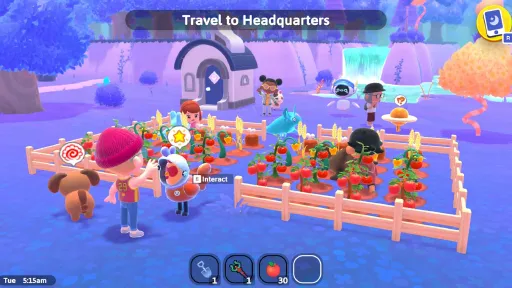
Version Information
Steam Patch Notes
Official update history
- New skin colors: Red, Green, Blue, and Purple
- New pet :eyes:
- Made it easier to obtain the Big Pak
- Fixed the RainPak breaking at levels above 82
- Shortened intro questions,
- Added clue that you can only feed the PetPak to your following pet,
- Fix furniture pickup - Was deleting furniture in your inventory when moving a piece of furniture. That's now been fixed.,
- Astronaut suit given as default items in your inventory - This is more of a temporary fix until I add some sort of "equipped" slots for clothing,
- Fixed starting quest dialogue that still mentions getting weeds,
- Fixed pets not being befriended sometimes - It was an issue where long pet names were causing an error.
- Added a way to guarantee for the navigator quest that you will at least get 1 iron among your meteors
- New dresses and one pieces are now available at Marion's
- The Wardrobe - A new item you can craft that stores up to 100 pages of clothing items! It can be differentiated from the decorative wardrobes by the floating star above it.
- New Map app! Click it to zoom in and see more of the map.
- Fix for fashion minigame bug where the clothing screen would randomly close - this actually took me an entire 2 days to figure out
- Better planet rating function to calculate furniture
- Planet color adjustments
- Fix for some players being able to trigger the encounter twice by pressing interact really fast
- Inventory tooltip for controller
- Star house now actually spawns the star house instead of the cozy house
- Fixed shift clicking making items disappear
- Dropping an item onto a stack that isn't full now fills the stack up to the max and leaves the remainder in your selection
- Fixed furniture moving in and out of your inventory correctly
- Fix for furniture recipes saying "Needs Materials" even when you have the materials to craft it
- Fix for planet rating quest, having a planet rating > than B should also work for it now
- Planet Environments! - A new way to customize your planet. Find all the different colors after completing the new quest!
- Furniture Saving Update - We changed the way furniture saves so that you're less likely to lose furniture when the game crashes. Please report any issues you find to us!
- Placing wall furniture has been fixed!
- A new house has been added to urban development.
- Hold the button to pickup storage containers.
- Shift click to move full stacks from your inventory to the storage container. Still working to figure out how to do something similar for the controller.
- Drops now will check surroundings before choosing a spot to drop. Should prevent drops going into walls or into areas you can't reach.
- A small fix for daily quests not completing correctly
- A fix for the watering can daily quest
- Fashion minigame theme not showing up fixed. Also added a transition screen clearly showing the theme to make it obvious for new players!
- The fishing tournament scoring has been fixed to include fish rarity. I'll be working on opening/closeing it automatically weekly and adding prizes soon!
- Phosies seeds now grow the correct tree! You should see them on alien planets as well now.
- Hold to sprint is now a setting you can toggle on.
- Fix for encounters where they were breaking when you chose something invalid.
- A pointer that looks just like the current mouse has been added so you can see what you're selecing
- Apps: Clothing, Tracker, Quests, etc. - Shoulder button switching added for navigation between tabs. Scrolling up and down will follow your pointer.
- Fabricator, Blueprints, PetPak Mixer - Got the same treatment as above.
- Removed the out of place red X button from screens that had it. Added a quit button that shows the controller button you can use to exit back to the previous screen. It's also clickable.
- Game intro and Pet Encounter updated to work with controller.
- Button icons - Support has been added for Xbox (covers Steam Deck and other generic PC controllers), PlayStation, and Nintendo button icons.
- Minigames - Show the "How To Play" screen for each game with the Up D-Pad. Press Start to open settings and go back to HQ. Minigame results screens also updated to work with the pointer.
- Pet Deck - Selecting a card that's not your following pet will now swap it to the following position while using the controller.
- Pet Storage - Selecting a card in your storage will move the pet into your party and vice versa.
Known Controller Glitches
- Sometimes when in a screen/window your pointer will highlight the hot bar. We're working on this fix but it shouldn't affect your ability to play the game.
- Clothing App Camera - Didn't have time work on this one completely. It partially works but definitely needs attention.
- Certain times when opening the clothing app the pointer won't show up until you change tabs.
Other updates besides controller support!
- Dailies! - A bug with saving caused dailies to not appear for most people has been fixed. Everyone should get dailies now.
- Big fishing clean up! I cleaned up a ton of the code in fishing to hopefully clear up the buge we've been having. Please let me know if you continue to experience them! Or if there's new ones...
- Fix for the mystery man fishing quest so the fish he asks for don't change up.
- Removed the extra Trevally from the list of total fish.
- Mouths fixed - Finally figured out the bug that was causing the different mouths to not show up. Enjoy!
- Eri Tail fix
- Sprint is now a toggle. Press the sprint button to go into sprinting mode and press it again to go back to walking.
Unfortunately I didn't get to any other fixes or content updates because of all the controller support work I did this week. Hopefully next week I'll be able to dive back in and start fixing bugs and adding new content!
- 3 new paks (It's a surprise!)
- More memory optimizations - tweaked a few graphics settings and found a bug that was causing memory spikes in HQ. Please let me know if you think it's smoother!
- Furniture app disabled anywhere but your planet
- Closing chat no longer locks movement
- Moved the Planet Rating quest to be after the storage quest
- Fish quest fish have been replaced with more common fish
- Pet movement has been changed to try and avoid running into walls
- Dice has been fixed so it doesn't consume
- Fixed a bug with Chop/Crush Paks that weren't granting more materials and rarer items with higher levels
- Fixed inventory not showing up the first time during an encounter
- Starfish can be picked up in HQ
- The HQ river now has a floor you can walk around in. Please let me know if you find any odd colliders
- Furniture grid fixes - Furniture should stack correctly now. Please let me know if there are any issues with specific pieces
- Furniture placing fixes - When placing furniture if hovering over existing placed furniture it no longer picks up. Should remove the visual dupe bug.
- Crafting UI fixes - Items are removed from Inventory and Hotbar at the same time to avoid weird issues with multiple stacks. Crafting UI will now tell you when your inventory is full and stop you. It also refreshes your inventory UI correctly now.
- PetPak Override - PetPaks of a higher level can be fed to a pet even if they are full to replace it's star level
- Beach Ball fix - Beach ball no longer dissapears when you use it. Using it again will teleport it in front of you.
- Alient Planets will now spawn phosies
- New Tutorial Format - The beginning of the game has been re-ordered a bit and more steps have been added to the initial quests to make it easier for new players. Chop and Crush Paks are now given to the player with mixing and level 2 paks moved to be later on. If you have time to start a new save I would love to know what you think about these changes!
- Memory Optimization - The game now runs on about ~2.5GB of memory! (previously 5-6 GB) I did this by optimizing some graphics so if you see anything weird or missing please let me know.
- Texture optimziations - A bit of optimization to hopefully make the game run a bit smoother
- Fish rarities tweaked - More expensive fish are a bit rarer now
- Pet Pak Discovery - Quest fixed so it works by just discovering the paks
- Fishing Camera - Fishing was being interrupted by chat so it's been changed so chat can only open if everything else is closed
- Chat fix for minigames
- Purifier quest update - Fixed Grendela explaining what the purifier is and how it works
- Cap PetPaks to level 3 - You technically could've made bigger ones but they would've worked as level 1 anyway. I would toss any that you have with a bigger level because they may glitch your game.
- New eye colors! - Black, Gray, Pink, Orange, Light Green, Light Blue, Dark Yellow and a few adjustments to current colors
- Furniture Saving fix - Furniture in rooms was resetting when going online. That's now been fixed!
- Quest App Requirements - Quest requirements are now shown inside the quest app so you don't have to pin it.
- Creature Move temporary fix - Not going to be the final fix but temprorily making it so creatures move regardless of obstacles. You may see them run into things and get stuck but figured this was better than overlapping ones.
- Frisbee throw angle fix - Lowered the throw angle so it's easier to catch
- Another fix for crafting ui
- Fishing in HQ fix. There was a bug that was having fishing rods affect each other. Also when other players catch fish their fish should properly put away now.
- Fish rarities and sell price changes - all fish have been properly priced. The rarer the fish the more expensive they sell for! Also their star level affects their sell price.
- Hotbar tutorial - seeing a few players confused about the hot bar. So new tutorial in the beginning to explain what it is and how to use it
- Fabricator UI fixed
- Furniture App Rework - Default you enter edit mode for furniture. Right click to open the furniture menu and choose to place an item. Click an item to move it. Hover over an item and press G to remove it. The tutorial in game now matches this but some of you may have already passed it.
- Account Settings - If you would like to change your password to your username you can now do so in settings. This will enable you to log into your account on other devices.
- Login button - if you get logged out for some reason you can now log in using the login button.
- Chat colors - your chat username is now a random color based on your username to help better differentiate each message
- Added a few hints for quests to make it easier if you accidentally skip dialogue
- Refresh clothes every hour in the HQ shop
- The game now saves every 5 minutes automatically
- Added a manual "Save Game" button to the settings
- Added saving right when you set your username so it doesn't get reset
- Added vsync and quality options to the settings
- Fixed shells respawning on top of each other constantly
Current Release
Build 18772765
Uploaded Apr 25, 2026
System Requirements
How to Install
GalacticGetaway.exe to play
Troubleshooting tips
• Run Redist/_CommonRedist installers if game won't start
• Add folder to Windows Defender exclusions
• Run as administrator
Download
Direct link available
Needed when extracting (WinRAR / 7-Zip) — not a site login.
793B0BA4
46efd50e349aaaf9b4990d35fdd261ec8384f7093790e1adcfd3183209c8dfd4
You May Also Like
View All









Download Galactic Getaway: Build a Home for Pets for PC with a direct link or via torrent. Get the full version of Galactic Getaway: Build a Home for Pets for free. Galactic Getaway: Build a Home for Pets is a Casual released by Akrew.