Wolfpack
by Usurpator AB · 15 Mar, 2019
31 downloads
Multiplayer · Cracked Only
Cracked Co-op Only
Online works only between cracked copies — you can't join official servers or players who bought the game.
ProtonDB: Platinum
About the Game
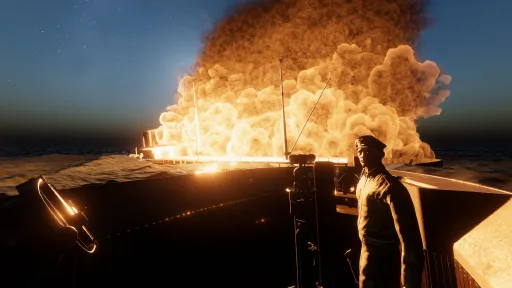
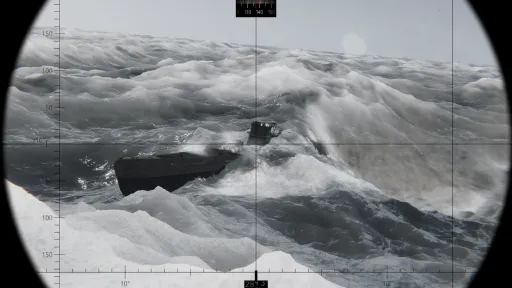
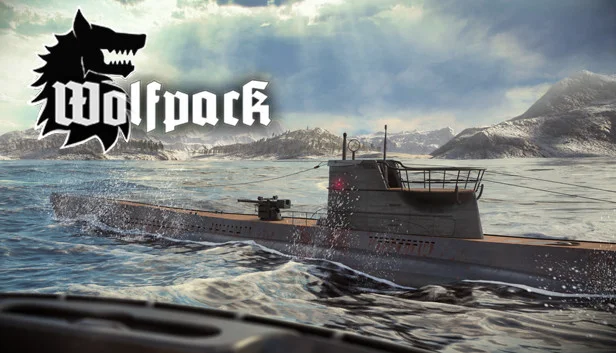
Wolfpack is a realistic, first person, co-op U-boat game where one or multiple crews of players man the stations of a highly detailed German type VII U-boat during the Second World War. The crew will encounter large randomized convoys of merchants escorted by destroyers, sloops, and corvettes. Their objective is to intercept and sink enemy ships and escape undetected.
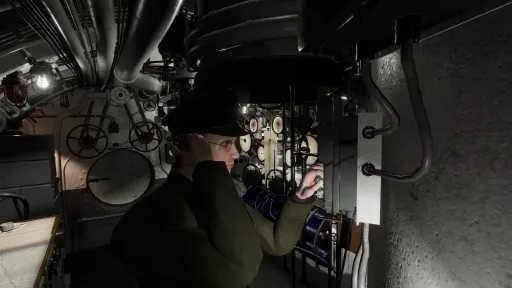
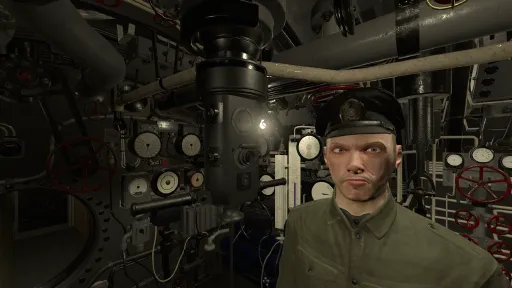
Each player mans a station in the U-boat, and the crew will need to cooperate in order to succeed in their mission. Unlike other submarine simulators, Wolfpack is designed for players to procedurally manage the submarine through direct, manual interaction with valves, levers, and instruments.
Each U-boat has up to five players: The captain, the helmsman, the dive officer, the radio man, and the navigator.
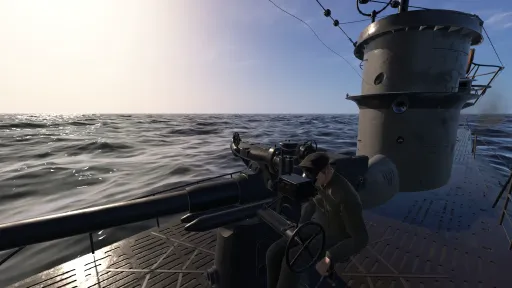
The radio man operates the hydrophone, radio, radio direction finder, and Enigma machine. The helmsman controls the U-boats heading and speed, and operates the torpedo data computer. The dive officer controls the depth using the dive planes, ballast and negative tanks and serves as a lookout and gunner for the deck gun and anti aircraft gun. The navigator calculates the position of the u-boat, and determines the best route to intercept enemy convoys. The captain is the commander of the U-boat, and leads the crew.
Wolfpack also features a single player mode where one captain can easily manage his U-boat solo. Plus, it is easy to start a mission solo and allow other players to join the battle in their own subs as part of a wolfpack. The captains can use the U-boat radio to communicate with each other just like the real U-boats did.
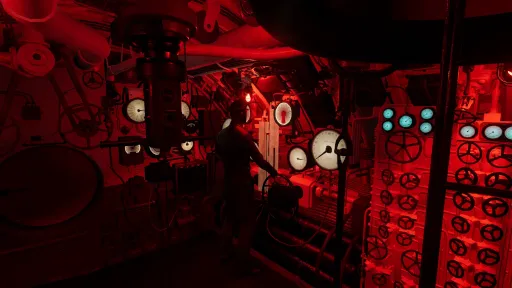
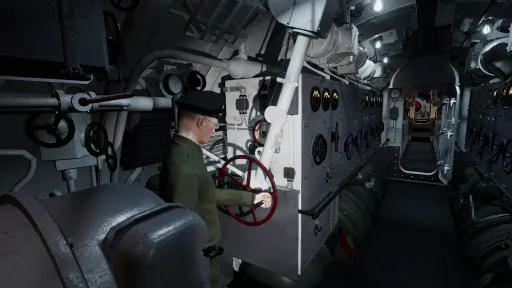
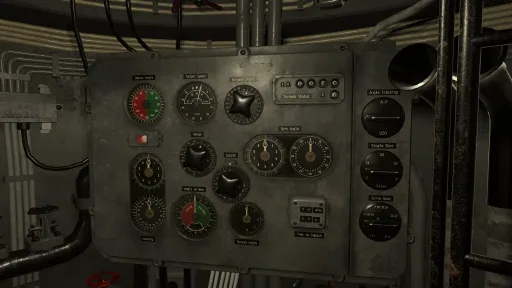
All stations and instruments in the U-boat are carefully modeled after original pictures and sources, and kept as realistic as possible without compromising usability. The game contains a fully operational torpedo data computer, manual navigation tools, and ship recognition manual.
Each player mans a station in the U-boat, and the crew will need to cooperate in order to succeed in their mission. Unlike other submarine simulators, Wolfpack is designed for players to procedurally manage the submarine through direct, manual interaction with valves, levers, and instruments.
Each U-boat has up to five players: The captain, the helmsman, the dive officer, the radio man, and the navigator.
The radio man operates the hydrophone, radio, radio direction finder, and Enigma machine. The helmsman controls the U-boats heading and speed, and operates the torpedo data computer. The dive officer controls the depth using the dive planes, ballast and negative tanks and serves as a lookout and gunner for the deck gun and anti aircraft gun. The navigator calculates the position of the u-boat, and determines the best route to intercept enemy convoys. The captain is the commander of the U-boat, and leads the crew.
Wolfpack also features a single player mode where one captain can easily manage his U-boat solo. Plus, it is easy to start a mission solo and allow other players to join the battle in their own subs as part of a wolfpack. The captains can use the U-boat radio to communicate with each other just like the real U-boats did.
All stations and instruments in the U-boat are carefully modeled after original pictures and sources, and kept as realistic as possible without compromising usability. The game contains a fully operational torpedo data computer, manual navigation tools, and ship recognition manual.
Screenshots
11 images
Version Information
Steam Patch Notes
Official update history
Build 9534533
Sep 30, 2022
Avast, sailors!
We are happy to announce that the 0.26 update is moving to the main branch!
Detailed instructions on how to revert to the release branch from the beta branch can be found at the bottom of this page.
As usual, we want to thank all members of our community for supporting us - your feedback and suggestions are invaluable to us and continuously improve the quality of Wolfpack.
Sincerely,
The Wolfpack Team
{STEAM_CLAN_IMAGE}/33670926/6338ae01c970d0554aeec86e2de0396127323169.gif
New animated engines!
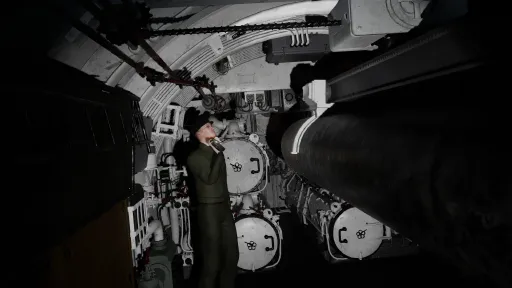
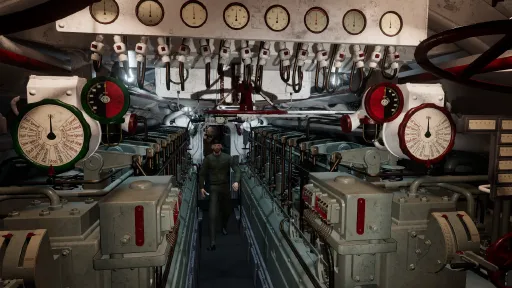
The initial state of the complete interior has been modeled and integrated to the game! After spending so many hours modeling the type VII interior, we are now finally releasing it to the main branch.
A new interaction menu has been added, from this menu you can quickly manage crew roles, add friends and manage bans. Access the player interaction menu by pressing TAB.
{STEAM_CLAN_IMAGE}/33670926/c43617fc8ae86bcf71e9b1e7dc25a883002bfa49.png
The new ban system in the player interaction menu allows you to blacklist players you do not want to play with anymore, it also grants the game host the ability to kick griefing players and adds better tools for managing a game in general. Access the player interaction menu by pressing TAB.
{STEAM_CLAN_IMAGE}/33670926/2579a6a3dc1b215d5e41125f3bd508b89bd54c8e.png
A new crew role management system has been added - the captain can now assign player roles as they see fit, useful for that one friend that just can't be trusted with a specific compartment...
{STEAM_CLAN_IMAGE}/33670926/c4ad4b81d79eb11b84be901b24f2ed132ce9a676.png
The captain may access the player interaction menu by pressing TAB.
{STEAM_CLAN_IMAGE}/33670926/9e0584031ae6e9ff679fc73f0ef7a087111f2ee5.png
Each player may be assigned a role from the drop-down menu. The passenger role limits the player from interacting with the systems in the U-boat.
A complete intercom system has been added! Gone is the ancient past where you would need to walk over to your crew to yell at them - you can now do so via the multiple intercom stations found in the different compartments! Ah, the wonders of modern technology...
{STEAM_CLAN_IMAGE}/33670926/a875b278e7a35e173bd964314c363307a064a1ae.png
{STEAM_CLAN_IMAGE}/33670926/7bdecfadbc1c5511aae85fc089e1e0e6ca09d9b3.jpg
New and improved overlays, scales and distance tables have been added - Blaming the overlay when your torpedoes miss the mark is no longer a valid excuse!
{STEAM_CLAN_IMAGE}/33670926/270011ab85dd21a16f6943fa06066ffedaace2e3.png
{STEAM_CLAN_IMAGE}/33670926/ae2055bba0dd04abeea731b084b6ab7d515df687.png
The new radio and sonar rooms are still under construction. The old equipment works the same as before, but we intend to add a lot more equipment and detail to these compartments. Most of the essential stuff in the radio room has been modeled by Koji, and he will move on working on the sonar room shortly.
{STEAM_CLAN_IMAGE}/33670926/b7d9f68cabd596eb6c9742954fb5e583bbcd4034.png
{STEAM_CLAN_IMAGE}/33670926/bb101cfa45959c160302359fc88c4522043a956b.png
{STEAM_CLAN_IMAGE}/33670926/0f8708cacb7eef42b76aa57ead77820db242907e.png
We have modeled everything! Now comes animation, interaction, sound effects and gameplay impact!
We are currently developing a new crew role. The Engine Chief will operate the diesel engines and the electric motors.
{STEAM_CLAN_IMAGE}/33670926/5817ba622692c62eb376573fc231c1160566a5fb.png
{STEAM_CLAN_IMAGE}/33670926/7cfda0baba243f201a5ee33b8d665ecc08acc1ba.png
{STEAM_CLAN_IMAGE}/33670926/d34f0dc0e22b59c3a1b20784cb2261d2aae1354d.png
The best place for community outreach and news will always be on our steam page and in our Discord server.
No larger known issues at this time, if you find a bug - please report it in our Discord.
Step 1:
Right-click Wolfpack in your Steam library.
Step 2:
Select “Properties” in the drop-down menu.
Step 3:
Select “Betas” in the menu on the left.
Step 4:
Select “beta” in the opt-in drop-down menu.
Steam should now prompt you to update Wolfpack to download the new version, if you wish to revert to another branch, you can use the same instructions.
View on Steam
We are happy to announce that the 0.26 update is moving to the main branch!
Detailed instructions on how to revert to the release branch from the beta branch can be found at the bottom of this page.
As usual, we want to thank all members of our community for supporting us - your feedback and suggestions are invaluable to us and continuously improve the quality of Wolfpack.
Sincerely,
The Wolfpack Team
Highlights
{STEAM_CLAN_IMAGE}/33670926/6338ae01c970d0554aeec86e2de0396127323169.gif
New animated engines!
Fully Modeled Interior
The initial state of the complete interior has been modeled and integrated to the game! After spending so many hours modeling the type VII interior, we are now finally releasing it to the main branch.
Player Interaction Menu
A new interaction menu has been added, from this menu you can quickly manage crew roles, add friends and manage bans. Access the player interaction menu by pressing TAB.
{STEAM_CLAN_IMAGE}/33670926/c43617fc8ae86bcf71e9b1e7dc25a883002bfa49.png
Improved Anti-Grief System
The new ban system in the player interaction menu allows you to blacklist players you do not want to play with anymore, it also grants the game host the ability to kick griefing players and adds better tools for managing a game in general. Access the player interaction menu by pressing TAB.
{STEAM_CLAN_IMAGE}/33670926/2579a6a3dc1b215d5e41125f3bd508b89bd54c8e.png
New Crew Role Management
A new crew role management system has been added - the captain can now assign player roles as they see fit, useful for that one friend that just can't be trusted with a specific compartment...
{STEAM_CLAN_IMAGE}/33670926/c4ad4b81d79eb11b84be901b24f2ed132ce9a676.png
The captain may access the player interaction menu by pressing TAB.
{STEAM_CLAN_IMAGE}/33670926/9e0584031ae6e9ff679fc73f0ef7a087111f2ee5.png
Each player may be assigned a role from the drop-down menu. The passenger role limits the player from interacting with the systems in the U-boat.
Realistic Intercom System
A complete intercom system has been added! Gone is the ancient past where you would need to walk over to your crew to yell at them - you can now do so via the multiple intercom stations found in the different compartments! Ah, the wonders of modern technology...
{STEAM_CLAN_IMAGE}/33670926/a875b278e7a35e173bd964314c363307a064a1ae.png
{STEAM_CLAN_IMAGE}/33670926/7bdecfadbc1c5511aae85fc089e1e0e6ca09d9b3.jpg
New Periscope Overlays, Scales and Distance Tables
New and improved overlays, scales and distance tables have been added - Blaming the overlay when your torpedoes miss the mark is no longer a valid excuse!
{STEAM_CLAN_IMAGE}/33670926/270011ab85dd21a16f6943fa06066ffedaace2e3.png
{STEAM_CLAN_IMAGE}/33670926/ae2055bba0dd04abeea731b084b6ab7d515df687.png
What now?
New radio and sonar equipment
The new radio and sonar rooms are still under construction. The old equipment works the same as before, but we intend to add a lot more equipment and detail to these compartments. Most of the essential stuff in the radio room has been modeled by Koji, and he will move on working on the sonar room shortly.
{STEAM_CLAN_IMAGE}/33670926/b7d9f68cabd596eb6c9742954fb5e583bbcd4034.png
{STEAM_CLAN_IMAGE}/33670926/bb101cfa45959c160302359fc88c4522043a956b.png
{STEAM_CLAN_IMAGE}/33670926/0f8708cacb7eef42b76aa57ead77820db242907e.png
Animation and Interaction
We have modeled everything! Now comes animation, interaction, sound effects and gameplay impact!
We are currently developing a new crew role. The Engine Chief will operate the diesel engines and the electric motors.
{STEAM_CLAN_IMAGE}/33670926/5817ba622692c62eb376573fc231c1160566a5fb.png
{STEAM_CLAN_IMAGE}/33670926/7cfda0baba243f201a5ee33b8d665ecc08acc1ba.png
What's next?
{STEAM_CLAN_IMAGE}/33670926/d34f0dc0e22b59c3a1b20784cb2261d2aae1354d.png
Want to know more?
The best place for community outreach and news will always be on our steam page and in our Discord server.
Known issues
No larger known issues at this time, if you find a bug - please report it in our Discord.
Accessing the public beta branch/reverting to the release branch
Step 1:
Right-click Wolfpack in your Steam library.
Step 2:
Select “Properties” in the drop-down menu.
Step 3:
Select “Betas” in the menu on the left.
Step 4:
Select “beta” in the opt-in drop-down menu.
Steam should now prompt you to update Wolfpack to download the new version, if you wish to revert to another branch, you can use the same instructions.
Build 7927885
Version 0.25
Dec 23, 2021
"God jul och gott nytt år" everyone!
Today we release version 0.25, to much celebration!
It has been available on the public beta branch for some time, but now it’s finally live on the regular branch.
The main foundation of the update is completed - in the future there might be minor polish patches added, or visual improvements, but we are satisfied with the current state of the water simulation.
2021 has been an exciting year for us, we’ve released the culmination of almost a years’ labour: patch 0.25, we’ve also increased the size of our studio with Axel and Koji.
We would like to extend a huge thank you to the community for all the bug-testing, ideas, suggestions and general awesomeness you always provide!
Happy Holidays, we will see you in 2022!
The Wolfpack Team
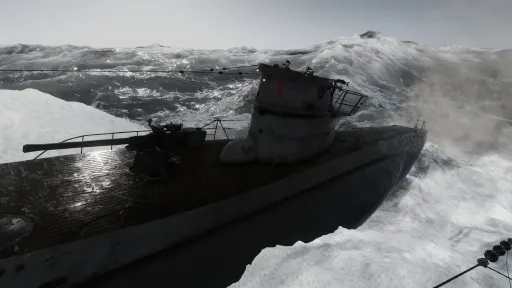
The new water asset has been integrated into the game with foam and bow spray effects, upgraded storm elements.
New foam and wake simulations have been implemented, objects in the water should now leave proper foam trails and wakes - the perfect example being steam torpedoes.
Torpedo objects have now been added, along with bubble visual effects.
Other additions include water sprays, engine exhaust gases and foam!
The skybox has been reworked, and the sky should now be much more realistic regardless of the time of day - no more close-up Death Star moons!
We have completed the move from gamma to linear colour space, materials have been reworked and the visual fidelity has been increased by magnitudes.
We’ve added new post-processing effects, as well as individual settings.
Players can now choose between steam and electric torpedoes, magnetic triggers as well as configuring gameplay options for dud torpedoes, dud magnetic triggers, and contact angle options.
Steam torpedoes now leave a bubble wake.
We’ll be on christmas leave until january, unless something critical happens there won’t be much activity until the next year.
Coming up next is the implementation and integration of the complete submarine interior.
{STEAM_CLAN_IMAGE}/33670926/03a2ab0818ff780a8793cf51448574d0467267f5.png
Accessing the public beta branch
Step 1:
Right-click Wolfpack in your Steam library.
Step 2:
Select “Properties” in the drop-down menu.
Step 3:
Select “Betas” in the menu on the left.
Step 4:
Select “0.24” in the opt-in drop-down menu.
Steam should now prompt you to update Wolfpack to download the new version, if you wish to revert to another branch, you can use the same instructions.
View on Steam
Today we release version 0.25, to much celebration!
It has been available on the public beta branch for some time, but now it’s finally live on the regular branch.
The main foundation of the update is completed - in the future there might be minor polish patches added, or visual improvements, but we are satisfied with the current state of the water simulation.
2021 has been an exciting year for us, we’ve released the culmination of almost a years’ labour: patch 0.25, we’ve also increased the size of our studio with Axel and Koji.
We would like to extend a huge thank you to the community for all the bug-testing, ideas, suggestions and general awesomeness you always provide!
Happy Holidays, we will see you in 2022!
The Wolfpack Team
Highlights
New Water Simulation
The new water asset has been integrated into the game with foam and bow spray effects, upgraded storm elements.
New Foam and Wake Simulation
New foam and wake simulations have been implemented, objects in the water should now leave proper foam trails and wakes - the perfect example being steam torpedoes.
New Visual Effects
Torpedo objects have now been added, along with bubble visual effects.
Other additions include water sprays, engine exhaust gases and foam!
New Skybox
The skybox has been reworked, and the sky should now be much more realistic regardless of the time of day - no more close-up Death Star moons!
New Colour Space, Post-Processing and Material Pipeline
We have completed the move from gamma to linear colour space, materials have been reworked and the visual fidelity has been increased by magnitudes.
We’ve added new post-processing effects, as well as individual settings.
New Torpedoes and Torpedo Mechanics
Players can now choose between steam and electric torpedoes, magnetic triggers as well as configuring gameplay options for dud torpedoes, dud magnetic triggers, and contact angle options.
Steam torpedoes now leave a bubble wake.
What now?
We’ll be on christmas leave until january, unless something critical happens there won’t be much activity until the next year.
Coming up next is the implementation and integration of the complete submarine interior.
{STEAM_CLAN_IMAGE}/33670926/03a2ab0818ff780a8793cf51448574d0467267f5.png
I hate change! How do I play the old version?
Accessing the public beta branch
Step 1:
Right-click Wolfpack in your Steam library.
Step 2:
Select “Properties” in the drop-down menu.
Step 3:
Select “Betas” in the menu on the left.
Step 4:
Select “0.24” in the opt-in drop-down menu.
Steam should now prompt you to update Wolfpack to download the new version, if you wish to revert to another branch, you can use the same instructions.
Build 5328929
Jul 27, 2020
Hello everyone!
Patch 0.24 is now released. This patch contains a mission editor with Steamworks support. To make a mission, choose Workshop in the main menu, and then select Create mission. To play Steamworks missions, select Workshop in the lobby menu, then select browse workshop. In the workshop menu, click on the mission you want to play and choose subscribe. When the mission is downloaded, you can play it by selecting play.
Patch notes:
Added a mission editor with Workshop support.
Map colors can now be changed in the options menu.
Mouse buttons can now be bound to actions just like keyboard keys.
Added 3 additional stop watches.
Added log book to recognition manual.
Updated the Enigma model.
{STEAM_CLAN_IMAGE}/33670926/2f51a9b298d78d335c3ef18c976c2e72bc4329db.png
View on Steam
Patch 0.24 is now released. This patch contains a mission editor with Steamworks support. To make a mission, choose Workshop in the main menu, and then select Create mission. To play Steamworks missions, select Workshop in the lobby menu, then select browse workshop. In the workshop menu, click on the mission you want to play and choose subscribe. When the mission is downloaded, you can play it by selecting play.
Patch notes:
Added a mission editor with Workshop support.
Map colors can now be changed in the options menu.
Mouse buttons can now be bound to actions just like keyboard keys.
Added 3 additional stop watches.
Added log book to recognition manual.
Updated the Enigma model.
{STEAM_CLAN_IMAGE}/33670926/2f51a9b298d78d335c3ef18c976c2e72bc4329db.png
Build 4997100
May 8, 2020
Hello everyone!
This week we are releasing patch 0.23. This patch includes in-game voice chat, and a number of bug fixes. Settings for the microphone and voice volume can be found in the options menu under Audio options. The push to talk key button can be bound in the key bindings menu. In the game lobby, the host can choose if the game should be played with or without realistic voice attenuation.
With realistic voice attenuation enabled, voices are hindered by walls. Without it you can hear players all over the boat. In both cases, the direction of the voice is calculated. In realistic voice mode you can also use the voice tube on the bridge.
Patch notes:
Added voice chat.
Added realistic voice attenuation.
Added bridge/control room voice tube.
It is now possible to clear keybindings by using backspace in the keybind menu.
Convoys now change direction after going back to idle on normal difficulty.
Convoys now periodically change direction on hard difficulty.
The starboard EOT now has the command to increase RPM on both engines, while the port EOT decreases RPM on both engines.
Added description and uptime to lobby list.
Fixed flying sub bug.
The top hatch now blocks voice communication.
{STEAM_CLAN_IMAGE}/33670926/6d6ada7c59b2a4c5b99cfee9bd8ded5740cbf4c3.jpg
View on Steam
This week we are releasing patch 0.23. This patch includes in-game voice chat, and a number of bug fixes. Settings for the microphone and voice volume can be found in the options menu under Audio options. The push to talk key button can be bound in the key bindings menu. In the game lobby, the host can choose if the game should be played with or without realistic voice attenuation.
With realistic voice attenuation enabled, voices are hindered by walls. Without it you can hear players all over the boat. In both cases, the direction of the voice is calculated. In realistic voice mode you can also use the voice tube on the bridge.
Patch notes:
Added voice chat.
Added realistic voice attenuation.
Added bridge/control room voice tube.
It is now possible to clear keybindings by using backspace in the keybind menu.
Convoys now change direction after going back to idle on normal difficulty.
Convoys now periodically change direction on hard difficulty.
The starboard EOT now has the command to increase RPM on both engines, while the port EOT decreases RPM on both engines.
Added description and uptime to lobby list.
Fixed flying sub bug.
The top hatch now blocks voice communication.
{STEAM_CLAN_IMAGE}/33670926/6d6ada7c59b2a4c5b99cfee9bd8ded5740cbf4c3.jpg
Current Release
Not available
System Requirements
OS
N/A
CPU
64 bit
RAM
N/A
GPU
Direct X 11 compliant card
How to Install
1
Download all files
2
Extract the .RAR file to a folder (use WinRAR or 7-Zip)
3
Run Wolfpack.exe to play
Troubleshooting tips
• Run Redist/_CommonRedist installers if game won't start
• Add folder to Windows Defender exclusions
• Run as administrator
Download
Direct link available
Size
1.9 GB
Password: cracked-games.org or 123
You May Also Like
View AllDownload Wolfpack for PC with a direct link or via torrent. Get the full version of Wolfpack for free. Wolfpack is a Simulation released by Usurpator AB.