







About the Game
FeeBay Simulator
You have $500, a folding table, and a dangerous amount of confidence. Welcome to the resale grind.
FeeBay Simulator is a cozy card-flipping tycoon game about buying low, selling high, and slowly developing strong opinions about cardboard. Hunt for underpriced gems across a parody of online marketplaces, send your best pulls off to be graded, open mystery lots, and build a reselling empire one extremely suspicious listing at a time. Oh, and rip some packs of course.
Slab bags...?
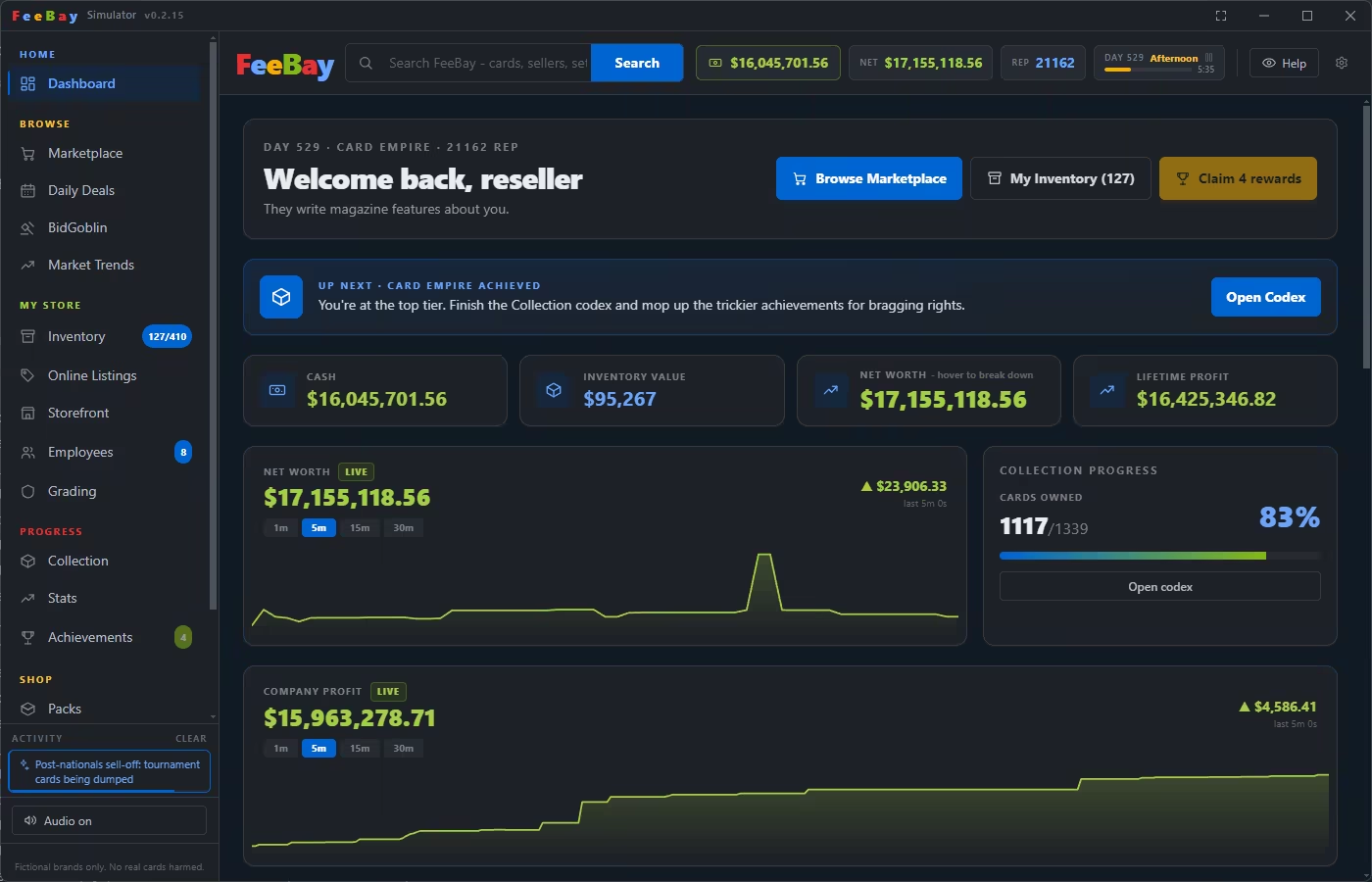
Light and dark mode!
Buy low. Sell high. Read the listings.
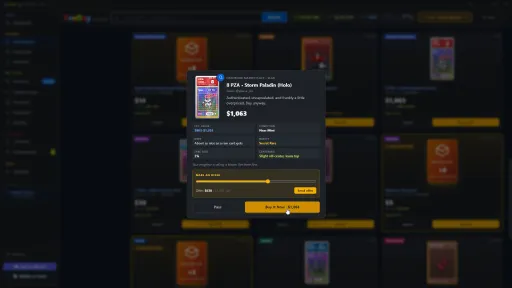
Every card in the TCG universe has a true value and a seller who may or may not know it. Scroll a living marketplace feed where a clueless uncle prices a full art for a couple Cheetos, a hype merchant swears his common is "investment grade" and a scammers "100% authentic" card is anything but. Read between the lines, check the centering, watch the fake risk, and find the hidden gems.
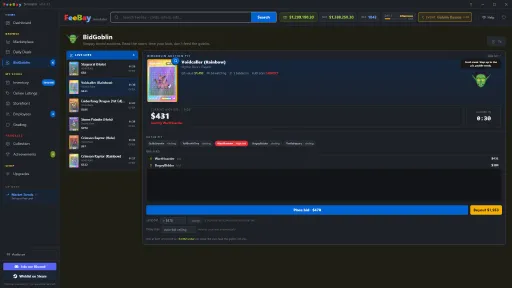
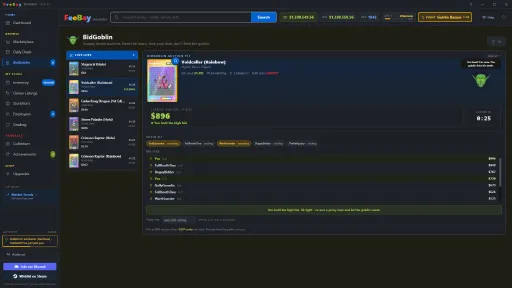
Seven marketplaces unlock as your reputation grows from the everyday FeeBay feed to the goblin run auction floor and the curated, wildly overpriced VaultDealer.
Open packs, find hidden gems and get lucky.
Grade your grails.
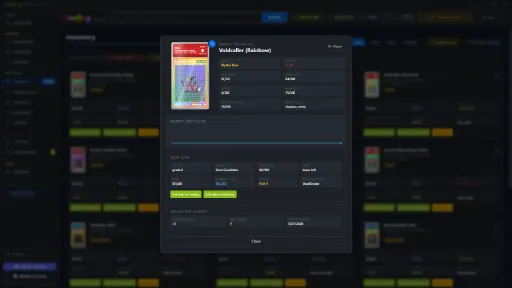
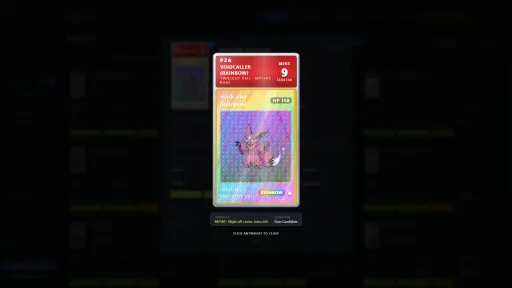
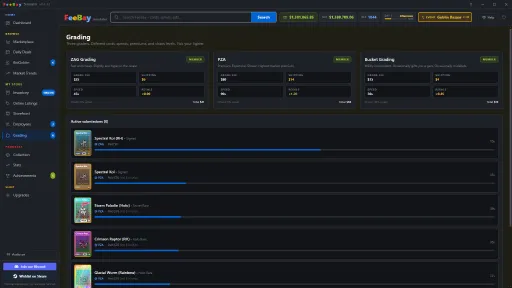
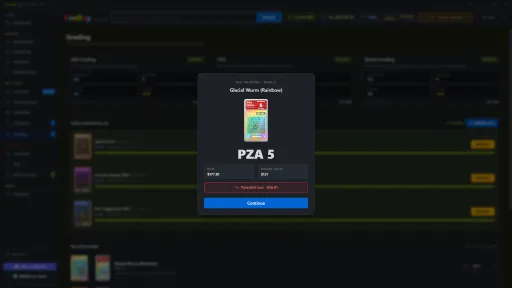
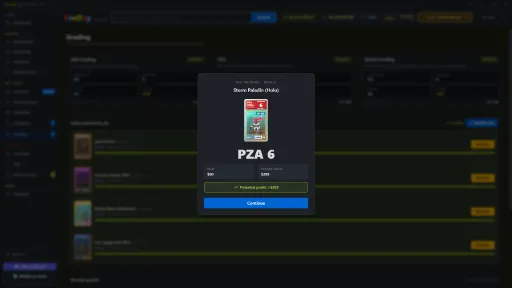
Think a card will gem? Ship it to one of three grading houses, speedy ZAG, prestigious PZA, or gloriously unpredictable Bucket Grading. Each with its own fees, turnaround, and chaos factor. Then reveal the slab yourself, and pray to the grading Gods for some Gem Mint 10s!
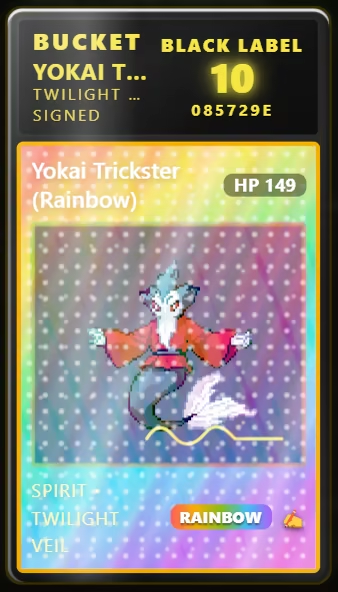
Bucket sometimes hands out a very special grade.
Collect all 1339* cards.
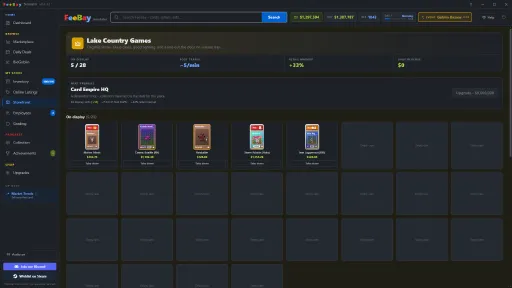
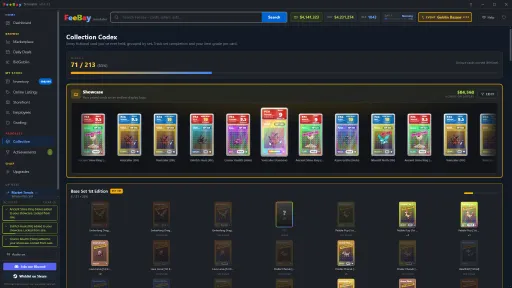
Feebay comes loaded with it's own custom TCG, an ever-expanding TCG with around 1339 unique cards. Track every set in the Collection Codex, lock your favorites away in an animated Showcase, and chase the cards that look as good as they're worth.
Run your own storefront.
List your cards at your own prices and watch buyers nibble. Some pay instantly, some make you wait, and some bail entirely. Funds pool in your storefront wallet until you withdraw them - minus FeeBay's completely reasonable 14% cut. I heard there's some upgrades to help improve this workflow...
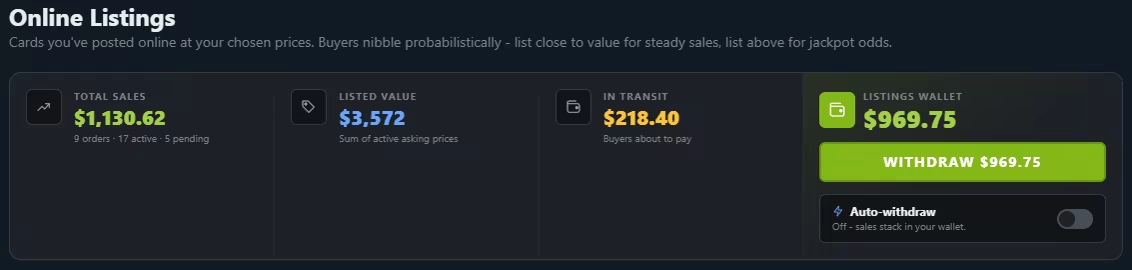
Hopefully everyone pays....

Ride the market.
Prices breathe. Trend events send cards soaring and crash reprinted sets overnight, conventions pump entire sets, and a "First Edition Frenzy" that can turn a dusty binder into rent money. Time your buys, hold through the dips, and try not to panic-sell.
Modding
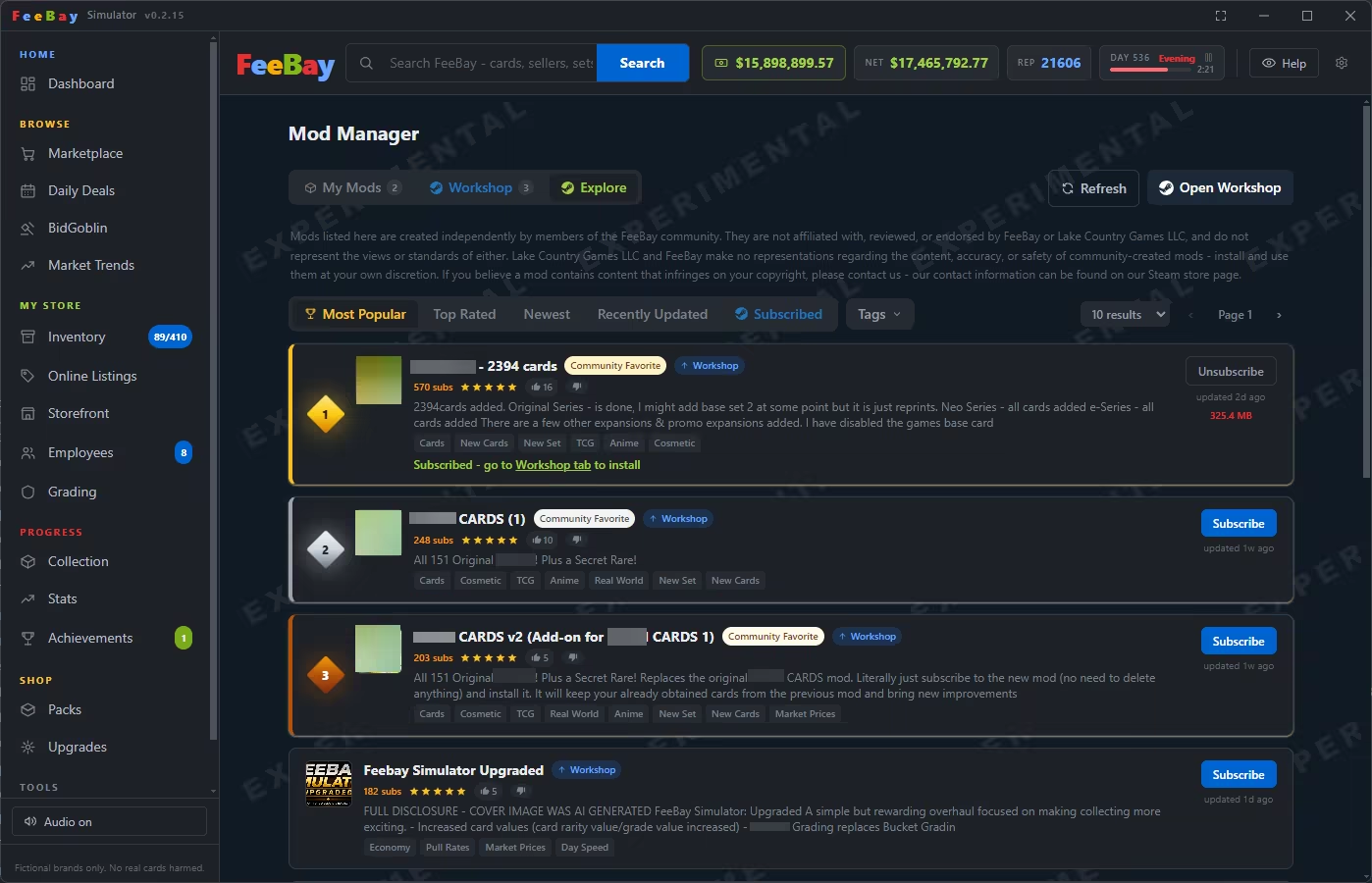
Feebay has a full suite for the modding community to dive into. Explore steams workshop and download community created mods! Mods expand or replace the base game in many different ways including adding several new cards and sets, modify game settings, change grading company names, new and better game balancing as well as full on funny meme mods!
Key Features
- A living parody marketplace
- 1339 collectible cards
- An active modding community with updated mods
- Three grading companies
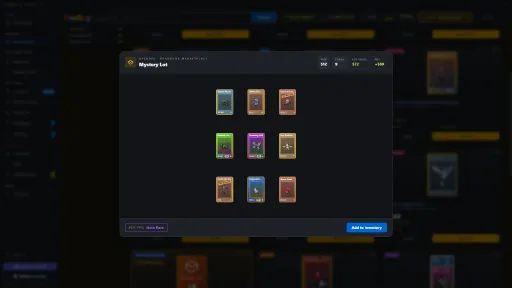
- Mystery lots, binders, packs, and abandoned storage units to crack open
- A goblin-run auction house with bidding and auto-snipe
- Build and price your own storefront
- A live market of trends, events, and conventions that move real prices
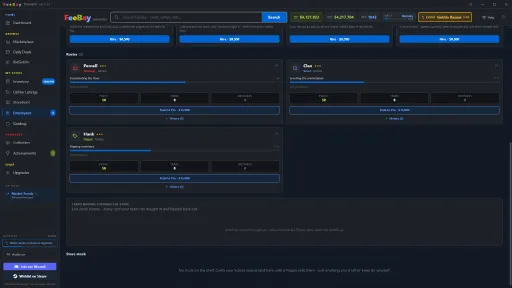
- Business levels, upgrades, achievements, automation and employees
- Card centering, condition grades, and fakes
AI Disclosure
Recently I started seeing some reviews point out no AI disclosure. AI assisted coding is the only AI usage here on Feebay, its becoming an industry standard and a great tool to speed up development process. I may use AI for translations the future. Steam does not require an AI disclosure for coding related usage however it feels necessary given the miss-information out there. No AI is used for user consumed content such and art and images. The Feebay creature art comes from an artist named AaronSprites. Mods may contain AI generated images and are not a reflection of Feebay in anyway, community created mods assume their own responsibilities.
Buy the dip. Rip some packs. Read the description. Probably do not trust @definitely_real_cards.
Screenshots
14 images
Version Information
Steam Patch Notes
Official update history
v0.3.0 - Underground Update
Restoration Workshop
- New Underground tab unlocks at Business Level 3.
- Restore raw cards with three mini-games: Clean, Press, and Polish.
- Clean wipes off dust and fingerprints for a small, safe condition boost.
- Press works out creases and warping for a bigger boost, but a bad attempt can damage the card further.
- Polish buffs the holo shine on already-decent cards.
- Each card has a lifetime cap on how much restoration can improve its condition.
- New achievements for your first restoration, a restoration milestone, and damaging a card with a bad press.
- Underground now opens with tabs across the top for each activity, so you can switch between them in one click.
Print Shop
- New Underground activity for forging counterfeit copies of a card from your inventory.
- Buy a Printer and Cutter, then keep ink and paper stocked to run the forge.
- Pick a card to use as a template, then run it through Color, Print, and Cut.
- Each step is a timing mini-game that gets tougher as you go, and any failed step busts the whole attempt and wastes the materials.
- The original card stays in your inventory afterward, but there is a small chance it comes out damaged.
- A clean run produces a small sheet of counterfeit copies.
- New achievements for your first forgery, a forging milestone, and busting an attempt.
Rip & Ship
- New Underground activity, and now the tab Underground opens to by default.
- An illegal livestream storefront - hire Developers, Stockers, and Streamers to run it automatically, same idea as your legit Employees.
- Developers build up site quality over time.
- Stockers buy into a hidden stock pile that never touches your real inventory.
- Streamers go live on a timer and pull in viewers - watch the chat update in real time.
- Each stream pins one real item up for bid at a time - a card or a sealed pack, pulled from your actual card and pack pool, with a live price and countdown.
- Bidding stays within 20% of the item's real value either way, so prices always feel grounded instead of random.
- Rip & Ship only nets a fenced cut of the winning bid - 20% - and that split is shown live on the bid card and in the sale notice, not hidden.
- Running hot draws heat - let it build too high and the site gets flagged, denting site quality and forcing streamers offline for a bit.
- Workers can be trained up in tiers just like Employees, with Arrange and Compact roster controls.
- New achievements for your first sale, a revenue milestone, and getting flagged.
v0.2.22 - Hot Patch
Fixes
- Pack reveals now use a set's custom card back instead of the default FeeBay back.
- Binder spines no longer show 100% when the binder is not full. They now count every card, including each variant, so the spine matches the pages inside.
- The master set trophy is only earned when every card in the set is collected. It used to appear when you were a card or two short.
- The codex percentage only reads 100% when the codex is actually complete. It used to round up near the end.
- Fixed mods losing recently added images after a restart. A workshop update could quietly replace your newer local copy with the older published one and disconnect the images you had just added. The game now keeps your local copy when it is the same or newer version.
- Mods already affected by this now reconnect their missing images on their own the next time the mod saves.
- Firing a grader no longer leaves the card they were working on stuck at the graders forever. The card comes back to your inventory, though the fee is still spent.
- Cards already stuck at the graders are returned to your inventory the next time you load the save.
- You can no longer claim a card out of store stock while it is being graded, which was another way to end up with a stuck card.
- The bid goblin's Place Bid and Buy It Now buttons no longer disappear on a small window. They stay pinned at the bottom of the pit and the bid feed scrolls instead.
- The buyout button no longer gets squeezed on a narrow window. It wraps under the bid button when there is not enough room.
- The next lot countdown shows the real number of seconds. It was counting from the wrong clock and could show a huge number even though the next lot arrived on time.
- Mystery lots, binders and storage units now have their cards decided when the listing appears, and the estimated value is worked out from those exact cards. The estimate is always within 20% of what is really inside.
- This fixes estimates being wildly wrong with mods enabled. The old estimate was an average across every card in the game, so a few high value mod cards pulled it far above anything a lot could actually contain.
- Cards from a disabled mod set no longer count toward any estimate, since they cannot be pulled.
- Storage unit estimates account for their guaranteed rares, so they are no longer undervalued.
v0.2.20 - Binders, Multi Profiles, and QoLs
Save Profiles
- Added save profiles so you can run separate games at once.
- Your current game becomes the Main Save. Make new vanilla or modded profiles and switch any time to reload into that save.
- Modded profiles keep their own copy of your mods, so changes on the Main Save never break them.
- Each profile has its own folder, backups, and exports, all tagged with the profile name so files are easy to tell apart.
- Profiles are sorted by last played, most recent first.
- Fixed a tutorial issue on modded profiles.
- Fixed modded profiles picking up mods you had turned off on the Main Save.
Collection Binders
- Your sets sit on a binder shelf. Click a spine to open the binder and flip or swipe through its pages.
- Big collections stay smooth since only the open page renders.
- Modded sets get their own shelves grouped by mod.
- Sets with a pack use the pack art on the spine and cover, and match the cover color to it.
- Completing a set shows a master set trophy under its spine.
- Turn pages with the arrows, space bar, or a swipe, and close with the X or Escape.
- Closing plays a shut animation. The binder folds to the center and drops away.
Custom Binders
- Build your own binders on a shelf above your sets.
- Name a binder, pick a color, and upload a cover image, all with a live preview.
- Set the grid size per page to 2x2, 3x3, or 4x4.
- Fill pages by clicking an empty pocket and picking a card from a searchable, filterable list.
- Arrange binders into rows. Drag them between rows and drag whole rows up or down, and it stays saved.
- Arrange mode lets you add or remove pages, move cards between slots, and swap them. Drag a card over the page arrows to carry it to another page.
- Cards in a binder do not take up an inventory slot, like showcased cards. The inventory has a binders filter, and each binder card shows which binder it is in.
Binders for Modders
- Customize each set's binder from the Sets tab. Upload an image, reuse the pack art, or use a plain color.
- Scale, rotate, and position the image on the spine and cover, and choose whether it fills and crops or shows the whole image.
- Set a custom card back per set. Upload an image and position it in a preview. It shows on every card in that set across the marketplace, binders, and pack reveals.
- Graded slabs keep their case, with the custom back on the card inside.
- Uploaded images stay full resolution and are stored in the mod's images folder like card and pack art.
Misc Changes
- Two new late game storage upgrades. Warehouse Wing at level 5 and Distribution Center at level 6, taking max inventory up to 1000 slots.
- Dashboard cash cards shorten big numbers to K, M, B, or T when they would overflow, with the full amount on hover.
- A crash on load no longer turns your mods off, so you can just reload.
- Turning off the Mod Manager fully disables every mod.
- New Listed filter in the inventory for cards listed online, with a timer and an Unlist button. Listed cards are hidden from the All tab.
- Cards being graded show a countdown and a cancel button.
- Added a setting to turn off event notifications. It only silences market events and minor updates, so sales, alerts like inventory full, and milestones still show.
- Modded save slots flag when one of their mods has a newer version in your mods folder, with a button to update it.
- Mod cards can set a custom HP value or hide the HP badge.
- Mod edits are saved to disk when you close the game, so you no longer lose unsaved work.
- Renamed the mod editor Events tab to Market Trends to match the in game term.
- New Rarities tab in the mod editor lists all base rarities and lets you draft new ones (preview only for now).
- Fixed broken cards showing as Unknown Card in the market movers.
- Added Game Overrides, personal per save settings that win over mods. Base game sets are on by default and toggle per save, no longer controlled by mods. Mods can still set money, market, and game speed multipliers from the Rules tab, but your per save override always wins.
v0.2.17 - The 100x Mod Update
Mods got a complete overhaul
Mods are now folders instead of one giant file. Card data lives in a small mod.json and every image is its own file. This fixes the bugs where saving a mod slowly stripped card art away or art vanished after a relaunch, and it removes the old size limits.
- All size limits are gone. No more 2 GB import wall, export cap, or memory crashes from running several big mods. Mod size is only limited by disk space.
- Huge mods load fast and no longer eat RAM. Card art loads from disk only when a card is on screen.
- Existing mods upgrade automatically on first launch. Originals are kept untouched as backups, and the new Backups button in My Mods opens them.
- Sharing works the same. Export gives you a single .feebaymod file with no size limit, and Import accepts both new and old mod files.
- Steam Workshop works with the new format. Subscribing to an older mod converts it automatically.
- Mod folders are easy to hand edit. mod.json is readable and images are normal files named after what you uploaded.
Mod Manager
- My Mods now shows every installed mod, including Steam Workshop installs. Workshop mods have a blue card with Update, Uninstall, and Unsubscribe right on it.
- The Explore tab is now the Workshop tab for browsing and subscribing.
- New All / Local / Steam filter above the mod list.
- Hover a mod size to see how much is card data vs images.
- Removed the Sync Game button and the restart required notice. Enabling or disabling a mod applies instantly.
Mod Editor
- Everything autosaves. No more Save button or autosave setting, changes save about a second after you stop editing. Ctrl+S still saves instantly.
- Mass upload compresses images properly, keeps filenames, skips nothing, and shows a progress bar.
- Animated GIFs are fully supported for card art and holo patterns.
- New Image Fit option: Fill crops to the frame like before, Fit shows the whole image. Art scale now goes up to 10x and there is a reset button.
- New holo pattern tools: a tiling toggle, an art window only mode, per side cropping, and patterns now render identically in every view of the card.
- New floating card preview you can drag and resize while editing variants, plus a toggle to hide the sample art.
- Cards show their image file path so you can find the file in the mod folder.
More content coming soon!
v0.2.15 - Misc Improvements
BidGoblin Auctions
- BidGoblin now runs itself. Lots refill on their own and the floor is always live. No more calling for fresh lots.
- Twice as many live auctions at once. Up to 12 lots on the floor.
- Auctions now last 20 to 35 seconds. Every lot gives you real time to bid.
- New sort toggle on the live lots. Flip between ending soonest and ending latest. Your choice is remembered.
- Graded slabs now show up at auction, not just raw cards. Any card can appear slabbed by ZAG, PZA, or Bucket at any grade.
- Rare Bucket black label slabs can now appear too. About a 0.5% chance. These are grade 10 jackpot lots.
- The estimated value at auction now matches what the card is worth in your inventory. No more surprise drop after you win.
- Added a hover tip that explains the estimated value.
- The auction page now fills the whole screen, top to bottom.
Mods and Loading
- Mod Manager has a live memory bar so you can watch RAM and heap usage.
- You can raise the heap limit for big mods, up to 32 GB.
- The memory bar shows real GPU status and can be collapsed.
- The loading screen now appears instantly and waits for mods to finish loading.
- Workshop mods show their art and name right away in the Load Order tab.
Performance
- Card art now loads in batches instead of one request at a time. Big pages load much faster.
Fixes
- The red closing warning on the auction now covers the whole pit from the top.
- Restyled the bid and buyout buttons to match the rest of the game.
- Mods no longer store duplicate copies of the same art. Many mods will shrink a lot.
- Fixed a rare bug that could save a big mod with no art. Mods now back up their file before any risky save.
- Fixed Export doing nothing on very large mods. It now warns you clearly.
- Fixed the My Mods card showing the wrong file size after saving.
- The card inspector now shows your card's real value. The Market Drift chart matches your actual copy.
- For cards you own, the chart now shows profit or loss against what you paid.
- Fixed employees getting stuck on long cooldowns. Affected saves heal on load.
- Fixed ghost mods showing up after you unsubscribe. They are now cleaned up on launch.
- The Workshop subscribed list now loads with the game.
v0.2.14 - New Packs & Mod Load Order
Mod Manager - Load Order
- New Load Order tab in Mod Manager - shows every installed mod, local and Workshop, in one unified priority list with reorder arrows.
- Each row shows the mod source (My Mods vs Workshop), a creature count, and impact badges for big changes: red "N sets off" when base sets are disabled, blue "Money/Market/Speed xN" for each changed multiplier, green "Grading" when grading companies or rates are modified.
- A "Changes game settings" badge shows a full breakdown on hover - starting money, game speed, disabled sets, grading companies, custom events, and more.
- Removed the per-card reorder arrows from My Mods; ordering is now handled exclusively from Load Order.
- Load Order rows use a drag handle to reorder - items animate smoothly as they slide to make room.
- The Mods and Load Order sub-tabs now live inside the nav pill and animate together instead of floating separately.
Pack Builder & Balance
- Mod editor pack builder now supports per-slot rarity OR variant constraints - pin a slot to a rarity range, or lock it to specific variants (e.g. slot 1 normal-only, slot 10 holo/rainbow/gold).
- Slot variant mode toggles between rarity and variant per slot independently, and switching back and forth never loses your settings.
- Variant chips are sorted worst-to-best and include any custom variants your mod defines.
- Pack slot reveal order now matches the slot number exactly - slot 1 reveals first, slot 10 last.
- Auctions now allow all rarities to appear - previously only Rare and above were eligible.
- Sets tab "Set Presence" section now shows live "~1 in N" odds estimates per venue.
- Sets tab replaces the old single Set Weight slider with per-venue multipliers for Marketplace, Mystery Lots, Storage Units, Daily Deals, and Auctions - all default to 1.0 so existing mods are unaffected. These weights are now fully wired into the engine across every venue.
- Base game Generation 1-7 packs rebalanced: 10 cards per pack, price tuned per generation ($130-$375); slots 1-8 Common normal, slot 9 Common normal or reverse holo, slot 10 a premium Common variant pool (holo, shiny, rainbow, black, silver/gold full art).
- Added the Twilight Veil booster pack to the base game: 5 cards at $400, weighted toward rare finishes.
- Pack value simulation panel now explains itself instead of disappearing when a set's creatures haven't been compiled into the game yet.
- New sound effects: paper sliding when drag-reordering Load Order, a soft chime when switching Mod Manager tabs.
Pack Dispenser & Pack Art
- Pack dispenser console now shows pack name, set name, and a "Pack Odds" breakdown when a pack is selected.
- Pack art editor now has text styling controls: position offsets, color/size/bold/italic/underline for the pack name, color/size/italic for the set name.
- Pack art editor now supports custom text overrides - type your own pack name or set name instead of using the defaults.
- Flipper rules now support "Never sell grades" - exclude specific graded slabs from auto-selling.
Fixes
- Fixed creature/card overrides applying in reverse priority order - the last enabled mod was winning instead of #1; #1 now always wins on stat conflicts.
- Fixed startingMoney using the highest value across all mods instead of the highest-priority mod's value.
- Impact badges no longer flag settings that match base game defaults as changes.
- Fixed Online Listings bouncing players back to a previous tab if they owned a listing but hadn't bought a card yet.
- Fixed employees getting stuck on enormous cooldowns after a single task - covered by the same timer repair pass as auctions, listings, conventions, market trends, and payments, plus a new runtime guard rail that clamps any timer that balloons past its longest legitimate duration.
- Replaced the "Enjoying the game?" review nudge with a note pointing players to community mods on the Steam Workshop.
- Dark mode is now the default theme for new players (still respects whatever you've previously toggled).
- The Business Level card on the Stats page now has a direct "Promote on the Upgrades tab" button instead of a plain text hint.
- Fixed mod manager Cards tab losing pagination position when editing a card and pressing "Back to all cards" - the page is now preserved across the edit round-trip
- Inventory sort order is now stable while browsing - cards no longer shuffle positions when market trends update or when selling/listing; sort re-applies only when explicitly changing the sort key or filter
v0.2.12 - Modding Improvements Patch
Mod Manager
- New - Explore tab - browse the Steam Workshop without leaving the game. Sort by Most Popular, Top Rated, Newest, or Recently Updated. Filter by tags. Subscribe and unsubscribe directly. Top 3 results get ranked badges. Each card shows star rating, subscriber count, vote buttons, tags, and how long ago it was uploaded or updated. The Subscribed filter (blue Steam icon) shows only mods you already have, with local file sizes displayed.
- Added page navigation and a results-per-page selector (10 / 20 / 30 / 50) to the Explore tab.
- Active tag filters are highlighted on mod cards so you can see at a glance what matched.
- Workshop tab now has a Steam icon and blue color. My Mods tab has a box icon.
- Mod cards in Workshop and My Mods now show card count in green and file size in red.
- Added a Prune button to Workshop mod cards - removes leftover files from previous uploads, keeping only the current version. Shows how much space will be freed before you confirm. Button pulses red when savings exceed 250 MB.
- Added a Prune button to local mod cards - moves older version files to the archive instead of deleting them.
- Archive section now shows the total size of all archived files. Card counts now display correctly for all mods, including large ones that previously showed nothing.
Mod Publishing
- The update modal now has a version section. Auto-increment defaults to patch - pick major, minor, or patch with tooltips explaining when each is appropriate. Shows a live "old version -> new version" preview. Turn off auto-increment to type a version manually. The mod file on disk is updated to match before the Workshop item syncs, so your local copy and the uploaded version always stay in step.
- The tags section now collapses by default when updating an existing item - a badge shows how many tags are selected so you can skip past it if you're not changing them.
- Change note field is now a full-width textarea.
- Visibility field moved inline with the title to give the change note more room.
Fixes
- Fixed the game process not terminating after closing via Steam - the app would show "Closing..." indefinitely until Steam was restarted.
- Fixed a crash when installing a large mod from the Workshop.
- Fixed a crash when selecting a specific version from a Workshop mod that has multiple files uploaded.
- Fixed grading company taglines and other mod settings reverting to their defaults on app restart.
- Fixed card art disappearing after editing and saving a large mod.
- Fixed cards from disabled mods still showing up in Inventory, the shop, employee stock, the collection showcase, and the grading card count when the mod shared a set name with base game content.
- Fixed all game timers showing incorrect values after long play sessions - this affected the day clock, Daily Deals restock, convention badge, market trend countdowns, auction timers, and storefront listing and payment timers.
- Fixed the grading voucher tutorial callout never appearing for players who received their voucher after completing the tutorial.
- Fixed market trend tags being case-sensitive - "Dragon" and "dragon" now match correctly.
- Fixed inventory cards shuffling position every few seconds while on value sort. Card order is now stable between sort changes and pack openings - values still update live, the order just stops jumping around.
- Fixed market-up and market-down sort producing incorrect or identical results. The sort now uses the same combined market signal shown on each card's price indicator, so the order matches what you see.
Achievements
- Fixed Codex Complete not unlocking if any mod cards were in the collection record - it now only checks base game cards.
- Fixed Pack Rat (fill inventory) triggering immediately instead of when you actually fill it.
- Fixed Slab Lord requiring Gem 8+ grades - any 10 graded cards now counts.
- Fixed Grading Diversifier not unlocking after using a fourth grading company.
- Fixed Top Pop - now requires a Gem 10 of every variant of any single Mythic Rare or Prototype creature rather than every ultra card in the game.
- Moved Nice Try (cheats console) from bronze to gold. Added hints for Hack the Planet and Nice Try so there's a nudge without a full spoiler.
- Added three Sell All milestones: Mass Mover (bronze), Bulk Flipper (silver, 10+ cards), Liquidation Event (gold hidden, 25+ cards).
- Added five pack opening milestones: First Rip (bronze), Pack Addict (bronze, 10 packs), Crack Junkie (silver, 50), Set Ripper (gold, 100), Cardboard Destroyer (gold hidden, 250).
- Added four slab cracking milestones: Cracker (bronze), Slab Cracker (silver, 10), Serial Cracker (gold, 50), No Slab is Safe (gold hidden, 75).
- Added Modded achievement for enabling mods for the first time.
Tutorial
- Added a Mod Manager step at the end of the tutorial recap introducing the Steam Workshop and community mods.
- Players who completed the tutorial before this update will see a one-time callout on next load pointing them to the Mod Manager tab.
Employees
- Operating costs panel is now embedded at the bottom of the company profit chart as a collapsible section - click to expand the full line-item breakdown.
- Hire staff cards now always display in a single row of five instead of wrapping.
Other
- Added a system tray icon - right-click for Open / Quit, double-click to restore the window.
- Added crash log files that write to disk in real time. Access them via the Crash Logs button at the bottom of the Mod Manager.
v0.2.11 - QoL and Stability Patch
New Features
Regrade Station upgrade (Business Level 4, $8,500) - adds a Crack & Regrade button directly to your recently graded cards. One click cracks the slab and resubmits to the same company instantly. Button is styled per grading company and disappears once the card is no longer yours as a graded slab.
Mod Manager moved to the sidebar - Mod Manager now lives in the sidebar under Tools with an on/off toggle. No more digging through Dashboard Settings to find it. First-time enable still shows the experimental warning.
Market sort in Inventory - the Profit sort has been replaced with a 3-way Market sort. Click once to sort by highest market trend first (green), again for lowest (red), again to turn it off. Works with mod and event trends.
Bug Fixes
Fixed a crash when publishing or updating large mods to the Steam Workshop
Fixed a crash in the Workshop subscription scanner that could cause large subscribed mods to silently disappear from your mod list
Fixed "failed to parse mod file" errors when importing large mods that contain cards with no art
Fixed the Chaos Grading Module firing on every submission instead of as a 30% chance - it now correctly forces grade 10 or 1 as a wildcard, matching its upgrade description
Fixed the chaos badge showing on nearly every graded card when the module was active (caused by the same bug)
Fixed chaos badge text saying "Grade dumped to 1" on cards that weren't graded 1
Fixed "Update Workshop" / "Publish to Workshop" button appearing on mods you imported but didn't create
Fixed base-game card variants (e.g. black parallels) still showing visual overrides from a disabled mod
Fixed rarity sort in Inventory sorting alphabetically instead of by actual rarity order
Fixed "Jump to" links on the Dashboard appearing for pages you haven't unlocked yet
Fixed the Dashboard inventory count being higher than the sidebar badge
Improvements
Damaged slabs in the recently graded list now show crack lines and a centered DAMAGED label over the dimmed card art
Chaos and mislabel badges now appear in the single and bulk grade reveal modals, not just in the recently graded list
Rarity and condition sort buttons in Inventory now show a tooltip listing the full order from highest to lowest
Mod Manager opening and closing is now faster - large mods show a loading screen instead of a frozen UI
Clicking Back in the Mod Editor now shows a saving screen instead of a freeze
Mod Editor Cards tab now uses pagination (25 per page, switchable to 50 or 100) instead of infinite scroll
Disabled mods no longer load at startup, reducing load time when you have many mods installed
v0.2.10 - Balance & Fixes
Mod Editor - Events Tab
New tab with full control over how market events behave in your mod.
- Custom Events - create your own market events with custom flavor text, up/down direction, swing range, duration, and pool weight. Scope effects to specific sets, variants, or rarities beyond cards that already carry a trend tag.
- Base Game Events - per-tag overrides for all 27 base game event tags. Adjust up and down multiplier ranges and duration independently, or disable a tag entirely so it never fires.
Mod Editor
- Generation 1-7 packs now appear as default booster packs in the vending machine
- All 10 rarities now appear in the mass upload rarity selector and balance tab rarity filters - previously only the base 5 were listed
- Balance tab: new bulk set rarity and bulk set variant tools - apply to all cards matching the current filter in one click
Fixes
- Custom event set/variant/rarity filters now correctly affect card prices - the tag and criteria filters now work as OR (a card is affected if it has the matching tag, or if it matches the set/variant/rarity criteria)
- Market Trends exposure panel now correctly counts inventory for custom events that use set/variant/rarity targeting - previously always showed "none in hand"
- Card inspector now shows active custom event trends in the drift section - previously only base game tag trends appeared
- Card inspector drift chart and "% from baseline" now factor in active trend multipliers - a x18 event now correctly shows a massive spike instead of just noise
- Inventory card Market pill now shows the combined noise + trend percentage instead of noise-only
- Market movers ticker now ranks by full effective market movement including trends - heavily pumped cards surface to the top
- Rarity badge now scales proportionally with card size at all display sizes
- BidGoblin Paddle upgrade now correctly requires 100 reputation to purchase, matching the BidGoblin marketplace unlock
- Mass uploader no longer scrolls when removing an image - only scrolls when new images are added
- Sets tab badge now shows the correct total set count instead of the number of customized set profiles
- Base game pack overrides now correctly ship to all players on deployment
- Sets tab pool preview now shows correctly for custom mod sets before saving
Current Release
Build 24976523
Uploaded Oct 09, 2026
System Requirements
How to Install
FeeBay.exe to play
Troubleshooting tips
• Run Redist/_CommonRedist installers if game won't start
• Add folder to Windows Defender exclusions
• Run as administrator
Download
Direct link available
Needed when extracting (WinRAR / 7-Zip) — not a site login.
A6658E0D
d8e284aff1881c6fb690388bb24eef0eb03597e9d2ad36aa1e8b3deddf5a2fd3
You May Also Like
View All







Download FeeBay Simulator for PC with a direct link or via torrent. Get the full version of FeeBay Simulator for free. FeeBay Simulator is a Indie released by Lake Country Games.