









About the Game

Between Adventures IDLE is designed for players who love deep RPG progression but respect their time. Unlike text-based idle games, here you witness every sword slash, arrow shot, and spell impact brought to life in hand-crafted charming 2D pixel art.
Gather resources, forge powerful equipment, and fine-tune your character build. Whether you are actively optimizing combat rotations or letting the game progress in the background, your journey never stops.

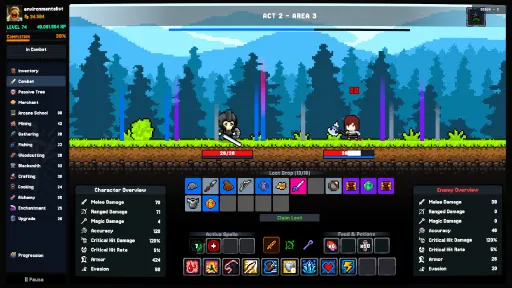
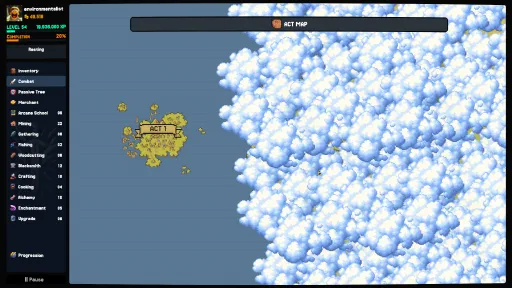
Engage in real-time battles against unique enemies and challenging dungeon bosses. Don't just read combat logs, watch your hero fight with animated melee lunges, projectile attacks, and spells. Balance status effects, utilize tactical shielding, and manage combat consumables to overcome deadly encounters.

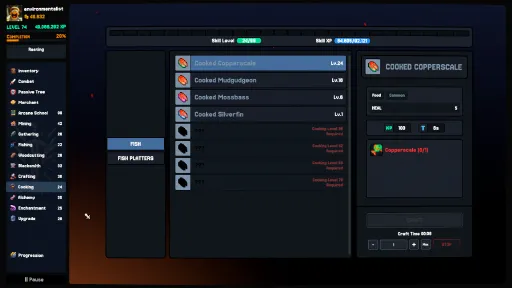
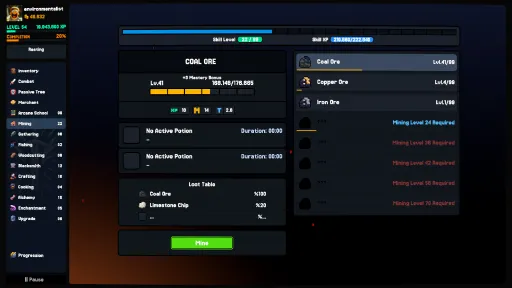
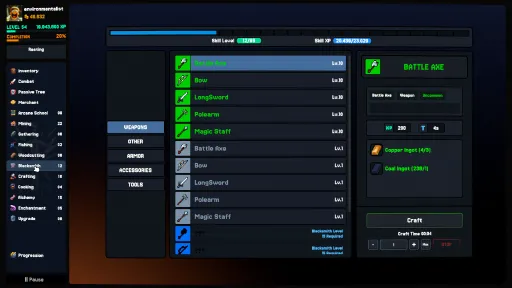
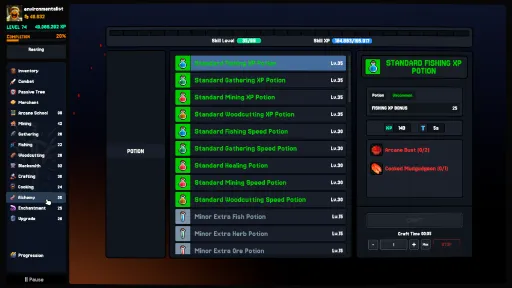
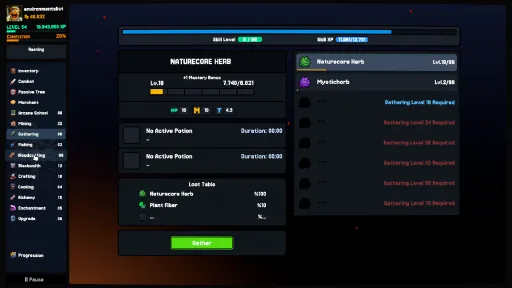
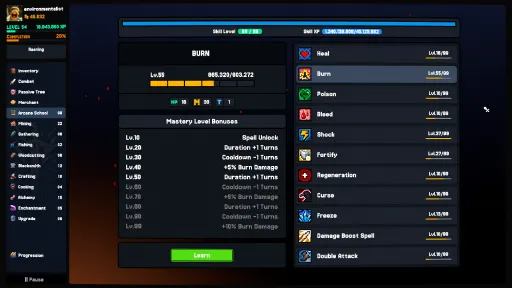
Master 11 distinct skills across gathering, crafting, and magical disciplines. Train Mining, Gathering, Woodcutting, Fishing, Blacksmithing, Crafting, Cooking, Alchemy, Arcane School, Upgrade and Enchantment. Unlock Resource Mastery bonuses and run a gathering task alongside a crafting task simultaneously!

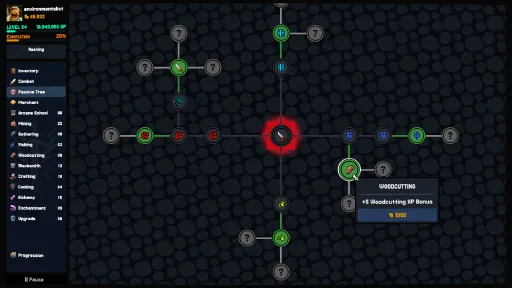
Forge your own path. Use a comprehensive, interconnected Skill Tree to specialize your build with passive perks, from increased gathering speed and double drop chances to devastating combat bonuses.

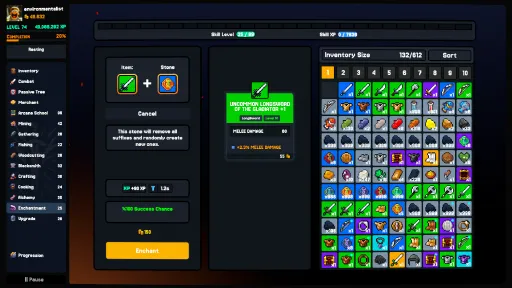
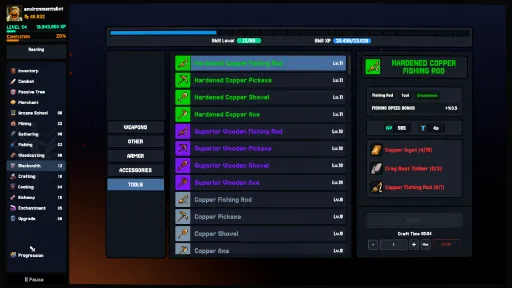
Why buy from shops when you can forge your own legacy? Craft high-tier weapons, armor, and tools across an extensive Multi-Tier Rarity System. Enhance your gear with Enchantment stones and trade excess loot with merchants to fund your growth.

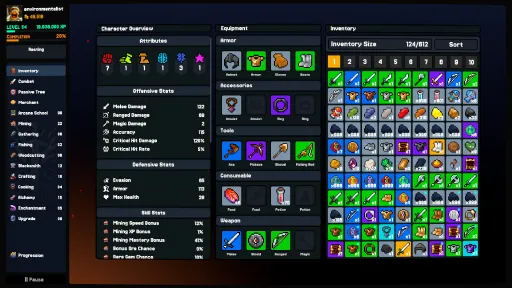
With a clean and intuitive interface, the game is easy to jump into but rich in strategic layers. Set your build, optimize your production loops, and return to meaningful rewards thanks to full offline progression.

We believe idle games should be about satisfying progression, not monetization traps:
❌ No Microtransactions
❌ No Pay-to-Win Mechanics
❌ No Forced Ads
✔️ Buy once, own the complete adventure.
Set your tasks, optimize your gear, and watch your hero grow from a humble adventurer into a legendary hero in Between Adventures IDLE.

Screenshots
17 images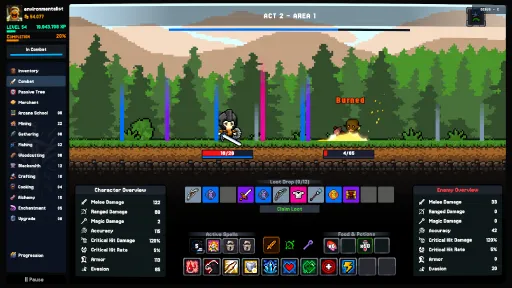
Version Information
Steam Patch Notes
Official update history
Patch 0.7.5.4 Notes: Bulk Fusion, Merchant QoL & Crafting Source Guides
New Feature: Bulk Item Fusion ("Fuse All")
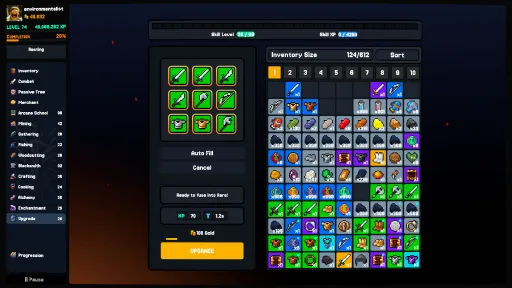
Fuse All Button: The Item Fusion (Rarity Upgrade) panel now features a dedicated Fuse All button! It automatically scans your inventory and slotted gear to bundle complete sets of 4 matching items of the selected rarity.
Batch Processing: See exactly how many fusions will occur at once (e.g. Fuse All Rare (x3)) and complete them all in a single action, earning skill XP and paying the combined gold cost seamlessly (with a small 25% convenience fee).
Merchant QoL & Stat Upgrades
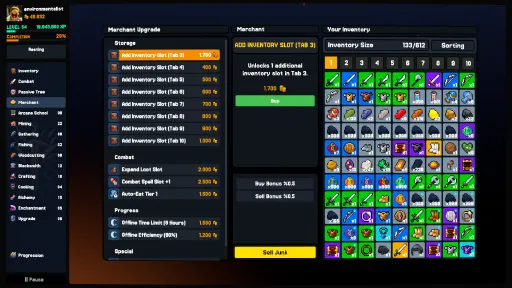
Bulk Inventory Slot Purchase ("Buy xN"): You no longer need to click repeatedly to buy bag slots! Selecting the Inventory Slot upgrade now presents a Buy x10 (or maximum affordable amount) button to unlock multiple bag slots in a single click.
Clear Upgrade Stat Comparisons: When inspecting upgrades at the Merchant, the description now clearly previews exact before-and-after values (Current > Next (+Gain)), including:
Auto-Loot Speed (e.g., 45s > 30s)
Offline Hours & Offline Efficiency (e.g., 8h > 10h, 60% > 70%)
Crafting & Progression Guidance
Ingredient Acquisition Tooltips: Ever wondered where to find a specific crafting material? Hovering over any recipe ingredient in Blacksmithing, Cooking, Refining, and Crafting now reveals its exact source:
Resource Nodes: Displays which tree, ore, fish, or herb node provides it (e.g., "Gathered from Oak Tree.").
Act Combat Level Cap Notice: When earning reduced XP from combat after reaching the current Act's level cap, the floating XP indicator now explicitly explains the reason (e.g., "+1 XP (Act Level Cap)").
Enchanting & Economy Balancing
Reduced Enchanting Costs: Base gold costs for enchanting equipment have been reduced by 50% across all rarities.
Cheaper Transmutation & Extraction: Transmuting essences and extracting materials now costs only 25% of the standard enchant cost, significantly lowering the barrier to experiment with essence crafting.
Bug Fixes & Improvements
Safety Lock for Menus: Prevented accidental right-click item equipping while the Rarity Upgrade, Item Upgrade, Enchantment, or Transmutation menus are open.
Inventory Split Fix: Fixed a slot indexing issue when splitting stacked items through the right-click context menu.
Level Unlock Reliability: Station unlocks and level-gated features now reliably refresh and activate immediately upon loading or leveling up.
Language Auto-Detection: Fixed an issue where generic language tags could misidentify regional dialects (such as Traditional vs. Simplified Chinese) on game startup.
Patch 0.7.5.3 Notes: Combat Auto-Sell & Auto-Loot Overhaul
New Feature: Combat Auto-Sell System
Merchant Upgrade – Equipment Auto Sell: You can now unlock the Auto Sell upgrade from the Merchant for 200,000 Gold.
Combat Rarity Filter: Once unlocked, a new multi-select dropdown appears directly on the Combat screen, allowing you to choose which equipment rarities (Common, Uncommon, Rare, Epic, Legendary, etc.) you want to automatically sell.
Instant Gold Conversion: Any dropped combat equipment matching your selected rarities is immediately liquidated into Gold at full merchant value upon dropping.
Auto Sell Floating Popup: Earning gold through auto-sell now displays a clean, dedicated floating popup indicator (Auto Sell: +X Gold).
Protected Items Whitelist: Only weapons, armor, and accessories are affected by Auto Sell. Valuable crafting materials, consumables, tools, and quest items are fully protected and will never be automatically sold.
Auto-Loot Overhaul & Loot Management
All-At-Once Loot Pickup: Auto-Loot has been reworked! Instead of collecting a limited number of items per tick, Auto-Loot now vacuums all pending combat and ground loot into your inventory in a single sweep whenever it triggers (as long as you have inventory space).
Tier 4 Speed Upgrade: Added a new Tier 4 Auto-Loot Speed upgrade to the Merchant, allowing you to reduce the auto-pickup interval to rapid collection speeds.
Ground Loot Stacking: Identical stackable items dropped in combat now automatically merge into existing ground loot stacks rather than taking up additional ground slots.
Standardized Ground Loot Limit: Combat ground loot capacity is now standardized to 12 slots.
Merchant & Interface Improvements
Clear Maxed Upgrades: Fully upgraded items in the Merchant shop no longer vanish unexpectedly. Instead, maxed-out upgrades now remain visible in the shop with a clean MAX indicator.
Compact Gold Numbers: Large gold amounts across Merchant shop slots, trade amount dialogs, and the "Sell Junk" preview now display clean compact formatting (e.g. 12.5k, 1.5m).
Bug Fixes & Stability
Full Inventory Protection: If your inventory fills up while Auto-Loot triggers, the system halts safely without losing remaining items and warns you that your bag is full.
Boss Chambers: Balance & Loot Refinements
Boss Stat Tuning (+20%): Increased Health, Physical Damage, and Elemental Damage across Boss Chambers 1–10 and Skill Mastery Bosses by 20% to provide a tighter endgame challenge.
Dynamic Loot Roll Ranges: Rebalanced Boss Chamber rarity weights (Rare through Eternal) and ensured dropped equipment levels and rarities respect both the Boss's current level and your Combat Level.
Enchanting & Rarity Upgrade Improvements
Safer "Auto Fill" in Transmute & Extract: Clicking Auto Fill in the Transmute & Extract tab now loads your lowest-rarity, lowest-value item with extractable suffixes into the slot for preview before extracting—allowing you to inspect the item and its Orb/Essence yield before confirming—and works across all inventory tabs.
New "All" Rarity Filter in Upgrade: Added an "All" option to the Rarity Upgrade dropdown. When All is selected, clicking Auto Fill automatically pulls a complete set of 4 matching items starting from the lowest available rarity without locking your dropdown selection.
UI & Quality of Life
Merchant "Sell Junk" Gold Preview: The Sell Junk button in the Merchant window now visually highlights whenever you have items marked as Junk and displays the exact total Gold you will earn before selling.
Act Max Combat Level Notice: When your Combat Level reaches the cap for a lower Act, the Act Overview panel now displays 1 XP alongside a clear "Reached Max Combat Level For This Act" indicator.
Patch Notes: Auto-Extraction, Seamless Act Progression & QoL Fixes
Enchanting: Automated Extraction & Preview Improvements
New "Auto Fill" Batch Extraction (Transmute & Extract Tab):
Added an Auto Fill / Cancel button next to the Extract button in the Transmute tab.
Activating Auto Fill automatically pulls unlocked, enchantable items from your inventory—prioritizing your lowest-rarity and lowest-value gear first.
Accurate Enchantment & Catalyst Previews:
Power Stone Preview Fix: Projected base stat increases are now calculated directly from the item's unscaled base stats (preventing inflated preview numbers on already enchanted items) and highlight the upgraded value in green.
Clear Suffixes Slot Count Fix: Previewing a Clear Suffixes stone now accurately displays the item's restored suffix slot capacity.
Combat: Seamless Act & Boss Progression
Automatic Act Boss Entry: Completing the final normal zone of an Act now automatically transitions into that Act's Boss Zone if you meet the required Combat Level, rather than stopping combat at the end of the zone.
Smart Post-Boss Progression Loop:
Defeating an Act Boss now automatically advances your character into the first zone of the next Act if you meet its entry requirements.
If you do not yet meet the next Act's requirements, combat seamlessly loops back to farm the previous zone until you are ready to advance.
Rarity Upgrade (Item Fusion): Smart Auto-Fill Fallback
Automatic Rarity Fallback on Auto-Fill: If your currently selected rarity does not have 4 eligible unlocked items when clicking Auto Fill, the system now automatically scans and fills from the next available rarity tier that has at least 4 matching items.
Skill Tree, Loot & Settings Fixes
Faster Skill Tree Node Unlocking: Standardized the hold-to-unlock duration across all Skill Tree nodes to a fast, fixed 0.4 seconds (removing the longer hold delay).
Language Setting Persistence Fix: Language preferences are now saved using explicit language codes alongside menu indices, ensuring your chosen language never shifts when new languages are added to the game.
Chests & Containers: Quality Polish
Removed Junk from Early Surprise Chests: Junk items have been completely removed from Common and Uncommon Surprise Chests, guaranteeing that opening early-game chests rewards useful gear, resources, or gold instead of clutter.
Exploit Fixes: Rarity Upgrader
Resolved Upgrade Cloning / Duplication Glitch: Fixed an issue where removing items or closing the Rarity Upgrade panel while an upgrade was actively processing could result in items being returned to the inventory while the upgrade still finished and granted the result.
User Interface & Visual Bug Fixes
Merchant UI Alignment Fix: Corrected an issue where Merchant upgrade cards and purchase options could spawn collapsed, clipped, or with misaligned layout anchors.
Inventory: Global "Sort All" System
New "Sort All Tabs" Button: Added a dedicated Global Sort button to the top header of the inventory window alongside the standard single-tab sort option.
One-Click Full Inventory Sorting: Left-clicking "Sort All" organizes items across all unlocked inventory tabs at once, automatically consolidating fragmented stacks and organizing your entire storage in a single click.
Lock Protection: All locked items and locked inventory slots are strictly respected and will not move or lose their positions during global sorting.
Independent Global Sort Preferences: Right-clicking the "Sort All" button opens a dedicated context menu allowing you to choose your preferred sorting criterion (Item Type, Rarity, Level, Value, Quantity, or Recently Acquired). Your global sort preference and ascending/descending order are remembered across sessions.
Improvements & Fixes
Maximum Life Leech Cap (25%): Percentage-based Life Leech is now hard-capped at 25% of damage dealt. This prevents extreme damage builds from achieving total invulnerability while keeping Life Leech a potent sustain option.
Dynamic Level Variance on Drops: Overhauled the item level calculation for dropped equipment. Gear now drops within a natural level range around your character (-5 to +2 levels)
Smart Recipe Auto-Selection: Returning to a crafting menu while a crafting task is in progress now automatically navigates to and highlights the currently crafting recipe and its subcategory, instead of resetting to the first item in the list.
Offline Crafting Fix: Resolved an issue where claiming offline crafting rewards could cause input ingredient duplication or fail to stop the crafting task once materials were depleted. Tasks now cleanly conclude when materials run out or the queue finishes.
New Content: Act 5 – The Blue Goblin Realm
12 Brand-New Combat Zones: Journey through 12 newly uncovered areas (Act 5-1 through Act 5-12), taking combat progression to the next level.
New Enemy Faction – Blue Goblins: Face off against the fierce Blue Goblin tribe, featuring 15 distinct unit variants equipped with custom visual gear, attack animations, and high-tier combat stats.
Boss Encounters
Act 5 Boss Encounter (Level 70): The colossal Blue Goblin Chieftain awaits at the climax of Act 5-12
Act 4 Boss Debut (Level 54): Officially introduced the final challenge for Act 4, featuring a 4x Health multiplier, mythic difficulty rating, and bespoke encounter parameters.
Boss-Exclusive Loot Table:
Defeating Act 4 and Act 5 bosses guarantees 1 to 3 high-tier equipment drops.
Dynamic Enemy Affix & Tag Modifiers System
Enemies across all acts now have a chance to spawn with special Affix Tags, altering their defensive profiles and significantly increasing your rewards:
Wealthy: Grants +15% Health and drops +150% Gold (2.5x total Gold).
Tough: Possesses +50% Health, gains 10% flat damage reduction against all incoming player attacks, and boosts overall loot reward multipliers.
Armored: Grants +75% Armor, heavily dampening non-piercing physical strikes while increasing reward multipliers.
Empowered: Boasts +25% Health, +15% Armor, and yields +150% EXP (2.5x total EXP).
Pierce Resistant: Grants 35% Armor Pierce Resistance, countering pure penetration setups.
Multi-Tag Elites: Higher acts now feature a chance for dangerous monsters to spawn with 2 or even 3 simultaneous tags.
Rarity Bump Chance: Defeating elite tagged monsters with high reward multipliers now grants a progressive chance to bump dropped item rarity up by a tier (e.g., turning a Rare drop into an Epic, or Epic into Legendary).
Chests Updates
Instant Opening for Special Chests: Special chests can now be opened directly without holding delays, instantly transferring rewards straight to your inventory.
New Feature: Inventory: Multi-Item Selection & Bulk Actions
Multi-Item Selection (CTRL & SHIFT): You can now select and manage multiple inventory items simultaneously up to a maximum of 18 items:
CTRL + Left Click: Toggle-select individual items across your inventory.
SHIFT + Left Click: Select a contiguous range of items between your last selected item and the clicked slot within the current tab.
Multi-Item Drag & Drop:
Dragging any selected item now drags all selected items together as a group.
Dropping the group into another inventory tab or slot moves all selected items in order to the destination tab.
Bulk Context Menu & Hotkeys:
Bulk Lock / Unlock: Right-clicking or pressing the Lock hotkey now locks or unlocks all selected items at once.
Bulk Junk Marking: Mark or unmark all selected items as Junk in a single action.
Keyboard Shortcut Tooltip Hints: Hovering over inventory items now shows contextual footer hints for CTRL - Multi-select, SHIFT - Select range, ALT - Details, and TAB - Compare.
New Feature: Combat Auto-Loot System
Merchant Upgrades Added:
Auto Loot Unlock: Unlocked automatic combat loot collection from the Merchant. Once acquired, monster drops during combat are automatically gathered into your inventory over time without requiring manual clicks.
Auto Loot Speed Tiers: Upgraded your looting frequency to gather drops much faster:
Tier 1: Collects loot every 45 seconds
Tier 2: Collects loot every 30 seconds
Tier 3: Collects loot every 20 seconds
Auto Loot Capacity Tiers: Increased the number of items collected per cycle:
Tier 1: Collects 2 items per trigger
Tier 2: Collects 3 items per trigger
Inventory Safety & Drop Protection:
Added inventory fullness safeguards: Auto-looting automatically pauses and displays an "Inventory Full" alert when storage limits are reached, ensuring valuable items are not lost.
Any uncollected pending loot drops are safely preserved across game saves and sessions.
Enchanting System Overhaul
Item Burn & Destruction Removed: Items can no longer be burned or destroyed while enchanting.
Simplified Enchantment Flow: Removed enchantment level restrictions and failure penalties, allowing you to freely modify and reroll item affixes.
Chests & World Loot Balancing
Tiered Combat Chests: Standard combat chest drops are now split into distinct rarity tiers:
Common Chest
Adventurer's Chest
Treasure Chest
Each chest tier features dedicated, curated loot tables containing level-appropriate gear, raw materials, and gold.
Combat Loot Table Overhaul: Rebalanced mob and boss drop tables across Acts 1, 2, 3, and 4.
Crafting & Tool Recipes
Tool Recipe Rebalance: Comprehensively rebalanced crafting recipes for all tools (Fishing Rods, Mining Pickaxes, Shovels, Wood Axes) across all 8 tiers:
Reduced excessive high-tier ingredient requirements to match standard gathering progression.
Standardized Blacksmithing experience gain and gold values for crafted tools.
UI
Loot Chances Display: Area completion reward views now clearly display minimum and maximum loot rarity ranges along with expected gold and experience yields.
Task System & Multitasking
Triple Concurrent Task System: Upgraded the task engine to support three fully independent, simultaneous activity channels:
Combat
Gathering (Mining, Woodcutting, Fishing, Gathering, Arcane School)
Crafting (Blacksmithing, Cooking, Alchemy)
You can now actively fight in Combat, gather resources, and craft equipment/potions all at the same time without interrupting each other.
Triple-Slot Task Bar: The main status bar now features three dedicated slots displaying real-time cycle progress, queue counters, and icons for Combat, Gathering, and Crafting simultaneously.
Combat & Enemies
Enemy Variety: Added new Goblin and Human enemy variants to bring greater visual diversity to combat encounters.
Gathering & Potion Loadouts
Dedicated Gathering Potion Slots: Resource gathering screens (Mining, Woodcutting, Fishing, Gathering) now feature dedicated, persistent potion loadouts directly on the resource panel.
Quick Potion Selector: Clicking a gathering potion slot opens an inline menu showing matching potions from your inventory, letting you equip, swap, or unassign potions instantly without opening the character equipment window.
Live Potion Timers: The resource panel now tracks and displays real-time countdown timers for active timed buffs alongside remaining consumable charges.
Offline Progression
Offline Gathering Potion Simulation: Offline progress calculations now fully account for potions equipped in your gathering loadouts. Active potion speed boosts and charges are accurately consumed and applied to offline gathering yields while away.
Crafting & Equipment Upgrades
Targeted Rarity Upgrades: Added a target category selector to the Rarity Upgrade station. When combining items to upgrade their rarity, you can now target a specific gear slot (Weapons, Armor, Amulet, Ring, Shield) or keep it set to Random.
Task System & Multitasking
Combat & Gathering Multitasking: Combat has been transitioned to the secondary task channel. You can now engage in Combat simultaneously while actively performing primary gathering tasks (Mining, Woodcutting, Fishing, Gathering, or Arcane School).
Redesigned Task & Job Status Bar: Completely replaced the old job progress bar with a unified dual-slot task display.
[img src="{STEAM_CLAN_IMAGE}/45609992/02ae4e4cdc47d4090bc84be910b6a15642b0ca59.png"]
Progression & Account Experience
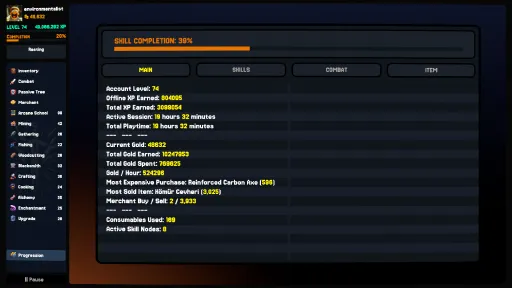
Early-Game Account XP Curve Smoothing: Significantly smoothed and reduced the Account Level XP requirements for early and mid-game levels, making account progression noticeably faster and more rewarding.
Economy & Merchant Stations
Tier 1 Workstation Cost Reductions: Lowered gold purchase costs across all Tier 1 crafting and gathering stations from the merchant:
Gathering Station: 400 Gold (previously 800 Gold) — 50% reduction
Cooking Station: 400 Gold (previously 500 Gold)
Mining Station: 800 Gold (previously 1,200 Gold)
Alchemy Station: 1,200 Gold (previously 1,800 Gold)
Arcane School Station: 1,400 Gold (previously 2,000 Gold)
Upgrade Station: 2,200 Gold (previously 2,500 Gold)
Enchantment Station: 2,400 Gold (previously 3,200 Gold)
Combat & Auto-Eat
Smart Auto-Eat Detection: Auto-Eat now automatically selects an available equipped food or healing potion if none was selected, ensuring you are protected without requiring manual selection first.
Continuous Auto-Eat Fallback: If your currently assigned food or potion runs out of charges during combat, Auto-Eat immediately and seamlessly transitions to the next available consumable in your belt.
Item Generation & Equipment Affixes
Archetype-Specific Suffix Filtering: Equipment affixes now respect weapon and armor archetypes:
Universal affixes (such as Critical Strike Chance, Attack Speed, and Health) remain available across all equipment types.
Combat-specific affixes now only appear on matching weapon types: Melee affixes on melee weapons, Ranged affixes on ranged weapons, and Magic affixes on magic items, preventing off-type stat rolls.
Defensive and utility affixes remain tailored to Armor and Jewelry.
High-Tier Suffix Probability: Higher rarity equipment now has weighted bias toward rolling higher-tier affix ranks.
Crafting & Recipes
Starter Tool Recipe Fix: Corrected crafting recipes for all Tier 1 tools (Fishing Rods, Mining Pickaxes, Shovels, and Wood Axes) to properly use basic starter Timber (x3) instead of inaccessible advanced materials.
Crafting Rarity Filters & "All" Button: Added dedicated rarity filter buttons (Common, Uncommon, Rare, Epic, Legendary) alongside an "ALL" reset button.
Recipe Sorting Options: You can now sort crafting recipes by Required Level, Name, or Tier.
[img src="{STEAM_CLAN_IMAGE}/45609992/175d245620b2dff21d0a3627965395e2f8b8c599.png"]
Inventory & Consumables
Smart Consumable Stacking: Equipping food and potions from your inventory now automatically stacks them into existing matching slots first (prioritizing smaller stacks) before consuming an empty slot.
Inventory Context Menu Cleanup: Removed the unused "Dump Stock" option from the right-click menu and disabled equipping actions while interacting with merchants to prevent accidental gear swaps.
Full Inventory Chest Opening: Fixed an issue where locked or full inventories prevented opening chests even when the chest itself freed up the required slot.
UI & Quality of Life
Account & Level Progression UI: Decoupled the Account Level bar from active task bars for smoother visual updates, eliminating UI stutter during rapid experience gain popups.
Performance Optimizations: Optimized frame-by-frame consumable charge counters and combat checks to reduce unnecessary background memory allocations.
The Combat Exit button has been simplified, allowing players to exit combat with a single click.
Combat, Areas & Balance
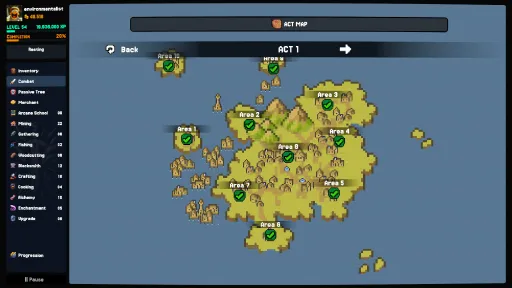
Act & Area Map Updates: Area progression and stage completion statuses now refresh automatically in real time whenever you complete combat or advance to new stages.
Loot Table Balancing: Cleaned up and rebalanced loot drop tables across Acts 2, 3, and 4.
Items, Equipment & Enchanting
Empty Suffix Slots Display: Equipment tooltips now visually display unassigned enchantable suffix slots, making remaining enchantment capacity immediately clear.
Enchantment (Clear Suffixes / Scouring): Using a Scouring Stone to wipe item suffixes now properly restores all available suffix slots up to the item's maximum rarity capacity.
Potion Equip Level Removal: Removed player level requirements from all potions across all tiers. All potions can now be equipped and used at any level.
Chest & Container Opening: Opening treasure chests now clears the chest from your inventory slot before evaluating reward space, allowing chests to be opened even when your inventory is completely full.
Mining Potion Visuals: Fixed an issue where Mining Potions across all tiers were incorrectly displaying the Healing Potion icon.
Crafting & Alchemy
Crafting Queue Preview & Progress: Added a dedicated crafting preview widget. It displays the recipe icon and a progress bar that tracks the entire multi-craft batch.
Alchemy Recipe Level Requirements: Significantly lowered required Alchemy levels across potion crafting recipes:
Tier 1-2 Potion Refinements: Level 15 (previously Level 30)
Tier 2-1 Potions: Level 4 (previously Level 5)
Tier 3-1 Potions: Level 8 (previously Level 10)
Tier 4-1 Potions: Level 12 (previously Level 15)
Progression, Mastery & Skills
Level 30 Mastery Milestones: Added a Level 30 Milestone Mastery Bonus to Mining, Woodcutting, Fishing, and Gathering, with updated milestone views.
Resource Gathering Level Requirements: Lowered the required skill level to harvest higher-tier resources:
Tier 3 Resources: Level 18 (previously Level 20)
Tier 4 Resources: Level 28 (previously Level 35)
Tier 5 Resources: Level 40 (previously Level 50)
Tier 6 Resources: Level 55 (previously Level 65)
Tier 7 Resources: Level 70 (previously Level 75)
Resource Mastery Action XP: Rebalanced Mastery XP granted per action across all resource tiers (Tier 1: 5 XP, Tier 3: 20 XP, Tier 8: 100 XP; previously 10 to 300 XP).
Skill Tree Node Fix: Fixed non-combat skill tree nodes (Mining, Woodcutting, Fishing, Gathering) so that speed bonuses, rare item find chances, EXP gains, and mastery progression correctly apply percentage boosts (+8%, +10%) instead of flat values.
Steam Cloud & Save System
Real-Time Cloud Status Badges: Save slots now display live Steam Cloud status badges indicating whether each slot is syncing, up to date, updated from cloud, or experiencing a connection error.
Cloud Overwrite Protection: Selecting an empty save slot or starting a new game now checks Steam Cloud first, preventing accidental overwrites of existing cloud data on fresh installs.
Automatic Slot List Refresh: The save slot screen now refreshes automatically as soon as cloud saves finish synchronizing in the background.
UI & Localization
Fishing Tooltip Fix: Corrected the English description for rare fishing material find chance (previously mistakenly copied the fishing speed text).
Progression & Skills
Account Level XP: Total XP required to reach Account Level 99 has been reduced to 67,000,000 XP (previously 76,627,200 XP).
Crafting & Blacksmithing XP: Total XP required to reach Level 99 has been adjusted to 530,000 XP.
Resource Gathering Requirements: Lowered level requirements for harvesting higher-tier resources across Mining, Woodcutting, Fishing, and Gathering:
Tier 3 Resources: Required Level 18 (previously Level 20)
Tier 4 Resources: Required Level 28 (previously Level 35)
Tier 5 Resources: Required Level 40 (previously Level 50)
Tier 6 Resources: Required Level 55 (previously Level 65)
Tier 7 Resources: Required Level 70 (previously Level 75)
Resource Mastery XP: Rebalanced Mastery XP gained per action across all resource tiers (Tier 1: 5 XP, Tier 4: 30 XP, Tier 8: 100 XP; previously 10 to 300 XP).
Steam Cloud & Save System
Cloud Save Overwrite Protection: Selecting or starting a new game in an empty slot now checks and synchronizes with Steam Cloud first, preventing accidental overwrite of existing cloud progress on fresh installations.
Automatic Slot UI Refresh: The save slot screen now automatically refreshes and displays up-to-date save timestamps once background Steam Cloud synchronization completes.
UI, Quests & Quality of Life
Skill Tree: Added a localized "Hold to acquire" prompt to node hover tooltips for accessible skills.
Quest Clarifications: Updated main quest objectives across all 13 supported languages to explicitly indicate the target combat stage (e.g. Act 1-4, Act 1-6).
Current Release
Build 25912698
Uploaded Oct 14, 2026
Requests are paused right now
PC Games requests are paused for now while we work through the backlog. Other areas and voting stay open.
Login Required
You need to be logged in to request game updates. Would you like to go to the login page?
Request Update
Request an update for Between Adventures IDLE? This will notify uploaders that this game has an available update.
Request Submitted
Your update request has been submitted successfully! Uploaders will be notified.
Request Failed
Failed to submit update request:
System Requirements
How to Install
Between Adventures IDLE.exe to play
Troubleshooting tips
• Run Redist/_CommonRedist installers if game won't start
• Add folder to Windows Defender exclusions
• Run as administrator
Download
Direct link available
Needed when extracting (WinRAR / 7-Zip) — not a site login.
6B3C5D32
7cd0a558b6c4ae7fa7f32c4476569493507ef56c9dd070806b8da86d83641c90
You May Also Like
View All






Download Between Adventures IDLE for PC with a direct link or via torrent. Get the full version of Between Adventures IDLE for free. Between Adventures IDLE is a Adventure released by Loop Forge.