






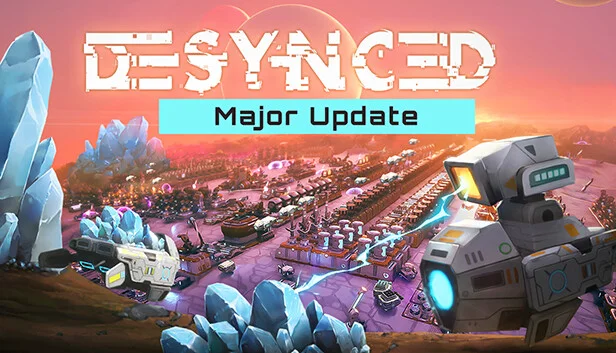
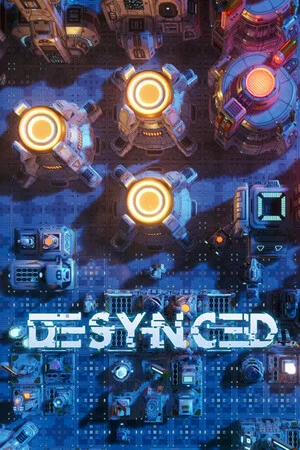
Desynced
by Stage Games Inc. · 15 Aug, 2023
56 downloads
About the Game
When your ship becomes damaged, you must send drones to the surface of an unknown planet to build the facilities necessary for repairs. Guided by ELAINE, your onboard AI, you will build, automate, survive, and thrive. But is there more to learn from this mysterious world?
Desynced is an automation game without belts. Drones connected to your logistics network will automatically fill orders to move material around your base. Set up mining operations and factories, expand your logistics network to cover more area, manage power generation and storage, and more. When you need a more custom solution, tailor the behavior of your facilities and bots using customizable parameters, or dive into drag-and-drop scripting for maximum control.
⚙️Automate
Intricate Resource Management: Master the art of resource management, production chains, and automation to ensure the survival and prosperity of your base. Every decision counts as you strive to maintain a delicate balance in this hostile world.
🤖 Customize
Fully Customizable Units: Desynced uses drones instead of belts. Equip them with tools fit for their purpose, or program advanced behaviors using a drag and drop editor. Tailor units to your playstyle and adapt to the challenges that await.
🔬 Research
In-Depth Technology Tree: Dive into a deep research system that will expand your technological prowess. Unlock new possibilities, develop advanced units and structures, and gain an edge over your foes as you unravel the secrets of this captivating world.
🌟And More! 🌟
🔧 Make it your own with modding Support and Steam Workshop Integration
👥 Join forces with friends or challenge them in multiplayer
🎮 Be the first to try new content as it rolls out during early access
Screenshots
19 images


Version Information
Steam Patch Notes
Official update history
Experimental 1.0.18417
Additions
Visualize battery stats in the power panel on the top left of the screen:
Highlight amount supplied by batteries with a lighter color
Dim amount used to charge batteries in a darker color
Show a separate bar with how much of total capacity is stored)
Add more details to tooltip (breakdown of power being available and used, battery statistics)
Two new late game units, Multi-Frame Scout and Multi-Frame Engineer
Added more radar filters ('Inefficient', 'Has Stale Order', 'Running a Behavior', 'Connected', 'High Priority', 'Transport Route', 'Only Item Transporters')
New "How to Play" codex page about blight storms
New icons for integrated components on player controlled bug units
Support previewing the models of bug units in the blueprint/upgrade editor, on the construction cursor and on upgrade construction sites
Support showing the yellow highlighting on bug units when hovering them with the mouse
Add "Blight Fog Density" game option (minimum amount of blight fog displayed after visibility into the blight has been obtained), defaulting to 5%
Add reset to default buttons to interface scale and auto save time options
Reduce unnecessary shuffling when moving a group of units (try to keep existing checkerboard pattern formation)
Changes
Unlock the other playable races earlier when researching the initial technology related to the respective race
Change the option "Allow Race Selection" to "Disallow Race Selection" (have it enabled by default once another race is unlocked)
Changed path finding for non-player controlled units (i.e. bugs) to not wait or push when bumping into each other, instead they now always find a new path even if it results in a detour
Combine queues of story and research popups so only one of them shows (and not both overlapping simultaneously)
When relocating or upgrading a building/unit, keep all target references intact, even if the references are stored inside Deployer or in the blueprint library
Remove power requirements of Item Transporter components and the integrated one of the Human Warehouse building
Swapped Plasma Cannon and Monolith Lightning component unlocks in the tech tree
Blight extractors now work outside of the blight during a sandstorm
Make Deconstructor component retry after a while if the target can't be deconstructed (the target might be damaged and get healed after which it can get deconstructed)
Change color of the effect of the Hacking Tool component from green to red
Change capitalization after hyphen in titles/names (i.e. "Human Orbital Comm-link" -> "Human Orbital Comm-Link")
Rename "MultiCube" to "Multi-Cube" (to match the other Multi items)
Make game options page match the look of the video options page
Make store arrow lines curve higher when connecting buildings very close by each other
Various tweaks to foundations (reduced ingredient requirements, slightly adjusted speed improvements)
Improved variety for random plateau loot drops
Fixes
Fix yellow outline not showing on read-only registers containing a target reference in the multi-unit selection and in the Memory Viewer of the behavior editor
When relocating or upgrading a building/unit, keep all target references intact, even if the references are stored inside Deployer or in the blueprint library
When repairing a mission building or unit, keep all target references intact, even if the references are stored inside Deployer or in the blueprint library
Fix empty dropped items being left existing in the world if the last item in it was a loaded behavior controller and a construction site is placed over it
Fix stealth effect not showing on bug units
Fix non-ingredient items ordered to be taken out of an upgrade site vanishing when upgrade finishes before items are taken out
Fix "Running a behavior" state icon becoming stuck when trying to start a completely empty behavior
Fix shield effect being drawn too big on the Large Beacon
Fix certain effects (i.e. the storage register arrow-line) originating from buildings using visual scaling like the Large Beacon being offset wrong
Fix all construction sites highlighting when hovering over any unit/building
Fix yellow highlight sometimes being shown out of sync on alien structures with rotating parts
Fix always showing "Insufficient resources detected" popup when trying to deploy the Command Center without a Power Cell equipped (which determines the range of resource checking)
Fix "Running a Behavior" state icon staying when pausing a behavior either manually or via debug breakpoint
Fix pressing C on a building with no construction recipe still starting the construction cursor (regression of v1.0.18352)
Fix story popups not disappearing when clicking on an image contained in them (regression of v1.0.18352)
Experimental 1.0.18352
Additions
A new campaign with 3 large missions when playing as human with the end-game feature "Allow Race Selection" (needs a new game to get started)
Show a popup similar to the research one when a single piece of technology gets unlocked via something other than tech research (i.e. when first picking a Robotics Datacube)
Add more custom icons for integrated component distinct from socketed components
Changes
When copying one or more building(s) by pressing C, automatically start a construction cursor with it
When clicking on a building with a construction cursor, offer to either configure an upgrade or to just apply the copied settings
Have more helpful confirmation message when trying to paste the settings of a unit onto a building or vice versa
In the construction site interface, don't list items unrelated to the ingredients under "Requirements", instead, if there are any unrelated items, show a full inventory where items can be dragged out
Round movement speed increase numbers of foundations up to nicer numbers (111% => 115%, 143% => 150%, 167% => 175%)
Make player built Command Center bots have deployment functionality (matching player built human Landers)
Mothership Repair, return the repair ingredient required most, instead of ingredient order
Item tooltip: List integrated production/mining components as "<COMPONENT> on <BUILDING/UNIT>" instead of just the name of the integrated component alone
Item tooltip: Don't show a padlock icon for the production component as it can be misleading especially if the production is unlocked much later in the tech tree (or a mission expects the player to acquire items via other means)
Item tooltip: Show additional hint that Anomaly Particles can be caught in anomaly slots when mining blight crystals nearby
Item tooltip: Don't show the "Research Required" line when items can already be made or acquired in ways other than production (i.e. mining/extracting/converting/re-simulating/catching)
Item tooltip: Show "Research Required" above the producer list, change text color from red to yellow
Item tooltip: Show "Re-Simulated by" only if the Re-Simulator has been unlocked in the tech tree
Item tooltip: Consider 'Robotics Datacube' a known (and not locked) item even if it is only seen as a ingredient requirement (of 'Gateway Technology') but not yet unlocked
Item tooltip: Add a hint to how the items Blight Bar, Human Datacube and Alien Datacube can be discovered (besides just "Research Required", similar to how the Robotics Datacube has a hint already)
Item tooltip: Don't show padlock icons for yet unknown ingredients of items that themselves have been unlocked via research
Unit/building tooltip: Show item slots of integrated components (i.e. integrated anomaly containers or satellite launchers) alongside regular item slots part of the unit/building
When clicking the "Research" button in the System Index on an integrated component, find the research of the building/unit the component is integrated on
Remove the 'Human' prefix in front of names of units and buildings unlocked by the human tech tree or built by the human faction
Rename a few components for consistency ("Repair Component" -> "Repairer", "AOE Repair Component" -> "AOE Repairer", "Small AOE Repair Component" -> "Small AOE Repairer", "Robot Re-Simulation Component" -> "Re-Simulator Component", "Drone Component" -> "Internal Drone Port", "Alien Power Nova Component" -> "Blight Power Nova Component")
Add to description of tech "Human Data" about it granting the faction wide blight shield (similar to "Blight Stability")
Don't show map pins and notification about missions when playing as non-robots in a multiplayer game with a robots faction also existing
Make side mission explorables spawned for a robot faction in multiplayer not interactable for non-robot factions (i.e. abandoned mining base)
Remove race color backgrounds behind icons of integrated components on registers and in the System Index
Only show Re-Simulator cutscene for robot factions
Add "How to Play" pages to codex when playing as a human or alien faction
Change name of "Re-Simulator Core" (ingredient of "Human Simulation Core", etc.) to "Simulation Core"
Instead of unconditionally unlocking Simulation Core and Human Simulation Core when picking up a Dense Anomaly Cluster, only unlock it when it is picked up by a robot faction for step 4 of the 'Human Discovery' mission (non-robot factions unlock it via regular research)
Remove Blight Bar unlock on the Blight Research tech because it already is unlocked previously by Blight Discovery
Make the 4 buildings that spawn for the "Human Building" explorable be placed in random corners (instead of always having the warehouse in the north-east)
Make scanning for special things with radars like the mothership not be instant but require the usual radar work time
Increase chance of an Anomaly Particle getting caught by a nearby unit by 50% (chance of catching it locally at the miner is unchanged)
Increase visibility range of the Human Lander to 20 to match the range of its integrated power field
In the System Index, on a page about a technology, show the button to go to the tech tree
Behavior instruction 'Compare Number': List when searching for '>', '<' or greater/larger/less/smaller
Behavior instruction 'Activate': List when searching 'Launch' or 'Land', add list of supported components to explanation text
Add additional Fresnel effect to stealth shader to avoid a stealthed unit being completely invisible when playing with effect quality set to 'Low'
Fixes
Avoid new bugs potentially spawning after enemies have been turned off via the in-game settings
Maintain any internal re-simulated flag on components when relocating a building
Fix upgrading an existing building or construction site with a new construction from the build menu
When customizing a new building construction or unit production or blueprint, have integrated production and mining components have their registers linked to the visual register (i.e. Human Refinery or Miner Mech)
Fix logging of Lua error when selecting empty tile to shoot
Fix Lua error getting logged when destroying the Anomaly Base right as it is executing a "Make Producer" instruction
Make map setting unlocked at the end of the main game story only appear when customizing settings on the main 'Freeplay' scenario (or a modded version of it)
Even if the map setting was unlocked at the end of the main game story in the full game, don't show the option when playing the demo version afterwards (as it doesn't do anything in the demo)
Fix spelling to always be "Re-Simulator" (and not "Resimulator" or "Re-simulator")
Fix health bar being shown near the ground instead of on the unit for the Human Shuttle
Fix rendered items on buildings/units not updating when swapping two stacks with each other
Fixed inventory slots not appearing on some human buildings
Experimental 1.0.18210
Additions
Add the technology category as a subtitle to the tooltip of a research technology
Changes
Recipe change, Small Satellites now require Ceramic Tiles instead of Low-Density Frames
Additionally list integrated components that don't have any specific stats of a unit/building in the System Index (i.e. Catchment and Connection of the Human AI Explorer)
Fixes
Fix the production selection window being unable to get applied when it was opened while "Last Copied" was selected
Fix water not being rendered at lower graphics quality levels when the camera is zoomed out far
Don't show 'Right-Click to move camera to result' for units not on the map (i.e. Mothership) or for things not visible to the player faction
Fix behavior instruction 'Loop Equipped Components' to not include certain built-in components like the Blight Charger on the AI Explorer unit
Fix wrong technology category titles showing in System Index and in the register value selection user interface when playing as a race other than robots
In research user interface, fix vertical lines remaining on screen when clicking on a queued research item in a different category than the currently opened one
Prevent a unit or building with an Item Transporter to carry out its own STORE orders if 'Connect to Logistics Network' is ON, 'Deliver Items' is OFF and 'Transport Route' is OFF
Fix number on STORE register (which designates minimum transfer amount) to sometimes still deliver even if the target doesn't have enough space when the source has multiple slots containing the same item
Experimental 1.0.18194
Changes
Show integrated production components as producers on tooltips if revealed in the tech tree but not yet researched (same already happens for regular components)
Show "Research Required" on the tooltip of integrated components for which the unit/building has yet to be researched
Remove race color backgrounds behind icons of integrated components in the unit interface
Fixes
Fix a ranged Item Transporter on a building potentially taking an order too early when a moving unit has started to move into the range but has not fully reached the tile yet, thus leading to the order getting aborted after being picked up because the target is actually out of range
Experimental 1.0.18186
Additions
Added "Disable Blight Damage Notification" option
Changes
Icon updates for integrated components on human units/buildings
Behavior instructions, deprecate 'Launch' and 'Land' into using 'Activate'
Fixes
Fix behavior editor help screen not working (and Lua error getting logged every time opening the behavior editor if it hasn't been opened in an older version) (regression from rev. 18063)
Fixed alternate methods which allowed clicking inside the blight before researching Blight Stability
Fix for behavior instruction 'Loop Producers' to properly loop all producers including integrated components
Fix Deployer sometimes being able to deploy buildings onto yellow tiles
UI fix for equipping a Robot Re-Simulation Component that contains data cubes
UI fix, Unify Behavior and Radar Parameters to be smaller on Multiselect and the same as single unit selection
Fix "Set Camera Home" not going back to home when "Follow Camera" was in use
Experimental 1.0.18152
Additions
Add custom icons for the integrated Intel Scanner component on the Human AI Explorer unit, the integrated Power Transmitter component on the Human Power Plant building and the integrated Blight Extractor component on the Blight Complex building
Fixes
Behavior instruction 'Distance': Return infinite when measuring distance against something not on the map (i.e. Mothership) instead of logging a Lua error
Bring back Metal Bar, Metal Plate and Reinforced Plate to list of productions of Reforming Pool which was mistakenly removed in the last patch
Bring back unlocking of the Transformer item for alien player factions when a human explorable is unlocked with Crystalized Obsidian which was mistakenly removed in the last patch
Fix changed integrated components from 1.0.18142 (on Blight Complex and Human AI Explorer) causing components in old saves to get duplicated when the building is relocated or the unit is acquired and deployed
Fix default visual register links of integrated components (i.e. production register on Blight Complex) getting recreated when relocating a building
Experimental 1.0.18142
Additions
Show numbers in the Control Center item detail tab and Progress window milestone tab with a comma thousands separator
Fixes
Fix construction site being placed on top of dropped item failing when the dropped item has been partially picked up (regression of 1.0.18020)
Fix new explorables not getting marked as having been visited when scanning them with an Intel Scanner component and aborting the scan
Experimental 1.0.18104
Changes
Rename buildings to match the actual size as it appears at the default rotation (all "Building 2x1" are now "Building 1x2" and "Building 3x2 (2M2S)" is now "Building 2x3 (2M2S)")
Undo the change from ver. 1.0.18055 where by default new constructions of non-square buildings start rotated to be wider than tall
Behavior instruction 'Get Unit Info': Make querying width/height of a unit/building type return the actual values of the underlying data (instead of having width always return the larger of the two numbers) - this is to make sure the numbers match with what the 'Place Construction' instruction will build with its default rotation
Add 400 recently added and modified strings temporarily localized via machine translation
Fixes
Fix logging of a Lua warning when opening the Codex
Fix logging of a Lua error when double clicking the Program Start node in the behavior editor
Experimental 1.0.18087
Changes
Revert a change of 1.0.18044 to again treat infinity in the GOTO register as 0 (because the radar component returns infinity by default which when linked onto GOTO should still work)
Removed the 4 docking garage item slots of the Alien Pincer unit
Behaviors
Keep arguments and pins associated on instructions 'Call', 'Load Behavior', 'Place Construction', 'Produce Unit' when modifying a referenced behavior or blueprint
Fix behavior editor error when deleting a behavior from the library while having it open in windowed mode
Fix loop behavior instructions possibly causing large stalls if there are many steps to loop but there is not a single instruction in the loop body
Make behavior editor Memory Viewer window slightly wider so the 10th item of each row doesn't get cut off when there are scrollbars
Instruction 'Get Resource Amount': Moved from category Values to World (next to 'Get Resource Type')
Instruction 'Launch'/'Land': Moved from category World to Units
Instruction 'Deploy': Support Human Lander deployment
Instruction 'Check Altitude'/'Check Blight': Moved from category Units to World
Instruction 'Set Link'/'Clear Link'/'Clear All Links': Moved from category Logistics to Components
Instruction 'Debug Print': Moved from category World to Communication, made to only print for players controlling the faction running the behavior
Fixes
Fix integrated components like capacitors not appearing when deploying a bot that was received as a reward from an explorable (regression of 1.0.18020)
Fix construction site being placed on top of dropped item potentially duplicating components with attached meta data (like a charged shield) (regression of 1.0.18020)
Experimental 1.0.18055
Changes
Behavior instructions 'Loop Signal', 'Switch', 'Memory Sift': Removed separate button to invert condition and added more modes to cover inversions
Behavior instructions 'Loop Signal', 'Switch', 'Memory Sift': Experimental branch breaking changes: Due to rearranging of the comparison modes, behaviors that used Fully Equal/Data Equal/Destroyed Reference need to be updated \[!]
By default start new constructions of non-square buildings rotated to be wider than tall (to match names like 2x1 or 3x2)
Behavior instruction 'Get Unit Info': Add options to query width and height of a unit/building
Behavior instruction 'Get Unit Info': Return an empty value instead of 0 when querying with an invalid input
Show boosted movement speed more exactly in the unit tooltip (rounded to one decimal place)
Fixes
Fix multiplayer sync check to not falsely report an error after a unit without a weapon component is docked and the garage has moved (regression in 1.0.18044)
Fix showing wrong icon on certain stats in the unit tooltip
Fix behavior editor changing the initial value of a parameter not getting registered as a change (and the 'Apply' button not becoming available immediately)
Experimental 1.0.18044
Changes
Treat the movement distance number of the GOTO register set to infinity as infinitely large (not 0)
Make a drone which has its GOTO register explicitly set to 1 not automatically dock (until now docking was done with both 1 and the default 0)
Behavior instruction 'Lock Item Slots': When locking all slots, instead of being limited to storage slots, make it affect slots matching the type of the item being set (i.e. Storage or Gas)
Behavior instruction 'Unlock Item Slots': When unlocking all slots, instead of being limited to storage slots, make it affect slots of all types
Fixes
Fix visibility and power range visualization circles becoming stuck when switching the selected unit (i.e. by pressing a shortcut group key or back space or shift-clicking a register with a target reference) while hovering a component socket or item slot
Make hovering an item slot show an arrow of the order related to the hovered item slot instead of visualizing any order that targets the currently selected unit/building
Show range of light components in the tooltip and visualize it in the world when hovering the mouse on an equipped light component
Trigger blight discovery even if the faction has no player logged in
Fix unequipping a Blight Charger component on alien and bug units disabling their inherent blight shielding
Make behavior editor Memory Viewer window slightly wider so the 10th item of each row doesn't get cut off
Fix multiplayer state potentially going out of sync when a unit docks/is possessed then undocks/is unpossessed in a different 60x60 map chunk
Avoid logging Lua error 'entity isn't placed on the map' when a worm attacks then immediately gets possessed or docked
Fix GOTO queueing to multiple dropped items aborting after picking up the first one since ver. 1.0.18020
Experimental 1.0.18021 Hotfix
Fixes
Fix internal API change to Tool.NewRegisterObject and register:Init to correctly set a number even if the value was empty, affecting a few instructions
Fix behavior instruction 'Bitwise Op' which stopped accepting empty values as its first argument
Reminder that Experimental is exactly that, back up your saves!
Current Release
Build 23176508
Uploaded Jun 19, 2026
Requests are paused right now
PC Games requests are paused for now while we work through the backlog. Other areas and voting stay open.
Login Required
You need to be logged in to request game updates. Would you like to go to the login page?
Request Update
Request an update for Desynced? This will notify uploaders that this game has an available update.
Request Submitted
Your update request has been submitted successfully! Uploaders will be notified.
Request Failed
Failed to submit update request:
System Requirements
How to Install
Desynced\Binaries\Win64\Desynced.exe to play
Troubleshooting tips
• Run Redist/_CommonRedist installers if game won't start
• Add folder to Windows Defender exclusions
• Run as administrator
Download
Direct link available
Needed when extracting (WinRAR / 7-Zip) — not a site login.
C69ADBD1
f58050da08c0aae7a76843d9c325eb7694af592ccc6f231633e883da3baa3e20
You May Also Like
View All






Download Desynced for PC with a direct link or via torrent. Get the full version of Desynced for free. Desynced is a Simulation released by Stage Games Inc..