







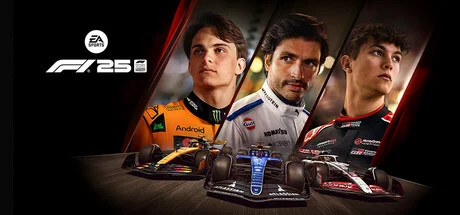
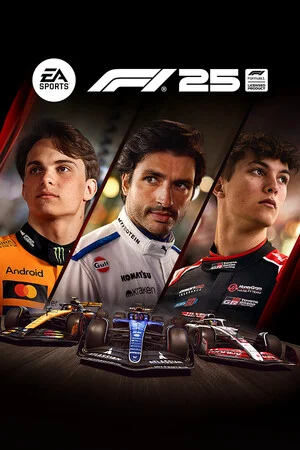
Hypervisor
Release is using Hypervisor bypass by DenuvOwO team.
- 1 Extract the game to a normal folder — avoid Program Files.
- 2 Enable CPU virtualization in your BIOS/UEFI — Intel: VT-x / “Virtualization Technology”, AMD: SVM Mode. Many boards already have it on.
-
3
Run
VBS.cmdfrom the game folder as Administrator, press 1, then restart your PC. On the next boot press F7 when the startup menu appears (turns driver signature enforcement off). - 4 Launch the game from its .exe in the game folder.
The crack is already applied — you don’t need to copy or patch anything yourself.
Antivirus warnings are expected. The bypass loads an unsigned kernel driver. If crack files vanish, whitelist the game folder and restore them.
Once it works, other Hypervisor games start right away — until you restart or shut down. Then repeat: VBS.cmd → 1 → reboot → F7.
When you’re done playing, run VBS.cmd again and pick the revert option to restore your Windows security settings.
DenuvOwO.nfo in the game folder has the crackers’ own release notes.
About the Game

- Konnersport's Legacy: For the first time ever, extend your Konnersport experience in Career & My Team Modes
- Design your own Team: Enhance both My Team and F1® World cars and create liveries that are more reflective of Formula One® as you customize driver numbers and move, scale, or rotate logos
- Accurate LIDAR Circuits: Experience 5 rebuilt tracks, including fan-favorite Suzuka with laser-scanned models of the real venues
- New Online Co-op Events: Brand new multiplayer mode in F1® World, where you and your friends race as a squad against AI drivers
- And more: New cinematics, updated podium scenes, and Reverse Tracks on select circuits
This game includes optional in-game purchases of virtual currency that can be used to acquire virtual in-game items.
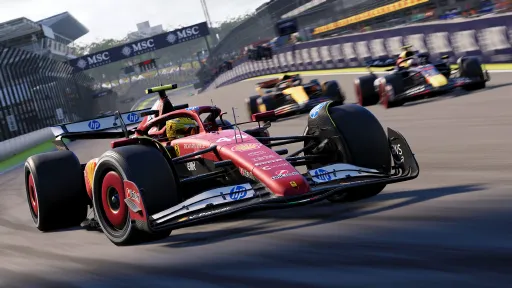
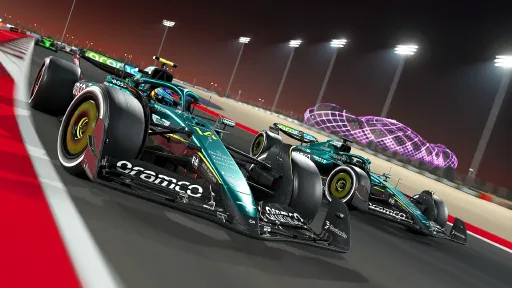
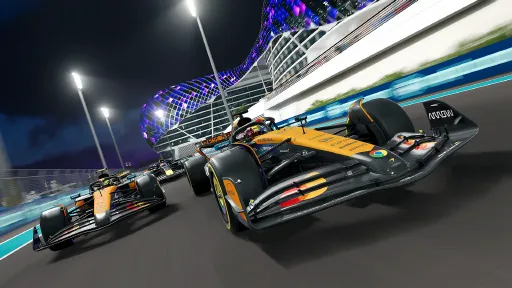
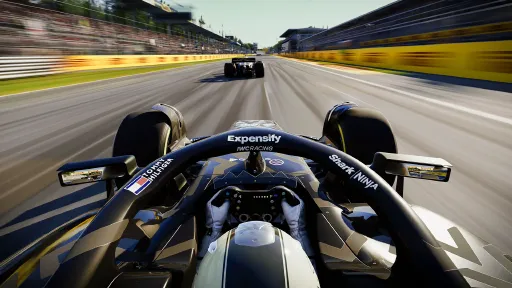
Screenshots
10 images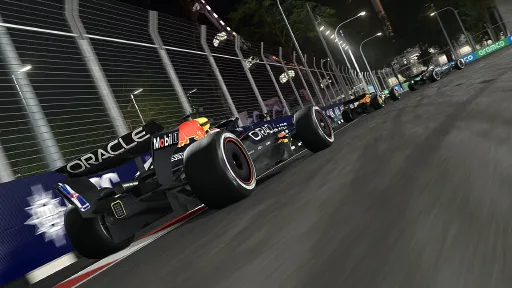
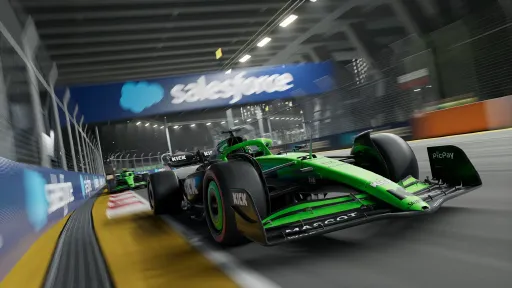
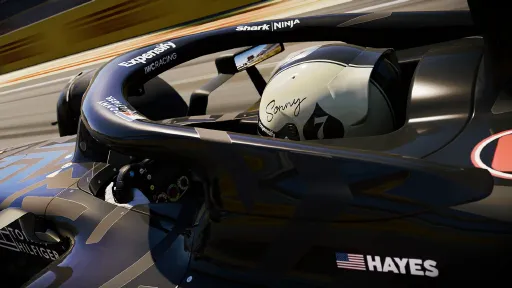
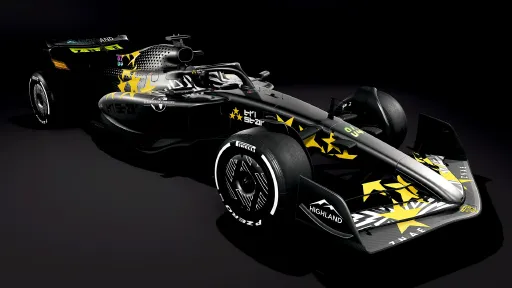
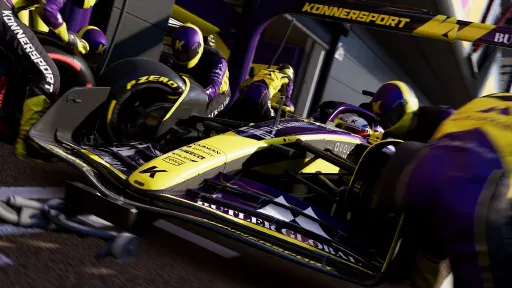
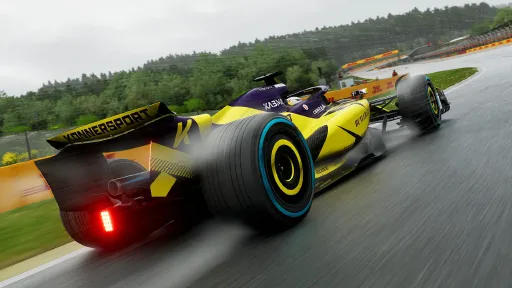
Version Information
Steam Patch Notes
Official update history
The 2026 Atlassian Williams F1 Team car has been updated in Patch v1.24, which will begin rolling out at 10 am UTC on Monday, July 13. Full Patch Notes -
Highlights
The 2026 Atlassian Williams F1 Team car has been updated.
Fixed an issue where "Hotlap" ERS mode was incorrectly available for some players in some wet race sessions.
Tracks
Updated the dynamic racing line in the braking zones at several tracks.
Updated the 100m braking board to the correct blue and white at all tracks.
Updated the bollards at Las Vegas to return them to their correct size.
Wheels & Controllers
Updated the Asetek Forte Formula Steering Wheel preset and added it to the Initium Wheelbase.
Updated UI for the Asetek Forte, Invicta, La Prima and Tony Kanaan wheelbases, plus the Invicta Pedals.
Added support for the Asetek Forte Formula Pro Steering Wheel.
Misc
Fixed an issue with the AI Control Cue accessibility option which prevented it from playing correctly before the player takes control.
Sponsor decals placed on the outer side of the halo will now be symmetrical.
Fixed an issue which caused problems in Splitscreen mode when Ray Reconstruction was turned on while Anti-Aliasing was set to DLSS.
Various UI and Stability Improvements.
F1 25 2026 Season Pack Patch v1.23 will go live on Monday, June 29.
Link to full patch notes:
https://www.ea.com/games/f1/f1-25/news/f1-25-2026-season-pack-patch-notes-v123
Highlights:
Added Sausage Kerbs to the inside of the chicane at turn 5 at Madrid. Because of this change, we're also resetting the Madrid Time Trial Leaderboard.
Fixed an issue that caused the player's selected livery not to be shown during Invitationals.
Wheels & Controllers:
Added support for the Nacon Revosim on PlayStation®5.
The in-game rotation angle setting is now correctly applied when the rotation angle in the base tuning settings (dashboard/screen) is set to Auto. This affects various Thrustmaster wheels on Xbox, including the TMX, TX, T128, T248, and T598.
Fixed an issue that prevented the LSB and RSB buttons from working correctly on the Thrustmaster T598 on Xbox.
Added the SF25 Preset control scheme to the Thrustmaster T598 on Xbox.
Splitscreen:
Fixed an issue in Splitscreen where, in certain circumstances, Player 1 could edit Player 2's car setup.
Fixed an issue in Splitscreen, where Player 1's ERS dial was not visible in One Shot Qualifying.
Misc:
Fixed an issue where the Distance to Pit Limiter was sometimes not displayed correctly.
Fixed an issue that caused the incorrect Power Unit Supplier logos to be shown when starting a new 2025 Career.
Fixed minor graphical issues in the pitlane and garages at various tracks.
Fixed occasional crashes when connecting and disconnecting controllers and wheels.
Various UI and Stability Improvements.
We are investigating a potential issue with the latest Steam Beta client that may cause the game to crash or close during startup.
Issue:
Some players may experience the game closing or crashing immediately after launch, before the intro video plays.
Based on our current testing, switching from the Steam Beta client back to the stable Steam client appears to resolve the issue.
Suspected Cause:
The issue appears to be linked to the latest Steam Beta update. Affected Steam Client Details
Steam branch: Steam Beta
Steam version: 1780620638
Steam client build date: Fri, Jun 5, 2026, 2:26 AM UTC -08:00
Steam web build date: Thu, Jun 4, 2026, 7:44 PM UTC -08:00
Steam API version: SteamClient023
Workaround:
Players experiencing this issue should opt out of the Steam Beta client and return to the Stable Steam client.
Additional Notes:
This issue may be related to Steam’s handling or reporting of DLSS Frame Generation, or to the Steam performance monitor overlay.
Because the crash occurs very early in startup, before the intro video plays, it may occur during the initial graphics or overlay setup.
v1.20 Patch Notes
Additions
Added content for Season 7 Podium Pass.
Added former F1® Esports Series Champion Frederik Rasmussen as a playable Avatar.
Supersampling Technology Updates
Updates and stability improvements for AMD FSR™ including improved compatibility with Redstone driver overrides.
Updated Intel® XeSS and XeFG to version 3.
Wheels & Controllers
Added support for the Cammus C12 wheel & LC100 pedals.
Fixed an issue where altering Brake and Differential settings with a player-mapped button could cause the value to be incorrect.
Career
Fixed an issue in Career modes where selecting "Show Sprint Results" would not show the correct race results.
Fixed an issue is My Team Career where the player could have the incorrect tyre allocation after changing drivers from the previous race weekend.
Multiplayer
Fixed an issue in Spectator mode which would cause alignment issues on the timing tower during overtakes.
Fixed an issue in Splitscreen where Player 2's screen would frequently not show rain droplets on the camera.
Fixed an issue in Splitscreen to improve graphical quality of Player 2's screen when using certain Anti-Aliasing settings.
Customisation
Fixed an issue in Customisation where the "Copy from Another Design" option is not visible if you've only got one other design.
Fixed an issue in Customisation where the "Randomise Design" option did not always create a random design.
Misc
Fixed an issue where the "Achieve Your Expected Position" milestone goal did not progress.
Fixed an issue where the Delta Time could still be visible in some game modes after turning it off in the settings.
Various UI and Stability Improvements.
{STEAM_CLAN_IMAGE}/45557445/d5ef20a67dc49195b81a48addbe1ea86a54ad785.png
https://store.steampowered.com/app/4148930/F1_25_2026_Season_Pack/
Preparing for the second half of Survival Challenge, the latest title update will be made available for F1® 25 next week.
Patch v1.16 will begin rolling out at 10am UTC on Monday, December 8. Please ensure your PC is connected to the internet in order to receive the update.
[img src="{STEAM_CLAN_IMAGE}/45557445/769078e0992ea338756444e1be94afe9728ad76b.jpg"]
v1.16 Patch Notes
Highlights
Preparations for Survival Challenge Part 2, starting December 17
Find out more about what’s coming in Part 2 of Survival Challenge by checking out our dedicated blog, found here.
Added a range of new Casual Wear items to the Podium Pass Store
On December 10, a wide variety of Casual Wear items from real-world brands will be added to the store, giving you more options to kit out your Driver Avatar. These include those pieces from Puma’s official F1® fashion collection, as well as the likes of Alpinestars, Anti Social Social Club, Kappa, Patta, Period Correct Squadra Corse, and Stance.
All Title Sponsor liveries owned by the player can now be used in My Team Career
Previously, Title Sponsor liveries that were unlocked in the game could only be applied to the F1 World car in certain modes, or in My Team when you are signed with the same Title Sponsor. However, we’ve now made it so that these liveries can be freely selected in My Team, opening up even more customisation options in that mode. Any adjustments you’ve made to your livery in My Team using the Decal Editor will still apply, so you may want to reposition some of the pre-existing Decals so that they don’t overlap with those baked-in to the Title Sponsor liveries.
Fixed a rare issue at Bahrain where players could collide with an invisible bump at the exit of Turn 4
Peripherals (Wheels/Controllers)
Added support for the VRS R295, Pro and Lite Formula Steering Wheels
Ensure Input Mapping is set to Modern in the DirectForce Pro Config Tool for the VRS Pro and Lite Formula Steering Wheels
Added Support for VRS Direct Force Pro Wheel Bases and Pro Pedals
Miscellaneous
Fixed an issue where enabling AMD FSR and relaunching the title could set Anti-Aliasing setting back to ‘TAA Only’ (PC only)
Fixed an issue with the appearance of rain in exported Highlights videos (PC only)
Improvements made to the shadows on F2™ 2025 cars
Fixed an issue where Kush Maini could sometimes be using an incorrect helmet
Tyre wear for F2™ 25 vehicles adjusted to better reflect real life wear rates
[img src="https://clan.akamai.steamstatic.com/images//45557445/cebadc5f07c0bbc630182c453b217fd56f21e1dd.png"]
Check-in with our ‘Engineers’
Whether it’s on the EA Forums, r/F1Game on Reddit, or across our social media pages, thank you for making your voice heard by contributing to the F1® 25 discussion so far.
Be sure to keep an eye on the Community-Raised Issues thread. This post on the EA Forums serves as the go-to place to stay up-to-date on some of what the development team is working on in relation to bugs and issues raised by you, the community. This thread will be updated regularly between patches. To be notified of these changes, sign-in to the EA Forums and tap the bell in the top-right corner of the post.
If you would like to take the time to log a bug, please do so on our dedicated Technical Issues & Bug Reports page on the EA Forums, where a member of our team will get back to you. You can find the best bug reporting process by clicking here.
We also have a number of support guides for F1® 25 including a PC Troubleshooting Guide and tips for setting up F1® 25 to work in Virtual Reality and Triple Screens on PC. These can be found in the F1® Game Info Hub on EA Forums.
To keep up-to-date on all the other F1® 25 news, be sure to follow us across social media. Links to these profiles and other useful information can be found here.
- James / CM_TGK
Social, Community, and Creator Manager @ EA SPORTS / Codemasters
Several community-raised issues have been addressed in the latest title update for F1® 25.
Patch v1.13 will begin rolling out at 10am UTC on Tuesday, October 14. Please ensure your PC or console is connected to the internet in order to receive the update.
[img src="{STEAM_CLAN_IMAGE}/45557445/bad5991fc4bd9a00d48f893f8eb1a6b5daad42af.jpg"]
v1.13 Patch Notes
Highlights
Fixed an issue which could prevent users from creating mid-session saves in Career (PS5 Only)
Fixed an issue which could cause multiple track limits warnings to be shown for a single incident
Fixed an issue which was preventing Replays and Highlights from being saved when system account names were using non-unicode characters
F1 Updates
Updated the McLaren, Aston Martin and Sauber vehicles so all Sports Update changes appear correctly
Fixed an issue which caused parts of the front wing, rear wing & and nose of the Red Bull to appear incorrectly from a distance
F2 Updates
Updated the team UI colours for a number of F2 2025 teams
Updated the tyre compounds for the F2 2025 season
Times set in F2 2025 vehicles will now have the "25" icon next to them on the Time Trial Leaderboards
Fixed an issue where F2 cars could pit for the wrong tyres during changing weather conditions
Fixed an issue which could cause the wheel tethers to not work on certain F2 vehicles
Peripheral Support
Added Support for the Thrustmaster T98 Ferrari 296 GTB (PC/Xbox/PS5)
Added support for the Logitech RS50 (PC, Xbox, PS5) & RS Pedals (PC)
Added support for Cammus CP5 Pedals (PC)
Added support for the Nacon Revosim™ RS PURE (PC/Xbox)
Misc
Various UI Improvements
[img src="{STEAM_CLAN_IMAGE}/45557445/cebadc5f07c0bbc630182c453b217fd56f21e1dd.png"]
Check-in with our ‘Engineers’
Whether it’s on the EA Forums, r/F1Game on Reddit, or across our social media pages, thank you for making your voice heard by contributing to the F1® 25 discussion so far.
Be sure to keep an eye on the Community-Raised Issues thread. This post on the EA Forums serves as the go-to place to stay up-to-date on some of what the development team is working on in relation to bugs and issues raised by you, the community. This thread will be updated regularly between patches. To be notified of these changes, sign-in to the EA Forums and tap the bell in the top-right corner of the post.
If you would like to take the time to log a bug, please do so on our dedicated Technical Issues & Bug Reports page on the EA Forums, where a member of our team will get back to you. You can find the best bug reporting process by clicking here.
We also have a number of support guides for F1® 25 including a PC Troubleshooting Guide and tips for setting up F1® 25 to work in Virtual Reality and Triple Screens on PC. These can be found in the F1® Game Info Hub on EA Forums.
To keep up-to-date on all the other F1® 25 news, be sure to follow us across social media. Links to these profiles and other useful information can be found here.
Happy racing!
- James / CM_TGK
Social, Community, and Creator Manager @ EA SPORTS / Codemasters
Several community-raised issues have been addressed in the latest title update for F1® 25. Also, the latest news on a scheduled computer-controlled (AI) adjustment.
Patch v1.11 will begin rolling out at 10am UTC on Monday, August 18. Please ensure your PC or console is connected to the internet in order to receive the update.
[img src="{STEAM_CLAN_IMAGE}/45557445/923e7a7a15cbf9b0f704540e83600f2287fdd523.jpg"]
v1.11 Patch Notes
Highlights
Fixed an issue at Monaco which was preventing the two pitstop rule from being enforced correctly
Track Limit rules in Time Trial have been tightened to reduce the instances of minor infractions going unpunished
Season Two Content
Scenario Event: Sprint Race Revisited #2 - Miami 2025 (Aug 20 - Sep 17)
More information on what to expect with this Scenario Event can be found by clicking here.
Vehicles
Fixed an issue where brake & wet weather lights were not visible when Path Tracing was turned on (PC only)
APXGP cars now use the correct Mercedes engine audio in all game modes
Added DRS Indicator light to the steering wheel of the APXGP cars
Fixed an issue where a fully damaged Red Bull front wing would not visually appear fully damaged
Career
Made improvements to the balancing of some Facility Upgrades in My Team career
Multiplayer
Fixed an issue in multiplayer lobbies where if the host switches car category the Select Livery tab may not appear for others in the lobby
Peripherals (Wheels/Controllers)
Added support for the Turtle Beach VelocityOne™ Race KD3 Racing Wheel & Pedals, Turtle Beach VelocityOne™ F-RX Formula Wheel & Turtle Beach Racer Wireless Racing Wheel
Audio
Fixed an issue where the Engineer could tell you the wrong name for another driver entering the pits
UI
Moved "Time Remaining" below the "Best", "Previous" and "Delta" UI elements during Qualifying Sessions. These elements can also now be moved in the OSD customisation menu
Miscellaneous
Tyre compounds have been updated at Montreal, Silverstone and Spa to match their real-life counterparts
Fixed a number of minor issues with the placement and appearance of numbers and sponsors in the Decal Editor
Various other UI improvements
General stability improvements
[img src="{STEAM_CLAN_IMAGE}/45557445/cebadc5f07c0bbc630182c453b217fd56f21e1dd.png"]
Computer-Controlled Drivers (AI) Update
Thank you for the feedback you continue to share in relation to AI acceleration/out-of-corner traction and wet weather performance in the dedicated EA Forums thread.
Providing the development team is satisfied with the result, an enhancement to the AI aimed at addressing these characteristics is scheduled for release alongside Season 3 in mid-September.
More details will be shared once the update is available.
Check-in with our ‘Engineers’
Whether it’s on the EA Forums, r/F1Game on Reddit, or across our social media pages, thank you for making your voice heard by contributing to the F1® 25 discussion so far.
Be sure to keep an eye on the Community-Raised Issues thread. This post on the EA Forums serves as the go-to place to stay up-to-date on some of what the development team is working on in relation to bugs and issues raised by you, the community. This thread will be updated regularly between patches. To be notified of these changes, sign-in to the EA Forums and tap the bell in the top-right corner of the post.
If you would like to take the time to log a bug, please do so on our dedicated Technical Issues & Bug Reports page on the EA Forums, where a member of our team will get back to you. You can find the best bug reporting process by clicking here.
We also have a number of support guides for F1® 25 including a PC Troubleshooting Guide and tips for setting up F1® 25 to work in Virtual Reality and Triple Screens on PC. These can be found in the F1® Game Info Hub on EA Forums.
To keep up-to-date on all the other F1® 25 news, be sure to follow us across social media. Links to these profiles and other useful information can be found here.
Happy racing!
- James / CM_TGK
Community and Creator Manager @ EA SPORTS / Codemasters
The v1.10 patch for F1® 25 aims to address a problem that arose following the Driver Ratings Update and Two-Player Career save games. No other changes have been made for this patch.
Patch v1.10 is scheduled to begin rolling out at 10 a.m. UTC on Monday, August 4. Should this date change, this post will be updated. Please ensure your PC or console is connected to the internet to receive the update.
[img src="{STEAM_CLAN_IMAGE}/45557445/35576df77fed80f9b03515f958a0c20ec39c5b85.png"]
v1.10 Patch Notes
Fixed an issue that prevented players from progressing past the Driver Ratings Update screen in Two-Player Career
Thank you for your patience as the development team worked quickly to verify, test, and resolve this issue for new and existing save games. As this was an unscheduled hotfix, no further changes have been made.
The next scheduled patch is expected to be available in a few weeks time. Between patches, please refer to the Community-Raised Issues thread for the most up-to-date information on some of what is expected to be included.
Check-in with our ‘Engineers’
Whether it’s the EA Forums, r/F1Game on Reddit, or across our social media pages, thank you for making your voice heard by contributing to the F1® 25 discussion so far.
Be sure to keep an eye on the Community-Raised Issues thread. This post on the EA Forums serves as the go-to place to stay up-to-date on some of what the development team is working on in relation to bugs and issues raised by you, the community. This thread will be updated regularly between patches. To be notified of these changes, sign-in to the EA Forums and tap the bell in the top-right corner of the post.
If you would like to take the time to log a bug, please do so on our dedicated Technical Issues & Bug Reports page on the EA Forums, where a member of our team will get back to you. You can find the best bug reporting process by clicking here.
We also have a number of support guides for F1® 25 including a PC Troubleshooting Guide and tips for setting up F1® 25 to work in Virtual Reality and Triple Screens on PC. These can be found in the F1® Game Info Hub on EA Forums.
Happy racing!
- James / CM_TGK
Community and Creator Manager @ EA SPORTS / Codemasters
The v1.08 patch for F1® 25 adds functionality for the McLaren x Google Chrome livery and a performance improvement for PC players - no other changes have been made for this patch.
Patch v1.08 will begin rolling out at 10 a.m. UTC on Monday, July 28. Please ensure your PC or console is connected to the internet to receive the update.
[img src="{STEAM_CLAN_IMAGE}/45557445/a99fcc57bb34cefc51a8f40418f5c1fe664f5908.jpg"]
v1.08 Patch Notes
Added support for the McLaren x Google Chrome Livery (Jul 30 - Sep 16)
An improvement has been made to reduce CPU load on certain AI evaluations of race conditions seen in the v1.07 patch (PC Only)
Check-in with our ‘Engineers’
Whether it’s on the EA Forums, r/F1Game on Reddit, or across our social media pages, thank you for making your voice heard by contributing to the F1® 25 discussion so far.
Be sure to keep an eye on the Community-Raised Issues thread. This post on the EA Forums serves as the go-to place to stay up-to-date on some of what the development team is working on in relation to bugs and issues raised by you, the community. This thread will be updated regularly between patches. To be notified of these changes, sign-in to the EA Forums and tap the bell in the top-right corner of the post.
If you would like to take the time to log a bug, please do so on our dedicated Technical Issues & Bug Reports page on the EA Forums, where a member of our team will get back to you. You can find the best bug reporting process by clicking here.
We also have a number of support guides for F1® 25 including a PC Troubleshooting Guide and tips for setting up F1® 25 to work in Virtual Reality and Triple Screens on PC. These can be found in the F1® Game Info Hub on EA Forums.
Happy racing!
- James / CM_TGK
Community and Creator Manager @ EA SPORTS / Codemasters
As Season Two approaches, the latest F1® 25 patch prepares players and introduces various tweaks and bug fixes.
Patch v1.07 will begin rolling out at 10am UTC on Monday, July 21. Please ensure your PC or console is connected to the internet in order to receive the update. Season 2 starts on July 23, check back then for the full reveal.
[img src="{STEAM_CLAN_IMAGE}/45557445/efe00d2095e02985668a4ac3821119dd159dc129.png"]
v1.07 Patch Notes
Highlights
Increased the cost of R&D Upgrades for the player and AI, to slow the speed of team progression in Career modes
Regulation Changes in Career modes will now affect more areas and can trigger later, making it harder for teams to fully adapt before the start of the next season
These two fixes address a community-raised concern around how quickly stats were being maxed out in Career modes. These changes aim to extend the long-term progression and enjoyment of Career play. The adjustments apply to both existing and new Career saves.
Career settings that affect resource and cash rates for both the player and AI now decrease the rate even further when set to "Reduced"
Smoothed out a bump in the track surface on the apex of the last turn at Spain
Improvements to the Pit Release when the Pit Assist is turned off, to reduce instances of the player waiting longer than necessary in the pit box after a stop
Fixed an issue which would cause certain Braking Point & F1® The Movie chapters to fail if Pit Assist was turned off
New Features
Season 2 content addition, including new Podium Pass and Shop items.
Addition of Season 2 Events, including Lewis Hamilton at China.
Elimination Mode Returns for a limited time only, with quicker races and new rewards.
Achievements
Fixed a rare issue which could sometimes cause the Lucrative Alliance Achievement/Trophy to not unlock correctly
Fixed a rare issue which could sometimes cause the One for the Team Achievement/Trophy to not unlock correctly
These fixes are not retroactive, players will need to meet criteria again to unlock.
Circuits
Fixed a number of tyrewalls at Belgium
Minor Graphical improvements at Abu Dhabi, Azerbaijan and Belgium
Updated the Time of Day for various sessions at Bahrain and Qatar
Career
Fixed an issue in My Team Career where upgrades were not correctly locked behind the Level 4 Breakthrough Facility Upgrade
Fixed a number of minor issues involving mail in My Team Career mode
Added the ability to start a Two Player Career without Icon Drivers being enabled
Fixed an issue where if Two Player Career was entered immediately after Ranked Multiplayer, custom car setups would be unavailable
Multiplayer
Fixed an issue where if the player paused and looks at the Race Director at the start of a Multiplayer Race, after un-pausing the starting countdown lights are not visible
Fixed an issue in Multiplayer Lobbies where if a player edits their Trophy Cabinet the Player Hub UI is missing when they return to the Lobby
Fixed an issue where if a player gets a DNF in a multiplayer race but is still in a points position, those points are not shown on their Results screen
Fixed an issue in League races where sometimes the Driver of the Day can't see their own Expression Label on the post-race screen
Fixed an issue in the Invitationals lobby selection screen where the "Hide games beyond my license level" option was not working correctly
PC-Specific Changes
Added support for HDR10+ on NVIDIA graphics cards when connected to compatible displays
Updated Intel XeFG implementation to correctly pause frame generation when in menus
Fixed an issue on PC which was causing the keyboard shortcut Alt+F4 to not work correctly in every area of the game
Fixed an issue on PC where certain Anti-Aliasing settings could cause flickering in the background of various Team HQ locations within My Team Career
Fixed a minor issue on PC when changing the Frame Generation option with DLSS-FG Enabled which occasionally caused visual issues
Splitscreen
Fixed an issue in Splitcreen which was causing the Overtake button icon to be the same for players who were using different input methods
Fixed an issue in Splitscreen where sometimes the UI prompts to continue would not be present on the Results screen
Miscellaneous
Fixed an issue where retired cars could sometimes remain on track after a red flag restart
Improved the ability of the AI to identify which is the correct tyre to be on when a race is restarted after a red flag
Added more characters to the backgrounds of various Garage screens in F1 World
Fixed an issue which could cause a small amount of flickering on the car in various screens within Customisation
Fixed a minor graphical issue on the wheel cover of the 2025 Konnersport car
Fixed a graphical issue in the pitlane during F1® The Movie Chapter 6
Podium Pass XP will now only be given for the first 200 completed laps in any single Time Trial session
Added a new XP reward for completing your first Race of the Day
Added more details for the Podium Pass XP awarded at the end of each session
Fixed a number of minor issues with the placement and appearance of numbers and sponsors in the Decal Editor
Various UI improvements
General stability improvements
[img src="{STEAM_CLAN_IMAGE}/45557445/cebadc5f07c0bbc630182c453b217fd56f21e1dd.png"]
Check-in with our ‘Engineers’
Whether it’s on the EA Forums, r/F1Game on Reddit, or across our social media pages, thank you for making your voice heard by contributing to the F1® 25 discussion so far.
Be sure to keep an eye on the Community-Raised Issues thread. This post on the EA Forums serves as the go-to place to stay up-to-date on some of what the development team is working on in relation to bugs and issues raised by you, the community.
This thread will be updated regularly between patches. To be notified of these changes, sign-in to the EA Forums and tap the bell in the top-right corner of the post.
If you would like to take the time to log a bug, please do so on our dedicated Technical Issues & Bug Reports page on the EA Forums, where a member of our team will get back to you. You can find the best bug reporting process by clicking here.
We also have a number of support guides for F1® 25 including a PC Troubleshooting Guide and tips for setting up F1® 25 to work in Virtual Reality and Triple Screens on PC. These can be found in the F1® Game Info Hub on EA Forums.
To keep up-to-date on all the other F1® 25 news, be sure to follow us across social media. Links to these profiles and other useful information can be found here.
Happy racing!
- James / CM_TGK
Community and Creator Manager @ EA SPORTS / Codemasters
The latest F1® 25 patch headlines enhancements to player car performance, aiming to improve the experience of racing against the AI. Patch v1.06 will begin rolling out at 10am UTC on Monday, July 7. Please ensure your PC or console is connected to the internet in order to receive the update.
[img src="{STEAM_CLAN_IMAGE}/45557445/382d1e5967f889e231083a3eb31cf4d9c72cf416.jpg"]
v1.06 Patch Notes
Highlights
Made minor adjustments to front ride height and floor friction levels to reduce the effect that underbody scraping has on a player's top speed
Some players have reported that the computer-controlled opponents (AI) were able to maintain a higher top speed, despite equal or similar performance statistics to their own car. After investigation, it was determined that the underbody of the player car was experiencing greater friction against the track surface than those of the AI cars. An adjustment was made to ensure that the underbody scraping is now the same between the player car and AI cars. We expect this change to allow the player car to reach an appropriate top speed, performing as expected across all circuits and weather conditions.
Made adjustments to the automatic gearbox in wet conditions. This will reduce short shifting in higher gears and enable the player to compete more effectively with the AI
Following improvements made to the automatic gearbox for F1 25, upshifts have been reported to occur too early in wet conditions, overcompensating for changes made for this year’s game. An adjustment has been made so that the player car, whilst at full throttle, will upshift slightly higher than previously, which should improve acceleration out of corners compared to AI competitors.
Please note that additional improvements to the experience racing against the AI are being considered. The team would appreciate your feedback on the changes that have been made. That feedback can be shared in a dedicated AI post on the EA Forums which can be found here. This post will be locked until the patch is live.
Updated the OpenVR SDK (PC Only)
An update has been made to the OpenVR SDK that’s used for F1® 25, with the goal of improving the performance of VR overall and reducing occurrences of specific community-raised issues such as head tracking problems that lead to jitter/stutter. The dev team continues to investigate reports and we thank the community for their ongoing support on this topic, whilst welcoming additional feedback on VR after this change. When making reports relating to VR, details that should be included are headset variant, firmware/launcher versions, and how the headset is connected to the PC (USB cable type, port type, motherboard details etc). For additional VR setup/troubleshooting support, please see our dedicated guide which can be found here.
Fixed an issue at Bahrain which would cause cars to briefly drop down as they drive out of the garage
Added a fix to prevent an issue in new Driver Career saves where, under certain circumstances, a team could hire three drivers
Added a fix to prevent an issue in new Driver Career saves where, under certain circumstances, the player could be left without a contract offer from any team at the end of a season
Fixed a rare issue in My Team Career where a team could fail to hire enough drivers for the following season
Circuits
Updated Sponsor boards at various tracks
Added Barilla signage at Bahrain, Imola, Monza, and Texas, Explora branding to signage at Monaco, Canada, and Belgium, as well as LVMH branding to the Las Vegas circuit.
Updated the time of day for Qualifying and the Sprint Race at Miami
Fixed various minor graphical issues at various tracks
Vehicles
Fixed an issue with Fernando Alonso's car which could appear incorrect after receiving terminal damage
Joshua Pearce now has the British flag on his car
Audio
Updated the post-race Engineer VO for Ferrari
In previous years, the Ferrari team had used a ‘robo-voice’ to notify their drivers of certain race-related updates. This year, this has been retired by the team, therefore when racing as Ferrari your engineer will now inform you of these updates as they would when driving for other teams.
Fixed an issue in Driver & My Team Career where the broadcast commentary team could refer to it being the 2025 season after season one
When the player has low tyre wear the Engineer will now recommend extending the stint instead of coming in for a pit stop
Fixed an issue where at the first race of the season, the Engineer could refer to the previous race
Fixed an issue preventing the "Vehicle Condition" Engineer voice command from working correctly
The Engineer will no longer inform you that a problem with the DRS is an engine issue
Customisation
Fixed a number of minor issues with the placement and appearance of numbers and sponsors in the Decal Editor
These changes include improvements to decal resizing consistencies, flickering decals, and lines appearing where they shouldn’t be.
Graphics
Improved the visual quality in Far Chase camera view when using PlayStation®5 Pro Quality Mode
Fixed an issue on PC which could cause the game to appear incorrectly on some HDR monitors, particularly those supporting FreeSync Premium Pro
The "Ultra Max" detail preset has been removed from graphics cards which cannot support this preset (PC Only)
Updated the AMD FidelityFX Super Resolution (FSR) implementation to version 3.1.4
Improved the visual quality of various items when shown in the Item Store
Accessibility
Added a "Play Preview" button to the Tinnitus Relief Filter in the Accessibility Options menu
Miscellaneous
Fixed a number of issues which were caused by using a Rewind while in the pit lane
These changes avoid rare issues from occurring such as cars being speed-limited after a red flag, losing control of the car, and problems occurring after pressing Rewind multiple times in quick succession.
F1 Movie Preview chapter is now relabelled as "Free Preview"
Fixed an issue where, in places there's a mid-chapter driver swap, the second driver would be given the first driver's harvested ERS
Fixed an issue with UDP to ensure the year is always set correctly
Various UI improvements
General stability improvements
[img src="{STEAM_CLAN_IMAGE}/45557445/cebadc5f07c0bbc630182c453b217fd56f21e1dd.png"]
Check-in with our ‘Engineers’
Whether it’s on the EA Forums, r/F1Game on Reddit, or across our social media pages, thank you for making your voice heard by contributing to the F1® 25 discussion so far.
Be sure to keep an eye on the Community-Raised Issues thread. This post on the EA Forums serves as the go-to place to stay up-to-date on some of what the development team is working on in relation to bugs and issues raised by you, the community.
This thread will be updated regularly between patches. To be notified of these changes, sign-in to the EA Forums and tap the bell in the top-right corner of the post.
If you would like to take the time to log a bug, please do so on our dedicated Technical Issues & Bug Reports page on the EA Forums, where a member of our team will get back to you. You can find the best bug reporting process by clicking here.
We also have a number of support guides for F1® 25 including a PC Troubleshooting Guide and tips for setting up F1® 25 to work in Virtual Reality and Triple Screens on PC. These can be found in the F1® Game Info Hub on EA Forums.
To keep up-to-date on all the other F1® 25 news, be sure to follow us across social media. Links to these profiles and other useful information can be found here.
Happy racing!
- James / CM_TGK
Community and Creator Manager @ EA SPORTS / Codemasters
Current Release
Build 22074649
Uploaded Mar 26, 2026
Update request is on hold
Uploaders have paused this — check back later
Login Required
You need to be logged in to request game updates. Would you like to go to the login page?
Request Update
Request an update for F1® 25? This will notify uploaders that this game has an available update.
Request Submitted
Your update request has been submitted successfully! Uploaders will be notified.
Request Failed
Failed to submit update request:
System Requirements
How to Install
VBS.cmd as Administrator, press 1, then restart your PC
F1_25.exe to play
Troubleshooting tips
• Run Redist/_CommonRedist installers if game won't start
• Add folder to Windows Defender exclusions
• Run as administrator
Download
Direct link available
Needed when extracting (WinRAR / 7-Zip) — not a site login.
You May Also Like
View All
Download F1® 25 for PC with a direct link or via torrent. Get the full version of F1® 25 for free. F1® 25 is a Racing released by Codemasters.