About the Game
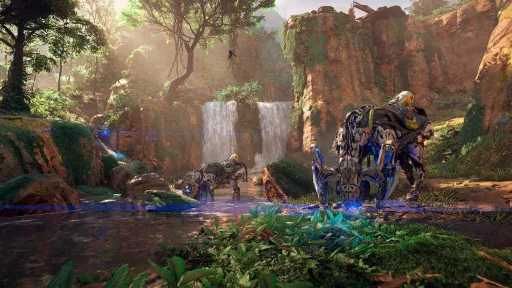
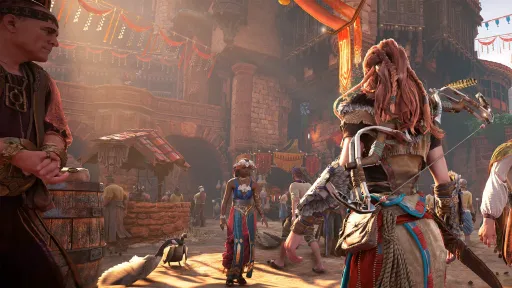
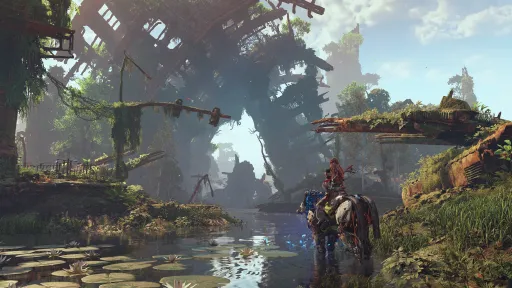
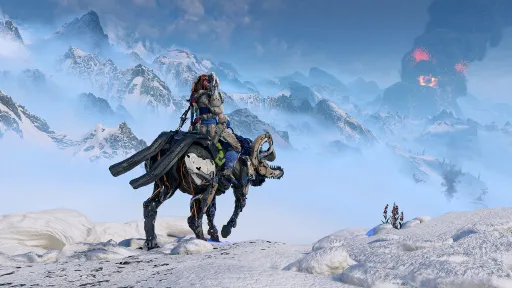
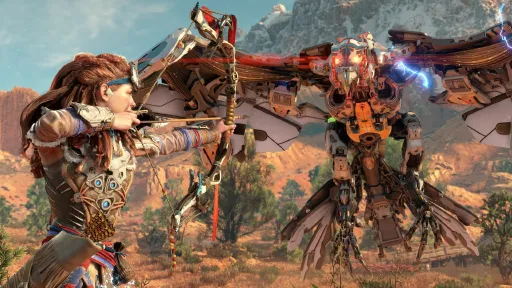
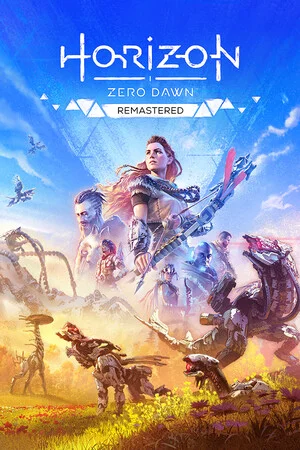
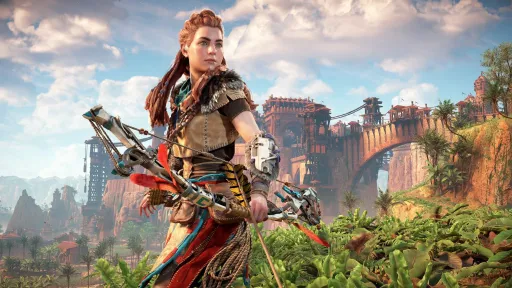
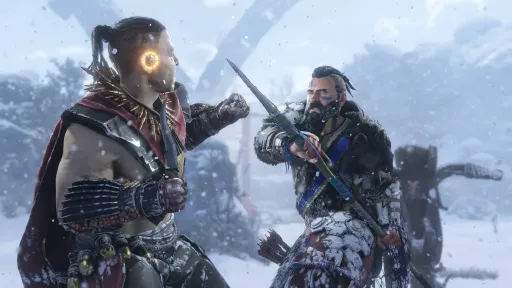
Horizon Zero Dawn Remastered is the 2024 PC remaster of Guerrilla Games' 2017 PlayStation hit — Aloy, machine hunter, post-apocalyptic North America overgrown with mountain-sized robotic dinosaurs. The remaster is built on the Horizon Forbidden West engine, so it's not just upscaled textures: animation systems, facial capture, foliage, and lighting are all redone to match the sequel's visual fidelity, while gameplay (the combat system, the talent tree, the side-quest structure) is preserved 1:1 from the original.
It includes the base game and the Frozen Wilds expansion bundled in one install. The full campaign runs ~30 hours; with side content and the expansion you're at 60+. Aloy's bow-and-trap combat against the machines remains the highlight — slow Watcher down with a tripcaster, freeze a Stalker mid-charge, then turn around and ride away on a captured Strider.
Released as ElAmigos, build v1.0.37. 79 GB installed. Fully offline-playable, no PSN account required. Single-player only.
Screenshots
7 images
Version Information
Steam Patch Notes
Official update history
Patch 1.5 is out now for Horizon Zero Dawn Remastered on PC!
Patch Notes (1.5.89)
- An account for PlayStation Network is now optional on Horizon Zero Dawn Remastered PC.
- When using a PlayStation Network account for Horizon Zero Dawn Remastered on PC, you will gain access to the Nora Valiant outfit.
- The game is now able to save when the Documents folder is rerouted to the root of a drive instead of a folder.
If you encounter any issues after updating, please contact support and supply the requested files, to help us gather more data and insights.
{STEAM_CLAN_IMAGE}/45229080/faa13aa1be0babf625441ad2e2e2c37719423d86.jpg
Patch 1.4 is out now for Horizon Zero Dawn Remastered on PC. This update adds transmog functionality, allowing you to apply a different look to Aloy's armor. To do so, open the Inventory, go to Outfits and select Apply Look on the outfit that you want to be visible while playing the game. We've also addressed various bugs and crashes, based on player feedback. Check out the patch notes below for all the details.
Thanks to everyone for playing Horizon Zero Dawn Remastered and for providing feedback to help us further improve the game!
Patch Notes (1.4.63.0)
- Added outfit transmog functionality.
- Fixed a crash that could occur while applying coils to weapons or outfits with mouse and keyboard.
- Fixed a bug that could cause Concentration to activate unexpectedly.
- Improvements to audio mix to reduce excessive reverb in specific areas.
- Audio mix adjustments to conversation dialogue panning.
- Various audio loudness and balance improvements.
- Mount acceleration now works as intended, incrementally increasing speed when pressing the acceleration button.
- Motion aiming now works as intended when riding a mount.
- Steam Input now functions correctly if a controller is connected after launching the game.
- Controllers connected to Steam Deck now work as intended when using Steam Remote Play
- The Master Vibration Intensity slider will now correctly be applied to in-game vibration when using a DualSense controller with Steam Input.
- Fixed a bug where loading would sometimes get stuck when using the High graphics preset.
- Fixed a bug that prevented music from playing during a scene in the ‘Deep Secrets of Earth’ quest.
- Resolved a bug at Song's Edge that blocked players standing up from a chair when using mouse and keyboard controls.
- Reduced ghosting on snow particles when using AMD FSR or Intel XeSS upscaling.
- Fixed a bug where Nil would disappear after talking to him during Cause for Concern.
- Various bug fixes related to Auto Pickup.
- Fixes for various bugs and minor visual issues.
- Stability improvements.
If you encounter any issues, please contact support and supply the requested files, to help us gather more data and insights.
{STEAM_CLAN_IMAGE}/45229080/e5f330456608a067cbcc371e06cd30b402300771.png
This hotfix addresses an issue related to the Auto Pickup feature that was introduced in Patch 1.3. Players who had the Disarm Traps skill unlocked, were unable to place traps when the Auto Pickup feature was enabled. This update contains no other changes.
The teams at Nixxes and Guerrilla continue to closely monitor player feedback and are actively working on future patches with additional bug fixes and optimizations. Thank you all for playing Horizon Zero Dawn Remastered and sharing your feedback!
Patch Notes 1.3.51.0
- Fixed an issue that prevented players from setting traps when the Disarm Traps skill was unlocked and Auto Pickup was enabled.
{STEAM_CLAN_IMAGE}/45229080/aacd967ca8bdc0ca776203e4af9fbe4904a97c09.jpg
Patch 1.3 is now available for Horizon Zero Dawn Remastered on PC. This update adds Auto Pickup and Color Blind Mode and includes various improvements and bug fixes, based on player feedback. Check out the patch notes below for more details.
The teams at Nixxes and Guerrilla continue to closely monitor player feedback and are actively working on future patches with additional bug fixes and optimizations. Thank you all for playing Horizon Zero Dawn Remastered and sharing your feedback!
Patch Notes (1.3.50.0)
- Added Auto Pickup option to Pickups setting.
- Color Blind Mode is now available in Accessibility settings.
- Machine eyes now flash before attacking as intended.
- Rumble now also works for DualSense controllers connected via Bluetooth*.
- Custom key mapping and button bindings for Mount actions now conflict as intended when binding multiple actions to the same key or button.
- Addressed a rare issue where the gate to Meridian would not load correctly on the first encounter.
- Fixes for various bugs and minor visual issues.
* To use the full range of DualSense features, including the controller speaker and haptic feedback, a wired USB connection is required.
If you encounter any issues, please contact support and supply the requested files, to help us gather more data and insights.
{STEAM_CLAN_IMAGE}/45229080/c8f628a51f813d5dad435a6ccf992c6370f62364.jpg
Patch 1.2 is now available for Horizon Zero Dawn Remastered on PC. This update includes a variety of visual fixes, audio and controller related bug fixes and many other improvements and optimizations. Check out the patch notes below for more details.
The teams at Nixxes and Guerrilla continue to closely monitor reports and are actively working on future patches with additional bug fixes and optimizations. Thank you all for playing Horizon Zero Dawn Remastered and sharing your feedback!
Patch Notes (1.2.45.0)
- Improvements related to Steam Input to address a loss of controller functionality under certain conditions.
- Audio improvements in pre-rendered cutscenes to address volume and multi-channel output issues.
- Improved level of detail when viewing settlements from very far away.
- You can now charge your bow while performing a dodge roll.
- Fixed various minor visual issues throughout the game.
- Removed neck seams that were visible on some characters.
- Turkeys are now displayed with the correct level of detail at close and far range.
- Fixed a bug that caused floating climbing points to appear in Devil's Thirst.
- Resolved visual issues with face paint on characters when using the Medium graphics preset or lower.
- Mouse camera movement in Photo Mode is no longer interrupted on multi-monitor setups.
- Minor bug fixes in widescreen cinematics.
- Various user interface bug fixes and improvements.
- Performance improvements.
If you encounter any issues, please contact support and supply the requested files, to help us gather more data and insights.
{STEAM_CLAN_IMAGE}/45229080/99636ea3732eafd10c49ba1e78998ee7d7e7b937.jpg
Patch 1.1 is now available for Horizon Zero Dawn Remastered on PC. This update includes various bug fixes and improvements based on community feedback. Read the patch notes below for more details.
The teams at Nixxes and Guerrilla continue to closely monitor reports and are actively working on future patches with additional bug fixes and optimizations.
Patch Notes (1.1.42.0)
- Pre-rendered cut scenes now have the same audio volume as gameplay.
- Improvements related to Steam Input*.
- Resolved a crash that could occur for some players when adjusting mouse and keyboard controls.
- Fixed a bug that could cause disappearing and/or flickering shadows in Meridian when playing on ultrawide resolutions.
- HUD markers for objectives are now rendering correctly when using a custom Field of View setting.
- Fixed a bug that could cause a bow to appear floating in a cinematic.
- Various user interface improvements.
- Performance improvements.
- Stability improvements.
* We are aware of players reporting issues when using controllers with Steam Input enabled. This update contains improvements, and the team is working on additional updates to fully address the reported issues. As a workaround, while we work on updates, we recommend disabling Steam Input when using supported controllers.
If you encounter any issues, please contact support and supply the requested files, to help us gather more data and insights.
Thank you for playing Horizon Zero Dawn Remastered on PC. We are thrilled to see all of you jumping (back) into the world of Horizon and we really appreciate all the feedback we have received so far!
Today’s hotfix resolves a couple of issues based on player feedback and our crash reporting system. The teams at Nixxes and Guerrilla continue to monitor player feedback and are working on future updates.
Version 1.0.38.0 Release Notes
- Fixed a crash that occurred for some players after running the benchmark.
- The Concentration skill no longer requires two R3 presses to activate or deactivate after the first activation.
- Mouse and controller X- and Y-axis adjustments now work correctly.
- Resolved an issue that could cause the Aim Toggle function on controllers to stop working after a cinematic.
- Stability improvements.
If you encounter any issues, please contact support and supply the requested files, to help us gather more data and insights.
{STEAM_CLAN_IMAGE}/45229080/3ba1f15135596aba043233abcb738c06ff6ed360.jpg
You can now pre-load the game on Steam. By doing so, you can download the game ahead of its release on October 31*.
Horizon Zero Dawn Remastered PC launches on October 31 at 8:00 AM PDT / 4:00 PM CET. Check out the infographic below for more time zones (click to enlarge).
{STEAM_CLAN_IMAGE}/45229080/13b80e16f8f71672afc1a0e0c6aed1994051b102.jpg
* Please do keep in mind that files downloaded during pre-load are encrypted and will start decrypting up from the moment the game launches. Depending on your hardware, this can take a while. If you have a fast internet connection, downloading the game at launch could be faster.
Current Release
17237254
Uploaded Jun 04, 2026
System Requirements
How to Install
BootLoader.Win64.ReleaseSymRtDbg.exe to play
Troubleshooting tips
• Run Redist/_CommonRedist installers if game won't start
• Add folder to Windows Defender exclusions
• Run as administrator
Download
Direct link available
115.1 GB
17237254
159A65B4
15a2ebfc0b6ca72a0dbcecbf25c01a5405a24160199d3e115ccf547a174621d9
You May Also Like
View AllDownload Horizon Zero Dawn™ Remastered for PC with a direct link or via torrent. Get the full version of Horizon Zero Dawn™ Remastered for free. Horizon Zero Dawn™ Remastered is a Action released by Guerrilla Games.