
About the Game
![]()
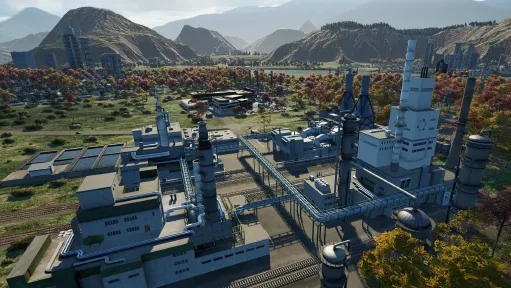
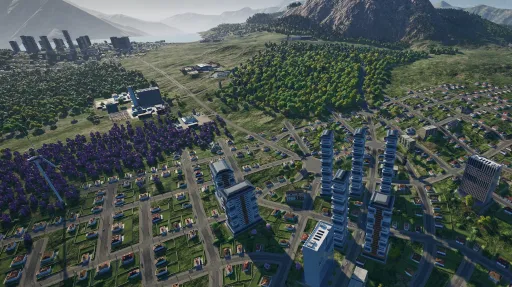
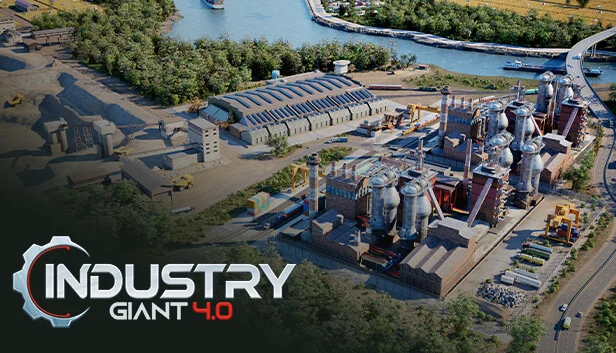
Are you the next Rockefeller, Jobs or Bezos? Put your business acumen to the test as you embark on a journey to economic dominance with Industry Giant 4.0, where you shape an industrial empire from the ground up. This immersive simulation goes beyond mere construction, offering a comprehensive experience in producing goods, building up logistics, industrial building, production planning, and financial management.

![]()
Industry Giant 4.0 starts in the 1950’s and embodies the fourth industrial revolution, Industry 4.0, marked by digitization and networked value chains. Experience the progression and evolution to automation and digitization. Engage in strategic decision-making across the value chain, enhancing productivity, flexibility, innovation, and resource efficiency.

![]()
Are you ready to build, innovate, and conquer the industrial world? Unleash your entrepreneurial spirit and become one of the greatest industrial magnates of all time in Industry Giant 4.0.

![]()
![]()
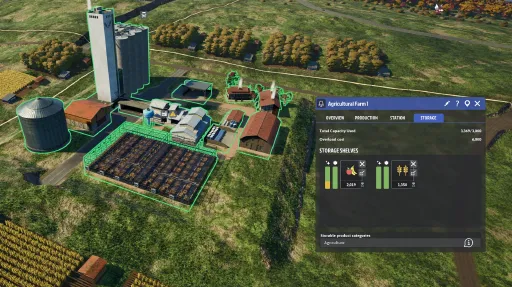
25 different industries including mines, farms, manufacturing and more than 70 goods (raw materials, intermediate products, end products) to manage.

![]()
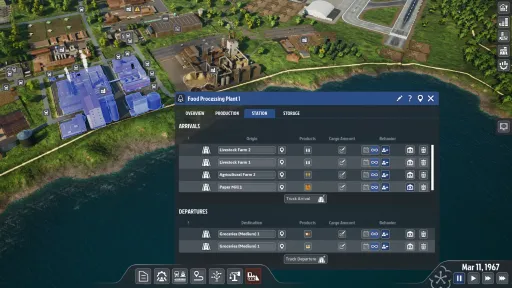
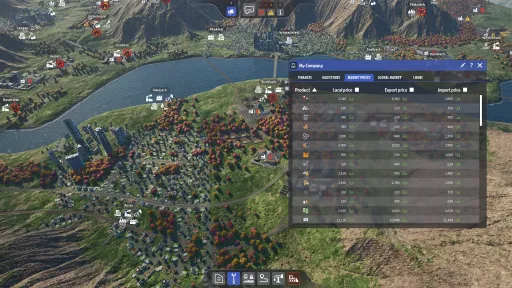
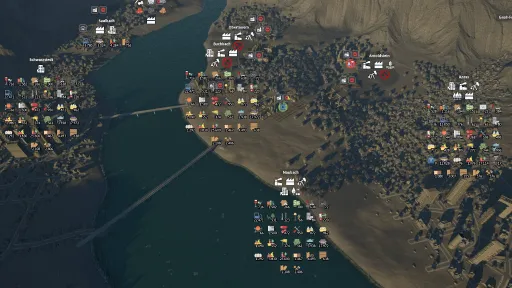
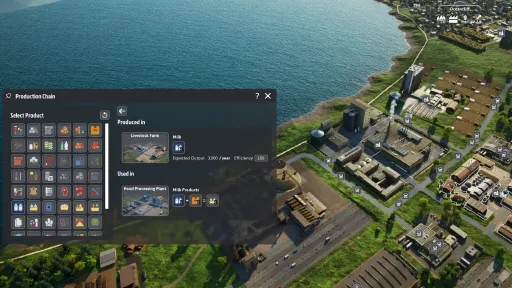
Utilize data in various tables and charts, monitor the flow of goods, as well as the condition and efficiencies of factories, stores and warehouses to resolve production issues and implement appropriate optimizations.

![]()
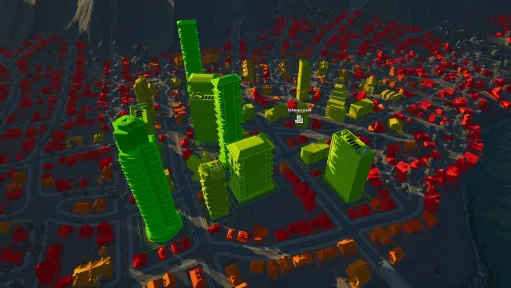
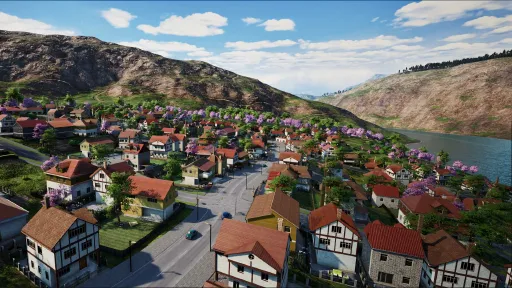
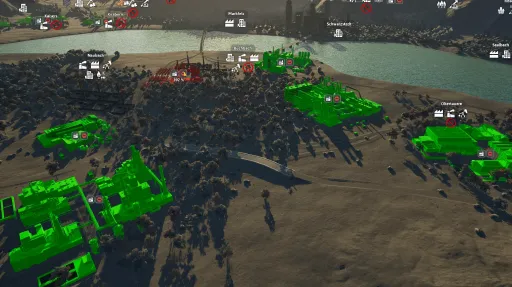
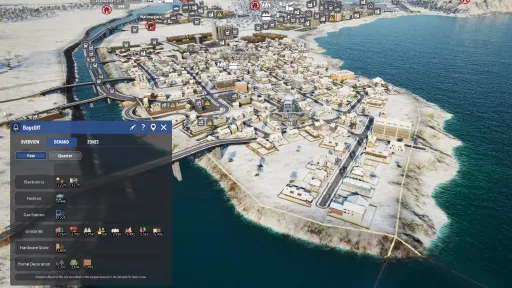
Various city buildings and many stores in different sizes over several time periods and categories (food, fashion, home decoration/furniture, hardware store, electronics).

![]()
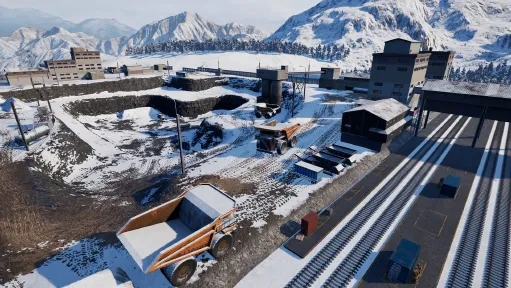
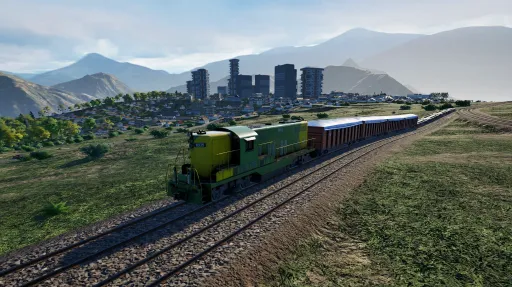
Transport goods using trucks and trains. Build roads and railways and set up timetables to specify the quantity of goods to be transported in a certain period of time.

![]()
Seasons influence the production of certain raw materials, e.g. food and impact the consumption and purchasing behavior of customers depending on the time of year.
Screenshots
14 images
Version Information
Steam Patch Notes
Official update history
We have a hotfix, fixing several issues!
- Disabled ContextHelp for "Not enough throughput" as its placeholder/untranslated in every language but German
- Disabled all context help that are not translated anywhere except German
- Disabled context help for terrain edit mode as the description is wrong
- Fixed a possible crash in GetCustomNameString when providing a non-existent entity (found in Community report by Ron Swanson)
- Hotfix deleted depots assigned to playerVehicles, causing crashes, upon loading savegames (found in Community report by Ron Swanson)
Hello, fellow industry giants!
With version 1.0, a new update is coming, and this time we want to start with a retrospective.
Creating Industry Giant 4.0 has been a true labor of love for us - a journey filled with passion, creativity and occasional setbacks. From the very beginning, we set out together with you to revive a cherished classic and give it new life for a new generation. It wasn’t an easy task, but your support, ideas, and encouragement made it possible.
During Early Access, the game received constant and major updates, including several new maps and numerous gameplay enhancements. A new production chain navigator simplifies resource management, while the terrain manipulation tool allows real-time landscape shaping. Players can now customize their games by choosing starting year, adjust time speed, and disable zone restrictions. Rebalanced city demand enables dynamic and organic urban growth, and a redesigned line manager UI offers direct industrial links, customizable freight, and precise waypoints. A reworked, chapter-based tutorial eases onboarding, and improved logistics ensure vehicles no longer run empty, creating a deeper, more accessible, and immersive simulation experience. If you haven’t tried IG 4.0 for some time, now is the best time to jump back in!
{STEAM_CLAN_IMAGE}/44796060/ec95ee87aa8b63d422e67e2fa894c776d53c6ded.png
{STEAM_CLAN_IMAGE}/44796060/ee324c749b16c0b43f21ea622e5a5cc637a662e3.png
{STEAM_CLAN_IMAGE}/44796060/c1d1d90c243c94f752747261d3c48dc8bc2134a8.png
Now, as we reach this milestone, we must share that there will be no further major updates or new features in the foreseeable future. Still, Industry Giant 4.0 will remain available and fully playable for everyone who wishes to experience it, and we’ll continue to fix any serious issues that may arise. This decision was not made lightly and we wish we would have more positive news to share about the future of the game. We know how much this project means to many of you - and it means just as much to us. Though our development journey is coming to an end, we’re proud of what we’ve built together: a heartfelt, modern tribute to a series that inspired so many.
{STEAM_CLAN_IMAGE}/44796060/f8fd71ee1b02364e89b225d831905e93b6c75b2b.png
From the bottom of our hearts, thank you for being part of this adventure – for your trust, your passion, and your unwavering support.
Update to 1.0 / October 2025
With the final game update, you can now disable zone restrictions when starting a new game (map). Disabling zone restrictions lets you build any industry in any zone.
Note: This only works for new games and you can’t switch between enable and disable the restrictions during a game session.
Improved
- We changed the passive demand of cities. Products offered in stores that do not align with the city's demand are now sold to residents as bargains with a 50% discount. A visual indicator and a tooltip has been added for these bargain purchases.
- We optimized the supply calculation for town buildings. Before the change, town buildings calculated their supply rate multiple times simultaneously. This was not a performance issue but could become one as cities grow or if the supply calculation function changes.
Fixes and changes
- We fixed some crashes that occurred when deleting a building connected to a line.
- We removed the "Difficulty level" option from scenario settings because it offered little benefit beyond the Budget and Price options.
- We fixed several text and localization issues.
- The achievement “Straight from University” (Finish the Tutorial) now works as intended.
we have a new update for you!
Improved
- We have implemented several user interface improvements to the game.
- The tooltips for town buildings have been enhanced
- The production indicator turns yellow if a production facility is not operating at full capacity
- City Building view in Purchases received a graphic polishing
- The tooltip “No Buildings Allowed” received an accompanying icon
- Enhancements in late-game performance have been implemented for deliveries and animated objects.
- The loading icon for trucks and trains is now displayed accurately
- The “Amount Sent” in the vehicle view is now displayed correctly
- Some tutorial maps had wrong titles and descriptions
Fixes and Changes
The release of the new line manager in May introduced a few issues that we are addressing in this update. We had to address these bugs and to enhance the stability of the system to ensure smoother future releases. Waypoints can now be established at every point along a transport line, rather than being restricted to locations between two industries. Trucks and trains should no longer move empty. Please let us know if any weird behaviour persists.
Many new fixes for the new line manager are underneath, so you won’t see them but hopefully feel them. Here are some of them in short form:
- The waypoint at the beginning disrupts the default settings for products
- Add basic waypoint unavailable texts
- Re-enable first and last waypoints
- The potential to achieve zero unloading has been fixed
- A line stays highlighted permanently has been resolved
- Bulldozing a depot does not remove all trucks from that location; instead, they are stored in an internal pool. The same applies to trains.
We have resolved several delivery bugs. Please be aware that your lines may be automatically corrected and modified when you load your saved game if they were previously corrupted.
- Delivering two products that exceed truck capacity no longer results in empty trucks.
- We resolved an unusual issue involving trucks and trains, where an excessive number were dispatched, with many of them being empty.
- The distribution of deliveries throughout the year did not function as intended in Simple Mode.
We resolved a number of critical issues, like these ones:
- A crash occurs when a delivery involves a building that has been deleted
- Experiencing a crash upon deleting a building
- Occasionally, loading Tutorial 5 result in a crash
- Performance improvements have been implemented for deliveries and animated objects later in the game.
Your teams
Don VS Dodo & Toplitz Productions
https://store.steampowered.com/app/1129570/Industrie_Gigant_40/
{STEAM_CLAN_IMAGE}/40097065/dd004884a898fadafb337b3cddb7a4ae2529de9e.gif
{STEAM_CLAN_IMAGE}/33018175/59d69eddf6d3b364dad48e1cd0da2df29d31fe41.gif
Heyho dear industry giants,
we have a new update for you!
After releasing the first part of the new line manager with the last update, we are now releasing the second part, which adds new functions to the line manager. In addition, you can now set waypoints with which you can take detours. The tutorial has also been revised and a new map (12x12) has been added. Of course, we have also taken care of one or two bugs.
Line Manager Part 2
The freight amount is now automatically set to the annual production of the industry where the goods are being loaded. This can be changed at any time, allowing you to set the amount to your desired value.
In addition to the freight amount, there are now options for loading and unloading behavior.
Deliver Regularly
The first option is called "Deliver Regularly". In this mode, the specified freight amount is delivered at regular intervals until the end of the year. The frequency of vehicle dispatch depends on the available vehicle models, their loading capacity, and the time remaining between the current date and December 31st. This option is ideal for preventing your industry’s entire storage from being emptied at once, which could lead to oversupply of your businesses or other buildings.
Deliver Immediately
The next option is "Deliver Immediately", which is the counterpart to "Deliver Regularly". It attempts to deliver the specified freight amount as quickly as possible, dispatching as many vehicles as necessary to complete the task. This option is ideal for ensuring fast deliveries.
Deliver All
The next option is "Deliver All", which requires "Deliver Immediately" to be enabled. This setting tries to continuously empty the storage of all industries on the route where freight is loaded, dispatching vehicles accordingly. In other words, as soon as freight is available in an industry’s storage along the route, vehicles will be sent to pick it up. Since deliveries happen as frequently as possible, you cannot set a specific freight amount.
Avoid Overfilling
The final option is "Avoid Overfilling". This setting prevents vehicles from being dispatched if their cargo would exceed the storage capacity at the destination. If you have an extended route with multiple loading and unloading stations, only the amount of cargo that can be unloaded without exceeding storage capacity will be loaded.
Advanced Line Settings
Additional settings can be made through Advanced Line Settings. For example, you can define the seasons during which the line should be active. Vehicles will only be dispatched during the selected seasons. The vehicle filter allows you to specify which vehicle models should be used for the line — for instance, setting it to only use the fastest vehicles. Another feature exclusive to advanced lines is the use of waypoints.
Waypoints
Due to the large number of intersections, certain routes can become very prone to traffic jams. It would be more efficient to take a small detour that crosses fewer intersections and reaches businesses in the city more effectively. With waypoints, you can now do exactly that and adjust a line's route as needed.
{STEAM_CLAN_IMAGE}/44796060/18198673b3fd98ae3a454b6c9a7e6adc73761e7f.jpg
Revamped Tutorial
The tutorial has been redesigned to make it easier for players to kick off their industrial careers. We've split the tutorial into multiple chapters, allowing you to learn the game at your own pace. Whether you're just starting out or simply looking to refresh your knowledge, each chapter explains the basics in a clear and structured way — including how to use the new Line Manager.
New Map: “Midgard”
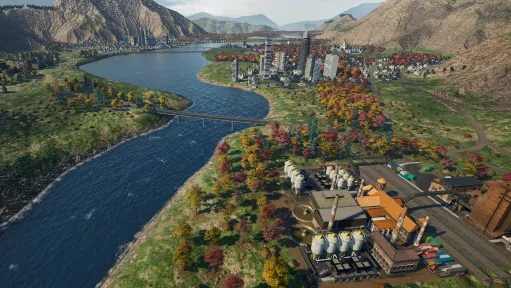
We’ve added a brand-new map to the game! "Midgard" features 7 cities, spans 12x12 kilometers, and offers the largest landmass to date, effectively making it the biggest map in the game. Start your company and transform this land into a thriving industrial and urban region!
{STEAM_CLAN_IMAGE}/44796060/242a355386c6a4fc6aed57c42b93439a46730d73.jpg
Other Changes & Bug Fixes
- The demand from suburbs is now shown collectively in the city overview, rather than individually for each suburb.
- Several UI updates have been implemented. For example, new labels for cities have been added, and after selecting a map in the main menu, map settings are now shown immediately.
- Various balancing changes have been made — for instance, adjustments to production volumes and prices (in combination), and vehicles no longer have delivery times; they are available immediately upon purchase.
- Additional performance and stability improvements have been made under the hood.
- Several annoying graphical bugs have been resolved.
Thank you very much for your support up to this point. Please continue to let us know about anything you notice. Be it ideas on how we can improve the game or bugs that need to be fixed.
Your teams
Don VS Dodo & Toplitz Productions
https://store.steampowered.com/app/1129570/Industrie_Gigant_40/
{STEAM_CLAN_IMAGE}/40097065/dd004884a898fadafb337b3cddb7a4ae2529de9e.gif
{STEAM_CLAN_IMAGE}/33018175/59d69eddf6d3b364dad48e1cd0da2df29d31fe41.gif
We didn’t want to wait until we had the other changes for the line manager in the game, because we think it will push the game forward. Stay tuned for the other changes, including features as you know from the games predecessor like the order for trucks to wait at an industry until fully loaded.
We fixed some issues with the city growth as well as some changes that make the city grow in a way it should be, from a small city to a big city including high-rise buildings and skyscrapers.
We also implemented two of the three top priorities that came out of the survey we started last week. We have changed the speed, capacity and costs for maintenance for trucks and trains and we have added a new map (12x12) to the game and another one will follow soon.
Added
- A new map has been introduced to the game: Arctic Haven (12x12)
- The first iteration of the new line manager. With this change it is easier to create lines for transport routes.
Improved
- Trucks and trains have undergone a balancing change in their speed, capacity, and maintenance costs.
- The mechanics of town growth have undergone significant changes.
- It is now much more common to encounter high-level structures, such as high-rise buildings and skyscrapers.
- To enhance the construction process, it was essential to implement an interpolated step. When constructing at a speed of 1x, the construction fences and scaffolding should expand gradually rather than in abrupt increments, ensuring a smoother transition.
- Chinese localization for the Terrain-Edit message have been successfully added.
- The depot limit has now been established at 25 units per depot.
- Depot Capacity Upgrade Modules: You can enhance your depot's capacity by purchasing Upgrade Modules.
- To optimize the town's demand parameters, the supply level limit has been established at 20%. Additionally, the building level limits will now range between 50% and 70%.
- The implementation of the new demand order has led to a reorganization of city demand, providing players with greater variability than ever before. This works only if you start a new game. Unfortunately it doesn’t work with older savegames.
- New demands have been allocated to the cities on the maps, making them accessible in new games sessions. However, existing save games will retain their original sorting.
- The storage capacity of the shops has been increased.
- In levels 1 to 3 of era 4, additional town buildings can be constructed in cities.
- The feature of shop rating has been disabled due to community feedback.
- Various performance optimizations have been made since the last update.
- We have marked the maps Rivals, Mountain Valley, Twin Peaks as legacy (replaced by V2). They are still available, if you select “outdated maps” at the map selection menu.
- Marking non-default product quality filtering in advanced line menu.
Fixed
- City growth UI doesn’t show demand for every level.
- Lines cannot build, because Truck will not reach the Depot again.
- Wrong behavior with "Residential Building Supply" Layer.
- The application's window cannot longer be reduced to an unplayable size.
- City grows now correctly in all zones who are able.
- Holding Alt while smoothing inverts strength.
- Households go shopping more often than demand indicates.
- Optimize shop distance calculation.
- There was no import and export harbor and airport at the map Peninsula.
- The Terrain edit mode tool leaves terrain elements hanging in the sky.
{STEAM_CLAN_IMAGE}/44796060/a4789b012112267f938a48d51beeffb92c9b28d0.gif
Greetings, dear Industry Giants!
Today's update brings the long-awaited terrain modification tool! This tool offers you the opportunity to customise the landscapes on the maps!
The functions of the terrain modification tool summarised again:
Form hills, mountains and valleys.
Use the ‘Raise’ and ‘Lower’ functions to create high ground or deep canyons and valleys. Adjust the size and intensity of your tools to make precise or large-scale changes.
Smooth and level surfaces.
Use the Smooth tool to even out uneven terrain and create a harmonious playing environment. Perfect for preparing building sites for buildings and industries or traffic routes.
Use the tool to design your maps the way you want!
{STEAM_CLAN_IMAGE}/44796060/a4789b012112267f938a48d51beeffb92c9b28d0.gif
Greetings, dear Industry Giants!
Today's update brings the long-awaited terrain modification tool! This tool offers you the opportunity to customise the landscapes on the maps!
The functions of the terrain modification tool summarised again:
Form hills, mountains and valleys.
Use the ‘Raise’ and ‘Lower’ functions to create high ground or deep canyons and valleys. Adjust the size and intensity of your tools to make precise or large-scale changes.
Smooth and level surfaces.
Use the Smooth tool to even out uneven terrain and create a harmonious playing environment. Perfect for preparing building sites for buildings and industries or traffic routes.
Use the tool to design your maps the way you want!
{STEAM_CLAN_IMAGE}/44796060/a4789b012112267f938a48d51beeffb92c9b28d0.gif
Happy Holidays, industry giants and business tycoons!
The Holidays are upon us, and we hope you find as much harmony in your worlds as you do in a perfectly planned production chain and flow of goods! May your progress in the new year 2025 run as smoothly as an optimised economic cycle in Industry Giant 4.0!
We wish you a wonderful Holiday season and a happy new year, when we will be back for you!
Looking back at the busy weeks since we launched into Early Access, we want to also thank you for the constant stream of constructive criticism and valuable feedback on our game design, mechanics and features. With several updates we have since added 4 new maps, a dozen new features and quality of life improvements such as the Production Chain Navigator and expanded City Overview. While we are going to continue working on this, drastic improvements have already been made to overall game performance and stability. Last but not least, more than 100 critical and minor issues have been fixed.
But this is obviously not the end of the road as we want to share our development roadmap for the first quarter of 2025 with you:
{STEAM_CLAN_IMAGE}/44796060/7166c41b8cbeeb589666003615f5906e894c0b6f.png
Stay tuned for more updates to this roadmap in 2025 and keep the feedback coming, your input is crucial to a successful Early Access phase.
Of course this news would not be complete without “one more thing”, so today we are also rolling out another major update to the game. See changelog below:
Changelog 0.4.1 (13555)
Added
- Two new maps have been introduced to the game: Mountainpass (10x10) and Ryusei (10x10).
- A new simplified mode is now accessible for line managers, streamlining the line creation process. Players also have the option to switch back to the advanced mode at any time.
- The game now incorporates individual town demand, enhancing the diversity of gameplay and creating a more engaging experience for players.
- We added a text-to-speech functionality to the tutorial, including a Play/Pause button at the relevant message popup (English and German only now).
- We have adjusted the balancing of market prices on the ‘Neighbours’ (4x4) map and would welcome your feedback on this.
- The UI of the city overview has been enhanced and is now showing demands at different levels within the city.
- High-tech Industry has been added to the game.
Improvements
- The Production Chain UI now enables users to select and build structures directly from the overview.
- Enhancements to the rendering performance.
- The game now features a direction indicator that appears when players begin constructing new roads or rails.
- The town window now displays enhanced information based on the building level of each town.
- English and German localization for the new Maps feature have been added.
- With left SHIFT, it is now possible to delete multiple sections of a track/street or entire connections with the Bulldozer tool.
- Further performance and stability optimizations.
Fixed
- Skyscraper town buildings not appearing after the year 2050
- Improvements have been made to address various tooltip and wording issues.
- The flickering issue observed around buildings has been successfully resolved.
- The “In-game UI Scale” feature has been moved from GAMEPLAY settings to GRAPHICS settings.
- Foundry can now store coal.
- Fixed for the tutorial step with the second wood production.
- Improved train connections.
- City growth behaves now better across city boundaries.
- Minor bug fixes.
- Fixed misleading text in Shop UI (EN and DE)
The same update will be available on the Public Beta Branch, including terraforming tools as an experimental feature:
Players can now modify the terrain of a map during the game and use a brush tool to adjust the height or depth within the selected radius. Additionally, the edges of the modified areas can be smoothed. Important: Maps edited with this tool will require more storage space, which means the size of the save game is increasing.
PS: If you fancy some ice and snow, why not try the Permafrost demo!
https://store.steampowered.com/app/3197110/Permafrost_Demo/
{STEAM_CLAN_IMAGE}/33018175/59d69eddf6d3b364dad48e1cd0da2df29d31fe41.gif
We have an update previously from the test branch for you today, which includes the changes listed below.
More fixes are on the way! We thank you for your support in reporting any issues!
Changelog
Added
- We have added a new map to the game: Peninsula (8x8). We hope you like it, and we are looking forward to your feedback.
Changed
- We integrated the welcome message into the main menu screen and removed the existing window solution, so you don't have to close it whenever you start the game.
- We have lowered the demands of cities to make it easier to fulfill them.
- Cities grow a bit slower but upgrade a bit faster. This will increase the amount of demand for new goods added while decreasing the demand-increase for goods already in demand.
Improved
- Ctrl key now toggles between straight and curved mode when building roads
- We improved the loading times for save games that include maps with a lot of roads.
- We improved the road and train rendering performance.
Fixed
- We fixed miscellaneous issues at the tutorial.
- We fixed a deadlock with vehicles, caused by traffic lights in the cities.
- When buying trucks or trains via a depot, this depot is now auto selected for the contract.
- We fixed an issue that caused wrong name tooltips of buildings that were renamed previously.
- We fixed an issue with overlapping fonts in message windows in Chinese language.
{STEAM_CLAN_IMAGE}/44796060/a4789b012112267f938a48d51beeffb92c9b28d0.gif
We have the update from the test branch for you today, which includes the changes listed below.
More fixes are on the way! We thank you for your support in reporting any issues!
Here is the changelog:
Added:
- We have added a new map to the game: Metropolis (8x8). Players who joined us during the weekend at the public beta branch need to restart the map, which means they can’t use their save games from this map due to a fix we had to do for the map.
- We have reworked the map Mountain Valley and integrated it into the game as "Mountain Valley V2". For this version, we flattened the zones to provide more building space. We merged zones, adjusted building restrictions, and optimized the zones for better city growth.
- We have reworked the map Twin Peaks and integrated it into the game as "Twin Peaks V2". For this version, we added three new cities. These are designed to merge with other cities to create a large metropolis. We combined smaller zones into very large zones and removed their restrictions.
- Production Chain Navigator: The Navigator will help to identify which buildings and recipes are needed to produce certain goods.
- You can now select the starting year when starting a new game. You will find this feature below the settings for Difficulty and Start Budget, so you must scroll down a bit.
- The time progression speed can now be adjusted when starting a new game. You will find this feature below the settings for Difficulty and Start Budget, so you must scroll down a bit. As a rule of thumb: If you play the game at 3 x speed, it takes
- Around 12 seconds until 10 days are over (slow)
- Around 9 seconds until 10 days are over (medium)
- Around 6 seconds until 10 days are over (fast)
- Around 12 seconds until 10 days are over (slow)
Balancing:
- Increased the cost of roads and rails to enhance game balance.
Improved:
- Optimized rendering performance for roads, rails, and cows (yes, cows – no joke).
- Refined the UI with minor visual updates.
- Adjusted the position of pop-up message windows for better usability.
- Building crossroads on existing roads no longer incurs additional costs.
Fixed:
- Resolved an issue causing significant memory usage during saving and loading of late-game saves. To fix the issue, you must load the save game first and then restore it again.
- Fixed memory and CPU spikes when accessing the save game menu from the main menu.
- Corrected the underground visualization layer, which no longer displays improperly.
- Addressed a tutorial bug where pre-prepared routes were not being recognized.
- Fixed issues preventing goods from being sold and sales history from functioning properly.
{STEAM_CLAN_IMAGE}/44796060/a4789b012112267f938a48d51beeffb92c9b28d0.gif
Current Release
Not available
System Requirements
How to Install
ig4.exe to play
Troubleshooting tips
• Run Redist/_CommonRedist installers if game won't start
• Add folder to Windows Defender exclusions
• Run as administrator
Download
Direct link available
12.1 GB
You May Also Like
View AllDownload Industry Giant 4.0 for PC with a direct link or via torrent. Get the full version of Industry Giant 4.0 for free. Industry Giant 4.0 is a Simulation released by Don VS Dodo.