







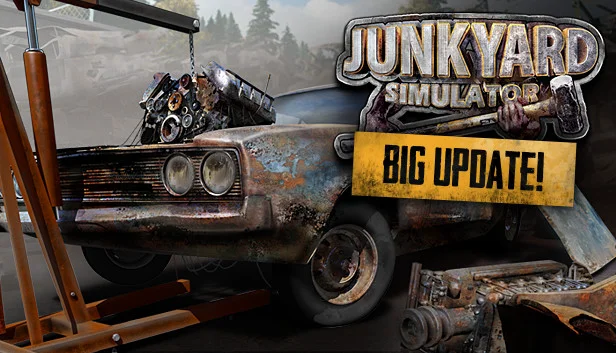
About the Game
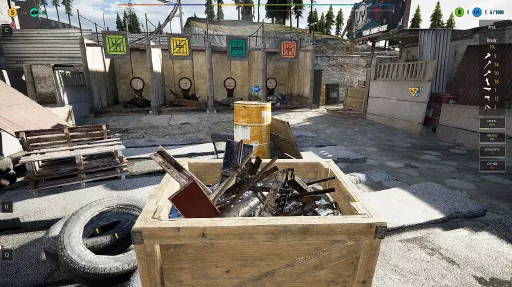
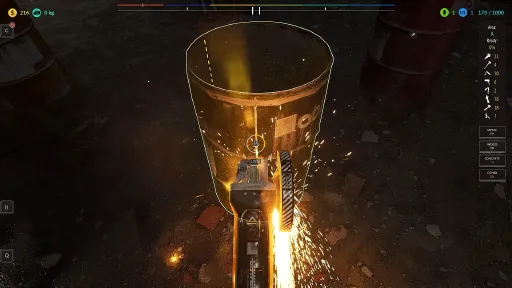
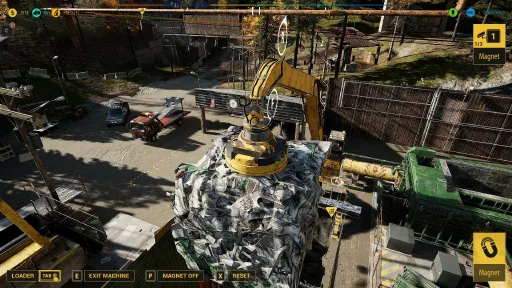
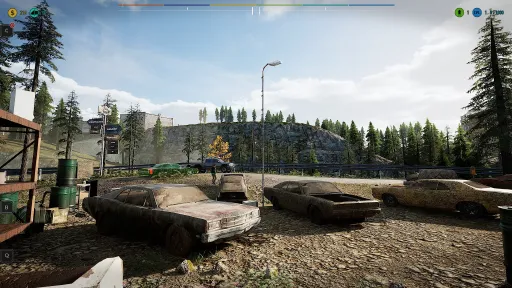
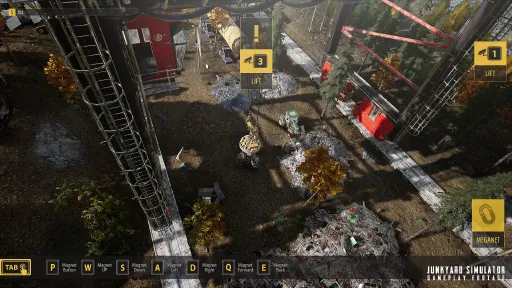
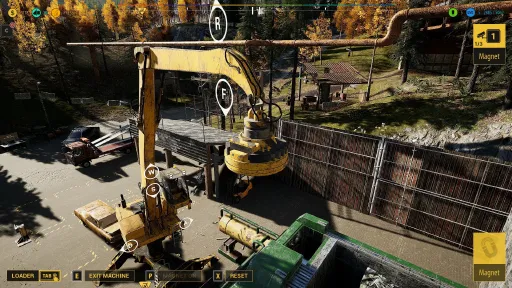
01. Use heavy machinery to process junk into raw materials and sell.
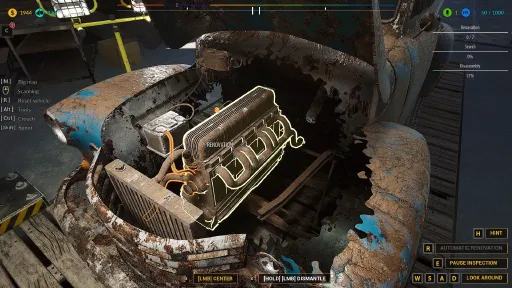
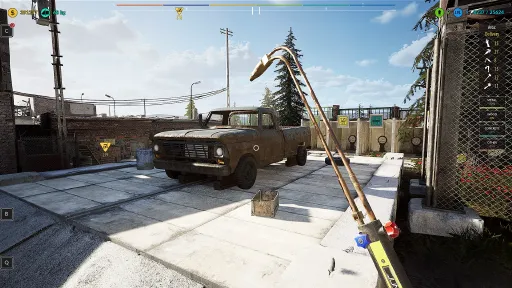
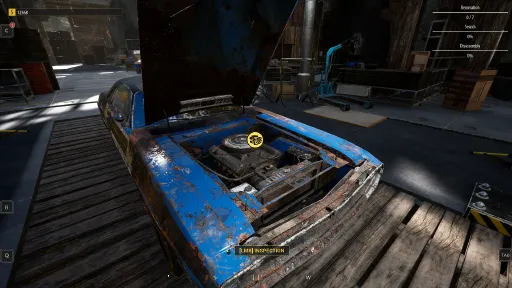
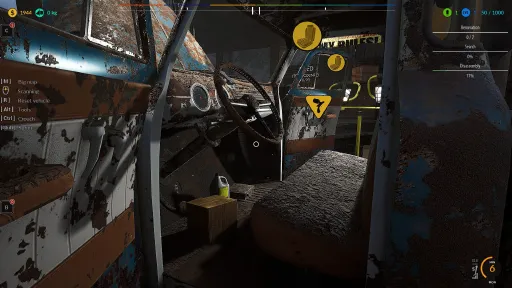
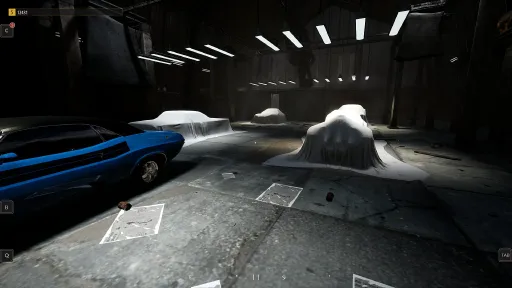
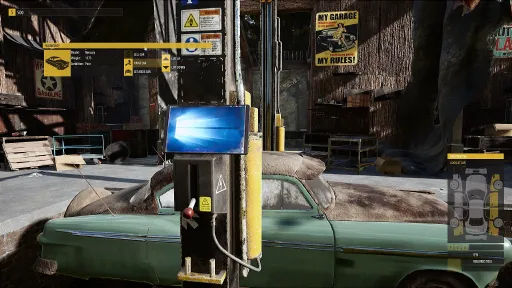
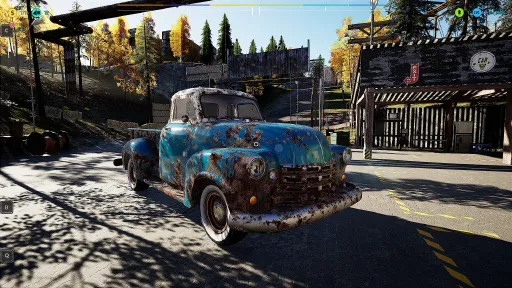
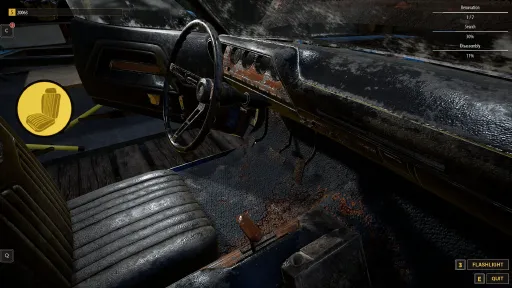
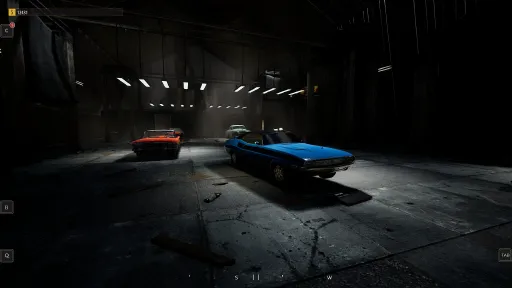
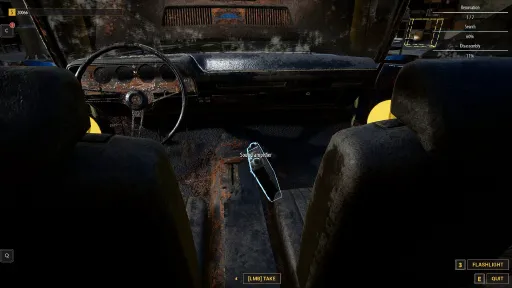
02. Find old, broken-down cars, and restore them to their former glory to proudly display in your very own workshop.
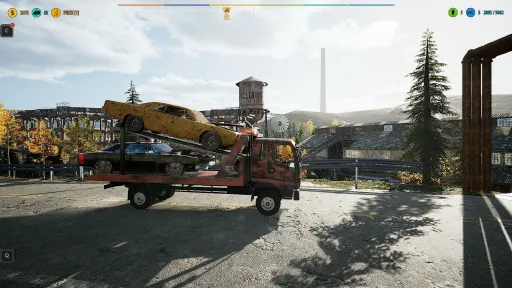
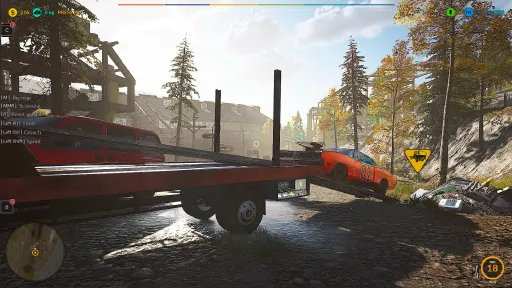
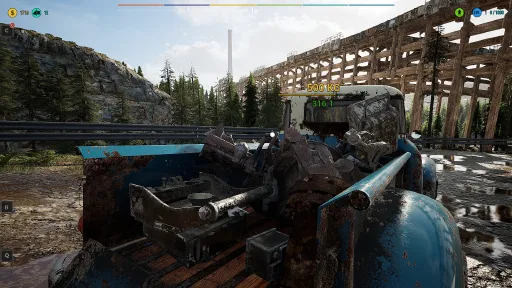
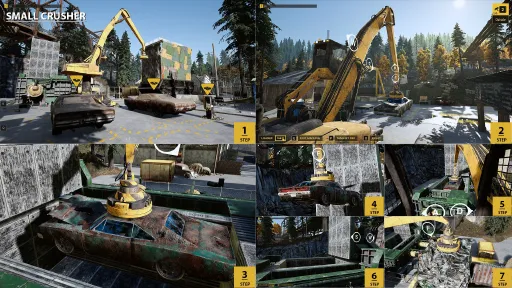
03. Transport abandoned vehicles with a tow truck and compress them until it resembles a small cube.
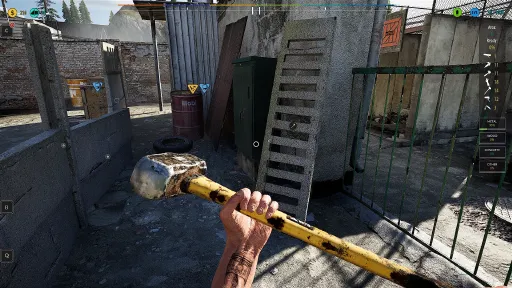
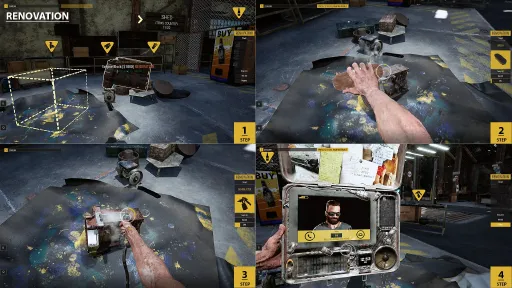
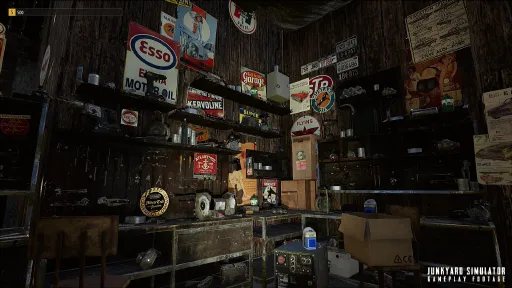
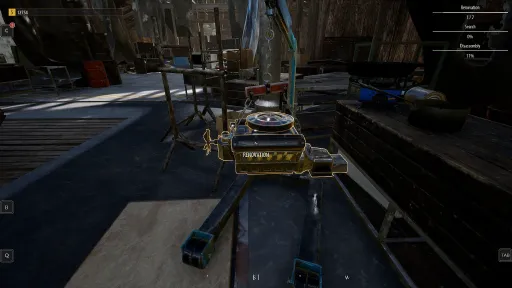
04. Find old furniture, electrical appliances, car parts, and many different items to renovate them in your workshop.
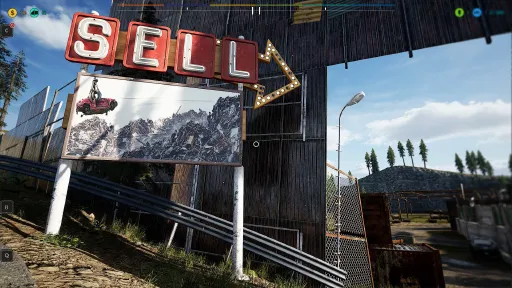
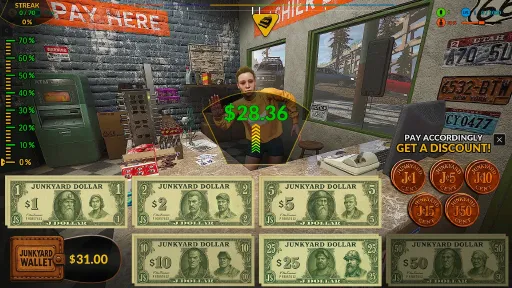
05. All of your finds and renovated items can be sold on the Scrap Market.
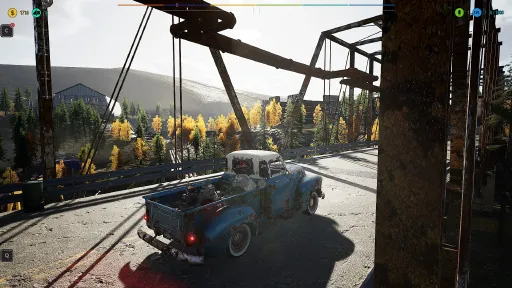
06. Travel by foot or drive vehicles. You can use various types of cars to explore the map and transport your junk.
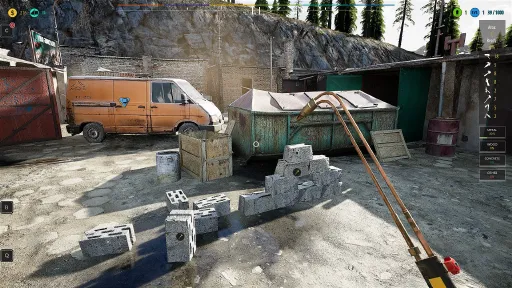
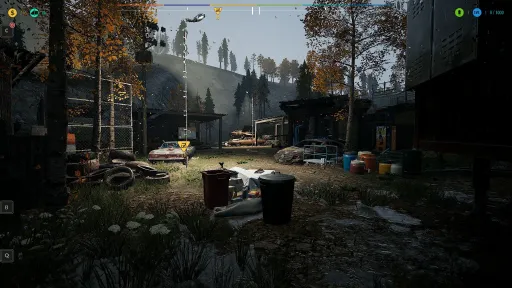
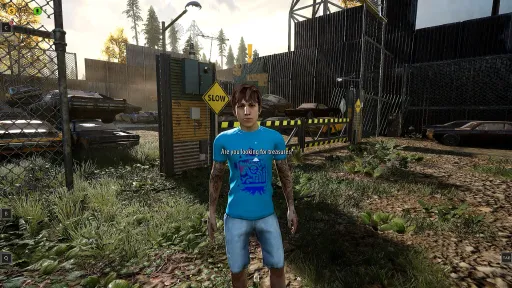
07. Search for containers with randomly generated loot.
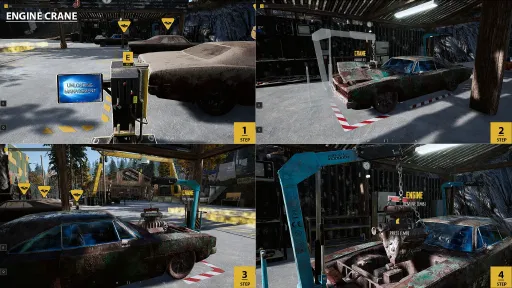
08. Strip engines from the cars, take extra tasks from the people, use conveyor belts, and transfer junks.
Game in development. more mechanic soon.
Description:
Make a fortune while working at a junkyard. You start with nothing but a hangover and slowly climb your way to success.
You will have complete freedom in how you want to make money.
Do you want to explore the world on foot or drive one of the available vehicles?
Do you prefer to search for junk or look for hidden treasures?
Is renovation your thing? Or maybe you're more of a heavy machinery kind of guy?
Would you rather sell enormous amounts of small items or try something more ambitious, like repairing a vintage car? Whatever you choose, and as long as it is junk-related, we got you covered.
As an owner, you must remember the following:
- Process metal using machines. This will help you get rich quickly.
- Help yourself with vehicles. Use a trolley or a car - you carry much less when you
travel on foot.
- In the workshop you can renovate old furniture and car parts. This will help you earn
more.
- Perform tasks. You’ll be able to earn more and better explore the world of Junkyard.
- Buy containers - a bit of luck will earn you a lot of money. Items found inside can be
very valuable!
Screenshots
44 images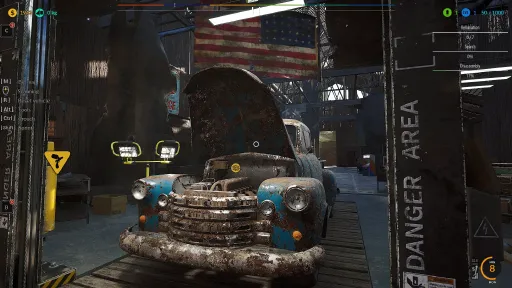
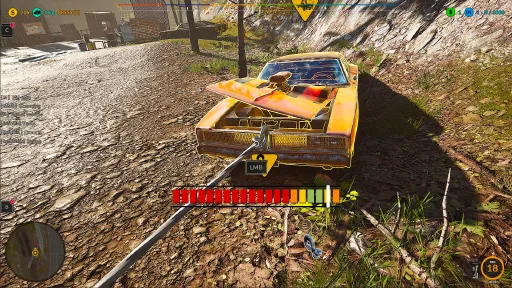
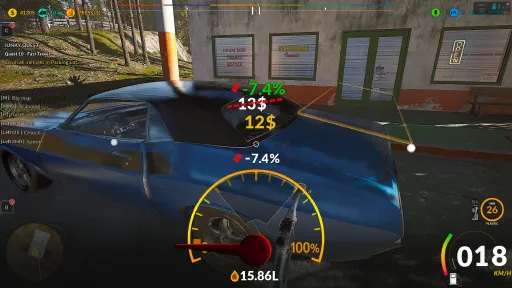
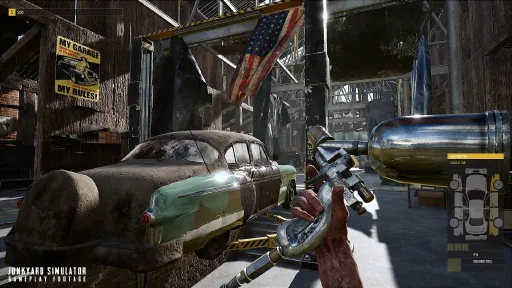
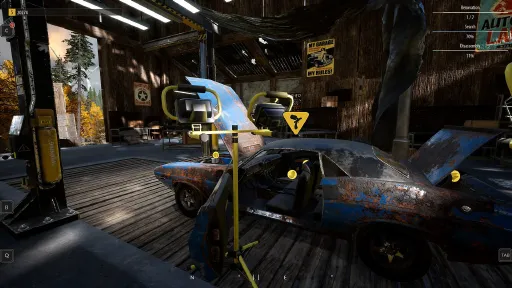
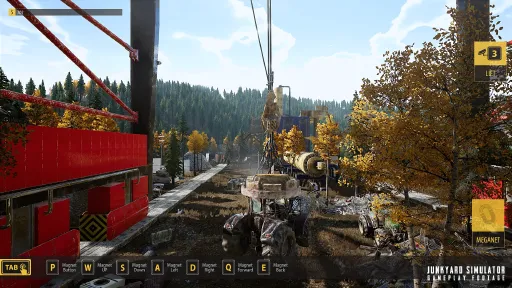
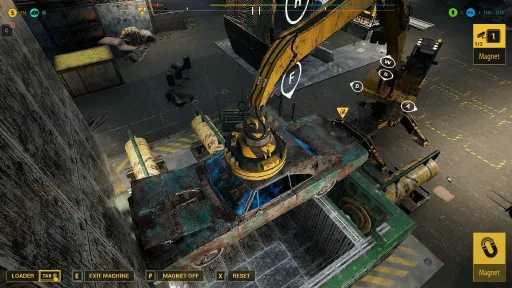
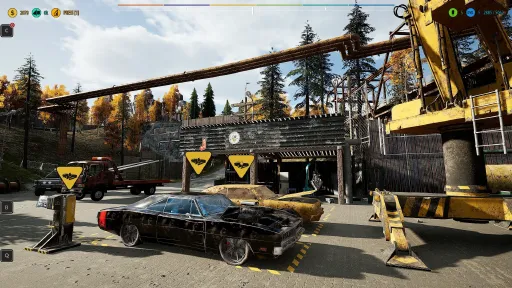
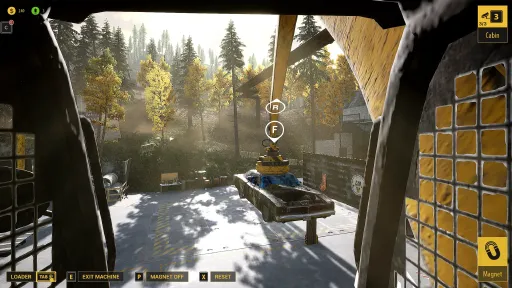
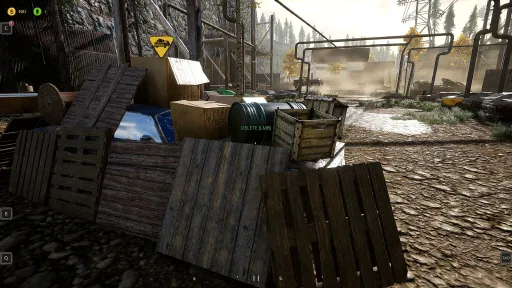
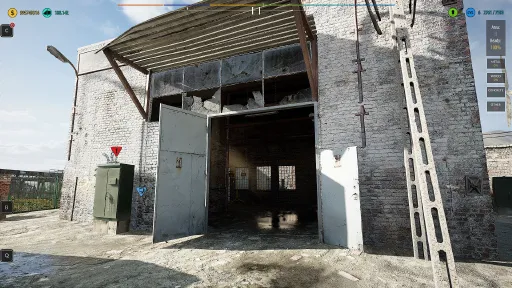
Version Information
Steam Patch Notes
Official update history
Dear Junkers! 🔧😄
This hotfix focuses on additional gameplay stability, interaction fixes, and visual polish improvements. I’m continuously working on eliminating annoying bugs, improving immersion, and making gameplay smoother and more reliable during longer sessions.
Thank you again for all the feedback and bug reports — they help me improve the game much faster 💪
🧩 Fixes & Improvements
• Fixed issues with single objects visibly loading in front of the player
• Fixed invisible collision near Bob’s area
• Fixed white placeholder boxes appearing in Bob’s area
• Fixed an issue where player hands could freeze while drinking beer
• Fixed several random situations causing hands/tools to become frozen
• Fixed a bug where pressing \ during Fast Travel while holding a fridge or paint roller could activate both the tool and Fast Travel at the same time
• Fixed hand freezing after using Fast Travel to the Parcel
• Fixed tools remaining in player hands after collapsing from hunger
More improvements, optimizations, and new features are already in the works — stay tuned! 🚀
We’re continuously working on improving both gameplay systems and localization quality.
Thank you for being part of the journey — more updates are coming! 🚀
[img src="{STEAM_CLAN_IMAGE}/29480609/7ebac078adfcd7806b0041bdc88d8fa4b61e9cb7.png"]
The game is constantly being developed — I strongly recommend checking the integrity of the game files!
Massive junkyard hugs from your favorite rust whisperer —
Junkman Adrian 😎🛠️💛
[img src="{STEAM_CLAN_IMAGE}/29480609/818da1e8c97a1b2a2b577311a149228cdb87459e.png"]
Dear Junkers! 🔧😄
This update may look small on paper, but it addresses several key issues and makes the overall experience smoother and more enjoyable.
🔧 What I fixed & improved
♻️ Camera Teleportation, Input Lag & Desync
I fixed issues related to camera teleportation and added patches that reduce input lag and desynchronization. Controls and in-game reactions should now feel more predictable and responsive.
📻 Radio
I fixed an issue where music would continue playing after pressing stop because ambient sounds were triggered.
I added a tooltip that explains this behavior when hovering over the stop button.
🌫️ Fog Effect
I reduced the strength of the fog effect, which was previously too strong. Visibility now feels more natural, and the effect is less overwhelming.
🙏 Thank you
Thank you to everyone who reported issues and shared feedback — your input directly helped me implement these fixes 💛
More improvements, optimizations, and new features are already in the works — stay tuned! 🚀
We’re continuously working on improving both gameplay systems and localization quality.
Thank you for being part of the journey — more updates are coming! 🚀
[img src="{STEAM_CLAN_IMAGE}/29480609/7ebac078adfcd7806b0041bdc88d8fa4b61e9cb7.png"]
The game is constantly being developed — I strongly recommend checking the integrity of the game files!
Massive junkyard hugs from your favorite rust whisperer —
Junkman Adrian 😎🛠️💛
[img src="{STEAM_CLAN_IMAGE}/29480609/818da1e8c97a1b2a2b577311a149228cdb87459e.png"]
Dear Junkers! ✨
This update focuses on fixing critical save-loading issues that were affecting progression, purchased machines, upgrades, and parcel state. We know how frustrating it is to lose progress — this patch addresses those problems directly.
Thank you to everyone who reported these issues and sent save files. Your help allowed us to track and eliminate the root causes much faster.
💾 Save & Progression Fixes
• Fixed an issue where loading the game could reset Parcel progress to zero
• Fixed an issue where loading the game blocked access to a Parcel even though it was already purchased
• Fixed an issue where loading the game caused loss of Task progression
• Fixed an issue where the Conveyor Belt became locked after loading, even though it had already been purchased
• Fixed an issue where the Stationary Press became locked after loading, despite being previously unlocked
• Fixed an issue where purchased Upgrades could disappear after loading the game
• Fixed an issue where resources collected on the Parcel (Metal, Wood, Concrete and others) could be lost after loading
Thank you for your patience and for supporting the project during Early Access. Step by step, we’re making the foundation stronger. 🚀
[img src="{STEAM_CLAN_IMAGE}/29480609/fba4719637054efa26dcaf6c144c882fe3411372.jpg"]
Massive junkyard hugs from your favorite rust whisperer —
Junkman Adrian 😎🛠️
[img src="{STEAM_CLAN_IMAGE}/29480609/818da1e8c97a1b2a2b577311a149228cdb87459e.png"]
Dear Junkers! ✨
The vehicle exit system at the gas station has been fixed and improved.
These changes apply to Pickups, Tow Trucks, Trucks, and the 1950 Pickup, eliminating cases where the player could get stuck, exit in incorrect positions, or clip into station geometry.
Details of the changes:
Improved detection logic for vehicle positioning relative to fuel pumps and surrounding objects.
Optimized player exit points to ensure the character always spawns in a safe and logical location.
Current exit behavior:
Approaching from the outer side of the station
the character exits directly next to the fuel pump.Parking near a pillar
the character exits safely by the fuel pump, with no risk of getting stuck.Approaching from the inner side of the station
the character exits correctly next to the fuel pump.Parking under the canopy on the shop side
the character exits in front of the shop entrance, in the correct position.
Result:
No more player lock-ups when exiting vehicles.
Consistent and predictable behavior in all parking scenarios.
Much smoother refueling and interaction flow at the gas station..
[img src="{STEAM_CLAN_IMAGE}/29480609/fba4719637054efa26dcaf6c144c882fe3411372.jpg"]
Massive junkyard hugs from your favorite rust whisperer —
Junkman Adrian 😎🛠️
[img src="{STEAM_CLAN_IMAGE}/29480609/818da1e8c97a1b2a2b577311a149228cdb87459e.png"]
Dear Junkers! ✨
Quick update on a bug discovered by one of our FERNZ 💛
⚙️ Fuel System Fix
Fixed an issue where vehicles could not be refueled at the gas station.
Resolved a bug causing the player character to get stuck after inserting the fuel hose into the vehicle.
Fixed an issue where LMB input would stop responding during the refueling process.
Improved interaction stability when using the gas station to prevent soft-locks.
[img src="{STEAM_CLAN_IMAGE}/29480609/27367e34774c0ba6dc09689d5857e175fedc5468.gif"]
Thank you FERNZ for reporting this issue — your feedback helps improve the game!🚗💛
Massive junkyard hugs from your favorite rust whisperer —
Junkman Adrian 😎🛠️
[img src="{STEAM_CLAN_IMAGE}/29480609/818da1e8c97a1b2a2b577311a149228cdb87459e.png"]
Dear Junkers! ✨
Quick update on a bug discovered by one of our fans 💛
⚙️ Vehicle UI & Driving
Fixed an issue where the odometer on the Old Pickup was not updating and remained at 0 km/h while driving.
The speedometer now correctly displays vehicle speed during normal gameplay.
[img src="{STEAM_CLAN_IMAGE}/29480609/1d49a46e32d8128004c8d421e1727a47fd5847ce.gif"]
Thank you VelocitEX for reporting this issue — your feedback helps improve the game!🚗💛
Massive junkyard hugs from your favorite rust whisperer —
Junkman Adrian 😎🛠️
[img src="{STEAM_CLAN_IMAGE}/29480609/818da1e8c97a1b2a2b577311a149228cdb87459e.png"]
Dear Junkers! ✨
Welcome to the New Year 2026! Many of you asked for these fixes — and for you, dear Junkers… we always try to go the extra mile. ❤️
That’s why the hotfix is already live.
Thank you for being with us, for your patience, feedback, and constant support. Even right at the end of the year, we’re still polishing the game and responding to your reports.
We wish you a great start to the New Year and plenty of energy for everything ahead — both in real life and in the Junkyard!
And now… it’s update time 🚀
[img src="{STEAM_CLAN_IMAGE}/29480609/8459ac3b679608e43733e6e99e858c86286dce5f.jpg"]
[img src="{STEAM_CLAN_IMAGE}/29480609/658fc75c3330dd3d5e7bb307e920f3b19d75cf4d.jpg"]
Full Hotfix Details
⚙️ Hangar Vehicle Sale Freeze Fix
Fixed a critical issue where the game could become stuck on the “Do you want to sell this vehicle?” confirmation screen when selling a car from the Hangar in Story Mode.
Resolved a bug where the Yes / No selection UI would stop responding, leaving the confirmation window permanently visible while the player could still move the camera or character.
This issue occurred consistently on some devices (including Lenovo Legion Go S) and required restarting the game — it has now been fully addressed.
Improved input handling and UI state cleanup to ensure the confirmation dialog always properly closes after a selection or timeout.
[img src="{STEAM_CLAN_IMAGE}/29480609/8b3306648901ade48fd95c2a9f0e1dbf670cdbd6.jpg"]
⚙️ Gameplay & Machines
Added smooth acceleration to the Crusher while moving the machine. When holding a movement direction, the Crusher now gradually accelerates up to a defined speed, and smoothly slows down after releasing the input.
🗺️ Fast Travel & World Interaction
Fixed an issue where the Fast Travel Board could lose the interaction widget (Press E), even though the player was standing within the valid activation area.
[img src="{STEAM_CLAN_IMAGE}/29480609/9c19411fe98f2f2235390540922958dcc9a3c39e.jpg"]
📜 Quest Fixes & Clarity
Updated the in-world quest description for Quest 4 related to renovating 2 items.
The misleading text “Renovated items” has been replaced with the correct instruction “Renovate items”.Fixed the objective location marker for the renovate 2 items quest.
Previously, the marker incorrectly pointed to a storage container instead of the renovation workstation where the items were actually located.
📘 Tutorial Improvements
Unified the wording of “Tow Truck” in the wreck-loading tutorial so all languages now use the same, consistent term already used throughout the game.
Fixed a missing space between the \ key hint and the following sentence on page 3 of the vehicle tutorial, improving readability.
[img src="{STEAM_CLAN_IMAGE}/29480609/952d3f4f17cfbc5892eab35554d954cfecaa11fb.jpg"]
Thanks so much for your support and help in developing the game — you are the best Junkmen we know!
Massive junkyard hugs from your favorite rust whisperer —
Junkman Adrian 😎🛠️💛
[img src="{STEAM_CLAN_IMAGE}/29480609/818da1e8c97a1b2a2b577311a149228cdb87459e.png"]
Dear Junkers! 🎄✨
We know we already shared holiday wishes with you last week — but hey, it’s Christmas and New Year time, so why not wish you all the best once again! 😊
Thank you for being with us, for your patience, feedback, and constant support. As we move toward the New Year, we’re still polishing the game and delivering hotfixes based directly on your reports.
Wishing you calm holidays, a great start to the New Year, and plenty of energy for everything ahead — both in real life and in Junkyard!
Now, let’s get to the update. 🚀
[img src="{STEAM_CLAN_IMAGE}/29480609/f20fbcaf7a3be91f7e3b3720e2bebb5ad877ffa4.jpg"]
[img src="{STEAM_CLAN_IMAGE}/29480609/4d812aa782ceb42f5a57c4053b039ab12b48075f.jpg"]
Full Hotfix Details
⚙️ Quest Safeguards, Tutorial Improvements & Stability Fixes
Reworked Parcel Quest safeguards. If the player completed Parcel-related actions earlier than required by the quest, the Parcel Quest will no longer break or be skipped. Quest progress is now validated against the actual Parcel state (e.g. Parcel already purchased → Parcel purchase step completed).
Secured Parcel purchasing in Story Mode. Players can no longer buy the Parcel before the appropriate quest step becomes active.
Fixed a potential game block when entering a vehicle while opening the Backpack at the same time \.
[img src="{STEAM_CLAN_IMAGE}/29480609/7a96b0742f57706fafcb1e2f59abc3b02a5c8e17.png"]
📘 Tutorial Improvements & Guidance
Fixed the sentence order in the tutorial explaining resource acquisition for the Stationary Crusher.
Added guidance arrows for the Current Quest Objective tutorial.
Added a new page to the Current Quest Objective tutorial, reminding players about the minimap, 3D markers, compass, and quest icon on the Large Map.
[img src="{STEAM_CLAN_IMAGE}/29480609/27db72c960a88ed886915db510fd84622f550c64.jpg"]
Fixed an issue where paintable walls could appear on the Parcel without textures.
Improved hint visibility when using the Parcel Computer:
Tab hint now animates to an orange color.
Arrow hint now animates to an orange color.
Added a tutorial for picking up items during the trash-cleaning quest.
Fixed an excessively large trigger range for hammer-destroyed item tutorials, which could block other expected tutorials from appearing.
[img src="{STEAM_CLAN_IMAGE}/29480609/f716dc0aeac07192704f8a2b8e9816c834a7f99f.jpg"]
Added a new tutorial for Fast Travel Boards.
Added a new tutorial for the Upgrade Station.
Added a new tutorial explaining the Backpack mechanics.
[img src="{STEAM_CLAN_IMAGE}/29480609/aa1104695bb1e416301224c602fa03a641355c6b.jpg"]
Added a tutorial prompt when standing near the Bluecar vehicle found in the world.
Fixed a typo in a new tutorial:
“Two-Post Lift” → “Two-Column Lift” to avoid confusion with other machines.Improved the Upgrade Station tutorial so that, during the Tow Truck upgrade quest, the tutorial is visible from a greater distance rather than only at very close range.
Unified the Tow Truck naming in the new tutorial to match existing language consistency.
Added a tutorial for quests requiring selling resources on the market using the tablet. Pressing \ now explains the selling process in more detail.
Added a proper tutorial after pressing \ during the Cart Reset quest, fixing player progression issues caused by misunderstanding the mechanic.
Added a tutorial after pressing \ while standing near a wreck intended for Tow Truck transport, explaining both wreck mechanics and Tow Truck usage.
We’re getting a ton of feedback from you — thank you so much for that!
Thanks so much for your support and help in developing the game — you are the best Junkmen we know!
Massive junkyard hugs from your favorite rust whisperer —
Junkman Adrian 😎🛠️💛
[img src="{STEAM_CLAN_IMAGE}/29480609/2a4df2721fc59e3f710ece10eef35f29485c1ae2.gif"]
Please support ːsteamthumbsupː 🙂
Dear Junkers! 🎄
On the occasion of Junkyard Christmas and the upcoming New Year, I want to thank you from the bottom of my heart for being with me and with the game for so many years — through every update, every fix, and every new stage of development. Your support, patience, and involvement truly mean the world to me.
Thanks to you, Junkyard is still alive, growing, and gaining more and more character. Over this time, you’ve become more than just players to me — you’re a community that’s very close to my heart and one that motivates me every single day to keep going.
I also want you to know that even now — during the holiday season — I’m still working on the game, adding fixes and releasing hotfixes based on your reports. Thank you with all my heart for every report, every suggestion, and every piece of advice. It’s you who help make the game better and better. 🙏
I wish you peaceful, joyful, and warm holidays, full of rest, smiles, and good moments — both in front of the screen and away from it. 🎁
May the New Year bring you lots of health, happiness, fulfilled dreams, and plenty of positive energy. And from the Junkyard side — I promise there’s still a lot ahead: more updates, new content, and many surprises! 🚀
Thank you for being here. Without you, this game wouldn’t make sense.
Merry Christmas and a Happy New Year! 💛
[img src="{STEAM_CLAN_IMAGE}/29480609/fba4719637054efa26dcaf6c144c882fe3411372.jpg"]
[img src="{STEAM_CLAN_IMAGE}/29480609/4884d50e0cc9e37b919b4fb05d19dd01cb8bdeb7.jpg"]
Full Hotfix Details
⚙️ Quest Fixes, Progression Safeguards & Vehicle camera
Reworked the vehicle camera system for looking around from the third-person view — the camera speed has been increased by 100% at the players’ request, and camera input lag has been eliminated.
Fixed an issue where the Parcel purchase quest could become blocked if the player bought the parcel before the quest required it. The quest will now correctly detect prior completion.
Fixed a potential quest block related to vehicle Failures when no Failure was currently active. The Failure quest will now automatically complete if no Failure exists.
Fixed a Workstation purchase quest block that could occur if the player had already bought a Workstation in Area A. The game will now properly detect this and complete the quest.
Fixed a worker hiring quest block. The game now checks whether the player already has a worker hired in Area A and completes the quest accordingly.
Fixed a Goods Station purchase quest block. As with the Workstation, the quest will now auto-complete if the station was previously purchased.
Fixed a Goods purchase quest block. The game now checks the player’s current Goods inventory when the quest requires a purchase—if the Goods are already owned, the quest will be completed.
[img src="{STEAM_CLAN_IMAGE}/29480609/85fdb66ce50d8c4d933aeff61c88b96b3039c047.jpg"]
📘 Tutorial Fixes & Improvements
Fixed the Furnace tutorial display area. The tutorial trigger zone on the Parcel has been reduced, allowing players to freely access the Parcel Computer and enable the Parcel tutorial without interference.
Fixed the Mini Crusher tutorial display issue. Standing near the Mini Crusher now correctly triggers its own tutorial instead of the Furnace tutorial.
[img src="{STEAM_CLAN_IMAGE}/29480609/4829e70bbf983103854123c760941bcddb54faa8.jpg"]
🎓 New Tutorials Added
Added a new tutorial explaining the Challenger vehicle renovation mechanics.
[img src="{STEAM_CLAN_IMAGE}/29480609/9c19411fe98f2f2235390540922958dcc9a3c39e.jpg"]
Added a new tutorial covering part dismantling mechanics during vehicle renovation.
Added a new tutorial for bodywork and engine restoration mechanics at the renovation workstation.
Added a new tutorial explaining the vehicle searching mechanics.
Added a new tutorial for vehicle collection in the Hangar and selling collected vehicles.
[img src="{STEAM_CLAN_IMAGE}/29480609/f716dc0aeac07192704f8a2b8e9816c834a7f99f.jpg"]
Added a new tutorial for Fast Travel Boards.
Added a new tutorial for the Upgrade Station.
Added a new tutorial explaining the Backpack mechanics.
[img src="{STEAM_CLAN_IMAGE}/29480609/44ba0ccaaf57e878deaaeb19e2898d9a2afc5869.jpg"]
Added a new tutorial covering vehicle driving and all vehicle-related mechanics.
Added a new tutorial dedicated to the Workshop mechanics.
We’re getting a ton of feedback from you — thank you so much for that!
Thanks so much for your support and help in developing the game — you are the best Junkmen we know!
Massive junkyard hugs from your favorite rust whisperer —
Junkman Adrian 😎🛠️💛
[img src="{STEAM_CLAN_IMAGE}/29480609/16545e4f34d61dc0efa48be441a0092249358b52.jpg"]
Please support ːsteamthumbsupː 🙂
Hey Junkers! 🎮⚙️
We’ve just rolled out a small update focused on vehicle renovation fixes and interface improvements based on your feedback! 💪
This patch addresses some minor but frustrating issues, improves the renovation workflow, and polishes interactions to make the gameplay smoother and more immersive.
As always — thank you for your support and detailed feedback. ❤️
Your reports help us make Junkyard Simulator better with every update.
Enjoy the update and happy scrapping, Junkers! 🧰🔩
[img src="{STEAM_CLAN_IMAGE}/29480609/5f0435bc3227af54a7d59f5dc88374934567bc7b.jpg"]
Full Hotfix Details
⚙️ Gameplay & Mechanics
Fixed the bug preventing automatic renovation of the V6 engine.
Added translations for the “APPROVED” label in all languages upon completing item renovation.
Removed the unwanted white border around the “APPROVED” button.
Added safeguards to prevent stock market information from overlapping with the current plot status during renovation.
Fix for the issue where the screen would freeze when playing with a gamepad and pressing the large map button before unlocking it from the quest.
Blocked the ability to add a waypoint when playing with a gamepad if the large map is not currently active.
[img src="{STEAM_CLAN_IMAGE}/29480609/4265b98fb42535a7fbf54e6cc3c5928617284815.jpg"]
We’re getting a ton of feedback from you — thank you so much for that! Below are some of the latest changes and fixes — there’s actually much more going on, but we don’t log everything because, frankly, we’re rushing to keep updates coming often.
Thanks so much for your support and help in developing the game — you are the best Junkmen we know!
Massive junkyard hugs from your favorite rust whisperer —
Junkman Adrian 😎🛠️💛
[img src="{STEAM_CLAN_IMAGE}/29480609/f1f3a918390fa7a6f9fd54101c0192fb36920bb6.jpg"]
Also please support ːsteamthumbsupː 🙂
Hey Junkers! 🎮⚙️
I’ve just rolled out a new update packed with fixes, improvements, and a few quality-of-life tweaks based directly on your feedback! 💪
This patch focuses on polishing gameplay stability, refining mechanics, and addressing small but annoying issues some of you have reported — from resource collection and vehicle renovation to map stability and save management.
I’ve also added a few immersion upgrades, like the visible basket-holding animation (for all of you wide-screen players 😎), and separated autosaves between Story Mode and Sandbox Mode, so you can freely switch between them without any worries.
As always — thank you so much for your continued support, detailed reports, and kind words. ❤️
Your feedback helps me make Junkyard Simulator better with every single update.
Keep sending in your thoughts and ideas — I’m reading them all and adding the best ones to our to-do list. 🚀
Enjoy the update and happy scrapping, Junkers! 🧰🔩
[img src="{STEAM_CLAN_IMAGE}/29480609/8922000dea6d79d303a2e97e3adc2e9abd5cbe84.jpg"]
Full Hotfix Details
⚙️ Gameplay & Mechanics
Fixed the issue with counting the amount of resources collected in the world using the hammer. The displayed value now correctly matches the actual number of resources stored in the furnace.
Added a safeguard to prevent the game from getting stuck when opening the Large Map.
Increased the time required to search scrap piles — it now takes 2 hours in-game.
Added a system to remember the state of opened vehicle parts. Trunks and hoods will now remain open for 2 in-game hours before automatically resetting.
Fixed an issue where items would sometimes fall under a vehicle being searched, making them impossible to find inside the trunk or under the hood.
Secure the crate save system to prevent gray crates from remaining in the game area.
Add a fix that will automatically remove broken gray crates from the game if they appear in the player’s save file and interfere with gameplay.
🗺️ Map & Visuals
Improved icon display when searching for vehicles to load onto the tow truck. Icons for all vehicles are visible from a distance, but once you approach one, the others will fade out to help you focus on the correct one.
Fixed the issue where the minimap could freeze after visiting the store and withdrawing money from the ATM.
Fixed the issue where the minimap could freeze after finishing the cashier dialogue (when showing products, indicating the ATM, giving change, or reacting to an exact payment).
[img src="{STEAM_CLAN_IMAGE}/29480609/f20fbcaf7a3be91f7e3b3720e2bebb5ad877ffa4.jpg"]
🧰 Interface & Interactions
Fixed the text jumping issue while overwriting a save file.
Fixed the issue where input was disabled when naming a save file if the mouse hovered over the center of the screen.
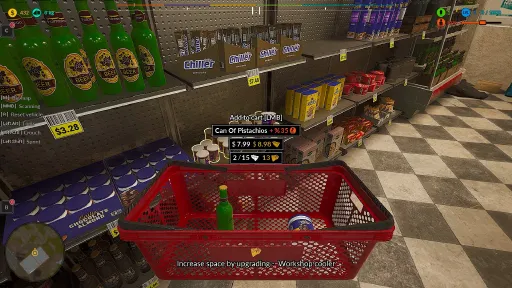
Added visible hand-holding animation for the shopping basket to improve immersion for players with wider screen ratios or increased FOV (the basket will no longer appear to float).
💾 Save System
Separated Autosave files between Story Mode and Sandbox Mode. You can now freely switch between modes without worrying about losing automatic saves from the other mode.
[img src="{STEAM_CLAN_IMAGE}/29480609/9444bc536cd9a50cb2fa5c11228166d08c8f52aa.jpg"]
🧹 Optimization
Increased the distance at which the optimization system removes dropped objects.
Extended the time before dropped objects are removed by the optimization system.
[img src="{STEAM_CLAN_IMAGE}/29480609/0a923b9853582a11d2907fcea949e73977814268.jpg"]
🚗 Vehicle Renovation
Adjusted all body renovation elements for vehicles to make progress easier to register, preventing situations where players struggle to find the final repair spot.
Extended the duration of the renovation hint spheres (activated by pressing the hint button) from 2 seconds to 5 seconds for better visibility.
+UPDATE
Fixed V6 Engine Renovation:
The renovation can now be successfully completed after restoring the element using the sandblaster.Improved Backpack Animation:
The animation for putting an item into the backpack now lasts slightly longer, is more noticeable, and ends with an updated item count animation to make sure it doesn’t go unnoticed.Disabled Collision for the Black Cloth:
Removed collision from the black cloth located under the item being renovated.Cleared Renovation Area:
Removed obstructing objects around the renovation station to allow for smoother movement during renovation.
[img src="{STEAM_CLAN_IMAGE}/29480609/16545e4f34d61dc0efa48be441a0092249358b52.jpg"]
We’re getting a ton of feedback from you — thank you so much for that! Below are some of the latest changes and fixes — there’s actually much more going on, but we don’t log everything because, frankly, we’re rushing to keep updates coming often.
Thanks so much for your support and help in developing the game — you are the best Junkmen we know!
Massive junkyard hugs from your favorite rust whisperer —
Junkman Adrian 😎🛠️💛
Also please support ːsteamthumbsupː 🙂
Hey Junkers! 🎮⚙️
At your request, I’ve just added new stamina options! 💪
From now on, you can extend stamina by +1h, +2h, or +3h — and yes, there’s also an option to turn stamina off completely ( MENU > OPTIONS > GRAPHICS/GAMEPLAY ) .
Now, I’ll be honest with you — I still believe that the fridge system, shopping, and refueling are all perfectly balanced around the 1-hour stamina cycle.
But since you’re my wonderful community ❤️ and I truly appreciate all your support for my game, I decided to add these options so you can test and choose what feels best for you.
👉 Personally, I recommend the 1-2-hour stamina — it already feels quite long.
For the more impatient ones, 3 hours are available too, and of course, the “no stamina” option as well. Just remember — with stamina turned off, your character will always stay at 100%, so there’ll be no need for shopping anymore. 😄
Thank you all so much for your feedback and constant support — it really means the world to me and keeps me motivated to keep improving the game week by week! 🙏
[img src="{STEAM_CLAN_IMAGE}/29480609/5680c55d1e83397cdb5da526283f972991abdc75.jpg"]
Full Hotfix Details
⚙️ Gameplay & Mechanics
Added an option to disable the Progress Bar Minigame. You can now turn this feature off in the Options menu. When disabled:
No need to press the RMB combo while using tools.
You can load vehicles onto the tow truck without using the hook minigame.
Added a new option in Game Settings to pause stamina depletion, allowing you to play without needing to eat.
Added stamina duration adjustment. You can now control how long it takes for stamina to drop from 100% to 0%.
🎵 Audio
Fixed missing ambient music in Sandbox Mode.
Restored ambient music for players in Story Mode who previously didn’t have background music playing.
🖱️ Controls & Keybindings
Fixed an issue where default keybindings (Radial Menu, Crouch, Vehicle Reset, Tablet) were still active even after assigning custom keys — preventing both keys from triggering the same action.
🚗 Vehicles & Tasks
Adjusted the hangar viewing task so it now completes even if the player remains in place after being teleported to the location.
Relocated the Diamond and Gold Bar inside the Blue Car to easier-to-find positions, preventing situations where players couldn’t locate them before full disassembly.
Improved the tow truck loading task — other vehicles will no longer appear, preventing confusion about the quest’s correct target.
🏪 Shops & Interactions
Blocked the ability to exit during the animation and summary phase of a successful shop payment, ensuring proper transaction completion.
🗺️ Map & Renovation
Disabled access to the Large Map during the renovation of the Blue Car and Pickup 1950 to avoid unintended interactions.
[img src="{STEAM_CLAN_IMAGE}/29480609/68bc0868ae24ff251a13ca526ad6112ca77a4825.jpg"]
We’re getting a ton of feedback from you — thank you so much for that! Below are some of the latest changes and fixes — there’s actually much more going on, but we don’t log everything because, frankly, we’re rushing to keep updates coming often.
Thanks so much for your support and help in developing the game — you are the best Junkmen we know!
Massive junkyard hugs from your favorite rust whisperer —
Junkman Adrian 😎🛠️💛
Also please support ːsteamthumbsupː 🙂
Current Release
Build 24696821
Uploaded Sep 05, 2026
Update already requested
Uploaders have been notified
A newer version is available but not yet uploaded
Help keep this updated
Login Required
You need to be logged in to request game updates. Would you like to go to the login page?
Request Update
Request an update for Junkyard Simulator? This will notify uploaders that this game has an available update.
Request Submitted
Your update request has been submitted successfully! Uploaders will be notified.
Request Failed
Failed to submit update request:
System Requirements
How to Install
JunkYard.exe to play
Troubleshooting tips
• Run Redist/_CommonRedist installers if game won't start
• Add folder to Windows Defender exclusions
• Run as administrator
Download
Direct link available
Needed when extracting (WinRAR / 7-Zip) — not a site login.
6DB95A2D
866bdc9285066a2bebb3bcf7e305a1d82c0d7627226a11a2c198c93eeb86da00
You May Also Like
View All










Download Junkyard Simulator for PC with a direct link or via torrent. Get the full version of Junkyard Simulator for free. Junkyard Simulator is a Indie released by Rebelia Games.