







About the Game

Inspired by RuneScape, Melvor Idle takes the core of what makes an adventure game so addictive and strips it down to its purest form!
Master Melvor’s many RuneScape-style skills with just a click or a tap. Melvor Idle is a feature-rich, idle/incremental game combining a distinctly familiar feel with a fresh gameplay experience. Maxing 20+ skills has never been more zen. Whether you’re a RuneScape newbie, a hardened veteran, or simply someone looking for a deep but accessible adventure that easily fits around a busy lifestyle, Melvor is an addictive idle experience unlike any other.
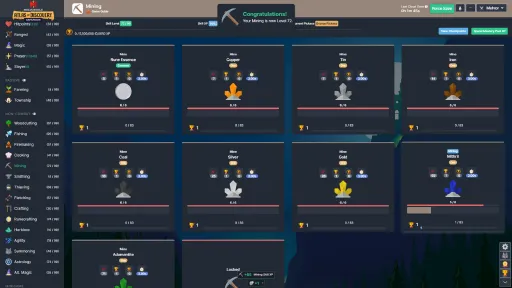
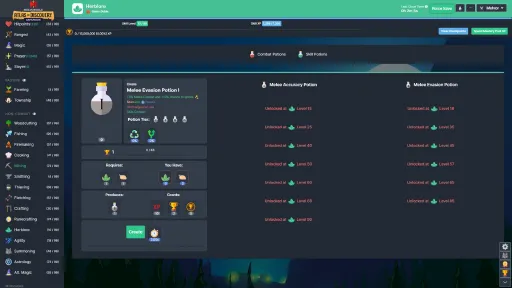
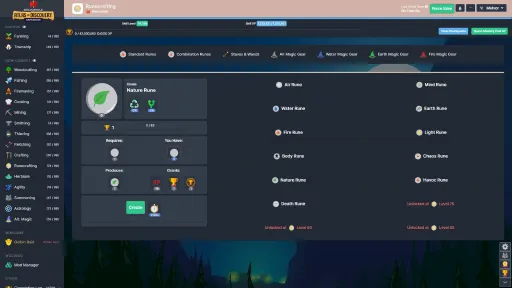
Every skill in this game serves a purpose, interacting with the others in interesting ways. This means all the hard work you put into one skill will in turn benefit others. What strategy will you conjure to achieve maximum skillage?
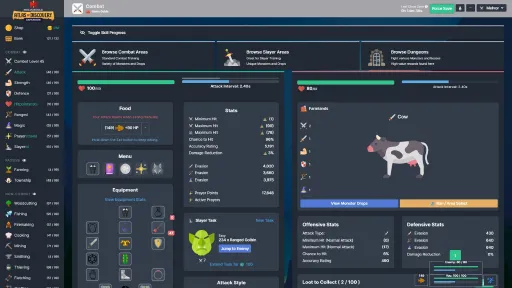
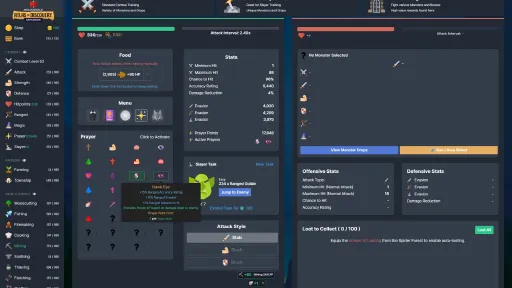
It doesn’t just end with Woodcutting, Smithing, Cooking and Farming either – take your finely honed tapping abilities into battle and face off against 100+ monsters using your Melee, Ranged and Magic skills. Conquering brutal dungeons and toppling boisterous bosses has never been quite like this before…
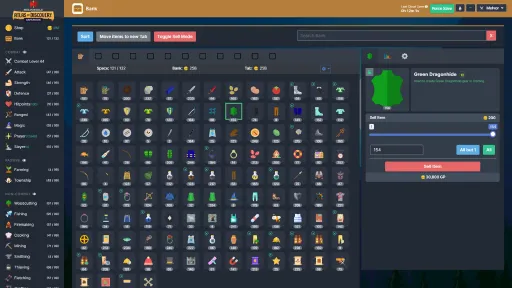
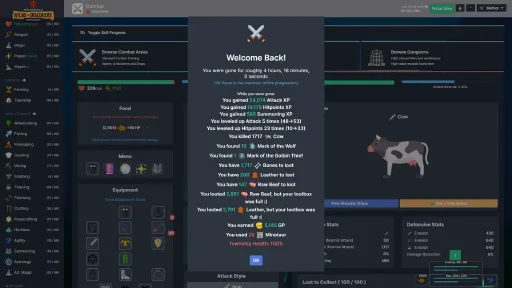
In addition to over 20 skills to level up, there’s offline progression, cloud save compatibility, an integrated Bank/Inventory system and more! And thanks to its regular updates, the adventure continues to grow all the time.
Do you have what it takes to conquer Melvor?

Features include:
- A RuneScape-inspired experience suitable for veterans and newcomers alike.
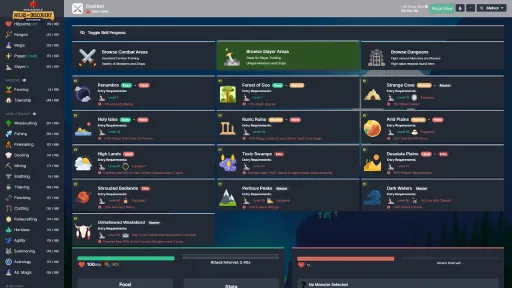
- In-depth and endless Combat system featuring 8 dedicated Skills, countless dungeons, bosses to vanquish and lore to unearth.
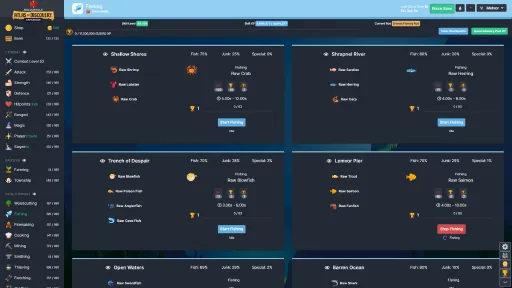
- Deep but accessible systems featuring 15 non-Combat Skills to train, all with individual mechanics and interactions.
- Fully featured and interactive Bank/Inventory System.
- Over 1,100 items for you to discover and utilise.
- 40+ decidedly cute Pets to collect.
- Cloud saving functionality that is compatible across all platforms.
- An experience that continues to grow through expansions.
This game requires an internet connection to play.

Melvor Idle does not contain microtransactions. We believe everyone who plays should be on a level playing field.
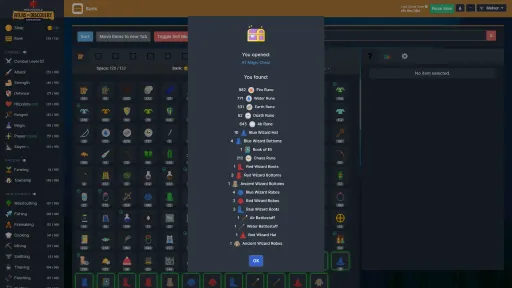
Screenshots
11 images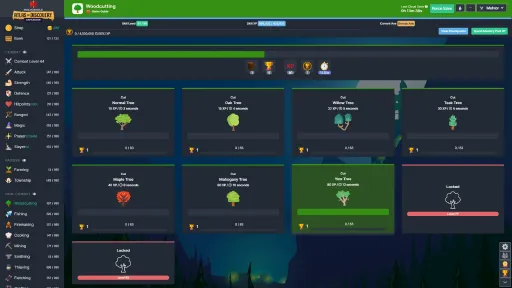
Version Information
Steam Patch Notes
Official update history
On the site: Build 13311431
Up to date
Bug Fixes
- Fix scaling conditional modifiers not actually scaling. This fixes the Abyssal Township Buildings that were not scaling their modifiers correctly.
- Fix Void Hivemind passive giving -10ms Attack Interval instead of the intended -10%
- Fix Wither Mythical Wizard Hat not having a passive effect
- Fix Nether Blast using Hollow Runes instead of Hex Runes when using combination runes
- Fix Cartography/Archaeology Game Guides missing Wiki links
- Prevent Cartography travel costs going below 0
- Fix error in data schema for AttackSpellbookData
- Fix ItA DLC not showing in local currency on mobile.
= Into the Abyss only
= Atlas of Discovery only
= Throne of the Herald only
View on Steam
= Atlas of Discovery only
= Throne of the Herald only
Changes & Balancing
- Lurker Gem - Now provides +1.2% Crit chance, -1.2% Attack Interval, -1.2% Max HP stacking up to 8 times, resetting at max stacks. Used to provide 1% bonuses for 10 stacks.
- Echo Walker Boots - Now provides -2.5% Attack Interval stacking up to 4 times (Stacks reset on miss). Used to provide -2% stacking 5 times.
- Shadeveil Cape - Chance to apply Shadeveil 100% -> 50%
- Shadeveil Potions - Changed chance to apply Shadeveil to 15/25/35/50%, down from 25/50/75/100%
- Shadeveil Potion IV only - Crit Chance +15% -> +20%
- Blighting Gloves - Removed -5% Attack Interval modifier.
- Wither Stabs - Special Attack - Damage 100% -> 85%. Hit interval 0.2s -> 0.4s.
- Agile Gem - Now provides -0.8% Attack Interval stacking up to 12 times, resetting at max stacks. Used to provide -1% bonus for 10 stacks.
- Power Crystals - Now only functions if using Normal Damage.
- Critical Strike Potions - Now provide 5/10/15/20% Critical Chance, down from 15/20/25/30%.
Fixed
- Implement validation of interface version when loading saves. If the game detects an out-of-version interface, it will stop the loading process and will display an error message saying so.
- Loading saves will now display the current action it is performing. This helps us source issues if the loading process stops at a specific step.
- Fixed Voidburst Bolts Combat Effect working on attack styles other than Ranged as long as they were equipped.
- Fixed Enhanced Gathering Scroll not working for Astrology Stardust.
- Fixed incorrect Abyssal Prayer Level requirement for the 4th Abyssal Prayer.
- Fixed issue where “Increased damage based on Attacker’s Max Hitpoints” was not working if using Abyssal Damage. This affected Ravage, Evisceration and Siphon Abyssal Prayers.
- Fixed incorrect bonus values for Nightmare Enhancement (Superior).
- Fixed incorrect description for Blighted Enhancement (Superior).
- Fixed various special attack descriptions that were not displaying values correctly.
- Fixed broken image for Corrupted Dreadwalker Ghoul
- Fixed Toxic Wastes Slayer Area incorrectly mentioning Poison instead of Toxin for its Area Effect.
- Fixed Extra Bank Slot Shop purchase not capping in Hardcore Mode.
- Fix incorrect Meteorite spellcaster item synergy description
- Fix Frostburn not capping damage as per v1.3 changes.
- Fix auto burying tripling Prayer Points gained instead of doubling
- Fix Gauntlets of Rage not showing damage type condition in description
Modding
- Item Upgrades and their recipes can now be modified via Data Modifications.
= Into the Abyss only
= Atlas of Discovery only
View on Steam
= Atlas of Discovery only
New
- The Skill Tree dropdown menu now colour codes the available points to spend based on whether there is a node you can unlock or not (Red = no, green = yes).
- Added a “Clear App Cache” option to the bottom of the Character Select screen for Mobile.
Fixed
- Fix Skill Tree dropdown menu not automatically updating points to spend after unlocking a node.
- Fix Township buildings not showing the total Fortification they provide.
- Fix being unable to select the same button twice when picking Ancient Relic level cap increases
- Fix Gem Preserver Scrolls being used when making non-Jewelry items in Crafting.
- Corrected many missing, broken or unnecessary HTML errors.
- Added visible logging of save loading progress in an effort to track down potential unknown errors during a save’s loading process that doesn’t produce a popup error.
= Into the Abyss only
= Atlas of Discovery only
View on Steam
= Atlas of Discovery only
Translations
- Updated and added translations for content that was yet to be translated, as well as fixed translations for various reported issues.
Fixed
- Fix incorrect Combination Runes used for Abyssal Spells
- Fix missing 2% AR on Abyssium Helmet
- Removed completion requirements from some items that were not meant to be tagged for completion.
- Fix Agility View All Passives button not showing pillar bonuses
- Fix some preservation chance sources in AR mode not showing in preservation sources
= Into the Abyss only
= Atlas of Discovery only
View on Steam
= Atlas of Discovery only
Changes & Balancing
- Reduced Tangled Grove entry cost to 2M ASC, down from 2.5M
- Reduced node respawn interval of Abyssium Ore and Abycite by 66%
- Reduced node respawn interval of Brumite Ore by 40%
- Reduced node respawn interval of Gloomite Ore by 20%
- Increased Farming Abyssal Level requirement of the first Special Plot to 7 ito match the level requirement of the first Special seed you can plan there.
Fixed
- Fixed instances where it was possible to change actions while loading saves, causing offline progress to run on that new action rather than what you were previously training.
- Fix Agility Obstacle 6-2 providing bonus to Skill XP instead of Abyssal XP
- Fix overlords superior enhancement using incorrect values
- Remove some items counting toward completion when they should not be.
- Fix incorrect bonus on blighted superior enhancement
- Fix Abyssal Leprechaun x Abyssal Salamander giving regular Bars instead of Abyssal Bars
- Fix Bird Nest Potions consuming charges on Abyssal realm actions
- Remove corruption menu glow if Skill isn’t unlocked yet
- Fix cartography not rolling for Ancient Relics on Survey action.
- Removed inaccurate info about chances below 0 from cost reduction tooltip
- Adjust preservation chance to clamp between 0 and max cap to be consistent with doubling chance
- Fix Shop purchases that provide conditional modifiers no clearing/resetting on stat updates.
Modding
- Fix interfaceReady hook happening before first offline progress
= Into the Abyss only
= Atlas of Discovery only
= Throne of the Herald only
View on Steam
= Atlas of Discovery only
= Throne of the Herald only
New
- Added modifier sources for bonfire interval.
Changes & Balancing
- Refactored offline mode detection. This should assist with issues on Mobile where some scenarios result in no/hanging offline progress due to minimising the app.
Fixed
- Fix Cooking recipe selection displaying the incorrect amount of Abyssal XP you gain per action. This was only a visual bug, and the Abyssal XP gained per action was still accurate.
- Fix Eldritch Eyeball dealing Normal Damage
- Fix Transmutation in Alt. Magic showing it rewards Abyssal XP
- Fix issue that allowed Abyssal Realm pets to drop outside of the Abyssal Realm.
- Fix Dark Summon Consumables not consuming on Player Summon Attack
- Fix Production Reduction Scroll consuming on actions outside the Abyssal Realm.
- Fix Mining Relic 1 visually displaying as Mining Relic 5
- Fix Summoning Scrolls and Summoners Bag not consuming charges on Summoning Tablet usage.
- Fix issue that allowed Cartography refinement costs to go into negatives, which granted you GP for every refinement.
- Fix bonfire menu showing ${qty} ${logName} when no log is selected
- Fix bonfire menu showing the incorrect interval when light bonfire is different to selected logs
- Fixed Elemental Potion language string.
- Fixed Qimican Star #4 requiring Level 66 Mastery instead of 50.
Modding
- PetData now accepts “realms: string[]” as an optional property. This will allow Skill pets to only drop from specific realmed actions.
[En Only] = English only until translated.
= Into the Abyss only
= Atlas of Discovery only
View on Steam
= Into the Abyss only
= Atlas of Discovery only
New
- [En Only] Added “Enable Sticky Bank Tabs” option in the Bank Settings. This toggles the sticky nature of the bank tabs where they remain at the top of the page when you scroll.
- Added a reload button to the error popup for convenience.
- Added icon for Barrier Regeneration
Fixed
- Improved save load error reporting in an effort to catch potential infinite loading issues. This should also display a popup log of the issue if it's caught.
- Fixed incorrect Soul drop quantities on most of the ItA Monsters.
- Fixed Ancient Relics level cap selections being “100 -> 99” after defeating Impending Darkness.
- Fixed game becoming stuck when tabbing out during offline calculation
- Fixed Fighter Amulet not working
- Fixed some inconsistent and unclear modifier strings
= Into the Abyss only
= Atlas of Discovery only
View on Steam
= Atlas of Discovery only
Changes & Balancing
- Changed Obstacle Tier 4-2 Gloomite Ore cost to Brumite to match the Mining level requirements.
- Removed Chicken Soup requirement from ItA cooking recipes in favour of Abyssal Allotment items.
Fixed
- Fixed many inconsistencies with Defence values on ItA equipment. This should fix issues where items that you want to equip for the reversed combat triangle would actually provide a negative bonus to the enemy’s damage type (rather than a positive). This change only affects accuracy.
- Fixed inconsistencies with strength bonus values on Javelins and Throwing Knives.
- Fixed cost reduction not applying to non-shard items in Summoning
- Fixed Corruption Effect 10 not matching description
- Fix Abyssal XP displayed in Township for defeating an Abyssal Wave not including bonuses. This bug was only visual, and the correct amount of Abyssal XP was always provided.
- Fixed being able to spam click the Skill selection button in Ancient Relics mode, causing multiple levels to be provided.
- Fixed some damage based on current/max HP not being capped from the change in v1.3
- Fixed Firemaking not updating log selection automatically on level up.
- Fix incorrect image for dungeons in combat game guide
Modding
- Replaced damageDealtToXAreaMonsters with new scoped damageDealtToAreaMonsters modifier
- Added CombatArea modifier scope source
- Added data modifications for pet stats
- Adjust IModifierScopeSource to be namespaced object + added registry
[En Only] = English only until translated.
= Into the Abyss only
View on Steam
= Into the Abyss only
New
- Added option to purchase 5 new Bank Tabs in the Shop for AP (Cost increases each purchase, starting at 10K AP).
- Added the ability to remove compost applied to a Farming plot.
Changes & Balancing
- Increased Blighted Roots Seed quantity from Thieving from 1 to 5 per drop.
- [En Only] Slightly adjusted how bonus relating to Mining are worded when referring to a certain category of Mining nodes
Fixed
- Fix issue where Epic games client wasn’t loading ItA if not using a Cloud account
- Fix issue where Android purchase popup was not activating.
- Fix issue with Golbin Raid causing a missing equipment set for very old saves
- Fix missing Abyssal level requirements to Summoning Abyssal Mark Menu
- Fix Fox + Ent synergy not consuming tablets when making Fox tablets
- Fix positioning of Combat minibar HP text when toggling equip sets off
- Fix scenarios where Agility would crash due to progress bar rendering
- Fix item charge display tooltips not allowing HTML content
- Fix missing Shadowpearl ingredient for Shadowpearl Ring.
- Fix Runecrafting Pouch is not consumed when crafting Abyss Runes
- Fix Corruption icon displaying in Combat when not owning ItA
- Fix the description of Abyss Spells mentioning they buff the enemy, when they actually debuff them.
- Fix Bank Tabs not sticking to the top on mobile only.
- Fix Mobile UI jumping around when Mastery XP changes due to sizing issues of the XP breakdown.
- Fixed cost reduction tooltip saying it was capped at 80% “chance”
[En Only] = English only until translated
= Into the Abyss only
View on Steam
= Into the Abyss only
New
- Implemented a more prominent popup for when you attempt to fight in an area with the wrong damage type. The popup will let you know what Damage Type you need.
- Skill XP and Abyssal XP is now highlighted & colour coded in descriptions to assist with distinguishing between them.
- Added Skill Tree Points available to spend in Skill Tree dropdown menu
- [En Only] Added information to Skill Trees to show how to gain Skill Tree Points
- [En Only] Added more info about Corruption to the Corruption Menu.
- Corruption Menu item in Combat will now glow slightly until you click it for the first time. Just making it obvious it's new. It won’t glow after the first open.
Changes & Balancing
- Removed regular Skill XP bonus from Lost Ring of the Abyss to avoid confusion.
Fixed
- Fix incorrect XP text in Mastery Checkpoint popup
- Fix cartography not showing interval/xp modifier sources
- Fix Slayer Blinding Scroll decreasing evasion instead of accuracy
- Fix Currency notifications not showing when gaining 2 different currencies at the same time
- Fix gap in shop sticky header
- Fix Impending Darkness Event passives showing in enemy menu
- Fix incorrect base primary product quantity modifiers
- Fix being able to unequip weapons that would result in the wrong damage type
- Fix issues with regular Summoning Skill XP not calculating as intended.
- Fix incorrect Item Stats on some items and amulets.
- Fix Harvesting 95% mastery pool checkpoint
- Fix Final Summoning Skill Tree node
- Fix Enhanced Township Rune Essence Scroll
- Fixed issue where skill tree points are not given in adventure mode sometimes and retroactively reward missing skill points when loading saves
- Fix Abyss Depths not rendering completion count correctly
Note: Some of these fixes were already hotfixed in the last 26 hours - This is just a breakdown + more patch notes as of the above version number.
View on Steam
Changes
- Swapped position of the new dropdown menus for save management and character selection.
Fixed
- Fix save decoding issue related to combo effects
- Fix Stronghold notification not appearing with incorrect equipment
- Fix issue where you could not change equipment after stopping a Stronghold without first fighting something else.
- Fix incorrect name for Normal Combat Triangle.
- Fix shop header no longer being sticky.
- Fix Signet half B not dropping.
- Fix mis-alignment for health bars in combat for iPad mobile resolutions
- Fix hammer icon always showing in TS for Grasslands
- Fix combat minibar styling
- Fix Astrology View All Active Modifiers button misreporting
- Add missing Stealth source to Thieving doubling chance sources
- Fix skill resource cap being incorrectly calculated/reported
- Fix auto-equip food setting showing before upgrade purchased
- Fix zero value modifiers showing up in agility passives
- Fix township task ready icon not updating when completing/removing tasks
- Fix Astrology + Cartography progress bar rendering when swapping tabs
- Fix Times Fled Monster Stat not tracking
- Fix currency formatting not showing decimals with 1M number format
- Ban DEBUG ITEM from showing up in Golbin Raid
- Fix missing modifiers on Firemaking Skillcapes (And Max/Comp capes)
- Fix incorrect monkey/beaver synergy
- Implement temp fix for incorrect completion log values for Skill Levels when TotH is not loaded.
- Fix Monkey and Pig synergy increases crafting cost instead of decreasing it
- Fix Spectre+Cyclops synergy value is too high
- Fix Golbin raid crash when rendering undefined levels
- Fix description of some modifiers
- Fix elemental potions not working for Combination potions.
- Fix incorrect bonus for master of nature shop purchase
- Fix Combat GP modifiers making it possible to lose GP per attack.
- Fix missing Dungeon Requirements.
- Fix actions related doubling sources not showing
- Fix missing modifier scopes causing some modifiers to not work.
- Fix missing translations
Atlas of Discovery
New
- "Donate Generic Artefacts" now has a Settings button which will house customisation settings for the mechanic (Added over time)
- Added an "All but 1" setting which can be toggled. When enabled, donating Generic Artefacts will always leave 1 remaining in your bank.
- The "Show Artefacts" popup will now display if an Artefact is classed as Generic or not, as long as you have located at least one.
- The tooltip for Artefacts will now mention if it is classed as a Generic Artefact.
Fixed
- Fixed issue where Barrier amount could go into negatives.
- Fixed issue where increased damage reduction with active Prayer modifier was being calculated after all of DR calculations, resulting in higher/lower effects than intended.
- Fixed issue where Slayer Relic 1 was granting Slayer Coins regardless of actual poison damage dealt
- Fixed issue where some Artefacts were classed as a Generic Artefact when they had a use around the game. For example, items required for Township Tasks.
Base Game
Fixed
- "Upgrading" a charge stone of Rhaelyx back into a mysterious stone is now classed as a downgrade.
- Fixed issue where Township worship tooltip was missing the 2x season multiplier (Visual only)
Hotfixed Bugs
These bugs were hotfixed shortly after the release of v1.2.2
- Fix Summoning Shard quick buy using the new summoning packs instead of individual shards for purchase.
- Fixed visual error with the Superior Woodcutting Skillcape name.
- Fixed incorrect visual damage reduction calculation for Barrier damage when out of combat.
Current Release
Build 13311431
Uploaded Jul 07, 2026
System Requirements
OS
N/A
CPU
An Intel Pentium 4 processor or later that's SSE2 capable
RAM
512 MB RAM
GPU
Intel Integrated Graphics
How to Install
1
Download all files
2
Extract the .ZIP file to a folder (use WinRAR or 7-Zip)
3
Run Melvor Idle.exe to play
Troubleshooting tips
• Run Redist/_CommonRedist installers if game won't start
• Add folder to Windows Defender exclusions
• Run as administrator
Download
Direct link available
Archive password
Needed when extracting (WinRAR / 7-Zip) — not a site login.
CRC32
BCCB36FE
SHA-256
b135f7b189f894db50ab4f9210f1a997ad2ec7a6e5b58304ed900eacc9799fd1
How: Right-click the downloaded file → 7-Zip / WinRAR → CRC SHA → compare with the values above.
You May Also Like
View All






Download Melvor Idle for PC with a direct link or via torrent. Get the full version of Melvor Idle for free. Melvor Idle is a Adventure released by Games by Malcs.