







About the Game
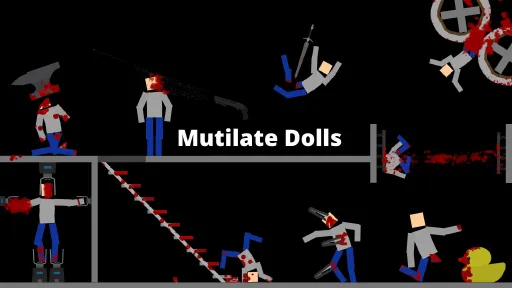
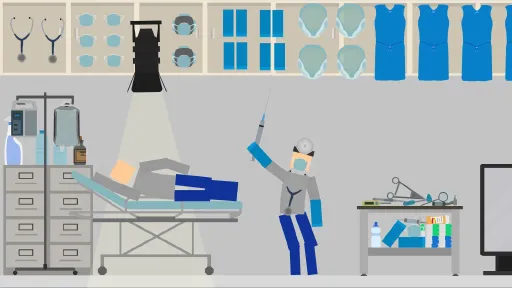
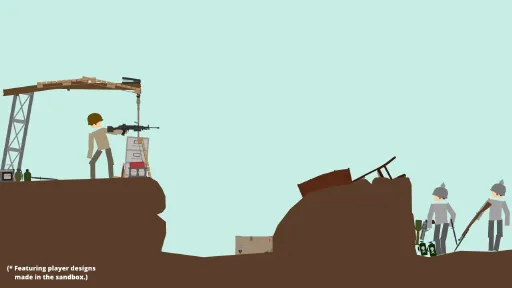
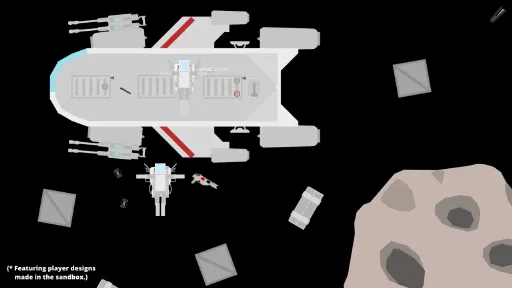
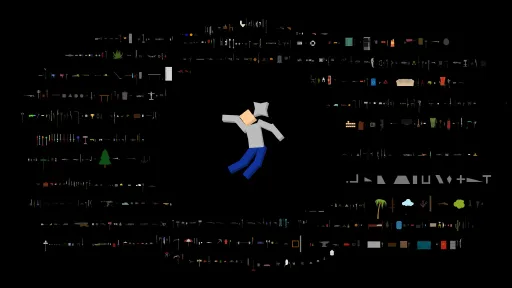
MaD2 is a highly customizable virtual stressball and physics sandbox about mutilating ragdolls in various ways using an overwhelming amount of weapons and tools.
Mutilate
- Use hundreds of weapons to mutilate disposable ragdolls designed for weapons testing.
(Don't worry, they can't feel anything.)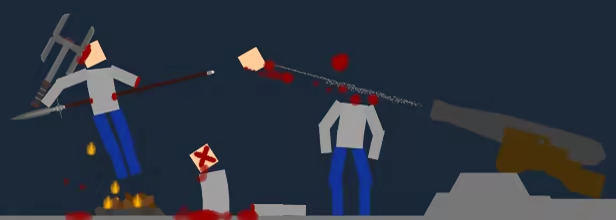
Destroy
- Swing sharp melee weapons, shoot firearms, or detonate explosives to dynamically destroy items, and of course dolls.
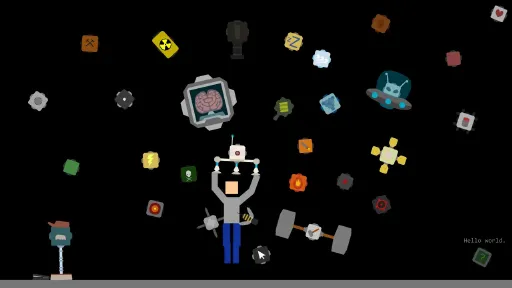
- Unleash powers to burn, crush, transmute, gust, or even turn the doll into a pile of cookies.
Build
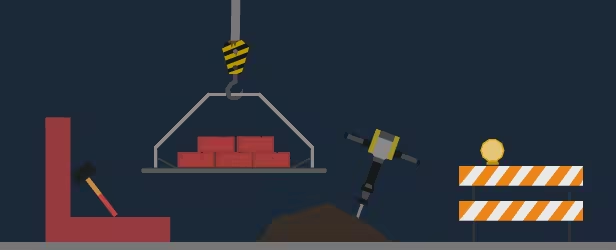
- Design and build using a selection of over 2000 items.
- All items can be customized by scaling, rotating, colouring, or modifying their settings.
- Link buttons and other triggers to items with functionality to build traps and contraptions.
Message from the Developer
Hello, I wanted to give everyone a fair heads up on some of the technical details for the game for transparency. The game itself is pretty great in my biased opinion, and has provided some dedicated players hundreds of hours of gameplay, but there are some technical things I for one would want to know when buying a game: - Design and build using a selection of over 2000 items.
- MaD2 is an established web game being released here packaged with Adobe AIR due to web Flash end-of-life.
- The resolution is a bit weird 1066x600 (16:9) due to being developed on the web. It can be upscaled and fullscreened at the cost of performance.
- The game is locked to 60fps. It should be reachable with a decent system in a reasonable ragdoll-mutilating scenario, but since it is a sandbox game it is very possible to tank the fps by doing crazy sandbox stuff.
- More detailed info about the technical stuff can be found in the FAQ.
-rava
Screenshots
8 images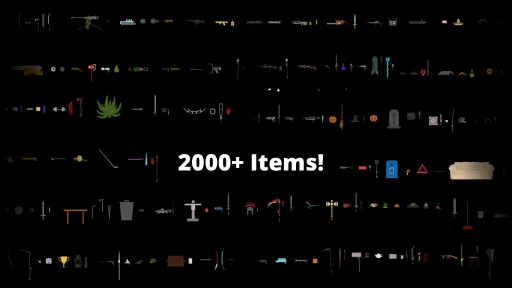
Version Information
Steam Patch Notes
Official update history
On the site: Build 11589912
Up to date
A small patch is out now, patchnotes:
Add an approppriate amount of organs and bones inside ragdolls
This part of the patch was of course april fools, but if you missed it, or enjoyed it very much,
you can still use the console command "notSpookyEnough" to enable them again
(open the console with the -key, or via [Settings > Menus > Console].)
https://i.imgur.com/86VOmzV.gif
Add console command "notSpookyEnough" to enable organs and bones
Add console command "tooSpooky" to disable organs and bones
(open the console with the -key, or via [Settings > Menus > Console])
Modify updating a custom item to update spawn menu and library focus
Modify Joint Slinger to only sling one joint per trigger when Duration is set to 0
Modify cloner descriptions to be more descriptive
Modify Joint visibility toggle to be above visual settings
Modify Joint visual settings to be visible even if the joint is invisible (so they can still be customized for use with the Selected Joints setting, which will make them visible when selected)
Fix Neodymium Sword not being magnetic or triggered by default
Fix longbow arrow not having fletching
Fix Disc launcher discs not being explody enough
Fix cloners not launching items
Fix Resist Deadly not resisting Death bullets
Fix RandomEffectOnHit items not triggering on collision
Fix Double Light Saber not respecting Ignores
Fix Turbo Effectator throwing errors if it had no effect
Fix respawning rotating items wrong when spawn angle is set
Fix scaling reseting spawn rotation
Fix Locked property tooltip saying it's not saveable
Fix user content failing to share if you had no existing user content
Fix Ignore loading performance issue
View on Steam
This part of the patch was of course april fools, but if you missed it, or enjoyed it very much,
you can still use the console command "notSpookyEnough" to enable them again
(open the console with the -key, or via [Settings > Menus > Console].)
https://i.imgur.com/86VOmzV.gif
Add console command "notSpookyEnough" to enable organs and bones
Add console command "tooSpooky" to disable organs and bones
(open the console with the -key, or via [Settings > Menus > Console])
Modify updating a custom item to update spawn menu and library focus
Modify Joint Slinger to only sling one joint per trigger when Duration is set to 0
Modify cloner descriptions to be more descriptive
Modify Joint visibility toggle to be above visual settings
Modify Joint visual settings to be visible even if the joint is invisible (so they can still be customized for use with the Selected Joints setting, which will make them visible when selected)
Fix Neodymium Sword not being magnetic or triggered by default
Fix longbow arrow not having fletching
Fix Disc launcher discs not being explody enough
Fix cloners not launching items
Fix Resist Deadly not resisting Death bullets
Fix RandomEffectOnHit items not triggering on collision
Fix Double Light Saber not respecting Ignores
Fix Turbo Effectator throwing errors if it had no effect
Fix respawning rotating items wrong when spawn angle is set
Fix scaling reseting spawn rotation
Fix Locked property tooltip saying it's not saveable
Fix user content failing to share if you had no existing user content
Fix Ignore loading performance issue
Gameplay:
Add [Detail > Effects > Wound] (particles on bleeding wounds)
Add [Detail > Effects > Collision] (particle on each touch)
Add [Detail > Effects > Collision Explosion] (poof of particles on harder touch, up to once every 30ms)
Add console command "prioritizeselection [0/1]" (or "ps [0/1]") that temporarily toggles tools prioritizing selected items
Modify Delete tool to delete items incrementally for performance (when deleting >20 items at once, otherwise it's instant like before)
Modify [Detail > Selection] list to allow deselecting items with Shift+Click
Fix blunt blood splatters not splattering quite bluntly enough
Bloody Mess:
Modify doll parts that would spawn with pre-bloodymess default healths to increase their healths to match current default healths so they don't feel extremely weak
(Note that this doesn't affect any custom doll that was saved with a manually modified health.)
Fix concuss setting not applying to per-bodypart concussions
Items:
Modify Kinetizer items to trigger on-throw functionality of items (e.g. Cluster Ball splits into three when Kinetizered)
Modify stabbing force thresholds to make it slightly more solid
Modify various bows to shoot slower so they don't cut bodyparts quite as instantly
Modify Senzu Bean to set max health to 90001 to match new doll healths better
Modify (Un)Trigger Field not to affect linked items
UI:
Modify [Detail > Joints] to display amount of joints in the title
Modify [Library > Saved Levels] tooltip to elaborate how things can be added there
Fix library reseting when spawning a custom item
Rename "Favourite" to "Add to Library" in [Content menu > Current Save]
Move temporary properties (debug/locked/grid snap) to the bottom of the properties list
Modify Colour menu to accept pasting #ABCDEF format hex codes, stripping the "#" in the process
Clarify various settings
Fix various tooltips
Misc:
Fix incremental loading failing if no items were saved
Fix Crash still appearing in the Powers menu in some cases (it's supposed to be in Environment > Minigames only)
View on Steam
Add [Detail > Effects > Wound] (particles on bleeding wounds)
Add [Detail > Effects > Collision] (particle on each touch)
Add [Detail > Effects > Collision Explosion] (poof of particles on harder touch, up to once every 30ms)
Add console command "prioritizeselection [0/1]" (or "ps [0/1]") that temporarily toggles tools prioritizing selected items
Modify Delete tool to delete items incrementally for performance (when deleting >20 items at once, otherwise it's instant like before)
Modify [Detail > Selection] list to allow deselecting items with Shift+Click
Fix blunt blood splatters not splattering quite bluntly enough
Bloody Mess:
Modify doll parts that would spawn with pre-bloodymess default healths to increase their healths to match current default healths so they don't feel extremely weak
(Note that this doesn't affect any custom doll that was saved with a manually modified health.)
Fix concuss setting not applying to per-bodypart concussions
Items:
Modify Kinetizer items to trigger on-throw functionality of items (e.g. Cluster Ball splits into three when Kinetizered)
Modify stabbing force thresholds to make it slightly more solid
Modify various bows to shoot slower so they don't cut bodyparts quite as instantly
Modify Senzu Bean to set max health to 90001 to match new doll healths better
Modify (Un)Trigger Field not to affect linked items
UI:
Modify [Detail > Joints] to display amount of joints in the title
Modify [Library > Saved Levels] tooltip to elaborate how things can be added there
Fix library reseting when spawning a custom item
Rename "Favourite" to "Add to Library" in [Content menu > Current Save]
Move temporary properties (debug/locked/grid snap) to the bottom of the properties list
Modify Colour menu to accept pasting #ABCDEF format hex codes, stripping the "#" in the process
Clarify various settings
Fix various tooltips
Misc:
Fix incremental loading failing if no items were saved
Fix Crash still appearing in the Powers menu in some cases (it's supposed to be in Environment > Minigames only)
All changes from the Experimental branch have been promoted to the main branch, including:
Add Near-Field (Un)Trigger (variants of (Un)Trigger Field that only affect linked items)
Add new Logic items that make more sense and work more like traditional logic gates (doesn't affect saves, old versions are now legacy items and no longer available in the Library as they're pretty much inferior)
Add link to MaD Lab popup when clicking on flask icon
Modify [Detail Tool > Collisions] to only display Projectiles toggle if Items is toggled (because projectiles are items)
Modify various tooltips for clarity
Fix various issues with Virtual Joystick
Fix Flat Oval being a duplicate of Capsule Shape (it's now wider)
Fix Killing property deleting items with Physics Blood enabled
Fix a global issue with skin checks affecting some items, such as Toy Dispenser, causing skin inheritance not to work properly
Fix various model credits
View on Steam
Add Near-Field (Un)Trigger (variants of (Un)Trigger Field that only affect linked items)
Add new Logic items that make more sense and work more like traditional logic gates (doesn't affect saves, old versions are now legacy items and no longer available in the Library as they're pretty much inferior)
Add link to MaD Lab popup when clicking on flask icon
Modify [Detail Tool > Collisions] to only display Projectiles toggle if Items is toggled (because projectiles are items)
Modify various tooltips for clarity
Fix various issues with Virtual Joystick
Fix Flat Oval being a duplicate of Capsule Shape (it's now wider)
Fix Killing property deleting items with Physics Blood enabled
Fix a global issue with skin checks affecting some items, such as Toy Dispenser, causing skin inheritance not to work properly
Fix various model credits
https://steamcdn-a.akamaihd.net/steamcommunity/public/images/clans/34463552/8ff1ef132b93d5e50a7d353ac2c20a916d3e2526.png
The update adds 140 new summer-themed items!
...Such as Beach Slippers, Conch, Summer Hat, Armour-Piercing Rocket Launcher, and more!
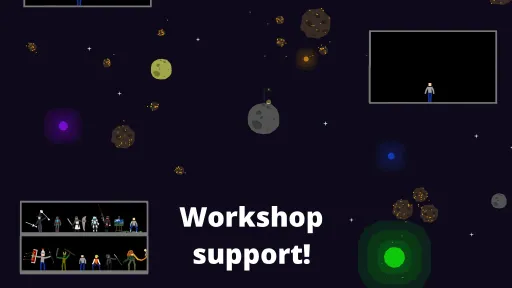
Also included is the Steam Workshop (Beta) release onto the public branch, as well as various miscellaneous fixes to various miscellaneous things.
Detailed Patchnotes can be found on the forums.
https://steamcdn-a.akamaihd.net/steamcommunity/public/images/clans/34463552/a09a76c6ea8d6d9309fdb14febb521b401b009e9.png
Enjoy!
View on Steam
Summer Update Out Now!
The update adds 140 new summer-themed items!
...Such as Beach Slippers, Conch, Summer Hat, Armour-Piercing Rocket Launcher, and more!
Also included is the Steam Workshop (Beta) release onto the public branch, as well as various miscellaneous fixes to various miscellaneous things.
Detailed Patchnotes can be found on the forums.
https://steamcdn-a.akamaihd.net/steamcommunity/public/images/clans/34463552/a09a76c6ea8d6d9309fdb14febb521b401b009e9.png
Enjoy!
https://steamcdn-a.akamaihd.net/steamcommunity/public/images/clans/34463552/dbc52fac0a8b2cc4893af66b4d6d790ca5340272.png
Edit: This was, of course, April fools. The items and fixes included in the update are here to stay, but open world has been buried.
https://steamcdn-a.akamaihd.net/steamcommunity/public/images/clans/34463552/e5d07d500bb91686c70a39b6b6987b87f836f3b8.png
Based on repeated player suggestions of the game feeling directionless and lacking any kind of progression, I've created a fully open world experience with lots of new stuff:
Over 200 unique lines of dialogue will be delivered by the Speaker Drone as you do things in the open world!
https://steamcdn-a.akamaihd.net/steamcommunity/public/images/clans/34463552/a668a8e4fcf33dc914dfc3782b8ca34453165496.gif
Ragdolls have been implanted with magnets to make movement not only possible, but probable!
Use or [Arrow Keys] to move and overcome obstacles in the open world!
https://steamcdn-a.akamaihd.net/steamcommunity/public/images/clans/34463552/371af9800c586d9f8125cd5f6872267e5f02a812.gif
Each obstacle you overcome will naturally lead you to a brand new, more difficult, obstacle. As well as leveling up your skills ever so slightly!
https://steamcdn-a.akamaihd.net/steamcommunity/public/images/clans/34463552/a03bac2e431597b11fe0b764094dd9b79f5f29d2.png
For the completionists, you can now collect achievements as you achieve things in the open world!
https://steamcdn-a.akamaihd.net/steamcommunity/public/images/clans/34463552/8091d373d761a42f6e7eb695bba8a9a8978aeb6f.png
----
Patchnotes
Open World
- Add Ragdoll movement on WASD+Arrows
- Add various activities and obstacles in the open world
- Add progression system
- Add 200+ unique Open World narrator lines to Speaker Drone
- Add background music
- Modify to give up (and make you live with your failure)
- Disable sandbox menus to avoid abuse
Content
- Add 100+ Open World items under [Library > Open World].
- Add City Environment
- Add City Night Environment
Items
- Merge Winter Items into existing Library categories
- Modify Cloud to be slightly transparent
- Modify Paint Roller to ignore Easel collision instead of Chalkboard
- Modify Coffin collider to avoid collision issues
- Modify Grenade ticking sound volume
- Fix Dinner Plate being sticky
- Fix Rusty Bucket being sticky
Misc
- Modify camera follow not to be as jumpy
- Modify Tutorial not to contain web instructions
Post-update patchnotes
- Bury Open World
- Add Sand Pile under Open World items
- Fix Multi-Purpose ATM spawning untriggerable items
View on Steam
Edit: This was, of course, April fools. The items and fixes included in the update are here to stay, but open world has been buried.
https://steamcdn-a.akamaihd.net/steamcommunity/public/images/clans/34463552/e5d07d500bb91686c70a39b6b6987b87f836f3b8.png
Narration
Over 200 unique lines of dialogue will be delivered by the Speaker Drone as you do things in the open world!
https://steamcdn-a.akamaihd.net/steamcommunity/public/images/clans/34463552/a668a8e4fcf33dc914dfc3782b8ca34453165496.gif
Movement
Ragdolls have been implanted with magnets to make movement not only possible, but probable!
Use or [Arrow Keys] to move and overcome obstacles in the open world!
https://steamcdn-a.akamaihd.net/steamcommunity/public/images/clans/34463552/371af9800c586d9f8125cd5f6872267e5f02a812.gif
Progression System
Each obstacle you overcome will naturally lead you to a brand new, more difficult, obstacle. As well as leveling up your skills ever so slightly!
https://steamcdn-a.akamaihd.net/steamcommunity/public/images/clans/34463552/a03bac2e431597b11fe0b764094dd9b79f5f29d2.png
Achievements
For the completionists, you can now collect achievements as you achieve things in the open world!
https://steamcdn-a.akamaihd.net/steamcommunity/public/images/clans/34463552/8091d373d761a42f6e7eb695bba8a9a8978aeb6f.png
----
Patchnotes
- Add Ragdoll movement on WASD+Arrows
- Add various activities and obstacles in the open world
- Add progression system
- Add 200+ unique Open World narrator lines to Speaker Drone
- Add background music
- Modify to give up (and make you live with your failure)
- Disable sandbox menus to avoid abuse
Content
- Add 100+ Open World items under [Library > Open World].
- Add City Environment
- Add City Night Environment
Items
- Merge Winter Items into existing Library categories
- Modify Cloud to be slightly transparent
- Modify Paint Roller to ignore Easel collision instead of Chalkboard
- Modify Coffin collider to avoid collision issues
- Modify Grenade ticking sound volume
- Fix Dinner Plate being sticky
- Fix Rusty Bucket being sticky
Misc
- Modify camera follow not to be as jumpy
- Modify Tutorial not to contain web instructions
Post-update patchnotes
- Bury Open World
- Add Sand Pile under Open World items
- Fix Multi-Purpose ATM spawning untriggerable items
Hey all.
The AIR branch has been promoted to be the default branch. I haven't noticed any major issues with it myself, and haven't received any reports that would stand in the way of promoting it.
For changes compared to the Flash version, see the above link. There are no new functionality changes today, as this is basically just swapping the builds around to get more people using the (what I now believe to be superior) AIR packaging.
If you still want to use the Flash packaging, you can opt-in to the new Flash branch
via [Steam Library > MaD2 > Properties > Betas].
With the AIR packaging workshop support is looking not only possible, but promising, but it's still going to need work before I can bring in testers.
----
All in all, the branches now are as follows, in order of recommendation:
Branch
Description
default
Public default branch.
(This is what you get when you download the game normally, packaged using Adobe AIR.)
flash
Opt-in to play using Flash packaging.
(The original Flash packaging, in case you have issues with AIR.)
rollback
Opt-in to play last major version.
(Whenever an update is released, the previous build will be available here in case of issues.)
air_test
(Promoted to default branch, and as such deleted.)
----
Edit:
Looks like the AIR save directory is different from the Flash one, you should be able to move your save files between the two as follows:
1) Copy all .sol files from the Flash folder:
2) Launch the AIR version and change any setting to ensure the save folder is created.
3) Paste the copied files into the AIR folder:
View on Steam
The AIR branch has been promoted to be the default branch. I haven't noticed any major issues with it myself, and haven't received any reports that would stand in the way of promoting it.
For changes compared to the Flash version, see the above link. There are no new functionality changes today, as this is basically just swapping the builds around to get more people using the (what I now believe to be superior) AIR packaging.
If you still want to use the Flash packaging, you can opt-in to the new Flash branch
via [Steam Library > MaD2 > Properties > Betas].
With the AIR packaging workshop support is looking not only possible, but promising, but it's still going to need work before I can bring in testers.
----
All in all, the branches now are as follows, in order of recommendation:
Branch
Description
default
Public default branch.
(This is what you get when you download the game normally, packaged using Adobe AIR.)
flash
Opt-in to play using Flash packaging.
(The original Flash packaging, in case you have issues with AIR.)
rollback
Opt-in to play last major version.
(Whenever an update is released, the previous build will be available here in case of issues.)
(Promoted to default branch, and as such deleted.)
----
Edit:
Looks like the AIR save directory is different from the Flash one, you should be able to move your save files between the two as follows:
1) Copy all .sol files from the Flash folder:
%appdata%/Macromedia/Flash Player/#SharedObjects/ -->
<Some kind of ID>/localhost/#orava/mutilate2) Launch the AIR version and change any setting to ensure the save folder is created.
3) Paste the copied files into the AIR folder:
%appdata%/games.rava.mutilate/LocalStore/#SharedObjects/#Orava/MutilateCurrent Release
Build 11589912
Uploaded Jul 21, 2026
System Requirements
OS
N/A
CPU
2GHz
RAM
1 GB RAM
GPU
Yes
How to Install
1
Download all files
2
Extract the .ZIP file to a folder (use WinRAR or 7-Zip)
3
Run MaD2.exe to play
Troubleshooting tips
• Run Redist/_CommonRedist installers if game won't start
• Add folder to Windows Defender exclusions
• Run as administrator
Download
Direct link available
Archive password
Needed when extracting (WinRAR / 7-Zip) — not a site login.
CRC32
E1C4F7FC
SHA-256
d8fa5c9a8df0afabebeef0f9ef0af3e8dc2a220a707584111b5a400d8c8a8e85
How: Right-click the downloaded file → 7-Zip / WinRAR → CRC SHA → compare with the values above.
You May Also Like
View All




Download Mutilate-a-Doll 2 for PC with a direct link or via torrent. Get the full version of Mutilate-a-Doll 2 for free. Mutilate-a-Doll 2 is a Casual released by Rava Games.