







PixARK
by Snail Games USA · 31 May, 2019
239 downloads
About the Game
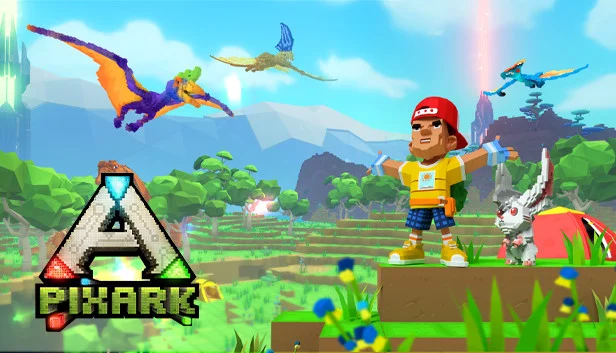
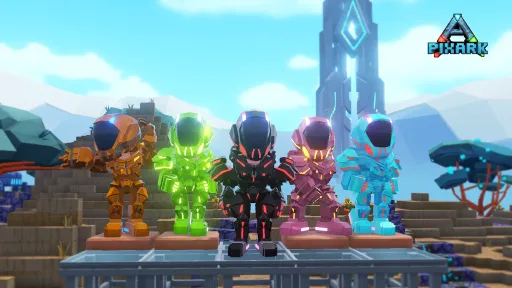
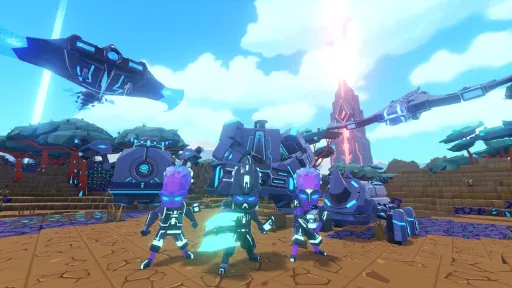
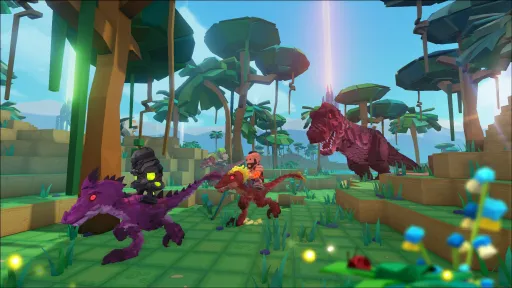
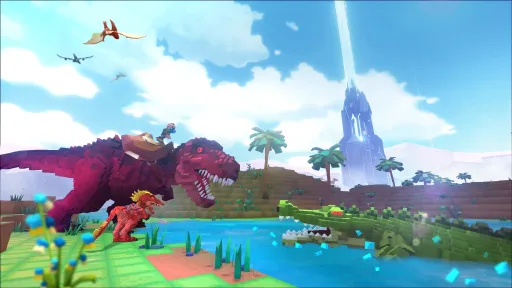
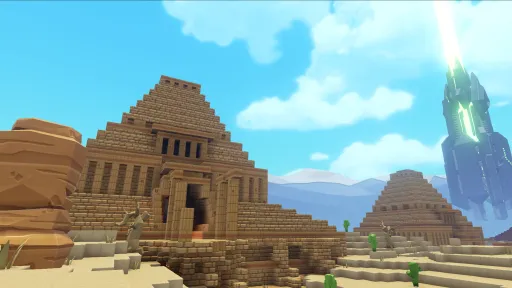
Welcome to PixARK, a vast, wild world filled with vicious dinosaurs, magical creatures and endless adventure! To survive in this mysterious land, you must tame creatures both ferocious and cuddly, craft high tech and magical tools, and build your own base… out of cubes!
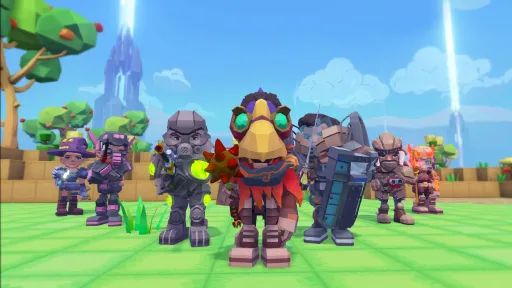
With a robust character creator, an infinite number of voxel based maps and procedurally generated quests, your PixARK adventure will be completely unique. Team up with friends to form a tribe, or play on your own. Spend your time building a towering fortress or go on a quest in a sprawling cavern. Fly on the back of a dragon and smite your enemies with a magic wand, or ride a mighty T-Rex and blast your foes with a rocket launcher. In the world of PixARK, how you play is up to you – as long as you survive!
KEY FEATURES
Play solo or play with friends! PixARK has a variety of PVP or PVE servers on top of being able to create your own. Gather your besties or make new friends in-game, however you want to play and explore is up to you!
In PixARK there's many ways to play! Progress your character using skill trees and customizable stats to suit your playstyle, or build anything you can imagine from your wildest dreams in Creative Mode.
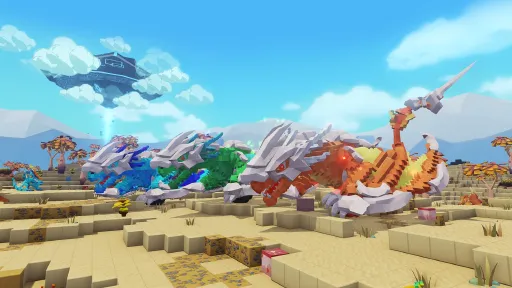
In PixARK there are over 100 creatures to tame, train, and ride. Add our complex creatures to your brood and cultivate your team for ultimate survival.
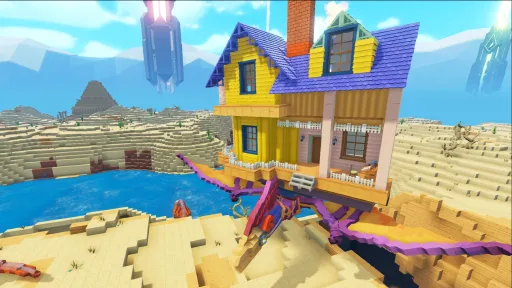
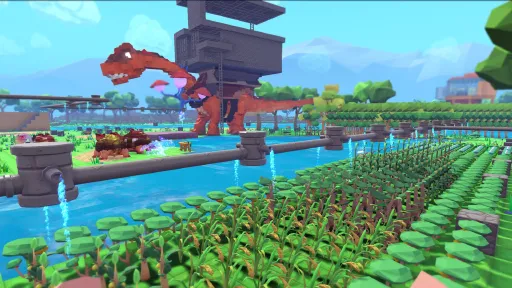
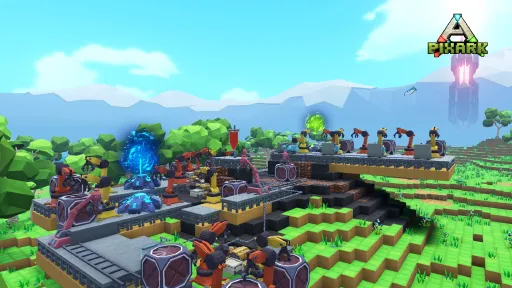
PixARK features a complex voxel block building system. You can create a plethora of items and customize your base to suit your personal style and adventuring needs.
PixARK maps are procedurally generated and can be customizable based on your needs. If you don't like the world you live in, create a new "seed" and start again! Quests are also procedurally generated to create a variety of gameplay for each user!
Screenshots
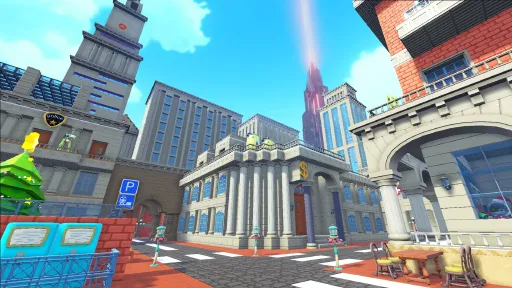
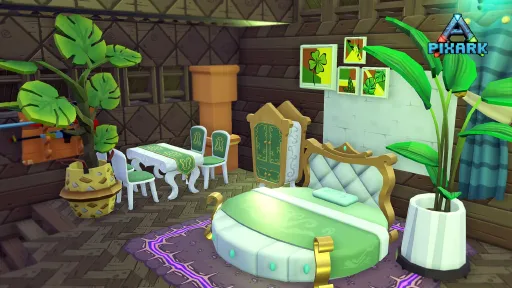
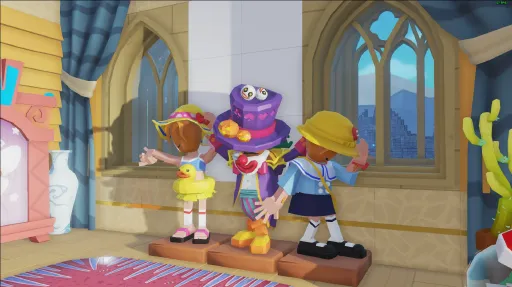
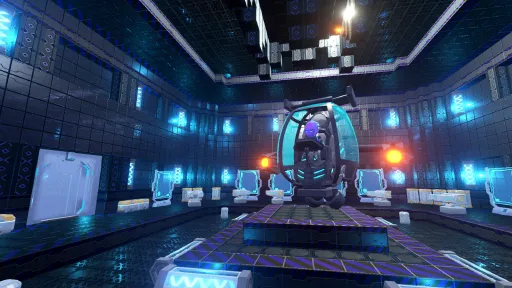
19 images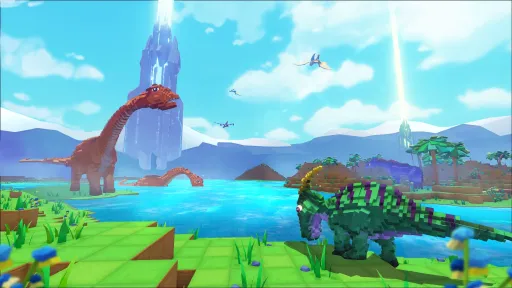
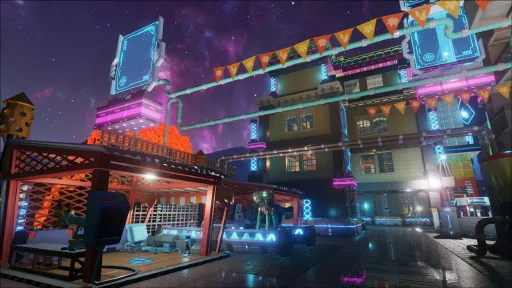
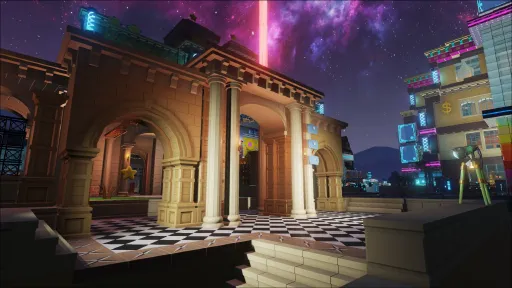
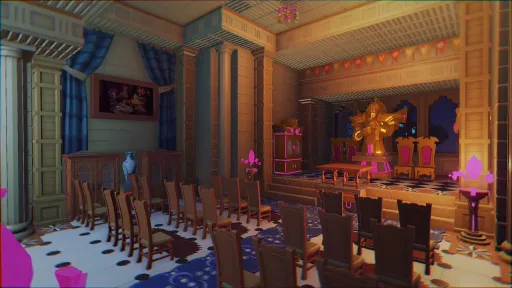
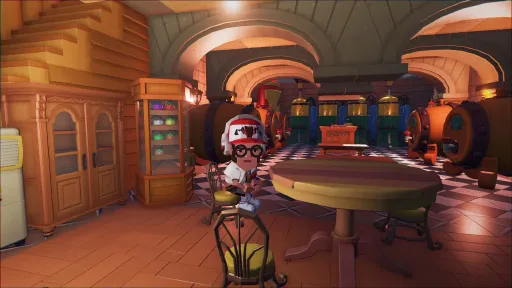
Version Information
Steam Patch Notes
Official update history
Dear Explorers,
PixArk will undergo server maintenance on November 5th, with an estimated downtime of 30 minutes. There are still some known issues affecting your gameplay experience, and we sincerely apologize for the inconvenience caused. Our team is working hard to resolve these problems as quickly as possible to bring you a more polished game.
Bug Fixes
PixArk / Skypiea / Terracrypt
Fixed an issue where wild Leptictidium could jump through invisible walls while fleeing, making them impossible for players to chase.
Fixed a bug in server mode where creature blocks, when thrown, would occasionally spawn directly above the player’s head, trapping the player inside the creature mesh.
Fixed an issue for craftable creatures: the craft button would not appear when only one set of crafting materials was available, preventing players from crafting items.
Improvements
PixArk / Skypiea / Terracrypt
Optimized the data stored in creature blocks after creatures are packed into blocks, to improve server performance.
Buffed the fireball damage of tamed Vampire Bats at night: changed from a flat 330 damage to a base damage of 130, which now scales with the creature’s damage multiplier.
Reduced the damage dealt to players by falling icicle traps at the top of the Frigid Tundra biome.
Improved the visual effects for Leptictidium.
We apologize again for the unpleasant experience some of you may have encountered due to remaining issues in the game. Please report any bugs you encounter through our official channels.
We truly value every report submitted by our community. Thank you for your continued patience and support. We will carefully review all feedback and keep working to refine PixArk.
Dear Explorers,
PixARK will undergo server maintenance on November 2nd. We sincerely apologize for the ongoing issues that impact your gameplay experience. Our team is working hard to resolve these problems and deliver a more polished PixARK experience as soon as possible.
Key Issue Update: The new creature Leptidyth, originally scheduled for release on October 30th, was delayed due to anomalies during Steam’s external validation process, which disrupted our update rollout.
Current Progress: We have resolved the encountered issues and officially released the relevant public update content. You may refer to the v1.245 update preview for full patch notes.
We apologize again for any unpleasant experience caused by remaining in-game issues. If you encounter any problems while playing, please submit your feedback via our official channels.
We truly value every report we receive, and we appreciate your continued patience and support. We will take all feedback seriously and keep improving PixARK.
Dear Explorers,
PixARK servers will be taken offline for scheduled maintenance on October 15, with an estimated duration of 45 minutes.
We recognize there are ongoing issues impacting your gameplay experience, and we extend our sincere apologies for the inconvenience this has caused. Our development team is working diligently to resolve all these issues, and we aim to deliver a smoother, more polished experience for you as quickly as possible.
Bug Fixes
Applies to PixArk / Skypiea / Terracrypt
Fixed an issue where markers on the player's handheld map would incorrectly appear on the map in the Creature Taming Management UI.
Fixed an issue where Magic Castle Stair structures sometimes could not be placed normally.
Fixed an issue where the control prompt for certain throwable items incorrectly displayed aiming information.
Fixed an issue where the Gigantoraptor hatching visual effect sometimes failed to display correctly.
Game Optimizations
Applies to PixArk / Skypiea / Terracrypt
For all gas-fueled workstations and structures, 1 Gas Cylinder (Empty) will be returned for every 1 Gas Cylinder (Full) consumed.
Dear Explorers,
PixARK will undergo server maintenance on October 9th, with an estimated downtime of 45 minutes.
We sincerely apologize for the issues in PixARK that have impacted your gameplay experience. Our team is working hard to resolve these problems, and we will roll out frequent updates in the near future to deliver a more polished game experience for all explorers.
Bug Fixes
PixArk / Skypiea / Terracrypt
Fixed an issue where dinosaur data could be lost with a chance when uploading dinosaur data across servers between Skypiea and PixArk.
Fixed Gigantoraptor not responding to some whistles and being unable to toggle attack states.
Fixed incorrect visual effects when Gigantoraptor's egg incubation function is active.
Fixed an issue where the enhanced jump buff from the Fusible Crystal set and Shattered Core set would deactivate upon dismounting creatures.
Fixed incorrect location text for the Artifact of the Steadfast and Artifact of the Wise.
These are all the changes for this update. We apologize again for any unpleasant experience caused by remaining issues in the game. If you encounter any problems while playing, please submit feedback through official channels.
We greatly value every report we receive, and thank you for your continued patience and support. We will carefully address every issue and strive to refine PixARK further.
Dear Explorers,
PixARK will undergo server maintenance on September 22, with an estimated maintenance duration of 45 minutes. There are still issues within PixARK that impact explorers’ gameplay experience, and we sincerely apologize for the inconvenience caused. Our team is working at full capacity to resolve these problems. Frequent updates will be released in the near future to bring explorers a more polished gaming experience as soon as possible.
Currently Identified Major Issues
Some explorers may occasionally encounter client‑loading anomalies, error prompts or crashes when launching the game or loading Terracrypt‑related content, resulting in failure to enter the game normally.
Current Processing Progress
This update will implement further optimizations for confirmed issues to reduce the probability of such anomalies and lessen the negative impact on explorers’ gameplay.
Please be advised that certain abnormal scenarios still require further investigation and verification. If explorers continue to experience related issues after applying this update, please submit feedback through official channels.
Bug Fixes
PixARK / Skypiea / Terracrypt
Fixed an issue where the client would crash with a probability during game loading.
Fixed an issue where some existing MODs could not function on the Skypiea and Terracrypt maps.
Fixed an issue where the Vault Marten would sometimes fail to execute commands when the "Aggressive Attack" whistle was used.
Fixed an issue where the Alien Oscillator mechanism inside Cobalt Star Outpost Ruins could not be attacked by player‑tamed creatures.
Fixed an issue where the Core‑Gas Heat Blast Furnace was incapable of smelting multiple materials simultaneously.
Fixed an issue where the Mortar and Pestle could not access materials stored inside Alien Storage Boxes.
Game Optimizations
PixARK / Skypiea / Terracrypt
Greatly increased the drop chance of Building Blueprint Packs from Building Block Chests. Building Block Chests now guarantee 2 Building Blueprint Packs.
Greatly increased the drop chance of Spore Mushroom Seeds from Spore Mushrooms.
Greatly increased the drop chance of Giant Flytrap Seeds from Giant Flytraps.
Increased loot obtained from defeating the Abyss Earth Dragon. The drop count of Abyss Earth Dragon Teeth has been increased from 1 to 3.
Added acquisition source descriptions to tooltip texts for Artifact items.
Added Bamboo Building Blueprints and additional building blueprints to the loot pool of Limestone Fortress Ruins Chests.
Added Chinese‑Style Building Blueprints and Western‑Style Building Blueprints to the loot pool of Cobalt Star Outpost Ruins Chests.
Added Modern Building Blueprints and Mediterranean Building Blueprints to the loot pool of Resurrection Test Site Ruins Chests.
Added Magic Academy Building Blueprints to the loot pool of Cobalt Star Origin Base Ruins Chests.
These are all changes included in this update. We apologize once again for the sub‑optimal experience some explorers may face due to unresolved in‑game issues. Should you encounter any problems during gameplay, feel free to send us feedback via official channels.
We highly value every piece of feedback submitted by our players. Thank you for your ongoing patience and support. We take every reported issue seriously and will strive to refine PixARK into an even better game.
Dear Explorers,
PixARK will undergo server maintenance on September 17th. The estimated maintenance duration is 45 minutes. Since the launch of Terracrypt, there have been issues impacting your gameplay experience. We sincerely apologize for the inconvenience caused. Our team is working around the clock to resolve these problems, and we will continue frequent updates in the near future to deliver a more polished gaming experience for all explorers.
Known Major Issue:
After the September 16th update, some explorers encountered stuttering and failed connection issues when joining official game servers.
Current Progress:
After investigation, we have identified that the fix from the September 16th patch — the resolution for the issue where creatures and baby creatures sometimes would not eat food on servers — triggered these server abnormalities.
We will deploy this emergency update to correct the confirmed issue, reducing the chance of such anomalies and mitigating the impact on your gameplay.
We apologize again for the unpleasant experience some explorers may have encountered during the early launch phase. If you run into any issues while playing, please submit feedback through our official channels.
We truly value every report submitted by players and appreciate your ongoing patience and support. We will carefully address every problem and keep striving to refine PixARK.
Dear Explorers,
PixARK will undergo server maintenance on September 16th. The estimated maintenance duration is 45 minutes.
During the early launch of Terracrypt, there remain several issues impacting your gameplay experience. We sincerely apologize for any inconvenience caused. Our team is working hard to resolve these problems, and frequent updates will continue in the near future to deliver a more polished gaming experience for all explorers.
Bug Fixes
PixArk / Skypiea / Terracrypt
Fixed an issue where harvesting the creature block of the Abyssal Wyrm under special conditions could crash the server.
Fixed a bug that might cause client crashes when using whistles to command creatures to attack bosses during boss fights.
Fixed an issue where creatures and baby creatures on servers would occasionally refuse to eat food.
Fixed abnormal quest completion under specific circumstances after defeating bosses Mad Doctor, Poison Wyrm and Cobalt Star Eye.
Fixed an issue where placed functional crafting stations in Terracrypt could not be picked up.
Fixed the Fear skill of the Evil Eye applying to already stunned targets.
Fixed incorrect damage values shown on the item panel for the Basic Handheld Minigun and Advanced Handheld Minigun.
Fixed incorrect player avatar display when players are scanned in Terracrypt.
Fixed mismatch between the item icon and model for Griffin Eggs.
Fixed incorrect recommended level markers in quest guides such as Mad Doctor.
Game Optimizations
Terracrypt
Moderately increased the probability of rolling higher damage values for weapons of corresponding quality: Underfolk Pistol, Underfolk Shotgun, Underfolk Long Rifle, Underfolk Assault Rifle, Underfolk Pump-Action Shotgun.
Greatly increased the probability of rolling higher damage values for weapons of corresponding quality: Underfolk Bow, Underfolk Crossbow, Basic Handheld Minigun, Advanced Handheld Minigun.
These are all the changes included in this update. We apologize again for the unpleasant experience some explorers may have encountered due to early-launch issues. If you run into any problems while playing, please submit feedback via official channels.
We truly appreciate every report submitted by the community, and thank you for your continued patience and support. We will carefully review every issue and keep polishing PixARK.
Dear Explorers,
PixARK will undergo server maintenance on September 14th, expected to last for 45 minutes. Since the launch of the Terracrypt expansion, several issues have impacted your gameplay experience, and we sincerely apologize for the inconvenience caused. Our team is working hard to resolve these problems, and we will continue releasing frequent updates to deliver a more polished gaming experience as soon as possible.
Known Major Issues
Some adventurers may occasionally experience stuttering or fail to connect to official game servers.
Current Progress
This update further optimizes confirmed issues to reduce the occurrence of these anomalies and improve gameplay stability.
Please note that some issues still require further investigation and validation. If you continue to encounter problems after installing this patch, please submit feedback through our official channels.
Bug Fixes
PixARK / Skypiea / Terracrypt
Fixed an issue where doors from the Candy DLC could not be placed properly at times.
Fixed an issue where wild Werewolves in ice form could not receive damage from other wild creatures.
Fixed an issue where the Gas Auto Arm, Gas Auto Miner, Advanced Gas Railcar, and Advanced Gas Locomotive were not locked by default after placement.
Game Optimizations
PixARK / Skypiea / Terracrypt
Server performance optimization to reduce server stuttering and improve gameplay experience in server mode.
Terracrypt
Greatly increased the drop chance of the Great Blackwing Bone from the Boss Cunning Blackwing Beast.
Moderately increased the spawn count of wild U-variant Spinosaurus and U-variant Yutyrannus.
Reduced projectile attack damage of wild Ice Demon Scorpions by 20%. Tamed Ice Demon Scorpions remain unaffected.
Moderately decreased the spawn count of wild Ice Spino and Ice Demon Scorpions.
These are all the updates for this patch. We apologize again for any unpleasant experience caused by the early launch issues of the expansion. If you run into any problems while playing, feel free to reach out via official channels.
We truly value every report submitted by our community. Thank you for your patience and ongoing support. We will carefully review every issue and keep refining PixARK.
Dear Explorers,
PixARK: Terracrypt will undergo server maintenance on September 10th, estimated to last 45 minutes.
We sincerely apologize for the issues impacting gameplay experienced by some adventurers since the launch of Terracrypt. Our team is working full speed to resolve these problems, and we will continue rolling out frequent updates in the near future to deliver a smoother gaming experience as soon as possible.
Bug Fixes
PixArk / Skypiea
Fixed an issue where the information of taming creatures in the creature taming interface fails to refresh occasionally.
Fixed the issue where feeding troughs are not locked by default after placement.
Fixed an issue in Creative Mode for PixArk / Skypiea with duplicated and incorrectly spawned items and resources.
Fixed an issue where the quick mount interface on PixArk and Skypiea incorrectly displays the Terracrypt UI style.
Terracrypt
Fixed an issue where defeating a boss under certain circumstances may fail to complete quests or unlock engrams.
Fixed an issue where summoning quick-mount creatures replaces hotbar items with creature block items, forcing players to reset their hotbar setup.
Fixed incorrect gold coin deduction when bulk exchanging items at the Terracrypt Goblin Trading Hub.
Fixed an issue where the sell level settings in the Terracrypt Goblin Trading Hub are not saved after server restart and maintenance.
Fixed an issue where resource level settings in the Terracrypt Goblin Trading Hub only take effect after two refresh cycles.
Fixed an issue where the Giant Beetle in Terracrypt stops producing Amber under certain conditions.
Fixed incorrect revival material requirements for the Glowbird upon death.
Fixed crafting issues for some items from the Magic Castle DLC and Egyptian DLC caused by wrong crafting materials.
Fixed the misleading description of Cobalt Star Energy Shards that confused players about how this resource is used.
Fixed missing translations in tooltips for some Terracrypt creatures including the Abyss Wyrm and Glowbird.
Game Optimizations
PixArk / Skypiea
The Cooking Pot can no longer be summoned from the Magic Workbench. It must now be manually crafted; its engram unlocks at Level 10.
Terracrypt
Greatly increased the loot quantity and quality dropped by the boss Cobalt Star Eye. Added U-Variant Spino Saddle, U-Variant Yutyrannus Saddle, U-Variant Cobalt Golem Saddle and Abyss Wyrm Saddle. Cobalt Star Eye’s rewards now have a chance to drop Legendary-quality saddles. Removed Cobalt Mechanical Rat Saddle and U-Variant Rock Golem Saddle from its loot pool.
Increased Cobalt Star Eye’s aggression against flying targets during its 2nd shield phase.
The skill damage of the Wasp Flyer (spawned during the Wasp Queen boss fight) has been changed to a 3-meter radius explosion damage, making it easier to hit mounted players.
Adjusted spawn rates for Abyss Wyrms and U-Variant Tyrannosaurus in the Infernal Abyss. Increased spawn chance of U-Variant Tyrannosaurus and moderately reduced spawn chance of Abyss Wyrm.
Reduced the aggro summon range of Abyss Wyrm when attacked from 50m to 30m.
Doubled the drop quantity of Spino Sail trophies when defeating U-Variant Spinosaurus.
Ice Elf food items can now be placed into feeding troughs.
The Terracrypt Goblin Trading Hub now shows the current resource level when players get close, making it easier to check the range of sellable resource tiers.
Optimized the quick mount interface. The cooldown timer for summoning creatures is now displayed directly on the UI to help players time creature swaps.
That covers all content for this update. We apologize again for the unpleasant experience some of you encountered due to launch-period bugs. If you run into any issues while playing, please submit feedback through our official channels.
We truly value every report submitted by our players. Thank you for your patience and ongoing support. We will take every bug report seriously and keep polishing Terracrypt.
Dear Explorers,
PixARK: Terracrypt will undergo server maintenance on September 8th, with an estimated maintenance duration of 45 minutes.
We sincerely apologize for the issues impacting player experience following the launch of Terracrypt. Our team is working hard to resolve these problems, and we will continue rolling out frequent updates to deliver a more polished gameplay experience as soon as possible.
Bug Fixes
PixARK / Skypiea / Terracrypt
Fixed an issue where loot‑box models spawned after players dropped items or respawned within boss arenas would occasionally fail to render, making the loot containers impossible to locate.
Terracrypt
Fixed a client‑side crash that could occur when opening any crafting station under certain conditions.
Fixed an issue where the Mechanical Worm boss and Fire Bat boss would fail to attack players normally if they spawned at incorrect positions.
Fixed incorrect attack damage values when the Fire Bat boss took damage while flying in the sky.
Fixed an issue where the wild creature Cobalt‑Star Wyvern would sometimes not attack players properly.
Fixed an issue where the torso piece of the Fission Mica Suit did not display item durability.
Game Optimizations
PixARK / Skypiea / Terracrypt
Greatly increased the radiation resistance effect of Anti‑Radiation Potion.
Changed the lifespan of player death loot bags from 24 hours to 6 hours, significantly reducing abandoned loot bags scattered across the world.
Terracrypt
Greatly extended the burn duration of gas inside the Gas Generator, increased from 720 seconds to 2160 seconds.
Added level‑45 resource sales at the Terracrypt Goblin Trading Post. Randomly refreshed resources: Wood, Fiber, Thatch, Amber, Plastic Plates, Lubricant.
The following DLC content can now also be crafted within the Terracrypt map: ‑ Egyptian‑themed buildings and items ‑ Peking Opera‑themed buildings and items ‑ Magic Castle‑themed buildings and items ‑ Christmas‑themed buildings and items ‑ Candy‑themed buildings and items
Reduced the material cost for rails within the Christmas‑themed DLC building set.
Dear Explorers,
PixARK: Terracrypt will undergo server maintenance on September 4th. The maintenance is expected to last 45 minutes.
Since the launch of Terracrypt, a number of issues have affected your gameplay experience. We sincerely apologize for the inconvenience this has caused. Our team is working at full‑speed to resolve these problems, and we will continue releasing frequent updates in the near future to deliver a more polished gaming experience as soon as possible.
Known Major Issues
Some adventurers may occasionally encounter loading errors, pop‑up warnings or game crashes while entering the game or loading Terracrypt‑related content, which prevents them from accessing the game normally.
Current Progress
This update includes further optimizations for confirmed issues, designed to reduce the frequency of these anomalies and improve your in‑game experience.
Please note that some issues still require additional investigation and verification. If you continue to experience problems after installing this update, feel free to submit feedback to us via our official channels.
Patch Notes
Bug Fixes
PixArk / Skypiea
Fixed an issue where killing Fire Wyverns, Lightning Wyverns and Poison Wyverns in Skypiea could occasionally cause a server crash.
Fixed a single‑player client crash that could occur upon killing Fire Wyverns, Lightning Wyverns and Poison Wyverns in PixArk / Skypiea.
Fixed a server crash that could be triggered when downloading uploaded creatures via the cross‑server download interface.
Terracrypt
Implemented a tentative fix for client crashes that might occur while loading the game after launch.
Fixed an issue where Dragon Cubes and their corresponding saddles in a player’s inventory could be lost upon respawning after death.
Fixed a bug where moving a quick‑mount saddle into your inventory could spawn duplicate saddle icons and occupy extra inventory slots.
Fixed melee weapon hit‑registration issues against certain creatures for the Fusible Crystal Spear, Shattered Crystal Sword, Shattered Crystal Spear, Fission Mica Sword and Fission Mica Spear.
Fixed an issue preventing creature trophies from being sold at the Terracrypt Goblin Trading Post.
Fixed incorrect text translations for sell‑tier selection options within the Terracrypt Goblin Trading Post.
Fixed incorrect health‑value settings for certain Fluorite Structures and Bio‑Lab buildings.
These are all the changes included in this update. We apologize once again for any frustrating experiences caused by early‑launch issues. If you run into any problems while playing, please reach out to us through official feedback channels.
Every report means a great deal to us. Thank you for your ongoing patience and support. We will carefully review every issue submitted and keep working hard to refine Terracrypt into a better‑quality experience for all players.
Dear Explorers,
PixARK: Terracrypt will undergo server maintenance on September 3rd. The maintenance is expected to last for 45 minutes.
We sincerely apologize for the issues affecting gameplay experience since the launch of Terracrypt. Our team is working around‑the‑clock to resolve these problems. Frequent hotfix updates will be released in the near future to deliver a more polished gaming experience for all players.
Below are the full patch notes for this update:
Bug Fixes
PixArk / Skypiea
Fixed an issue where the creature‑upload interface was covered by the inventory UI during server transfer, causing players to believe the upload function was unavailable.
Terracrypt
Fixed a bug where saddles could occasionally disappear when removed from creatures in the creature menu after summoning them via quick‑mount.
Fixed an issue where the male Abyssal Earth Dragon’s X‑key skill (Seal) could affect Boss enemies.
Fixed an issue where the Evil Eye’s Ctrl‑key skill (Psychic Disturbance) could affect Boss enemies.
Fixed unreasonable default values for certain options under Single‑Player‑Difficulty Settings.
Corrected the refresh timer for the Underfolk Goblin Trading Center. It now refreshes once every hour.
Fixed incorrect star‑rating display on the U‑Variant Spinosaurus creature dossier.
Fixed overlapping status text above the head of the Hyaenodon.
Fixed missing Chinese localization text for the Gas Jet Device.
Fixed missing Chinese localization text in the Underfolk Goblin Trading Center UI.
Fixed the incorrect icon for the Reinforced Super‑Alloy Pick.
Game Optimizations
Terracrypt
Added level‑45 sellable resources to the Underfolk Goblin Trading Center. Randomly refreshed resources: Quartz, Gold Ingot, Silver Ingot, Iron Ore, Coal.
Iron Spring Boots (Underfolk faction) can now be sold at the Underfolk Goblin Trading Center.
Aligned the faction of wild U‑Variant Rock Golem with wild U‑Variant Tyrannosaurus.
Optimized the description text in the Vampire Bat creature dossier.
These are all the changes included in this update. Once again, we apologize for any unpleasant experience caused by early‑launch issues. If you encounter any problems in‑game, please submit feedback through our official channels.
Every report is greatly valued. Thank you for your patience and ongoing support. We will keep refining Terracrypt to deliver a better adventure.
Current Release
Build 25821988
Uploaded Oct 15, 2026
Requests are paused right now
PC Games requests are paused for now while we work through the backlog. Other areas and voting stay open.
Login Required
You need to be logged in to request game updates. Would you like to go to the login page?
Request Update
Request an update for PixARK? This will notify uploaders that this game has an available update.
Request Submitted
Your update request has been submitted successfully! Uploaders will be notified.
Request Failed
Failed to submit update request:
System Requirements
How to Install
ShooterGame\Binaries\Win64\PixARK.exe to play
Troubleshooting tips
• Run Redist/_CommonRedist installers if game won't start
• Add folder to Windows Defender exclusions
• Run as administrator
Download
Direct link available
Needed when extracting (WinRAR / 7-Zip) — not a site login.
37BCF32F
b04330eccab8cbac81096c0a25563adf60e8da954fa8eedf47f829d71e5b5d6e
You May Also Like
View All







Download PixARK for PC with a direct link or via torrent. Get the full version of PixARK for free. PixARK is a Action released by Snail Games USA.