







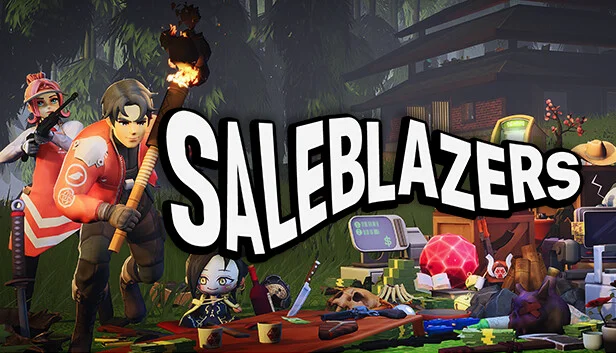
Saleblazers
by AIRSTRAFE INTERACTIVE · 29 Sep, 2023
79 downloads
About the Game
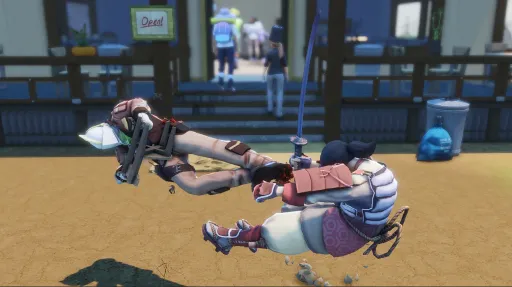
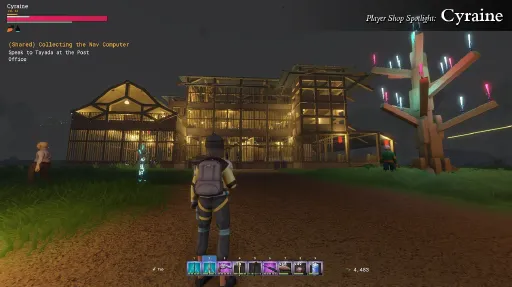
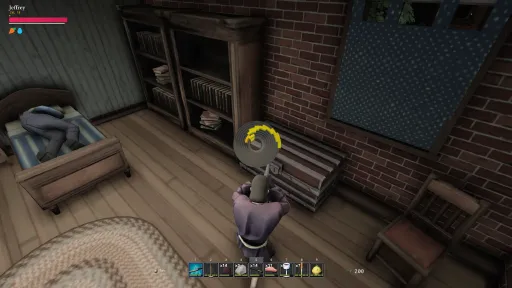
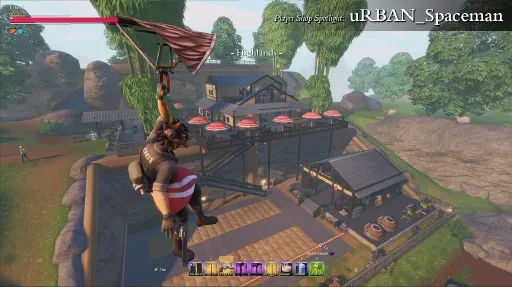
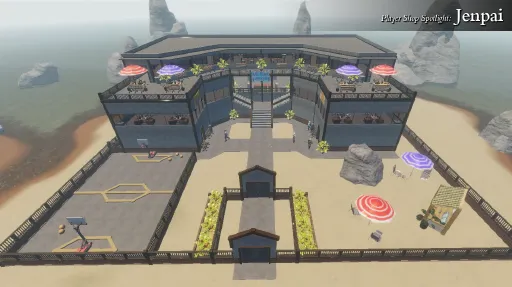
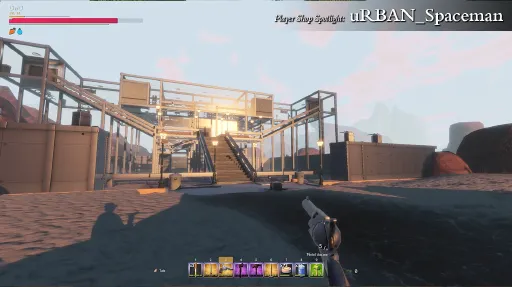
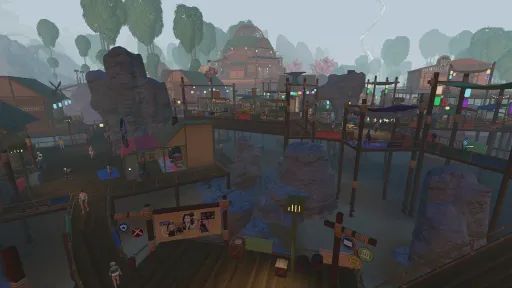
Saleblazers is an open world multiplayer shopkeeping survival game for 1-8 players.
Fight. Sell. Survive.
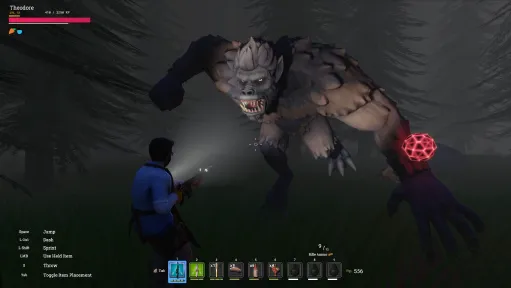
You play as a shopkeeper living on an island filled with wild creatures and humans.
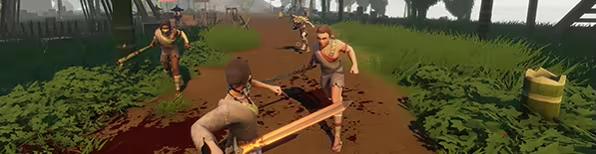
Your Shop, Your Rules
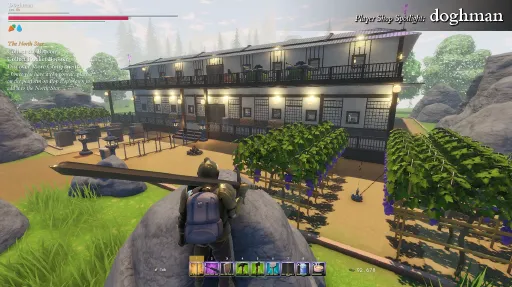
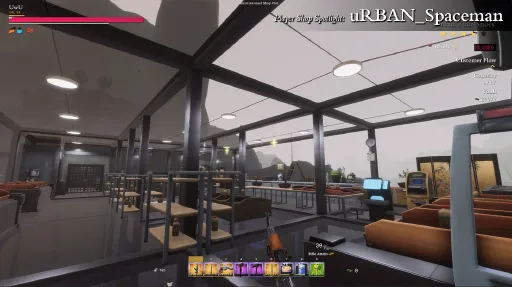
Build your shop from scratch and place items anywhere you like!
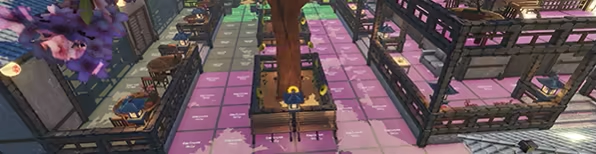
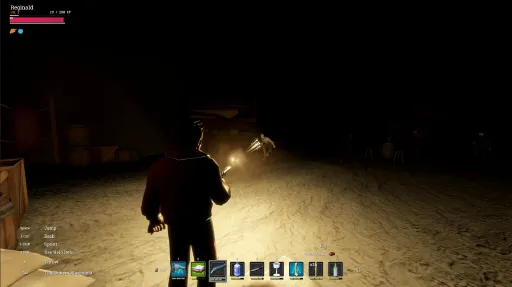
Survive the Night
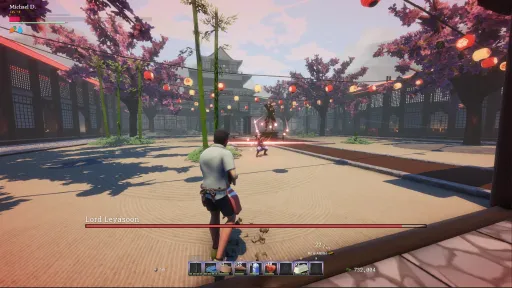
Do whatever it takes to survive the night.

Grow Your Businesses
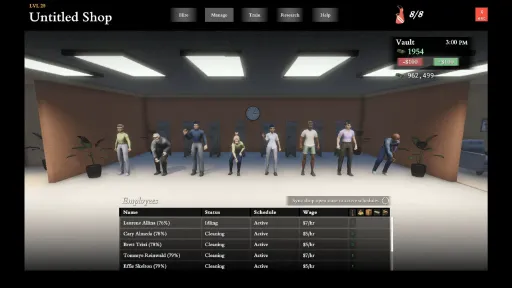
Hire employees and build defensive turrets. Sit back and relax as your shops run themselves!
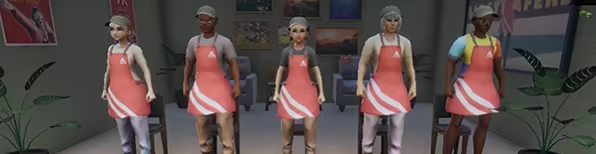
Escape the Island
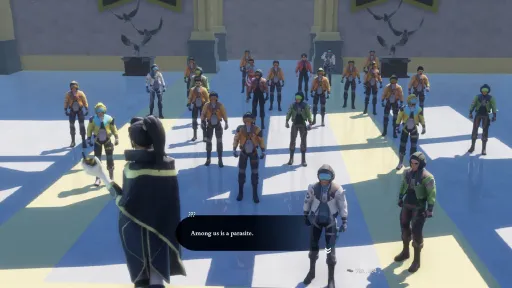
A story campaign will test your shopkeeping and survival skills.

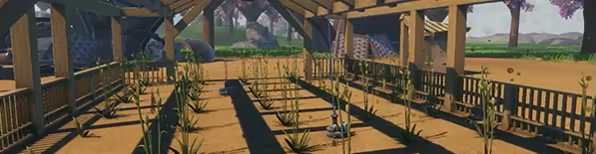
Relax
If you prefer a calmer gameplay experience, try farming or fishing.
Verified on Steam Deck
KEY FEATURES
Dedicated server support (see Steam Community guide for details).
Sell anything on the island.
Use anything as a weapon.
Build and run multiple shops across the island.
Hire employees to run your store for you.
Electricity system for powerful late-game items such as self-checkout machines or turrets.
Dynamically reactive AI customers with unique needs and budgets.
Gather, fish, farm, craft, buy, or loot to stock your shelves (beware of the police!).
Main narrative campaign takes you on a treacherous journey.
Handcrafted gameplay experience that works well in both singleplayer and multiplayer.
Side quests, mini-bosses, and special orders make the open world come alive.
Enable PvP invasions and proximity voice chat for some unexpected fun!
Screenshots
23 images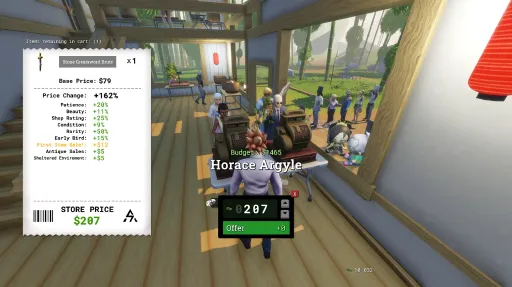
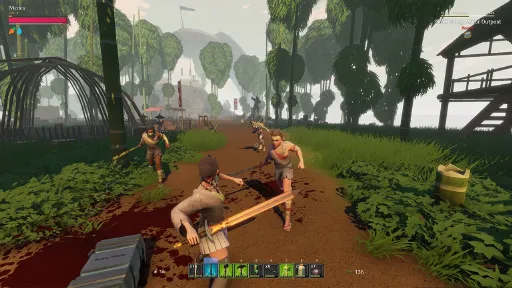
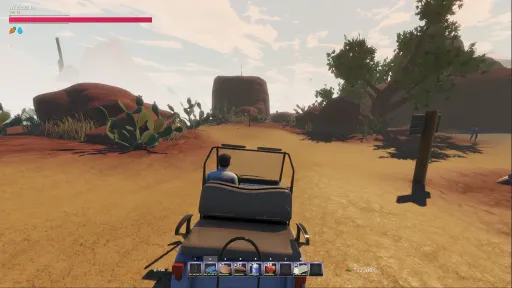
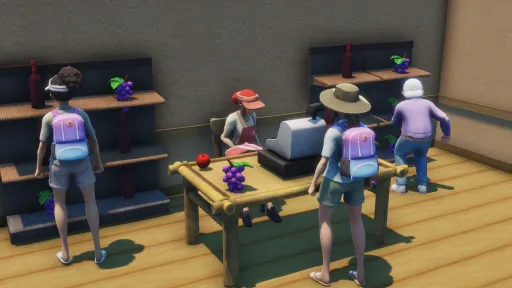
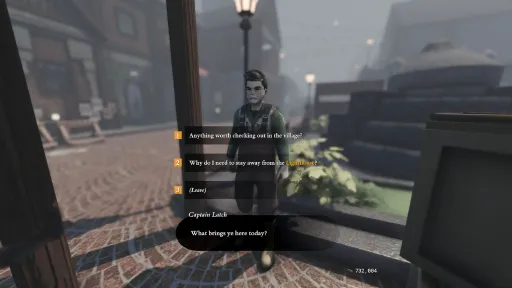
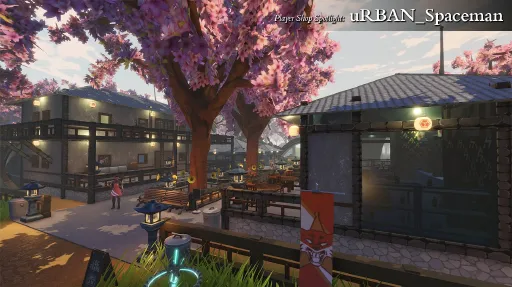
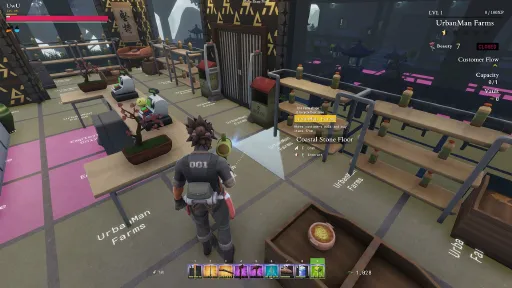
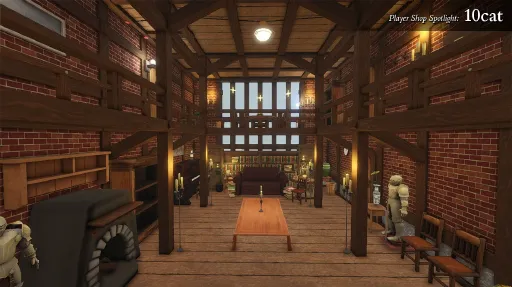
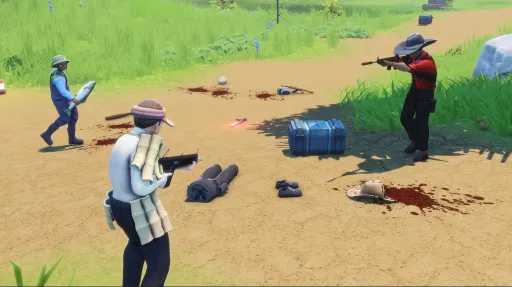
Version Information
Steam Patch Notes
Official update history
v0.21.3.6 Patch Notes
✅ Changes
Rebalanced the value of Leyasoon's weapons. The katana is now worth more and the dagger less, in line with other iron weapons
Plants and trees in your shop plot can now be harvested while the Invincible Shop setting is on
Your character's ragdoll is now less likely to clip through walls and floors
Water splashes and mud footsteps are now quieter
🔧 Fixes
Dirty water can now be purified properly at cooking stations, and cups and bowls of water display correctly while they boil
Vessel choices no longer go missing the first time you open a cooking station
Cooking water no longer shows through signature meals
Objects between the camera and your cooking no longer flicker as they fade out
Players in multiplayer no longer get thrown out of position when getting back up from a ragdoll
Leyasoon no longer respawns without weapons
Karrax claw drops now give one claw instead of several
Road customers are now cleaned up properly when loading a save or backup
Items in inn rooms no longer get lost while the area is loading or unloading
Players sent to the Kazai Village jail no longer sometimes spawn underneath it
Shiny surfaces no longer reflect an unnatural ground color from the sky
Improved AI pathfinding reliability around shops while they load
Improved performance of some bushes
Recipe books bought from Coastal Village shops now unlock their recipe, and blank stock in existing worlds is rebuilt
Purified water now stays visible in cups and bowls after serving
Bodies of killed police officers no longer disappear right away
The Apex can no longer push you through the terrain
Player ragdolls no longer shoot out of walls and floors as violently
Player turrets now aim where their head is facing, and no longer get stuck reloading
Rotating an item while placing it now works with a fishing rod equipped
Employee gathering settings no longer edit the wrong work schedule after a schedule is removed
Your fullscreen, borderless, or windowed setting is no longer overridden when the game launches
Optimized several areas of the open world, including Coastal Village foundations
Resolved various disconnect issues
Saleblazers.com patch notes.
Chef Origin Developer Stream
Hey there!
I recorded another developer playthrough for you, this time starting with the Chef origin as we continue celebrating the Hook, Line, and Sizzle and Second Helpings updates.
You can watch it on YouTube or at the top of the store page (at least for the next week or so).
I had a lot of fun cooking meals, harvesting ingredients, and showing what a cooking-focused early game looks like while talking through some of the design.
If you're new to Saleblazers or have it on your wishlist, this is a good look at getting started, especially if you're interested in selling food! ːsteamthumbsupː
If you're already a Saleblazers expert, I hope it's a fun watch and gives you a little insight into cooking and fishing.
— Statue, Saleblazers Game Designer
We're working hard on the first story missions content update. In the meantime, we have a few fixes ready for you in this patch.
Thanks again for all your support and feedback!
v0.21.3.5 Patch Notes
✅ Changes
Charging a spell now shows an effect in your hand, colored to match the spell
🔧 Fixes
Nearby players no longer occasionally miss out on shared XP
On Dedicated Servers, Ragdolls now fall naturally for other players instead of visibly correcting into position
NPCs knocked down by a melee hit no longer pop their mesh upwards
Trees that aren't actively growing no longer show a growth percentage in the UI
Plant growth percentages now update properly for other players in multiplayer
Using a bed can no longer put you in the sleep queue twice
Items with the durable attribute will no longer sometimes end up with less maximum durability than they started with
Holstered weapons such as the Deagle no longer lose parts of their mesh on your back
Beards no longer appear through equipped masks
NPCs no longer stay stuck on the ground after a purple mushroom meal knocks them down
Hovering an active status effect shows its countdown second by second instead of rounding
DualShock 4 button prompts now display correctly with Steam Input turned off
Apples, cherry seeds, and other consumables no longer look too dark and shiny
The Apex's dust, roar, and projectile effects now display correctly
Resolved several issues with the Apex's behavior
Golf carts now exit driving properly on dedicated servers
Improved stability when picking up dropped items
Improved performance of distant terrain
Resolved various disconnect issues
Saleblazers.com patch notes.
This is a small follow-up patch to v0.21.3.4 to resolve a few more bugs.
For dedicated server compatibility, the version number remains unchanged.
🔧 Fixes
Fixed cooked meals not being identified correctly in displays and stacking incorrectly
Fixed non-stackable items from burned bodies appearing at the wrong scale for other players
Fixed Leyasoon's loot not spawning properly on repeat kills
Fixed many visual issues in Kazai Castle, and updated its navmesh
Fixed gliding into water leaving you swimming at sprint speed, and the glide pose freezing in the water
Paid attribute removal is now also available from Astrid and the Lighthouse
Fixed damage being lost when a distant stand-in is replaced by the real object
Fixed shop items beside stairs selecting the wrong floor
Fixed thrown consumable achievements not crediting the player who threw the item
Fixed unlocked fast travel totems carrying over from a loaded world into a new world
Fixed item discoveries being lost during a save data migration
Fixed customers being unable to climb past beams in the floor in some cases
Fixed various disconnect issues
Saleblazers.com patch notes.
This hotfix resolves some issues reported by players.
It also addresses how fire weapons burn away bodies, gear, and all.
Now, gear and loot from burnt bodies will drop to the floor so you don't lose them.
[img src="{STEAM_CLAN_IMAGE}/41695305/c96d2eade1f5e32184211119570e863b3ef6f711.jpg"]
You can also remove enchantments from the attribute giver NPCs.
If you have a favorite weapon you no longer want to deal radiation damage, or want to remove a low-tier enchantment to replace with a high-tier one, you can!
Thank you to everyone who sent in reports!
✅ Changes
Burned enemy bodies now drop their items. Stackables drop as floating droppables, and non-stackables drop on the floor
You can now pay attribute giver NPCs to remove the specific attribute they gave you
Added more spellbooks as rare treasure chest loot, and widened the mystery fish spellbook pool
Skewers now require a deeper crossing of the fire before they flip which side faces the flame
Customers no longer take damage from hunger or thirst
Slightly reduced base body smoothness
Character rim lighting is now gated by the main directional light, so characters no longer rim light while in shadow
Increased ambient occlusion
🔧 Fixes
Improved controller inventory placement, selection lifecycle, and navigation targets
Improved controller selection indicator placement on the cooking, fishing, bait picker, and tutorial screens
The controller select indicator will no longer stay on screen after cooking and fishing screens close
Fixed the virtual cursor appearing while the cooking and fishing screens own the controller
Reopening the inventory on controller now resumes the selection of the last selected inventory slot
Fixed inventory context placement teardown after a successful placement
DualShock 4 controller glyph selection now works properly
Fixed recipe books welding to your hand after being consumed straight from the world
Fixed the cooking reveal presentation outliving the cook it belonged to
Employee simulation now persists correctly, with compressed snapshots and obsolete data reclaimed from existing saves
Fixed employee simulation checkpoints being lost when loading a different save
Fixed sleeping customers not being returned to the pool correctly
Improved AI pathfinding reliability, including pooled path handling, movement layer tags, and step height
Fixed stale navmesh tile after a shop plot rescan
Remote clients will now properly receive Fishing mastery XP
Droppable spawning is now authoritative on dedicated servers
Fixed the Eat This achievement not triggering on consumable hits to child colliders
Removed duplicate spellbook attribute requirements, and enforced elemental attribute compatibility
Fixed first hit projectile damage on optimized items and trees
Fixed the inventory drag comparison tooltip collapsing
Ultra shadows now stay on Ultra in the graphics options
Fixed incompatible particle GPU instancing
Fixed several item placement issues
Fixed an issue preventing some cooked food, such as Cooked Pork, from being used as fishing bait
Oven cooks left stranded in older saves can be recovered
Cleaning weapons such as the mop can no longer cause melee crimes to employees
Filled holes in the terrain in the crater and off the south coast
One investor outfit colorway is no longer too shiny, and corrected smoothness on several other materials
Fixed a case where the fake rock in the jail dead drop quest would not respawn when saving and loading at specific times during the quest
Corrected guaranteed armor affix matching on crafted armor sets
Legacy unfuelled ovens now open the fuel picker instead of canceling an active craft
Ambient occlusion is no longer lost when video settings initialize before the post-process volume
The player reaction camera will no longer clip through character colliders
Fixed double bloom
Fixed floor tile tag mismatch notifications
Characters should no longer move through the ground while in the cheaper movement mode
Needs-item tags can no longer be removed accidentally
Fixed various disconnect issues
Saleblazers.com patch notes.
Fixed quick move not working on controller (Left Trigger)
Fix items going into your hotbar when looking at them and pressing a hotkey button
Set default camera distance to 1.0 instead of 2.0
Fix mannequins not working properly
Fixed client being unable to craft/cook in some scenarios related to inventories
Fixed some inventory falling out or not saving food properly with backpacks for clients
You can no longer queue up an item to craft if you don't have enough ingredients
Hold to sprint option now lets you tap to dodge and hold to sprint
Added sprint only bind
Added 30 FPS lock option
Fixed right click menu not working on controller
Fixed quick move not working well for client in some cases
Fixed a case where clients would see others as moving fast due to some active collisions
Fixed placing item preview showing the item as too small
This is a small hotfix to resolve some issues reported by players.
We are almost ready to release our next update, bringing more optimizations, fixes, balance changes, and fishing content, but we wanted to get these fixes out to you first.
Thank you to everyone who sent in a report and who has been giving us feedback. Look out for some exciting balance changes in the next update!
✅ Changes
Transferring money to and from the shop vault now scales faster the longer you hold it
🔧 Fixes
Fixed barber customization camera and activation issues
Improved AI turret targeting and behavior
Fix another case where mops could incorrectly cause customers to call the police
Fixed projectile, turret, mortar, spell, and explosive damage scaling, including issues with the actual damage and the hover UI
Improved bullet registration in multiplayer
Improved zipline placement, including long-distance endpoint placement and cancel behavior
Improved shop-item queue positioning behavior
Fixed some floating trees and cacti in the canyon area
Fixed a disconnection after leaving the jail
Fixed various disconnect exceptions
Saleblazers.com patch notes.
This hotfix resolves a rare issue in multiplayer where client players can trigger a physics explosion that breaks many items, ragdolls characters, and causes lag spikes or freezes.
Huge thanks to players who reported this issue and provided save files and videos of it happening, which gave us clues about what was causing the issue.
✅ Changes
Updated existing crossbows with extended magazine to keep their old high magazine count, the rebalance in v0.21.1.1 now only applies to newly dropped extended magazine crossbows so as not to punish existing builds
🔧 Fixes
Changed the way host and client resolve their physics forces on spawned objects to prevent physics items from sometimes exploding all over the place
Saleblazers.com patch notes.
This is a small hotfix follow-up patch to v0.21.1.1 Going the Distance. It fixes the sharpness attribute from the blacksmith, as well as a couple of other small issues.
Our designer has also posted a dev stream playing for about an hour and a half on the new update.
If you want to see some gameplay or just check out the recording, it should be at the top of the Saleblazers Steam page for the next couple of weeks.
Thank you for all your feedback and support with the new update!
[img src="{STEAM_CLAN_IMAGE}/41695305/254f08102fdffc8b98d3d81cc8eb982a690fd31b.jpg"]
✅ Changes
Added a couple of additional runes and chests to the new edge of bounds mountain areas near the desert and canyon. Though there is still not much here, and it is mostly a map border
🔧 Fixes
Fixed damage attribute purchase from Brock Smith in Kazai Village
Resolved an issue where NPCs could walk more slowly than intended inside the shop
If you delete all versions of your world save, it now properly removes the entire world from your menu
Fixed some cases where NPCs would not properly see each other to say hello
Fixed a case where NPC attribute givers would not be able to talk to players after save loading in a specific state
Fixed various disconnect exceptions
Saleblazers.com patch notes.
This update brings UI reworks, balance tweaks from your feedback, new gameplay options, and squashes some important multiplayer bugs!
UI Improvements
We're bringing you a more streamlined UI style that should be cleaner to look at while still putting the items and their attributes at the forefront.
Item durability is now shown on the slot behind the icon instead of in front of it.
[img src="{STEAM_CLAN_IMAGE}/41695305/12358c22cedd6e951afc817523c57034d2aed359.png"]
Ambrosia's insured slots now get a blue background glow instead of a spark.
[img src="{STEAM_CLAN_IMAGE}/41695305/1ac2eba8c500a27e8dcaa792a04dfbb5f00b7e7c.png"]
And you can now easily compare items by hovering one item over another.[img src="{STEAM_CLAN_IMAGE}/41695305/ab2f027c0b1d996689acb58343cc9c8427223fe2.png"]
New Gameplay Options
You can now lock your minimap to always face north for a more static view.
[img src="{STEAM_CLAN_IMAGE}/41695305/725debf78202cc63ae2f2eb6f3a1b0c18497b70d.gif"]
Prefer finer control over your stealth? You can now disable auto-crouching in bushes.
[img src="{STEAM_CLAN_IMAGE}/41695305/d0d767c309c2218b410e1608f539a3939aa43afe.gif"]
Gameplay Changes and Balance
Reviving an NPC or another player now costs 50% less. This should be a little boon for co-op partners who revive each other rather than self-revive.[img src="{STEAM_CLAN_IMAGE}/41695305/09c164604a055108485593756c9b96730df684a9.png"]
Stamina should be a little more forgiving overall, especially when harvesting with an axe or pickaxe.
[img src="{STEAM_CLAN_IMAGE}/41695305/b3bbfd786aecf721d4877a56c9674adad15ac049.gif"]
The glider's been reworked to feel smoother and more fun. You'll now only ragdoll on closing it if you're out of stamina.
[img src="{STEAM_CLAN_IMAGE}/41695305/758210578ede251f67d2b1a26e831adbbc2f4074.gif"]
To help explore some of the most frigid regions without swapping to cold-weather gear, we've introduced a new warmth potion in some of the potion shops. This is the first of many new potions, spells, and item attributes we're working on!
[img src="{STEAM_CLAN_IMAGE}/41695305/f61d005706770c3d37ec6c1fbcd48146e77dbdcc.png"]
Multiplayer Fixes and Optimizations
Thanks to your reports, we've fixed issues that should prevent:
Spiking network lag
End-of-day screen crashes and freezes
Client freezes away from the host player
and more!
We are still working on ironing out some physics issues, but the multiplayer experience should be significantly smoother today.
If you have any other issues, please reach out via the in-game report menu in Settings -> Help, the Steam forums, or our Discord, and we will investigate and get it fixed!
✅ Changes
Added a gameplay option to keep the minimap always facing north
Added a gameplay option to disable automatic crouching when in bushes
Changed Ambrosia insurance slot visuals
Reviving another player or NPC now gives you a 50% discount on the revive price
Reduced sun shaft effect for Summer, Fall, and Winter
Some conversations, such as totem unlocks, will no longer look back at the player's face reaction camera
Updated the way potions show their effects in the hover UI
Damage reduction and some other attributes now properly stack multiplicatively
Changed the way radiation and snow resistance attributes show in the hover UI because they are not multiplicative percentages
Updated Leyasoon's dwelling area to be more grand and have better gameplay
Changed item damage UI to fill up the background, instead of filling the item sprite, based on player feedback
Dragging an item in the inventory will now also show you its information
Hovering over another item while dragging one will show both attributes side by side for easy comparison
Improved item hover effect to render above everything else and have less of a "ghosting" effect when moving it around to empty slots
Hovering over an ingredient in a crafting UI will show the name of the ingredient
Slightly sped up stamina regeneration delay
Reduced stamina cost for swinging axes and pickaxes
Closing the glider during a fall will no longer cause you to ragdoll as long as you have stamina left
Added a new warmth potion to some potion seller shop stock
Ziplines will no longer keep as much momentum when you reach the end
Increased the price bonus given to items with attributes. This bonus scales based on the attribute requirements
Employees now complete training automatically
🔧 Fixes
\[High Impact] Fixed several client issues that cause severe networking lag in multiplayer
\[High Impact] Fixed game crashing/freezing from sleeping/end of day summary UI
\[High Impact] Fixed plot starting tile able to be dismantled, causing shopkeeping softlock, same with other preplaced building pieces around the map
\[High Impact] Fixed some issues with Leyasoon's boss fight
\[High Impact] Possibly fixed end-of-day summary freezing for some players
\[High Impact] Improved memory allocation code. Over a long play session on one computer, we've brought RAM down from 9GB to 4GB, which was an elusive longstanding issue! We will continue working on optimizing memory in the next few patches. This will also mean fewer hitches.
\[High Impact] Fixed various issues with employees not using chairs properly
Fixed health potions not working for remote clients
Fixed some crafting recipes showing up as white squares instead of their actual icon
Fixed a case where a higher rarity ranged weapon damage could inflate on save and load
Fixed a case where remote clients did not receive the proper rarity damage bonuses
Fixed crafted by naming not saving to items properly
Fixed Force Feed achievement not working
Fixed Western Toilet collider weirdness
Fixed various issues with Snowville gun and herbal shopkeepers
Brought back the Snowville gun shop that was temporarily removed due to previous issues
Reduced some minor memory allocations
Fixed some price conversion issues with dialogues
Fixed cent formatting issues on some dialogues, like the innkeepers
Fixed prices for the death box recovery conversation
Fixed one case where shops showed the same summary multiple times
Fixed guns not rotating the upper body enough and relying only on the wrist
Fixed some cases where price tag and display boxes stuck on shelves for clients
Fixed incorrect amount of XP gained at the end of day for some skills
Fixed some dead bodies standing up after reloading the area/sleeping
Possibly fixed a case where ragdolls would go crazy in multiplayer
Fixed NPCs sometimes spawning damaged
Fixed plant pots
\[Dedicated Server] Fixed the leave lobby and change map commands not working
Fixed Leyasoon not charging sometimes
Optimized Leyasoon's dwelling area
Fixed Stove not properly acting as a crafting item
Fixed floating trees in the glider mountain area
Fixed the player response camera not triggering properly for client players in global conversations
Fixed the held position for laser crossbows
Fixed the mesh on the optimized repeater rifle
Fixed quest locations on the map not being hoverable to show the task title
Fixed a few issues with turning in the Glider quest
Fixed some issues getting users stuck in the Jail Dead Drop quest
Fixed some rare issues with the Farming quest
Fixed the glider consuming too much stamina when using directional keys in air
Fixed the glider not allowing the user to open it on shorter distance falls
Pressing take all will now properly put items into an equipped backpack
Fixed an issue where NPCs would not properly rotate to look at remote client players
When customers purchase an equipable clothing piece and put it on, it now hides properly from their holstered items
Improved some in-line item icons in dialogues
NPCs should no longer instantly go back to sleep after being spoken to at night
Fixed various issues with the Grabber Ghouls in the Bellstalker Mountain Proving Grounds
Lockpicking a container should now properly open the container UI
Tuned armor and stamina bars so they are more reactive to stat changes
Fixed an issue causing the quantum copper container to not spawn the right quantity of quantum copper
Fixed some dexterity attributes improperly rolling on daggers and knives
Fixed the durable attribute sometimes not properly applying its durability bonus
Fixed the lone spell shop in Kazai Village for clients
Fixed various code exceptions
Fixed clients not getting the right map shading based on time of day
Fixed the way the water shader interacts with the map code, which was causing the water to render black. It should now be blue!
[img src="{STEAM_CLAN_IMAGE}/41695305/edbac8ce23dd451ee0ba1a64452ac903e844032a.png"]
You can view the patch notes on saleblazers.com as well!
Some more tweaks to improve the overall experience!
✅ Changes
Dragging a body no longer has the body collide with you
Reduced shine of water so you can see fish better when fishing
Backpack slots can now fit more money
Increased amount of stamina gained from leveling Endurance
Equipment stands in the world will now have items properly equipped! [img src="{STEAM_CLAN_IMAGE}/41695305/5d11fd28a7994f07143271a89b50c51aea44953a.png"]
Changed settings and lobby UI toggle color to green for clarity
Pickaxes now give guaranteed mining skills when equipped
Increased the bounty required for detainment from $2.00 to $3.50. Below this amount, the police will just give a warning without arresting
Removed depth of field in dying and haggling
Reduced brightness of fishing exclamation mark
Adjusted Dexterity dash jumping in air being a little too fast when you have the -75% dash cooldown Dexterity bonus
🔧 Fixes
Fixed Dexterity 99 double jump not working properly
Fixed fishing not working properly
Fixed star rating being unexpectedly hard to gain in certain situations
Fixed formatting issue on bottom right calendar UI
Fixed inventory item slot visibility issues when dragging directly into displays
Optimized some NPC behavior calls
Fixed some clients duplicating guaranteed attributes on clothing when rejoining a lobby
Changed toggle color to green for clarity
Fixed an issue that could cause item icons to disappear from the mouse when dragging items
Fixed player emotions not showing on Pop Pop conversation player responses
Fixed a case where employees wouldn't tell you what they are working on
Fixed some localization issues with new attributes
Customers will no longer play the voice line about dead bodies when they see animals or night enemies killed
Fixed some copper rock spawners with bad colliders
Fixed employee health bars showing when they are in home state
Optimized performance of many situations where ragdolls would go crazy or go out of bounds in multiplayer and singleplayer
We have heard some player feedback and adjusted the game a bit!
2 important notices in a follow-up update after this:
Depth of Field will be removed
Camera distance will be raised by default from 0 -> 0.2 and field of view from 70 -> 75 (you have to do this yourself in the settings and only new players will get it automatically!)
✅ Changes
Reduced post process bloom effect throughout the day
Increased base movement speed
Reduced time to swap weapons from 1 second to 0.01 seconds
Reduced how easy it is to knock over customers while sprinting
Added more leniency to police considering a crime being arrestable
Sprinting no longer continuously deals damage to non-staggerable enemies (requires an active dash)
Medic will now destroy hostile dead bodies
Nearby AI will not be alerted to gunfire while in bottle shooting minigame
Added what class you are as well to Steam friends list status
Tuned attributes to drop more character attribute bonuses instead of skill bonuses
Reduced vignette at night and morning
Greatly increased holster swap speed
Holster/unholster is now allowed while in the air and swimming
Mantling will no longer holster your item
Increased movement acceleration greatly
🔧 Fixes
Fixed some display container not working properly (dojo armor stand, floor weapon rack, dojo weapon display)
Fixed Calendar item being invisible and formatted incorrectly
Fixed some bad text localizations
Fixed various in game exceptions and errors
Fixed offline mode not working
Fixed dedicated server with cloud character not autosaving and syncing data to cloud properly
Fixed invisible health bars
Fixed very rare case where you could be at 0 hp but not dead
Fixed radiation resistance not rolling on Hazmat clothing pieces
Fix some Copper nodes not having collision
[img src="{STEAM_CLAN_IMAGE}/41695305/cd051f796bcb7b753da187ccc3b92666060c2b93.png"]
Hello! I apologize for the miscommunication yesterday where I said it'd be out already.
Unfortunately we are still resolving some last minute things with the build (balancing, issues) so we have to push back The Immersive Update.
I'm really hoping that we will get it out very soon. It's really fun and I can't wait for you all to play it!
- e Zinc
(Also, big thank you to the immersive-testing players for all the feedback in the last few weeks!)
Current Release
Build 24211168
Uploaded Jul 28, 2026
Update already requested
Uploaders have been notified
A newer version is available but not yet uploaded
Help keep this updated
Login Required
You need to be logged in to request game updates. Would you like to go to the login page?
Request Update
Request an update for Saleblazers? This will notify uploaders that this game has an available update.
Request Submitted
Your update request has been submitted successfully! Uploaders will be notified.
Request Failed
Failed to submit update request:
System Requirements
How to Install
Default\Saleblazers.exe to play
Troubleshooting tips
• Run Redist/_CommonRedist installers if game won't start
• Add folder to Windows Defender exclusions
• Run as administrator
Download
Direct link available
Needed when extracting (WinRAR / 7-Zip) — not a site login.
5D103EF0
c56709a6a33d2bc078ac365d253b94acf7745f84951e31c98cc9c39b026bbdaf
You May Also Like
View All








Download Saleblazers for PC with a direct link or via torrent. Get the full version of Saleblazers for free. Saleblazers is a Action released by AIRSTRAFE INTERACTIVE.