







About the Game
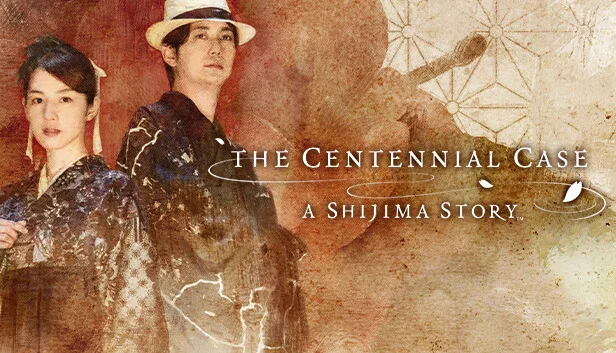
The Centennial Case: A Shijima Story is a new unique mystery-adventure game.
Directed by Koichiro Ito, and with Yasuhito Tachibana as the Cinematographer and Scenario Director, beautiful yet thrilling live-action footage intertwines with mysteries to solve, creating highly immersive gameplay.
The player follows a chain of murders which take place over the span of a century. Four murders have been committed in three different time periods - 1922, 1972, and 2022.
Each episode is comprised of three parts, the Incident phase, the Reasoning phase, and the Solution phase, inviting the player to seamlessly enter into this world of mystery.
Explore these time periods, collect multiple clues, and solve a 100-year mystery.
The Shijima family have suffered a chain of inexplicable deaths over the past century.
When Haruka Kagami, a mystery novelist, visits the Shiijmas, she finds herself taking on four different murder cases - occurring at different points in time.
The red camellia and the Fruit of Youth, which invite only death.
And the truth behind it all, waiting to be uncovered...
Haruka Kagami, the main character, is an up-and-coming mystery writer.
Play as Haruka Kagami and pit your wits against the murder cases.
Each murder case comprises of three parts.
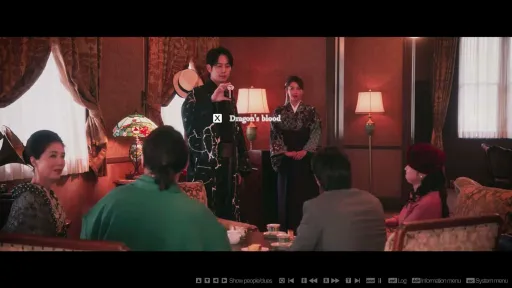
The Incident phase: See the entire murder as it unfolds, from start to end. The keys needed to solve the mysteries surrounding the murder can always be found in the video itself.
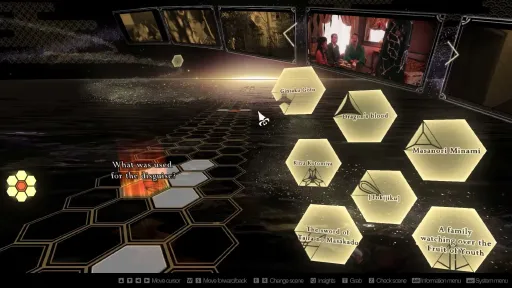
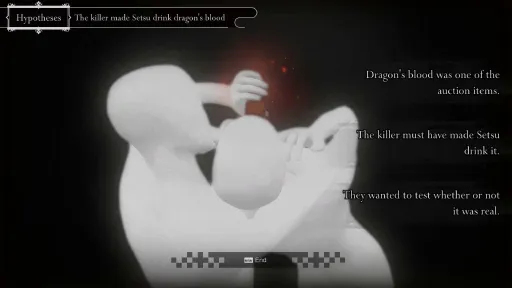
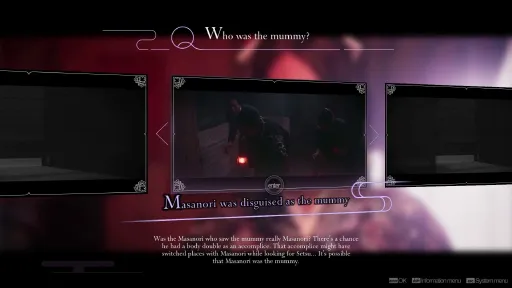
The Reasoning phase: Put together the [Clues] and [Mysteries] found during the Incident phase and create a hypothesis in your cognitive space. You can create multiple hypotheses, but not all of them will be correct. Some things you uncover may lead you down the wrong path.
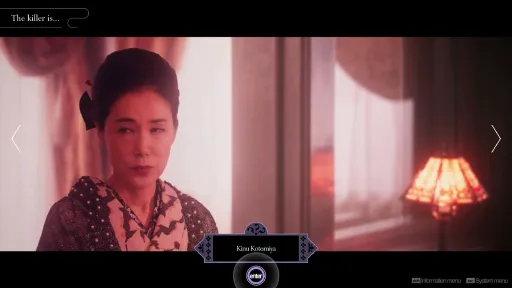
The Solution phase: Pin down the killer based on the hypothesis you created in the Reasoning phase. Select the correct hypothesis to determine the killer. When facing a trickier culprit, they may attempt to refute your claims, so strike back with your reasoning!
Screenshots
9 images


Version Information
Steam Patch Notes
Official update history
Minor bugs have been fixed.
View on Steam
● Adjusted part of the “Rules for Reasoning”.
● Changed “Suspend” to “Save”.
● Improved the explanation in the tutorial about moving “Clues”.
● Improved the content of the notes in Chapter 5.
● Added the following features to Options:
<Controls>
・ Feature allowing cursor movement (both free and investigation) controls when using a gamepad to be set to either to left or right stick.
・ Feature allowing adjustment of cursor movement speed (both free and investigation).
<Pattern Guide>
・ Feature that toggles the Pattern Guide on “Clues” and “Mysteries”.
● Adjusted and improved the following areas in the Cognitive Reasoning Space.
・ Enlarged the valid area, making it easier to fit “Clues”.
・ Made it so the path can be moved whilst holding a “Clue”.
・ Made improvements to allow you to skip through line-by-line when viewing “Hypotheses”.
・ Made improvements to allow you to skip the whole summary conversation.
・ Changed so that “Clues” can be connected from any point when connecting several “Clues” on the path.
● ! on the title screen. Fixed a bug that prevented the exclamation mark from disappearing.
● Fixed a bug that, under certain conditions, caused the video to stop before moving onto a question.
● Corrections of errors in the Korean text, and in the text and video for other languages.
● Other minor bug fixes.
View on Steam
● Changed “Suspend” to “Save”.
● Improved the explanation in the tutorial about moving “Clues”.
● Improved the content of the notes in Chapter 5.
● Added the following features to Options:
<Controls>
・ Feature allowing cursor movement (both free and investigation) controls when using a gamepad to be set to either to left or right stick.
・ Feature allowing adjustment of cursor movement speed (both free and investigation).
<Pattern Guide>
・ Feature that toggles the Pattern Guide on “Clues” and “Mysteries”.
● Adjusted and improved the following areas in the Cognitive Reasoning Space.
・ Enlarged the valid area, making it easier to fit “Clues”.
・ Made it so the path can be moved whilst holding a “Clue”.
・ Made improvements to allow you to skip through line-by-line when viewing “Hypotheses”.
・ Made improvements to allow you to skip the whole summary conversation.
・ Changed so that “Clues” can be connected from any point when connecting several “Clues” on the path.
● ! on the title screen. Fixed a bug that prevented the exclamation mark from disappearing.
● Fixed a bug that, under certain conditions, caused the video to stop before moving onto a question.
● Corrections of errors in the Korean text, and in the text and video for other languages.
● Other minor bug fixes.
The Centennial Case: A Shijima Story 4K Video Pack is available as of today.
Applying this DLC will allow you to upgrade the live-action video sections of The Centennial Case: A Shijima Story to ultra high definition.
Please follow the steps below to download the bonus separately.
1. Open your library and select "The Centennial Case: A Shijima Story".
2. Click "Manage DLC", displayed in the DLC section on the right-hand side.
3. Tick the box next to the DLC that you wish to download.
If the game itself is already installed, then following the steps above will install the DLC.
(In order to apply this DLC, you must possess the full game. Furthermore, there must be 36GB or more of available storage in addition to that required for the full game.)
In order to apply this DLC, you must possess the full game as well as 36GB or more of available storage. Please confirm your available storage space before applying the DLC.
View on Steam
Applying this DLC will allow you to upgrade the live-action video sections of The Centennial Case: A Shijima Story to ultra high definition.
Please follow the steps below to download the bonus separately.
1. Open your library and select "The Centennial Case: A Shijima Story".
2. Click "Manage DLC", displayed in the DLC section on the right-hand side.
3. Tick the box next to the DLC that you wish to download.
If the game itself is already installed, then following the steps above will install the DLC.
(In order to apply this DLC, you must possess the full game. Furthermore, there must be 36GB or more of available storage in addition to that required for the full game.)
In order to apply this DLC, you must possess the full game as well as 36GB or more of available storage. Please confirm your available storage space before applying the DLC.
・Support for DLC (4K Video Pack).
・Corrections to some text and video.
・Fixed a bug that caused the “!” icon on the title screen not to disappear.
・Fixed a bug that sometimes caused the video to freeze before posing a question under specific conditions.
Other minor bug fixes.
View on Steam
・Corrections to some text and video.
・Fixed a bug that caused the “!” icon on the title screen not to disappear.
・Fixed a bug that sometimes caused the video to freeze before posing a question under specific conditions.
Other minor bug fixes.
Current Release
Not available
System Requirements
OS
Windows® 10 64-bit
CPU
AMD Ryzen™ 3 1200 / Intel® Core™ i5-6400
RAM
8 GB RAM
GPU
AMD Radeon™ R7 240 / NVIDIA® GeForce® GT 730
How to Install
1
Download all files
2
Extract the .ISO file to a folder (use WinRAR or 7-Zip)
3
Mount the ISO file (double-click or right-click → Mount)
4
Run setup.exe
5
Important: Check "Copy Contents of ... Directory to Installdir"
6
Launch the game from desktop shortcut
Troubleshooting tips
• Run Redist/_CommonRedist installers if game won't start
• Add folder to Windows Defender exclusions
• Run as administrator
Download
Direct link available
Archive password
Needed when extracting (WinRAR / 7-Zip) — not a site login.
CRC32
D31D906B
SHA-256
97bb4d56da77669ee3df5d312de638a8ce2f4820edbb918aedccd2628c95b58b
How: Right-click the downloaded file → 7-Zip / WinRAR → CRC SHA → compare with the values above.
You May Also Like
View All






Download The Centennial Case : A Shijima Story for PC with a direct link or via torrent. Get the full version of The Centennial Case : A Shijima Story for free. The Centennial Case : A Shijima Story is a Adventure released by Square Enix.