







About the Game
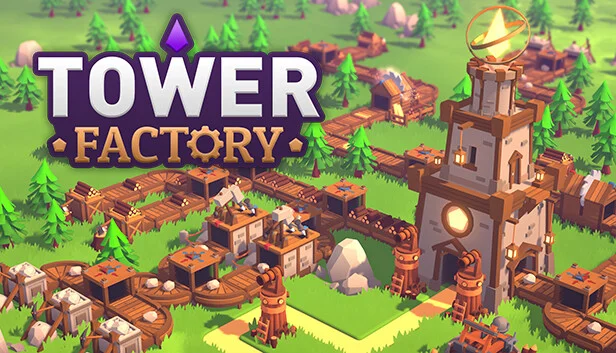
Tower Factory is a game where you have to build a factory that allows you to create enough towers to defend yourself from enemies. You'll need to find and destroy the enemy castle before it becomes too powerful and its monsters overwhelm you!
Features:
Constantly build, expand, and upgrade your factory.
Acquire resources to build more and better towers.
Explore the map to locate the enemy castle, rewards, or... more trouble!
Defeat powerful bosses and unlock new mechanics.
Unlock permanent upgrades that will aid you in your upcoming adventures.
Each game is unique as levels are procedurally generated.
Early Access content:
6 levels with a procedural generated map that makes every game unique.
6 unique bosses that unlock 6 new mechanics.
13 towers and 26 upgraded versions with new effects.
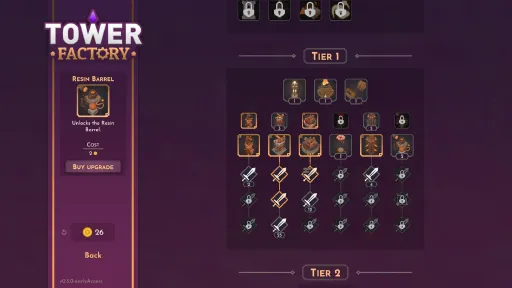
+20 factory buildings.
+70 metaprogression upgrades.
BUILD YOUR FACTORY
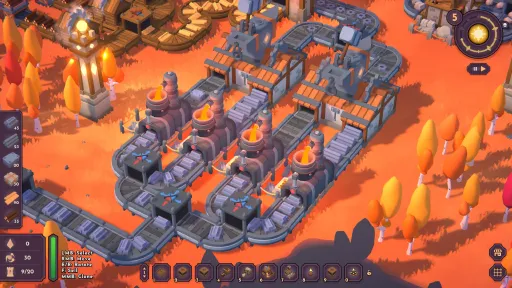
Create a factory from scratch in each game, gaining access to more resources and new buildings over time. How? With conveyor belts, indeed!
DEFEND AGAINST ENEMIES
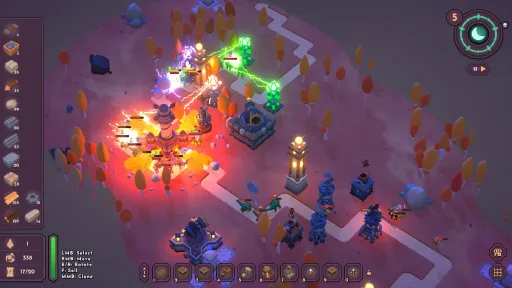
Construct and upgrade suitable towers to fend off enemies who will come during the day but mostly... during the night!
EXPLORE THE MAP
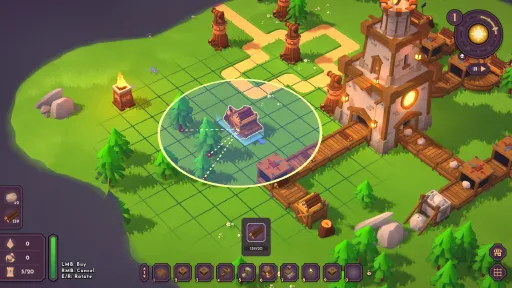
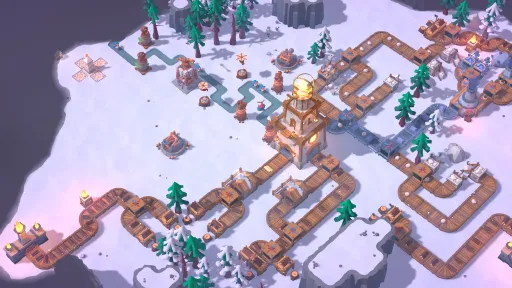
Clear the fog in search of the enemy castle, treasures, and (very importantly) more space to build!
Screenshots
7 images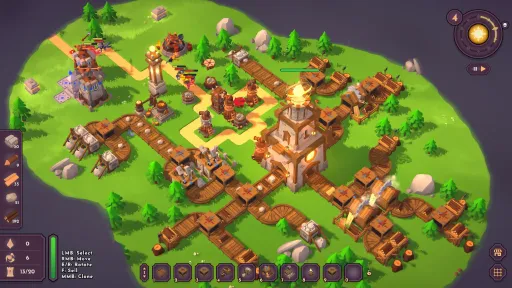
Version Information
Steam Patch Notes
Official update history
CHANGELOG
- When you face a boss, its name and life bar will now appear at the top of the screen.
- The boss now always appears on the right with a red background in the Wave Enemy Info UI.
- If the “auto loot chests” option is enabled, the chest contents are now shown when hovering over it.
- Altars of the Flame, Altars of the Crystal, and obelisks are now revealed when you discover a tile adjacent to them, to prevent accidentally blocking their entrance or tiles when placing exploration buildings.
- Fixed a bug that sometimes prevented the “inactive building” indicator from showing when it should.
- Fixed a bug that caused the explosion effect of the upgraded Bombard to be applied twice to the target.
- Fixed a bug that caused incorrect stat calculations in the tower upgrade preview UI.
- Fixed a bug that caused Buzzsaw bounces to deal 100% damage instead of 50%.
- Fixed a bug that sometimes showed an incorrect value for next day’s enemies in the Wave Enemy Info UI.
Changelog
Added a beam of light above chests to make them easier to spot.
Added a number under the player’s health bar so you can quickly see the exact remaining HP.
Infinite-effect Altars of the Crystal now activate correctly when loading a save.
Fixed a bug that caused Altars of the Crystal effects that increase the maximum tower limit not to stack correctly.
Fixed a bug that caused some production buildings to have unlimited storage after loading a save.
Altars of the Flame effects are now correctly applied to production buildings after loading a save.
Improved save load times in some specific cases.
Fixed a bug where Wave enemy information wouldn’t update correctly if the menu was closed when advancing to a new day.
In the in-run shop, tower base stats are now shown instead of stats modified by external effects (for example, Altars of the Flame).
Fixed a bug that caused random objects to be highlighted when moving the mouse, even if the cursor wasn’t over them.
Changelog:
- Improved overall performance, especially on Large and Giant maps.
- Fixed a bug that caused Combiners, Splitters, Crossings, and Underground Belts to have the wrong speed after loading a save if any factory speed modifiers were active.
- Fixed a bug that caused the placement areas for Gatherer buildings and the Light Bomb not to display correctly while purchasing them if the cursor was over a fogged area.
- Added a slight desynchronization to Processor buildings after loading a save so their sounds and animations don’t become perfectly synced, which could be annoying and look a bit odd.
Minor fixes:
Fixed a bug that caused enemy health not to load correctly after loading a save in Expert mode.
Added an autosave system that will only be used if the game closes unexpectedly, for example after a crash or a power outage.
Although this vulnerability is old and there are no know issues realted to it, I highly recommend updating your game as soon as possible.
That's all! Tower Factory Update 0.4 is very very close!
Gius Caminiti
- Fixed a bug that was causing an enemy in level 4 to give insane amounts of Light Essence.
· You can now preview the range of a tower that will be placed on top of a Range Obelisk before placing it.
· Tower gems are now shown in tower tooltips (displayed by pressing ALT).
· Bomb of Light base range was lowered from 3.5m to 3m to improve accuracy.
· Bomb of Light range upgrades were removed.
· Added Big Bomb of Light, with a 5m explosion radius (unlockable through the upgrades menu after defeating the Totemic Mushroom).
· Fixed a bug that allowed ground towers to shoot at the Fairy Bee boss.
· Increased the armor restored by the King Orc in Expert Mode.
· Changed the way fog is detected to reduce the chances of having seemingly visible tiles where building is not allowed.
· Resource gatherers now search for another available resource if their current one is destroyed by a Bomb of Light.
· The gem UI no longer disappears when upgrading a tower.
· The tower's experience bar now turns orange when it reaches 100%.
· Some upgrade descriptions have been revised to make them easier to understand.
· Health bars and other UI elements now have the proper size on 4K configurations.
- Fixed a bug that was causing Electroball towers to stop attacking when not in the screen.
- Fixed a bug with the Light Cruicible production VFX.
- Fixed a missbehaviour with some tower priority configurations.
- Adjusted the spawn ratio of Golden Coin Chests to make them more common.
- Reduced the unlock cost of the Light Crucible from 3 -> 1 Golden Coins.
- Copying a tower now correctly copies its "Keep Target" configuration.
- It should now be less common for clicks on the hotbar to not register properly, especially when it's locked.
Bugfixes:
- The HealthBar of the Light Tower will now display correctly in Ultra Wide configurations.
- Building tooltips no longer appear above the rest of the interface.
- Building tooltips are no longer misaligned if a building is rotated after being purchased.
Many of you have expressed that the game feels difficult and requires a lot of grinding. While the game isn’t meant to be easy, and I do like a certain level of grinding and challenge, I don’t want it to feel excessive. For this reason, in this update, I’ve made a couple of changes to try to improve this situation.
First, I’ve slightly reduced the size of levels 2 and 3 to make it a bit easier to find Light Crystals. Additionally, I’ve applied a major reduction in the cost of upgrades, resulting in a 30% overall decrease in total upgrade costs. I’ve also slightly increased the number of Golden Coin Chests that can appear in each level to reward those of you who explore the map, even if you don’t manage to win the match.
I want to remind you that the game is in Early Access, and my goal is to make the best possible game for all of you. I’m constantly reading the Steam forums, and there’s also an official Discord channel where you can share your feedback, report bugs, and discuss strategies and the game in general with other players.
I hope you enjoy the new changes, and I look forward to hearing your feedback.
Gius Caminiti
Changelog
- Fixed a bug that was causing achievements to stop working when returning to the main menu after a match.
- Slightly reduced the size of levels 2 and 3 to make it a bit easier to find Light Crystals.
- Slightly increased the amount of Golden Coin Chests that can appear in each level.
- Rebalanced Mage enemy: shield: 700 -> 600, health 300 -> 400.
- Reduced the cost of almost all upgrades to decrease the grinding experience (total reduction: 30%).
- Lowered cost for the Light Cruicible recipe (Stakes: 15/min -> 7.5/min, Stone bricks: 20/min -> 10/min)
- New easier-to-set-up but less efficient recipe for the Light Cruicible.
- Fixed a bug where you wouldn't receive Golden Coins if you surrendered from the pause menu.
- Now you can rotate the camera with Z and X keys too.
Current Release
Build 23945899
Uploaded Jul 11, 2026
System Requirements
How to Install
TowerFactory.exe to play
Troubleshooting tips
• Run Redist/_CommonRedist installers if game won't start
• Add folder to Windows Defender exclusions
• Run as administrator
Download
Direct link available
Needed when extracting (WinRAR / 7-Zip) — not a site login.
246427B6
4331f9983381ddaa7144e2a2cc40b931d129fcc725f0be035a1a33cd5e2b9b13
You May Also Like
View All






Download Tower Factory for PC with a direct link or via torrent. Get the full version of Tower Factory for free. Tower Factory is a Simulation released by Gius Caminiti.