DON'T SCREAM TOGETHER
by Digital Cybercherries · 3 Dec, 2025
375 downloads
About the Game
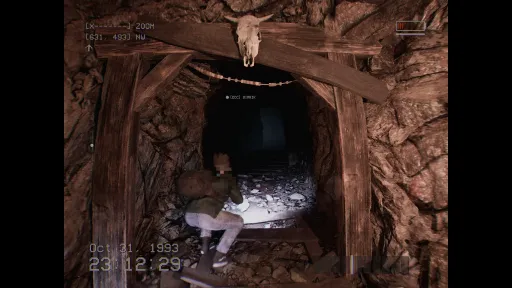
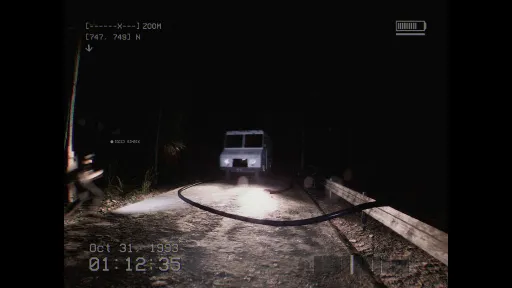
DON’T SCREAM TOGETHER is to be a very simple co-op jumpscare horror experience. There are no complex objectives, puzzles, story, or deep mechanics. If you want a more complex or traditional horror game, this is not that game.
WHAT YOU DO
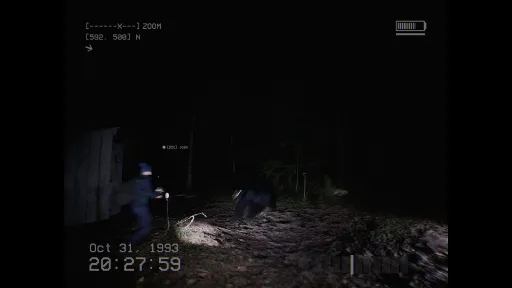
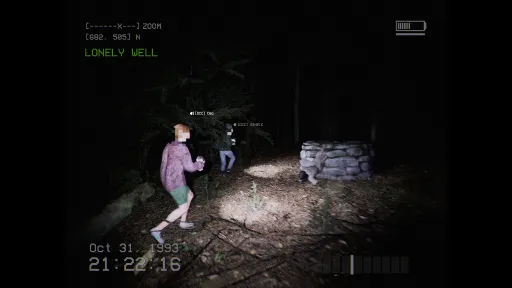
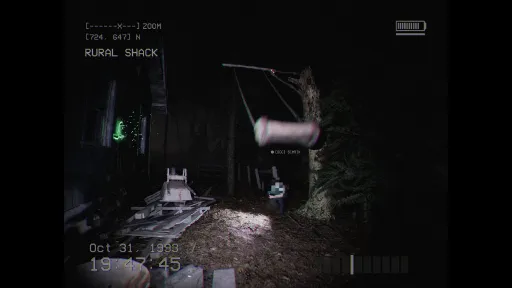
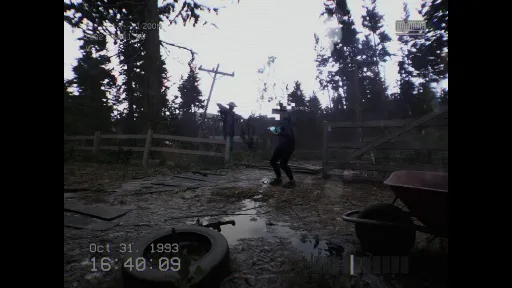
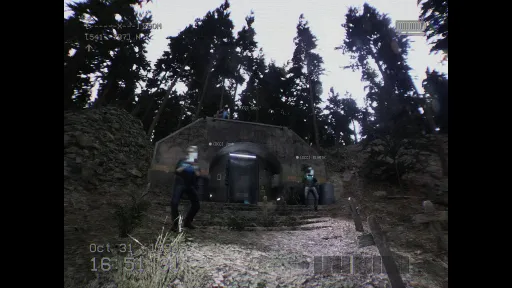
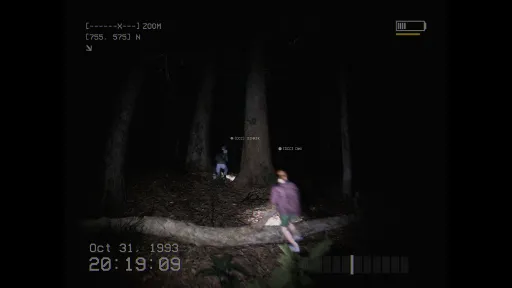
You and your friends enter a huge, pitch black forest with camcorders in 1993. Your goal is simple: reach 8:00 AM without screaming or making a loud noise. As you wander through the forest, you search for batteries to keep your camcorders powered and look for symbols scattered throughout the area. Time only moves when you do, so you cannot stand still forever. The forest is filled with strange locations, hidden traps, and the occasional hunter.Features
• Proximity chat
• 4-player online co-op (up to 12 in testing)
• Two modes: restart or return as the hunter
• Dynamic scares make every playthrough feel new
• 1990s found-footage style
• A short, silly horror experience with friends
1. Calibrate Your Microphone
Set it up in-game. It's not just tech setup; it defines your experience. A mere squeak or quiet gasp should be flagged as a scream, causing you to restart.2. Mind Your Voice
You can talk freely using proximity chat, but keep it quiet and controlled. If anyone speaks too loudly, everyone pays the price.3. Play Fair
You can try to bypass calibration and shout through scares, but it removes the point. The fun comes from trying to stay calm while your friends absolutely do not.Screenshots
8 images
Version Information
Steam Patch Notes
Official update history
Screamers!
Hi all, Joe here.
Over the past few months we've been heads down working very hard on some of the biggest changes Don't Scream Together has ever seen, and some of you may have already spotted a few of them making their way into the game while we've been testing. But today we're super excited to finally show you lots of what we've been working on! Some of the most meaningful changes include a new in-game map, vastly improved mic calibration, new motion sickness accessibility options, a brand new onboarding video that explains the game and its mechanics, and way more. If you haven't played since launch, honestly, the game is in a completely different place. So much has changed and improved, and we really hope you give it another go.
Oh, and if you've been on the fence, Don't Scream Together is 50% off in the Steam Daily Deal today. Tell your friends!
[dynamiclink href="https://store.steampowered.com/app/2692990/DONT_SCREAM_TOGETHER/"]
For those with us since launch, you'll know it wasn't plain sailing. We were honest about that at the time, and we meant every word of it. But what we said then still stands, that setbacks don't define you, what you do after them does. And we really have done our best.
One of the biggest things we changed was how we actually test the game. We built a brand new internal bug tracking system, which might not sound glamorous, but honestly it's been a game changer for us as a team. When you report something now, it doesn't disappear into a void. It gets tracked, prioritised, and fixed properly. That one change alone has transformed how we work.
Report & Track Progress
- Report In-Game: Press F9 or find the reporter in the menu under Extras.
Submit a Bug Report: Official Bug Reporter
See What We're Fixing: Live Bug Tracker
Submit via Discord: Bug Reporting Channel
Everything in this update has come from your feedback. The new in-game map, the mic calibration overhaul, the accessibility options, the networking improvements, all of it. We couldn't be more proud of where the game is right now, and honestly, we couldn't have got here without you.
I also understand that DST is not for everybody, and as much as we would love to, we simply cannot please everybody or make the game that everybody wants. Don't Scream Together is a simple jumpscare horror experience, an expanded version of the single-player experience. Again, we've done our best guys, we really have, and we hope you have fun playing and trying out the game, especially if you haven't played since launch. We hope you give it another go.
Once again, this is a big moment for us, and from the five of us, thank you so much for sticking by us!
[img src="{STEAM_CLAN_IMAGE}/45828982/d2d1317b05b29871291b62d3baeaddd9d529fec8.jpg"]
A new in-game map that reveals as you explore, helping you navigate the world and track where you've been.
[img src="{STEAM_CLAN_IMAGE}/45828982/35d9bea037bb8e1617cfaa33e5f99f4abd0c4f40.jpg"]
You can also pull up the full World Map from the menu to get a better look at everything you've discovered so far.
[img src="{STEAM_CLAN_IMAGE}/45828982/715e7f12bc1fcb22fd29e3228d358e74f02e91b9.jpg"]
We've completely reworked the mic calibration menu to make it clearer, more accurate, and much easier to get set up before you head into the forest.
[img src="{STEAM_CLAN_IMAGE}/45828982/c83f34021290cdd08ec090c1df33a8e37d4592e6.jpg"]
[img src="{STEAM_CLAN_IMAGE}/45828982/36516681d876ba438055f47fcc770eba9ac90675.jpg"]
We've added a brand new onboarding video that walks you through the game, the mechanics, and how to get the best out of your mic calibration before you head in.
New Features:
- NOTE: Custom key-rebinding has been causing some issues and so we will be re-writing and testing it, ready for a next update. So you cannot rebind keys in-game at the moment, and must instead rebind your keys using Steam.
Added in-game map screen: reveal tiles as you explore the world to help navigate
Added motion sickness Accessibility Mode: Improved camera stability, removed delayed turning and added center crosshair
Added clean camera mode to remove any VHS screen effects, removes 4:3 aspect ratio lock and other visual FX. (May affect performance)
Added bug tracker to extras menu (press F9 ingame to report a bug)
Added new onboarding video to help further explain the game, mechanics and how to best calbirate
Added improvements to Hunters navigation, tracking and visuals to help see/hear them in the forest
Added new mic calibration menu that better aligns with how the game uses microphone input
Added direct connection mode - Use as a fallback to Steam to connect via IP address after port 7777 is forwarded
Added appropriate warnings and error messages to mic calibration to help with Windows 11 related issues
Added missing map icons for various world points of interest: Anomolies, Escape Chopper, Bonfire
Added HUD elemtents for BloodLust mode when playing as a Hunter in Cursed Mode
Fixed:
Fixed many performance fixes to improve framerate, mostly related to lighting and shadows
Fixed many UI fixes and improvements for alignment and readability
Fixed Steam Server NAT connection detection not functioning properly
Fixed issued with player inputs being unbound during level change/death in rare instances
Fixed players falling through the world when leaving the Corruption Portal
Fixed HUD information and missing icons: Easier to find Hunter Effigy in Cursed Mode
Fixed network error messages sometimes not displaying to the player
Fixed night-time state not being replicated for some late joininmmg players
Fixed map direction icon not being visible and colour being inconsistent
Fixed locations of some symbols being unreachable in the Graveyard
Fixed pacing of some random game seeds not showing many scares in a play session
Fixed animals spawning on a network client and getting stuck in the ground
Fixed HUD animations geting stuck in a loop when opening/closing the menu rapidly
Fixed NPC Hunters attacking and chasing player Hunters in Cursed mode
Fixed MANY stuck-areas in the world as reported by the community
Fixed missing SFX on network clients in Cursed mode
Fixed onscreen icons not staying onscreen properly when in 4:3 camera mode
Fixed incorrect day counter on death, day only increments once
Fixed many localized UI elements to stop clipping and overflow of text in many areas
Fixed many interactable world elements like Doors and Windows not being translated properly
Fixed inconsistent highlight on some UI buttons and widgets
Fixed player flashlight not showing shadow of some ghosts
Fixed Reset Progress button not resetting certain progress states
Fixed player dead bodies disappeaaring when at the corner of the screen
Fixed some spider-adjacting scares not being flagged for Aarachnophobia mode
Fixed Disable Battery mode not working in some game modes
Fixed unused battery HUD showing for Hunter Players
Fixed some networking flags that would cause disconnects in rare instances
Fixed desync of "next objective target" arrow in the top left of the HUD
Fixed many scares not having proper networking state settings, so now they're synced on clients
Fixed some scares not being linked up near the crash-site, now they will trigger
Fixed missing heartbeat SFX when being chased by a Hunter
SOCIALS
Discord
TikTok
Twitter (X)
Fixes like these are taking a little longer to roll out because we are doing much more testing than usual. There are many rare edge-case audio setups and we want to make sure each fix is stable and does not create new issues. Thank you for all the reports and patience. Your feedback helps us track down these tricky problems much faster!
- Fixed mic input system for some users
- Fixed issues in Windows 11 requiring Audio Enhancements Disabled
- Fixed audio issues related to WASAPI
- Added help menu to Mic Calibration to help with windows audio issues
Thank you. - Digital Cybercherries | Joe
SOCIALS
Discord
TikTok
Twitter (X)
We’re continuing to work through bugs and improvements. Each fix takes a bit of time because we want to properly test things and avoid creating new issues in the process. More fixes and improvements are actively being worked on. Thank you for your patience and support!
- Fixed players falling to death when standing on dead players
- Fixed players constantly restarting into the tutorial watchtower
- Fixed players being able to leave the watchtower without the server host collecting the symbol
- Fixed server restarting not putting players back at the watchtower once the tutorial has been completed
- Fixed players sometimes falling through the watchtower due to level streaming and networking interruptions
- Fixed many community reported stuck areas in the world
- Fixed players not being able to trigger a scream on the menu after server disconnect
Thank you. - Digital Cybercherries | Joe
SOCIALS
Discord
TikTok
Twitter (X)
We’re continuing to work through bugs and improvements. Each fix takes a bit of time because we want to properly test things and avoid creating new issues in the process. More fixes and improvements are actively being worked on. Thank you for your patience and support!
- Fixed players falling to death when standing on dead players
- Fixed players constantly restarting into the tutorial watchtower
- Fixed players being able to leave the watchtower without the server host collecting the symbol
- Fixed server restarting not putting players back at the watchtower once the tutorial has been completed
- Fixed players sometimes falling through the watchtower due to level streaming and networking interruptions
- Fixed many community reported stuck areas in the world
- Fixed players not being able to trigger a scream on the menu after server disconnect
Thank you. - Digital Cybercherries | Joe
SOCIALS
Discord
TikTok
Twitter (X)
I hope your weekend is going well. When we woke up this morning, we saw a huge influx of players reporting strange audio issues. The experience many of you had was honestly terrible, and absolutely not what we want for anyone. I cannot apologise enough that something this disruptive slipped through. We are trying our absolute best here, and these last few days have been incredibly turbulent for us. But even with the setbacks, we are not giving up. We are learning, we are improving, and we are doing everything we can to make the game better.
All five of us have been up since the early hours, helping players, replying to reviews, gathering reports and trying to understand exactly what went wrong. It has been extremely difficult to reproduce and track down, but after a full day of digging, we believe we finally found the root cause.
It turns out that much of the instability and distortion was caused by the Windows 11 Audio Enhancements system. We are using a slightly older version of UE5 that predates the recent changes Microsoft introduced, and because of that the engine was not automatically handling the behaviour introduced in the May update.
With the help of several incredibly patient players, we managed to reproduce the issue, confirm the cause and implement a fix. The update is now live, and it should resolve the loud static and distorted audio many of you experienced.
To make sure the fix applies correctly, please restart Steam, allow the game to update, and then run Verify Integrity of Game Files. This will ensure you are on the latest version.
If you still have issues afterwards, please let me know. We are monitoring everything closely and we will continue working to improve the game.
Looking ahead, we are taking in all of your feedback and really thinking about the best steps for the game. One thing that has stood out is the mic calibration onboarding. We know it needs to be clearer, easier and simply better, so players can get the intended experience without feeling lost before the game even begins.
There are also several other improvements and ideas we are exploring, and I will share more about them in an upcoming dev blog.
For now, please make sure you download the latest update. Thank you again for your patience and kindness. It truly means more to us than you know.
To everyone who left negative reviews because of this bug, I completely understand why, and I am truly sorry for the experience you had. I will personally be going through each review from players affected and letting you know that the fix is now live. Thank you for telling us and giving us the chance to fix it.
Have a great rest of your weekend and speak soon - Digital Cybercherries | Joe
SOCIALS
Discord
TikTok
Twitter (X)
Current Release
21083898
Uploaded Dec 12, 2025
Update already requested
Uploaders have been notified
A newer version is available but not yet uploaded
Help keep this updated
Login Required
You need to be logged in to request game updates. Would you like to go to the login page?
Request Update
Request an update for DON'T SCREAM TOGETHER? This will notify uploaders that this game has an available update.
Request Submitted
Your update request has been submitted successfully! Uploaders will be notified.
Request Failed
Failed to submit update request:
System Requirements
How to Install
DontScreamTogether-Win64-Shipping.exe to play
Troubleshooting tips
• Run Redist/_CommonRedist installers if game won't start
• Add folder to Windows Defender exclusions
• Run as administrator
Download
Direct link available
11.6 GB
21083898
You May Also Like
View AllDownload DON'T SCREAM TOGETHER for PC with a direct link or via torrent. Get the full version of DON'T SCREAM TOGETHER for free. DON'T SCREAM TOGETHER is a Casual released by Digital Cybercherries.