









LEGO® Worlds
by TT Games · 7 Mar, 2017
123 downloads
Multiplayer · Cracked Only
Cracked Co-op Only
Online works only between cracked copies — you can't join official servers or players who bought the game.
ProtonDB: Platinum
About the Game
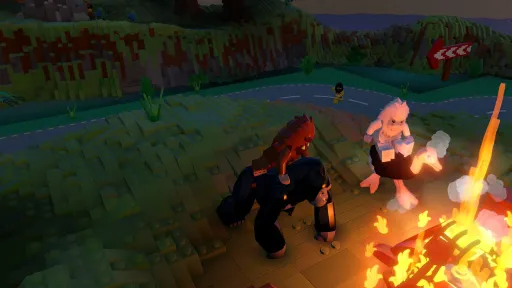
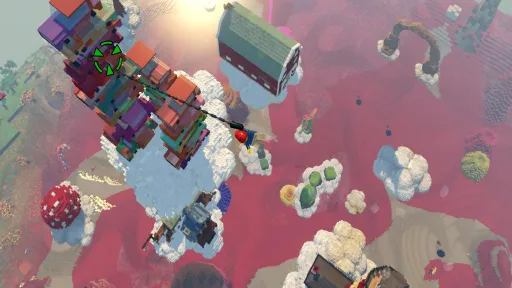
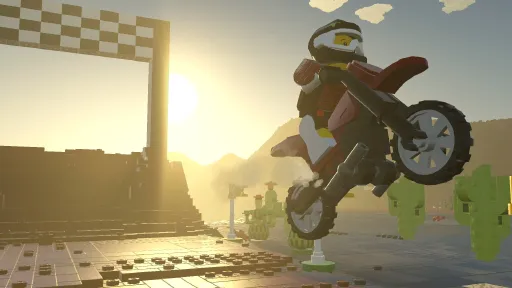
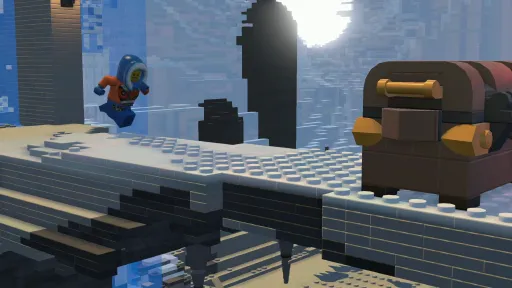
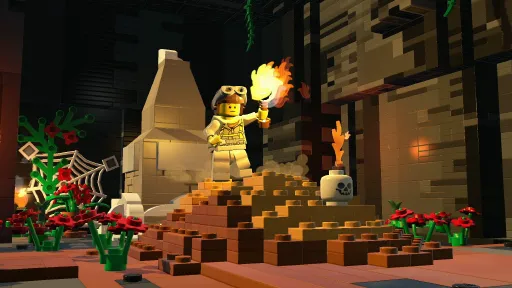
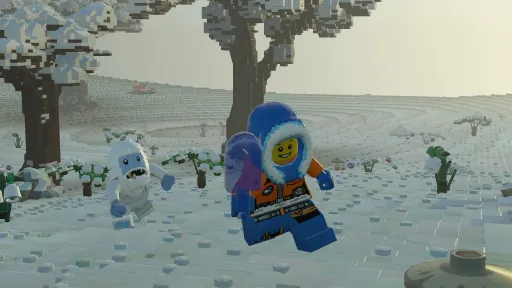
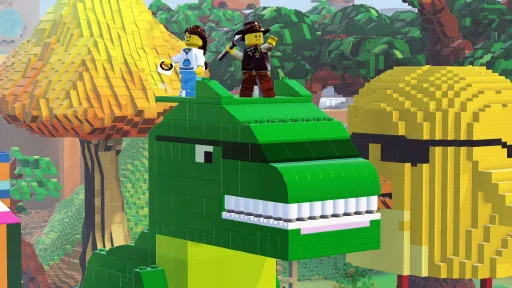
EXPLORE. DISCOVER. CREATE. TOGETHER. LEGO® Worlds is an open environment of procedurally-generated Worlds made entirely of LEGO bricks which you can freely manipulate and dynamically populate with LEGO models. Create anything you can imagine one brick at a time, or use large-scale landscaping tools to create vast mountain ranges and dot your world with tropical islands. Drop in prefabricated structures to build and customize any world to your liking. Explore using helicopters, dragons, motorbikes or even gorillas and unlock treasures that enhance your gameplay. Watch your creations come to life through characters and creatures that interact with you and each other in unexpected ways. In LEGO Worlds, anything is possible!
Screenshots
9 images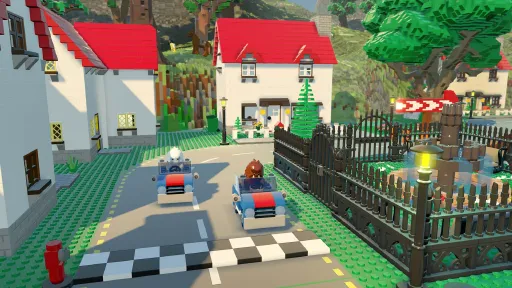
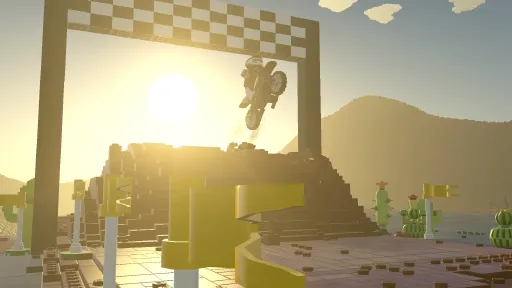
Version Information
Steam Patch Notes
Official update history
On the site: Build 3833060
Up to date
Hmmmmm
View on Steam
Hi everyone!
Before we go any further, we would like to take this opportunity to thank those who post their opinions and share their thoughts on Worlds so far, on what they both like and dislike. As avid gamers ourselves we keep an eye on all formats of feedback from video reviews to popular forum websites, and this both helps and informs us as they are very valuable forms of feedback. We are always aiming to improve Worlds as an experience. This leads us into our next point, and to talk about the upcoming patch.
The next big patch after this one, is very much a quality of life patch and should be addressing a number of issues that we have collated and addressed as being of high importance tweaks or features. As a game that’s based on LEGO building as its core, we have spent our time this patch on improving the building tools by tweaking their functionality and adding features to improve and enhance players ability to be creative with LEGO. We have also looked into many bug fixes and we are constantly looking into improving performance and stability on all formats moving forward.
To us, Worlds is a living breathing project and one that, although isn’t counted as being in early access anymore, is one that we believe can be enhanced each time we create a big patch. Each big title update will often have a goal, this one was to enhance and improve the building experience and tools used to build, the next big patch will have a different function (Not telling ). In the coming weeks, we will be releasing the patch on all formats and an accompanying video created by the very talented Bear Parker to show off everything new, and to showcase the patch on our social media outlets. We look forward to you guys getting your hands on it and more importantly await the community’s feedback.
So without further ado, let’s see what is coming up for Worlds in Title Update 3!
---
The Planner Tool
Introducing the Planner, a tool designed to build a house rapidly and with ease! Use the various materials and pre-built wall types to get your new house/town/city underway! You can find the Planner Tool underneath the Build Tool sub-menu options.
Wall Building
Another update to the Build tool! Instead of just tapping the button to place it, you can now hold the placement button to draw in an entire wall.
Discoveries Grid changes
After many content updates, DLC and Showcase Content, we’ve come to the conclusion that the Discovery Menu is no longer fulfilling its purpose. As a result, we’ve now added a tabbed system to make it much cleaner to find what you’re looking for, including the addition of Categories to help narrow down exactly what you’re after. Oh, and to make things even simpler, we’ve added a search function so you can really narrow down the ever-expanding list of Discoveries. And check out the Silhouettes to the grids so you can see exactly how much you’re missing!
Additionally, you can now delete Custom Characters and Custom LXFMLs too! Sorry that took a while!
Camera Car
Ever dreamed of being a Movie Director? Perhaps a YouTube personality? Maybe you just love the idea of taking some lovely wallpaper worthy screenshots? Well we have the car for you! A vehicle that can be utilised by either one player or two, providing you with all you need to set some epic action sequences, or possibly re-create that documentary you watched.
Waypoints
We’ve slightly updated the waypoints. Instead of them scattering around everywhere, they’re much more localised to the area you operate in, and have clearer indications of exactly what they point to.
Galaxy Map
We’ve slightly tweaked the Galaxy Map again too! We put the options behind a slider (cleverly disguised as PUG-Z) and made it all just a little tidier. Also, instead of a white 2D rocket, a micro-build of PUG-Z flies around the planet you are now on. Much nicer.
New Landscape Tool shapes
We’ve added a few new shapes to the Landscape tools, to further improve just how you edit your Worlds! Press the ‘Shape’ button while you have a Landscape tool open to see all the new options you have at hand!
Copy Tool
We’ve made an alteration to how the Copy Tool functions on Controller. You can still choose an exact size, but we’ve also added a nice and simple ‘Hold to expand’ option instead of opening up the box with multiple options.
---
OK, so that covers the major features, and with Monsters on the way, you should be kept busy until we roll out the final update of 2017 and run headfirst into 2018. Oh and for 2018, let us tell you, that will be well worth keeping an eye on. A few features that have been discussed before will finally live….LIVE WE SAY!!!
Detailed patch notes:
* UI Alterations – v4.0
* Added option to delete Custom Characters and Models
* Able to Bulk sell to trader
* Multiple Localisation Text Box overlaps
* Fixed instances where re-naming Builds would be blocked
* Added “Memory” to Brushes, so opening a tool remembers previous tool selection
* Adventure Worlds now load in Sandbox Mode correctly
* SWITCH: Draw Distance altered to show higher fidelity in mid-range
* Added Planner
* Added Wall Building
* Search Feature added to Discoveries
* Categories added to Discoveries.
* Added the Sky Spinner (Changes Time of Day).
* Game now loads into Galaxy Map without needing to reload Slot. Takes you to Galaxy Map
* Galaxy Map now has PUG-Z present
* Galaxy Map options hidden under sliding menu
* SPOOOOOKY PUG-Z
* Added new Quest Types
* Increased Light Source radius
* Classic Space Achievements added
* Monsters Achievements added
* Changed Up/Down to be consistent on all tools for Controllers
* Waypoint Markers updated
* Chests no longer appear underground
* New Landscape Tool shapes added
* Camera Car added
* Fixed multiple Online Multiplayer disconnection issues
* XBO – Fixed Memory leaks during long play sessions that lead to crashes
* PS4 – Fixed Memory Leak that leads to seemingly random crashes.
* SWITCH – Frame Rate underwater improved
* PC – Improved cross controls support for M+K+Controller
* All Tutorial Videos added to Options menu to rewatch.
* Tutorial Videos updated to include new Features and UI
* Gold Troublemaker
Thank you again and speak soon!
The LEGO Worlds Team
View on Steam
Before we go any further, we would like to take this opportunity to thank those who post their opinions and share their thoughts on Worlds so far, on what they both like and dislike. As avid gamers ourselves we keep an eye on all formats of feedback from video reviews to popular forum websites, and this both helps and informs us as they are very valuable forms of feedback. We are always aiming to improve Worlds as an experience. This leads us into our next point, and to talk about the upcoming patch.
The next big patch after this one, is very much a quality of life patch and should be addressing a number of issues that we have collated and addressed as being of high importance tweaks or features. As a game that’s based on LEGO building as its core, we have spent our time this patch on improving the building tools by tweaking their functionality and adding features to improve and enhance players ability to be creative with LEGO. We have also looked into many bug fixes and we are constantly looking into improving performance and stability on all formats moving forward.
To us, Worlds is a living breathing project and one that, although isn’t counted as being in early access anymore, is one that we believe can be enhanced each time we create a big patch. Each big title update will often have a goal, this one was to enhance and improve the building experience and tools used to build, the next big patch will have a different function (Not telling ). In the coming weeks, we will be releasing the patch on all formats and an accompanying video created by the very talented Bear Parker to show off everything new, and to showcase the patch on our social media outlets. We look forward to you guys getting your hands on it and more importantly await the community’s feedback.
So without further ado, let’s see what is coming up for Worlds in Title Update 3!
---
The Planner Tool
Introducing the Planner, a tool designed to build a house rapidly and with ease! Use the various materials and pre-built wall types to get your new house/town/city underway! You can find the Planner Tool underneath the Build Tool sub-menu options.
Wall Building
Another update to the Build tool! Instead of just tapping the button to place it, you can now hold the placement button to draw in an entire wall.
Discoveries Grid changes
After many content updates, DLC and Showcase Content, we’ve come to the conclusion that the Discovery Menu is no longer fulfilling its purpose. As a result, we’ve now added a tabbed system to make it much cleaner to find what you’re looking for, including the addition of Categories to help narrow down exactly what you’re after. Oh, and to make things even simpler, we’ve added a search function so you can really narrow down the ever-expanding list of Discoveries. And check out the Silhouettes to the grids so you can see exactly how much you’re missing!
Additionally, you can now delete Custom Characters and Custom LXFMLs too! Sorry that took a while!
Camera Car
Ever dreamed of being a Movie Director? Perhaps a YouTube personality? Maybe you just love the idea of taking some lovely wallpaper worthy screenshots? Well we have the car for you! A vehicle that can be utilised by either one player or two, providing you with all you need to set some epic action sequences, or possibly re-create that documentary you watched.
Waypoints
We’ve slightly updated the waypoints. Instead of them scattering around everywhere, they’re much more localised to the area you operate in, and have clearer indications of exactly what they point to.
Galaxy Map
We’ve slightly tweaked the Galaxy Map again too! We put the options behind a slider (cleverly disguised as PUG-Z) and made it all just a little tidier. Also, instead of a white 2D rocket, a micro-build of PUG-Z flies around the planet you are now on. Much nicer.
New Landscape Tool shapes
We’ve added a few new shapes to the Landscape tools, to further improve just how you edit your Worlds! Press the ‘Shape’ button while you have a Landscape tool open to see all the new options you have at hand!
Copy Tool
We’ve made an alteration to how the Copy Tool functions on Controller. You can still choose an exact size, but we’ve also added a nice and simple ‘Hold to expand’ option instead of opening up the box with multiple options.
---
OK, so that covers the major features, and with Monsters on the way, you should be kept busy until we roll out the final update of 2017 and run headfirst into 2018. Oh and for 2018, let us tell you, that will be well worth keeping an eye on. A few features that have been discussed before will finally live….LIVE WE SAY!!!
Detailed patch notes:
* UI Alterations – v4.0
* Added option to delete Custom Characters and Models
* Able to Bulk sell to trader
* Multiple Localisation Text Box overlaps
* Fixed instances where re-naming Builds would be blocked
* Added “Memory” to Brushes, so opening a tool remembers previous tool selection
* Adventure Worlds now load in Sandbox Mode correctly
* SWITCH: Draw Distance altered to show higher fidelity in mid-range
* Added Planner
* Added Wall Building
* Search Feature added to Discoveries
* Categories added to Discoveries.
* Added the Sky Spinner (Changes Time of Day).
* Game now loads into Galaxy Map without needing to reload Slot. Takes you to Galaxy Map
* Galaxy Map now has PUG-Z present
* Galaxy Map options hidden under sliding menu
* SPOOOOOKY PUG-Z
* Added new Quest Types
* Increased Light Source radius
* Classic Space Achievements added
* Monsters Achievements added
* Changed Up/Down to be consistent on all tools for Controllers
* Waypoint Markers updated
* Chests no longer appear underground
* New Landscape Tool shapes added
* Camera Car added
* Fixed multiple Online Multiplayer disconnection issues
* XBO – Fixed Memory leaks during long play sessions that lead to crashes
* PS4 – Fixed Memory Leak that leads to seemingly random crashes.
* SWITCH – Frame Rate underwater improved
* PC – Improved cross controls support for M+K+Controller
* All Tutorial Videos added to Options menu to rewatch.
* Tutorial Videos updated to include new Features and UI
* Gold Troublemaker
Thank you again and speak soon!
The LEGO Worlds Team
It’s time to make space, literally! The Classic Space pack has finally arrived for LEGO Worlds and it’s packed with an assortment of plastic perfection for you to explore, discover and create. Whether you want to zip around in style in a moon buggy, fly through the atmosphere in a rather epic Space Cruiser or hunt down an alien there’s plenty to play with.
There’s so much to peruse and play with we’ve rustled up this video to give you a better idea of what to expect!
https://www.youtube.com/watch?v=sGybiz4B894
That’s not all folks. Today we’re pushing Title Update 2 live and there’s *LOADS* of new fixes and features - here’s a few highlights…
- Drop-in and Drop-out delay issues resolved.
- Fixed issue where custom worlds occasionally have no life.
- Improved Landscape Tool Performance.
- Undo/Redo no longer re-draws invisible collision where doors and windows once stood.
- Improved ability to move and delete within Free-Build.
- Manually placed buildings fixtures will now remove correctly using Undo.
- Musical Instruments now play correctly online (players can hear all instruments).
- Able to undo/redo all placed brick builds.
- Fixed missing VFX for Online Game host.
- Online performance improvements on all formats.
- The Skateboard is now back and correctly functions.
- Shadows improved on lower quality PC settings.
- XBO – No longer required to select language on boot.
- XBO - Instances of not being taken to online game despite accepting invite fixed.
- PC – Players now able to join another online game without needing to manually exit current one.
- Troublemaker spawn logic updated.
- Quest fixes – Some Characters or Creatures Quests requiring player to return later are now fixed. Some that appeared empty are fixed. Quest Zones less likely to move underground.
- Agents Content added to XB1 and PC.
- Improved SaveData slot speeds. Prevents potential data loss.
- Fixed issue with Audio continuing to play after Brick and Brick Build placement.
- Improved Terrain Draw speeds and Dungeon Draw Speeds.
- Fixed online issue where Client would freeze at 98% loading.
- Multiple Localisation fixes: Button overlap. Icon Missing. Text overflow. Grammar and Spelling.
- Multiple UI updates to Galaxy Map.
- Brick Build Showcase content refreshed for new themes
- Turrets will now remain in correct places when placing custom Brick Builds.
- Landscape tool no longer moves placed props along Y-Axis when adding Terrain.
- PC - Tools Cursors can be set to same size on Controller as Mouse & Keyboard
- Chests no longer on edge of the world facing out to the void.
- Fixed instances where newly discovered props sometimes have no clear price in the menus.
- PC – Mouse cursor is now hidden when using Controller on Player 1
- PC - Can now move the Copy Tool bounding box up and down with Keyboard
- Fixed instances where Quest chains would not spawn if you already owned certain reward items.
- The 1x2 Grill Brick now has the correct numbers of Grills!
- The 1x4 Sliding Piece now has the correct top!
- The 4x4 Round Brick has correct studs!
- The 2x6 Brick with Bow underside texture corrected!
- The 2x2 Grooved Brick has underside texture corrected!
- PC – Now able to join Online games whilst using Steam Big Picture mode.
- Showcase items not correctly saving now fixed.
- Added ability to quickly return to Pug-Z.
- Updated Master Builder Rank Badges.
That’s all for now but keep your feedback coming and be sure to share your discoveries and creations with us – we love seeing what you lovely lot rustle up!
Best,
Bear and the TT team
View on Steam
There’s so much to peruse and play with we’ve rustled up this video to give you a better idea of what to expect!
https://www.youtube.com/watch?v=sGybiz4B894
That’s not all folks. Today we’re pushing Title Update 2 live and there’s *LOADS* of new fixes and features - here’s a few highlights…
- Drop-in and Drop-out delay issues resolved.
- Fixed issue where custom worlds occasionally have no life.
- Improved Landscape Tool Performance.
- Undo/Redo no longer re-draws invisible collision where doors and windows once stood.
- Improved ability to move and delete within Free-Build.
- Manually placed buildings fixtures will now remove correctly using Undo.
- Musical Instruments now play correctly online (players can hear all instruments).
- Able to undo/redo all placed brick builds.
- Fixed missing VFX for Online Game host.
- Online performance improvements on all formats.
- The Skateboard is now back and correctly functions.
- Shadows improved on lower quality PC settings.
- XBO – No longer required to select language on boot.
- XBO - Instances of not being taken to online game despite accepting invite fixed.
- PC – Players now able to join another online game without needing to manually exit current one.
- Troublemaker spawn logic updated.
- Quest fixes – Some Characters or Creatures Quests requiring player to return later are now fixed. Some that appeared empty are fixed. Quest Zones less likely to move underground.
- Agents Content added to XB1 and PC.
- Improved SaveData slot speeds. Prevents potential data loss.
- Fixed issue with Audio continuing to play after Brick and Brick Build placement.
- Improved Terrain Draw speeds and Dungeon Draw Speeds.
- Fixed online issue where Client would freeze at 98% loading.
- Multiple Localisation fixes: Button overlap. Icon Missing. Text overflow. Grammar and Spelling.
- Multiple UI updates to Galaxy Map.
- Brick Build Showcase content refreshed for new themes
- Turrets will now remain in correct places when placing custom Brick Builds.
- Landscape tool no longer moves placed props along Y-Axis when adding Terrain.
- PC - Tools Cursors can be set to same size on Controller as Mouse & Keyboard
- Chests no longer on edge of the world facing out to the void.
- Fixed instances where newly discovered props sometimes have no clear price in the menus.
- PC – Mouse cursor is now hidden when using Controller on Player 1
- PC - Can now move the Copy Tool bounding box up and down with Keyboard
- Fixed instances where Quest chains would not spawn if you already owned certain reward items.
- The 1x2 Grill Brick now has the correct numbers of Grills!
- The 1x4 Sliding Piece now has the correct top!
- The 4x4 Round Brick has correct studs!
- The 2x6 Brick with Bow underside texture corrected!
- The 2x2 Grooved Brick has underside texture corrected!
- PC – Now able to join Online games whilst using Steam Big Picture mode.
- Showcase items not correctly saving now fixed.
- Added ability to quickly return to Pug-Z.
- Updated Master Builder Rank Badges.
That’s all for now but keep your feedback coming and be sure to share your discoveries and creations with us – we love seeing what you lovely lot rustle up!
Best,
Bear and the TT team
Hello heroes!
The TT team has been busying away on a whole host of extra goodies to make your LEGO® Worlds experience even more fun. Starting today you’ll see a plethora of particularly impressive bits and pieces so without a further ado…
NEXO KNIGHTS
The legendary NEXO KNIGHTS™ have arrived in LEGO® Worlds alongside a suite of creatures, vehicles, props, items and of course the heroes themselves; Clay, Macy, Lance, Aaron and Axl. Not only that, but on the main menu (aka the Brick Build Showcase) you’ll be able to download the magnificent Knighton Keep, with the rest of the castle pieces to follow every day for the rest of this week. Be sure to take the especially epic vehicles for a spin and test out the NEXO KNIGHTS™ special powers!
Who better to test those special powers on than the enemy itself? That’s right, Ruina, Jestro and an assortment of gruesome goons are also available. That’s enough wordy waffle for now though, let’s see it all in action!
https://www.youtube.com/watch?v=5FgDrIIsi1w
There’s plenty more content coming to LEGO® Worlds in the near future which we can’t wait to share with you. For now, boot up the game and check back regularly for more new Brick Builds. Oh, and be sure to share your brilliant builds with us on your social network of choice – just tag it #LEGOWorlds.
For now, happy adventuring LEGO fans!
The LEGO Worlds Team
View on Steam
The TT team has been busying away on a whole host of extra goodies to make your LEGO® Worlds experience even more fun. Starting today you’ll see a plethora of particularly impressive bits and pieces so without a further ado…
NEXO KNIGHTS
The legendary NEXO KNIGHTS™ have arrived in LEGO® Worlds alongside a suite of creatures, vehicles, props, items and of course the heroes themselves; Clay, Macy, Lance, Aaron and Axl. Not only that, but on the main menu (aka the Brick Build Showcase) you’ll be able to download the magnificent Knighton Keep, with the rest of the castle pieces to follow every day for the rest of this week. Be sure to take the especially epic vehicles for a spin and test out the NEXO KNIGHTS™ special powers!
Who better to test those special powers on than the enemy itself? That’s right, Ruina, Jestro and an assortment of gruesome goons are also available. That’s enough wordy waffle for now though, let’s see it all in action!
https://www.youtube.com/watch?v=5FgDrIIsi1w
There’s plenty more content coming to LEGO® Worlds in the near future which we can’t wait to share with you. For now, boot up the game and check back regularly for more new Brick Builds. Oh, and be sure to share your brilliant builds with us on your social network of choice – just tag it #LEGOWorlds.
For now, happy adventuring LEGO fans!
The LEGO Worlds Team
Hi everyone!
We’re pleased to announce that Title Update 1 for LEGO® Worlds is now live! This update has added a few heavily requested features, as well as adding additional content and lots of new tweaks that we have made as well!
SANDBOX MODE
We’ve added 'Sandbox Mode’! This is a fully creative building experience for LEGO Worlds: you’ll have all of the tools, objects and bricks unlocked from the start. Let your imagination run wild!
We’ve kept some of the rarest, harder to find creatures locked until they’re found in Adventure Mode.
This mode will also skip our tutorial worlds, so we recommend that beginner players try Adventure mode first in order to get to grips with the tools.
LEGO NEXO KNIGHTS AND LEGO CITY EMERGENCY CONTENT
Keep an eye out for new models in the Brick Build Showcase. These will be updated regularly and will not only be brick built models but will often include new characters, creatures, vehicles, props and items from the LEGO Nexo Knight and LEGO City Emergency themes, with other themes to follow. Don’t forget to add them to your collections!
UI ALTERATIONS
After a bit of a review, we have given the UI a few tweaks to help clean it up. That includes the Front Menu and the removal of a few prompts from in-game.
ADDITIONAL PATCH NOTES
We look forward to seeing what people get up to with these changes, and as always will keep an eye on the Creative Corner, General, and Bug Reporting forums and our various Social Media channels, so feel free to share your ideas or let us know if you're having any trouble.
Also, we have a new Community Manager that has joined us at TT Games. Bear will be on here soon to introduce himself to you all!
Speak Soon!
The LEGO Worlds Team
View on Steam
We’re pleased to announce that Title Update 1 for LEGO® Worlds is now live! This update has added a few heavily requested features, as well as adding additional content and lots of new tweaks that we have made as well!
SANDBOX MODE
We’ve added 'Sandbox Mode’! This is a fully creative building experience for LEGO Worlds: you’ll have all of the tools, objects and bricks unlocked from the start. Let your imagination run wild!
We’ve kept some of the rarest, harder to find creatures locked until they’re found in Adventure Mode.
This mode will also skip our tutorial worlds, so we recommend that beginner players try Adventure mode first in order to get to grips with the tools.
LEGO NEXO KNIGHTS AND LEGO CITY EMERGENCY CONTENT
Keep an eye out for new models in the Brick Build Showcase. These will be updated regularly and will not only be brick built models but will often include new characters, creatures, vehicles, props and items from the LEGO Nexo Knight and LEGO City Emergency themes, with other themes to follow. Don’t forget to add them to your collections!
UI ALTERATIONS
After a bit of a review, we have given the UI a few tweaks to help clean it up. That includes the Front Menu and the removal of a few prompts from in-game.
ADDITIONAL PATCH NOTES
- Fixed instances that result in loss of Save Data (All Formats)
- Added Galaxy Map to Front Menu on Console to allow players with full galaxy maps to delete worlds.
- Fixed ‘Cannot Create Save Data’ Issue
- Added ability to delete worlds from the galaxy map without having to load into game1
- Fixed multiple instances of Worlds freezing around 95-98% loading.
- Added Support for Early Access Worlds in Sandbox Mode (See Guide on Steam)
- Improved Spawn balance for rarer discoveries
- Improved underground lighting
- Brick Build copying fixes instances of Door and Windows not being copied
- Improved Starter World Camera Cuts
- Added additional fixtures to Build Tool
- Corrected aiming on Mouse for projectiles firing
- Corrected instances of Quest Spawn points appearing before Quest Giver is available
- Co-Op: Fixed instance of Player 2 buying extra hearts and losing them after travelling to a new World
- Fixed several instances of the Narrator VO Looping when first triggered
- Fixed Lantern Lighting
- Fixed instances of PUG-Z stealing a shed
- Fixed Billionaire Achievement no longer requiring a single sitting (Will retroactively unlock) (All Formats)
- Fixed instances of PS4 UGC filters preventing Player 2 from being able to drop-in
- Improved Brick Build Showcase Connection times.
- Re-introduced Brick Particle FX to Terraforming Vehicles and landscape destruction
- Improved Galaxy Map interactions and World Creation menus.
- Fixed Jewel Thief quest allowing Dragon Wizard to be unlocked much easier
- RABBITS!
- Fixed Multiple Crashes that occur in Online (Exiting Game, Reconnecting to Game, Loss of Network, Accepting Invite whilst Hosting a game).
- Fixed Instance of game crashing when using Free-Build Copy Tool’s drag select and switching to normal gameplay
- No longer able to jump out of rocket during takeoff or landing sequences
- Fixed Swamp Crook Quests so it is no longer repeated and is considered complete
- Added ability to skip cutscenes to Mouse
- Increased Discovery Tool aiming tolerance
- Fixed Translation Errors in all languages for missing text or character errors.
- Additional Fixes made to Japanese Control inconsistencies
- Fixed instances of Customiser Hair pieces being raised off the character head after wearing a hat.
- Safe Zone Settings fixed on Console & Removed from PC (not needed)
- Fixed Renaming Worlds
- Traditional Chinese now Launches in Steam Client correctly.
We look forward to seeing what people get up to with these changes, and as always will keep an eye on the Creative Corner, General, and Bug Reporting forums and our various Social Media channels, so feel free to share your ideas or let us know if you're having any trouble.
Also, we have a new Community Manager that has joined us at TT Games. Bear will be on here soon to introduce himself to you all!
Speak Soon!
The LEGO Worlds Team
Hi all,
The Crash that was introduced by yesterdays Patch (Completing quests that resulted in the player being awarded an LXFML or Item) has been resolved and is now live. We have also updated a quest we discovered had an issue during test as well (Dino Tracker Protection Quest against the Coelophysis)
Regards,
Chris
View on Steam
The Crash that was introduced by yesterdays Patch (Completing quests that resulted in the player being awarded an LXFML or Item) has been resolved and is now live. We have also updated a quest we discovered had an issue during test as well (Dino Tracker Protection Quest against the Coelophysis)
Regards,
Chris
Hi all,
A new patch resolving multiple crashes and Save Data loss from entering Online games is now live.
We are also at work on the first content update, which will share more news on soon. So stay tuned for that!
As always keep adding your suggestions to the suggestions thread, and we will keep monitoring the Bug Reporting Forums for any more issues that you may come across.
Regards,
Chris
---
Patch Notes;
- Improved Performance around Volcanic Biome
- Improved Gold Brick receiving animation speeds
- Improved Performance when painting with White Glow effects
- Corrected missing Russian Localisation strings in Online
- ONLINE: Improved Host performance on Galaxy Map
- Resolved instance of players not being able to discover additional animals when a quest is active.
- Improved Copy Tool Quest on Starter World 3
- Resolved Client Save Data being overwritten after exiting Online Game.
- Added F1XTRS Cheat Code
- Resolved Multiple Crashes to Desktop
- Resolved Terrain damaging ability to open Chests
- Improved Chest Item Drop ratios (will be continually improved in next update as well).
- Resolved Games hanging on 11% and 52% when loading Worlds.
- Unlocked Bricks remain unlocked after travelling to new World.
- Resolved Vehicle Tab being unusable after entering LEGO Building Instruction codes.
Console Specific;
- PS4: Solved Crash when Host quits the game for both Host and Client
- Improved Performance around Lava
- PS4: The on-screen keyboard now correctly appears when the player selects 'Enter Code' on the dashboard menu
- PS4: Updated and corrected Japanese Region Controls scheme
- Xbox One: No longer crashes to the Xbox Home screen and causes a second console to enter an indefinite unresponsive state when the user sends a game invitation after previously accepting a game invitation.
View on Steam
A new patch resolving multiple crashes and Save Data loss from entering Online games is now live.
We are also at work on the first content update, which will share more news on soon. So stay tuned for that!
As always keep adding your suggestions to the suggestions thread, and we will keep monitoring the Bug Reporting Forums for any more issues that you may come across.
Regards,
Chris
---
Patch Notes;
- Improved Performance around Volcanic Biome
- Improved Gold Brick receiving animation speeds
- Improved Performance when painting with White Glow effects
- Corrected missing Russian Localisation strings in Online
- ONLINE: Improved Host performance on Galaxy Map
- Resolved instance of players not being able to discover additional animals when a quest is active.
- Improved Copy Tool Quest on Starter World 3
- Resolved Client Save Data being overwritten after exiting Online Game.
- Added F1XTRS Cheat Code
- Resolved Multiple Crashes to Desktop
- Resolved Terrain damaging ability to open Chests
- Improved Chest Item Drop ratios (will be continually improved in next update as well).
- Resolved Games hanging on 11% and 52% when loading Worlds.
- Unlocked Bricks remain unlocked after travelling to new World.
- Resolved Vehicle Tab being unusable after entering LEGO Building Instruction codes.
Console Specific;
- PS4: Solved Crash when Host quits the game for both Host and Client
- Improved Performance around Lava
- PS4: The on-screen keyboard now correctly appears when the player selects 'Enter Code' on the dashboard menu
- PS4: Updated and corrected Japanese Region Controls scheme
- Xbox One: No longer crashes to the Xbox Home screen and causes a second console to enter an indefinite unresponsive state when the user sends a game invitation after previously accepting a game invitation.
Hi all,
We have released a performance patch to solve the Frame Rate issues found in DX11 builds. You should now see improved performance across the game. We will continue to look at improving it further in future updates as well going forwards.
Please continue to share any issues you have in our Bug Reporting forum, as our QA team are diligently reading through them to make sure we're aware of everything.
And those players who were missing the Early Access item (the Tt Games cap) and Soundtrack should also now see it appearing correctly (this applies to anyone who bought the game during the E3 BOGO deal). If it is still missing from your games install directory, then please let me know in this thread and I will investigate further:
http://steamcommunity.com/app/332310/discussions/0/133259227518171350/
Speak soon!
Chris
View on Steam
We have released a performance patch to solve the Frame Rate issues found in DX11 builds. You should now see improved performance across the game. We will continue to look at improving it further in future updates as well going forwards.
Please continue to share any issues you have in our Bug Reporting forum, as our QA team are diligently reading through them to make sure we're aware of everything.
And those players who were missing the Early Access item (the Tt Games cap) and Soundtrack should also now see it appearing correctly (this applies to anyone who bought the game during the E3 BOGO deal). If it is still missing from your games install directory, then please let me know in this thread and I will investigate further:
http://steamcommunity.com/app/332310/discussions/0/133259227518171350/
Speak soon!
Chris
Hi all,
WE MADE IT!
As of now LEGO Worlds is no longer in Early Access, and has moved into it's v1 state!
We want to share one last Thank You to our Early Access community, and welcome new players to the fold as we move onto the next step in the LEGO Worlds journey. We have thoroughly enjoyed our time these past two years, and look forward to what comes next!
Also, we have one last surprise that is PC only. After you complete the 3 Starter Worlds, head to the Extras menu and type in the word BR1CK5. One extra treat for our illustrious building community!
For now though; get out there Master Builders! Show us what you can do!
Many Thanks,
The LEGO Worlds Team
View on Steam
WE MADE IT!
As of now LEGO Worlds is no longer in Early Access, and has moved into it's v1 state!
We want to share one last Thank You to our Early Access community, and welcome new players to the fold as we move onto the next step in the LEGO Worlds journey. We have thoroughly enjoyed our time these past two years, and look forward to what comes next!
Also, we have one last surprise that is PC only. After you complete the 3 Starter Worlds, head to the Extras menu and type in the word BR1CK5. One extra treat for our illustrious building community!
For now though; get out there Master Builders! Show us what you can do!
Many Thanks,
The LEGO Worlds Team
Hello LEGO Worldians,
The team has been hard at work fixing issues encountered in the Update 6 beta branch, so heres another patch with the following fixes in:
Major fixes
Minor fixes
We'd also like to stress that once you've opted into the “beta – Multiplayer Public Beta release”, we do not recommend that you go back to the default branch (NONE - opt out of all bera programs) - at least not until we've moved Update 6 to the default branch.
Opting into the “beta – Multiplayer Public Beta release” branch on steam will alter all of your Lego Worlds save data. Going back to the default branch will cause the game will stay on a black screen (returning to the beta branch will fix this)
It is only possible to go back to the current steam build If you have made a backup of your old save game before you change to the beta, or you are willing to clear out your save data from the multiplayer beta before going back.
If you really wish to return to the default branch then instructions on how to do this are as follows:
If you haven’t opted into the beta yet and wish to do so, we recommend making a copy of your current save game first:
If you ever wanted to go back to the current steam branch then you can do the following:
This should restore your save game back to what it was before you opted into the beta.
If you have already opted into and played the beta but you haven’t got a copy of your old save data.
It is not possible to load the game at all with the save data you have now into the current steam build.
It is still possible to go back but you would need to use a fresh save data, none of your worlds or progress would be saved (so we'd recommend staying on the beta branch):
keep on masterfully building!
The LEGO® Worlds Team.
View on Steam
The team has been hard at work fixing issues encountered in the Update 6 beta branch, so heres another patch with the following fixes in:
Major fixes
- Various crash fixes, including:
- Fixed a crash caused by prop deletion on Save & Exit
- Fixed crash that occurred when processing change history
- Fixed crash caused by larger transfers of chunk data
- Fixed customiser related crashes
- Fixed control conflicts between rotational / directional schemes
Minor fixes
- Adjusted density of LXFML's that spawn chests in Woodland biome
- Fixed an AI issue that caused NPC's to become passive
- Fixed missing footstep audio on certain creatures
We'd also like to stress that once you've opted into the “beta – Multiplayer Public Beta release”, we do not recommend that you go back to the default branch (NONE - opt out of all bera programs) - at least not until we've moved Update 6 to the default branch.
Opting into the “beta – Multiplayer Public Beta release” branch on steam will alter all of your Lego Worlds save data. Going back to the default branch will cause the game will stay on a black screen (returning to the beta branch will fix this)
It is only possible to go back to the current steam build If you have made a backup of your old save game before you change to the beta, or you are willing to clear out your save data from the multiplayer beta before going back.
If you really wish to return to the default branch then instructions on how to do this are as follows:
If you haven’t opted into the beta yet and wish to do so, we recommend making a copy of your current save game first:
- Go to your “C:\Users\my.username\AppData\Roaming\Warner Bros. Interactive Entertainment” folder
- Make a copy of your “LegoWorlds” folder into a “LegoWorlds – Copy” folder.
- Change your steam BETAS to “beta – Multiplayer Public Beta release”
If you ever wanted to go back to the current steam branch then you can do the following:
- Go to your “C:\Users\my.username\AppData\Roaming\Warner Bros. Interactive Entertainment” folder
- Rename your “LegoWorlds” folder to “LegoWorlds_PublicMultiplayer”
- Rename your previously saved “LegoWorlds – Copy” folder to “LegoWorlds”
- Change your steam BETAS to “None – Opt out of all beta programs”
This should restore your save game back to what it was before you opted into the beta.
If you have already opted into and played the beta but you haven’t got a copy of your old save data.
It is not possible to load the game at all with the save data you have now into the current steam build.
It is still possible to go back but you would need to use a fresh save data, none of your worlds or progress would be saved (so we'd recommend staying on the beta branch):
- Go to your “C:\Users\my.username\AppData\Roaming\Warner Bros. Interactive Entertainment” folder
- Rename your “LegoWorlds” folder to “LegoWorlds_PublicMultiplayer”
- Change your steam BETAS to “None – Opt out of all beta programs”
- Start the game, a new “LegoWorlds” folder will be created which will contain none of your previous progress.
keep on masterfully building!
The LEGO® Worlds Team.
Hey Folks,
Just a quick Patch release to the Update 6 beta branch to tackle some of the immediate issues we've encountered from the community post-release.
Major Fixes
Minor Fixes
Happy Online Gaming,
The LEGO® Worlds Team.
View on Steam
Just a quick Patch release to the Update 6 beta branch to tackle some of the immediate issues we've encountered from the community post-release.
Major Fixes
- Various Crash Fixes, including:
- Fix for crash caused by spamming "Join Game" button on client machines
- Fix for crash caused by becoming client-machine after being host-machine
- Fix for crash caused by save & Quit option - Fixed cases where the client would fail to connect to the host-machine and hang on a loading / carrot screen
- Fixed cases where either host/client could get locked out of controls if both Host + client used the same interactive prop at the same time.
Minor Fixes
- Disabled discovery camera during Networked games
- Resolved an issue that stopped client machines from rendering the export tool GUI
Happy Online Gaming,
The LEGO® Worlds Team.
Hi all,
Well it’s finally here. The thing you’ve all been waiting for; the Grapple Gun! Oh yeah, and a First Person Camera…. AND ONLINE MULTIPLAYER!!!
That’s right, starting right now, you can opt into a Beta branch on your Steam library that allows you and one of your friends on your Steam Friends list to play in each-others Worlds together for the very first time! Race, Build, Explore, Destroy, Paint, Decorate and battle across your varied landscapes and designs!
To opt-in to the Beta, you’ll need to do the following:
You’ll see the options for starting or joining an Online World under the Settings menu on the World Selection Screen. Simply choose ‘Start Online Game’ and then press the Green Tick so it says 'Enabled'. Then close that box and load a World as normal. Congrats! You now host an Online Game. Any of your friends can then join the game by either using the ‘Join Game’ button in that same menu, which will open the Steam Friends list for you, or going direct to the Steam Friends list themselves. Then click on the name of your friend playing LEGO® Worlds, and press ‘Join Game’. Give it a moment to load, and then enjoy!
So what else in new in the Beta?
First Person Camera
Well, after huge demand, we have finally given the people what they wanted! A first person camera is now available under the pause options. You can also quickly cycle between camera modes by pressing ‘C’ on the keyboard, or by clicking in your left stick on your Xbox One or Dualshock 4 controllers. The camera will help those who want to explore the various depths of their Worlds caves, and offer added freedom with building too!
Grapple Gun
We’ve also added a nifty Grapple Gun! Zoom around your map in new ways as you zip from point to point with your handy grapple gun. One of our demo Worlds at E3 will actually be a Grapple Gun course, so hopefully we’ll get some fun footage of people trying it out!
New Vehicle Controls (Rotational Controls)
Another update that is hopefully well received, is a new controls setup for Vehicles. The current setup is what was referred to in our last Dev Diary (found here: http://steamcommunity.com/app/332310/discussions/0/350532536104894292/) as ‘Directional’. We’ve added a much simpler ‘Rotational’ controls setup, where movement is defined by a button press, rather than pointing in a direction. This means that on an Xbox controller for example; A is forwards and X is reverse.
Updated Biome Atmospherics & Large Scale Ambient Occlusion
Those of you that read our Dev Diaries will have seen these two aspects mentioned recently. We have added several key changes to some of the visuals within certain biomes, as well as some much needed lighting improvements. The full scope of these changes can be found here: http://steamcommunity.com/app/332310/discussions/0/357284767255140967/
Shiny!
Road Tiles
We’ve added a few of the official LEGO City Road tiles into the Brick Building tool! Set up your cities and towns road networks (and help solve the problem that is the British M6 whilst you’re at it for bonus points!)
We’ve also thrown in a couple of new quests as well for you to try out (as always though, these are for you to find!) and a couple of updates to our characters and creatures behaviours to make them feel a little more alive.
Whilst we have you, we’d all like to take the chance to thank you for what has been an incredible year. Early Access is far from over for us, but that we’ve finally managed to bring the Online Multiplayer to you is a huge boost to all of us. Over time this will evolve and many changes will come in as we hone in any of the final tweaks needed before we shift everything across the main game branch.
Many Thanks,
The LEGO® Worlds Team
View on Steam
Well it’s finally here. The thing you’ve all been waiting for; the Grapple Gun! Oh yeah, and a First Person Camera…. AND ONLINE MULTIPLAYER!!!
That’s right, starting right now, you can opt into a Beta branch on your Steam library that allows you and one of your friends on your Steam Friends list to play in each-others Worlds together for the very first time! Race, Build, Explore, Destroy, Paint, Decorate and battle across your varied landscapes and designs!
To opt-in to the Beta, you’ll need to do the following:
- In the Library, right click on LEGO® Worlds and choose ‘Properties’.
- From here go the Betas tab. In the drop down menu, select the ‘Beta’ option.
- Allow your game to update.
- Load up LEGO Worlds!
You’ll see the options for starting or joining an Online World under the Settings menu on the World Selection Screen. Simply choose ‘Start Online Game’ and then press the Green Tick so it says 'Enabled'. Then close that box and load a World as normal. Congrats! You now host an Online Game. Any of your friends can then join the game by either using the ‘Join Game’ button in that same menu, which will open the Steam Friends list for you, or going direct to the Steam Friends list themselves. Then click on the name of your friend playing LEGO® Worlds, and press ‘Join Game’. Give it a moment to load, and then enjoy!
So what else in new in the Beta?
First Person Camera
Well, after huge demand, we have finally given the people what they wanted! A first person camera is now available under the pause options. You can also quickly cycle between camera modes by pressing ‘C’ on the keyboard, or by clicking in your left stick on your Xbox One or Dualshock 4 controllers. The camera will help those who want to explore the various depths of their Worlds caves, and offer added freedom with building too!
Grapple Gun
We’ve also added a nifty Grapple Gun! Zoom around your map in new ways as you zip from point to point with your handy grapple gun. One of our demo Worlds at E3 will actually be a Grapple Gun course, so hopefully we’ll get some fun footage of people trying it out!
New Vehicle Controls (Rotational Controls)
Another update that is hopefully well received, is a new controls setup for Vehicles. The current setup is what was referred to in our last Dev Diary (found here: http://steamcommunity.com/app/332310/discussions/0/350532536104894292/) as ‘Directional’. We’ve added a much simpler ‘Rotational’ controls setup, where movement is defined by a button press, rather than pointing in a direction. This means that on an Xbox controller for example; A is forwards and X is reverse.
Updated Biome Atmospherics & Large Scale Ambient Occlusion
Those of you that read our Dev Diaries will have seen these two aspects mentioned recently. We have added several key changes to some of the visuals within certain biomes, as well as some much needed lighting improvements. The full scope of these changes can be found here: http://steamcommunity.com/app/332310/discussions/0/357284767255140967/
Shiny!
Road Tiles
We’ve added a few of the official LEGO City Road tiles into the Brick Building tool! Set up your cities and towns road networks (and help solve the problem that is the British M6 whilst you’re at it for bonus points!)
We’ve also thrown in a couple of new quests as well for you to try out (as always though, these are for you to find!) and a couple of updates to our characters and creatures behaviours to make them feel a little more alive.
Whilst we have you, we’d all like to take the chance to thank you for what has been an incredible year. Early Access is far from over for us, but that we’ve finally managed to bring the Online Multiplayer to you is a huge boost to all of us. Over time this will evolve and many changes will come in as we hone in any of the final tweaks needed before we shift everything across the main game branch.
Many Thanks,
The LEGO® Worlds Team
Current Release
Build 3833060
Uploaded Jul 09, 2019
System Requirements
OS
N/A
CPU
Intel Dual Core 2GHz
RAM
4 GB RAM
GPU
512MB GPU with Shaders 3.0
How to Install
1
Download all files
2
Extract the .RAR file to a folder (use WinRAR or 7-Zip)
3
Run LEGO_Worlds_DX11.exe to play
Troubleshooting tips
• Run Redist/_CommonRedist installers if game won't start
• Add folder to Windows Defender exclusions
• Run as administrator
Download
Direct link available
Archive password
Needed when extracting (WinRAR / 7-Zip) — not a site login.
You May Also Like
View All






Download LEGO® Worlds for PC with a direct link or via torrent. Get the full version of LEGO® Worlds for free. LEGO® Worlds is a Adventure released by TT Games.