









About the Game
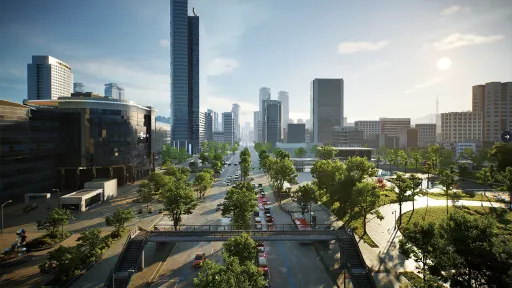
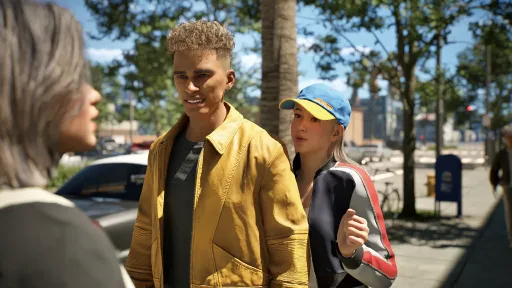
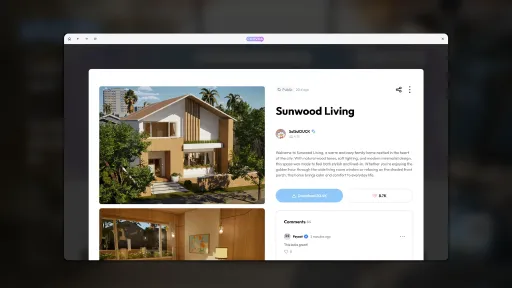
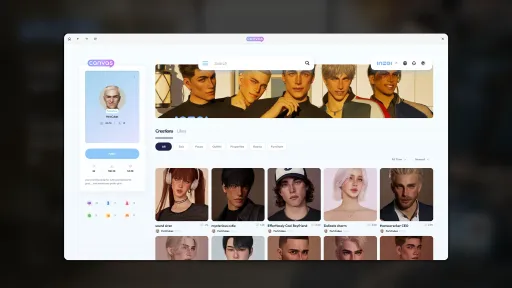
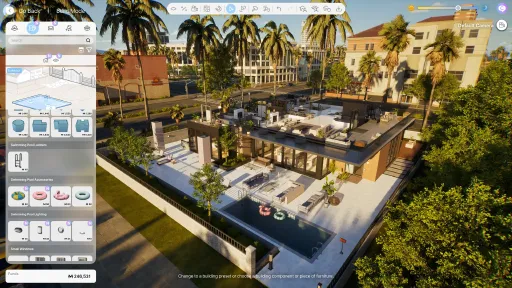
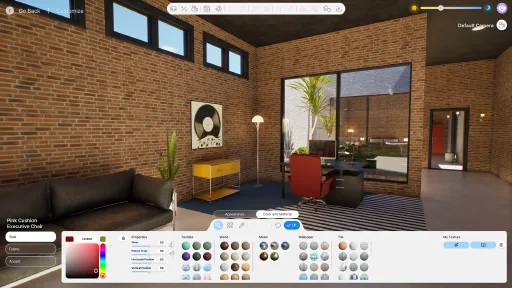
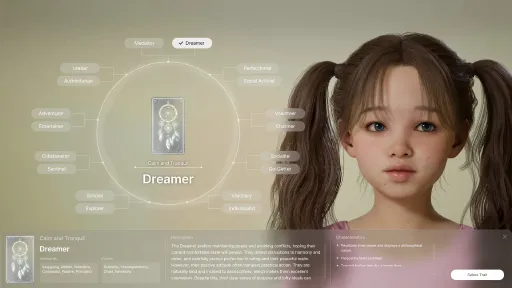
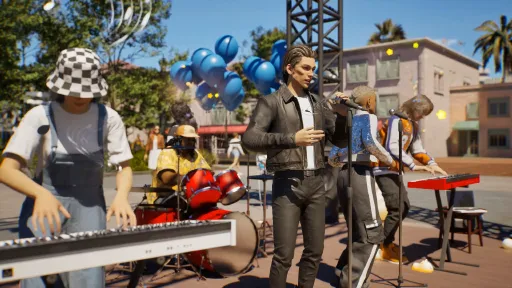
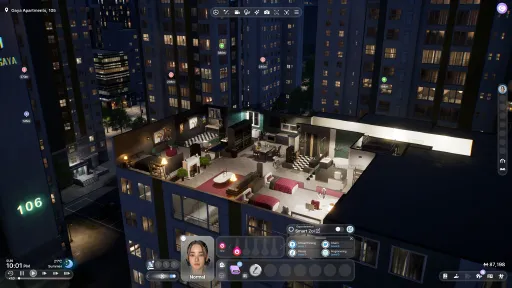
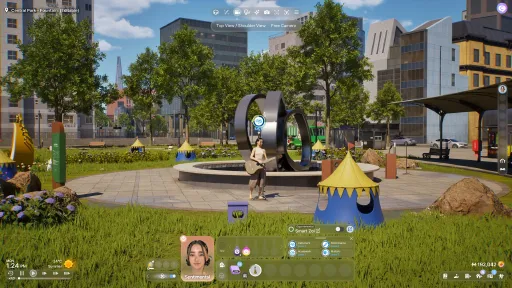
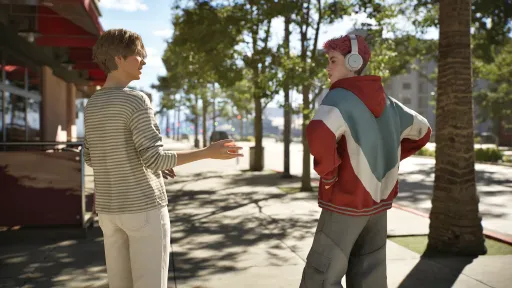
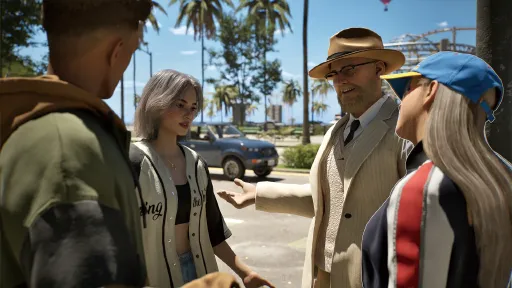
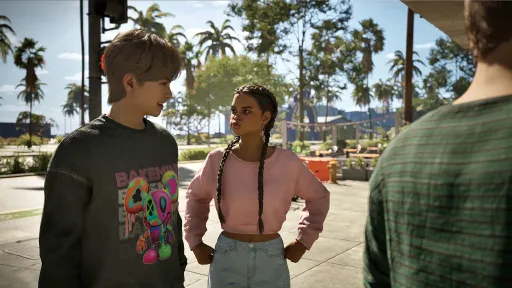
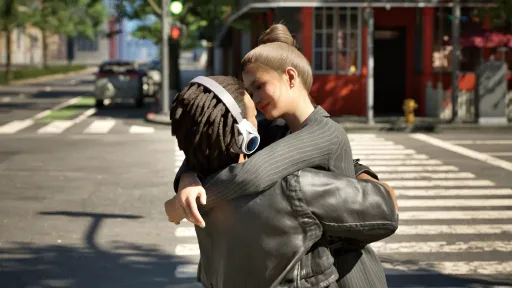
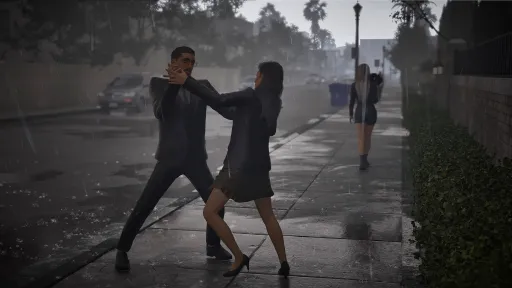
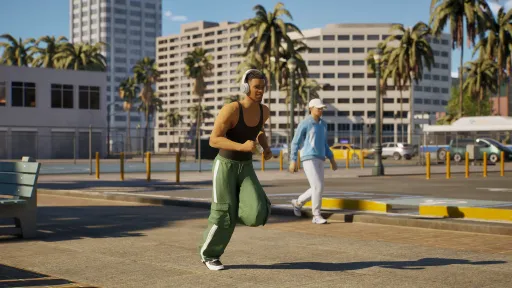
inZOI is the photorealistic life-simulation game from Krafton's inZOI Studio — basically The Sims with a 2025 graphics engine, AI-driven autonomous behavior, and a creator-first design philosophy. You sculpt characters (Zois) using Unreal Engine 5–powered customization tools, drop them into a city, and watch them live out their lives with their own personalities, jobs, relationships, and emergent drama.
Unlike older life-sims, the Zois have actual emergent autonomy — they form rumors about each other, develop trends, get sick from environmental factors, and remember past slights. The community-simulation layer means that even the Zois you're not directly controlling are actively shaping the city's social dynamics. The Early Access launch in March 2025 has been getting steady content patches; this download is build 23006643.
Released with CSF + Goldberg, fully offline-playable, achievements unlock through the local stub. 33 GB installed. Single-player only — inZOI is designed as a solo experience and there's no multiplayer mode in the design.
Screenshots
25 images

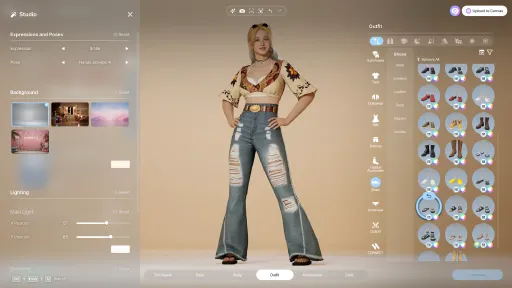
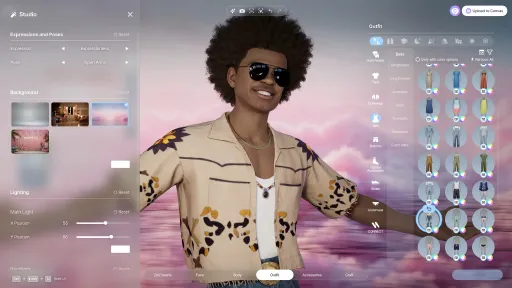
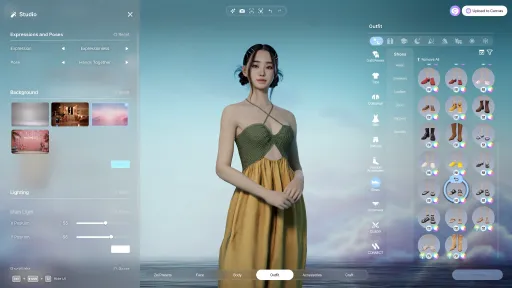
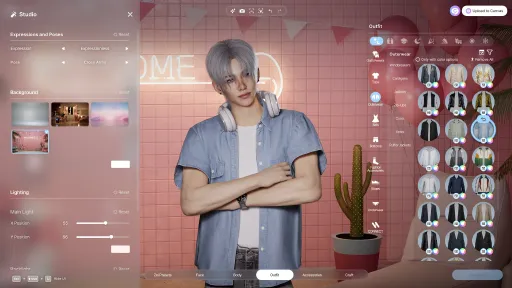

Version Information
Steam Patch Notes
Official update history
Hello, Creators.
We would like to inform you that the following hotfix has been applied to inZOI.
Please refer to the details below for more information.
◆ Hotfix Details
◽️ Patch Date: September 16, 2026
◽️ Game Version:
Windows PC Steam : 20260915.15331.W
Mac Steam : 20260915.15330.M
Bug Fixes
Gameplay
Fixed an issue where a companion NPC Zoi you traveled with during City Trips would not return to the lodging.
Further improvements to the Cleaning system
Fixed an issue where the roof would get dirty
Fixed an issue where dust could appear in areas that cannot be cleaned
Fixed an issue where Cleaning was repeatedly attempted when no cleaning tool was available
Fixed an issue where some lighting did not turn off when the entire family was asleep.
Fixed an issue where attending rabbit hole school would be counted as an absence.
Fixed an issue where Zois would not use umbrellas when heavy rain occurred
Fixed an issue where the designated uniform was not worn when operating a business after purchasing a premium restaurant previously run by an NPC Zoi.
Fixed an issue that caused serving to fail when running a premium restaurant.
Fixed an issue in Business Property Build Mode where "Placement Required" was displayed even though the required business furniture had been placed.
Fixed an issue where the Business app displayed a "Preparation Incomplete" warning even when sales were possible.
Fixed an issue where an item would disappear when removing it from your bag while holding an umbrella.
Improvements to Zois' Automatic Evasion System
Added previously omitted City Trips and immigration verification procedures
Crash
Fixed Some Crash-Related Issues
※ For game stability, all mods will be automatically disabled when updates or patches are applied.
You can reactivate them afterwards, so please keep this in mind.
※ You can check the issues we’re currently investigating on the Known Issues Page.
If you encounter any problems while playing, please report them anytime via the inZOI Forums.
As always, you can also share issues through the following channels:
We’ll continue working to make inZOI more stable and enjoyable for everyone.
Thank you, as always, for your continued support and valuable feedback.
The inZOI Team
Hello, Creators.
We would like to inform you that the following hotfix has been applied to inZOI.
Please refer to the details below for more information.
◆ Hotfix Patch Notice
◽️ Patch Date and Time: September 10, 2026
◽️ Build Version:
Windows PC Steam : 20260910.15206.W
Mac Steam : 20260910.15205.M
Bug Fixes
Gameplay
Fixed an issue where premium Restaurant Business operations were not functioning properly when Smart Zoi was enabled
Fixed an issue where student Zois at school were unable to properly take the afternoon exam.
Improved meal selection priority when staying in accommodations during City Trips
UI/UX
Fixed an issue where Zoi’s portrait would update incorrectly and not match their current outfit
Fixed an issue where the relationship score was not displayed on mouse hover after using Switch Families.
\ Fixed an issue where the Controller Guide was displayed when performing a two-finger swipe on the touchpad
Crash
Fixed Some Crash-Related Issues
Other Issues
\ Fixed an issue that prevented purchasing some modded vehicles when multiple vehicle mods were enabled at the same time
※ For game stability, all mods will be automatically disabled when updates or patches are applied.
You can reactivate them afterwards, so please keep this in mind.
※ You can check the issues we’re currently investigating on the Known Issues Page.
If you encounter any problems while playing, please report them anytime via the inZOI Forums.
As always, you can also share issues through the following channels:
We’ll continue working to make inZOI more stable and enjoyable for everyone.
Thank you, as always, for your continued support and valuable feedback.
The inZOI Team
Hello, Creators.
We would like to inform you that the following hotfix has been applied to inZOI.
Please refer to the details below for more information.
◆ Hotfix Patch Notice
◽️ Patch Date: September 9, 2026
◽️ Build Version:
Windows PC Steam : 20260908.15135.W
Mac Steam : 20260908.15136.M
Bug Fixes
Gameplay
Improved meal selection so Zoi chooses meals according to priority when hungry.
Fixed an issue where the puddle effect was displayed incorrectly when changing the city environment to Run-down.
Fixed an issue where Zois would throw away certain items purchased from Pocket Market and similar places of their own free will
Fixed an issue where Dowon - Sodam Restaurant did not operate properly when using Continue with an existing Save File.
Fixed an issue where the City Travel guide message included incorrect information.
Fixed an issue where a Zoi flickered while eating food.
Fixed an issue where performance would temporarily drop when hovering over a moving Zoi.
Fixed issues that occurred when activating Smart Zoi on non-English OS environments.
Fixed an issue where building and object positions were shifted out of place.
Fixed an issue where vehicles moved abnormally on roads, such as sinking into the ground.
Fixed an issue where Zois would not automatically get married in certain situations, even when "Get Married" was enabled in the Autonomy options.
Fixed an issue where a Zoi with a plant-related characteristic could stop after harvesting once when using the "Keep Harvesting" interaction
Build Mode
Fixed an issue where outdoor objects on the surface could be treated as indoor objects when creating an underground room larger than the aboveground room.
Fixed an issue where the ceiling was hidden when selecting Continue with an existing Save File and visiting certain apartment properties in Bliss Bay.
Fixed an issue where a Swimming Pool built into the foundation wasn’t placed when placing a property preset that included it.
UI/UX
Removed the feature that displayed the "F" button on portraits when Zoi Focus was disengaged
Please note that you can still press the F key to focus immediately.
Fixed an issue where the "View All Updates" text in the Status Updates pop-up was not being translated.
Fixed an issue where Wall View Mode would change when a character moved between floors while Zoi Focus was disengaged.
Fixed an issue where the lobby banner text for the September update was incorrectly displayed as "August."
Canvas
Fixed an issue in Build Mode where the Browse Canvas button was being obscured by the recommendation pop-up.
Other Issues
Fixed an issue where the sea color would darken when a specific mode was enabled
\ Fixed an issue where some ModKit guide links did not link to the correct pages.
Please note that issues are still occurring with the two buttons below.
Contents Template Workspace > Support button at the bottom
Data Editor > Guide tab > Wiki button at the bottom
\ Fixed an issue where a popup failed to appear when unverified mods were disabled due to a game update.
※ For game stability, all mods will be automatically disabled when updates or patches are applied.
You can reactivate them afterwards, so please keep this in mind.
※ You can check the issues we’re currently investigating on the Known Issues Page.
If you encounter any problems while playing, please report them anytime via the inZOI Forums.
As always, you can also share issues through the following channels:
We’ll continue working to make inZOI more stable and enjoyable for everyone.
Thank you, as always, for your continued support and valuable feedback.
The inZOI Team
Hello, Creators.
We would like to inform you that the following hotfix has been applied to inZOI.
Please refer to the details below for more information.
◆ Hotfix Patch Notice
◽️ Patch Date and Time: September 5, 2026
◽️ Build Version:
Windows PC Steam : 20260904.15051.W
Mac Steam : 20260904.15052.M
Bug Fixes
Crash
Resolved Some Crash Issues
\ Fixed an issue where enabling Smart Zoi in non-English environments caused a crash.
This fix only applies to Windows, so the crash issue persists on Mac. We apologize for the inconvenience.
※ For game stability, all mods will be automatically disabled when updates or patches are applied.
You can reactivate them afterwards, so please keep this in mind.
※ You can check the issues we’re currently investigating on the Known Issues Page.
If you encounter any problems while playing, please report them anytime via the inZOI Forums.
As always, you can also share issues through the following channels:
We’ll continue working to make inZOI more stable and enjoyable for everyone.
Thank you, as always, for your continued support and valuable feedback.
The inZOI Team
Hello, Creators.
We would like to inform you that the following hotfix has been applied to inZOI.
Please refer to the details below for more information.
◆ Hotfix Details
◽️ Patch Date: July 30, 2026
◽️ Game Version:
Windows PC Steam : 20260727.14099.W
Mac Steam : 20260727.14097.M
Mac App Store : 5.4.70 (0.296.61) / 20260727.14098.M
Epic Store : 20260728.14120.W.MODKIT.EGS
Gameplay Updates
Mitigated an issue that caused a Zoi to suddenly spawn right before your eyes.
Improved an issue where the route looked awkward when moving to certain locations.
Bug Fixes
Gameplay
Fixed an issue where you were intermittently unable to interact with the baby
Fixed an issue where "Purchase" could not be processed at kiosks on Business Properties
ModKit
Fixed a crash that occurred when deleting a mod project that included Hair Mode.
Optimized the excessively large assets distributed with the Sample_Build mod.
※ For game stability, all mods will be automatically disabled when updates or patches are applied.
You can reactivate them afterwards, so please keep this in mind.
※ You can check the issues we’re currently investigating on the Known Issues Page.
If you encounter any problems while playing, please report them anytime via the inZOI Forums.
As always, you can also share issues through the following channels:
We’ll continue working to make inZOI more stable and enjoyable for everyone.
Thank you, as always, for your continued support and valuable feedback.
The inZOI Team
Hello, Creators.
We would like to inform you that the following hotfix has been applied to inZOI.
Please refer to the details below for more information.
◆ Hotfix Details
◽️ Patch Date: July 15, 2026
◽️ Game Version:
Windows PC Steam : 20260715.13878.W
Mac Steam : 20260714.13865.M
Bug Fixes
Gameplay
Fixed an intermittent issue where Zoi couldn't pick up a toddler after bathing them.
Fixed an issue where a certain Zoi would repeatedly brush their teeth, take a bath, and perform other actions on weekday mornings.
Partially fixed an issue where Zois would occasionally fail to satisfy their Hunger need through autonomy.
Fixed an issue where Zois did not react to intermittent fires.
Improved so that, during conversations among multiple Zois, a Zoi can naturally be excluded from the conversation in certain situations.
Partially improved an issue that caused longer wait times before starting a cooperative interaction
Crash Fixes
Fixed some Crash-related issues
Other Issues
Fixed an issue where a bug in the CurseForge browser could cause loading to hang or crash when opening the browser.
※ For game stability, all mods will be automatically disabled when updates or patches are applied.
You can reactivate them afterwards, so please keep this in mind.
※ You can check the issues we’re currently investigating on the Known Issues Page.
If you encounter any problems while playing, please report them anytime via the inZOI Forums.
As always, you can also share issues through the following channels:
We’ll continue working to make inZOI more stable and enjoyable for everyone.
Thank you, as always, for your continued support and valuable feedback.
The inZOI Team
Hello, Creators.
We would like to inform you that the following hotfix has been applied to inZOI.
Please refer to the details below for more information.
◆ Hotfix Details
◽️ Patch Date: July 9th, 2026
◽️ Game Version:
Windows PC Steam : 20260708.13735.W
Mac Steam : 20260708.13729.M
Gameplay Updates
Temporarily removed the feature where Zois automatically prepared meals when it was mealtime.
※ There were situations where meals were being prepared in unintended ways, so we've temporarily removed this feature. We plan to improve it and add it back in the future. Thank you for your understanding.
Improved the autonomous behavior system for Zois.
※ Reduced situations where Zois engaged in too many conversations, and improved their behavior so they choose interactions that fit the situation when their needs are low.
Bug Fixes
Gameplay
Partially fixed an issue where Zois would occasionally stop without performing autonomous behavior
Fixed an issue where Zois who had not graduated from high school could occasionally appear as graduates
Fixed an issue where milestones that had not been completed would occasionally be marked as achieved
※ Please note that milestones already marked incorrectly may remain. Thank you for your understanding.Fixed an issue where switching families while playing a multi-member family could cause infinite loading
Create a Zoi
\ Fixed an issue on Mac where the CAZ window background became brighter and the lighting flickered
Crashes
Fixed some crash issues
※ For game stability, all mods will be automatically disabled when updates or patches are applied.
You can reactivate them afterwards, so please keep this in mind.
※ You can check the issues we’re currently investigating on the Known Issues Page.
If you encounter any problems while playing, please report them anytime via the inZOI Forums.
As always, you can also share issues through the following channels:
We’ll continue working to make inZOI more stable and enjoyable for everyone.
Thank you, as always, for your continued support and valuable feedback.
The inZOI Team
Hello, Creators.
We would like to inform you that the following hotfix has been applied to inZOI.
Please refer to the details below for more information.
◆ Hotfix Details
◽️ Patch Date: July 1, 2026
◽️ Game Version:
Windows PC Steam : 20260701.13568.W
Mac Steam : 20260630.13553.M
Bug Fixes
Gameplay
Fixed an issue where changes were not saved after editing an NPC Zoi with the CustomZoi cheat
Build
Fixed an issue where pool water surface customization was unavailable
If pool water surface customization is set incorrectly, you can customize it normally by selecting \[Select Pool] > \[Select the "Reset" button on the Customize screen] > \[Select the pool again].
Fixed an issue where furniture preset scrolling was unavailable in Build Mode
Fixed an issue where the camera would move to the top floor when entering Build Mode with floor lock enabled
Crashes
Fixed an issue where entering the CurseForge browser could cause infinite loading or a crash
Fixed a crash that intermittently occurred when teenage Zois were going to school
Fixed an issue where a crash could intermittently occur when saving a preset with the Done button in Character Studio
Other Issues
Fixed an issue where some text related to careers and school was not translated in multilingual environments
Fixed an issue where MOD outfits were not applied correctly when using a preset that included installed MOD outfits from the \[ModKit In-Game] start screen
※ For game stability, all mods will be automatically disabled when updates or patches are applied.
You can reactivate them afterwards, so please keep this in mind.
※ You can check the issues we’re currently investigating on the Known Issues Page.
If you encounter any problems while playing, please report them anytime via the inZOI Forums.
As always, you can also share issues through the following channels:
We’ll continue working to make inZOI more stable and enjoyable for everyone.
Thank you, as always, for your continued support and valuable feedback.
The inZOI Team
Hello, Creators.
We would like to inform you that the following hotfix has been applied to inZOI.
Please refer to the details below for more information.
◆ Hotfix Details
◽️ Patch Date: June 25, 2026
◽️ Game Version:
Windows PC Steam : 20260624.13421.W
Mac Steam : 20260624.13425.M
Bug Fixes
Gameplay
Mitigated an issue where school schedules were being canceled excessively due to disasters
Adjusted the frequency of disasters so students can continue their school life more reliably.
Fixed an issue where autonomous actions would automatically turn off when family members moved to eat after a meal was prepared
Fixed an issue where, when saving and resuming a save that included a Zoi who had dropped out, the Zoi would be forced to enroll in school
Improved Zois to prioritize moving to a bed rather than a sofa when their Sleep need is low after 8 PM
Fixed an issue where minimap settings reset when loading the game
Fixed an issue where club outfits would not unlock if a Zoi left a school club without entering CAZ after joining
Fixed an issue where using the \[Change Random Sale Outfit] interaction on mannequins of the wrong gender would intermittently cause the mannequin's appearance to change abnormally
Fixed an issue where the class travel interaction text for school sports clubs and cheerleading clubs displayed incorrectly
Fixed an issue where Zois intermittently failed to serve dinner
Fixed an issue where Zois in sports clubs and cheerleading clubs at some schools did not move to the correct scheduled location
Fixed an issue where Zois did not automatically clear the table after setting it
Fixed an issue where lane occupancy status was not released when traveling by vehicle
Fixed an issue where Zois could pass through the building on the lot at 64 Harangnaru-ro, Dowon
Added tooltips to holiday icons in the calendar
User Interface/User Experience
Fixed an issue where the "Freelancer" text was not translated on the smartphone screen in multilingual environments
Crashes
Fixed some crash issues
\[Mac Only] Fixed an issue where a crash could occur when using Smart Zoi in a Mac environment
Other Issues
\[ModKit In-Game] Fixed an issue where crashes could occur intermittently when using the body mod samples provided in ModKit
\[ModKit Editor] Fixed an issue where the preview window in the UIMod creation popup did not display a UI preview of the currently selected app
Fixed an issue where wheel controls were unavailable in-game when UIMod was enabled
Fixed an issue where a mod continued to run even after disabling it in Mod Management after enabling UIMod
Fixed an issue where mods subscribed to on the CurseForge website were not subscribed to when entering the game
※ To ensure game stability, all mods will be automatically disabled when an update or patch is applied.
You can re-enable and use them afterward, so please keep this in mind.
※ You can check the issues currently under investigation on the Known Issues Notice page, and
If you encounter any issues while playing, please report them anytime through the inZOI Forum.
You can also continue to share issues through the following channels.
The inZOI team will continue doing our best so Creators can enjoy an even more stable experience going forward.
Thank you sincerely for your continued interest and valuable feedback.
The inZOI Team
Hello, Creators.
We would like to inform you that the following hotfix has been applied to inZOI.
Please refer to the details below for more information.
◆ Hotfix Details
◽️ Patch Date: June 19, 2026
◽️ Game Version:
Windows PC Steam : 20260619.13318.W
Mac Steam : 20260619.13319.M
Bug Fixes
Gameplay
Fixed an issue where a Zoi would not take the exam during school exam time
UI/UX
Fixed an issue where the \ - \ app displayed incorrectly
Crashes
Fixed an issue where crashes could occur intermittently when enabling the first-person mode cheat
\ Fixed an issue where enabling Smart Zoi could occasionally cause a crash
※ For game stability, all mods will be automatically disabled when updates or patches are applied.
You can reactivate them afterwards, so please keep this in mind.
※ You can check the issues we’re currently investigating on the Known Issues Page.
If you encounter any problems while playing, please report them anytime via the inZOI Forums.
As always, you can also share issues through the following channels:
We’ll continue working to make inZOI more stable and enjoyable for everyone.
Thank you, as always, for your continued support and valuable feedback.
The inZOI Team
Hello, Creators.
We would like to inform you that the following hotfix has been applied to inZOI.
Please refer to the details below for more information.
◆ Hotfix Details
◽️ Patch Date: May 28, 2026
◽️ Game Version:
Windows PC Steam : 20260527.12759.W
Mac Steam : 20260527.12751.M
Bug Fixes
Gameplay
Improved Hunger need balance
Fixed an intermittent infinite loading issue when entering Build Studio
Fixed an issue where changes to the Road Traffic Density setting in Simulation Options had no noticeable effect on vehicle count
Improved city vehicle simulation errors
Build
\[Mac Only] Fixed an issue where furniture and walls could not be properly deleted in Build Mode under certain steps
Graphics
Fixed an issue where the lobby intermittently appeared completely white under certain option settings
Crashes
Fixed several crash issues
※ For game stability, all mods will be automatically disabled when updates or patches are applied.
You can reactivate them afterwards, so please keep this in mind.
※ You can check the issues we’re currently investigating on the Known Issues Page.
If you encounter any problems while playing, please report them anytime via the inZOI Forums.
As always, you can also share issues through the following channels:
We’ll continue working to make inZOI more stable and enjoyable for everyone.
Thank you, as always, for your continued support and valuable feedback.
The inZOI Team
Hello, Creators.
We would like to inform you that the following hotfix has been applied to inZOI.
Please refer to the details below for more information.
◆ Hotfix Details
◽️ Patch Date: May 15, 2026
◽️ Game Version:
Windows PC Steam : 20260514.12524.W
Mac Steam : 20260514.12520.M
Gameplay Update
Improved the ability to immediately cancel certain interactions mid-action
※ Interactions such as Hack Bank and Take a Bath can now be cancelled immediately while in progress.
Bug Fixes
Gameplay
Fixed an issue where the 'Sit' interaction was not working on certain mod furniture
Crash Fixes
Fixed some crash issues
※ For game stability, all mods will be automatically disabled when updates or patches are applied.
You can reactivate them afterwards, so please keep this in mind.
※ You can check the issues we’re currently investigating on the Known Issues Page.
If you encounter any problems while playing, please report them anytime via the inZOI Forums.
As always, you can also share issues through the following channels:
We’ll continue working to make inZOI more stable and enjoyable for everyone.
Thank you, as always, for your continued support and valuable feedback.
The inZOI Team
Current Release
Build 25336085
Uploaded Sep 17, 2026
System Requirements
How to Install
inZOI.exe to play
Troubleshooting tips
• Run Redist/_CommonRedist installers if game won't start
• Add folder to Windows Defender exclusions
• Run as administrator
Download
Direct link available
Needed when extracting (WinRAR / 7-Zip) — not a site login.
You May Also Like
View All






Download inZOI for PC with a direct link or via torrent. Get the full version of inZOI for free. inZOI is a Adventure released by inZOI Studio.