







8.1 GB
Action
, Indie
, RPG
, Simulation
, Strategy
Added
11 months ago
Updated
3 months ago
CSF + Goldberg
About the Game
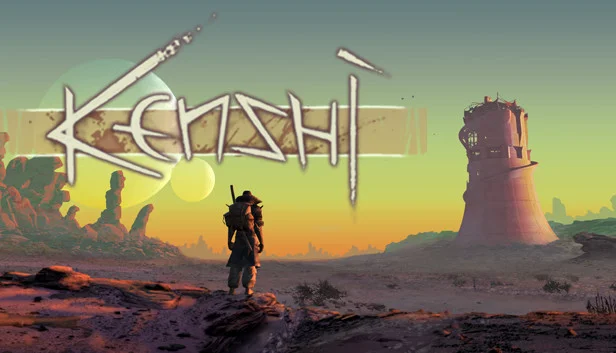
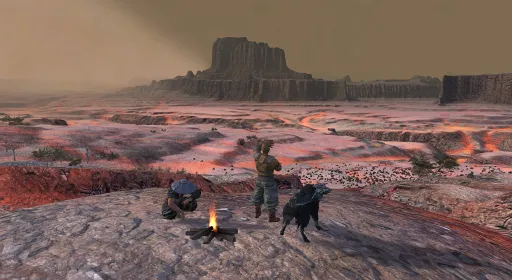
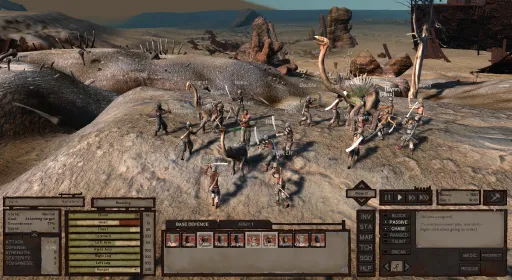
A free-roaming squad based RPG focusing on open-ended sandbox gameplay features rather than a linear story. Be a trader, a thief, a rebel, a warlord, an adventurer, a farmer, a slave, or just food for the cannibals.

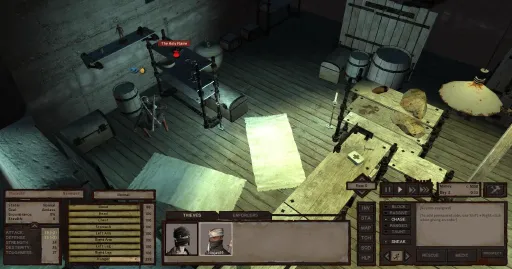
Research new equipment and craft new gear. Purchase and upgrade your own buildings to use as safe fortified havens when things go bad, or use them to start up a business. Aid or oppose the various factions in the world while striving for the strength and wealth necessary to simply survive in the harsh desert. Train your men up from puny victims to master warriors. Carry your wounded squad mates to safety and get them all home alive.
Freeform gameplay in a seamless game world in the largest single-player RPG world since Daggerfall, stretching over 870 square kilometers. The game will never seek to limit you or restrict your personal play style.
Custom design as many characters as you want and build up a whole squad to fight for you. Characters will grow and become stronger with experience, not just in their stats but their appearance too.
Build a base where you can research new technologies, upgrade your defences and craft new gear.
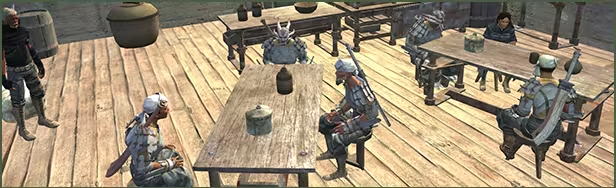
Original take on the RTS-RPG hybrid genre. No "hero" characters with artificially stronger stats than everybody else- Every character and NPC you meet is potentially an equal, and has a name, a life.
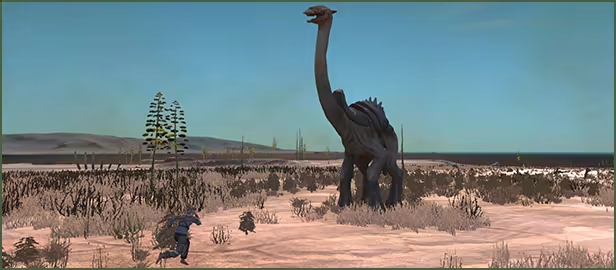
You are not the chosen one. You're not great and powerful. You don't have more 'hitpoints' than everyone else. You are not the center of the universe, and you are not special. Unless you work for it.
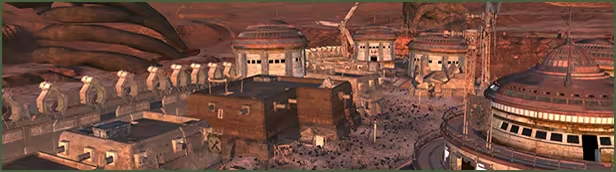
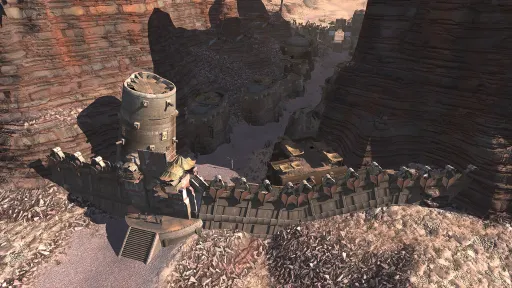
Purchase and upgrade your own buildings to use as safe fortified havens when things go bad, or use them to start up a business.
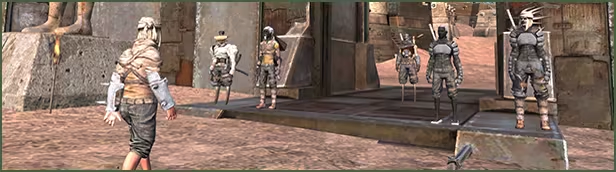
Variation and possibilities of gameplay. Be good, be evil, be a businessman, be a thief, live in a town, live in the desert, travel alone, travel in hordes, build a fortress, raze a city. Devote yourself to freeing slaves, or maybe end up a slave yourself.
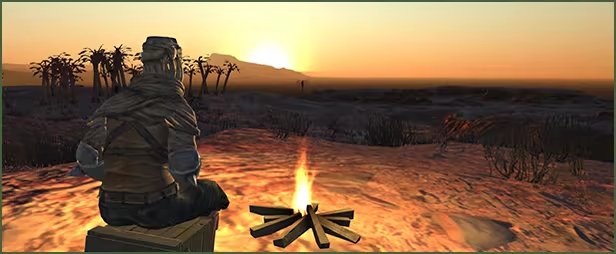
Dynamic, ever changing world. Support or hinder whoever you wish, or keep to yourself, the world won't stop moving. This is not just a "game", you are living and surviving in a simulated world.
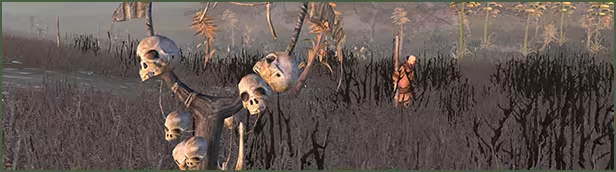
Get captured by cannibals and eaten alive, or sold off by slavers and forced to work in the mines. These are not scripted events, just a regular part of this chaotic world that ruins your life by chance. Anything can happen, yet anything can be overcome if you have the strength.
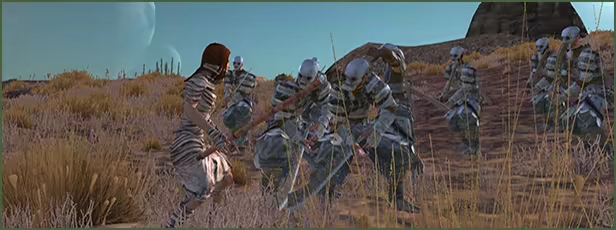
Absolutely no Level-scaling. The world does not level up along with you, and the shops don't change their inventory to only items matching your level. At the start of the game almost everyone will be stronger than you, and survival will always be a struggle. The game won't hold your hand or help you when you're down.
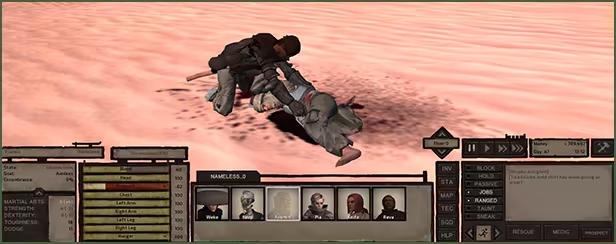
Realistic medical system that affects gameplay. A character with a wounded leg will limp or crawl and slow the party down, wounded arms means you must use your sword one-handed or not at all. Severe injuries will result in amputees needing robotic limb replacements. Blood loss means you can pass out, and the blood will attract predators. A character’s stats are affected by equipment, encumbrance, blood loss, injuries and starvation.
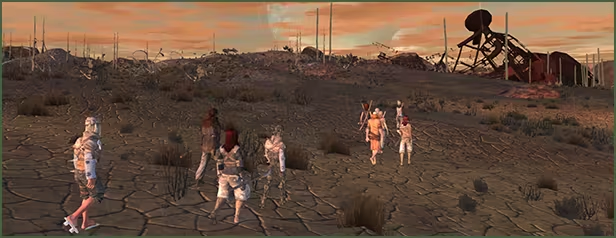
Intelligent AI that allows for characters to reason and work towards long-term goals and desires. Squads work together and carry their wounded to safety. Characters can be setup to take care of micromanagement for you and run production in your base.
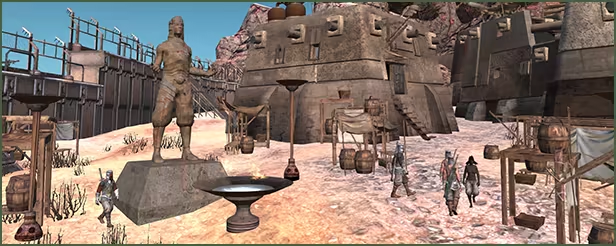
Aid or oppose the various factions in the world while striving for the strength and wealth necessary to simply survive in the harsh environment.
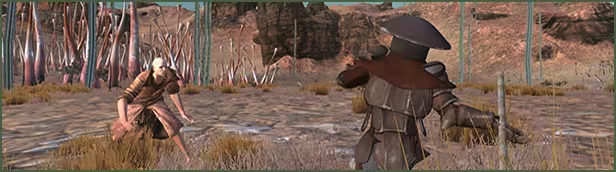
Independently developed with no design influences, or alterations dictated by men in gray suits who have never played a game before in their lives.
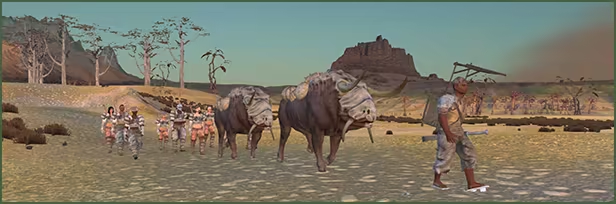
Original game world. There are no fantasy-knock-off cliches. No magic.
Research new equipment and craft new gear. Purchase and upgrade your own buildings to use as safe fortified havens when things go bad, or use them to start up a business. Aid or oppose the various factions in the world while striving for the strength and wealth necessary to simply survive in the harsh desert. Train your men up from puny victims to master warriors. Carry your wounded squad mates to safety and get them all home alive.
FEATURES
Freeform gameplay in a seamless game world in the largest single-player RPG world since Daggerfall, stretching over 870 square kilometers. The game will never seek to limit you or restrict your personal play style.
Custom design as many characters as you want and build up a whole squad to fight for you. Characters will grow and become stronger with experience, not just in their stats but their appearance too.
Build a base where you can research new technologies, upgrade your defences and craft new gear.
Original take on the RTS-RPG hybrid genre. No "hero" characters with artificially stronger stats than everybody else- Every character and NPC you meet is potentially an equal, and has a name, a life.
You are not the chosen one. You're not great and powerful. You don't have more 'hitpoints' than everyone else. You are not the center of the universe, and you are not special. Unless you work for it.
Purchase and upgrade your own buildings to use as safe fortified havens when things go bad, or use them to start up a business.
Variation and possibilities of gameplay. Be good, be evil, be a businessman, be a thief, live in a town, live in the desert, travel alone, travel in hordes, build a fortress, raze a city. Devote yourself to freeing slaves, or maybe end up a slave yourself.
Dynamic, ever changing world. Support or hinder whoever you wish, or keep to yourself, the world won't stop moving. This is not just a "game", you are living and surviving in a simulated world.
Get captured by cannibals and eaten alive, or sold off by slavers and forced to work in the mines. These are not scripted events, just a regular part of this chaotic world that ruins your life by chance. Anything can happen, yet anything can be overcome if you have the strength.
Absolutely no Level-scaling. The world does not level up along with you, and the shops don't change their inventory to only items matching your level. At the start of the game almost everyone will be stronger than you, and survival will always be a struggle. The game won't hold your hand or help you when you're down.
Realistic medical system that affects gameplay. A character with a wounded leg will limp or crawl and slow the party down, wounded arms means you must use your sword one-handed or not at all. Severe injuries will result in amputees needing robotic limb replacements. Blood loss means you can pass out, and the blood will attract predators. A character’s stats are affected by equipment, encumbrance, blood loss, injuries and starvation.
Intelligent AI that allows for characters to reason and work towards long-term goals and desires. Squads work together and carry their wounded to safety. Characters can be setup to take care of micromanagement for you and run production in your base.
Aid or oppose the various factions in the world while striving for the strength and wealth necessary to simply survive in the harsh environment.
Independently developed with no design influences, or alterations dictated by men in gray suits who have never played a game before in their lives.
Original game world. There are no fantasy-knock-off cliches. No magic.
Screenshots
6 images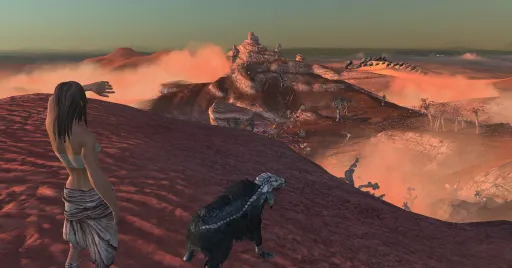
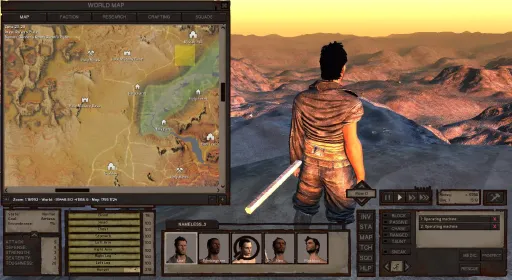
Version Information
Steam Patch Notes
Official update history
On the site: Build 13871665
Up to date
1.0.68
Added free camera mode for screenshots and videos. Toggle with ;
If you experience any issues after the update, please read this post on how to report crashes or bugs and make a post in the Lo-Fi Games forum, ensuring that you’re nice to our lovely moderators.
[img width=602,height=169]https://lh7-us.googleusercontent.com/I4LoiDE-pxefCcflp5AKHUXZeh2M9AthqGP3N75T7xrJ7J7IPJGpnE_joWxfQC1UjAU0DH1aQQqZn24vQDBDChH28T-8za2EiI1LqYaJy5zl_tLcvMUK0vULCg9u_tzi1kz5SFXDKWLK-X8G1-R2ps8
{STEAM_CLAN_IMAGE}/4597640/b8ae5854788dfa521e31a00e4da732bf980337b4.jpg
View on Steam
Added free camera mode for screenshots and videos. Toggle with ;
If you experience any issues after the update, please read this post on how to report crashes or bugs and make a post in the Lo-Fi Games forum, ensuring that you’re nice to our lovely moderators.
[img width=602,height=169]https://lh7-us.googleusercontent.com/I4LoiDE-pxefCcflp5AKHUXZeh2M9AthqGP3N75T7xrJ7J7IPJGpnE_joWxfQC1UjAU0DH1aQQqZn24vQDBDChH28T-8za2EiI1LqYaJy5zl_tLcvMUK0vULCg9u_tzi1kz5SFXDKWLK-X8G1-R2ps8
{STEAM_CLAN_IMAGE}/4597640/b8ae5854788dfa521e31a00e4da732bf980337b4.jpg
1.0.67
Added free camera mode for screenshots and videos. Toggle with ;
If you experience any issues after the update, please read this post on how to report crashes or bugs and make a post in the Lo-Fi Games forum, ensuring that you’re nice to our lovely moderators.
[img width=602,height=169]https://lh7-us.googleusercontent.com/I4LoiDE-pxefCcflp5AKHUXZeh2M9AthqGP3N75T7xrJ7J7IPJGpnE_joWxfQC1UjAU0DH1aQQqZn24vQDBDChH28T-8za2EiI1LqYaJy5zl_tLcvMUK0vULCg9u_tzi1kz5SFXDKWLK-X8G1-R2ps8
{STEAM_CLAN_IMAGE}/4597640/b8ae5854788dfa521e31a00e4da732bf980337b4.jpg
View on Steam
Added free camera mode for screenshots and videos. Toggle with ;
If you experience any issues after the update, please read this post on how to report crashes or bugs and make a post in the Lo-Fi Games forum, ensuring that you’re nice to our lovely moderators.
[img width=602,height=169]https://lh7-us.googleusercontent.com/I4LoiDE-pxefCcflp5AKHUXZeh2M9AthqGP3N75T7xrJ7J7IPJGpnE_joWxfQC1UjAU0DH1aQQqZn24vQDBDChH28T-8za2EiI1LqYaJy5zl_tLcvMUK0vULCg9u_tzi1kz5SFXDKWLK-X8G1-R2ps8
{STEAM_CLAN_IMAGE}/4597640/b8ae5854788dfa521e31a00e4da732bf980337b4.jpg
FCS 2.14.1 was causing a few issues for some users, this hotfix should address those bugs.
If you experience any issues after the update, please read this post on how to report crashes or bugs and make a post in the Lo-Fi Games forum, ensuring that you’re nice to our lovely moderators.
[img width=602,height=169]https://lh7-us.googleusercontent.com/I4LoiDE-pxefCcflp5AKHUXZeh2M9AthqGP3N75T7xrJ7J7IPJGpnE_joWxfQC1UjAU0DH1aQQqZn24vQDBDChH28T-8za2EiI1LqYaJy5zl_tLcvMUK0vULCg9u_tzi1kz5SFXDKWLK-X8G1-R2ps8
{STEAM_CLAN_IMAGE}/4597640/b8ae5854788dfa521e31a00e4da732bf980337b4.jpg
View on Steam
If you experience any issues after the update, please read this post on how to report crashes or bugs and make a post in the Lo-Fi Games forum, ensuring that you’re nice to our lovely moderators.
- Fixed issue causing fonts to increase to 825 instead of 8.25 in regions where commas are used in place of decimal points
- Fixed NPCs accusing you of trespassing when committing any other type of crime outside
- Fix for a bug where guards wouldn't investigate alarms
[img width=602,height=169]https://lh7-us.googleusercontent.com/I4LoiDE-pxefCcflp5AKHUXZeh2M9AthqGP3N75T7xrJ7J7IPJGpnE_joWxfQC1UjAU0DH1aQQqZn24vQDBDChH28T-8za2EiI1LqYaJy5zl_tLcvMUK0vULCg9u_tzi1kz5SFXDKWLK-X8G1-R2ps8
{STEAM_CLAN_IMAGE}/4597640/b8ae5854788dfa521e31a00e4da732bf980337b4.jpg
FCS 2.14.1 was causing a few issues for some users, this hotfix should address those bugs.
If you experience any issues after the update, please read this post on how to report crashes or bugs and make a post in the Lo-Fi Games forum, ensuring that you’re nice to our lovely moderators.
[img width=602,height=169]https://lh7-us.googleusercontent.com/I4LoiDE-pxefCcflp5AKHUXZeh2M9AthqGP3N75T7xrJ7J7IPJGpnE_joWxfQC1UjAU0DH1aQQqZn24vQDBDChH28T-8za2EiI1LqYaJy5zl_tLcvMUK0vULCg9u_tzi1kz5SFXDKWLK-X8G1-R2ps8
{STEAM_CLAN_IMAGE}/4597640/b8ae5854788dfa521e31a00e4da732bf980337b4.jpg
View on Steam
If you experience any issues after the update, please read this post on how to report crashes or bugs and make a post in the Lo-Fi Games forum, ensuring that you’re nice to our lovely moderators.
- Fixed issue causing fonts to increase to 825 instead of 8.25 in regions where commas are used in place of decimal points
- Fixed NPCs accusing you of trespassing when committing any other type of crime outside
- Fix for a bug where guards wouldn't investigate alarms
[img width=602,height=169]https://lh7-us.googleusercontent.com/I4LoiDE-pxefCcflp5AKHUXZeh2M9AthqGP3N75T7xrJ7J7IPJGpnE_joWxfQC1UjAU0DH1aQQqZn24vQDBDChH28T-8za2EiI1LqYaJy5zl_tLcvMUK0vULCg9u_tzi1kz5SFXDKWLK-X8G1-R2ps8
{STEAM_CLAN_IMAGE}/4597640/b8ae5854788dfa521e31a00e4da732bf980337b4.jpg
FCS 2.14 was causing a few issues for some users, this hotfix should address those bugs.
If you experience any issues after the update, please read this post on how to report crashes or bugs and make a post in the Lo-Fi Games forum, ensuring that you’re nice to our lovely moderators.
[img width=602,height=169]https://lh7-us.googleusercontent.com/I4LoiDE-pxefCcflp5AKHUXZeh2M9AthqGP3N75T7xrJ7J7IPJGpnE_joWxfQC1UjAU0DH1aQQqZn24vQDBDChH28T-8za2EiI1LqYaJy5zl_tLcvMUK0vULCg9u_tzi1kz5SFXDKWLK-X8G1-R2ps8
{STEAM_CLAN_IMAGE}/4597640/b8ae5854788dfa521e31a00e4da732bf980337b4.jpg
View on Steam
If you experience any issues after the update, please read this post on how to report crashes or bugs and make a post in the Lo-Fi Games forum, ensuring that you’re nice to our lovely moderators.
- Fixed incorrect version number in displayed in title bar
- Fixed not being able to add instances
- Fixed wordswap preview auto-capitalisation if line starts with format tag
- Fixed merging level data
- Fixed blocking merges with base mods
- Fixed select all mods toggle button not working when all existing mods are listed in mods.cfg
- Fixed translated words percentage display
- Updated spellcheck
- Spellcheck now checks for valid words either side of an apostrophe
- Fixed spell check not displaying changes in translation mode
- Updated find and replace window
- All open windows now freshed when replacing an existing value from this window
- Matching search terms now get highlighted
- Added Whole word match option
- Translation mode now only shows results once when finding a result in translation and source text, highlights second column for results
- Source text now shown in translation mode
- Added column sorting
- Added find/replace for single item in translation mode by right clicking in navigation form
- Added Instance counts to custom columns and item filter
- Added open form history with back and forward buttons
- Added translation lexicon, a system for translators which guesses to suggest words that the translator may want to use in similar lines.
- Added ability to double click in a text box to select the whole word
- Added shortcuts
- Global
- F3 - Show game world window
- CTRL+W - close window
- CTRL + SHIFT + W - Close all windows
- CTRL + SHIFT + O - Open any file
- Translation mode
- Pressing enter will automatically jump to the next line variant to translate
- CTRL+Up and CTRL+Down in the extended text editor will change the active line
- Text boxes
- Ctrl+Backspace deletes previous word
- Changed cleanup operation for removing invalid references to only occur on references for the current active mod
- Improved wordswap auto-capitalisation rules in word swap preview window
- Mod dropdown list in merge window now sorted alphabetically
[img width=602,height=169]https://lh7-us.googleusercontent.com/I4LoiDE-pxefCcflp5AKHUXZeh2M9AthqGP3N75T7xrJ7J7IPJGpnE_joWxfQC1UjAU0DH1aQQqZn24vQDBDChH28T-8za2EiI1LqYaJy5zl_tLcvMUK0vULCg9u_tzi1kz5SFXDKWLK-X8G1-R2ps8
{STEAM_CLAN_IMAGE}/4597640/b8ae5854788dfa521e31a00e4da732bf980337b4.jpg
Version 1.0.56
Feb 6, 2024
Today we’re bringing Kenshi 1.0.64 and FCS 2.14 out of experimental and into the main branch.
We have previously summarised some of the content of this update in this post when we launched 1.0.60, but we had a couple of issues that meant we rolled it back into the experimental branch while we fixed those bugs.
We'll continue to release any potentially useful updates to the Forgotten Construction Set as we update it internally to help us build Kenshi 2. [Edit - for those of you wondering, the FCS is a bespoke supplemental tool and is not engine-specific; we're still building Kenshi 2 in Unreal Engine as previously stated].
If you experience any issues after the update, please ensure you have read through this post and tried all known fixes. If you’re still having issues then read this post on how to report crashes or bugs and make a post in the Lo-Fi Games forum, ensuring that you’re nice to our lovely moderators.
Please note that we are almost exclusively focused on developing Kenshi’s prequel: Kenshi 2, so fixes to long-standing bugs in the original title are very unlikely at this stage. Bug reports will help us identify any potential issues caused by the 1.0.64 update.
Below is the exhaustive list of updates that the main branch is receiving, compiling versions 1.0.56 - 1.0.64:
Version 1.0.56
Version 1.0.57 (FCS 2.1)
Bug Fixes
Version 1.0.58 (FCS 2.11)
Version 1.0.59 (FCS 2.12)
FCS 2.13
Bug Fixes
Version 1.0.60
Global
Spanish localisation updates:
German Localisation updates:
Portuguese (Brazil) localisation updates:
Japanese
Simplified Chinese update:
Version 1.0.61
Version 1.0.62
FCS 2.14
Moved to .NET 4.5 (to allow for use of async tasks) New features: Updated custom columns Updates to conversation window Updates to translation pipeline Updated notes window Updated find and replace window Updated spell check feature Updated change list Misc changes/fixes
Version 1.0.63
Version 1.0.64
[img width=602,height=169]https://lh7-us.googleusercontent.com/I4LoiDE-pxefCcflp5AKHUXZeh2M9AthqGP3N75T7xrJ7J7IPJGpnE_joWxfQC1UjAU0DH1aQQqZn24vQDBDChH28T-8za2EiI1LqYaJy5zl_tLcvMUK0vULCg9u_tzi1kz5SFXDKWLK-X8G1-R2ps8
{STEAM_CLAN_IMAGE}/4597640/b8ae5854788dfa521e31a00e4da732bf980337b4.jpg
View on Steam
We have previously summarised some of the content of this update in this post when we launched 1.0.60, but we had a couple of issues that meant we rolled it back into the experimental branch while we fixed those bugs.
We'll continue to release any potentially useful updates to the Forgotten Construction Set as we update it internally to help us build Kenshi 2. [Edit - for those of you wondering, the FCS is a bespoke supplemental tool and is not engine-specific; we're still building Kenshi 2 in Unreal Engine as previously stated].
If you experience any issues after the update, please ensure you have read through this post and tried all known fixes. If you’re still having issues then read this post on how to report crashes or bugs and make a post in the Lo-Fi Games forum, ensuring that you’re nice to our lovely moderators.
Please note that we are almost exclusively focused on developing Kenshi’s prequel: Kenshi 2, so fixes to long-standing bugs in the original title are very unlikely at this stage. Bug reports will help us identify any potential issues caused by the 1.0.64 update.
Below is the exhaustive list of updates that the main branch is receiving, compiling versions 1.0.56 - 1.0.64:
Version 1.0.56
- Japanese translation update
Version 1.0.57 (FCS 2.1)
- Added documentation for FCS
- Adapted from our own in-house documentation
- Non-comprehensive, but it's a start!
- Added improved item search functionality
- Recursive property and reference searching
- find squads with more than 10 skeletons
- (In Squads section) squad.v0 > 10; squad.race = skeleton
- find research items with ingredients with values over 1000 cats
- (In Research section) cost.value > 1000
- Building shells requiring construction materials with ingredients that have a value over 100 cats
- (In Building Shell section) construction.ingredients.value > 100
- Added ability to search using Regex
- Find all dialogue lines with numbers in text
- (In _lines section) text ? (\b[0-9]+\b)
- Significantly improved performance of item filtering
- Added an "Everything" section to search through all items at once
- Added a new panel when translating conversations
- Now displays what dialogue package references the conversation being translated as well as what event trigger can start this conversation
- Added additional functionality to the "Set field" window
- Can now remove references in addition to adding them
- Can bulk modify values with addition, subtraction, division and multiplication
- Can now select all research items and halve the amount of items required to complete
- Can select any number of weapons and multiply bleed damage multipliers by 1.5
- Added spell check feature
- Works for any multi line item property
- Descriptions for items, races, and buildings
- Dialogue lines
- Added option in merge window to show previously skipped changes
- Added multi line display on single lines for change list and merge mod windows
- Added ability to open items from the merge window
- Added tree view for notes
- Dialogue lines now parented to conversations
- Added ability to more easily navigate merge and todo trees with arrows keys (left and right now expand and collapse nodes)
- Added categories and filtering options to errors window
- Added error reporting on more problems loading def files
- Added number of errors to the errors window title
- Added error to be displayed if fcs.def has invalid FCSEnum value
- Added lots more error types as well
- Added derived score to dialogue lines display
- Added additional UI for Todo window, added delete option
- Added ability to use Ctrl-A to select all items in a list
- Added a reset columns function to turn off all custom columns at once
- Added dialogue keyboard shortcuts
- Ctrl+1-5 : change speaker
- Ctrl+L : add line
- Ctrl+I : add interjector
- Added ability to restore backups when loading mods
- Added modified dialogue lines under owning dialogue in change list
- Added ability for TripleInt properties to be displayed with % signs
- Added ability to show % symbols when displaying values in custom columns
- Added copy dialogue line stringID action to dialogue editor
- Added MODIFIED_MISSING item state
- Added a warning when deleting an item with locked propertiesAdded check to stop accidentally trying to open hundreds of items at once
- Added combined description panels in dialogue package editor
- Added 'Expand Link' to dialogue context menu
- Added warnings to a dialogue line translation when original text is changed
- Added ability to change mod folder location in fcs_settings.def
- Added ability for events to display descriptions from FCS_enums.def
- Added assets folder path to fcs_settings.def
- Added GameData.saveSafely() function that doesn't corrupt the existing file if it fails.
- Added restore option if a dialogue line was deleted by the active mod
- Added additional checks to avoid creating invalid links when merging mods
- Updated translation mode with new features/fixes
- When updating duplicated text, a new option is given to update just the text in this conversation vs everywhere else
- Opening a conversation no longer always opens a new form, if one is already open it is brought to the front
- Updating duplicate text now refreshes all nodes/forms with updated text
- Renamed ToDo toolstrip button to Notes and added an icon
- Improved resizing behaviour of Errors window
- Improved resizing behaviour of Notes window
- Pressing down arrow key in 'add reference' window switches focus to item list
- List References window opens all selected items when OK pressed
- Clear changes command in error list resolves 'Modified item undefined error'
- Listing references now shows what field item is referenced by
- Added a bit more info when displaying what dialogue lines have effects that reference an item
- Standardised descriptions in fcs.def when referencing val0/1/2
- Sometimes we had val1/2/3 for extra confusion
Bug Fixes
- Fixed custom column duplication
- Fixed potential duplication of global settings and artefacts lists
- Fixed todo list sometimes not filtering correctly
- Fixed mod version number being overwritten
- Fixed removed fields not appearing in misc section if there is a reference list of the same name
- Fixed cleanup if there is a reference list with the same name as a removed field
- Fixed system thinking a mod has changed if you just select a reference property
- Fixed merge dialogue showing extra DELETED items
- Fixed change list not displaying MODREF values correctly
- Fixed some other incorrect uses of GameData Desc flags
- Fixed custom column menu bug introduced by adding the reset command
- Fixed reverting items not reverting all subitems
- Fixed crash reverting subitems in change list
- Fixed crash deleting items that own subitems
- Fixed being able to modify locked dialogue packages
- Fixed crash when cloning items
- Fixed reverting MODIFIED_MISSING items
- Fixed merge changes with only NEWREF or NEWINST data being tagged as conflicts
- Fixed save file backups being deleted if save failed
- Fixed exception opening missing reference errors in translation mode
- Fixed bug deleting items that are deleted by a later mod
- Fixed being unable to delete broken dialogue lines
- Fixed being able to edit deleted line items
- Fixed some issues with forms owned by merge dialogue
- Fixed close all button making some windows unopenable
Version 1.0.58 (FCS 2.11)
- Fixed a bug that caused items to use old names
Version 1.0.59 (FCS 2.12)
- Fixed a bug that messed up dialogue events for a few NPCs
- Minor bug fixes for FCS
FCS 2.13
- Added find and replace button to toolbar
- Replacing with a blank string results in a confirmation popup
- Escape or cancel button closes this
- Searching for items in translation mode only checks wordswaps and dialogue lines
- Window now has results section
- Can open items from here
- Field of found item also displayed
- Added read only mode
- Active file is locked so other programs can't write to it
- Added a warning if you open a file that is already open elsewhere
- Error resolution actions disabled in read only mode
- Added support for custom background images / custom colours
- Added settings window, no more text file editing for application settings
- Added sorting on reference list columns
- Added sorting to notes window
- Added ability to add multiple notes at once
- Added wordswap preview button to dialogue editor
- Added [...] button to conversation window
- Added [...] buttons to dialogue package form window
- Added Delete Item to [...] commands
- Added ability to disable dialogue branches in translation mode
- Added display for notes in dialogue root node in translation mode
- Added diff mode for use with subversion
- Added key shortcut to add reference (Insert or +)
- Added logging with options in settings file
- Added support for custom autosave interval
- Added filter timing display in navigation window title
- Added ability to allow merging a mod to clear MISSING state
- Improved custom columns with recursive field support
- E.g 'residents.building'
- Improved searching
- Basic StringID search uses StartsWith to avoid partial matches with other items
- Items added or removed from filtered list if they no longer match filter
- Improved performance of translation mode dialogue tree view greatly
- Improved change list
- Reverting items in here now updates their state properly
- Interjection and fail nodes labelled as such
- Doesn't refresh on activation if no changes
- Improved set field window
- Now has open file button for path fields
- Improved Errors window
- Take Ownership error fix now tells you which mod you need to fix in if it fails
- Dialogue errors now ignored for items deleted by a later mod
- Added Copy ID action
- Also available in merge window
- Improved translation mode
- Exported .po files now flag entries as needing work if original source text has changed or user has flagged them as needing work
- Update lines box can now be closed with the escape key
- Layout data now saved to appdata
- Opening an item now restores minimised windows
- Blocked changing stringID if any properties are locked
- Browsing for files now default directory set to assets folder
- Cannot flag new items to be discarded in merge window
- ItemFilter assumes default value for MISSING fields
- Changed how discarded changes work when merging mods
- Now saves a message to the header to explicitly discard changes rather than relying on the save counters which could have false positives
Bug Fixes
- Loads of minor things not mentioned in this list
- Fixed Close all windows button closing translation navigation window
- Fixed SetField not updating reference values on references with no target
- Fixed error message if saving failed
- Fixed loading locked removed references messing up item state
- Fixed merge button not being enabled sometimes
- Fixed merge window check all action missing some items
- Fixed merging mods not merging item rename changes
- Fixed properties being set on wrong dialogue line if you right click
- Fixed reference state marking LOCKED items as OWNED
- Fixed stack overflow when reverting dialogues containing loops
- Fixed states of modified instance data if nothing changed
- Fixed translation item list not being refreshed after loading
- Fixed Close All button sometimes being hidden in the overflow list if window is too small
- Fixed LOCKED|REMOVED items appearing in change list
Version 1.0.60
Global
- Added some default keybinds to make it easier to setup SteamDeck/controller configs (you need to press the button to reset your keybinds to default)
- Fixed the issue with changing font size in the options
Spanish localisation updates:
- Standardised the translation of "Beak Things" and "Skimmers" to "Pinchostruo" and "Patineto", respectively
- Corrected mistranslations of words like "Armour King" to "Rey de la armadura"
- Used correct tenses for skill-related verbs like "crafting" and "farming"
German Localisation updates:
- Quotation marks and ellipses (…) are now properly displayed. No more text gaps!
- Translated previously untranslated text
- Fixed text overflow on certain UI elements
- Some incorrect skill name translations were fixed
- Generic NPC names are now correctly gendered to match the NPC’s gender (for example: Bauer/Bäuerin, Söldner/Söldnerin)
- Fixed many naming inconsistencies, including Rebirth and the Skeleton race
- Skimmers now retain their English name and Skimsands was accordingly changed to “Skimwüste”
- The “Gutters” faction is now correctly called “Ausweider”
- Reworked many UI texts, item descriptions, tips and tutorials to fix errors and increase legibility
Portuguese (Brazil) localisation updates:
- Fixed typos, grammar, and UI display issues
- Standardised the translation of gameplay and lore elements for consistency
- Gendered names now used for generic NPCs like peasants, soldiers, and mercenaries
Japanese
- Translated texts that were displayed in English into Japanese.
- Speed-related displays such as miles/hr are now translated into Japanese.
- Re-worded some instructional and help text.
Simplified Chinese update:
- Fixed an issue where item weights were displayed incorrectly, causing incorrect weight values to be shown
Version 1.0.61
- Town names are no longer saved so they can be changed by translations and mods
- Characters can spawn with items in their belt slot
- A fix for sometimes not playing the correct ambient audio bank
- Fixed gui stats displaying differently when paused (for crossbows)
- A mystery path following bug fix
Version 1.0.62
- Fixed game crashing when dialogue censorship was switched on
- Changed default font size from 0 to 4
- Fixed new game starts window displaying incorrectly with larger font sizes
- Fixed a crash on exit
FCS 2.14
- Added undo system
- Added settings window
- Added Themes
- Dark mode now available
- Custom themes can be made by users
- Font size can now be changed also
- Added detective feature - Shows which mods changed a particular value
- Added new warnings/errors
- Warning for sounds with 0 intensity and efficiency multipliers
- Reference type error checks
- Added message if failed to take ownership of missing item
- Added replace reference button to navigation window context menu
- Added new dialog box for creating custom columns
- Combines previous separate UI elements for fields and lists
- Added support for list.v0 syntax in item filters and custom columns
- Columns can be of the form 'residents.building'
- Items can now be sorted by values in reference list columns
- Added dialogue word swap permutation preview
- Opening a conversation window for a line will select the original line rather than any links
- Fixed file changes not being flagged when deleting dialogue lines
- Added spell check to translation mode, items with spelling errors now highlighted in orange
- Added duplicate wordswap button to translation mode context menu
- Added further support for flagging changes to translated text
- Added extra info to .pot file comments, % chance for character to be female
- Added right click option to mark a line as translated
- Added search options in find window for translation mode
- Dialogue root notes displayed in translation mode
- Tags now get exported to .po/t files
- Todo items now have translation tags
- Toolbar items now hidden as well as disabled in translation mode
- Fixing odd "syntax error" poedit keeps moaning about due to trailing whitespace or things being in a different place than expected
- Fixed filter text not being cleared when you open a file in translation mode
- Fixed find and replace _original_text existence check
- Fixed find and replace operation being able to replace _original_text field in translation mode
- Fixed translated strings not being exported properly with escaped quotation marks
- Fixed translation mode crash if dialogue contains invalid references
- Added creation timestamp to notes
- Added display name in brackets to items
- Added column sorting options
- Changed note timestamps format to unix time
- Fixed tags not getting saved when set
- Added error message for invalid regex in find/replace window
- For dialogue line results the parent dialogue package is now also displayed as an extra column
- Changed how nodes get created for dialogue lines to be easier to read
- Can now handle find and replace operation for references
- Added line variation label to window
- Fixed spell check bug where line variations would be skipped over
- Fixed translation mode spell check issues
- Dictionary now cleared when loading a new mod, in case target language has changed
- No longer refreshes on activation if no changes
- Stopped items with the LOCKED REMOVED items state appearing in the change list
- Fixed reverting deleted references in change list not resolving the reference
- Changed how discarded changes work when merging mods
- FCSEnum property dropdown lists sorted alphabetically
- Fix when saving unparented dialogue line (this shouldn't be happening anyway but here we are)
- Fixed FCSEnum property change callback being called with strings
- Fixed OWNED|LOCKED|REMOVED items not appearing in merge window
- Fixed asset list incorrectly displaying some files as missing
- Fixed constant value word swaps being detected as duplicates when they shouldn't
- Fixed crash expanding a dialogue link connecting to a parent line
- Fixed crash removing last dialogue from package with show only used filter active
- Fixed custom words being added to dictionary without being changed to lowercase first
- Fixed item filter crash on null default value
- Fixed item name and stringID being editable in read only mode
- Fixed merging removed items and references if mod being merged is open
- Fixed not being able to delete invalid dialogue references from dialogue packages, and related crashes with that context menu
- Fixed undefined reference lists not displaying TripleInt values
- Item ownership lookup only uses specified reference lists
- Last loaded mod automatically selected in mod selection window
- Layout file now saves minimised window states
- Remove Invalid References action removes references with the wrong type
- Take Ownership error fix tells you which mod you need to fix in if it fails
Version 1.0.63
- Fixed missing Japanese translation.
- Fixed save manager getting stuck if trying to copy a source folder that no longer exists.
- Added a player messagebox to inform their save is likely messed up in this situation
Version 1.0.64
- Blocked being able to delete active save from the save window
[img width=602,height=169]https://lh7-us.googleusercontent.com/I4LoiDE-pxefCcflp5AKHUXZeh2M9AthqGP3N75T7xrJ7J7IPJGpnE_joWxfQC1UjAU0DH1aQQqZn24vQDBDChH28T-8za2EiI1LqYaJy5zl_tLcvMUK0vULCg9u_tzi1kz5SFXDKWLK-X8G1-R2ps8
{STEAM_CLAN_IMAGE}/4597640/b8ae5854788dfa521e31a00e4da732bf980337b4.jpg
1.0.64 (experimental)
- Fixed missing Japanese translation. Turns out it was also missing out on updates for who knows how long.
- Fixed save manager getting stuck if trying to copy a source folder that no longer exists.
- Added a player messagebox to inform their save is likely messed up in this situation
- Blocked being able to delete active save from the save window
1.0.62 (experimental)
- Town names are no longer saved so they can be changed by translations and mods
- Characters can spawn with items in their belt slot
- A fix for sometimes not playing the correct ambient audio bank
- Fixed gui stats displaying differently when paused (for crossbows)
- A mystery path following bug fix
- Fixed game crashing when dialogue censorship was switched on
- Changed default font size from 0 to 4
- Fixed new game starts window displaying incorrectly with larger font sizes
- Fixed a crash on exit
- FCS
- Fixed dialogue effects showing as invalid in translation mode for kenshi1
- Fixed crash entering translation mode
Global
- Added some default keybinds to make it easier to setup SteamDeck/controller configs (you need to press the button to reset your keybinds to default)
- Fixed the issue with changing font size in the options
Spanish localisation updates:
- Standardised the translation of "Beak Things" and "Skimmers" to "Pinchostruo" and "Patineto", respectively
- Corrected mistranslations of words like "Armour King" to "Rey de la armadura"
- Used correct tenses for skill-related verbs like "crafting" and "farming"
German Localisation updates:
- Quotation marks and ellipses (…) are now properly displayed. No more text gaps!
- Translated previously untranslated text
- Fixed text overflow on certain UI elements
- Some incorrect skill name translations were fixed
- Generic NPC names are now correctly gendered to match the NPC’s gender (for example: Bauer/Bäuerin, Söldner/Söldnerin)
- Fixed many naming inconsistencies, including Rebirth and the Skeleton race
- Skimmers now retain their English name and Skimsands was accordingly changed to “Skimwüste”
- The “Gutters” faction is now correctly called “Ausweider”
- Reworked many UI texts, item descriptions, tips and tutorials to fix errors and increase legibility
Portuguese (Brazil) localisation updates:
- Fixed typos, grammar, and UI display issues
- Standardised the translation of gameplay and lore elements for consistency
- Gendered names now used for generic NPCs like peasants, soldiers, and mercenaries
- Rewrote instructional text and item descriptions for clarity
French
- Untranslated text that used to appear in English is now translated into French.
- Improved translation of some GUI elements.
- Fixed some errors in items (objects, buildings, etc.) and their descriptions.
- Generic nouns now displayed in character’s gender (e.g., "marchand" or "marchande" for “trader").
Japanese
- Translated texts that were displayed in English into Japanese.
- Speed-related displays such as miles/hr are now translated into Japanese.
- Re-worded some instructional and help text.
Simplified Chinese update:
- Fixed an issue where item weights were displayed incorrectly, causing incorrect weight values to be shown
A few useful updates to the FCS plus one very minor change to the main game that might make a few sticklers happy.
FCS update currently found in experimental branch until next update.
Changelog
Bug fixes
View on Steam
FCS update currently found in experimental branch until next update.
Changelog
- Added find and replace button to toolbar
- Replacing with a blank string results in a confirmation popup
- Escape or cancel button closes this
- Searching for items in translation mode only checks wordswaps and dialogue lines
- Window now has results section
- Can open items from here
- Field of found item also displayed
- Added read only mode
- Active file is locked so other programs can't write to it
- Added a warning if you open a file that is already open elsewhere
- Error resolution actions disabled in read only mode
- Added support for custom background images / custom colours
- Added settings window, no more text file editing for application settings
- Added sorting on reference list columns
- Added sorting to notes window
- Added ability to add multiple notes at once
- Added wordswap preview button to dialogue editor
{STEAM_CLAN_IMAGE}/4597640/b29144e37ddf0fa3c42acaa296b4944fc2ee2a37.jpg - Added [...] button to conversation window
- Added [...] buttons to dialogue package form window
- Added Delete Item to [...] commands
- Added ability to disable dialogue branches in translation mode
- Added display for notes in dialogue root node in translation mode
- Added diff mode for use with subversion
- Added key shortcut to add reference (Insert or +)
- Added logging with options in settings file
- Added support for custom autosave interval
- Added filter timing display in navigation window title
- Added ability to allow merging a mod to clear MISSING state
- Improved custom columns with recursive field support
- E.g 'residents.building'
- Improved searching
- Basic StringID search uses StartsWith to avoid partial matches with other items
- Items added or removed from filtered list if they no longer match filter
- Improved performance of translation mode dialogue tree view greatly
- Improved change list
- Reverting items in here now updates their state properly
- Interjection and fail nodes labelled as such
- Doesn't refresh on activation if no changes
- Improved set field window
- Now has open file button for path fields
- Improved Errors window
- Take Ownership error fix now tells you which mod you need to fix in if it fails
- Dialogue errors now ignored for items deleted by a later mod
- Added Copy ID action
- Also available in merge window
- Improved translation mode
- Exported .po files now flag entries as needing work if original source text has changed or user has flagged them as needing work
- Update lines box can now be closed with the escape key
- Layout data now saved to appdata
- Opening an item now restores minimised windows
- Blocked changing stringID if any properties are locked
- Browsing for files now default directory set to assets folder
- Cannot flag new items to be discarded in merge window
- ItemFilter assumes default value for MISSING fields
- Changed how discarded changes work when merging mods
- Now saves a message to the header to explicitly discard changes rather than relying on the save counters which could have false positives
Bug fixes
- Loads of minor things not mentioned in this list
- Fixed Close all windows button closing translation navigation window
- Fixed SetField not updating reference values on references with no target
- Fixed error message if saving failed
- Fixed loading locked removed references messing up item state
- Fixed merge button not being enabled sometimes
- Fixed merge window check all action missing some items
- Fixed merging mods not merging item rename changes
- Fixed properties being set on wrong dialogue line if you right click
- Fixed reference state marking LOCKED items as OWNED
- Fixed stack overflow when reverting dialogues containing loops
- Fixed states of modified instance data if nothing changed
- Fixed translation item list not being refreshed after loading
- Fixed Close All button sometimes being hidden in the overflow list if window is too small
- Fixed LOCKED|REMOVED items appearing in change list
{STEAM_CLAN_IMAGE}/4597640/26da1b6e9ac4b61bbe076d69f59aa44a022b2e07.jpg
FCS v2.11 (experimental branch)
Screenshot credit: @iunomesu
View on Steam
FCS v2.11 (experimental branch)
- Fixed a bug that messed up dialogue events for a few NPCs
- Minor bugfixes for FCS
Screenshot credit: @iunomesu
{STEAM_CLAN_IMAGE}/4597640/68c044f1d9203356f8149a52e22aa329aeab1c15.jpg
FCS v2.11 (experimental branch)
View on Steam
FCS v2.11 (experimental branch)
- Fixed a bug that caused items to use old names
Current Release
Build 13871665
Uploaded Jul 21, 2026
How to Install
1
Download all files
2
Extract the .ZIP file to a folder (use WinRAR or 7-Zip)
3
Run kenshi_x64.exe to play
Troubleshooting tips
• Run Redist/_CommonRedist installers if game won't start
• Add folder to Windows Defender exclusions
• Run as administrator
Download
Direct link available
Archive password
Needed when extracting (WinRAR / 7-Zip) — not a site login.
CRC32
2224AF14
SHA-256
85a5f69586b4e2cc45e721182c5efb5a05eebc44194d1b9f15e5bbd963bb6c0d
How: Right-click the downloaded file → 7-Zip / WinRAR → CRC SHA → compare with the values above.
You May Also Like
View All







Download Kenshi for PC with a direct link or via torrent. Get the full version of Kenshi for free. Kenshi is a Action released by Lo-Fi Games.