







About the Game
BUILD YOUR MEGASTORE
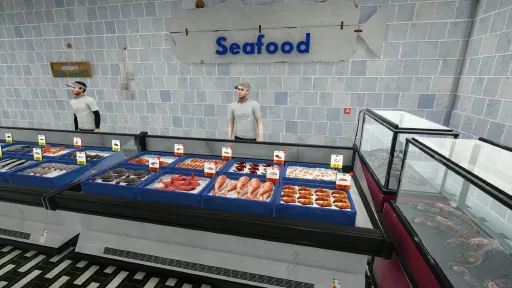
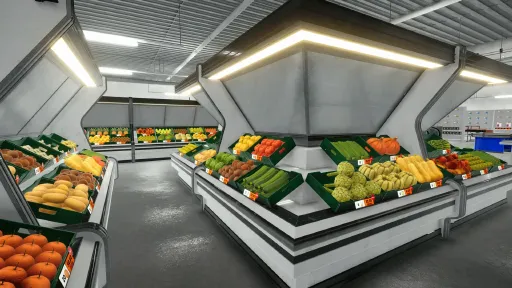
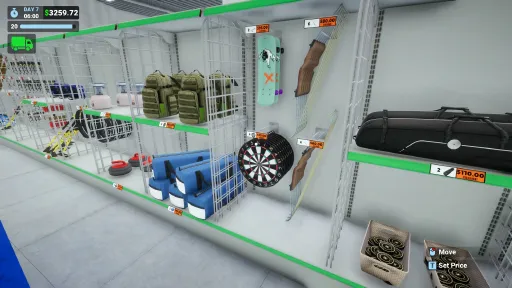
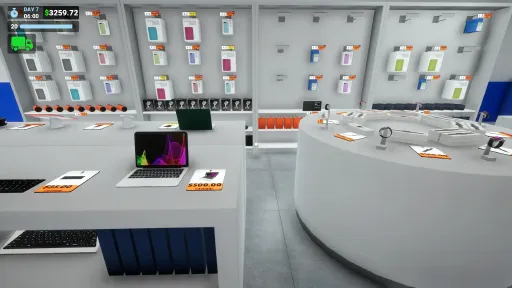
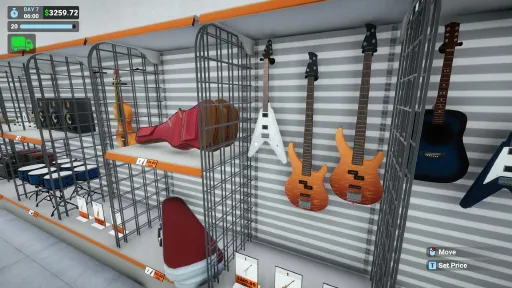
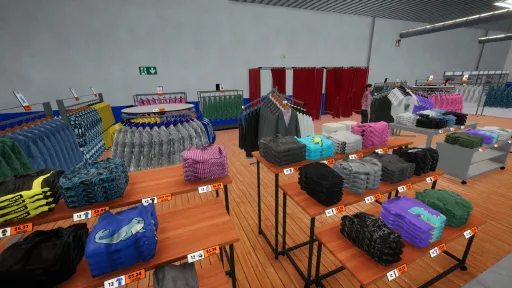
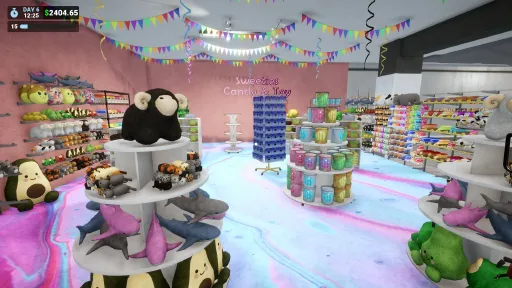
Start with $400; choose a department from clothing, toys, bakery, sports, grocery, music, buy your first shelves and products, open for business, and grow.
KEEP EVERY SHELF STOCKED
Monitor all departments, refill shortages fast, and don’t miss sales.
DEPARTMENT-SPECIFIC FEATURES
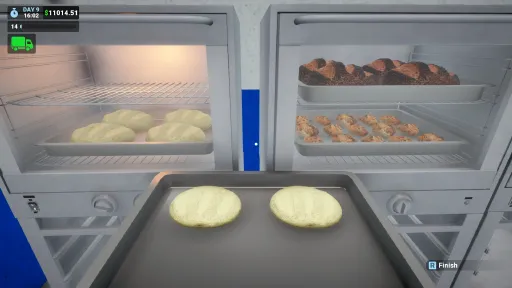
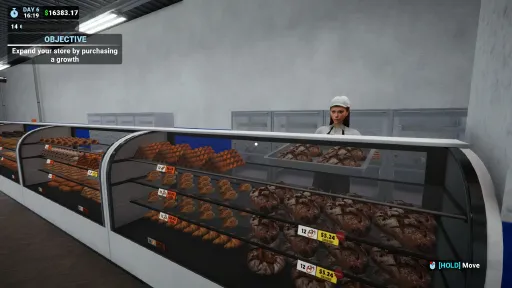
Each department comes with its own mechanics. In the bakery, order dough, purchase an oven, and bake your products.
STOCK MANAGEMENT
Track shelves in real time, top up any missing items, and unload trucks quickly with a hand truck.
GROW & EXPAND
Expand your megastore in any direction by purchasing new sections.
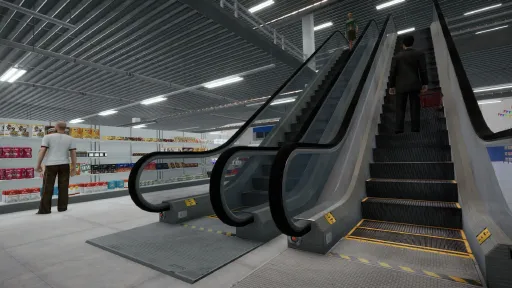
OPEN THE SECOND FLOOR
Open the upper floor to offer more space to your customers. Place departments wherever you like and make sure everything stays accessible.
MANAGE YOUR TEAM
Hire cashiers, stockers, bakers, and more; manage shifts and performance.
SERVICE ROOM & WAREHOUSE
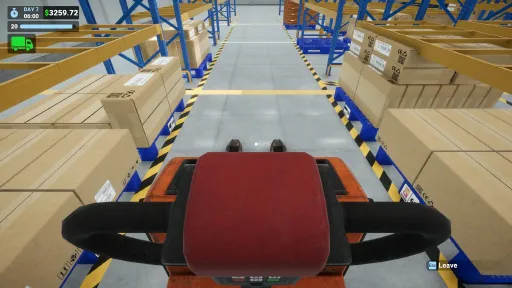
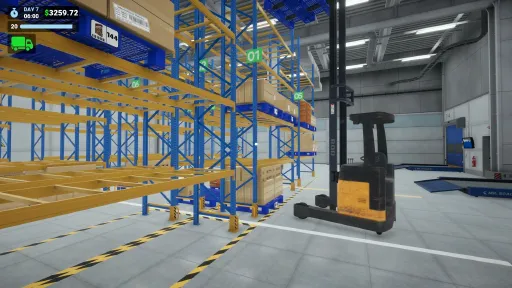
A massive warehouse with 4 truck loading bays and access to both floors.
Buy warehouse equipment like a pallet robot, forklift, and pallet jack.
Manage the entire operation with stock control panels and warehouse displays.
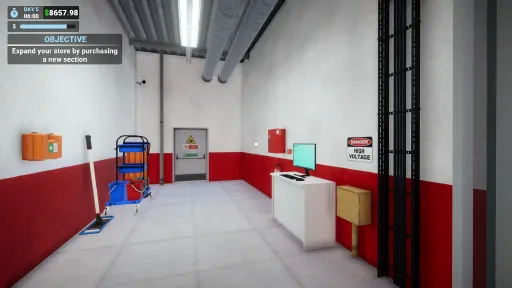
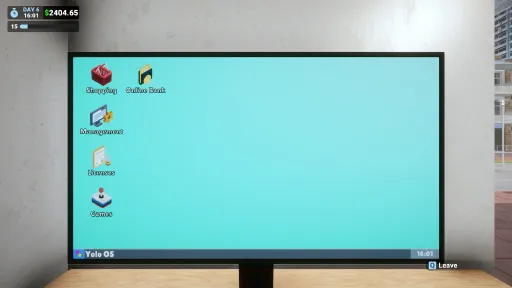
Keep items like computers and cleaning supplies in the service room to keep your store organized!
AND MUCH MORE
Attract more customers to your megastore with ads and product promotions.
Bring your store to life with talking, reactive NPCs.
Boost satisfaction with a returns desk.
Buy recycling bins and turn empty boxes into cash.
Decorate your megastore the way you like with department-specific decorations and furniture: fitting rooms, various wall and floor customizations, a bakery tray rack, and much more.
Screenshots
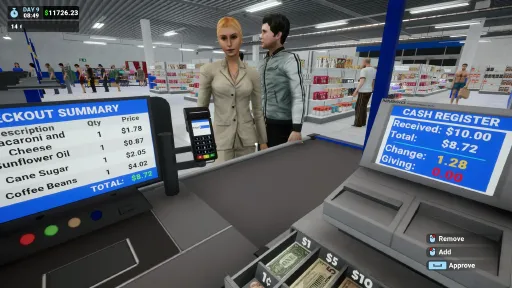
16 images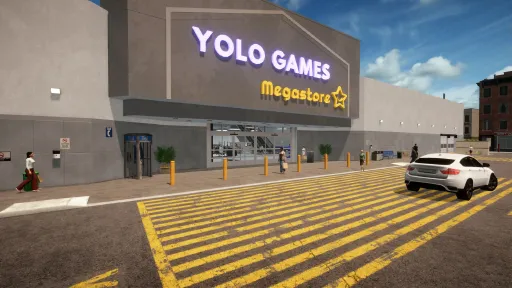
Version Information
Steam Patch Notes
Official update history
Hi everyone!
While work on Megastore: Tidy Up Together continues at full speed, I wanted to push another small bug fix and quality-of-life update for Megastore Simulator in the meantime.
I also didn't make a separate announcement for Version 0.7.1 since it was a very small hotfix and I didn't want to spam you with tiny updates, so I've included those changes below as well.
Version 0.7.2
Bakery products can now be placed into Generic Boxes.
Entrance Gates and Barriers are no longer blocked by Automatic Doors during placement.
Fixed the interaction boxes for Modern Grocery Shelf labels.
Box Shelf and Pallet labels now update correctly for Liquor products.
Prevented interactions through walls between the store and warehouse.
Fixed Signage text alignment when an icon is used, so the text now remains properly centered.
Slightly reduced the icon size on Small Signage for better proportions.
Made several small optimizations.
Version 0.7.1
Added controller auto-scroll support to the Decorations window.
Fixed an issue where one of the flowers could not be purchased.
Added direction indicators when placing Entrance Gates to clearly show the entry direction.
As always, I'll be keeping a close eye on your feedback and bug reports.
Development of Megastore: Tidy Up Together is moving forward at full speed, but I also want to keep improving Megastore Simulator along the way whenever issues come up.
Thank you for all the support and feedback!
This update includes several critical fixes, so I wanted to push it without waiting any longer.
Fixed an issue where the butcher could keep the meat grinder, cutting table, or shelf reserved, preventing certain items from being restocked.
Fixed an issue where the butcher could use furniture currently being used by the player.
Fixed an issue where the player could place a product on a cutting table or on a meat grinder while the butcher was approaching it. A reservation system has now been added.
Fixed a visual issue that could cause some guitars to display their secondary color incorrectly.
Made minor RAM usage and build size optimizations.
Added brand names to butchery products.
Thank you for your continued support. I’ll be looking forward to your feedback.
Fixes
Fixed an issue where restockers could sometimes leave boxes scattered around if the game was closed while they were working.
Fixed an issue where players could get stuck while placing a box.
Fixed the generic box disposal not updating stock counts correctly.
Fixed related cases where extra boxes could be moved to the Return Area, or boxes could remain stuck around pallet racks or box shelves.
Fixed an issue where tilted or rotated walk-in freezers could fail to register and cool every box inside properly.
Fixed blurry customer cash visuals.
Added the missing Sold Out texts to the new Music Department shelves.
Fixed an issue where some wandering people could walk through the road instead of using the sidewalk.
Fixed money and credit cards not being highlighted properly when the player is at the checkout desk.
Fixed small issues with the Golf Bag and one of the Sport Duffel items not fitting properly into the generic box or appearing misaligned.
Fixed visual issues on the Circular Music Shelf and guitar bags where price tags could intersect with products.
Fixed an issue where newly placed walk-in freezers could change their temperature from 6°C to 0°C in the next game session if the player had not manually adjusted the temperature.
Fixed an issue that could cause uneven walking on the second floor.
Improvements
The generic box now automatically selects the last taken item for easier use.
Added a sound effect for all recycle bin disposal actions that give money.
Reordered the equipment UI to better match progression and player needs.
Added a small offset to the Record Shelf, making CDs and records easier to see from the customer's eye level.
Made overall optimizations around the new Music Department items.
Reduced some oversized textures to improve performance and memory usage.
The game's physics and rendering are optimized further.
I will now be starting work on the Signage Update if nothing comes up. I am currently planning to release it early next week.
Feel free to join our Discord channel, where I am more active and get feedback directly from you.
As always, thank you all so much for your support, feedback, bug reports, and patience. As a solo indie developer, every report and every kind message helps me improve Megastore Simulator step by step. Thank you for playing and supporting the game!
Update Notes
Improvements & QoL
Added the ability to crouch, allowing players to get closer to bottom shelves or just lie down in the pool. While crouching, footstep sounds and head bobbing are synced with the reduced movement speed, which is 50% of normal speed.
Generic boxes can now be used to dispose of products into trash cans or recycle bins.
Updated the lobster tank water with a more realistic-looking version.
Improved product spoilage duration labels to prevent text overflow in some languages.
Fixes
Fixed an issue that could cause some furniture deliveries to arrive empty.
Fixed jumping issues. Players should now be able to jump properly on any surface.
Added a safeguard against restockers’ boxes spilling around instead of being returned to pallet racks or disposed of when quitting the game or ending the day while they are working.
Added a guard against a rare issue where bakers could place raw dough incorrectly.
Fixed some product overflows on tall beach shelves that caused items to be visible from under the shelves.
Fixed an issue where the upper-floor summer wall painting looked cut on the inner walls.
Fixed some naming mistakes on sunscreen and bug spray products.
Fixed an issue where some large music products could not fit into generic boxes.
Thank you all so much for your continued support. As a solo indie developer, every bug report, suggestion, review, and message helps me improve Megastore Simulator step by step.
I am planning to release one more update before the weekend, focusing on more improvements and fixes.
If you want to follow the development more closely, share feedback, or report issues, you can join our Discord. I am very active there and try to read everything
Discord channel: https://discord.gg/ewGHrHnZPn
Hello everyone, Update 0.5.3 is now available.
The main focus of this update is restocker efficiency. Restockers were sometimes walking much more than necessary, especially in larger stores and warehouses. They were not grouping their work between floors efficiently, and they were not planning their routes as well as they should.
With this update, a lot of unnecessary movement and redundant work have been removed. Restockers now plan their warehouse and shelf routes much better, finish first-floor jobs before moving to the second floor, and avoid unnecessary back-and-forth walking.
It is hard to give an exact percentage for the improvement, since it depends heavily on your store layout. However, in larger layouts, I expect this to make a very noticeable difference, potentially close to around 50% better efficiency in some cases.
Restockers should now work in a much more optimized and effective way, especially as warehouses continue to grow.
Restocker Efficiency & Warehouse
Restocker efficiency has been significantly improved.
Restockers now plan their warehouse pathing better to spend less time taking boxes from storage.
Restockers now group their work between floors more efficiently.
Restockers now finish assigned first-floor jobs before moving to second-floor jobs.
Restockers now take boxes from the Box Holding Area last, since it is usually already on their path toward the store.
Unnecessary restocker movement and redundant work have been reduced.
Fixed an issue where restockers could go to dispose of trash even when there were no boxes left on the trolley.
Fixed an issue where restockers could incorrectly place boxes in the Box Holding Area.
Fixed missing box issues. Missing boxes should now be properly returned.
Restockers will no longer block a pallet rack or box shelf if the box they picked up is already spoiled and needs to be disposed of
Cold Storage
Employees now only open the walk-in freezer doors when they are actually heading inside.
Employees now only close the walk-in freezer doors when they are leaving, and the player is not inside. No more restockers closing doors on your face ːsteamhappyː
Box Shelf & Pallet Rack
Box Shelf and Pallet Rack hover windows now show spoilage as a range for all contained boxes. This improves the user experience to follow the spoilage amount more closely.
All boxes now show their spoilage percentage, even when it is 0%, removing the confusion about whether the product is spoiling at that time.
Taking boxes from the box shelves with the trolley is now enabled.
Fixed an issue where Box Shelves allowed starting a movement while a box was still in the air, which could make them stuck on placement.
Box Handling
Fixed an issue from the previous version where restockers could leave boxes scattered on the ground if the game was exited or the day was ended while they were still working.
Fixed an issue where some of your stocks could be sent behind the megastore building upon interaction. Those boxes should now be properly returned to the storefront.
Info: This is not a new system, but I wanted to clarify how it works. When you exit the game or end the day, any boxes currently carried by restockers or unloaders are handled instantly. Boxes taken from racks or shelves are returned to their original place, boxes taken from the ground are moved to the Box Holding Area, and empty or spoiled boxes are sent to the trash.
Performance
Small optimizations have been made around physics, rendering, RAM usage, VRAM usage, and build size.
Known Issue
There is still a case where an empty Cold Storage object may not be packable. Restarting the game should currently resolve it, and a proper fix is planned.
I am also planning another update later this week. It will be a surprise content update, and I will continue fixing the remaining small Cold Storage-related issues. Thank you, everyone, for your reports and feedback.
Hello everyone,
I’m closely monitoring the transition friction some existing saves are experiencing with the Cold Storage update. This mostly affects older saves with large existing inventories, while new saves progress through Cold Storage much more naturally.
Just wanted to repeat some of the key points of spoilage to make it clearer.
Your old inventory does NOT spoil. There is no need to panic or rush your entire warehouse into Walk-in Freezers immediately.
Basically, products only spoil if they are stored at the wrong temperature on pallet racks or box shelves, or if they are taken from a truck and left on the ground for too long by the player.
Products that are already out of boxes will not spoil, and your employees will not cause products to spoil either. Your existing inventory is safe; only newly ordered boxed products are affected by this system.
This hotfix focuses on improving the Cold Storage experience, addressing reported issues, and making several gameplay systems smoother and less restrictive.
Quality of Life Improvements
Added a new option to convert Pallet Racks into Compact Pallet Racks when they contain 6 pallets or fewer.
This greatly reduces the work needed to transition existing storage into Walk-in Freezers.
Instead of fully unloading and reorganizing old racks, you can now remove only 4 pallets from a full rack and convert the remaining rack directly, making the %60+ of the transition automatic to the walk-in freezers.
The $200 price difference is refunded automatically.
Pallet positions do not matter. Only the total pallet count needs to be 6 or fewer.
Step 1. Unload pallets with the vehicle of your choosing if the rack has more than 6 pallets
[img src="{STEAM_CLAN_IMAGE}/45663444/159f4893c68bd7945c704470e506d1ca46f5f9e3.gif"]
Step 2. Convert Pallet Rack into Compact Pallet Rack by pressing "C"
[img src="{STEAM_CLAN_IMAGE}/45663444/faff64f377716e148e091083eced57d3da39ebe6.gif"]
Step 3. Move the compact pallet rack to the walk-in freezer with the needed temperature
[img src="{STEAM_CLAN_IMAGE}/45663444/cd7068992d825d5595b2da2c996b93f50314efae.gif"]Increased the walk-in freezer placement distance from 4.5 units to 9 units, making them much easier to place.
Walk-in Freezers now cost 50% less.
Bulk orders for Box Shelves now match the shelf’s full capacity.
Spoilage times have been doubled, making products more resilient and giving you more time to move them into proper storage.
Bay close buttons can now be interacted with while operating a pallet jack, using a trolley, or holding a box.
Balance Changes
Restockers and unloaders now move and work 15% faster.
Grocery and Bakery products now have an up to 50% higher chance of being picked in larger quantities from the same shelf.
This increases the sold item count for the Grocery and Bakery departments.
This does not reduce sales from other departments.
This does not negatively affect overall customer demand.
Fixes
Fixed an issue where spoiled dough could still be placed on trays.
Fixed an issue where individual product daily sales could be added incorrectly in the Statistics window for the last day.
Walk-in Freezer blockers have been made smaller, making placement easier and less restrictive.
Fixed an issue where custom sign colors were not saved if the selected color was not confirmed through the color palette window.
More quality-of-life improvements are already on the way. I’m aware of the remaining door-related issues, including restockers and employees interacting with doors in awkward ways or closing doors on your face when you are inside.
I’m also closely monitoring everything being reported by the community. Updates and polish will continue until the transition into Cold Storage feels smooth and comfortable for everyone. Thank you for all your support and feedback
Previously, Walk-in Freezers could be moved or packed by hovering over their control panel. With this hotfix, you can now also move or pack them by hovering over the front face/door side, just like regular furniture.
Fixes & Improvements
- The front face of Walk-in Freezers can now also be used for moving and packing, making them much easier to interact with.
- Fixed an issue where warehouse dock unlocking could be offset by one expansion.
- Fixed an issue that could prevent changing the game language.
Hello everyone,
This update mainly focuses on the new Product Sales Statistics screen, along with several fixes and improvements based on your feedback.
Product Sales Statistics Window
[img src="{STEAM_CLAN_IMAGE}/45663444/49e67a14cd2b745508d73f294e8c8a51e5777745.png"]
A new Product Sales Statistics screen has been added to the Statistics window.
With this new screen, you can:
View product-based sales data
Sort products by name or sales amount
Filter products by department
Open a sales graph for each product
Check daily sales separately in the product graph
This screen was added to make product-level analysis easier and clearer.
Improvements. Controller support has also been added for the Product Sales Statistics window.
Fixes & Improvements
Fixed an issue where employees were not spawning properly.
Fixed an issue where newly purchased and assigned products were not displaying profits properly in the Price Management window.
Fixed an issue where some statistics could appear one day off.
Fixed a restocker issue that could cause empty boxes to get stuck on pallet racks or be left on the ground.
Some minor optimizations have been made.
About Restocker / Empty Box Issues
For restocker-related issues, you can usually avoid problems by waiting until restockers finish their current jobs before making major changes around pallets, racks, or product assignments.
This helps prevent edge cases where a restocker is already in the middle of a task.
What’s Next
The generic box feature is also coming soon in another small update.
In the meantime, please keep reporting bugs. Even if you have already reported an issue before, if it is still not fixed and you think it is important, please report it again. I may have missed it, and I will be closely watching your feedback during this period.
Thank you all for your great support. I’m very happy to be part of this community, and I’ll keep bringing more updates to the game <3
Made some size and RAM optimizations
Fixed several box and shelf layout issues related to the new toy items
Fixed the warehouse spot that was blocking pallet rack placement
The head bob setting now also stabilizes carried objects and hand truck movement
Fixed an issue that could make the top toy display shelves invisible when viewed from behind
Fixed a small visual misalignment on the new toy labels and improved their visual quality
Added another safeguard for missing products from external mods to help prevent initialization issues
Thank you all again for the support. I’ve been following your feedback closely and will keep working on more updates throughout the weekend. Loan options are also coming soon.
If you run into an initialization issue, please first try updating your mods. If it still does not work, try removing the external mods for now and loading the game again. External mods can sometimes break after updates by nature, though I also plan to move this to a more robust foundation over time.
Fixed an issue where boxes could disappear when dropped at the right corner of the warehouse. This was a side effect of the missing box return fix.
Fixed a bug where moving a pallet rack while interacting with warehouse equipment could cause the interaction to get stuck and prevent unloading the carried pallet.
Fixed an issue where the selected amount in the shop window could change when using filters and was not being saved per product.
Fixed an issue where only 31 employees of the same type were shown in the Manage Employees window, even when the player had more.
Fixed an issue that allowed more than 99 pallet racks to be placed.
Fixed an issue where the most sold product was not visible in the End Day Report. If you already started a day before this fix, it may still appear empty until the next day.
Fixed an issue where unloaders could get stuck in an infinite loop on pallet racks.
Made some optimizations for fish products, some grocery products, and insulated boxes.
Fixed a bug where furniture could be placed in the air right after opening a box.
Fixed an issue where newly placed checkouts and self-checkouts appeared slightly larger than normal.
Fixed a money exploit that could occur when an item’s price was set very high at a specific moment during item pickup.
Added a safety measure for a rare issue where restockers could dispose of non-empty boxes. They can still carry boxes to the trash, but those boxes will now automatically be moved to the return area while the root cause is still under investigation.
Fixed a bug where pallet highlights could remain visible after leaving the vehicle.
Fixed a bug where the wrong pallet could be highlighted when a pallet rack was moved during interaction.
Updated the Music License window to include missing items such as CDs, basses, violins, and violin bags, and improved it visually.
Next update will be more focused on QoL improvements, including employee pausing, allowing restockers to refill shelves above the 50% threshold when they have nothing else to do, more stock filter options, warnings for bulk storefront orders, and more.Don’t forget to join the Discord. I’m online for around 16 hours a day right now, and every bug is currently my top priority. If you run into any critical issues, you can contact me directly there.
My goal is to make the game feel very stable and much smoother to play by the end of this bugfix and QoL week, so I can then focus more comfortably on new departments with deeper mechanics.
Thank you very much for all the support.
Fixes & Improvements
Fixed a rare issue where restockers could place the wrong items or change labels incorrectly. This is now safeguarded from multiple angles.
Fixed a rare issue where cashiers would stay idle and not serve customers.
Fixed floating boxes on pallets (cases where boxes could appear suspended with empty space underneath).
Fixed invisible products on some crates.
Fixed unpaintable walls in certain growth sections.
Prevented packing ovens while products are stored on lower trays.
Fixed occasional paint roller rotation animation issues.
Optimizations
Improved performance for paintable floors, walls, and similar systems.
Medium and low graphics settings are now more performant.
Visual Changes
Improved appearance of some floor types.
Reduced warehouse pillar size by 20% and optimized their collision areas.
Fixed an issue where multiple vending machine customers using the same machine at the same time could get stuck or start moonwalking.
Fixed an issue where vending machine customers were not contributing to level progression.
Added a Fill Pallet option to the product ordering window on the computer.
Floor tiles are now 1/4 smaller, allowing for more detailed and customized paintings.
Existing paintings have been removed due to the new tile size. Apologies for that, but they had to be wiped to allow more custom layout options with smaller tiles.
Painting animation speed has been increased by 2x.
Fixed an issue where newly purchased warehouse equipment would not start delivering until the game was restarted.
Fixed issues related to using the handtruck while going upstairs.
Optimizations: reduced RAM usage, reduced VRAM usage, smaller build size, and fewer excessive logs.
Note: Because of the issue mentioned above, where multiple vending customers could use the same machine at the same time, you may have previously been getting more vending customers than intended. Now that this has been fixed, the number of vending customers may feel a bit lower as things return to normal. You will still receive a reasonable amount of vending customers, and they now also contribute properly to experience progression.
Current Release
Build 25783899
Uploaded Oct 08, 2026
System Requirements
How to Install
Megastore Simulator.exe to play
Troubleshooting tips
• Run Redist/_CommonRedist installers if game won't start
• Add folder to Windows Defender exclusions
• Run as administrator
Download
Direct link available
Needed when extracting (WinRAR / 7-Zip) — not a site login.
4B054F6A
e8b6022455d39c585fb0a39a41ac8daf29988db1b76ad21c297a598f1ea28289
You May Also Like
View All









Download Megastore Simulator for PC with a direct link or via torrent. Get the full version of Megastore Simulator for free. Megastore Simulator is a Casual released by Yolo Games Studio.