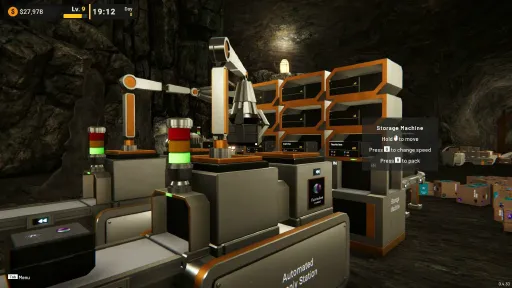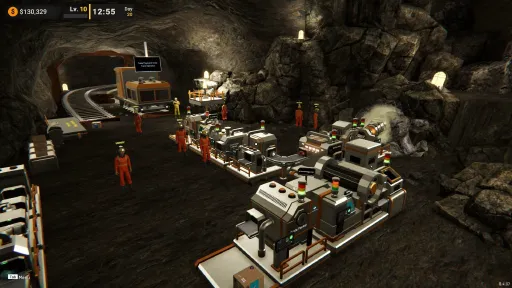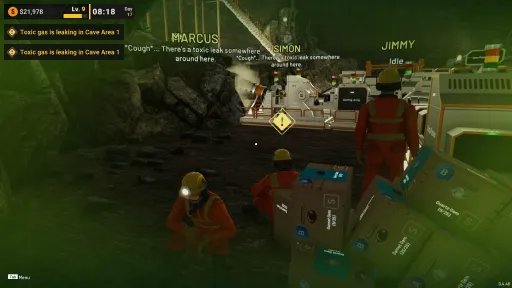
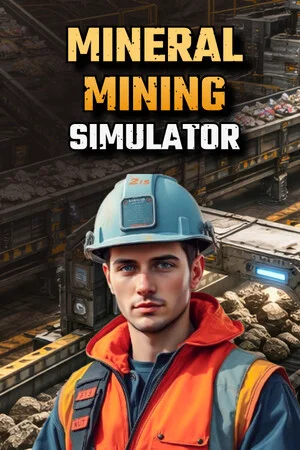
About the Game
From Mining to Masterpiece
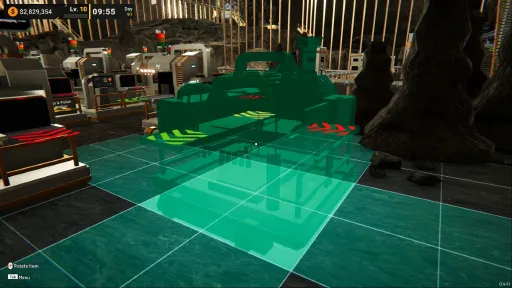
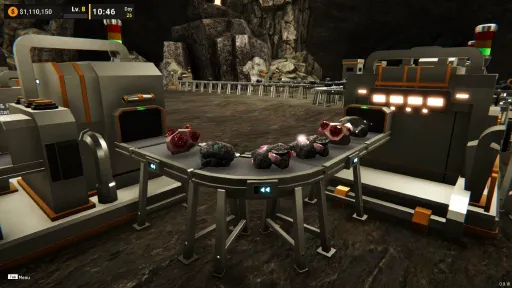
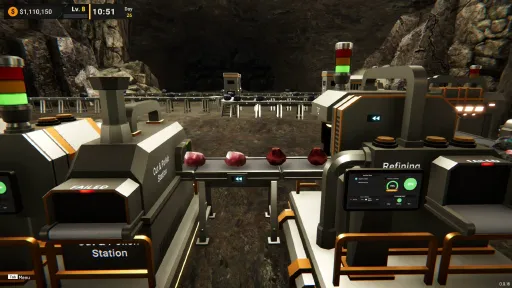
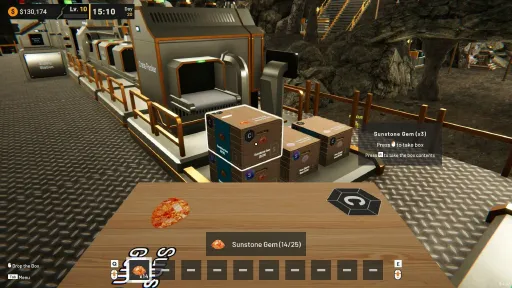
Mine ore, process it into fragments, and refine them into valuable gemstones. Build and optimize your production line from extraction to cutting and polishing. A stable supply and efficient management will determine how fast your operation grows.
Machines and Flow
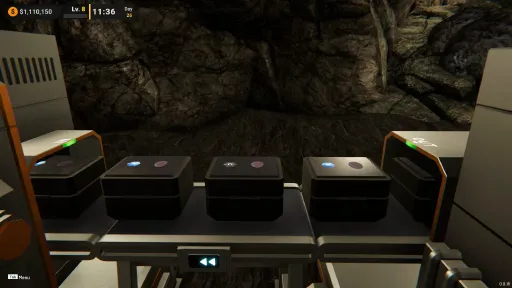
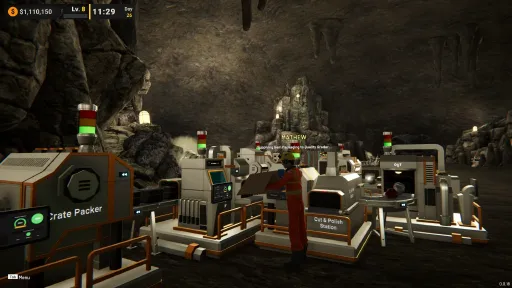
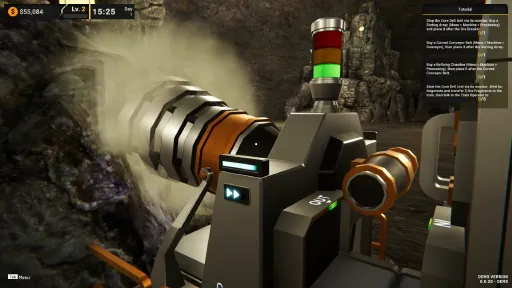
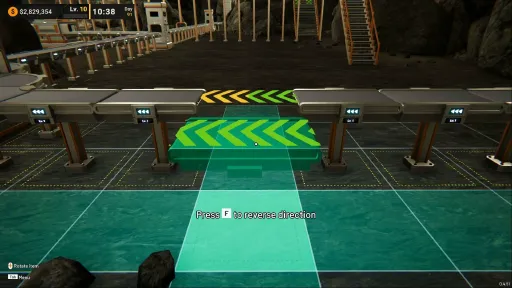
Build your production chain using a variety of machines and utilities. Place equipment with intent, connect each stage, and keep materials moving without stalls. As new machines unlock, you can expand into parallel lines, higher throughput setups, and smoother automation.
Expansion and Growth
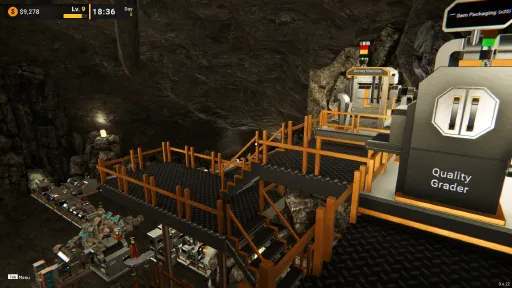
Grow from a compact mining facility into a larger operation with greater capacity and more processing options. Expansion is not just about adding space. It is a chance to redesign your workflow, remove bottlenecks, and improve overall stability.
Employees
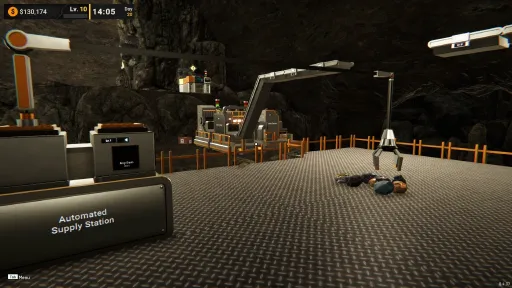
Bring in employees to handle routine work so your operation stays active while you focus on planning, upgrading, and improving efficiency.
Build it step by step, improve the flow one bottleneck at a time, and enjoy the moment when a rough ore pipeline turns into a reliable gemstone factory.
Screenshots
13 images
Version Information
Steam Patch Notes
Official update history
Hi miners, 😄
Thank you very much for your continued support, feedback, bug reports, and suggestions. We really appreciate everyone who keeps sharing their experience with the game, especially the reports and feedback that help us identify where the gameplay flow can be improved further.
In this update, we are focusing on several quality-of-life and workflow improvements related to crate handling, crate packer behavior, and inventory convenience. Some of these changes come directly from community feedback, especially around crate merging and crate stability problems that could disrupt production flow.
As always, we will continue reviewing feedback step by step and process improvements gradually based on priority and feasibility.
Here is what is available in the latest version.
Main Updates
1. Employee Crate Merge Behavior Updated
Based on player feedback, we updated the Employee Crate Merge behavior with several important improvements.
The updated behavior now works with the following rules:
Employees will prioritize taking the nearest partially filled crate with the largest size for the merge process
The merge target will be the smallest and nearest partial crate, with priority given to crates on the ground first, then crates stored on the rack
We also updated the post-merge handling behavior:
If an empty crate is created as a result of the merge process, it will now be removed automatically, whether it is on the ground or on the rack
For the merged crate result, if there is no suitable crate dropping zone after the merge, the employee will:
Place it in front of the nearest rack with the same rack focus
Or place it near the supply drop zone area
This update is intended to make crate merging more reliable, reduce leftover crate clutter in the workflow, and choose the higher capacity crate to make storage more efficient.
[img src="{STEAM_CLAN_IMAGE}/45999470/1245703c66b1fe4860ba2d0633ba209c7d0222bc.jpg"]
[img src="{STEAM_CLAN_IMAGE}/45999470/49d639fc67772b7096ef0eeeb57946bf3197c696.jpg"]
2. Crate Packer Behavior Updated
We listened to feedback from the community regarding crate piles at the Crate Packer that could often fall apart or become unstable.
Because of that, we overhauled the output system of the Crate Packer so crates are less likely to collapse after being produced. This will happen for the first 8 level of stacking, after that the system will use the old stacking system and can sometimes make the crate falling.
Please note that this is still our first iteration for this improvement, so if you have additional feedback after trying it, please feel free to let us know. We choose to do this solution to find the balance between performance and usability.
Also, this updated behavior only applies to newly created crates. Older crates that were already in a messy or unstable state will remain as they are.
[carousel autoadvance="true"][img src="{STEAM_CLAN_IMAGE}/45999470/c8cd2d8fe2e3c9ffadbe13f4c5e64ccf8af39b03.jpg"][img src="{STEAM_CLAN_IMAGE}/45999470/8dc24b208685da28db1c76eca20ddbc49d46125f.jpg"][img src="{STEAM_CLAN_IMAGE}/45999470/8568957fa4bc1acba73969030182789ea52daee2.jpg"]
3. Hand Inventory Can Now Stack Machine and Equipment Items
We added the ability to stack machine and equipment items in the Hand Inventory.
With this update, the same machine or equipment item can now be grouped into a single inventory slot instead of taking separate space for each one.
Please note:
This only applies to machine and equipment items (marked with new stackable icon)
It does not apply to Product or Supply items
One hand inventory slot can now hold up to 99 of the same item
If the stack reaches 99, the remaining items will continue into the next available slot
This should make hand inventory management much more convenient, especially during rearranging or larger building sessions.
[img src="{STEAM_CLAN_IMAGE}/45999470/38462e257db51077b6154e6b4bb5e1888817a9f8.jpg"]
Improvements
1. Item Collector Machine Can Now Accept Packaged Items
The Item Collector Machine can now also accept packaged items as input.
This means players can now create specific pipeline setups that use the Item Collector Machine on lines that already contain packaged items, giving more flexibility for production flow design.
[carousel autoadvance="true"][img src="{STEAM_CLAN_IMAGE}/45999470/ede2703bc4a8c774dfb83d26f214a89934d9dcfc.jpg"][img src="{STEAM_CLAN_IMAGE}/45999470/079605889983966eb679037b9dccd5e93de6ce39.jpg"]Once again, thank you very much for your support, feedback, and reports. We will continue reviewing player input and improving the game step by step based on feasibility and impact.
If you encounter bugs or defects, please report them through the in-game report feature or through the Steam Discussions page. Suggestions are also always welcome and help us make the game better over time.
See you in the next update!
[dynamiclink href="https://store.steampowered.com/app/3972190/Mineral_Mining_Simulator/"]
Hi miners, 😄
Thank you very much for your continued support, feedback, bug reports, and suggestions. We really appreciate everyone who keeps sharing their experience with the game, whether through reports, quality-of-life requests, or ideas that help us improve the overall gameplay flow.
In this update, we are focusing on progression for machine speed and production throughput, especially for drilling, utilities, and conveyors. We are also including several smaller improvements and fixes to make interactions, visuals, and building behavior feel more polished.
As always, we will continue reviewing feedback step by step and process improvements gradually based on priority and feasibility.
Here is what is available in the latest version.
Main Updates
1. Drill Machines Can Now Be Upgraded
We added upgrade support for Drill Machines so they can produce drilling results faster.
Just like Conveyors and Utility Machines, these upgrades are affected by the player’s current level and available money. As the Drill Machine becomes faster, its production output will also become higher, so make sure your pipeline is ready to handle the increased flow properly.
[img src="{STEAM_CLAN_IMAGE}/45999470/d1036ad5f6a4bce3ee270d9fbe6615aee56e8986.jpg"]
[carousel autoadvance="true"][img src="{STEAM_CLAN_IMAGE}/45999470/57f7f5b7c05532cf721c3861ad391c8e0736e510.jpg"][img src="{STEAM_CLAN_IMAGE}/45999470/222080a5fc1c330c7cd6e141872de8bed452c774.jpg"]2. Upgrade Limit Increased for Utility, Conveyor, and Drill Machines
We increased the maximum upgrade limit for Utility Machines, Conveyors, and Drill Machines from Level 3 to Level 6.
With this change, players can now reach much higher operating speeds and build faster production systems than before.
[carousel autoadvance="true"][img src="{STEAM_CLAN_IMAGE}/45999470/32d933420999b90983b3a77a28d0c7f1f2c3c183.jpg"][img src="{STEAM_CLAN_IMAGE}/45999470/62bce579970b707fa2ad141d816d11b2a996e262.jpg"][img src="{STEAM_CLAN_IMAGE}/45999470/7f60edeb82351087bec5bdd705e9cf9a943013c2.jpg"]
Improvements
1. Platform Hover Distance Adjusted
We adjusted the hover distance for Platforms so platform information no longer appears too easily while the player is simply walking nearby.
After this update, interacting with a platform from a slightly farther distance will require the player to move closer and look downward more clearly. This should reduce unwanted hover popups during movement.
[img src="{STEAM_CLAN_IMAGE}/45999470/9369fef3695526a4f06333e1b8ee24602adfd371.jpg"]
2. Automatic Supply Machine Speed Now Follows Its Upgrade Level
We updated the speed of the Automatic Supply Machine so its robotic arm now works faster based on its current upgrade level.
This should make upgrades feel more meaningful for players who rely on it for production flow and storage handling.
[carousel autoadvance="true"][img src="{STEAM_CLAN_IMAGE}/45999470/c588a47dcbb5f26a7bafa2064c57950128825f37.jpg"][img src="{STEAM_CLAN_IMAGE}/45999470/4ebca347edeac75d95acc911d4d4dd4c8d22b0f6.jpg"]Bug Fixes
1. Rack Top No Longer Clips with Platforms
Fixed an issue where the upper part of a rack could clip into a platform.
This has been resolved by adjusting the rack shape so it is now shorter.
2. Filter Machine Height Requirement Fixed
Fixed an issue where a platform could incorrectly be placed above the Filter Machine at a height of 2 meters due to a glitch.
The correct required height is 3 meters, and this has now been fixed.
3. 3D Labels and Icons No Longer Stay Too Dark
Fixed an issue where some 3D labels or icons were not affected properly by lighting and could appear too dark.
4. Missing Materials on Some New 3D Models Fixed
Fixed missing materials on several new 3D models that could cause them to appear pink.
Once again, thank you very much for your support, feedback, and reports. We will continue reviewing player input and improving the game step by step based on feasibility and impact.
If you encounter bugs or defects, please report them through the in-game report feature or through the Steam Discussions page. Suggestions are also always welcome and help us make the game better over time.
See you in the next update!
[dynamiclink href="https://store.steampowered.com/app/3972190/Mineral_Mining_Simulator/"]
Hi miners, 😄
Thank you very much for your continued support, feedback, bug reports, and suggestions. We really appreciate everyone who continues to share their experience with the game, whether through issue reports, quality-of-life requests, or ideas that can help make the gameplay flow feel more comfortable over time.
In this update, we are still focusing on quality-of-life improvements, especially for interactions that players use frequently during building, moving objects, and handling boxes. While these changes may look smaller, they are still important for making the overall gameplay feel smoother and less tiring during longer play sessions.
We have also included several bug fixes based on reports from the community. As always, we will continue reviewing feedback step by step and process improvements gradually based on priority and feasibility.
Here is what is available in the latest version:
Improvements
1. Previous Rotation State Is Now Preserved When Placing New Objects
Based on quality-of-life requests from the community, we added support for preserving the previous rotation state when placing a new object.
This means that after placing one object, the next object you place can keep the same rotation direction as before. This should make deployment and object placement more convenient, especially when building repeated layouts, without needing to manually rotate the object again every time.
Please note that this rotation memory only applies to machines outside the Mining category. For Platforms, there is a separate temporary rotation preserve system. Equipment items are not affected by this rotation memory feature.
This means the main focus of this update is on pipeline-related items such as Utility Machines, Conveyors, and other processing machines.
[carousel autoadvance="true"][img src="{STEAM_CLAN_IMAGE}/45999470/424c505faf514cb3d287908b69f6e2f02ab2cdee.jpg"][img src="{STEAM_CLAN_IMAGE}/45999470/b24acfffdf93c850652b2d6de670d844ba3d983f.jpg"][img src="{STEAM_CLAN_IMAGE}/45999470/0510e1d74bdad70d493dd9253b221e20448a74e9.jpg"]
2. New Playstyle Setting for Faster Move Object Hold Delay
Based on feedback from the community, large-scale rearranging can take too much time because moving objects requires a relatively long hold input.
To help with this, we added a new Playstyle Setting that allows players to speed up the hold delay used for moving objects. With this option, the hold duration can be set to feel much shorter than the default value.
This should make larger reorganization work feel smoother and less time-consuming.
[img src="{STEAM_CLAN_IMAGE}/45999470/34df2b75b294797c67688afa63f7b197a7ace9e5.jpg"]
[img src="{STEAM_CLAN_IMAGE}/45999470/458a90a71f4b95ee083bab1157818f63aee4e918.jpg"]
3. Empty Boxes and Crates Can Now Be Returned to the Box Generator
We added the ability to return empty Boxes or Crates back to the Box Generator using the drop box action, which is Right Mouse Button by default.
This should help players more easily recover from situations where too many empty boxes were taken by mistake, allowing them to be returned directly instead of being left unused or throwing to the trash bin.
[img src="{STEAM_CLAN_IMAGE}/45999470/fd3d758e24e5cebe89c6a98519f45237382f9f8a.jpg"]
[img src="{STEAM_CLAN_IMAGE}/45999470/605a006d668542e942b6072304375d85436600c3.jpg"]
Bug Fixes
1. Sales Location Demand Empty Issue Fixed
Fixed an issue where item demand in Sales Locations could become empty after the randomizer pool ran out.
In the latest version, this condition has been fixed, and any previously empty demand will now be updated to a new valid target.
2. Train Employee Settings Quantity No Longer Counts Wrong Grade Items
Fixed an issue where the Train Employee Settings target quantity could still count items with a different grade than the specified target.
This should now correctly follow the defined grade target.
3. Duplicate Popup Detection Fixed
Fixed an issue where a popup could be detected as duplicated, which could create unnecessary load during the game process.
4. Challenge Not Displaying Progress
Fixed an issue where the Challenge not displaying the correct progress after load game. The internal calculation is still fine and only the UI that was not displaying the correct information.
5. Incorrect Train Capacity Upgrade Target Display at Certain Levels
Fixed an issue where the Train Capacity Upgrade target could display the wrong capacity value when previewing the highest currently available upgrade level.
Once again, thank you very much for your support, feedback, and reports. We will continue reviewing player input and improving the game step by step based on feasibility and impact.
If you encounter bugs or defects, please report them through the in-game report feature or through the Steam Discussions page. Suggestions are also always welcome and help us make the game better over time.
See you in the next update!
[dynamiclink href="https://store.steampowered.com/app/3972190/Mineral_Mining_Simulator"]
Hi miners, 😄
Thank you very much for your continued support, bug reports, and feedback. In this update, we are focusing on several quality-of-life improvements based on player experience, especially around Sales Location demand balancing, employee handling, train and utility upgrades, and supply purchasing convenience.
We have also included several bug fixes related to Supply Rack state saving, crate behavior in the train, and clearer employee idle information.
Here is what is available in the latest version.
Improvements
1. Sales Location Demand Rebalanced
We rebalanced Sales Location Demand so early areas will no longer request high-grade gems.
Demand has now been adjusted based on the availability of higher-grade gems from each Sales Location access level. This should make progression feel more reasonable and better aligned with what players can actually produce at that stage.
For players who already received high-grade gem demands in early areas, you can refresh the demand to get the updated version.
[img src="{STEAM_CLAN_IMAGE}/45999470/a5d0f4df97038898c7440c69e26b9dd2de5cadff.jpg"]
2. Unstuck Button Added for Employees
We added an Unstuck button for employees.
Based on reports from players, there are situations where an employee can get stuck and the only way to recover them was by reloading the game. With this new button, available in the Employee Menu, players can now unstuck employees individually.
When an employee is unstuck:
Their current task will be interrupted
They will be teleported back to their starting position
After that, they will recheck their configured work algorithm and continue based on their current settings
[img src="{STEAM_CLAN_IMAGE}/45999470/1160ff94a99cc36999824d1c7d603232f879a4ec.jpg"]
3. Employee Task Information Updated for Box Merge
We added new Employee Task Information to explain the box merge ability for the Rack Supply Stocker task.
This should help players better understand that this task can also handle merging partially filled boxes as part of its workflow.
[img src="{STEAM_CLAN_IMAGE}/45999470/0a2c5f736489bf2efc99bcf59dbdbf9820678a1d.jpg"]
4. Upgrade Popup Now Supports Upgrade to Maximum Available
The Train and Utility upgrade popup now includes an option to upgrade directly to the maximum available level.
This means players no longer need to repeat upgrade confirmations one by one. The system will automatically consider:
Your current money
The highest upgrade level currently accessible based on your player level
This should make the upgrade process much faster and more convenient.
[carousel autoadvance="true"][img src="{STEAM_CLAN_IMAGE}/45999470/3bb048da4d715aef72b19dc37cc96a042bcf724e.jpg"][img src="{STEAM_CLAN_IMAGE}/45999470/edd499977c491b140865bac522b82908f3b81893.jpg"]5. New 1x1 Slope Conveyor Variant Added
We added a new 1x1 Slope Conveyor variant.
This was added based on community feedback, as shorter slope conveyors are still needed as an additional variant for more flexible and varied layout building.
[carousel autoadvance="true"][img src="{STEAM_CLAN_IMAGE}/45999470/ae14eacdd2c5415f277b10094fef274850c4b372.jpg"][img src="{STEAM_CLAN_IMAGE}/45999470/16426eb6c8e8794facf3b571f266b403126b7670.jpg"]6. Added +10 and +1 Buttons in the Supplies Menu
We added Add to Cart +10 and Add to Cart +1 buttons in the Supplies Menu.
This should make purchasing larger quantities much easier without requiring repeated clicks for every item.
[img src="{STEAM_CLAN_IMAGE}/45999470/5c40a3d1cc19c8d13bf796a312f750a8011f6eba.jpg"]
7. Added Hover Information for the Storage Machine
We added hover information to the Storage Machine to explain that players need to use an Automated Supply Station if they want to retrieve items stored inside it.
This was added because many players did not realize this functionality, as it was previously only shown in the machine description at the time of purchase.
[img src="{STEAM_CLAN_IMAGE}/45999470/61bd39782f0effd75cae036aec181e7cbfd11489.jpg"]
8. Survey Mining Spot Hover UI Improved
We improved the Survey Mining Spot hover UI by widening the information area, making it easier to read which items and grades are currently shown.
This should help players check survey results more clearly when hovering over a mining spot.
[img src="{STEAM_CLAN_IMAGE}/45999470/3028ff3c00c2a52ea36adf9658686cbdcd0fd37f.jpg"]
Bug Fixes
1. Supply Rack Box Fill State Now Saves Properly
Fixed an issue where the Supply Rack did not save the Box Fill state after loading the game.
2. Crate Sinking in Train Fixed
Fixed a bug where crates could sink inside the train if they were placed too quickly.
3. Employee Idle State Information Improved
Fixed a condition where certain employee states would only display as Idle without providing clearer information about why the employee was idling.
4. Controller Navigation in Tutorial Popup Fixed
Fixed an issue where controller navigation did not work properly in the Tutorial Popup.
5. Mirrored Core Drill Machine Placement on Temporary Mining Spot Fixed
Fixed an issue where the Mirrored Core Drill Machine could not be placed on a Temporary Mining Spot after neutralizing a Toxic Gas Leak.
Once again, thank you very much for your support, feedback, and reports for Mineral Mining Simulator. We will continue reviewing player input and improving the game step by step based on feasibility and impact.
If you encounter bugs or defects, please report them through the in-game report feature or through the Steam Discussions page. Suggestions are also always welcome and help us make the game better over time.
See you in the next update!
[dynamiclink href="https://store.steampowered.com/app/3972190/Mineral_Mining_Simulator/"]
Hi miners, 😄
Thank you very much for your continued support, feedback, bug reports, and suggestions since the Early Access launch of Mineral Mining Simulator. This is our first update after launch, and we have already received a lot of valuable input from the community.
For this week, we have prepared a number of improvements and updates based on that feedback. Not all recorded suggestions are included in this update yet, and we will continue processing them step by step in an iterative and incremental way based on feasibility and development priority.
Here is what we prepared for this week:
Main Updates
1. Gem Randomizer and Mining Spot Variant Overhaul
We received a lot of feedback about gem progression feeling too routine in some areas while also being too varied during the early game. Because of that, we made several adjustments to the gem randomizer and mining spot results.
The changes include:
The gem randomizer ratio has been updated, and getting higher grades now depends more on surveying the mining spot properly. Surveying will help unlock access to higher grades as well as additional crystal mineral variants.
The gem processing flow has also been rebalanced so it no longer produces too many items after crushing and cutting.
[img src="{STEAM_CLAN_IMAGE}/45999470/f888e9d998a585679e91dfd27f89bbb6ccefedd5.jpg"]
Previously, crushing and cutting both had a chance to increase item count, which could create overly large final output numbers. With the latest version:
Crushing still has a chance to produce 1 or 2 items
Cutting no longer adds another extra quantity chance
This should make the final item output feel more controlled and balanced.
[img src="{STEAM_CLAN_IMAGE}/45999470/4cfe0786d01bd0f24b1c228dd6a365d1bd01a976.jpg"]
2. Mineral Ownership Detection Updated
We updated how the game records whether a mineral type has been owned or discovered.
Previously, there were situations where players could not select a certain Focus Commodity because the game had not yet considered that mineral as owned or previously found.
With this update, mineral ownership detection is now recorded once the mineral reaches the Ore Breaker output, so the type is registered earlier in the discovery data.
[img src="{STEAM_CLAN_IMAGE}/45999470/82c797ce0b4ef08b0d38283ed50d423e6fc7d4da.jpg"]
3. New Playstyle Settings Mode on the Tablet
We understand that every player has their own preferred way to play, so we introduced a new Playstyle Settings menu in the Tablet.
This menu allows players to adjust certain gameplay-affecting options. For this first stage, based on community feedback, we have added the following options:
[img src="{STEAM_CLAN_IMAGE}/45999470/490fc766f39d46608524b52d2b224693f1e991c8.jpg"]
Toxic Gas Leaked Event Frequency
Players can decide how often Toxic Gas Leaked Events should occur, or disable them entirely for a more relaxed experience.
[img src="{STEAM_CLAN_IMAGE}/45999470/fc5e2ecc7758661f59ac35c1c39619e1c39c4946.jpg"]
Platform or Machine Support Pillar Visuals
Players can choose whether the visual support pillars for platforms or machines placed above should be shown or hidden.
[img src="{STEAM_CLAN_IMAGE}/45999470/afc74aa78a6c1686cbb980a93042ce9e0d2046fb.jpg"]
We already have more playstyle-related ideas recorded, but for now these are the first two options we have finished implementing.
4. Toxic Gas Leaked Event Survey Popup Added
We added a Survey Popup related to the Toxic Gas Leaked Event.
This popup will appear when you successfully neutralize your first Toxic Gas event. Your answer in that survey will determine the playstyle option for Toxic Gas Leaked Events in your game going forward.
This setting can still be changed later through the Playstyle menu on the Tablet.
[carousel autoadvance="true"][img src="{STEAM_CLAN_IMAGE}/45999470/c3bfd5142b98cd85c44f7ae96d910563b45de011.jpg"][img src="{STEAM_CLAN_IMAGE}/45999470/dd8f0946bd552b071395888741cf5baac6245d6c.jpg"]5. Toxic Gas Leaked Event Rebalanced
Based on player experience, internal testing, and feedback gathered from discussions, we concluded that the appearance rate of Toxic Gas Leaked Events needed rebalancing.
In the latest version:
The frequency of Toxic Gas Leaked Events has been reduced
The bonus mining spot content that appears after neutralization has also been rebalanced
This should make the event feel less overwhelming while still keeping it meaningful.
[img src="{STEAM_CLAN_IMAGE}/45999470/c80598f1b241bb4776b4aa60dd69a3aa86db8c52.jpg"]
6. Employees Can Now Merge Partially Filled Crates
Employees can now merge the contents of partially filled crates with other crates of the same item type that are also not full. This behavior is included in the Supply Rack task, so employees will first try to fill crates more efficiently before placing them back onto the rack.
This update was added based on player feedback, especially from situations around the Crate Packer Machine where partially filled crates could be store by employee because the crate is tumbling down.
[carousel autoadvance="true"][img src="{STEAM_CLAN_IMAGE}/45999470/82185bd63203eabe452c278b6dce14a14397910a.jpg"][img src="{STEAM_CLAN_IMAGE}/45999470/d2fc0cd7cd895b662b84fcfe5550c59fbda4fadc.jpg"]7. Train Employee Settings Now Count Total Items Instead of Total Crates
Based on feedback from the community, we updated the Train Employee Settings system because the previous setup could feel confusing in certain situations.
Previously, the target was counted based on the number of crates, which could create a problem when employees loaded crates that were not completely full. In that situation, the expected target amount might not actually be reached.
With this update, the system now counts the target based on the total item quantity instead of total crates. This means that even if some crates are only partially filled, employees will continue loading until the total targeted item amount has been reached.
[img src="{STEAM_CLAN_IMAGE}/45999470/c323f7af1370bcf3ddbd17f0fa9f1885f36374d0.jpg"]
8. Train Delivery Process Updated
We updated the Train Delivery process so the operational cost is no longer charged at the beginning.
Instead, the travel cost is now deducted from the income earned after delivery. This change was made based on community feedback, because paying the travel cost upfront could create soft-lock situations when the player had less money than the required trip cost.
[img src="{STEAM_CLAN_IMAGE}/45999470/e82aeac3facf54c00e6714cc1a27e21f62e069bd.jpg"]
[img src="{STEAM_CLAN_IMAGE}/45999470/89f64c3b708b441de2523049eeea8416ff57ee12.jpg"]
9. New Conveyor Variants Added
We have seen players build many interesting layouts, so we decided to add new Conveyor Belt variants with longer sizes:
[img src="{STEAM_CLAN_IMAGE}/45999470/c4578b842dd130a9676414f75ef66172c6207c7d.jpg"]
1x3 Conveyor
1x5 Conveyor
These new variants should make it easier to build for longer or more distant areas without needing to place as many short conveyor sections.
[carousel autoadvance="true"][img src="{STEAM_CLAN_IMAGE}/45999470/cbe85b0fe5c061a9ffdaabb894650f681e392388.jpg"][img src="{STEAM_CLAN_IMAGE}/45999470/d446a905c9cb3158b07fc96646954e478f437816.jpg"]Improvements
1. Employee Upgrade Costs Rebalanced
We rebalanced the employee upgrade costs so they are more accessible during the early stages of gameplay.
2. Employee Base Movement Speed Rebalanced
We rebalanced the base movement speed of employees, so the starting speed is now faster and the maximum possible speed is also higher.
3. Toxic Gas Handling Employees Now Have Temporary Immunity
Employees assigned to handle Toxic Gas Leaked Events will now have temporary immunity while processing neutralization, as long as the Toxic Filter Machine and Neutralizer Kits are already prepared.
[img src="{STEAM_CLAN_IMAGE}/45999470/97e88833e4c4d0e301008b81e9ea3d0966765638.jpg"]
4. Train Employee Settings Default Value Updated
We updated the Train Employee Settings so the default Any Products value will now automatically increase its target based on the latest maximum capacity.
This only applies if the setting has never been manually changed by the player.
[img src="{STEAM_CLAN_IMAGE}/45999470/1a3fb41b91ac6e5ead4b18ff7f49fc6c1be15f0c.jpg"]
5. Added easier access to Train upgrades and Employee Settings
Now, these options are no longer only available through the Employee Train NPC. Players can also access them directly by hovering over the Train, so upgrading capacity and changing Employee Settings no longer feel separated across different access points.
[carousel autoadvance="true"][img src="{STEAM_CLAN_IMAGE}/45999470/78bf0271fdd861f494b867041e0f99786256d916.jpg"][img src="{STEAM_CLAN_IMAGE}/45999470/29147cd45d0f0ed671e5a306ec677cdd759a3bb5.jpg"][carousel autoadvance="true"][img src="{STEAM_CLAN_IMAGE}/45999470/256ae64e706126aa079a3e1a2654c4e70be9c206.jpg"][img src="{STEAM_CLAN_IMAGE}/45999470/e64d1735d6a64c837d443915a1ea9cf8b2902e2a.jpg"]6. Travel Cost to the Mining Depot Is Now Free
We changed the travel cost to the Mining Depot so it is now free.
This helps prevent possible soft-lock situations when players have very little money.
7. Platform Price Rebalanced
We rebalanced platform prices so they are now cheaper and easier to access.
8. New Setting for Toxic Gas Visual Effect
We added a new option in Game Settings that allows players to choose whether the green visual effect during Toxic Gas Leaked Events should be shown or hidden.
9. Faster Skip Animation Timing
We sped up the skip animation process. Previously, players had to wait around 3 seconds, and now the skip response is faster.
[img src="{STEAM_CLAN_IMAGE}/45999470/e2cde4ee5b1127cd70b56fed74ab718696c0cdf3.jpg"]
10. Several Tutorial Localization Issues Updated
We fixed and improved several localization issues in the tutorial.
11. Global Log Localization Issues Updated
We also updated localization issues in the Global Log information.
Bug Fixes
1. Box Packer Machine (Mirrored) Monitor Access Fixed
Fixed an issue where the Box Packer Machine (Mirrored) monitor could not be accessed.
2. Potential Fix for Certain Survey Machines Not Processing
Added a potential fix for cases where certain Survey Machines would not start processing after a Survey Kit was inserted.
3. Translation Issues in Several Locations and Event Triggers Fixed
Fixed translation issues in several locations and event triggers.
Once again, thank you very much for all the support, feedback, and suggestions you have shared since the Early Access launch. Every discussion we have responded to means that we have already noted that feedback, so please do not worry if your suggestion is not included in this update yet. It may already be in our backlog for a future update, or it may still be in a deeper planning stage for implementation.
If you encounter bugs or defects, please report them through the in-game report feature or through the Steam Discussions page. We will continue monitoring both and processing updates step by step.
See you in the next update!
[dynamiclink href="https://store.steampowered.com/app/3972190/Mineral_Mining_Simulator/"]
Current Release
23697224
Uploaded Jun 19, 2026
Update already requested
Uploaders have been notified
A newer version is available but not yet uploaded
Help keep this updated
Login Required
You need to be logged in to request game updates. Would you like to go to the login page?
Request Update
Request an update for Mineral Mining Simulator? This will notify uploaders that this game has an available update.
Request Submitted
Your update request has been submitted successfully! Uploaders will be notified.
Request Failed
Failed to submit update request:
System Requirements
How to Install
Mineral Mining Simulator.exe to play
Troubleshooting tips
• Run Redist/_CommonRedist installers if game won't start
• Add folder to Windows Defender exclusions
• Run as administrator
Download
Direct link available
2.2 GB
23697224
B21A364E
a6be11e97c881eb668f473b9cca7a81c55b3b5afcc98652c8e4bf1acffa41ee3
You May Also Like
View AllDownload Mineral Mining Simulator for PC with a direct link or via torrent. Get the full version of Mineral Mining Simulator for free. Mineral Mining Simulator is a Casual released by Bewolba Studios.