





About the Game
There is one rule of brick sorting. Everyone learns it the hard way.
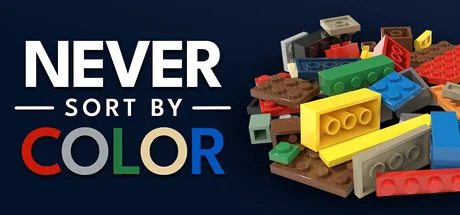
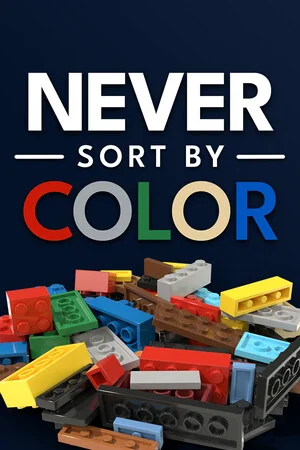
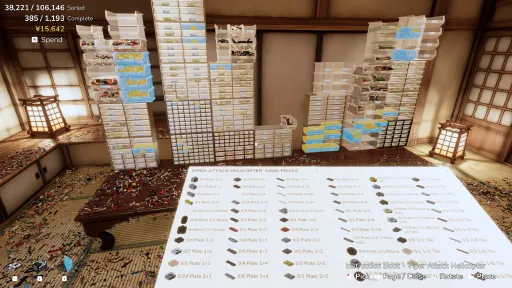
You've inherited a workshop and a Pile that swallowed it whole. Never Sort By Color is a zen organization sim about setting it right - sorting an impossibly huge mountain of plastic bricks into a perfectly labeled workshop, one satisfying handful at a time.
Tame the Pile
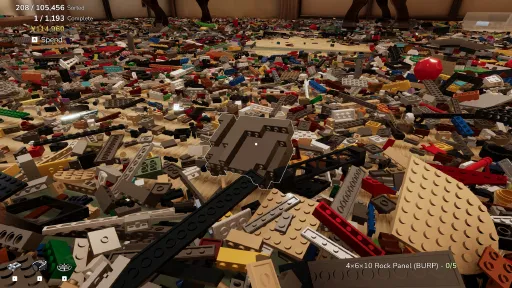
The Pile doesn't look conquerable. That's the point. Start by picking out bricks one at a time, and grow into an unstoppable sorting machine:
Magnet Glove - aim at a part and every loose copy rips out of the Pile and streams into your hand.
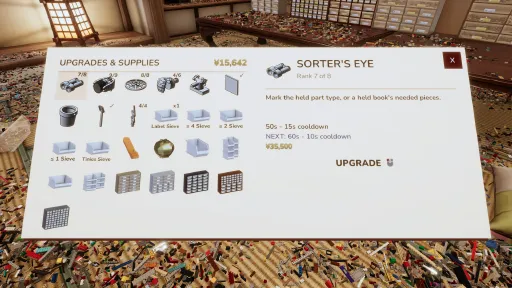
Sorter's Eye - mark a part type and watch every instance glow through the chaos.
Sieve Tray - scoop, shake, and let gravity sort a whole load by size in one motion.
Bucket Sort - bind bins to hotkeys and fling bricks blind over your shoulder, pure muscle memory.
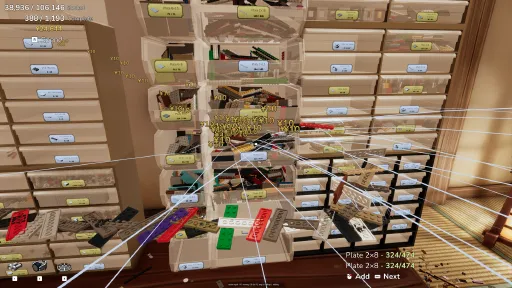
Locators - hold up any brick and its home drawer lights up across the room.
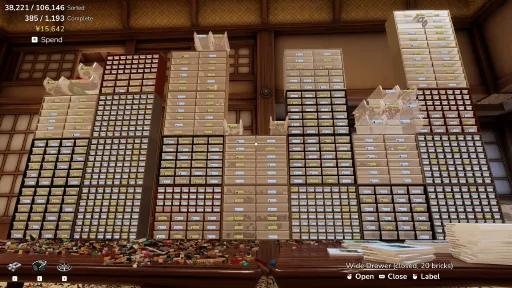
Buy bins, trays, and cabinet walls. Stack them into towers. Label everything. Watch the floor appear.
Pull the parts. Watch it build.
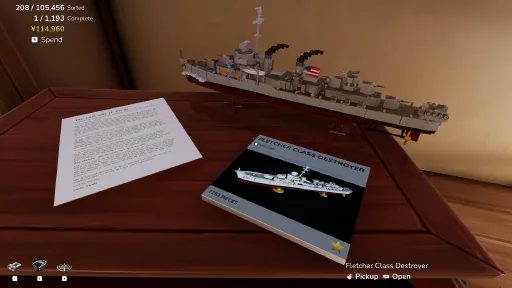
Instruction books lie scattered around the workshop, each one a MOC waiting for parts. Crack one open, pull its bill of materials from your perfect drawers, and watch the model build itself, brick by brick - a time-lapse of parts flying up and clicking into place, stud by stud.
This is where your sorting pays off or bites. Honest drawers mean a full kit pulls in seconds. A contaminated drawer means the tray rejects your wrong part right in front of you.
Finished models don't ship away - they fill your workshop. A fire truck on the windowsill. A spaceship hung from the ceiling. Pick one up and swoosh it around the room. I won't tell.
Chaos in. Order out.
One workshop, one enormous Pile, one deeply satisfying loop.
No timers, no fail states - just you, the bricks, and the quiet click of things going where they belong.
Every brick you sort visibly shrinks the mountain. The before/after is the game.
The Rule
Sorting by color feels right. It looks beautiful. And every brick collector on earth will tell you the same thing: you will never find anything again.
Sort by part. Always by part.
Never. Sort. By. Color.
Screenshots
7 images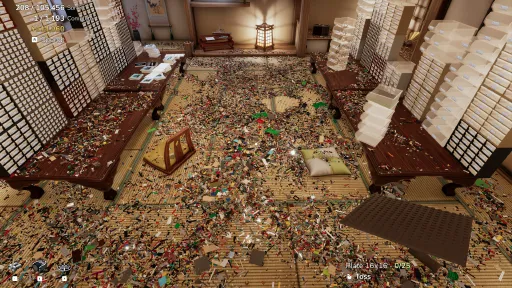
Version Information
Steam Patch Notes
Official update history
October 28 update
The name of whatever you aim at now sits under the crosshair, placement snaps square to the room, scooping into a carried bin keeps every brick, and lost saves come back.
Lost saves
- On some PCs, Windows doesn't always hand the game a Documents folder when it starts. The game then saved inside its own install folder and couldn't find that save on the next launch. It now always uses the real Documents folder and also finds saves left in the install folder. Two players lost long games this way, and both saves were safe.
- If you started a new game after a save went missing, the new game could take the old save's name and keep it hidden. The old save now shows up in Load as its own entry.
Easier to read
- The name of the brick you aim at now sits just under the crosshair instead of in the corner. A player found that glancing at the corner all session strained her eyes, especially when telling similar plates and tiles apart.
- Bins, books, models, cabinet drawers and buttons name themselves there too. Drawers show their label, whether they're open and how many bricks are inside, and buttons say what they do, like "Radio - Next Track".
- Sorter's Eye pulses white and dark blue, and some parts that lost their outline a few meters away now light up from across the room.
- Sorter's Eye also works while you hold a bin labeled for a single part, and marks every loose piece of that part.
- The label menu has a search box. Type a name or a part number and it searches the whole catalog, and "2x4" finds "2×4".
- Two different pieces were both called "3×3 Dish". One is now "Dinner Plate". A player pointed it out.
- The decorative fan was translated as an electric fan in every language but English. It's a folding fan now. A player reported the Japanese.
- The spend indicator in the top left no longer pulses every minute.
- The Restore Missing Pieces button fits its text in every language.
Placing things
- Bins, cabinets and everything else you set down start square to the room, facing whichever way you're mostly looking, so separate drawer sets line up. Holding the rotate key or stick still lands on 15 degree steps, so you can't overshoot. A player asked for this.
- Instruction books can be rotated while closed or while you're placing them. Opening a book straightens it, and rotating an open book in your hand still spins its model.
- A stack of bins could be set down with the upper bins inside a wall, and their bricks spilled onto the floor. The whole stack has to fit now. A player had two sorted bins spill this way.
Bins
- Scooping several bricks into a carried bin dropped every brick still in the air as soon as the first one landed. They all land in the bin now. A player reported it.
- Bricks scooped in quick succession could end up overlapping inside the bin.
- Setting a bin down while bricks are still flying into it leaves them loose in the bin like the rest.
- Bins and drawers now match their walls exactly, so bricks no longer sit inside the plastic. The Wide Bin still takes a 32x32 baseplate.
- Bricks no longer sink into the back corner of the Bin and Wide Bin.
Controller and keys
- B crouches on a controller in Walk and Explore modes and follows your Walk / Crouch hold or toggle setting. LB is just Scoop now, so it no longer ducks you. Ctrl still crouches on keyboard. A player asked for this.
- The flashlight on a controller is LB + RB, so zoom works while you hold Scoop.
- The tutorial showed Ctrl twice, which looked like you had to hold both. A player tried.
- Labeling a bin no longer stands you up when crouch is set to toggle. A player reported it.
Models and water
- Boats set down on water sit at their water line instead of on top of it. That covers the warships, both tugboats and the Lifeguard Boat with Trailer.
- Models splash when you put them on water, lift them out, or drive or fly them into it.
- The spider web on the Secret Agents Home Riviera Extension was upside down and poking out the bottom.
Fixes
- Plates poured near the wooden pillars could sink into the tatami, where only Sorter's Eye and the Magnet Glove could reach them. The pillars and the floor are fixed. A player reported it.
- On a controller, the shop's buy confirmation now shows which button is selected. On a Steam Deck it looked like the popup wasn't responding. A player reported it.
- More sounds can play at once, so busy moments cut fewer of them off.
- The fan's back is no longer see-through. A player noticed.
Sort by part. Always by part.
Never. Sort. By. Color.
- Bryan
[dynamiclink href="https://store.steampowered.com/app/4876650/Never_Sort_By_Color/"]
October 17 update
A Flashlight upgrade, a Music Volume setting, autosaves that no longer freeze the screen, and fixes for getting stuck in Walk Mode.
Flashlight
- New upgrade: Flashlight. It lights up wherever you look and throws real shadows across the pile. Press F, or LB and the right stick on a gamepad, to switch it on or off, and rebind it in Controls. It is in the demo too.
- It goes dark while the upgrade book is open, so the pages stay readable.
Music and options
- The Options menu has a Music Volume slider under Volume. The menu music and the radio both follow it, and the radio's knobs change the same setting. Many of you asked for this one.
- The radio knobs go all the way down to 0 again.
- The radio's volume used to live in your save. It is a game setting now, so everyone starts at the default once and keeps their choice across saves.
- The title screen music could keep playing at full volume after loading a big save, drowning out the radio. It now fades out as soon as the load finishes while the radio fades in.
- New Temporal Anti-aliasing toggle in Options. Turning it off removes the smear while the camera moves. A player asked for this.
- Motion blur is now switched off at the source, so it can't sneak back in.
- The "Change the radio volume" tutorial step is gone, now that Music Volume sits where everyone looks for it.
Autosave
- Autosave no longer covers the screen. A small AUTO-SAVING... label shows in the top right corner instead. A player asked for this.
- The autosave hitch is a fraction of what it was: under a tenth of a second in my tests, down from three quarters of a second.
- Saves are written to a temporary file first and swapped in at the end, so a crash or power cut in the middle of a save leaves your previous save intact.
Walk Mode
- Switching from Drone Mode to Walk Mode while hovering just above furniture could bury you inside it. Two players got stuck this way, one in the window cupboard and one under the low tables. Now you land on top, or get nudged to the nearest spot where you fit. If there is nowhere to stand, the switch is refused with a blip and you stay flying.
- Loading a save where you are stuck inside furniture puts you back at the start of the room.
Vehicles
- Crashing a big vehicle at full speed could drop the frame rate to a crawl. Wrecks now fan out away from the impact and the pieces join the physics a batch at a time, so even the Crane 18 Wheels comes apart smoothly.
Controls
- Holding Primary now waits 0.3 seconds before grabbing the second piece, down from half a second. Toss, scoop and empty use the same delay.
Fixes
- Loose bricks inside a cabinet can now be picked up through it from any side, not just through an empty slot. A player had bricks stuck behind the drawers.
- The 4-petal flower plate was labeled "1x1 Flower, 5-Petals". The label now reads 1x1 Flower, and both shapes still go in the same bin. A player noticed.
Sort by part. Always by part.
Never. Sort. By. Color.
- Bryan
[dynamiclink href="https://store.steampowered.com/app/4876650/Never_Sort_By_Color/"]
October 15 update
This one is big: Walk Mode and zoom, a new Tidy upgrade, faster model building, a rebuilt car suspension, and a long list of fixes from your reports.
Walk Mode and zoom
- Walk Mode joins the Tab rotation, after Free Look and Drone Mode. You walk at roughly human height, with gravity, jumping and crouching. Several players told me they wanted to walk, not fly. Now you can.
- The fly up and down keys jump and crouch while walking (E, and C or Q, by default). You pass straight through brick piles and models instead of climbing over them.
- Hold Z, the middle mouse button or the right stick to zoom, in any mode. Mouse look slows down to match, and the pieces in your hand get bigger too. Clicking the right stick used to dive, which B already does.
- The Options menu has a Move Mode dropdown in place of the old Drone Mode toggle. Your old setting carries over.
Tidy
- New upgrade: Tidy. Aim at a bin or a drawer, open or closed, and press T (D-pad down on a gamepad). The matching pieces pack themselves into neat rows, as tight as they go. It is in the demo too, although it costs 100k at the moment.
- In a labeled bin, pieces that don't belong get moved to the label side, where they are easy to spot and pick out.
- A tidied bin stays exactly as it is when you carry it and set it down. No collapse, no frame drop.
- Scooping bricks into a bin you are carrying lays them flat in the same neat rows instead of standing them on end.
Building models
- Click several drawers while building and they all feed the model at once, instead of waiting in a queue. At end game a model can be built in 30 seconds.
- Scoop pulls from drawers now. While holding a book, hold Walk and Primary and every drawer in the circle with a part the model needs opens and sends it over.
- A finished model drops to the floor with a thump instead of hanging in the air where the book was. Planes and helicopters still hover.
- Finished buildings snap side by side again, on any face, so modular buildings line up.
- Finishing a model low over the floor or right against a wall could push it under the floor or through the wall. Three players lost a car this way. That's fixed, and loading your save brings back anything already stuck.
- A gold bin label now also shows how many of that part are built into models.
- The progress readout reads Pieces, Parts and a new Models line that counts the models you have built.
Model fixes
- 1x2 corner tiles were turned a quarter turn wrong, so they stuck up off the floors in Modular Malfoy Manor, The Consulate, Red Speedster and White Roadster. They lie flat now.
- Parts that sat in exactly the same place as a neighbor flickered. I nudged them apart in every model.
- The wheel hubs on the Single Engine Light Aircraft sat crosswise in their tires. A player reported it. Fixed there and in four other models with the same part.
- Red Canopy's canopy closes properly, its tires are visible again, and its steering wheel no longer spins like a wheel when you drive.
- Models you have already built keep the old parts. Build them again to get the fixes.
Vehicles
- I rebuilt the car suspension from scratch. Cars no longer vibrate or creep around while idle.
- The camera no longer jitters while you steer.
- The hallway floors and ramps now match the boards you see, so cars stop floating above them or catching on ramp edges.
Controls
- Holding Primary now waits half a second before the second piece, so a click picks up one piece. Players were grabbing too many by accident. Toss, scoop and empty wait the same.
- Throwing a brick at a closed drawer labeled for it slides the drawer open and the brick flies in. Hold to stream more while it opens.
- If the brick in your hand is behind a wall or under the floor, throwing it now flies it out to just above your crosshair instead of failing with a knock.
- A free-spinning mouse wheel could freeze the game while rotating a held piece. Fixed, and wheel rotation is capped to a sane speed.
- The label menu has a trash can button in its header in place of the Remove label row. The header buttons now highlight when selected with a controller. A player couldn't tell they were there.
- Teleporting in Explore Mode has its own sound.
- New tutorial steps: Switch move mode, Try zoom, and Change the radio volume, since some players couldn't find the music volume. "Find a part a book needs" now says "Find a piece a book needs".
Fixes
- Saving while carrying a cabinet with an open drawer could shrink that drawer's bricks on load. A Japanese player found this one.
- A small drawer in a large slot came back as a large drawer after loading.
- Closing a drawer while a brick was flying into it left that brick impossible to pick up. Loading a save frees any bricks already stuck this way.
- Bricks lying in a cabinet slot with no drawer can be picked up now.
- The HUD and crosshair could stay hidden after an autosave overlapped the upgrade book. That can no longer happen.
- The autosave screen dims the game much less, and autosave runs every 20 minutes instead of 15.
- Picking up the Zaisu now drops the bricks sitting on its seat.
- Opening drawers to pull parts for a model no longer knocks other bricks out of them.
- Bricks on the floor of the starting room no longer turn black in places.
- Outlines, magnet streams and the HUD do far less work every frame, so heavy sorting runs smoother.
Feedback
- Feedback screenshots came out washed out on screens wider than 1080p. They match the game now. A player noticed.
- On a slow connection, feedback gave up on the screenshot and log after 60 seconds. It now waits as long as the upload keeps moving.
Sort by part. Always by part.
Never. Sort. By. Color.
- Bryan
[dynamiclink href="https://store.steampowered.com/app/4876650/Never_Sort_By_Color/"]
October 10 update
A quick follow-up to yesterday's update: a rebuilt controls menu, cleaner key rebinding, a faster shuttle, and a batch of collider fixes from your reports.
Controls
- The controls menu is a table now: one row per action, keyboard and mouse in one column, gamepad in the other. Key names are written out instead of tiny glyphs. Two players told me the old list was hard to read. They were right.
- Rebinding a key that another action already uses swaps the two, so one key never drives two actions. A Polish player bound raising a container to Space and found Space also emptied it. That can no longer happen.
- Escape cancels a rebind in progress, and a bar under a key marks anything you have changed from the default.
Holding bricks
- Pieces in your hand are spaced by their size, so a baseplate no longer clips through its neighbors.
- The hand sorts itself when you pick something up: biggest pieces first, duplicates side by side. By part, never by color.
- The selected piece now sits in front of the others instead of peeking out from behind.
- When you hold more than one piece, the selected one wears a white outline so you can tell which one a toss or place will act on.
- The readout in the bottom right changes color while it names something in your hand, and shows how many pieces you are holding.
Vehicles
- The Small Shuttle is twice as fast.
- Flying into a wall at an angle no longer wrecks the shuttle. Only your speed straight into the wall counts, so a graze is a scrape.
- Flying vehicles slide along a wall instead of stopping dead, the way the car already did.
Fixes
- Bricks freed from a wrecked model you built by hand now show up to Sorter's Eye, the Locator and the Magnet Glove, and count as stock for your bins.
- The selection outline no longer catches a brick's flight trail.
- Reworked the tree colliders and the wall colliders at the footboards so bricks stop sliding under the walls.
- Fixed the bridge collider and the water under it. You can fly under the bridge again.
- Brick flight trails came out thin or fat on bricks that had been scaled, such as cargo in a held bin or mirrored parts in a model. They are the right width now.
- Fixed two errors from crash reports: one when a brick was destroyed mid-frame, one when picking up the Brick Separator.
Saves and feedback
- If your Documents folder refuses writes, which OneDrive and some other cloud sync tools do, saves now fall back to a local folder, and the load menu finds saves in either place. Two players hit this.
- The feedback form asks for an email address now, so I can reply.
Sort by part. Always by part.
Never. Sort. By. Color.
- Bryan
[dynamiclink href="https://store.steampowered.com/app/4876650/Never_Sort_By_Color/"]
October 9 update
A round of options, drawer polish, and fixes from your reports and videos. Thanks for sending them in. Keep them coming through the feedback form on the pause menu.
New
- Options menu: a fullscreen toggle, a resolution picker, and a frame rate limit (unlimited, or 30 up to 240).
- Language and resolution are dropdowns now, and keyboard or gamepad navigation keeps the highlighted entry in view.
- Physics quality is detected on first launch with a quick benchmark. You can still change it in Options.
- Shift+Space steps back to the previous piece in your hand. A player asked for this.
- Demo: the New Game screen now says it outright. Your demo saves carry over to the full game.
Improvements
- A drawer you open while holding an instruction book closes itself once the book has pulled what it needs.
- A drawer refuses to open if you are standing in its way instead of launching its contents at you.
- Pulling pieces from a drawer or bin with a book held runs at your Quick Hands speed.
- Brick flight trails get shorter as Quick Hands gets faster, so the screen stops filling with lines.
- Locator highlights no longer flicker while streaming bricks at high speed.
- Holding a bin now shows the aimed brick in the bottom-right readout.
- The feedback box is taller, wraps long lines, and scrolls so you can see what you are typing.
- Cabinets have baked ambient occlusion, so drawer slots read as recessed. Fixed z-fighting on cabinet backs and corners while I was in there.
- Drawer slides are smoother. Cargo rides along without colliders until the drawer finishes opening.
- Menu text stays sharp after a resolution change.
- "LOD Bias" is now "LOD (Level of Detail) Distance", and the physics quality labels fit in every language.
Fixes
- A car finished by hand would pitch onto its nose and stay stuck when driven. Thanks to the player who sent the video.
- Car tires no longer sink into the table in drive mode.
- Bricks that slipped under the tatami room floor are returned to the drop point, so a last piece can no longer become unreachable. From a player report.
- A drawer that ran out of needed pieces could be left open while thinking it was closed.
- Rapidly opening several drawers with a book could stall piece pulling.
- Holding Space or a gamepad button no longer blocks the pick-up button. From a player who could not pick anything up.
- Fixed the cherry tree and waterfall colliders.
Sort by part. Always by part.
Never. Sort. By. Color.
- Bryan
[dynamiclink href="https://store.steampowered.com/app/4876650/Never_Sort_By_Color/"]
Current Release
Build 26603652
Uploaded Nov 13, 2026
System Requirements
How to Install
Never Sort By Color.exe to play
Troubleshooting tips
• Run Redist/_CommonRedist installers if game won't start
• Add folder to Windows Defender exclusions
• Run as administrator
Download
Direct link available
Needed when extracting (WinRAR / 7-Zip) — not a site login.
You May Also Like
View All







Download Never Sort By Color for PC with a direct link or via torrent. Get the full version of Never Sort By Color for free. Never Sort By Color is a Casual released by Bryan Livingston.