







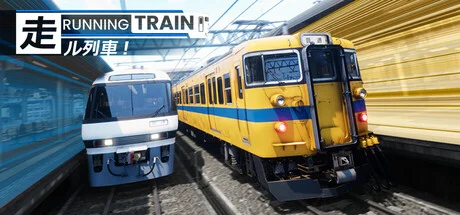
RUNNING TRAIN | 走ル列車!
by Novatetsu Games · 24 May, 2026
194 downloads
About the Game
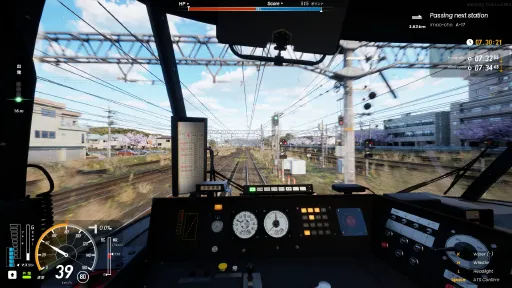
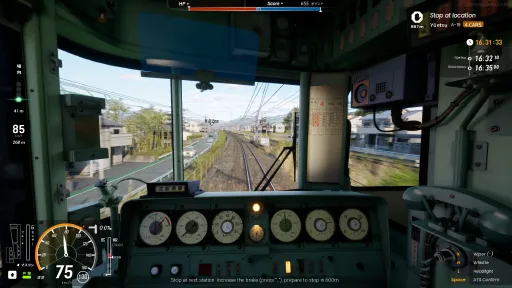
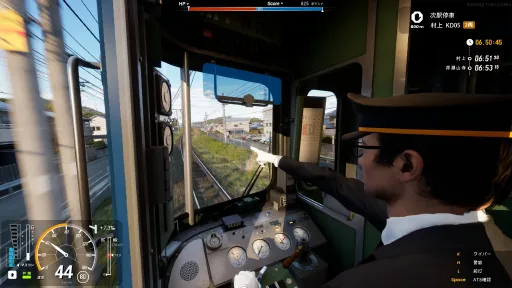
HOP ON OPERATOR'S CABIN!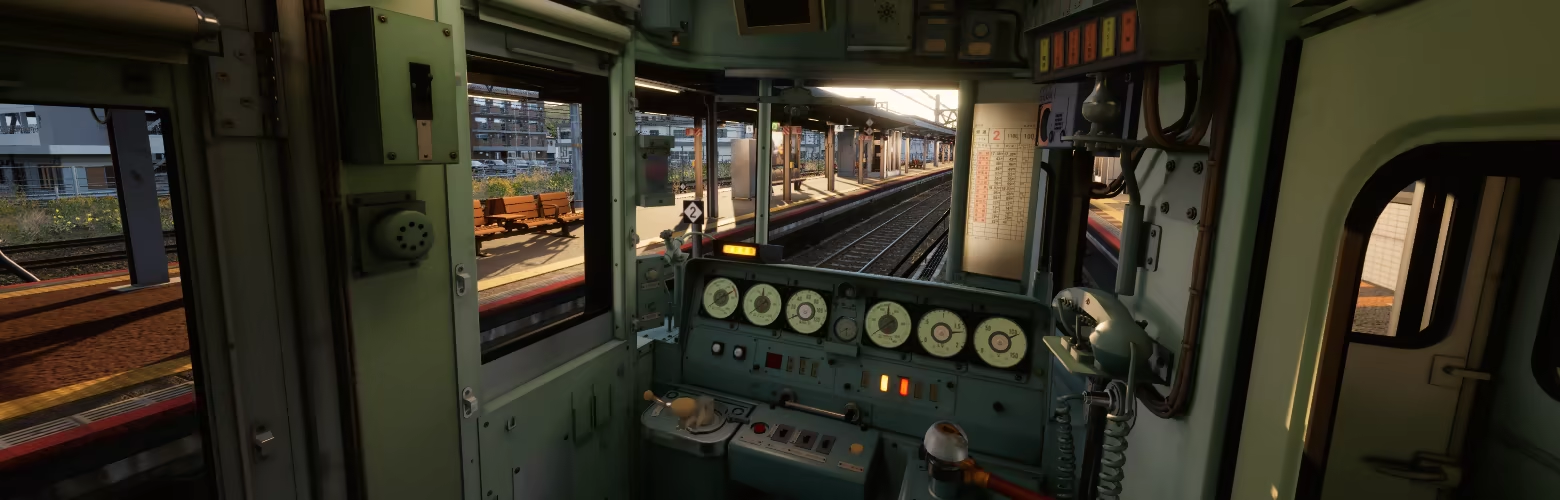
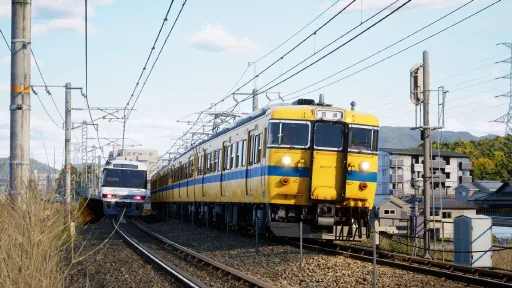
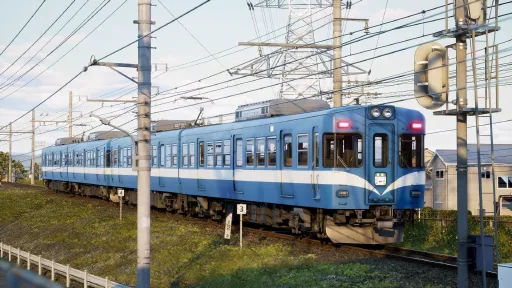
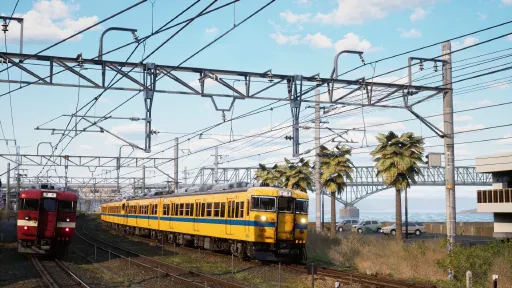
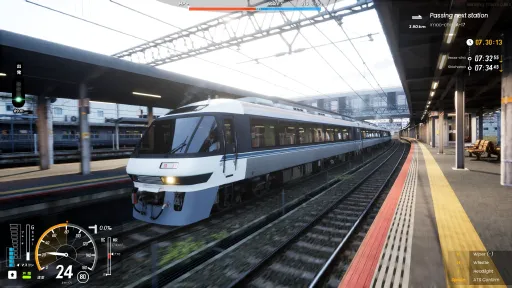
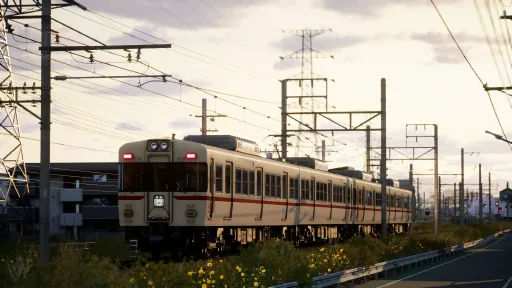
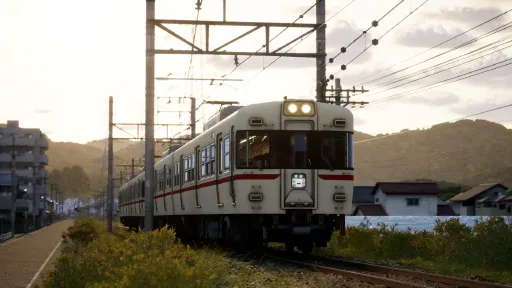
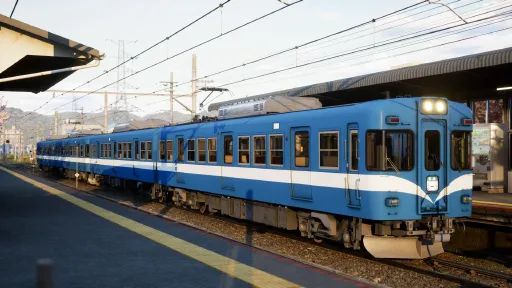
Start your journey along Coastal Hayamori Railway and Rural Kofuku Railway. both routes have distinct operational pattern and characteristic. Make sure that your passengers get from station to station safely!
EASY TO LEARN / HARD TO MASTER!
Love the challenge? turn on HARD-MODE, or NO-UI, or even NO-SPEEDOMETER mode for extra score!
FREE MODE!
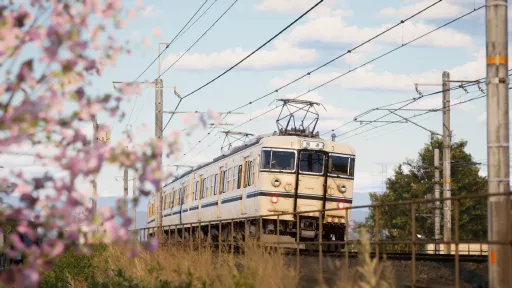
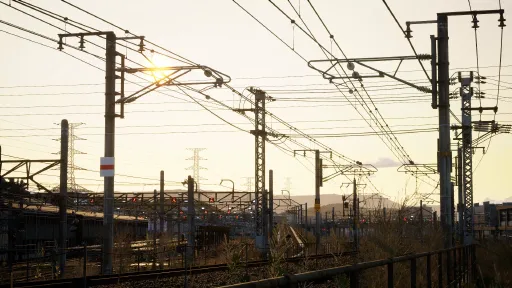
Tired of driving and got punishing too much in scoring mode? Set back and relax, let AI driver drive the train and you can enjoy breathtaking environment along coastal and rural Japanese as both passenger and trainspotter.
GET CREATIVE!
Your vision, your train. Customize your liveries with open textures and bring your designs to life!
ELEVATE YOUR IMMERSION WITH CONTROLLER SUPPORT!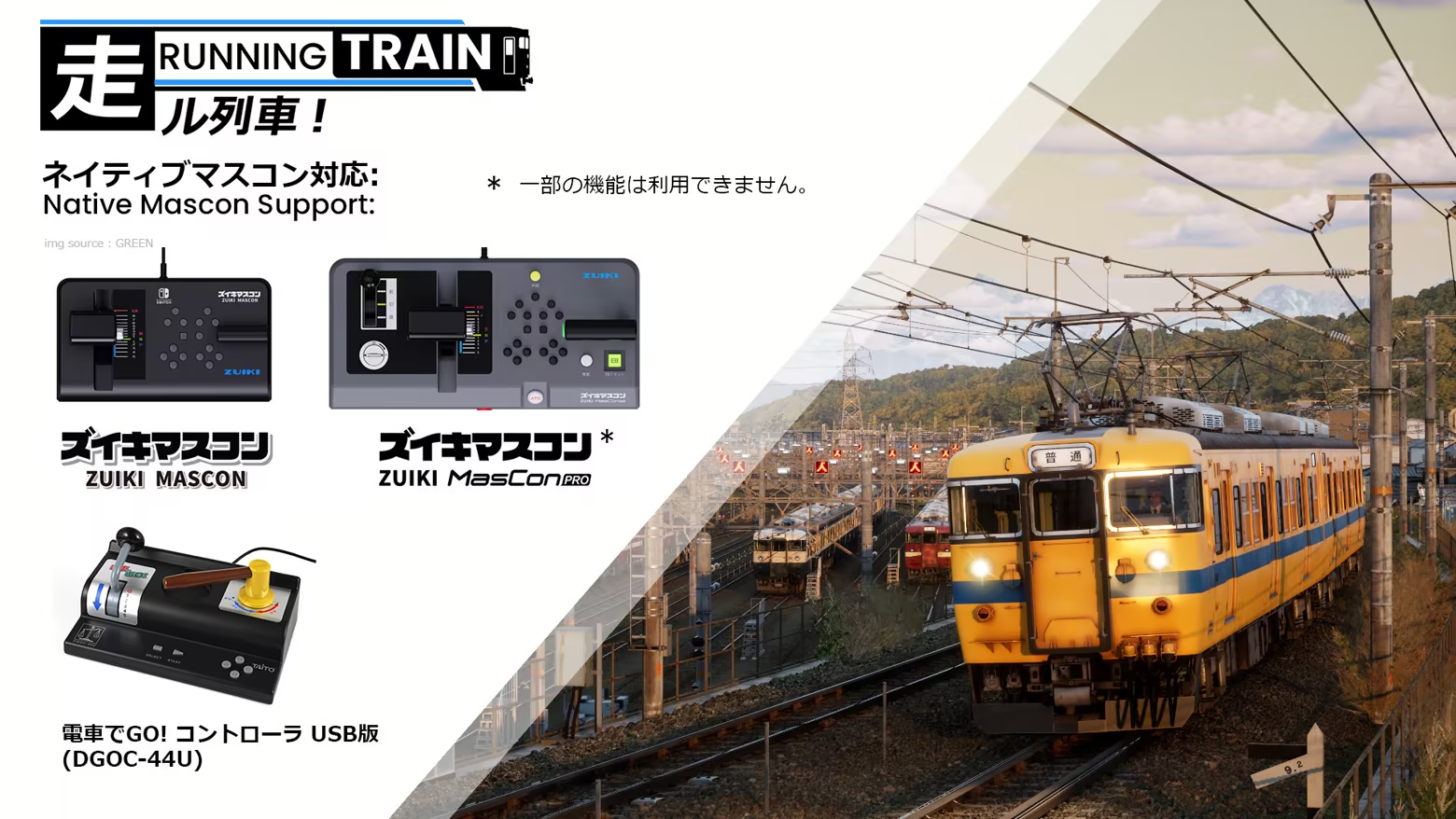
COMPLETE FEATURE LISTS:
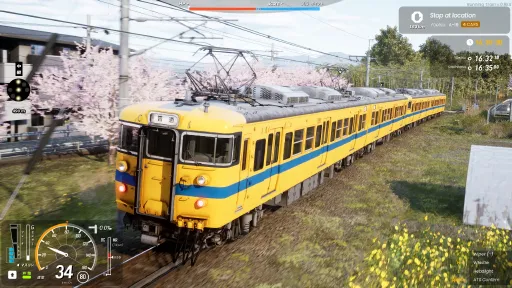
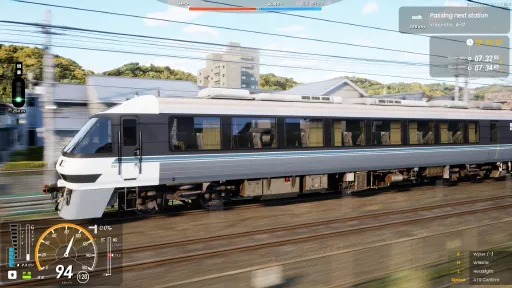
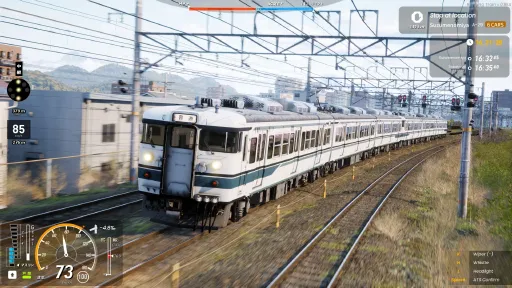
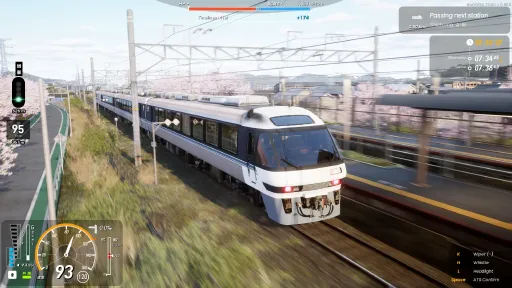
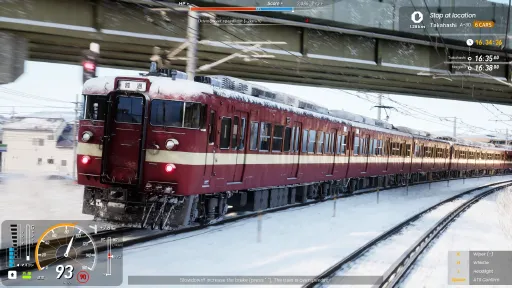
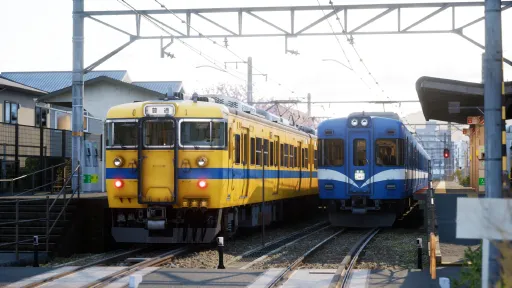
4 Train type with different characteristic
2 Fictional Railway operator spanning 40km of meticulously handcrafted fully detailed route
Railway Safety system such as Vigilance and Automatic Train Stop implemented
Realistic physics and train motion
Features over 40 diagrams both local and express train spanning early morning, afternoon, and nighttime operation.
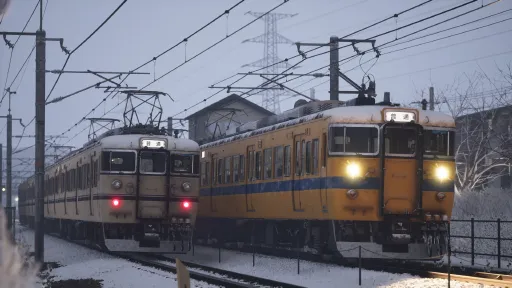
2 seasons available: Sakura Spring and Snowy Winter
Selectable weather and environment settings
Master controller support
Auto-drive mode, let you enjoy route scenery as passenger or trainspotter
Open livery editor
Photo mode
Screenshots
24 images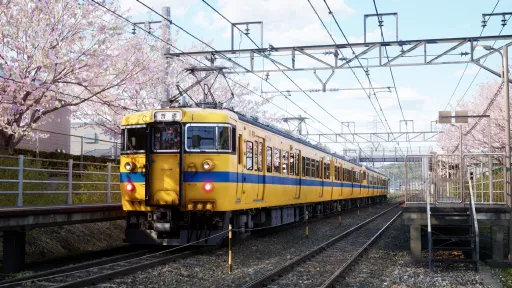
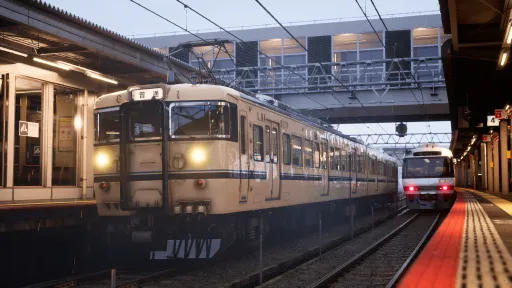
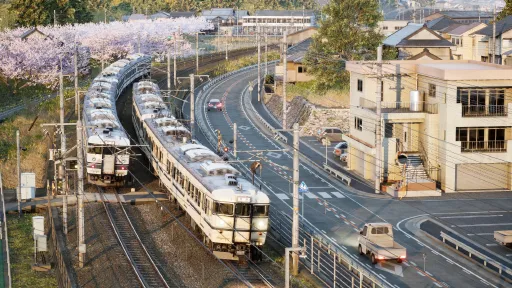
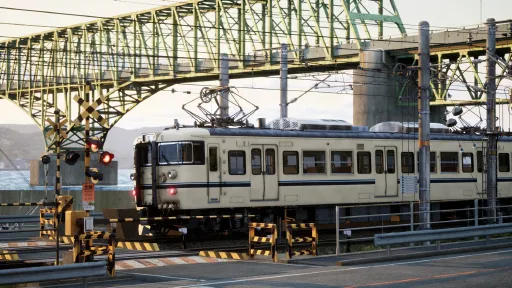
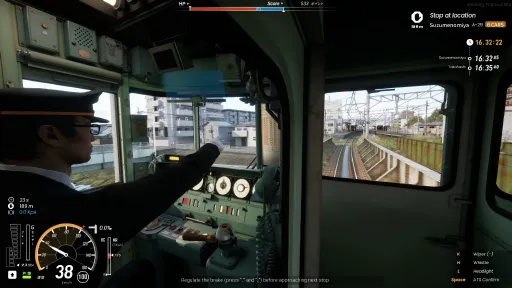
Version Information
Steam Patch Notes
Official update history
Note: Back up your custom textures before updating. Go to properties...>installed files>click "verify integrity of game files" if you don't receive update notification.
注意: アップデート前にカスタムテクスチャのバックアップを取ってください。
•Electric train motor sound adjustment for HR1500, HR1100 and KR5000 series
•Added volume slider for In-car announcer sound
•Added volume slider for In-car stop-skip prevention device (the sound "tsugi-wa-teisha" when approaching next stop)
•Added settings to invert mouse horizontal (X-axis) and vertical (Y-axis) look controls
•Fixed bugs EB vigilance system fails to trigger the emergency brakes in some trains
•Fixed collision bugs FPS camera mode that caused the player to sometimes get ejected from the interior at specific track locations.
•Station time category adjustment so some NPCs will board/disembark at more appropriate time and station.
•Added an NPC Passenger Density/Detail setting to optimize performance (see details below):
>NORMAL: Less modular NPC model and less NPC pool number. Use this settings when previously you experience massive lag when approaching large crowd. (Untested in more broad PCs, please report if you still have same lag issues)
>HIGH: More modular and diverse NPC model. Use this when you have decent PC or don't have lag issue with previous version.
•HR1500、HR1100、KR5000系の電動車モーター音の調整
•車内アナウンスの音量スライダーを追加
•停車駅通過防止装置の音量スライダーを追加(次駅接近時の「次は停車」音声)
•マウス視線操作の水平方向(X軸)および垂直方向(Y軸)の反転設定を追加
•一部の車両でEB装置による非常ブレーキが正常に作動しない不具合を修正
•FPSカメラ(一人称視点)モードにおいて、特定の線路上でプレイヤーが車外へ押し出されてしまう衝突判定の不具合を修正
•一部のNPCがより適切な時間帯および駅で乗降するように駅の時間帯カテゴリーを調整
•パフォーマンス最適化のため、NPC乗客の密度・詳細度設定を追加(詳細は以下を参照):
>NORMAL:モジュール化されたNPCモデルの簡略化およびNPC生成プール数を削減。大人数に近づいた際に顕著な処理落ちが発生していた場合は、本設定をご使用ください。(幅広いPC環境での検証は未了のため、同様の処理落ちが発生する場合はご報告をお願いいたします)
>HIGH:より多様で高精細なモジュール型NPCモデル。十分なスペックのPCをご使用の場合や、以前のバージョンで処理落ちの問題が発生していなかった場合は、本設定をご使用ください。
-Corrected the HR1100 series train orientation.
-Fixed passenger seating direction bug on downbound express trains.
-Train formations now properly align with the route's direction of travel.
-The upbound Express Fukaya now correctly displays the "Shirahagi" final destination mark.
-Fixed various minor bugs (including exposure, sound occlusion, and boarding times).
-HR1100系・HR1500系およびKR5000系の新しいモーター音を追加しました。
-列車編成が路線の進行方向に正しく対応するようになりました。
-上り特急ふかや号の行先表示が、正しく白萩の方向幕を表示するように修正しました。
-その他、軽微なバグを修正しました(露出、サウンドオクルージョン、乗車時間など)。
-Reclassified all in-game audio channels, ensuring the Master Volume slider now controls all sound output as intended.
-Added a dedicated volume slider for the conductor's whistle.
-Balanced overall audio levels and attenuation curves to normalize sounds that were previously either too loud or too quiet.
-Corrected minor grammar and phrasing issues.
-シャドウカリングの実装、最大ボーン影響数の削減、および小さな画面サイズ向けの積極的なLOD調整により、NPCのパフォーマンスをさらに最適化しました。
-ゲーム内の全オーディオチャンネルを再分類し、マスター音量スライダーが意図した通りすべてのサウンドを適切に制御するように修正しました。
-車掌の笛の音量を個別に調整できるスライダーを追加しました。
-音量が大きすぎる、または小さすぎるサウンドを正常化するため、全体的な音量レベルと減衰曲線を調整しました。
-軽微な文法および表現の誤りを修正しました。
-Corrected grammatical errors in in-game announcement lines.
-Fixed an issue where NPCs used the incorrect exit path at Imaocho Station (Upbound).
-Hopefully fixes an issue causing NPCs to path toward the world origin (0,0,0) upon exiting the train.
-Fixes some local train scenario won't departing after limited express train passing
-Fixes issue with strange record on limited express run
-Adjusted NPC specular material values under medium and low global illumination settings.
-Scrapping usage of nanite system for NPCs and using traditional LODs instead, hopefully this will fixes rendering timing abnormality especially in mobile GPU causing massive FPS drop as you looking at NPCs. As this fix isn't fully verified yet, please disable the NPC system for now if you continue experiencing issues while I investigate what's happening under the hood.
注意: アップデート前にカスタムテクスチャのバックアップを取ってください。
-車内アナウンスの文法的な誤りを修正しました。
-今尾町駅の上りホームについて、NPCが誤った出口ルートを通る不具合を修正しました。
-下車したNPCが原点に向かって移動してしまう不具合を(暫定的に)修正しました。
-特急列車の通過後、一部の普通列車シナリオが出発しなくなる不具合を修正しました。
-特急列車の運行記録に異常が生じる不具合を修正しました。
-中・低設定のグローバルイルミネーション(GI)における、NPCのマテリアルのスペキュラ値を調整しました。
-NPCへのNaniteシステムの適用を廃止し、従来のLOD方式へ変更しました。これにより、NPCを見た際に大幅なFPS低下を引き起こしていた、モバイル向けGPUにおける描画タイミングの異常改善を見込んでいます。なお、今回の修正はまだ完全には検証しきれていないため、引き続き問題が発生する場合は、原因究明の間、NPCの表示設定を一時的に無効化していただけますと幸いです。
TL;DR
- Add NPC/ passenger system
- Add first-person view mode (press 8 key)
- Add menu music
- Add departure announcer, conductor warning whistle and chime at some station
- Add arrival announcer and chime
- Add in-car broadcast system and chime
- Improve in-car sound occlusion
Detailed change:
NPC Behaviour:
-Find nearest boarding mark with variable walking speed depending on remaining boarding time
-Queue and find and navigate to the random vacant spot when entry
-Navigate to nearest train exit door when disembarking
-Navigate to random station exit point
NPC Limitation:
-NPC only respond exclusively for player train
-Statistical data and algorithm to determine when/where npc want to board/disembark still need more work
-Need more work on stair IK animation
-Boarding mark installed on platform isn't accurate for now
-NPC still doesn't respond to Seasonal/Weather change for now
NPC Optimization
-Leverage nanite, multi-threading and object pooling to keep performance cost and memory reasonable
-variable update rate based on camera distance and frustum
Sound
-(Hopefully) Proper interior sound occluding, different train have different sound occluding type
-Station broadcast system have ability respond to train incoming (local/express)
-Dynamic In-car broadcast system. Local train use manual conductor voice meanwhile express train will use chimes + automatic broadcast system
-Improve Door Closing sound attenuation and occluding
-Add menu music
Interior Improvement
-DC85 improve interior texture and LCD animation.
First Person Camera Limitation
-You now can walk between cars and station, but scope and interaction is still minimal
-Need more work, will used in future conductor mode
Other
-Improve station lighting shadow
-Kanamori station platform rebuild
-A lot small things that I forgot
大型アップデート 0.9.4
注意: アップデート前にカスタムテクスチャのバックアップを取ってください。
要約 (TL;DR)
- NPC/乗客システムの追加
- 一人称視点モードの追加(「8」キーで切り替え)
- メニューBGMの追加
- 一部駅に出発アナウンス、車掌の合図笛、メロディを追加
- 到着アナウンスとメロディの追加
- 車内放送システムと車内チャイムの追加
- 車内サウンドの遮音(オクルージョン)処理を改善
詳細な変更点:
NPCの挙動:
-発車までの残り時間に応じて歩行速度を変えながら、最寄りの乗車位置マークへ移動
-乗車時は列を作り、ランダムな空きスペースを見つけて移動
-降車時は最寄りのドアへ移動
-駅のランダムな出口へ移動
NPCの制限事項:
-プレイヤーが運転する列車にのみ反応
-NPCがいつ・どこで乗降するかを決定する統計データおよびアルゴリズムは現在調整中
-階段昇降時のIKアニメーションはさらなる改善が必要
-ホーム上の乗車位置マークは現時点では正確ではありません
-現時点では季節や天候の変化には未対応
NPCの最適化:
-Nanite、マルチスレッド、オブジェクトプーリングを活用し、負荷とメモリ消費を抑制
-カメラ距離および視野(視錐台)に応じた可変アップデートレートを適用
サウンド:
-車内遮音の適正化(車両形式ごとに異なる遮音特性を設定)
-駅放送システムが列車の接近(各停/急行)に対応
-動的な車内放送システムを導入(各駅停車は車掌肉声風、急行はチャイム+自動放送を採用)
-ドア閉扉音の減衰および遮音処理を改善
-メニューBGMを追加
車内の改善:
-DC85の車内テクスチャおよびLCDアニメーションを改善
一人称視点カメラの制限事項:
-車両間や駅構内を歩き回れるようになりましたが、行動範囲やインタラクションは最小限にとどまります
-今後実装予定の車掌モードに向けて、さらに改良を重ねる予定です
その他:
-駅の照明・影の表現を改善
-金森駅のホームをリニューアル
-その他、記載しきれない細かな修正多数
Note: Back up your custom textures before updating.
QOL & Adjustment:
-GEFORCE NOW Opt-in
-Added remaining distance bar to the speed limit UI
-Adjusted sunset/sunrise times based on the selected season
-Adjusted Diagram 711A timetable
-Adjusted Diagram 1816A timetable
-Adjusted interior emissive lighting
-Improved departure signal behaviour. it will no longer automatically activate until the dispatcher sets the route
-Adjusted buffer crash damping physics
-Adjusted signal positions at some locations
-Fukugawa line max speed is now locked at 80km/h for all available trains
Train:
-Updated engine logic for the DC85 series
-Adjusted max speed for all trains
-Slightly adjusted brake physics for all trains
UGC:
-UGC Folder name changes:
"KC1000" -> "KR5000"
"DC8500" -> "DC85"
-Destination indicator curtains are now open for editing
Bugfixes:
-Fixed some typos and misspelling
-Fixed speed limit UI not showing the upcoming speed limit
-Fixed Nagara down home signal malfunction that caused Ltd. Express trains to rear-end stopped trains
-Fixed 3D marker randomly becoming visible even when toggled off
-Fixed DGOC-44U not registering the release state when using the HR1100 series
-Fixed issue where some game objects displayed real-life branding
-Fixed infinity speed glitch
Scoring Bugfix and Adjustment:
-Fixed scoring bug where the game registered passing scores for the next stop while still at the previous station
-Hopefully fixed the evaluation screen animation randomly getting stuck
-Fixed Hardmode HP not registering
-Rank system is now determined using the average from all category, instead of score/max score
-Adjusted scoring equation
-Fixed percentage display errors on the evaluation screen
-Adjusted difficulty multipliers:
-Wet surfaces: +0.15
-Hidden UI: +0.15
-No Speedometer: +0.45
-Hardmode: +0.65
**0.9.3 アップデート**
注意:アップデートする前に、カスタムテクスチャのバックアップを取ってください。
QOL(快適性の向上)&調整:
-GEFORCE NOW への対応
-速度制限UIに残りの距離バーを追加しました
-選択した季節に基づいて、日没・日の出の時刻を調整しました
-ダイヤ711Aの時刻表を調整しました
-ダイヤ1816Aの時刻表を調整しました
-車内の発光(エミッシブ)照明を調整しました
-出発信号機の挙動を改善しました。指令員がルートを設定するまで、自動的にアクティブにならなくなります
-車止め衝突時の減衰物理挙動を調整しました
-いくつかの場所で信号機の位置を調整しました
-福川線の最高速度が、利用可能なすべての列車で80km/hにロックされるようになりました
車両:
-DC85系のエンジンロジックを更新しました。
-すべての列車の最高速度を調整しました
-すべての列車のブレーキ物理挙動をわずかに調整しました
UGC(ユーザー生成コンテンツ):
-UGCフォルダ名の変更:
「KC1000」 -> 「KR5000」
「DC8500」 -> 「DC85」
-方向幕の編集が可能になりました
バグ修正:
-いくつかのタイポ(誤字)とスペルミスを修正しました
-速度制限UIが、次に迫っている速度制限を表示しない問題を修正しました
-長柄駅の下り場内信号機の不具合により、特急列車が停車中の列車に追突する問題を修正しました
-3Dマーカーをオフに切り替えていても、ランダムに表示されてしまう問題を修正しました
-自動空気ブレーキ(HR1100系)を使用している際、DGOC-44Uが緩解(リリース)状態を登録しない問題を修正しました
-一部のゲームオブジェクトに実在するブランドが表示されていた問題を修正しました
-無限速度グリッチ(バグ)を修正しました
採点バグの修正および調整:
-前の駅にまだ停車しているにもかかわらず、ゲームが次の停車の通過スコアを登録してしまう採点バグを修正しました
-評価画面のアニメーションが停止(フリーズ)してしまう問題が修正されたはずです
-ハードモードのHPが登録されない問題を修正しました
-ランクシステムが「スコア/最大スコア」ではなく、「カテゴリごとの平均値」によって決定されるようになりました
-採点計算式を調整しました
-評価画面でのパーセンテージ表示エラーを修正しました
-難易度倍率を調整しました:
-濡れた線路:+0.15
-UIを隠す:+0.15
-速度計を隠す:+0.45
-ハードモード:+0.65
0.9.2b Hotfix
Added Optional selection for UI stop overlay (OFF, 2D, 2D+3D)
Fixed new 3D UI stop overlay now correctly respects "Stop Marker Overlay" in the settings
Fixed credit menu crash/stuck with gamepad
Fixed main menu readibility issue cause by new 0.9.2 update
Fixed jagged Speedometer UI
Fixed train refusing to move when applying notch 1-2 in the very first station
Fixed abnormal rapid deceleration/lack of acceleration on curves over 100 km/h.
Fixed missplaced tile at Iwaminato
Fixed missplaced rail and collision issue near Nagara
Fixed flipped station signage at Nagara.
「停止位置ガイド表示」オプション選択(OFF、2D、2D+3D)を追加しました。
設定の「停止位置ガイド表示」が、新しい3D UIの停止位置オーバーレイに正しく適用されない問題を修正
クレジットメニューのクラッシュ/ゲームパッド操作時の不具合を修正
0.9.2によって発生していた、メインメニューの視認性の問題を修正
スピードメーターUIのギザギザを修正
最初の駅でノッチ1〜2を入れても列車が動かない問題を修正
100 km/h以上でカーブを走行中に、異常な急減速が発生する問題、および加速しなくなる問題を修正
岩湊駅のタイルの配置ミスを修正
長良駅付近のレールの配置ミスおよびコリジョンの問題を修正
長良駅の駅名標が反転していた問題を修正
Features
-Level, Distance Traveled, and Accumulated Points are now displayed on the Main Menu.
Note: Because Distance Traveled is a newly added cloud save variable data, stats from previous runs will not carry over. Your stat will begin from zero. Apologize for inconvenience.
-In the Evaluation screen, details showing your selected Difficulty Multiplier and the Train Model used during the run has been added.
-Visual Improvements: Added a blob shadow effect beneath AI traffic car.
-Pressing Shift + Middle Mouse Button will now instantly reset all camera properties back to their default values.
-Stop tolerace on free mode increase to ±10m
-Add new style of stop marker
-Add an option to significantly reduce AI train spawning to improve performance on low-end PCs.
Fixes & Adjustments:
-Diagram 1677A Fixes: Fixed an issue where players could not proceed past the Kanamori home signal.
-Diagram 1677A Fixes: departures from Ise Station are now 70 seconds earlier to balance the timetable.
-Updated engine RPM logic DC85 series. When the torque converter is locked, the engine is now mechanically locked to the wheels.
-Reduced overall damping and running resistance so trains should now maintain momentum better and lose less speed while coasting.
-Resolved an issue where 3rd-party Mascon plugins caused conflicting button registration with Xbox Controllers. Xbox controllers should now function normally. (hopefully this is last time)
-Fixed a HUD mashup glitch where the ZUIKI HUD would randomly display while using an Xbox controller.
-Fixed a bug where the controller (B) button would fail to register on the session-end notification.
-Clamped maximum forward speed to slighty faster for AI traffic to eliminate the "car centipede" reverse bug.
-Fixed UI background stretching issues on ultrawide monitors.
-Corrected inaccurate entrance/exit speed limits displayed on certain timetables.
-Updated the entrance and exit speed limits for Takahashi Station.
-Fixed various typos, misspellings, and translation errors.
-Added a missing wiper mesh to static train models.
-Downsized several non-critical textures (such as bolts, labels, etc.) and reassigned assets to different streaming groups to reduce VRAM overhead. While this should alleviate texture blurring, if you are still experiencing blurry textures on lower-spec systems, please try the following steps:
1. Increase System Pagefile: Ensure your Windows virtual memory (paging file) has at least 2GB to 4GB allocated.
2. Set your graphics settings and AI Train Frequency to Low or Medium BEFORE loading into a scenario to minimize peak RAM usage during map loading.
3. Once the scenario loads completely, check if the textures display in correctly (not blurry).
新機能:
-メインメニューに、プレイヤーのレベル、走行距離、および累積ポイントが表示されるようになりました。
注意:走行距離は新たに追加されたクラウドセーブデータ変数であるため、以前のプレイの統計データは引き継がれません。プレイの統計データはゼロからのスタートとなります。
-評価表示で選択した難易度倍率と、そのプレイで使用した車両形式を表示する詳細を追加しました。
-ビジュアルの改善:AI車の床下に丸影(ブロブシャドウ)効果を追加しました。
-Shift + マウスホイールクリック(中央ボタン)を押すことで、すべてのカメラプロパティが一瞬でデフォルト値にリセットされるようになりました。
-フリー走行での停車許容範囲を±10mに拡大
-新しいスタイルの停止位置目標を追加
-AI列車の出現数を大幅に削減する設定を追加
修正点と調整:
-ダイヤ1677Aの修正:金森駅の場内信号機を通過した後に進行できなくなる問題を修正しました。
-ダイヤ1677Aの修正:時刻表のバランスを調整するため、伊勢駅の発車時刻を70秒早めました。
-DC85系のエンジンRPMロジックを更新しました。トルクコンバーターがロックアップしている際、エンジンが車輪と機械的に直結するようになります。
-全体の減衰力と走行抵抗を軽減し、列車が勢いを維持しやすくなり、惰行中の速度低下が少なくなりました。
-サードパーティ製のマスコンプラグ形が、Xboxコントローラーとボタン登録の競合を起こす問題を解決しました。Xboxコントローラーは正常に機能するはずです。
-Xboxコントローラーの使用時に、瑞起(ZUIKI)HUDがランダムに表示されてしまうHUDの表示崩れバグを修正しました。
-セッション終了時の通知で、コントローラーの(B)ボタンが反応しなくなるバグを修正しました。
-AI車が逆走して数珠つなぎになるバグ(カー・センチピード)を解消するため、最大前進速度をわずかに速くなるよう制限(クランプ)しました。
-ウルトラワイドモニターにおいて、UIの背景が引き伸ばされてしまう問題を修正しました。
-高橋駅の進入・進出速度制限を更新しました。
-一部の時刻表に表示されていた不正確な進入・進出速度制限を修正しました。
-様々な誤字、脱字、および翻訳エラーを修正しました。
-静的(ストラクチャ)車両モデルに、不足していたワイパーのメッシュを追加しました。
-VRAMのオーバーヘッドを削減するため、重要度の低い一部のテクスチャ(ボルトやラベルなど)のサイズを縮小し、アセットを別のストリーミンググループに再割り当てしました。これによりテクスチャのぼやけが軽減されるはずですが、低スペックのシステムで依然としてテクスチャがぼやける場合は、以下の手順をお試しください:
① システムのページファイルを増やす:Windowsの仮想メモリ(ページングファイル)に、少なくとも2GBから4GBが割り当てられていることを確認してください。
② マップ読み込み中のメモリ(RAM)使用量のピークを抑えるため、シナリオを読み込む前に、「すれ違い列車の頻度」とグラフィック設定を「LOw」または「MEDIUM」に設定してください。
③ シナリオの読み込みが完全に完了した後、テクスチャが正常に(ぼやけずに)表示されるか確認してください。
Current Release
Build 25342541
Uploaded Sep 19, 2026
Update already requested
Uploaders have been notified
A newer version is available but not yet uploaded
Help keep this updated
Login Required
You need to be logged in to request game updates. Would you like to go to the login page?
Request Update
Request an update for RUNNING TRAIN | 走ル列車!? This will notify uploaders that this game has an available update.
Request Submitted
Your update request has been submitted successfully! Uploaders will be notified.
Request Failed
Failed to submit update request:
System Requirements
How to Install
RunningTrain.exe to play
Troubleshooting tips
• Run Redist/_CommonRedist installers if game won't start
• Add folder to Windows Defender exclusions
• Run as administrator
Download
Direct link available
Needed when extracting (WinRAR / 7-Zip) — not a site login.
BD07D1B3
8e136cae170def2b8dd2617842ed859ce3966d54b7fc9cf0f6f71612f79d1520
You May Also Like
View All









Download RUNNING TRAIN | 走ル列車! for PC with a direct link or via torrent. Get the full version of RUNNING TRAIN | 走ル列車! for free. RUNNING TRAIN | 走ル列車! is a Casual released by Novatetsu Games.