







About the Game
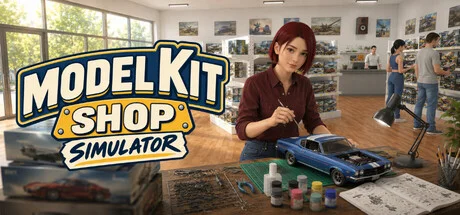
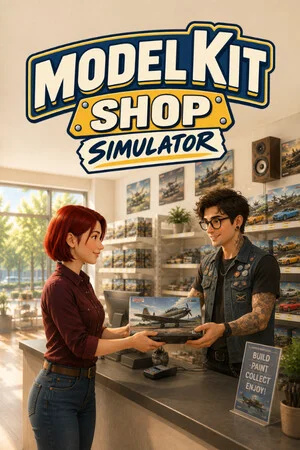
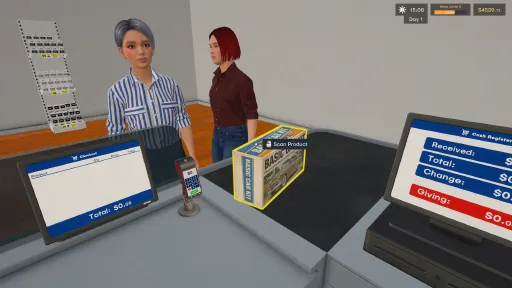
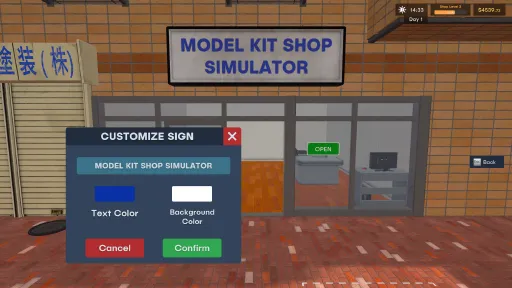
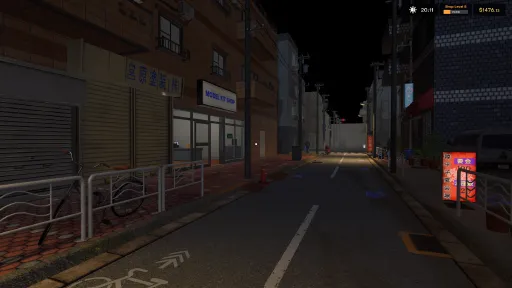
Model Kit Shop Simulator is a first-person store management game where every sale starts with a Model Kit.
Build and grow your own hobby shop by ordering master boxes, unpacking deliveries, stocking shelves, setting prices, and serving collectors and enthusiasts.
But running a successful model kit shop is not just about selling boxes. To maximize profits, you need to keep the right matching paints in stock, increase basket value through the Hobby Basket System, and give customers a place to bring their projects to life with the Build Table.
Core Systems
Hobby Basket System
Customers do not just buy a single kit — they start a project. When a customer picks a model kit, they may also look for the matching paints needed to complete it. If you keep those paints on your shelves, they can add them to their basket, increasing the total value of each sale. If the paints are missing, they may still buy the kit, but your basket value and profit will be lower.
Build Table System
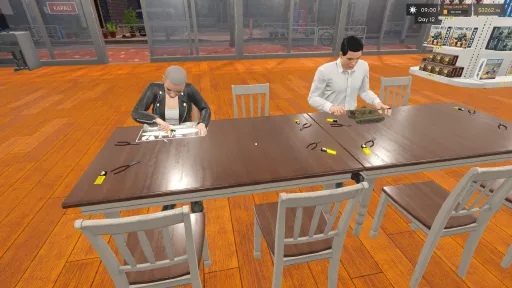
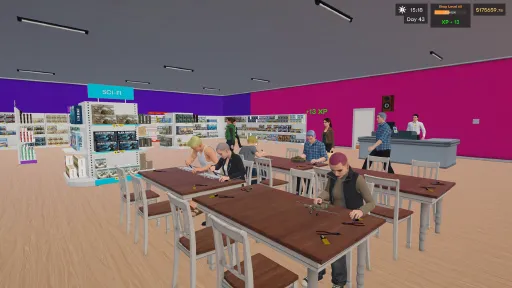
Customers who complete the right kit-and-paint combination can pay to use a Build Table after checkout. There, they sit down, start assembling their kit, and turn a box of parts into a finished model right inside your shop. This makes your store feel more alive and adds a distinctive hobby-shop experience beyond traditional retail management.
Success depends on smart stock planning, efficient shelf management, the right product variety, and creating a store that supports both shopping and building.
Features
Run your own first-person model kit shop
Order and unpack products from master boxes
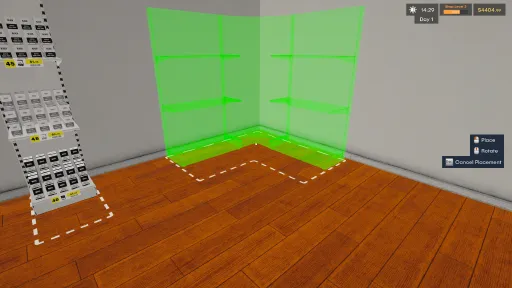
Stock shelves and organize your store layout
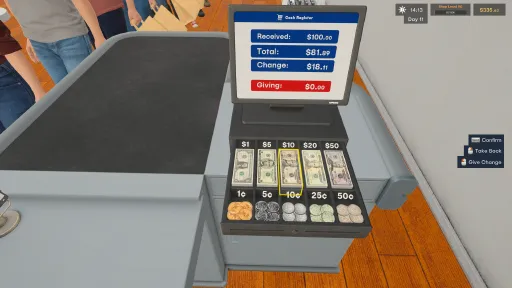
Set prices and manage your profits
Use the Hobby Basket System to increase basket value
Keep matching paints in stock to support model kit sales
Let customers use Build Tables to assemble their kits after checkout
Unlock theme licenses and expand your product variety
Grow from a small shop into a larger hobby business
Build a store that hobby fans love and turn your small shop into a thriving model kit business.
Screenshots
8 images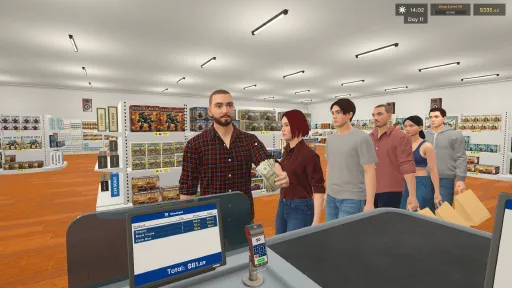
Version Information
Steam Patch Notes
Official update history
Customize Existing Kits
- Create and share alternative box artwork, catalogue icons and 3D models for existing normal kits.
- Model replacements include both the assembled model and the parts model used during building.
- Choose an installed appearance for your shop or switch back to the original visuals.
- Appearances preserve the original kit’s price, theme, box size and gameplay rules.
Workshop Improvements & Fixes
- Reduced stuttering when opening Subscriptions by avoiding repeated loading of unchanged content.
- Fixed unsaved creations appearing in My Creations. New creations are now listed after saving a draft or starting publication.
- Added local draft deletion with a confirmation popup. Deleting a local draft does not remove its published Steam Workshop item.
- Prevented empty entries from older draft versions from cluttering My Creations.
- Fixed an issue that could leave player controls locked after a checkout payment error.
- Improved checkout completion when camera transitions are interrupted.
- Fixed player movement not being restored correctly after pausing and resuming during checkout.
New Flooring
Added 5 new flooring options:
Charcoal Carpet
Gray Limestone
Checkerboard Tile
Terracotta Tile
Polished Concrete
New Wallpapers
Added 5 new patterned wallpapers:
Sage Geometric Wallpaper
Botanical Wallpaper
Classic Stripe Wallpaper
Art Deco Wallpaper
Seigaiha Wallpaper
Collector
- You can now look at Collector items even when you can't afford them. The price turns red if you don't have enough money, and trying to buy shows a "Not Enough Money" warning. Before, these items silently couldn't be selected.
- Fixed a rounding issue that could stop you from buying an item when your balance exactly matched its price.
- After buying at the Collector, a message now reminds you to put the box down before buying another item.
Rare Collection
- The daily Rare Kit stand now shows whether today's kit is new for your collection or already in your collection.
- The stand also shows your Rare Collection progress (e.g. 7 / 12).
- When 3 or fewer rare kits remain, the stand lists the missing kits by name.
- Once today's rare kit is bought, the stand no longer goes blank. It shows "Sold Out" along with your collection progress.
- Buying a rare kit you don't own yet now shows a notification with your updated collection progress.
Bug Fixes
- Starting a New Game no longer carries over collection progress (Rare Collection and sold product tracking) from your previous save.
- Fixed a rare issue where Collector data could be reset if an autosave happened while the game was still loading.
- Fixed an issue that could cause delayed click responses on the computer screen, especially at low FPS
- Fixed an issue where some Rare Kits (most notably the Strategic Stealth Bomber) could take far too long to appear at The Collector
- The Collector now guarantees a Rare Kit you haven't purchased yet at least once every 5 days, so the Collector's Corner achievement can be completed in a reasonable time
- Existing saves are supported: if you are still missing Rare Kits, one of them will be offered on your next in-game day after updating
Controller Improvements
- Changed Checkout Confirm to RB/R1.
- Changed Tool Wheel to D-Pad Up to prevent input conflicts during checkout.
- Improved the cargo delivery area. It can now spawn up to 2 large and 2 small cargo boxes side by side.
- Fixed an issue with the product scanning button when using a gamepad.
- Fixed an issue where opening the card reader could accidentally enter 1. New transactions now start at $0.
- Added a clear outline to the selected keypad button, making Delete and Confirm easier to distinguish.
- You can now press RT/R2 to confirm a card payment without navigating to the Confirm button.
- Fixed an issue where pressing A to scan items at checkout could make the character jump.
- Removed payment confirmation with the main Enter key to help prevent accidental confirmations. Numpad Enter still works.
- Fixed an issue where the tutorial step would not complete after changing the shop name.
Gamepad Improvements
- Added an on-screen keyboard for gamepad users when interacting with supported text and number input fields.
- Fixed an issue where a product could remain selected on the computer screen and be added to the cart automatically when sitting down at the computer.
Bug Fixes
- Fixed a visual issue with the Daily Statistics panel.
UI Scaling
- Added a new UI Scale option to the settings.
- UI size can now be increased up to 150% for improved readability.
- Increasing the UI Scale also increases the size of product labels on shelves.
Gamepad Support
- Work has begun on expanded gamepad support.
- We are working to add gamepad navigation to currently unsupported interfaces, including the in-game computer screens.
Bug Fixes
- Various bug fixes and minor improvements.
Current Release
Build 25892756
Uploaded Oct 19, 2026
System Requirements
How to Install
Model Kit Shop Simulator.exe to play
Troubleshooting tips
• Run Redist/_CommonRedist installers if game won't start
• Add folder to Windows Defender exclusions
• Run as administrator
Download
Direct link available
Needed when extracting (WinRAR / 7-Zip) — not a site login.
You May Also Like
View All








Download Model Kit Shop Simulator for PC with a direct link or via torrent. Get the full version of Model Kit Shop Simulator for free. Model Kit Shop Simulator is a Casual released by Tenacity Games.