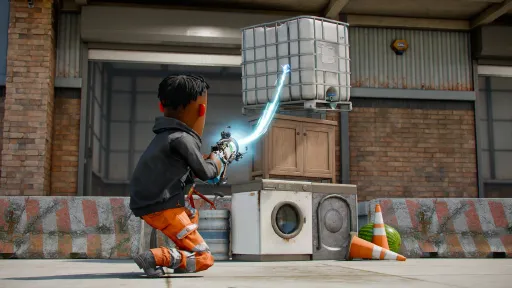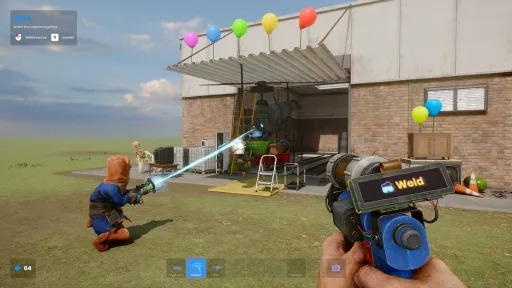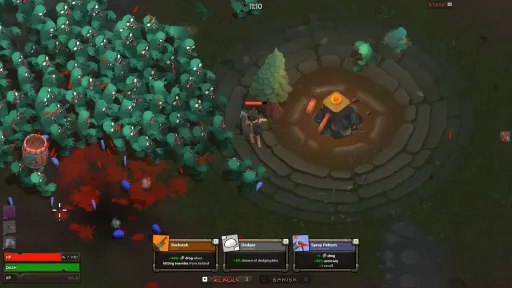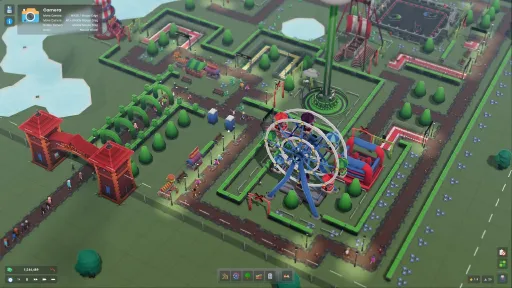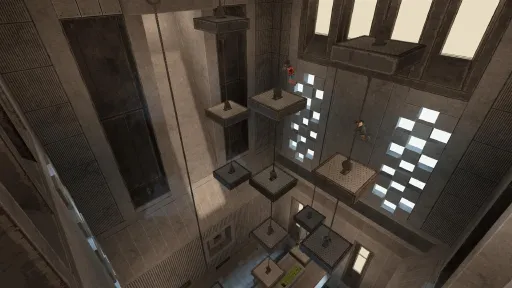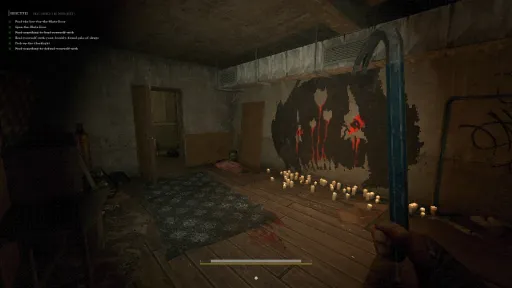

About the Game
s&box is a game creation platform built on Valve's Source 2 engine - our spiritual successor to Garry's Mod.
Play, create, and share games, explore community creations, and experience endless sandbox fun with powerful modern tools.
Play
Hundreds of games made by the community - shooters, roleplay, racing, platformers, horror, and stuff we don't even have a name for yet. No installing or subscribing, just click to play. Party up with your friends and they can play too, no need to mess around setting up servers.
Create
Anyone can create games using our intuitive modern editor, creating scenes with a standard scene system and a C# API with powerful hotloading.
Share
You can publish your games directly to the platform where everyone can play it at the click of a button.
You can earn through our Play Fund from players playing your games, directly funded from cosmetic purchases.
Or (coming soon...) you can take it one step further and publish to Steam as a standalone title, with no engine royalties.
FEATURES
Source 2 Engine: Built on the same engine as Half-Life: Alyx and Counter-Strike 2.
Multiplayer: Party up with your friends and jump into games straight away, no servers needed.
Game Library: Hundreds of community-made games across every genre, always growing.
One Click Play: No installing or subscribing - browse and jump into any game instantly.
Constantly Updated: Like Garry's Mod and Rust - big content updates on a fast cycle.
Customization: Personalize your player with cosmetics that carry across every game.
Game Editor: Create your own games in our intuitive editor with C# scripting and real-time hotloading.
Play Fund: Creators earn money when people play their games.
Publish to Steam: Coming soon... take your game standalone on Steam, royalty-free.
Screenshots
8 images
Version Information
Steam Patch Notes
Official update history
A new update has been released, you can view the full changes on our blog post.
https://sbox.game/news/update-26-06-17
Mini Motors
[img src="https://cdn.sbox.game/upload/b/c171504e/8141/4e79/a165/c7ae7a234dfa.png"]
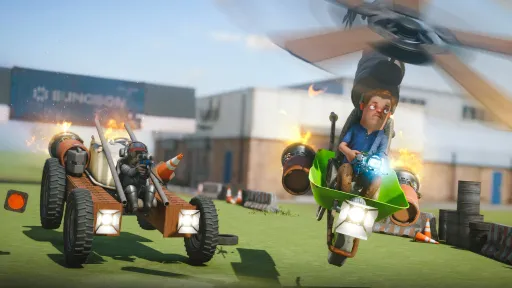
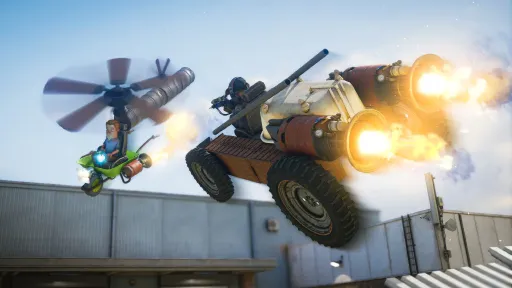
We're going to be making a bunch of small scoped, polished, fun games. The first of many is Mini Motors - we've worked on this as a small team of a few people over the last 2 weeks, start to finish.
[img src="{STEAM_CLAN_IMAGE}/40646584/fad7d7172be7573796ce4b8dcbf00453be876d17.gif"]
[img src="https://cdn.sbox.game/upload/b/174e7aa8/0f5c/4cfa/9a37/743bc611e992.jpg"]
[img src="https://cdn.sbox.game/upload/b/f500280c/71ac/462d/9ceb/d639a348440d.png"]
Mini Motors is a top down arcade racer which includes a bunch of maps, cars, pickups, achievements and leaderboards, where you can compete for the fastest lap times. You can also play against bots!
The objective here is to provide nice polished experiences for players but also to provide a learning resource in many ways to developers: the code is open-source to use as an example, and we've created tutorials based on the game on how to use the stats system, build ghost recordings and replay support.
Removed Code Archives
In previous versions we supplied a code archive with the games. This was kind of like a zip file of the source code for that game. We thought nothing of it, because if you were using Lua in Garry's Mod the code would be right there, and dlls are trivial enough to decompile.
But you guys didn't like that logic, you didn't like that anyone could see your code. So last week we shipped it so we compile your code on our backend and ship a compiled, trusted dll with your games instead. This had the benefit that clients don't need to compile code, so games start faster etc.
This week we removed the code archive completely, so it's never downloaded and never shown to clients. So raw source code should be completely secret now. Unless you choose to open source.
Mounts
We've got a mounts system in s&box that lets you play with content from your installed Steam games. This has been accessible in Sandbox mode for some time, but this week we've integrated it into the platform and stuck it right on the main menu.
[img src="https://cdn.sbox.game/upload/b/f0f49820/7d26/4e4b/9eb8/c847012fa7aa.png"]
You'll now see a Mounted Games list on the main menu and pause screen, where you can enable and disable game mounts. You need to own the game on Steam and have it installed on disk to mount it.
This replaces the old automatic behaviour in Sandbox, so you're in control of what's loaded, as we add support for more and more games.
The mounts API is open for anyone to use.
Get started here
.
Mount Maps
With this new integration, and as mounts can now provide scenes, we've extended the map picker to include mount maps right alongside workshop maps — meaning you can now play on maps from other games, where the mount provides them.
[img src="https://cdn.sbox.game/upload/b/b4feefba/361c/4225/ae1e/a5119c9114d6.png"]
It should work with any games that support workshop maps, and it works in multiplayer too, though other players will also need to own the game and have it installed to join.
This is still early days, and is fairly limited for now, but there's some really cool potential here, and just exploring levels from your favourite games with your mates - exciting stuff.
Mounts Editor Browser
Our mounts editor side panel needed a bit of love, there's now a search bar and shows which mounts are installed or not and takes you to the steam page to install or buy games for supported mounts.
Mapping Inset Tool
You can now inset faces in the mapping tools.
Mapping Align Down
This feature was already in the scene editor but I've ported it to work with the mapping tools now.
Unbox Scene v2
Tidied up the unboxing scene so cards now show item rarities, particles display to hint at the rarity of the items inside, and the scene itself got a bit of a makeover. There's also a custom transition between the scenes!
Movie Track List Polish
Movie Maker's track list now features a sub-track search box, and various track creation bugs have been fixed.
Publish Wizard: License Page
To help everyone play by the rules, there is now a new page in the Publish Wizard which informs you of the Cloud Assets you are using and whether or not they:
a) Are elligible for the Play Fund
b) Require attribution
c) Have no set license and should be used with caution
d) Are CC0 and can be used freely
[img src="https://cdn.sbox.game/upload/b/de74eb09/bdcd/4905/96db/5abe74310607.png"]
Editor: cache built-in project assemblies
We've got a few engine components that we ship as built-in projects, stuff like our UI components, and most of our editor tools. Until now, we'd recompile each of these from scratch every time you opened the editor, even though most people would never change anything here.
Now though, we build once when we need to, and the results are cached and re-used. If you do edit one for whatever reason, we'll recompile that one.
This should speed up editor launch times quite a bit. On my pretty decent machine, this cuts startup times by more than 10 seconds every editor launch.
Collider.ComputePenetration
A feature requested by a user to have a function that computes the penetration normal and distance required for 2 overlapped colliders to resolve penetration.
Texture Preview: Mips, Channels, Checkerboard
When working on mounts I would run into texture loading bugs, to debug this it would have been useful to inspect each mip level of a texture, so I added it, along with showing a checkerboard background to see the alpha channel more clearly and a way to see each color channel.
[img src="https://cdn.sbox.game/upload/b/6df8f891/1888/4000/be5a/4dac3427aaa4.png"]
Text renderer billboard mode
Like particles and world panels, the 3d text renderer now also has an option to face the camera.
More Shader Documentation
[img src="https://cdn.sbox.game/upload/b/92f25a70/63e8/44c5/8e50/a3368231e659.png"]
I'm slowly going through our existing shader documentation and expanding all pages where it's possible. This will not be a fast process, but the goal is to keep all articles up to date, and provide information that has not been included there previously, which should make learning shaders a bit easier.
So far, I was able to do the following:
Updated the Light class documentation, which includes new information about directional light's shadow path, new types of light contributions, and some other little additions
More detailed Fog class
Updated the Material struct documentation, added functions that weren't referenced there before. Should be now inline with the current implementation from source code
Updated G-Buffer page with an example how you can write normal and roughness/opacity to g-buffer yourself
Wrote a big update to Attribute and Variables:Documented a bunch of mip generators that you can use when creating a new Texture2D: Box, PreserveCoverage, AlphaWeighted, and many others. This also comes with some image examplesDocumented BoolAttribute/FloatAttribute/TextureAttribute and some other related things: what's their purpose? When they should be used? Which ones are read by the engine, and when you should use them? These questions should be answered now.Documented OutputFormat, which specifies the image format that will be used in a compiled textureSlightly expanded the texture packing section with a fancy graph and more detailed description how it can be used.
Added a new page, Procedural Effects, which goes over an existing collection of procedural noise and pattern functions that you can use from your code. I tried to add a preview image for every function.
There will be more in the future, and eventually I will write a number of beginner-friendly tutorials on s&box shaders, which will be on the Learn page.
GTAO optimization
Our GTAO pass was taking up more time than we wanted so we improved it. fter opening it up in a frame profiler I spotted a couple of things we could do better.
The was the three denoising pass right after the main AO pass.
Those big blue bumps are L2 cache throughput, and we were completely maxing it out by the sheer number of texture fetches those passes did. Every pixel was re-reading depth and normals straight from textures, over and over, including the exact values its neighbours had just read.
[img src="https://cdn.sbox.game/upload/b/70f09347/2857/4f5c/8939/e1280e674920.png"]
By doing some shader magic and a memory optimization called Local Data Share, we were able to reduce those texture fetches and improve memory throughput for those passes. Now each group of pixels loads its little patch into shared memory once, up front, and does all its blurring from there. This Halved the time spent on average on each denoise pass. From 0.12ms -> 0.05ms on average.
[img src="https://cdn.sbox.game/upload/b/51fe5a35/0d81/4ce4/823d/060d02731dff.png"]
We also did various improvements to relieve memory pressure
Depth chain went from 32-bit to 16-bit
Edge texture went from 16-bit float to 8-bit
Fuse depth + normal load
Reduce denoise pass from 3 -> 2 on medium and low setting.
Our Plans
We know our player experience isn't what it should be. It isn't meeting expectations. Our developer experience is shining star in s&box - but that's not what 99% of people see, they don't get that far.
So our plans are to keep improving the player experience, then do a sale and promotion. We have a few different goals to improve the player experience.
First of all, we need to do Game Jams again. They need to include the player community more. The jams should be aimed at getting players in game to play and vote just as much as they're aimed at developers. We 100% need to avoid the situation we've seen in previous jams where people reveal their game an hour before the Jam ends.
Secondly, we need to improve the Sandbox game. While we've resisted "subscribing" to addons in favour of cloud based runtime spawnable entities, I think we're coming around to the idea of the two systems co-existing. I need to personally spend more time developing and fleshing out the Sandbox Game.
Then we can do a sale and some promotion. We're going to do that once we're happy with the condition of everything. There's no point doing a Rust crossover and getting a bunch of new players that are going to play it once and be immediately turned off.
We think that aiming to do this around Christmas time will give us plenty of time to tweak and polish everything that needs to be done.
Changelog
🎁 Added
Games are mounted in the main menu
Maps from mounted games can be played
Menu framerate limit option.
Editor: Mounts are grouped by installed / not installed, with a search bar
Editor: LOD and material group selector in the model preview toolbar
Editor: Mip level selector in the texture preview
Editor: Inset Tool for mesh editing
Text renderer billboard mode.
Scale snapping in the editor.
Terrain editor trace support.
`Collider.ComputePenetration`.
Local-space bone following for particles via `ModelEmitter`.
Movie recorder support for custom track names.
Publish Wizard license warnings.
Quake mount support for loose files, not just files inside a pak.
Whitelist System.Memory
Whitelist System.ReadOnlyMemory
Whitelist System.IO.InvalidDataException
Whitelist System.Runtime.CompilerServices.Unsafe.SizeOf<T>()
Whitelist System.Runtime.CompilerServices.InlineArray (For compiler generated code only)
🧼 Improved
GTAO optimization.
General shader fixes.
IRenderThread components are now stored off for the render threads.
Hoisted `sc_reject_all_objects` out of the per-object cull loop.
Removed the unused `s_nNumOutstandingDrawLists` counter.
Double-checked locking in `CMemoryManagerVulkan::GetCommandBuffer`.
Inlined `CConstantBufferVulkan::GetBufferAndOffset`.
Texture hardening pass.
`CMaterial2::m_hCopySource` is now a strong handle to address the long-standing `SetMaterial` crash.
`CommandList` gained locks that should never contend in normal use.
Allocation metrics now exclude their own self-noise.
Editor now caches built-in project assemblies.
Mapping "align down" support.
Minor menu fixes and a quick `PackageSelectionModal` refresh.
More explicit access control around System.Span / System.ReadOnlySpan
Mount snags cleanup.
Scene v2 unboxing.
🪛 Fixed
Disabled bone objects now use the correct bind pose.
Terrain crash when enabling/disabling fixed.
`b3Shape_IsOverlappingSensor` was reading the sensor from the wrong argument.
Buoyancy fixed for light props.
Indirect Light Volume bakes now work on unsaved scenes.
Move snap precision fixed.
Block placement precision fixed.
Dresser now ensures clothing is not null.
Local clients fixed with editor assembly caching.
TextureGenerator publishing/networking fixes.
Movie Maker track creation fixes.
Quake palette fallback fixed.
Missing nullptr check added in `CTextureVulkan::AssignTextureObject`.
`CVfxStaticComboData::Decompress` guarded against corrupt combo sizes.
Rebuilt transients after the vtexwriter fix (many falsely claimed mips that don't exist).
Don't include the checker pattern when rendering thumbnails.
Tracy disabled on Linux for now (static TLS blocks were preventing the server from booting).
A new update has been released, you can view the full changes on our blog post.
https://sbox.game/news/update-26-06-10
Reward Changes
The random drop reward system was pretty opaque. You didn't know why you didn't get your drop, you didn't know how close you were, you didn't know what you needed to do. So I've added a progress thing to the menu to make that more clear.
[img src="https://cdn.sbox.game/upload/b/c708c15d/2aa6/44da/8670/a8bf9a1c8955.png"]
That should make things a lot clearer. Once you open your reward you'll be presented with three skins and be able to choose one of them to keep, for free.
Right now you need to play for 30 minutes on 7 days (they don't have to be consecutive), play 4 games you haven't played before (for at least 2 minutes) and unlock 6 achievements. These seem like obtainable goals and all stuff that should happen naturally through regular play.
Unboxing
Once you are eligible for a Reward, you get a nice little box containing 3 options for you to choose from 🥳🎉
Whichever reward you decide to claim is yours to keep, forever (or trade/sell/ect)
Item Rarity
We've added rarity to some of the items. This rarity is only added to items that are only obtainable by drops and act as an indicator of the probability of them dropping.
Human Heads
Our human heads were from Rust - they weren't very attractive and they looked stoned all the time. I've reshaped a lot of the heads now to look more friendly, our intention is to retire the old heads completely.
[img src="https://cdn.sbox.game/upload/b/e590483a/fcd9/44b9/a43f/2511f8602b82.png"]
Precompiled Games
Each time you joined a game you would download the code and compile it on your machine, we did this for:
- Security: We used to allow developers to upload DLLs and verify them on the client side, this eventually became untenable from malicious IL modifications (ILVerify is very unreliable).
- Compatibility: Changing or upgrading API methods is a lot more lenient from code archives, games were much less likely to break between major engine changes.
This worked great but there's a couple of downsides:
- Load Times: Compiling code was pretty intensive, each game would typically take anywhere from 5 seconds to 60 seconds to compile the game, every time you started it.[img src="https://cdn.sbox.game/upload/b/96538e2f/247a/48ae/9658/af5bd590aa14.png"]image.png 32.66 KB
- Exposed Code: Your game's source code was available in full with comments and all. Some bad actors had started to abuse this. Obviously decompilation still exists, but it's at least a bit more difficult.
Now when you upload your game it's automatically compiled on our backend and served to everyone. This drastically reduces loading times of games by anywhere from 5 to 60 seconds and by compiling on our backend we can ensure the security of the DLL before it's distributed to users. After this update is out we'll start removing cll files from public manifests.
There was a lot of infrastructure that surrounds this sort of change, and it's reusable - in the future we might recompile resources and shaders on the fly so we can continue improving the API without breaking anything.
Play Fund requirements
Adding your Game or Map to the Play Fund now requires minimum quality levels to be met. We saw too much low quality, low effort shit being ploughed into the Play Fund.. seemingly in the hope that creating 50 low quality games would make as much as creating one medium quality game.
[img src="https://cdn.sbox.game/upload/b/b476b298/a16b/4186/8775/0de699a553b8.png"]
Twitch Api
I have restored and improved the Twitch/Streamer api, so it's not fully possible to make games that interact with Twitch again.
This API allows games to access viewer names and events like chat messages. The idea is that if someone is streaming s&box on twitch, they'll be able to play games that allow the people in chat to interact directly with the game.
This seems like a pretty fertile game to explore a whole bunch of game ideas that haven't really been possible before because the barrier to implement these things was too large, so I'm excited to see what new things will be created.
Developers
If you're interested in making a Twitch game, I made a tutorial on how to use the new Streamer Api here.
Streamers
If you're a streamer and want to try a game, you just need to start streaming on Twitch in your normal way, start s&box then find the game "Twitch Poop". If a game can interact with Twitch it'll have this purple button:
[img src="https://cdn.sbox.game/upload/b/6ee3da56/fbb2/42a6/9e9a/f342f8230539.png"]
Click that and it'll pop up a box that will allow you link your account to Twitch. Once linked, you'll be able to enable the Twitch interaction by clicking the `Start Stream` button.
[img src="https://cdn.sbox.game/upload/b/4333c930/3632/4c06/a954/379ece0edf0c.png"]
My example game is obviously pretty stupid, but like I say, this is a rich seam and I hope that game developers will spot some kind of possibility in this API and make some new, fun and inventive stuff.
Benchmarks
I've added a new section to this website for Benchmarks.
In the game folder we have `benchmark.exe` which will go through a bunch of benchmarks when you run it. When you go to the benchmarks page you'll see a list of your results. You'll then be able to share them with your friends and compare your results.
One of the primary reasons we have added this is so if someone says the game runs like shit for them, they can share their results with us. That way we can see their hardware and their timings in all the categories we test for, and be able to diagnose exactly why it runs badly and optimize specifically for that.
Here's an example result from my home pc.
Screen 2D View
Added a new 2D View that's built specifically for making 2D games. In this view, +X is Right, and +Y is Down, matching the same coordinate space as other screen elements (like UI)
[img src="https://cdn.sbox.game/upload/b/8412fbc9/d02f/43b3/a668/27ca5a14affd.png"]
When building a game in this view, it means Vector2.Up/Down/Left/Right will ALWAYS correspond to the correct direction whether it's a UI panel, a GameObject, ect.
Light Contribution Settings
Some of our artists wanted a way to control specific contributions for each light, so you could have lights affect diffuse lighting but no specular, etc.
Engine already supported the but was never exposed, now it is.
Indirect Light Volumes Blotch Fix
Indirect Light Volumes needed some love for a while, seems they've been suffering regressions over updates, you'd end up with shit blotches all around specially as you increased density.
I've had previously tried to to tighten visibility checks for each probe so that light leaks on thin walls could be minimized but that ended up being a terrible choice and caused a lot of aliasing.
Now it should be all nice and smooth, with the caveats that we recommend thicker walls if using it.
[img src="https://cdn.sbox.game/upload/b/3f68d5fc/ce6b/459d/8762/f060114366ab.png"]
With this we can compress per-probe visibility checks without a guilt with BC6H too, making them 8x smaller.
[img src="https://cdn.sbox.game/upload/b/801e10be/33d9/411b/9de9/1f39ba2d6e77.png"]
I still want to iterate on Sparse Volumes & use Spherical Harmonics, that seems to be ultimate way to support higher detail, lower memory usage, no light leaks & cover large worlds, we have a prototype ready but should try to do it more incrementally so we dont use many months for it.
Terrain Displacement Improvements
Our previous terrain displacement would move the vertices up, which worked great, but created weird transitions between different materials.
The vertices now also move down to keep the elevation between different materials consistent.
Terrain Samplers
Terrain can now specify which texture sampler is used for rendering. This is useful for different art style where a more pixelated look might be needed.
You can change this setting in the advanced settings on the terrain component.
Improved Buoyancy
Our initial water buoyancy wasn't very good, things would keep bobbing up and down and never settle. Our improved buoyancy feels much better and we now have a component in engine for it.
Toolbar Shortcut Hints
We added a widget to the toolbar to show shortcuts that aren't clearly displayed anywhere.
[img src="https://cdn.sbox.game/upload/b/7606d408/f0f1/4236/b05e/0e424775ee90.png"]
Threaded Command Lists
Layers that handled Command Lists used to run on the main thread, now fired for in threads for different groups.
SSAO/SSR adopts own Descriptor Sets so their index is all handled in GPU to better work with multithread usage, instead of being passed by sequential Attributes.
Sampler State Property Fix
This is an incredibly small change, but I made it so sampler states are now properly displayed as a component property in the editor, and can be actually edited from there.
[img src="https://cdn.sbox.game/upload/b/ddc232a8/1260/4d11/9f37/b6ccf70b7fa5.png"]
By default, the only visible setting from there will be the filter mode, but you can always click on the right button to see the rest of sampler options. Might be useful if you want to configure whole sampler state for any reason.
Tracy
I added Tracy support throughout the engine, Tracy is another profiler but specifically designed for games with realtime nanosecond resolution that reveals performance blockers that just aren't visible with ETW based profilers.
[img src="https://cdn.sbox.game/upload/b/6efb3170/28af/4be9/a8ce/af09a66a55d4.png"]
This is internal right now, but if we can figure out a way to distribute it to developers without additional overhead on clients, we'd love to.
Changelog
🎁 Added
- Mounts can mount scenes (which would be maps)
- Rewards progression system
- Twitch API for reading channel and stream data from your game
- More human heads to the model library
- Tracy profiler integration for engine performance captures (developer builds)
- Basic screen-coordinate 2D view for drawing in screen space
- Light contribution settings and rendering options for diffuse, specular, and transmissive lighting
- `\` attribute so vector property controls can toggle uniform editing
- Sampler support on terrain materials, and exposed terrain rendering attributes
- `FormatOverride` on `TextureGenerator` (alongside a texture color-space fix)
- Toolbar shortcut hints
- Icon color parameter on the `AssetType` attribute. Thanks @rzkid!
🧼 Improved
- Precompiled DLLs are now loaded from the manifest instead of CLLs
- Improved buoyancy behaviour
- Reworked and improved the Terrain sampling API
- Improved escape logic for reverb and occlusion traces
- Terrain displacement can now move both up and down instead of only up
- DSP Volumes now use the `TargetMixer` instead of being hardcoded to the Game mixer
- `OnRenderBefore`/`OnRenderAfter` callbacks now fire once per object instead of once per primitive
- `SamplerState` now displays correctly as a property
- Binary files are tracked as compile references so `_d` files rebuild when changed
- Addons can no longer increment Game Stats
- Mounted file systems now resolve paths case-insensitively, with Zio updated to 0.23.0. Thanks @joshuascript
- Prop gibs now inherit velocity in most cases, using pre-velocity only for impact kills. Thanks @Xenthio!
🪛 Fixed
- Fixed vertex paint and the fast texture tool having no lighting, causing black squares.
- Fixed Sprite Editor "Import Image".
- Fixed PNG mipmap generation.
- Fixed Movie Maker keyframe widget selection quirks.
- `Game.IsPlaying` is now correctly set on game load and on init in published games.
- Fixed Indirect Light Volumes / Envmap bake warnings and a light-volume blotch artifact.
- Fixed `CitizenAnimationHelper` NRE issues.
- Terrain collision now also updates on terrain edit undo.
- Fixed a `QScrollBar` NRE in `BaseScrollWidget.ScrollingFrame`.
- Use `g_sBilinearClamp` instead of `g_sBilinearBorder` in Terrain shader.
- Always create a default draw call so the first submesh reuses it.
- Various mount fixes.
- Fixed Shorts clothing LOD.
- Restored original icon colors for `PrefabFile`, `SceneFile`, `Clothing`, and `Surface`. Thanks @rzkid!
- Fixed `BaseFileSystem.GetRelativePath` lowercasing paths internally. Thanks @joshuascript!
- The viewport context menu no longer shows if the camera moved. Thanks @boxrocket6803!
🚯 Removed
- Deprecated the global `Global`/`Frame` attributes (now obsolete).
A new update has been released, you can view the full changes on our blog post.
https://sbox.game/news/update-26-06-03
Package Flair
The package tiles can now show more information about the package. by overlaying an icon on top. We're calling these flair, like in Office Space. Right now we supply these types of flair:
Workshop Approved - a clothing item that has been accepted
Updated Since Played - this game or map has been updated since you last played it
Favourite - you have favourited this package.
Contest Winner - this package won a prize in a Game Jam
[img src="https://cdn.sbox.game/upload/b/06c8c1af/3240/460a/a0cd/34e5a6f3e6ad.png"]
This is a system I am hoping we'll be able to expand in a few different ways in the future.
Change Lists
We figured out that change lists are pretty important when it comes to games and maps. If you play a game that you like then when you're not playing it you're probably waiting for it to update. So we need to be better at showing you the games that you have enjoyed that have now had an update.
[img src="https://cdn.sbox.game/upload/b/929f1ce8/327a/4223/84fe/561a0dcf3123.png"]
We've made the change lists independent of news on the packages, so you can add a change list without needing to post news. Change lists get their own dedicated section on the package's page and show on the front page.
Game Quality
The backend now has a new quality metric for games and maps. These packages will be punished if they don't have a completed profile.
For example, if someone publishes a game with no thumbnail, no description, no tags, no categories, no screenshots and no videos - then it will be treated as a low quality upload, and will be punished in discovery.
This is a response to a bunch of orgs that had fired out 7 games with no real effort or care. This stuff makes us all look bad, so it's pushed off the front screen.
Main Menu Search
[img src="https://cdn.sbox.game/upload/b/31c2aaa3/13b8/4806/a524/72d83cb43090.png"]
[img src="https://cdn.sbox.game/upload/b/38f2d675/c97e/4bc1/bc9a/21a91444d0ea.png"]
I iterated on the search bar, here's what's new and improved:
Recommended tags and recently played games are now displayed front and center when you first click the search bar
We've improved how searches are queried, which should mean that you're seeing more relevant search results.
The most relevant search entry is also now highlighted, with slightly more information than other results
It's more obvious that you can view more search results (either by clicking the button at the bottom, or by pressing enter)
Sound Simulation
We've overhauled how sound propagates in s&box. This new system adds physical sound simulation, sounds now behave more like they do in the real world.
Under the hood we're using Steam Audio's effects (HRTF, reverb, distance attenuation), but with our own lightweight propagation simulation.
Headphones recommended for the video:
Occlusion & Transmission
Previously, occlusion was binary. If a wall was between you and a sound source, the volume dropped by a flat 20%. Now the system counts how many obstacles a sound passes through and factors in the material.
For example, wood will resonate differently to concrete. Each physics material defines how much it transmits in the low, mid and high frequency ranges.
Reverb
Room reverb is now fully dynamic. Instead of having to manually place DSP volumes , the system automatically approximates room size and material characteristics and then feeds that into a dynamic reverb processor.
Diffraction
Sound bends around corners. Standing just outside a doorway or around a corner, you'll still clearly hear what's on the other side instead of it cutting off the moment LoS breaks.
This is a basic implementation. It handles simple single corners and openings but doesn't do any path tracing, so complex geometry won't be handled perfectly.
Performance
The system should run well below sub millisecond, on mid to high end machines.
Very low core count CPUs may see some more impact.
If you run into issues the simulation can be disabled in the audio settings.
As always Performance will also improve over time.
[img src="https://cdn.sbox.game/upload/b/b5f23f11/c43e/4d8d/897c/533789a6a90a.png"]
This is a first release and most games should sound better out of the box. Sound is subjective though, so several settings are configurable if you want to tune things and more will likely be added in the future.
[img src="https://cdn.sbox.game/upload/b/c8ff19e0/cff8/45a5/9925/1ad69d7b93f7.png"]
Let us know what you like and what you hate, and we'll keep iterating.
Display Names
We've tidied up how player names work throughout the engine. Previously we were networking player's display names for other players, if a lobby host had a nickname for a player everyone got that nickname for them.
Now we've got a clear split:
Connection.Name - is now the formalized player's name, where as before it was sort of a debug name for the connection sometimes - use this when dealing with networking / dedicated hosting.
Connection.DisplayName - is now always grabbed from Steam along with any personal nicknames or filtering settings you have in Steam. This is for displaying names in UI contexts.
We swapped most instances of Connection.DisplayName in the engine for Connection.Name, typically for internal logic, logging and identity checks.
Local instances now get a random name outside of the networking layer, instead of appending a number to the end of your local username.
[img src="https://cdn.sbox.game/upload/b/269c7785/772f/4523/bee6/6426eb858561.png"]
Join/leave messages are now pushed to chat at the platform level, so game code no longer needs to wire this up manually. We're trying to provide a nice default consistent experience.
Volumetric Fog Jitter Fix and Optmizations
Our Volumetric Fog uses a novel denoising technique based on traditional AABB-Clamp TAA in a froxel.
This works really great and is incredibly reactive to changes, however it had a few issues where it would jitter a lot specially as you would move away from the center of the world, all of these are fixed and it should be stable now.
I've also optimized it so instead of using 27 texture fetches for denoising, it uses 8 hardware filtered fetches, denoising should be much faster now.
While working at it, I noticed the Henyey-Greenstein Phase Function formula was inverted, corrected it and make actual fog density contribute to it, Volumetric Fog should look much more natural now
[img src="https://cdn.sbox.game/upload/b/0cccdf0f/25ae/4f64/b412/12bd8b81d85f.gif"]
Can tint volumetric fog too, I'd like to see to just use it for underwater fog so it's all unified without needing a special different system.
Terrain Improvements
The terrain component has gotten some much needed love. Previously our terrain was pretty limited with a lot of loose ends that we never tidied up, but as we evolved our APIs we can make it a lot better now.
Terrain creation - creating terrain is instant now, you don't need to set it up or save to a file
Resource improvements - terrain resources are now stored as binary data
Dynamic Resolution - Change storage resolution dynamically without losing your data
We removed the creation dialog and directly create the terrain in the scene making the overall workflow much smoother. It's still possible to do everything you could do before, except it's all now in the component properties where it belongs.
Terrain storage resource will now be embedded directly in your scene by default. It can still be saved as a standalone resource if you ever need to share it between scenes. It's also now stored as a binary data making serialization faster. You will notice a new `terrain_d` files show up as a consequence(or `scene_d` if embedded).
Previously, if you wanted to change terrain resolution, you would lose your heightmap data(not good). It's now
possible to change the storage resolution dynamically without losing your terrain data. A mixture of upscaling & downscaling is used.
Note that the transformation is not lossless if downscaling then upscaling
Terrain Painting Improvements
When we improved our painting system to support up to 64 materials, we introduced the concept of painting layers. As we got more feedback we realized it got confusing to have to select which layer to paint on.
The paint tool now will automatically handle and select the appropriate layer to paint.
GPU Resources Viewer
We deprecated the old GPU Resident Textures viewer for a proper GPU Resources Viewer, with live preview, live updates, memory stats, and integrated properly as an editor tool.
At a glance you can see which textures are being actively used on the scene, live preview render targets, see if there are any memory leaks, etc.
[img src="https://cdn.sbox.game/upload/b/2c48c529/fdcb/4e70/952b/9d4d897ae2f8.png"]
There's also a treemap view, so you can see worst offenders at a glance.
[img src="https://cdn.sbox.game/upload/b/f82439aa/0bf8/4f18/b2f4/b71c3878b750.png"]
[img src="https://cdn.sbox.game/upload/b/e0f5a284/8562/4f48/8077/f86966d1b696.png"]
Textures that are not fully loaded by texture streaming will show the amount of mips that are streamed in.
[img src="https://cdn.sbox.game/upload/b/1b3297f8/1aea/4fb2/963a/78910c7b0203.png"]
Some GPU memory stats available to the game as well
[img src="https://cdn.sbox.game/upload/b/cec91afe/3aa0/4b88/96bb/7fe3ca0cf794.png"]
Skinned Instancing
We have instancing for common objects, if you spawn a bunch of boxes on Sandbox mode they're all drawn in one go on the GPU.
Characters are more complex and we would draw them one at the time, we've reworked how we batch them so we can group all transforms together, even if they're animated, tinted, and so on.
[img src="https://cdn.sbox.game/upload/b/7df907af/11a8/4258/a82a/2b1e4619c82a.png"]
Instancing for skinned objects works everywhere and without changing any shaders.
There are ways we can make it better, right now we're breaking batches through spatial partitions, looking to simplify the entire scene system out of these soon.
Morph Batching
Morphs are used for facial animations of characters and other per-vertex animation driven by artists.
Whenever we have a bunch of skinned objects like players, we would individually update their morphs at start of frame individually, even with Instanced Skinning.
[img src="https://cdn.sbox.game/upload/b/105d9a51/a970/49d3/b75e/cf0b9c81dd6d.png"]
This doesn't scale well at all, specially as you have a crowd.
Now all morphs are batched and executed in a single drawcall with bindless targeting, even with multiple different models.
[img src="https://cdn.sbox.game/upload/b/27a0df7e/0031/4001/a389/ae7755812ab4.png"]
[img src="https://cdn.sbox.game/upload/b/0db53589/7e1c/4fc1/ba6b/f53899fda514.png"]
Styles and UI
I've updated our CSS parsing system with as much missing stuff as I could find. The system was pretty much all fully functional but it was missing a bunch of shortcuts. For example, you could do `font-family: poppins` but you couldn't do `font: 20px poppins`. There was a lot of that kind of stuff - check the changelist for more information.
As well as that, there's some optimizations and a couple of new features.
Can now use `inherit`, `initial`, `unset`, `revert`.
Can use `none` in a bunch of places that make sense
Animations accept ms units
`font-family` can take generic font type (like `monospace`)
Stylesheet recovers properly when one property is wrong, instead of failing the whole sheet.
Can use `currentColor` in properties
Added css `text-align: justify`
Input Scoping
I made some changes to how input scoping works this week. Input scoping is our API that handles multiple game controllers, for local multiplayer / couch co-op. Previously, we had no way of splitting a keyboard and mouse user from the first gamepad. That is now possible.
For example:
if ( Input.PlayerScope( PlayerIndex.KeyboardAndMouse ) ) { ... } Will only parse inputs from the keyboard and mouse.
Cloud Browser Improvements
We've made some much-needed improvements to our cloud browser.
[img src="https://cdn.sbox.game/upload/b/b3d16973/3ea1/48fc/9efc/af41c445e94a.png"]
You can browse more things now - with the addition of collections, prefabs, sprites, and decals
Adding a collection to the sidebar applies instantly - you don't have to restart the editor anymore, and you can search for collections inside the editor itself too now
Filters are now shown in their own separate area rather than trying to squeeze them next to the search bar
Sorting through orgs collections should be easier: there are submenus for all the different asset types now
We've added an "update all" button to the referenced assets tab, so you can update everything at once
Movie Maker Maintenance
We've got a big batch of Movie Maker editor improvements this week. Special attention has been given to the Create Targets option, which automatically creates any missing GameObjects and Components needed to play back your movie. Many edge cases have been fixed, and now you can easily promote these objects to be saved in your scene just by dragging them around in the hierarchy.
Check out the patch notes at the bottom of the page for a complete list of fixes.
API Endpoint
We changed our API endpoints from services.facepunch.com to public.facepunch.com at the start of last month.
The old endpoint is going away now so update your shit, there's a small grace period with auth tokens.
The paths are the same, only the domain is changed, check out the API usage routes here:
Code Search
You now have an option to make your game open source. If you opt to do this, your code will be searchable in our new Code Search page and be fully browsable on your package page.
[img src="https://cdn.sbox.game/upload/b/c7f64e3d/2cdd/47c2/aa07/7f47f1d89f08.png"]
The aim of this is to build up a library of code so that anyone learning or unsure how to achieve something will be able to search for a specific class or function and see real world usage straight away.
Exceptions
I've improved the package exceptions pages. They load more reliably now and feel a bit more accessible. When viewing an exception it'll try to show the source code where the exception happened.
[img src="https://cdn.sbox.game/upload/b/49ed3ffc/0890/4ad9/b720/913f03b07fcc.png"]
[img src="https://cdn.sbox.game/upload/b/5f91fc5a/5610/4f0d/8173/017a451380ce.png"]
Batch Asset Management
If you have a lot of models uploaded to your org (like facepunch does) it could be hard work to release them, hide them, or change the license on them. This week we added the asset batch editor. You can find it under the Assets tab on your Org's page.
This lets you go in, tick boxes, and apply licenses and release mode quickly and easily.
[img src="https://cdn.sbox.game/upload/b/537c7705/5348/4bf4/998b/22e7fccfca3c.png"]
We also have special views for Models, Games and Materials where you can view and sort by some stats unique to each type of asset.
[img src="https://cdn.sbox.game/upload/b/d571b1e7/6956/417f/bb11/d92e78baefcc.png"]
Material Stats
Similar to the Model stats, Material Assets are also now enriched with information about their contents. These show on the package's page and are available via the API, so we can show them in game.
[img src="https://cdn.sbox.game/upload/b/05782444/37b9/4b7d/8091/1399cd6e276d.png"]
You can also now filter by alphatest, hdr, nomips, sky, translucent, trimsheet, uncompressed and worldmapped - which are all automatically tagged in the appropriate material packages. We have an extra facet too, which is the representative texture size.
[img src="https://cdn.sbox.game/upload/b/3e5e79f0/789a/4c86/9e73/876c457d8d74.png"]
Model Stats
We now extract a bunch of model stats on any published models. They show on the model's page but the stats are also available to the engine.
[img src="https://cdn.sbox.game/upload/b/0644ce4b/1b93/405a/94b0/0ca2ab494db1.png"]
This in turn lets you filter models that have animations, bones and hitboxes. You can also filter by triangle count.
[img src="https://cdn.sbox.game/upload/b/666a3afc/8474/4114/9146/b64fffddec91.png"]
Asset Library Optimisations
In our efforts to reduce file sizes on the platform, we've been using the above new tools to target and optimize models & materials across our official asset libraries - namely s&box assets & Trimsheets.
We've added more LODs, reduced drawcalls and trimmed down on texture resolutions where appropriate without compromising visuals. Expect a file size reduction of up to 70% per asset in some cases. We'll obviously keep optimizing where possible moving forward.
Any existing projects already using our assets can benefit from these changes by updating the assets in-editor.
Changelog
🎁 Added
Audio: Physical sound simulation - a new physically based sound propagation system, using Steam Audio for reverb, HRTF and distance attenuation.
Audio: Basic reverb and occlusion settings to tune the new sound simulation.
API: `Mesh.AddSubMesh` lets a single mesh carry multiple materials as separate draw calls, sharing one vertex and index buffer instead of duplicating them.
Editor: GPU Resources Viewer with live preview, live updates and memory stats, plus exposed refcounts and a treemap view to spot leaks
Added package flair (updated, favourite, contest winner)
Added change lists to package view
UI: css min(), max() and clamp() for lengths
UI: css-wide keywords inherit, initial, unset, revert (incl. shorthands)
UI: added currentColor keyword to css
UI: colors can parse oklch(), lab() and hwb()
UI: added css text-align: justify
UI: css white-space: pre-wrap and break-spaces
UI: added css word-break: break-word
UI: parses css image-rendering: crisp-edges (point sampling)
UI: added css inset shorthand
UI: now parses 1–4 values in the css border-width shorthand
UI: added css transition-duration, -delay, -property and -timing-function longhands
UI: css :has() now supports descendant selectors
UI: added css opacity percentages
UI: added css overflow: auto (maps to scroll)
UI: added css gap: normal
UI: added css filter: none
UI: css transform: scale() now takes comma-separated args
UI: css animations now accept ms units
UI: added more css justify-content, align-* and text-align keywords (start, end, …)
UI: parses css dvh/svh/lvh/dvw viewport units (treated as vh/vw)
UI: parses css object-fit: scale-down (treated as contain)
UI: added css margin-block / margin-inline (+ the logical margin sides)
UI: added css padding-block / padding-inline (+ the logical padding sides)
UI: added css inset-block / inset-inline (+ the logical inset sides)
UI: added the css flex-flow shorthand
UI: added the css font shorthand
UI: added css font-size keywords (xx-small … xxx-large)
UI: css letter-spacing and word-spacing now accept normal
UI: added css font-smooth: none
UI: css aspect-ratio now accepts the auto form
UI: css font-family now maps generic families (serif, sans-serif, monospace)
UI: added css flex-flow
UI: added css font
🧼 Improved
Updated SDL to 3.4.8.
Skinned meshes now render with instanced skinning, cutting draw call overhead for scenes with many skinned objects.
Morph targets are processed in a single bindless draw call instead of one update per mesh, improving performance for animated characters.
Volumetric fog no longer jitters when far from the world origin or in high-contrast areas, and the denoise pass is much cheaper (8 trilinear taps instead of 27).
Procedural render layers now run in parallel jobs, improving performance when rendering multiple views.
Reworked input scoping to cleanly separate keyboard/mouse from controllers, improving local multiplayer support.
Overhauled the main search bar with structured autocomplete, better result sorting and a more prominent top result.
Cleaner, less cluttered cloud browser with filters moved below the search bar.
Terrain tools improvements: auto-create terrain, prompt to save `.terrain` on scene save, a resolution dropdown and a clipmap preview.
Terrain painting now automatically decides which layer to paint on based on opacity.
UI sounds now target the UI mixer by default when no mixer is set, so 2D sounds aren't spatialized like world sounds.
Rebuild model hitboxes when the renderer scale changes.
UI: css rule matching is ~3–5× faster on large stylesheets (rules indexed by class)
UI: ~2× fewer allocations in css transitions (snapshot styles once, not per property)
UI: finished css animations no longer re-layout every frame
UI: less GC in css sibling/child selector queries (no list copies or wrappers)
UI: less GC diffing active css rules (no LINQ or hashsets)
UI: faster, lower-GC Yoga layout wrapper
UI: css stylesheet hotload now watches newly imported files
Movie Maker: Don't show redundant full path to GameObjects in the track list, just show the name
Movie Maker: Created targets are now nested under a NotSaved GameObject parented to the MoviePlayer's GameObject
Movie Maker: You can promote a created target into a saved object in the scene by dragging it out of the MoviePlayer's ancestors
Movie Maker: Wait a little before updating export preview when changing res, so it doesn't try to allocate an RT on every key press
Movie Maker: Support capturing BeamEffects with a MovieRecorder
Movie Maker: Add icon / tool tip text in track list to easily see which tracks are bound to a created target
StringControlWidget now selects its entire contents on click. Thanks @Matt9440!
🪛 Fixed
Fixed a NaN assertion when running physics traces with invalid translation values.
Removed lingering invalid bodies from the physics world.
Fixed `OnEnabledInternal`/`OnDisabledInternal` being called out of order.
Fixed regular world panel transforms and world panel custom draw transforms.
Fixed a race in `SoundHandle.Time` so only the mix thread advances the native sampler.
Fixed a race condition when destroying sound streams by queuing destruction to a safe time.
Fixed stereo sounds (music and some SFX) being incorrectly spatialized in mono.
Fixed a performance regression when many sound handles exist.
Fixed inspecting procedural textures that aren't backed by a disk source, such as those from mounts.
Fixed dedicated server connection names by resolving them during the handshake.
Fixed cloud asset directory serialization exceptions.
Validate `ObjectCreateMsg`/`ObjectCreateBatchMsg` so clients can't create objects on behalf of other clients.
ServerPackages fixes, including no longer shipping the game package in the server package table.
UI: fixed css !important dropping the whole declaration
UI: css line-height without units is now a multiplier
UI: fixed css calc() division and full-expression parsing
UI: fixed the css flex shorthand for single-number and three-value forms
UI: fixed the css transition shorthand when the property is omitted
UI: css font-family now uses the first family in a comma stack
UI: colors now parse fully in the css background shorthand
UI: an unknown css @-rule no longer drops the whole stylesheet
UI: css variables no longer match on partial tokens
UI: injected css variables are kept across stylesheet hotloads
UI: fixed css selector specificity overflowing when comparing rules
UI: css background: none now resets the background (image and colour)
UI: css filter: none now overrides a filter set by a base class
UI: css transform: none now overrides a transform set by a base class
Movie Maker: Avoid animgraph playback going crazy when scrubbing
Movie Maker: Fix animations updating at the wrong speed when previewing sequences
Movie Maker: Immediately repaint scrub bars if their background colour changes
Movie Maker: Make sure timeline tracks get created when track list changes, fixing keyframes not always getting created
Movie Maker: Fix created targets escaping to the scene root if their parent changes
Movie Maker: Fix lots of edge cases where created targets aren't created / removed when changing movie / toggling CreateTargets
Made the stylesheet cache context aware to stop styles bleeding between games and the menu. Thanks @Matt9440!
Don't normalize remote URIs. Thanks @Noztik!
A new update has been released, you can view the full changes on our blog post.
https://sbox.game/news/update-26-05-27
Changelog
🎁 Added
Runtime mesh morphs API - `Mesh.AddMorph()` lets you add morph targets (position and normal deltas) to meshes at runtime
Mesh to model dialog now shows options for configuring collision when converting meshes
Mirror tool can now be repositioned after placing, similar to the clipping tool
Bounding box snapping - bounding boxes now snap to grid by default
`ResourceWriter.AddExternalReference` for referencing external resources (e.g. materials from model resources)
Model inspector has useful info about meshes
`DragEvent` constructor is now public, allowing custom input systems to forward drag events through the UI pipeline. Thanks @dictateurfou!
Viewport background color is now customizable in editor preferences. Thanks @boxrocket6803!
Cursor page rework in project settings - now shows all system cursors you can override and auto-adds cursor images on upload
🧼 Improved
Audio system refactored with a lock-free triple-buffer threading model, eliminating previous crash-prone locking
Steam Audio effects compiled directly into the engine with AVX SIMD, roughly doubling spatial audio performance and removing the external DLL dependency
Physics queries no longer allocate heap memory for multi-result queries, using thread-local buffers instead
Physics callback virtual dispatch overhead eliminated by using concrete types and caching body type lookups
Rendering performance improved by removing redundant render attribute duplication, unnecessary performance trace scopes, and unused render pipeline stats
LOD clutter screen coverage now calculated per-model instead of per-tile for more consistent results
Media recording now captures at the end of the render pipeline, including overlays
VMDL writer now also saves the PHYS block when exporting models
Physics resource system modernized to use proper resource handling, enabling vphys resource previews
Steamworks SDK and steamclient updated to latest version, which should reduce network packet issues
Default video settings aligned between native and managed - MSAA now defaults to 4x (was 16x native), fullscreen defaults to borderless
Grass rendering looking super dark in places
Player display names now resolved locally, instead of by the host. Thanks @Matt9440!
Compile timeout raised from 60 to 120 seconds for large projects. Thanks @MrBrax!
Props now ignite their gibs when a burning prop breaks. Thanks @Xenthio!
Scene wheel zoom now treated as camera movement. Thanks @TheGWOO!
Dragged decal game objects now assigned proper names. Thanks @wheatleymf!
🪛 Fixed
Fixed morph target names and categorization when importing models
Fixed incorrect FBX morph normals
Fixed managed video settings overwriting CLI flags like `-sw` and `-720` on startup
Fixed shader "Internal Compiler Error" for inline shaders on Linux/Mac caused by wchar_t encoding differences
Fixed Steam Audio not working correctly on Linux
Fixed model scaling in mapping mode
Fixed ESC not cancelling mesh tools
Fixed ragdoll joint rest length using bind pose body positions instead of frame offsets
Fixed scaled physics bones when world transform has scale
Fixed objects wrongly becoming transparent after opaque fade fixes
Fixed chat network messages not registering on non-host clients
Fixed platform settings property getting cut off in the editor
Fixed custom shaders having tinted wireframe
Fixed mouse wheel direction for natural scrolling
Fixed material override not clearing properly when applying model material groups. Thanks @Matt9440!
Fixed Doo visual scripting not showing return assignment when function has no arguments. Thanks @PolEpie!
Fixed viewport flashing on Linux/XWayland by suppressing Qt paint cycle. Thanks @AlexTrebs!
Fixed pointlight shadows breaking when shadow resolution decreases. Thanks @boxrocket6803!
Fixed missing hover styles when dragging items over folders in asset browser. Thanks @Matt9440!
Re-enabled 'None' anti-aliasing option. Thanks @Mykol-Word!
Editor now opens on the correct monitor. Thanks @boxrocket6803!
Splash screen now always starts centered. Thanks @boxrocket6803!
Fixed a collection of issues with new Platform Chat, most importantly clients not receiving messages
Fixed game video settings being stomped in the editor
Fixed certain objects becoming wrongly transparent after opaque fade fixes
A new update has been released, you can view the full changes on our blog post.
https://sbox.game/news/update-26-05-20
Welcome Screen
As referenced in last week's analysis of the Steam Reviews, there are a lot of misunderstandings of what s&box is and what it isn't. We haven't done a good job of explaining ourselves on the game side. It feels like we have done a good job of explaining ourselves to developers, but have trood in a bunch of dog shit when explaining it to gamers.
This week I've added a welcome screen to the game to explain some of the unobvious. This screen will pop up on first run, explain a few things, and make a suggestion to play Sandbox Mode or Sausage Survivors 2. The hope being that people who are coming here for the first time will read it and their first experience will be a good one.
[img src="{STEAM_CLAN_IMAGE}/40646584/012f1f0159e6a9e75ea51dfc89a24012dd156840.png"]
Obviously, no-one reads anything any more. No-one is even reading this. They're probably being told what it says in a youtube video, or a tiktok video with fart noises and someone playing tetris at the side to make sure they don't get bored. But you know, at least we can say we tried.
Random Drops
We now have a random drop system. There are certain criteria to meet to be eligible for a drop, and once you reach that threshold you'll receive a random item. These items can be traded and sold, like any other item. You can get one of these drops every week.
We want to do more with this system in the future to encourage positive community interactions, rather than purely play time. For this reason we've made our own programmable backend for it, rather than using the existing Steamworks system.
Right now your chances of drops are based on factors like games played, new games played, time played, reviews and game ratings. We'll tweak this in the future so that people who are positive community members will be more eligible for rarer rewards. We'll be keeping an eye on it too, to make sure it's not being botted and gamed.
You can see which skins have been dropped at the bottom of the Skin Metrics page.
[img src="{STEAM_CLAN_IMAGE}/40646584/41d6c6e409973684201791cc148a6e1fb2696b1b.png"]
Tutorials
This site now has developer tutorials. This started as a way for us to write smaller tutorials without filling the documentation without too much noise, but it's obviously way more useful if the community can edit them too.
[img src="{STEAM_CLAN_IMAGE}/40646584/89c4b6d2f8764a6e0f46ae6728a7688ff8315b0d.png"]
This is accessible at https://sbox.game/learn - and is something we'll be contributing to and will be improving over time. Let us know what you think!
Trade Protection
Trade Protection is active for the Steam Inventory items in s&box. You can read more about it at that link.
Basically there's no reason not to have it, and it's better to have it enabled sooner rather than later, so if we do stuff in game with the items we can show that they're trade protected instead of doing it retroactively.
Platform Chat Overlay
Everyone had to implement their own chat into their games, that was stupid. Now there's a default chat, this makes a consistent platform experience, players can turn chat off, mute other users and filter naughty words.
For new projects this is turned on by default, for older projects this is opt-in. It can be toggled on and off in the project settings.
[img src="{STEAM_CLAN_IMAGE}/40646584/320b88992ee0ef1be95a687ba0fcacd9f17c9e39.png"]
You can use `Chat.AddText( ... )` to add system text for notifications, or whatever you'd like.
This has blocking behaviour built-in, and you can disable the chat in your settings menu. You can listen to chat messages using `IChatEvent.OnChatMessage`, so if you want to filter for stuff like team chat, add commands to your game, you can do that. We have potential plans for first-party commands / chat channels in the future.
Voice Mixer
We have a "Voice" volume slider in our settings, but we were relying on game developers to implement this functionality themselves. This was shit, and as a result it didn't work for most games...
Now all voice transmission MUST go through the Voice Mixer, or some Mixer that is a child of the Voice Mixer.
That way games can no longer circumvent the "Voice" volume slider, and both players and streamers alike can rejoice in the fact that they won't have to hear another soul once muted.
Performance Bottlenecks
Before we optimize anything, we need to know which areas to focus on, which areas are holding players back. Is it the GPU? Is it the CPU? Is it physics, is it animation? The answer changes dramatically depending on the hardware people are running.
This update we started collecting GPU frametime in our performance analytics. Combined with our existing CPU profiling we can now classify every player session as either GPU-bound or CPU-bound, and iif CPU-bound pinpoint which stage (render, physics, animation, particles, etc.) is the culprit.
I've then added a new page to our metrics, performance bottlenecks - this groups players into hardware tiers and shows the dominant bottleneck for each CPU x GPU combination.
[img src="{STEAM_CLAN_IMAGE}/40646584/229f412f9007c07aeea583b27ca559dddb9402d7.png"]
This gives us a clear picture that we are almost always CPU bound submitting rendering work to the GPU, the GPU never struggles to actually run this work.
You can also filter by game and map to see how specific content shifts this balance - a physics-heavy game might bottleneck the CPU, where as a very art heavy map might bottleneck on the GPU.
The sample sizes are low right now, as the update rolls out we should have a very clear picture going forward.
Summary
A smaller update this week because of hackweek but we still got a lot of important stuff done in just a few days.
We've been tweaking discovery still on the backend, pushing the good stuff forward and dragging the slop to the bottom. The welcome screen should help new players get a more positive experience too.
Tutorials are a vital part of the ecosystem, we've already been seeing many new developers trying out s&box, learning the toolset and creating new experiences for everyone to play.
The performance data is leading the way with optimizations, now we know where the biggest bottlenecks are for all users across all hardware, we know where to focus our efforts.
We're getting what needs to be done, done. No slowing down - see you next week. 💪
Changelog
🎁 Added
Default platform chat system - games can toggle this on/off in project settings, and hook into it with IChatEvent
Welcome screen shown on first game startup to communicate what s&box is
`SoundFile.FromOgg` for loading OggVorbis sound files
`GpuBuffer<T>.CopyTo` for GPU-side buffer-to-buffer copies
`RenderAttributes.Set(uint)` overload for correctly passing unsigned integer attributes to shaders
`CameraComponent.RenderToBitmap` overload with optional UI rendering parameter
Clutter LOD support for instanced models — models in the same LOD level are batched into a single draw call
Voice Mixer added to default mixers; Voice Component now restricted to only use Voice Mixer or sub-mixers, ensuring the voice volume setting always works
Terrain storage grid visualization when painting materials
UI panels can perform custom drawing again via `IPanelDraw` and `Draw(CommandList)`
Backend notice system for item drops
🧼 Improved
Trace results no longer allocate arrays, reducing GC pressure — use `HasTag()` instead of the now-obsolete `.Tags` property
Redesigned package modal to match the rest of the UI
Doo methods renamed to include "Doo" in their names for clarity and to avoid variable name conflicts (old names remain as `\` extension methods)
`GpuBuffer.SetData()` now accepts `ReadOnlySpan<T>` instead of requiring `Span<T>`
SceneTree search no longer filters out prefab contents
Video settings are now applied on first launch, fixing potential poor performance before settings are saved
Heightfield collision no longer snags player movement
`TerrainStorage.Resolution` setter made private — use `SetResolution()` instead
`GameObjectSystem` properties now respect property initializers and `\` attributes
Stale config values are now removed on failed deserialization
`LoadAllGameResource` can now replace existing resources when loading addons or syncing network files
Disabled opaque fade being wrongly enabled on on GameOverlays
🪛 Fixed
Backwards seek (e.g. from `SoundHandle.Time`) causing an infinite loop when hitting the very start of a sound
Opaque Fade not working without MSAA and not rendering properly in shadows
MSAA edges appearing in translucent `screenshot_highres` captures and scene panels
`CameraComponent.RenderToBitmap` UI scaling incorrectly to the bitmap size
Pivot tool grid snapping when dragging fast
Editor shortcuts getting stuck after ALT+TAB or pressing the WIN key while navigating the viewport
Square particles on some impact effects due to incorrect texture paths
Vertex painting not working with custom blendable shaders
System scene overwriting game object systems of the actual scene
Clothing hide parameter selecting wrong bodygroup for human models
Scene system render stats breaking with multiple render scopes
TreeView item not committing pending name change when unfocused
Screenshot UI resolution not matching when resizing - Thanks @Matt9440
A new update has been released, you can view the full changes on our blog post.
https://sbox.game/news/update-26-05-13
AI Thumbnails
I've been making a lot of changes to our Workshop so we can identify and discourage the AI Slop.
Our moderators can now mark packages as having AI thumbnails, which will reduce their prevalence in lists and searches. I can understand why people would want to use AI to generate these thumbs, since it makes generating them easy and fast, it does have the massive downside of making everything look like the same shit. So we're actively discouraging it.
I've added a warning to the thumbnail page about this.
Review Filtering
Last week I added a new review system which contains positive and negative tags. This week we started using those reviews and their tags to help out with discovery.
First of all, you can now filter by the rating. The star rating is generated from a combination of thumbs up and down and the actual review ratings. My hope here is that it's intuitive for people to find games that other people have enjoyed, instead of having to fight their way through games that no-one loves.
[img src="{STEAM_CLAN_IMAGE}/40646584/6b4af54d631285838ed6e5532c7bcff9759e8ba2.png"]
You can also filter by the prominent review tags. For example, you might want to play a game where everyone agreed universally that the story was standout, or where everyone liked the graphics. Hopefully that's a lot easier now.
[img src="{STEAM_CLAN_IMAGE}/40646584/0f6530fe918f62954404ce0ad77cf1b29174e880.png"]
I think this gives some good community-led discovery options that we didn't have on launch, but obviously we'll keep improving this stuff over time.
Steam Reviews
Our steam reviews obviously aren't great. They're painful for us. They are showing us where we have made missteps in the release.
Around 35% of the reviews compare the game to Garry's Mod. They point out the differences between s&box and Garry's Mod, they wish it was more like Garry's Mod. I understand this, they wanted an iteration of Garry's Mod onto the Source Engine. They didn't want an engine and a platform. They wanted a Source 2 SDK, they didn't want a modern c# engine built on top of Source 2. I don't think we can win in that argument, it's going to be an expectation and preference thing. My only real hope is that eventually everyone will realise that this is a much better way to work for developers, and we'll end up with much better content because of it.
Around 27% of reviews think we're missing Workshop integration. They liked the way you used to subscribe to stuff out of game and then join the game and have all those mods. There is probably something in that, for certain types of mods, and we'll look into it. We have a system in our Sandbox Mode where you don't need to subscribe to anything. If you want a weapon or an NPC you click on it, and it downloads and spawns it. I guess this appears like we're shipping all this stuff with the game.. but we're not. Anyone can make these entities and publish them for anyone else to use.
Around 24% of reviews complained about AI Slop. I think I addressed this before. It's not our intention to encourage games created using AI. It's not our intention to encourage people making shit no effort games. But it's a UGC platform, there is always going to be dog shit. What we need to do is remove obvious trolls, discourage it and make sure it doesn't keep floating to the top. We are developers and this is our platform. Of course we don't want it filled with shit.
Around 20% of reviews complained about performance. This is a legit greivence, we have the data to back it. We're working on it constantly, and have made some big strides this week.
Around 12% of reviews complained about NFT's. I have no idea what this shit is about. Of course we don't have NFTs or blockchain stuff, and never will.
About half the people that reviewed negatively went on to play more. 6% of them played for over 10 hours. One French guy played for 280 hours after posting their negative review.
What I'm getting at is that we're listening and it's appreciated, so please keep the feedback coming, it's extremely useful to us.
Upscaling
I've added three upscalers this week based on the ones that ship with Valve's Deadlock. Upscalers let you render the game at a lower resolution to your display. They're useful if you're trying to play on a high resolution display, or simply have lower end GPUs. Onlythe 3D rendering is upscaled, UI elements are still rendered at native resolution.
[img src="{STEAM_CLAN_IMAGE}/40646584/e542d240af8beb03b5ede6c7c08177bd7ea63080.png"]
They're not going to improve performance in every game or on all hardware, and they're not a replacement for real optimization work that needs to be done. But they are a good option for some people.
Stretch
The most straight forward, no tricks, just renders the image lower and stretches it bilinear to your native resolution. This is the fastest, for older GPUs, but makes zero effort to add to the image quality.
[img src="{STEAM_CLAN_IMAGE}/40646584/4351175f9ab6e16b7309dd43c3dd18cb3cb0ea59.png"]
FSR
This is the FSR1 and it's a solid option still, it uses spatial upscaling instead of temporal upscaling. This means it's great for fast camera movements and games with heavy particles/effects where temporal usually shits the bed.
[img src="{STEAM_CLAN_IMAGE}/40646584/d38f13a03c498c496ffd18295ba75df59039175e.png"]
FSR3
This is the big one. FSR3 is a temporal upscaler, it accumulates detail across multiple frames, this produces a great looking image quickly, but comes with a big caveat - ghosting.
Fast moving cameras, translucents, particles and 3D world UI are all going to look a bit shitty, this is the nature of temporal and why we don't want to use it in our core rendering tech. However it's the expectation of many to be able to use this, so it's here as an opt-in but clearly labelled for what it is.
[img src="{STEAM_CLAN_IMAGE}/40646584/2d7a4f20c10415ad6efdf2d65a28567e1d73b5d1.png"]
We're looking to add DLSS next, but it'll more or less be the same as FSR3. And absolutely no frame generation.
Open Mic Setting
We added an Open Microphone option to the sound settings. If active it will automatically transmit your voice if you are in agame that supports voice chat.
For anyone paranoid, we also added an option to completley disable microphone input.
[img src="{STEAM_CLAN_IMAGE}/40646584/8e04c00c3c7b03694d50c832993c8a24e4d5081f.png"]
Physics: Box3D Update
Box3D has been updated to the latest version. In this version is misc changes and bug fixes but the biggest feature added was something called contact recycling. This enables much more stable stacking of objects ontop of each other.
[img src="{STEAM_CLAN_IMAGE}/40646584/5ef68520a65f1f5ea4672648afb48b4c54da3dde.gif"]
Explosive impact
Explosive barrels didn't blow up when you'd throw them at shit. Now they do. What a blunder.
[img src="{STEAM_CLAN_IMAGE}/40646584/91665e114b1651f00e2ef05720cd05b4e92344dd.gif"]
[img src="{STEAM_CLAN_IMAGE}/40646584/5fdd1556fe2ada7ffec141c960f04e5ef00f9008.gif"]
🎁 Added
Upscalers: Stretch, FSR, FSR3 - rendering the game at a lower resolution and upscaling it
Mapping: boolean tool
Mapping: vertex extrude via Shift+Drag
Mapping: vertex select loop
Mapping: UV vertex mode for moving UVs directly in the texture view.
Clutter props now support instanced rendering with physics collision, no longer need a prefab for collision
New Citizen/human animation parameters
Open microphone voice setting with an explicit disable option for users who never want voice transmitted
Gizmo handle preferences: worldspace, depth test, scale, and render distance
Cone shape traces via `Scene.Trace.Cone`
`Rigidbody.SleepThreshold` advanced property for controlling when rigidbodies go to sleep, useful for games with lots of stacking objects
Mouse wheel up/down support for keyboard shortcuts, including with modifier keys
Added `Color32.Lerp` and `Color32.LerpTo`
🧼 Improved
Updated Box3D physics engine with contact recycling for more stable object stacking, mesh contact rework, and solver optimizations
Platform overlay now renders independently even when no active cameras are present, preventing apparent freezes during loading
Texture tool merged back into the face tool with collapsible groups
Vertex mode layout improved, properties now saved to cookies
Texture tool correctly saves and loads last state including bounds, mapping mode, and grid size
Impact sounds now use more of the available sound variants
Sound files created from data now correctly preserve loop points
Addon editor assemblies now properly load ConVars, Mounts, and EditorEvents
Explosive props detonate instantly from impact damage
Prop break pieces now inherit MaterialGroup
Achievements list no longer limited to 10
Publishing now excludes all dot-files and dot-folders
Layered modals get proper stacked z-indexing
`GameTask.WhenAny` methods now return `Task<Task>`
Eliminated SceneTrace boxing allocations in filter callbacks
JSON reflection warmup is now cancelled before hotload to avoid race conditions
Launching a map in another game ignores ParentPackage dependency
Editor mouse position now updates while game widget is unfocused. Thank you @aidencurtis!
🪛 Fixed
Fixed terrain crash in editor from null material during heightfield shape casting
Fixed shape cast traces returning incorrect hit points on overlaps
Fixed CCD bullet bodies incorrectly triggering sensors based on AABB instead of actual shape
Fixed bone scaling not preserved through animation add pose operations
Fixed invalid scale in animation subtract pose operations
Fixed null and dangling resource crashes in animatable objects and scene objects
Fixed vertex colors lost during mesh topology operations
Fixed multi-edge merge in mesh editor
Fixed vertex paint on non-manifold meshes
Fixed BoolControlWidget not calling SignalValuesChanged
Fixed NRE in console autocomplete for convars
Fixed various issues reported in PVS static analysis
Fixed URL validation hanging on DNS lookup
Fixed DefaultMap stomping map selection for games that don't use the create game modal
Fixed `TaskSource.WhenAny` not returning the completed task
Fixed ModelPhysics created components not being available immediately after creation
Fixed isolate selection when isolating children
Fixed resize mode in mesh editor
Fixed extrude nudge direction
Fixed pivot mode snapping
Fixed crash web page opening on benchmark runner
Fixed Steam networking stutter on joining clients from stats collection on connections that haven't finished handshaking
Fixed runtime configs not matching sbox.runtimeconfig.json
Fixed incorrect tintMask in material output. Thank you @Beldaa!
Fixed `GetComponentsInParent` in TriggerHurt causing double damage with player controllers. Thank you @Deotexh!
Current Release
23018202
Uploaded May 03, 2026
Update already requested
Uploaders have been notified
A newer version is available but not yet uploaded
Help keep this updated
Login Required
You need to be logged in to request game updates. Would you like to go to the login page?
Request Update
Request an update for s&box? This will notify uploaders that this game has an available update.
Request Submitted
Your update request has been submitted successfully! Uploaders will be notified.
Request Failed
Failed to submit update request:
System Requirements
How to Install
sbox.exe to play
Troubleshooting tips
• Run Redist/_CommonRedist installers if game won't start
• Add folder to Windows Defender exclusions
• Run as administrator
Download
Direct link available
18.9 GB
23018202
08A172F9
3d66d8b3f39e519b9f310e0fb0464eeab6a7114fb138db10b8467cde1cc53ac4
You May Also Like
View AllDownload s&box for PC with a direct link or via torrent. Get the full version of s&box for free. s&box is a Action released by Facepunch Studios.