









Scam With Your Friends
by JakeHub · 15 Oct, 2026
204 downloads
Important Note
WARNING! The one who hosts game read instruction before proceeding further
1. Create https://openrouter.ai account;
2. Go into dashboard and press API keys;
3. Press New Key, put name, expiration and other settings then press Create;
4. Go into the game -> Settings -> Host;
5. AI Backend -> OpenRouter;
6. Put API key you made to Api key field;
7. Choose FREE model;
8. Enjoy.
About the Game
KOLKATA, INDIA IS CALLING YOU AND YOUR FRIENDS!
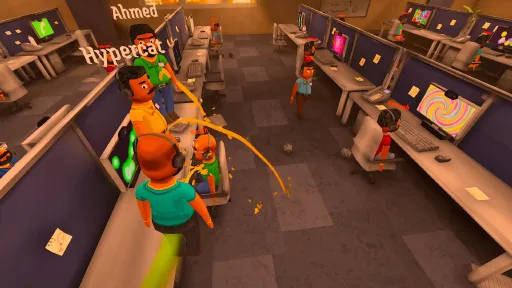
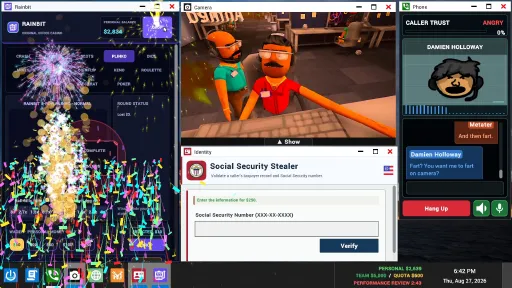
You and your friends run a scam call center under a ruthless boss. Cleverly scam and manipulate AI callers with your schemes! Hack into their computers to access the personal information you desperately need.
HIT THE DAILY QUOTA OR FACE THE WRATH OF YOUR BOSS!
Every day you progress, you expand your arsenal of scams. Scam innocent people out of their life savings to reach your daily quota or GET FIRED!!! It is you or them!
BE PRODUCTIVE! AND TRY NOT TO GET HACKED BY SCAMBAITERS...
Stay focused on scamming and try not get distracted. Watch out for the feisty scambaiters or you might catch the worst computer virus ever!
KEY FEATURES
Online co-op with your friends or public lobbies
Single player
Hilarious real-time AI conversations
Ridiculous scam scenarios
Run-based progression with increasingly chaotic workdays
Remote access to victim computers
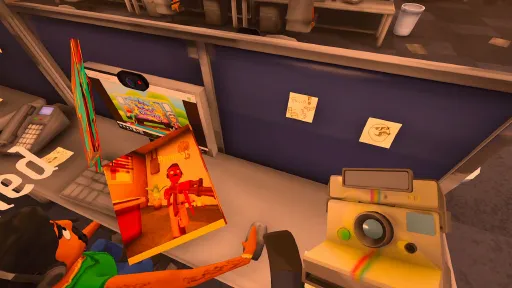
In-game paint app, screen recorder, and camera
Survive computer viruses, police raids, air strikes, and other workplace disasters
Heavily moddable content
Create custom personalities through JSON files and voice cloning WAV files
Screenshots
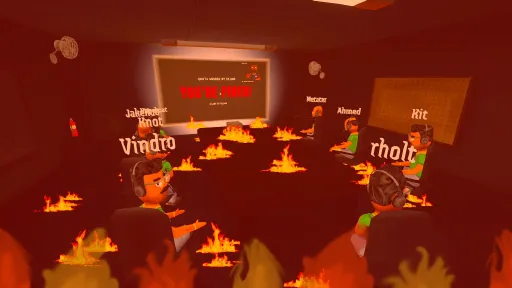
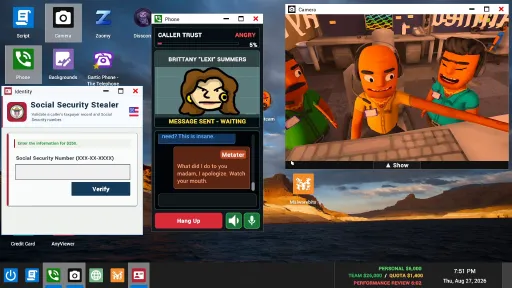
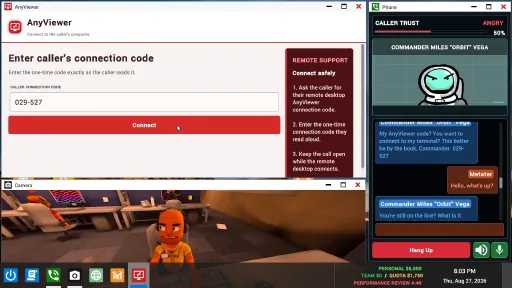
20 images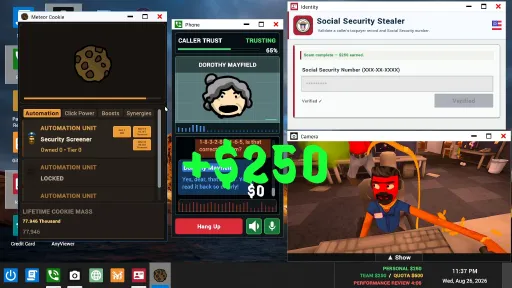
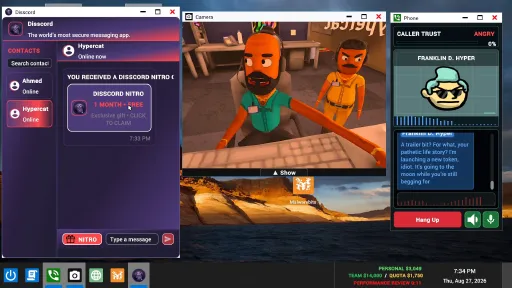
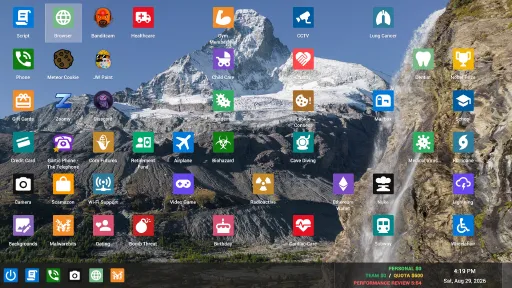
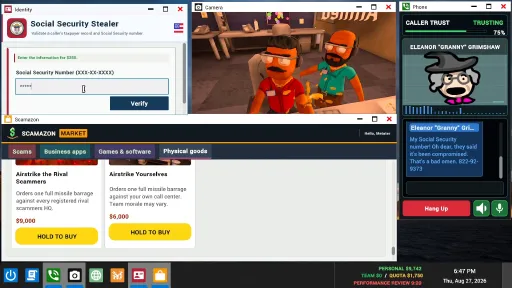
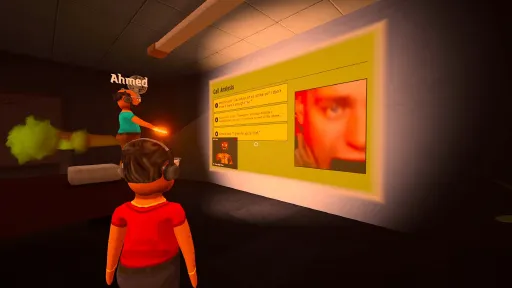
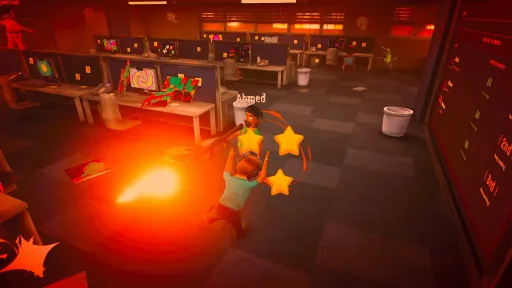
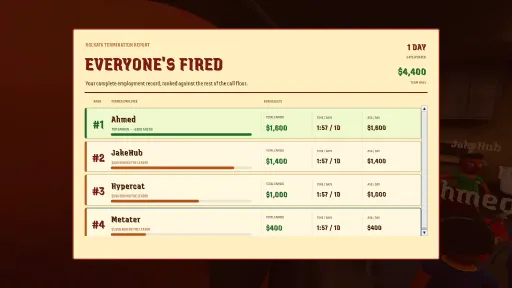

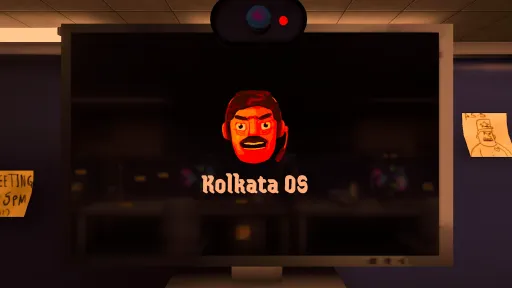
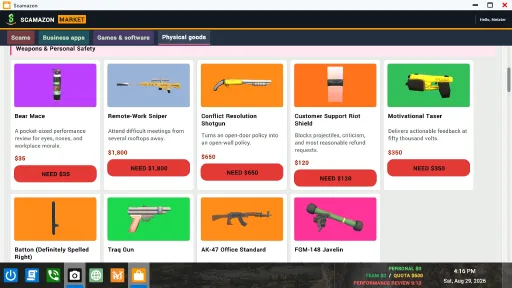
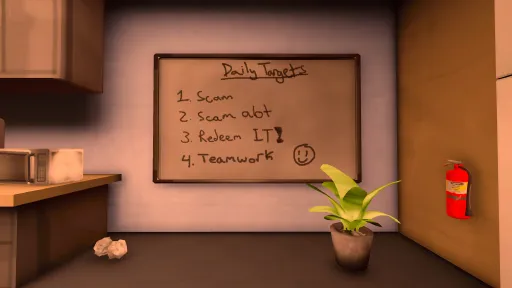
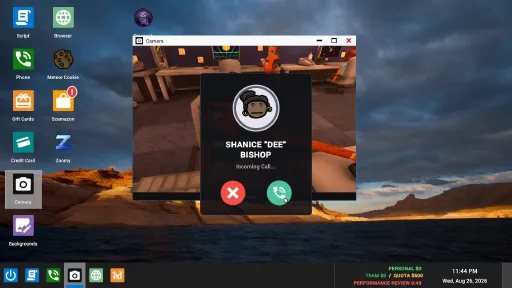
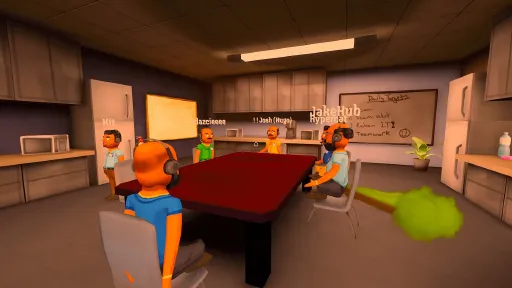
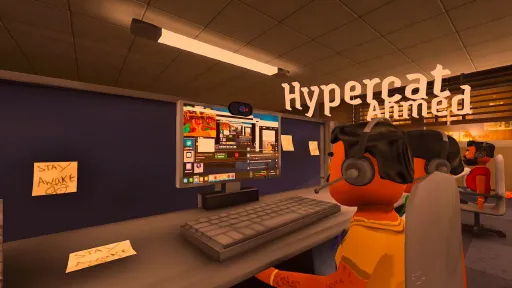
Version Information
Steam Patch Notes
Official update history
**Changes since 0.1.81**
- Automatic speech recognition now selects Moonshine for supported languages on PCs without AVX2 and on known speech-compatibility hardware.
- If Whisper fails to load or recognize speech, supported languages switch to Moonshine for the session without changing your saved provider choice.
- Added 15-second limits for Whisper startup and recognition, with clearer timeout messages. Switching to Moonshine or Deepgram no longer waits behind a stuck Whisper request.
- Microphone capture now continues without automatic gain control if its audio component cannot load.
- Added a persistent warning when your selected Deepgram key is missing or rejected, with instructions to fix it or choose another speech mode.
- Made the speech-recognition selector easier to spot when the optional Deepgram suggestion appears.
- Qwen3 controls and download prompts now respect hardware compatibility. Unsupported or failed Qwen setup no longer blocks hosting or joining behind its warning.
- Improved local voice loading when a Windows installation path contains non-English characters.
- Strengthened Family Friendly mode for caller openings and ongoing conversations, including changes made during a call.
- Boss-review narration now follows the host’s Family Friendly setting.
- Family Friendly mode now blocks the in-game browser and replaces private caller photos in PrivateMail and AnyViewer with a placeholder. Open photos refresh when the setting changes.
- Improved objective recognition for Romance, Police Impersonation, Investment, Bitcoin, Meme Coin, Lottery Prize, and Utility Billing. Clear agreement to an already-proposed plan or amount now counts where appropriate.
- Improved Password Recovery and Police Impersonation instructions so callers share the correct recovery details and payment codes instead of substituting personal information or inventing numbers.
- Improved recovery from malformed caller codes and replies in the wrong language.
- Typed phone messages now survive interface refreshes. Phone and scam-entry fields also preserve focus, cursor position, and text selection where possible.
- Improved editing of Arabic and Persian text in the phone by working around a cursor-direction issue.
- Improved browser resizing when the browser is not yet ready to accept its new size.
- Malwarebits now shows a clear **Remove virus** action for instant-cleanup editions and confirms successful removal.
- Improved boss-review video recovery through Steam when the normal video connection cannot start or fails before the clip is ready.
- Improved cleanup when replacing or stopping review videos, preventing files and playback resources from remaining in use.
- Improved recording cleanup so a stalled recording process does not freeze scene changes or leaving a game.
- Fixed holding the review-skip door across a day transition accidentally clocking out of the next shift. Repeated hold-start requests no longer restart an active hold.
- Added an **Add Steam friend** button beside eligible players in the player list.
- Prestige counts now appear above player names and update for other players in the lobby.
- Added an **I’m stuck** control hint to the HUD and a Knockdown Protection reminder when you are knocked out of your seat.
- Fixed another player disconnecting clearing your local interaction and shortcut controls.
- Widened fire-extinguisher spray coverage to make fires easier to put out.
- Reduced unnecessary quota-board refreshes while preserving scroll position and updating player portraits and earnings.
- Local service and speech warnings now stay visible above the computer interface. Developer announcements retain their separate popup.
- Added more useful guidance to bug-report and feedback forms, plus better diagnostics for failed AI connections.
- Improved AI service reliability and recalibrated usage checks to reduce false flags during normal play.
- Updated translations for the new controls, warnings, feedback guidance, and Family Friendly behavior.
**Scam With Your Friends — Update 0.1.78**
**Changes since 0.1.74**
- Restored Password Recovery to the app store and scam selection, with clearer instructions to use AnyViewer to obtain the required information.
- Added mirror drawing and erasing in Character Creator, with a draggable mirror line. Your mirror settings are saved with your draft.
- Improved Character Creator voice imports: supported extended WAV files now load correctly, and valid MP3 recordings are no longer rejected because of extra audio padding.
- Added a **Disable Call Saving** option. Boss reviews still use temporary recordings, while new recordings are no longer kept as permanent video clips when this option is enabled.
- Improved microphone recovery after unplugging a device or Windows audio changes, avoiding repeated headset restarts while the device reconnects.
- Improved microphone selection and device-list updates when settings or connected audio devices change.
- Community caller buttons now explain when the host has restricted additions to the daily queue.
- VSync now defaults to enabled when no preference has been saved. Existing saved preferences are retained.
- Updated the Investment Scam icon.
- Added a dedicated **Speech** settings tab for call language, speech recognition, Qwen3 TTS, automatic microphone leveling, and caller filler words.
- Added optional **Deepgram online speech recognition** using your own account and API key. Your speech audio goes directly to Deepgram, usage is charged to your Deepgram account, and your key stays saved on your computer.
- Added Deepgram setup controls, clearer key and connection errors, and a dismissible suggestion when changing languages. Built-in recognition remains available and is recommended for English and Spanish.
- Expanded Moonshine speech recognition to Arabic, German, Japanese, Mandarin Chinese, and Spanish alongside English. Select **Moonshine (6 languages)** in Speech settings; other languages continue to use Whisper when using local recognition.
- Bundled the new Moonshine language packs with the game, so no separate in-game download is needed.
- PCs using Whisper’s GPU compatibility mode now keep using Whisper on the CPU instead of automatically switching to Moonshine. Supported languages still use Moonshine automatically on Windows PCs without AVX support.
- Fixed caller speech cutting off too early after brief pauses and improved pronunciation handling for non-Latin text.
- Improved Chinese, Japanese, and Korean transcript timing so text appears progressively with speech instead of revealing an entire sentence at once.
- Improved MOSS caller speech pacing, sentence breaks, and handling of prolonged silence after speech.
- Adjusted optional caller filler phrases and removed extra pauses around hyphens when callers read out codes.
- Fixed Qwen3 TTS rejecting compatible PCs whose reported usable memory was slightly below their advertised 16 GB RAM or 8 GB graphics memory.
- Qwen3 TTS now allows up to 20 seconds for speech to start. If it takes too long, the game uses its other voice system for that session without changing your saved Qwen preference.
- Added a first-launch EULA and privacy notice explaining online AI calls, local recordings, multiplayer sharing, and browser privacy. Your acceptance is saved, and you can reopen the terms from the main menu.
- Added language selection and browser privacy controls to the agreement screen.
- Added **EULA** and **Privacy Policy** links in settings, plus a Privacy Policy link on the agreement screen.
- Bundled the full translated agreement with the game so you can read it in supported interface languages without downloading it.
- Improved agreement-screen navigation and layering. Hosting, joining, and Steam invites wait until you accept, without overlapping wishlist or Qwen prompts.
- Added a persistent warning when a host’s personal OpenRouter API key is missing or rejected, with instructions to replace it or switch to **Official Backend**.
- Improved Steam ownership checks when normal sign-in fails. Temporary Steam or connection failures are not treated as proof that you don’t own the game.
- Added a visible and audible warning when Steam confirms that the signed-in account does not own the game. This warning stays inactive while Steam is offline.
- Fixed free included AI access incorrectly unlocking cosmetics reserved for legacy unlimited accounts. Existing legacy owners keep their benefits.
- Improved delivery of global service announcements.
- Updated in-game voice-command reference graphics.
- Added and updated translations for the agreement, privacy controls, ownership warning, speech options, Deepgram setup, and personal AI-key warning.
Thank you guys! Please keep the feedback coming!
Major speech recognition, crash, and authentication fixes.
- Reworked Bitcoin and Meme Coin into live investment rounds: pitch the coin, get the caller to invest, then choose when to cash out for up to $700.
- Investment values now rise toward a randomly timed market crash. Reassure the caller to delay their withdrawal—but reassurance cannot prevent the crash.
- You can still cash out for the remaining value while the market crashes. Getting caught, losing the caller, or waiting too long forfeits that round’s unpaid earnings.
- Meme Coin no longer requires a purchase confirmation code or a separate Crash the coin button. Use Cash out to collect your earnings.
- Added animated investment values, market sounds, and clearer cash-out and loss effects.
- Reworked Lottery Prize: convince the caller to email you their ticket, enter the confirmation code, then scratch all three numbers to reveal your prize.
- Lottery tickets can pay $0, $200, $500, or $1,000, with a 5% jackpot chance. Scratching reveals and pays the prize, with confetti for the jackpot.
- Police Impersonation now requires entering the caller’s fine payment confirmation number to collect the payout.
- Investment Scam now requires entering the caller’s invoice number, with the payout matching the agreed investment.
- Removed Password Recovery from the app store and scam selection.
- Updated the Meme Coin and Business Investment app-store icons and translated the revised scam instructions and status messages.
- Improved caller variety: each player now works through the available caller pool before hearing repeats, with recent callers avoided where possible.
- Fixed duplicate Daily Callers entries and improved adding, removing, and resetting callers in multiplayer.
- Added automatic microphone leveling for speech recognition, enabled by default. Turn it off in General settings to adjust the phone’s microphone level manually from 50% to 200%.
- Added Moonshine English speech recognition for PCs using the speech compatibility path, including older Windows processors without AVX. You can also select Moonshine in General settings.
- Restored Whisper speech recognition on older Windows processors that support AVX but lack AVX2.
- Added experimental speech recognition and caller voices for Windows ARM and Snapdragon PCs. Qwen3 TTS remains unavailable on these PCs.
- Fixed speech recognition and voice initialization crashes on affected Windows PCs.
- Fixed uneven caller speech timing when voice generation briefly runs out of buffered audio.
- Improved Qwen3 speech startup. It now requires a compatible GPU and switches off automatically if speech takes more than seven seconds to start.
- Fixed blank or cut-off caller messages in phone history after speech stops, is interrupted, or the phone is reopened.
- Added a main-menu warning when speech recognition is unavailable, with a reminder that you can still type to callers.
- Added clearer update instructions and a Back button when a lobby uses a different game version.
- Added a backup sign-in address when the main address cannot be reached.
- Added Steam sign-in through your browser when normal in-game sign-in fails, with clearer connection messages and support guidance.
- Bug reports can now be submitted even when game sign-in is unavailable.
- Improved bug-report diagnostics for Steam sign-in failures and compatibility-tool issues.
- Restored VIP cosmetic benefits for players with legacy unlimited AI access.
- Added a backup way to transfer boss-review recordings through Steam when the usual video connection fails.
- Improved boss-review reliability when the boss returns extra reaction lines for a replay.
- Improved funny-highlight selection so qualifying moments from different players get priority.
- Fixed a Windows crash when importing WAV or MP3 voice recordings in Character Creator.
- Smoothed multiplayer prop pickup animations and improved pickup reliability.
- Fixed thrown office props briefly blocking the player who threw them.
- Corrected lighting on carried and dropped office props.
- Knockdown protection now also prevents player damage and tackles when either player has protection enabled.
- Fixed incompatible saved keybindings causing button actions to fail.
- Added a safeguard against the Windows game process staying stuck after quitting.
- Adjusted the main-menu layout to prevent controls overlapping notices on smaller screens.
- Added a warning explaining that Mac, Linux, CrossOver, Wine, and Proton are currently unsupported, with bug-reporting guidance.
- Translated the breakroom TV’s community-video promotion and reward message.
Thank you guys! Please keep the bug reports and feedback coming!
- Added a backup sign-in route when the main sign-in address cannot be reached.
- Boss-review recordings can now transfer through Steam if the usual video connection fails.
- Fixed Whisper speech recognition and text-to-speech startup crashes on affected Windows PCs.
- Restored Whisper speech recognition on older Windows processors that support AVX but lack AVX2.
- Added experimental Whisper speech recognition and caller voices for Windows ARM PCs, including Snapdragon devices. Qwen3 TTS remains unavailable on these PCs.
- Fixed uneven caller speech timing when voice generation briefly pauses.
- Qwen3 TTS now requires a compatible GPU and automatically switches off if speech takes more than five seconds to start.
- Added a warning when your PC cannot run speech recognition, with a reminder that you can still type to callers.
- Added a saved microphone sensitivity control for speech recognition. Hover over the phone’s microphone button to adjust it from 50% to 200%, with a percentage display and color feedback.
- Fixed caller messages appearing blank or cut short after interrupted speech or reopening the phone.
- Fixed a Windows crash when importing WAV or MP3 caller voices in Character Creator.
- Smoothed multiplayer prop pickup animations and improved pickup reliability.
- Fixed thrown office props briefly blocking the player who threw them.
- Corrected lighting on carried and dropped office props.
- Knockdown protection now also prevents player damage and tackles when either player has protection enabled.
- Improved boss-review reliability when the boss generates extra reactions for a single replay.
- Improved selection of funny review highlights so moments from different players get priority.
- Translated the breakroom TV’s community-video promotion and reward message.
- Fixed main-menu controls overlapping notices on smaller screens.
- Added clearer information about unsupported Mac, Linux, CrossOver, Wine, and Proton setups, with guidance for reporting bugs.
- Improved bug-report details to help investigate Steam sign-in failures and compatibility issues.
Thank you guys! We hope you all are enjoying. Please keep the bug reports and feedback coming.
- Improved public lobby filters and added “My version first” sorting.
- Join by code now accepts Steam invite links and clearly flags invalid codes.
- Reduced speech recognition delays and filtered additional false music captions.
- Prevented speech startup crashes on older Windows CPUs; typed dialogue remains available.
- Fixed stalled caller voice loading and Qwen3 startup blocking caller input.
- Reduced memory use when loading custom caller voices.
- Added clearer Qwen3 troubleshooting messages and a reminder that it can be disabled if too slow.
- AI failures and temporary usage restrictions now show clear status messages instead of fake caller dialogue.
- Password recovery accepts favorite-color answers in the caller’s language.
- Resetting Daily Callers refreshes the latest defaults. Installed Workshop callers no longer download again unnecessarily.
- Character Creator opens directly into creating a caller. Edit existing callers through Daily Callers; separate Localize Voice buttons have been removed.
- Added a privacy confirmation before opening or restoring the browser.
- Leaving your computer now closes its browser session.
- Added checks for missing browser installation files.
- Disabled viruses and their popups on laptops.
- Improved multiplayer pickup handling for office props.
- Fixed carried props disappearing between floors and collected poop disappearing on its original cleanup timer.
- Office NPCs stay near occupied floors without crowding desks, walk between floors after promotions, and use corrected stair navigation.
- Improved office prop lighting and updated the office scene.
- Added cleanup timeouts for stuck call recordings.
- Fixed the menu language selector restoring the wrong selection.
Thank you all so much! Please keep the bug reports and feedback coming, we are listening!
- Added a warning before hosting or joining when higher-quality voices aren’t ready, with options to wait or continue.
- Fixed speech startup crashes affecting some PCs, including GTX 1650 and RTX 4060 Ti systems.
- Fixed incorrect PC clocks preventing AI access, and added clearer guidance for clock issues.
- Improved multiplayer reliability during temporary Steam network congestion.
- Added public lobby filters for player count and country.
- Fixed controller stick drift taking over mouse controls. Press a controller button to switch to controller input.
- Added a minimum five-second break between calls at your desk, including transferred incoming calls.
- Fixed uploaded custom callers losing their Daily Callers connection after restarting.
- Fixed stuck Workshop uploads blocking other caller uploads.
- Daily Callers can now be cleared without enabling random community callers.
- Fixed boss review timeout errors, including while paused or replacing a replay.
- Fixed the Discord VIP verification window appearing behind character customization.
- Removed the gold watch option from Deluxe accessories.
- Improved crash-report diagnostics to help investigate problems after restarting.
Current Release
Build 26040630
Uploaded Oct 20, 2026
System Requirements
How to Install
Troubleshooting tips
• Run Redist/_CommonRedist installers if game won't start
• Add folder to Windows Defender exclusions
• Run as administrator
Download
Direct link available
Needed when extracting (WinRAR / 7-Zip) — not a site login.
You May Also Like
View All








Download Scam With Your Friends for PC with a direct link or via torrent. Get the full version of Scam With Your Friends for free. Scam With Your Friends is a Action released by JakeHub.