









Forever Skies
by Far From Home · 14 Apr, 2025
95 downloads
About the Game
BUILD & CONTROL YOUR AIRSHIP
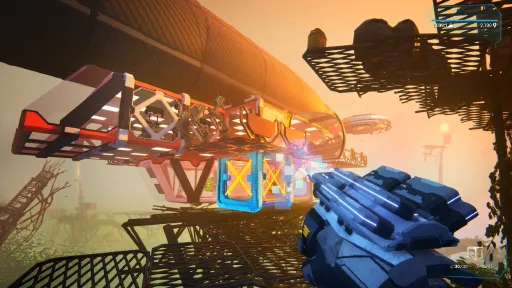
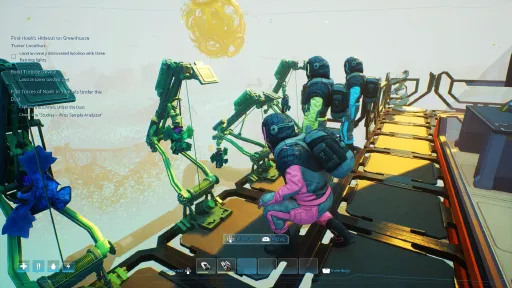
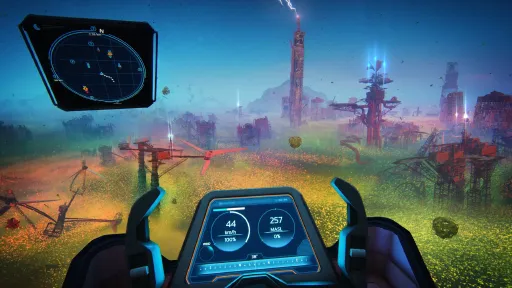
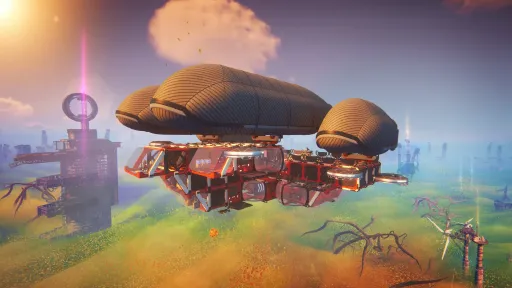
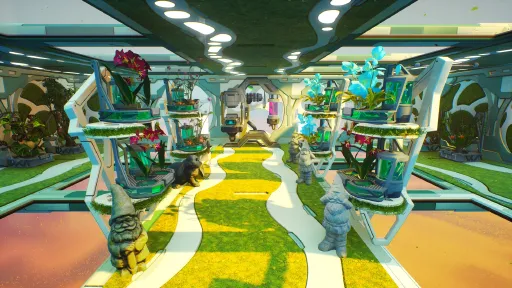
You will build and customize a high-tech airship. It will be your home, workshop, laboratory and more while flying above the surface of Earth. Control and steer it towards the ruins of our civilization and mysterious anomalies. Manage your airship hull and its integrity. Extract and gather resources to improve your airship and make it uniquely yours.
UTILIZE SCIENCE TO SURVIVE
Your scientific know-how will allow you to build and operate different machines. Analyze scanned items and reverse engineer lost technology. Research new ways of obtaining food and resources, discover new tools, and increase the chance of your survival.
SCAVENGE RUINED SKIES
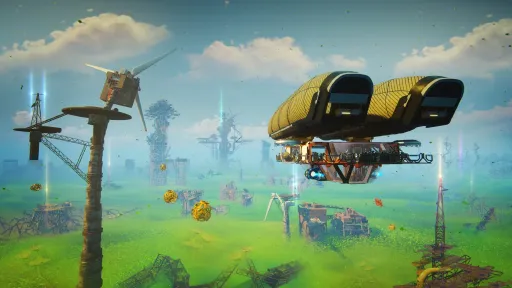
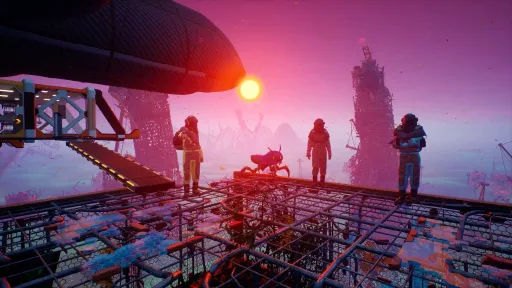
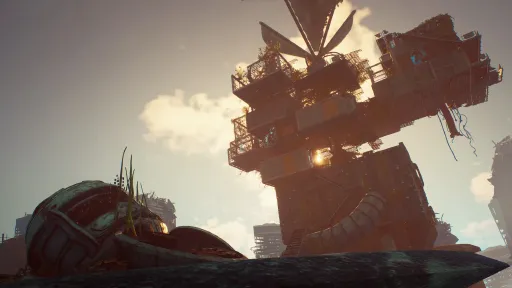
Explore and extract resources from the ruins that were built up high to escape the dust. Surrounded by drifting debris caused by a strange anomaly, harvest it into raw materials to help you survive. Explore and discover the remains of our civilization. Find out what happened and why Earth evolved to a place where we lost control of our previous position at the top. Discover secrets of our past.
DESCEND BELOW THE DUST
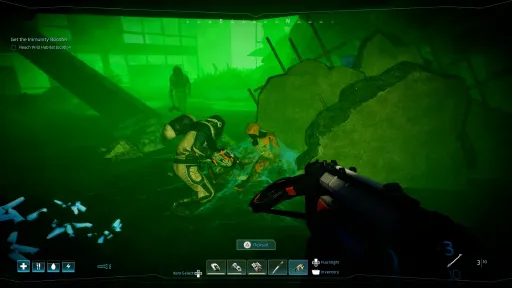
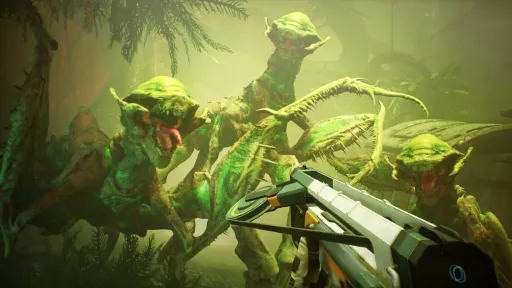
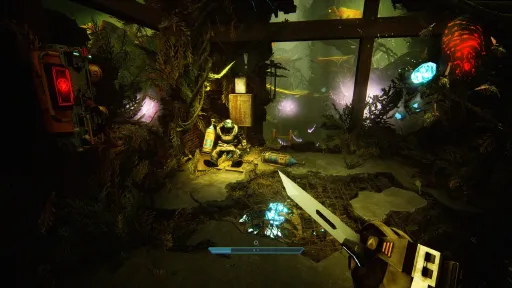
After descending below the dust, you will discover a strange new world, the planet's surface that changed in our absence. Face evolved fauna and flora and hunt for viral pathogens to cure a mysterious illness threatening your family.
RETURN TO EARTH
Forever Skies is an action-survival game taking place on Earth, which was devastated by a global ecological disaster. This event caused the surface of the planet to be covered in a colossal layer of toxic dust. You’re returning to our planet hundreds of years later - will you recognize our world?
We Are Far From Home
We’re Far From Home, an experienced game dev team based in Wroclaw, Poland. We are a group of friends and colleagues who worked together on quite a few projects and titles such as the Dying Light series, Divinity Original Sin series, The Medium, Outriders and many others

CURRENT ROADMAP

UPDATES

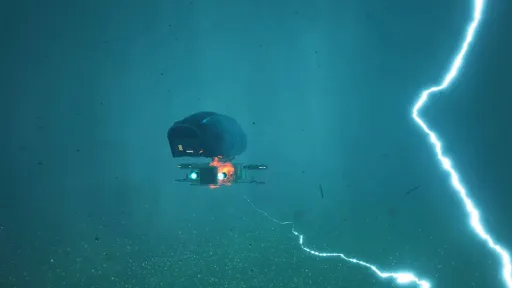
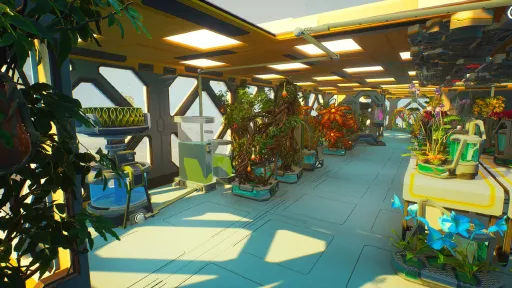
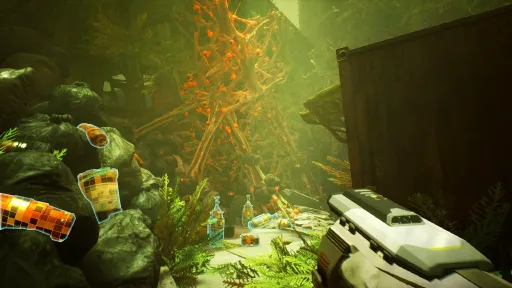
Screenshots
15 images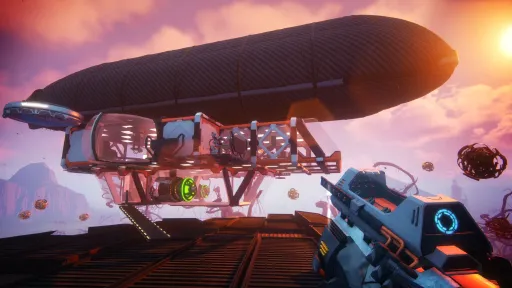
Version Information
Steam Patch Notes
Official update history
A small hotfix has just been released.
FIXED:
- Fix for disappearing inventory & Freezer items
- Fix for Wind Farm locations not spawning correctly
We have just sent out a hotfix. Here is what's included:
ADDED:
- Added foundations for the Dynamic Combat Difficulty system.
- The game can now evaluate combat difficulty more dynamically, including new combat skill rating logic and combat-related evaluation systems.
- Added additional internal logging for vitals issue tracking.
CHANGED:
- Improved placement performance by reducing excessive overlap checks while moving or placing objects.
- Optimized Garden interiors, catwalks and central location areas.
- Optimized Infected Garden content.
- Optimized Workshop content.
- Optimized Overgrown Lift content.
- Optimized Overgrown Ruins (biome 2) content.
- Optimized Wind Farm content.
- Optimized New Nature content (biome 3) buildings, fallen leaf and Waterlily landing leaf.
- Optimized support pillars, ruins, containers, garden elements, crane elements, lift elements and Power Generator areas through draw-distance adjustments.
- Reduced texture sizes on selected assets.
- Reduced material complexity by sharing normal maps, using flatter normals where appropriate and replacing duplicated materials or meshes.
- Improved several meshes and materials so they use fewer draw calls.
- Converted scaffolding meshes into instances to improve rendering efficiency.
- Fixed major FPS drops when moving or placing selected objects, including the Mossy Table, Mossy Double Shelf and Festive Dioramas.
- Fixed the placing ghost performing too many overlap checks in a single tick.
- Fixed planter and sprinkler Actor Placing Tool HUD repeatedly checking placement overlaps more often than necessary.
- Changed radar guidance so quest-related locations can be found more reliably even before the exact location has been generated.
- Fixed Power Generator location progression in Overgrown and New Nature biomes so it no longer incorrectly progresses a side quest intended for the Silent City biome.
- Covered up an unattractive vine near the hypothermia flower in the first Underdust area.
- Adjusted draw distances across ruins, support pillars, containers, garden elements and other world objects.
- Improved visible meshes in the Overgrown Lift and Workshop areas.
- Improved settings navigation by fixing wrap navigation across all settings views.
- Each settings view now uses its own scroll box for clearer navigation.
- Removed a misplaced difficulty option from Gameplay Settings.
- Updated Freezer and Fishing Rod textures.
- Updated textures for Automatic Deck Extractor, and Mine assets.
- Removed distance fields from selected items where they were not needed.
- Simplified collision for selected pipe assets.
- Changed how Object Infos and Item Descriptions are loaded to avoid asset registry-related crashes.
FIXED:
- Fixed Crustpede spawners not saving their state correctly.
- Fixed a co-op issue where the Weather Device’s weather selection screen showed only “Note” for clients.
- Fixed a Colossal Lifeform Swimming location (biome 1) issue where clients had no passage.
- Fixed an issue where the player could not unlock/discover the Luciferin-related location on the radar.
- Fixed storms still appearing when Storm Frequency was set to “None” in Custom Difficulty.
- Fixed Memory Cards granting crafting recipes for ship modules directly instead of requiring players to obtain them from laptops.
- Fixed a missing passage in the Colossal Lifeform Swimming location (biome 1) for clients.
- Fixed a wall blocking the entrance of the UD2 location.
- Fixed the player being unable to reach Luciferin flowers location in the Overgrown Ruins (biome 2).
- Fixed material issues on Wild Habitat landing Leaves.
Thats all for today, thank you for all of your reports and feedback so far.
Team FFH
Greetings scientists,
We have a new hotfix NOW LIVE on Steam that addresses a wide range of issues reported.
Thank you to everyone who sent over their logs for the hunger, thirst and oxygen meters not dropping under specific circumstances. They have been helping us narrow down and pinpoint what's causing it. We believe we have a potential fix in today's build, but we can't verify if it's working correctly. Keep speaking to us and let us know if it's worked or if it's still an issue.
Here are the full patchnotes...
ADDED:
- Added the keybind option for turning devices on and off.
CHANGED:
- Changed how vitals drain behaves after death. Main vitals drain effects are now paused when the player is marked as dead instead of being removed entirely.
- Audio fixes on Power Generators
- Performance optimized on the Hideout landmark.
- Optimized the Small Town.
- Optimized Greenhouse Tower.
- Optimized Temporary Camp.
- Optimized cooked and raw item setups.
- Optimized several side quest locations, including Second Expedition, Stolen Future, Hunting Giants, Fishes of the Sky Ocean, The Pirate Dream and Path of Greed.
FIXED:
- Fixed side quest scan objectives not auto-completing for devices that had already been scanned on older save files.
- Fixed selected side quest and location setup issues, including Borrowed Pal and Hight Point.
- Fixed an issue where Emergency Damage and Overload Damage difficulty settings could swap values.
- Fixed some difficulty screen text not fitting properly in the New Game and Load Game screens.
- Fixed the Surplus visual effect remaining visible if electricity was turned off while Surplus was active.
- Fixed an issue where placing a Lightning Rod always showed a “Lightning Rod damaged” message.
- Fixed an exploit where players could multiply their water supply by putting canned water into the cooker.
- Fixed an issue where items requiring containers were not swapped correctly.
- Fixed an issue where starting to cook food could remove an additional food item from the player’s inventory.
- Fixed an issue where the Distiller could become stuck and could no longer be removed or used.
- Fixed poor UI scaling for loading save games in some languages, including German and Spanish.
- Fixed an invisible Lightning Flash widget that could still be clicked when the Display Lightning Flash option was turned off.
- Fixed the Lightning Flash widget so it no longer blocks clicks.
- Fixed Dust Daisies being desynced in co-op.
Have a great weekend!
- Team FFH
Greetings scientists,
The latest hotfix for Ver.1.3.0 is now live. It includes fixes for some of the most-reported issues, such as nerfing enemy quantities on locations, removing redundant lightning storm notifications, missing helium, a slider for lightning flashes and more.
{STEAM_CLAN_IMAGE}/41775446/043c574e62ee97fc1f4bababf4250316f8478690.png
We have also made improvements to the Custom Difficulty Mode to address some of the other issues raised. Thank you for your continued feedback, you’re helping make Forever Skies a better game!
CUSTOM DIFFICULTY MODE IMPROVEMENTS
As we continue to look through discussions on our Community tab and read through reviews, we've noticed that some players weren't aware that Custom Difficulty Mode was available to them. With this in mind, we have tweaked our difficulty settings page, both from the main menu and pause menu, to make the options more visible to players.
{STEAM_CLAN_IMAGE}/41775446/41e0bf458e27ff4280dacb52b9441661464b565d.gif
We've added a dedicated Difficulty tab, making it much easier to find custom gameplay options such as enemy quantity, enemy health, hunger, thirst, and more.
But we have also added two new options to the Custom Difficulty Mode based on your feedback:
{STEAM_CLAN_IMAGE}/41775446/8dc40dc409495a2abb59c213cc1926baa7cf802a.png
- Airship Electricity lets you disable the new Electricity system mechanics, meaning devices on your airship can be used freely, without needing to manage generators and airship power states.
- Storm Frequency does…well…exactly what you would expect it to do. Adjust how often you get storms in-game. If you want more storms to power your Surplus Mode, then go ahead. If not, then feel free to reduce them.
Tailor the experience to suit your playstyle.
You can read the full patchnotes below:
ADDED:
- Added a new Custom Difficulty option to enable or disable the electricity system.
- Added a new Custom Difficulty option for storm frequency.
- Added difficulty settings information to the death screen, making it clearer which custom rules are active when the player dies.
- Add a New Difficulty Settings Tab and Improve Custom Difficulty Visibility
- Added a new setting to enable or disable lightning flashes during thunderstorms.
- Improved Camera Shake settings support when using a gamepad.
CHANGED:
- Devices can now still be turned on or off even when the electricity system is disabled through Custom Difficulty.
- The electricity system can now be turned on or off during gameplay, and the game will correctly apply the change without requiring a restart.
- Surplus behaviour was improved so it starts correctly.
- Electricity-related Custom Difficulty settings were reorganised and cleaned up.
- Changed gamepad input increments for Camera Shake settings to make adjustments smoother.
- Balanced storm behaviour.
- Reduced redundant notifications about incoming storms.
- Reduced the base number of enemies on locations.
- Adjusted Command Center resource setup so helium can be found correctly again.
FIXED:
- Fixed Crustpede spawners not saving their state.
- Fixed turned-off thrusters being unregistered after loading the game.
- Fixed an issue where Surplus could fail to start
- Fixed device on/off behaviour when electricity was disabled in Custom Difficulty.
- Fixed Camera Shake settings only switching between 0% and 100%.
- Fixed redundant incoming storm notifications.
- Fixed an issue where engines could be installed but remain powered off without clear feedback.
- Fixed an issue where the player could block stamina regeneration by holding the attack button after a weak knife attack.
- Fixed an enemy spawn issue where enemies could appear somewhere they could not reach the player.
- Fixed enemies not always spawning loot.
- Fixed missing loot for enemies spawned in side quests.
- Fixed missing helium at the Command Center location.
- Fixed the wrecked Weather Machine missing from Workshop Variant studies.
- Fixed several content setup issues connected to Custom Difficulty, electricity damage settings and update collections.
KNOWN ISSUES:
- Sometimes the vital bars, such as Hunger, Thirst, and Energy, stop decreasing. We're currently investigating this issue, but it only seems to occur under very specific and difficult-to-reproduce circumstances, making it challenging to identify the root cause. If you encounter this bug, we'd greatly appreciate it if you could send your game logs to [email protected]. Reports submitted through the in-game F6 reporting tool, on this occasion, haven't provided enough information for us to reliably reproduce the issue, so game logs are our best chance of tracking down the cause. The file path for logs: C:\Users\Admin\AppData\Local\ProjectZeppelin\Saved\Logs
- Night is Coming quest sometimes triggers when loading a game with a fully completed main quest line
- Side Quests can sometimes appear at two Radio Towers
- Sprinklers are not watering all the Garden Pots under the Sprinkler
- Sometimes, using a ladder in co-op might turn players sideways
- Audio issues with Generators
Thats all for now!
- Team FFH
Another day, another hotfix. Just the one fix today...
- Fixed the missing structure on the Small Town POI that helps players climb out of the lower levels near the Paint Tool wreck.
Team FFH
Another hotfix was just released. Here are the fixes:
- Fixed a bug when the surplus mode stayed on after the player left the Helm
- Fixed a bug where the heading button prompts didn't appear on the UI when using a controller
Team FFH
Thank you for all of your feedback since the launch of The Final Echoes yesterday. There are a few issues you have highlighted to us, and two of them have already been fixed. Here is what this hotfix addresses:
FIXED:
- Fixed a bug that prevented any Turbines from increasing the maximum weight capacity of the airship, making players who played on an existing save struggle to make progress with the new Electricity System.
- Fixed the visual bug that created a blurry screen when players interacted with the helm while using a controller.
Thanks for all of your feedback so far. These were the two biggest issues that were reported.
Please let us know if these issues persist.
Team FFH
ICYMI: we're keeping the beta branch open until further notice. More details here.
In addition, we have just sent a hotfix to the build. We know some players have reported frustrating audio issues with the Generators; we will address this as soon as possible.
For now, here are the rest of the patchnotes:
CHANGED:
- Added stun damage visualization.
- Enemy Behaviour
- Added improved tracking for enemies that land on or move onto the airship.
- Added logic that removes melee enemies if they remain on the airship for too long (self destruct logic).
- Added additional landing and surface checks for melee enemies to improve ragdoll and death behaviour.
- Added line-of-sight checks for Mantis ranged attacks - they need to reposition themselves before taking the shot.
- Added support for impact parameters on drone mesh elements, enhancing how drone hits and reactions are handled. - Added electricity information into the build tool HUD.
- Reduced Power Generator sound volume.
- Adjusted Power Generator rod island lighting to better support larger airships. - Updated Power Generator landing pad lighting.
- Polished enemy wave setup.
- Balance adjustment for the stamina boost from the Energy Drink
- Updated lighting/visual settings for the Hidden School landmark.
- Updated lighting/visual settings for the destroyed Soccer Field landmark.
- Changed sleep behaviour so players have a chance to react if food or water reaches zero after falling asleep from exhaustion.
- Added a new sleep behaviour that prevents players from sleeping when food or water is critically low.
- Restored item loss penalties when dying on Normal and Hard difficulties.
FIXED:
- Fixed a problem with the missing Storm Centre icon.
- Fixed a problem when the electricity widget was covering the build tool HUD, making power-related information hard to read while building.
- Fixed an issue where the Power Generator location icon could appear on the radar before the location had been discovered.
- Fixed Power Generator Tier 1 collision.
- Fixed notifications appearing behind player menus by increasing notification priority.
- Fixed a bug when the Recycler was giving invalid items after using it
- Fixed issues with clients using Surplus Boost from Airship Controls.
- Fixed item-based quest objectives not checking all players, which could prevent clients from completing certain quests.
- Fixed an issue where players could pick up the Distiller while it still contained liquid.
- Fixed an issue where players could move printers while crafting was still in progress.
- Fixed missing crafting time display in the Distiller when liquid was inside the tank.
- Fixed mines from the toolbar not merging correctly with other stacks.
- Fixed an issue that prevented relocating the Metal Collector because its placement ghost was incorrectly detected as a collision.
- Fixed a rock blocking the path needed to complete a side quest at the biome 3 Radio Tower.
- Fixed Spring Event crafting recipes not unlocking correctly for players who had unlocked at least one event recipe during the event.
- Fixed dead robot naming.
- Adjusted texture data to reduce memory usage.
Click here for ongoing known issues list
We just sent out a small, but important hotfix. Here is what was addressed:
FIXED:
- Improved performance drops for the host in co-op mode
- Fixed a crash when switching from FSR to DLSS
The full list of Known Issues can be found here.
That's all for today. More news coming soon.
Team FFH
We’ve just updated our beta branch with the next patch, Ver.1.2.2. This is our “spring cleaning” patch, essentially, as it contains mostly fixes and performance improvements. If you have been struggling with performance when playing, then we invite you to switch over to the beta version and let us know if it has improved things.
Click here to find out how to switch over to our beta branch
After the (unwelcome) surprise memory leak in last month's hotfix, we wanted to play it a little safe and test the patch here first before it made its way to the live build.
Speaking of the live build, this patch will be made live on March 4th 2026. And to celebrate the arrival of spring, there will be a little spring-themed surprise included in the patch in addition to these bug fixes and performance improvements. We just need a few more days to get everything ready. We will share more info next week!
Here are the patchnotes for today's beta build:
ADDED:
- The MOVE (Z) function has been improved to include multiple connected objects at once. For example, a shelf with ornaments on it will now move all items at the same time when you use MOVE (Z) on the shelf.
CHANGED:
- Optimized small texts throughout many of the game UIs
FIXED:
- Fixed a bug where landing on the New Nature Territory location didn’t progress the “Get the Immunity Booster” main quest
- Fixed a bug where some item tooltips weren’t showing all information, e.g. health and nutrition values
- Fixed a bug where flying to a location with a Container for the first time didn’t complete the main quest subtask
- Fixed a bug where the initial Underdust cutscene was played upon every visit to the location
- Fixed a bug where Extractor was stuck in a charging animation
- Fixed a bug where the Recycler displayed the wrong amount of Synthetics (10) when recycling a Small Bottle; however, it gave the proper amount after recycling (15)
- Fixed a bug in the Database where the seeds description showed different-looking Garden Pots
- Fixed a bug with the blocked path at the Vivarium Wreck in the Fish of the Sky Ocean side quest
- Fixed a bug where players could play the drawer animation even if this drawer wasn’t a part of a piece of furniture
- Fixed a bug where players couldn’t pick up Research Parts in some locations
- Fixed a bug where clients were not able to use some actions after dying in a contamination zone
- Fixed a bug that allowed the Trash Bin to destroy the Friendly Insect pet
- Fixed the issue with a Poster Frame not displaying the inserted poster after loading a save
- Further performance optimization (e.g. Location Radar, Flashlight, animations, Underdust and other areas to reduce memory usage)
- Level art and level design optimisation (e.g. levitating objects, blocked paths, wrong collisions, intersecting objects)
- Further optimization
KNOWN ISSUES:
- We observed some multiplayer problems with hosts being kicked from their sessions (to investigate this issue, we need some game logs, so leave us your email in the Reporting tool, please)
- We observed some multiplayer problems with session joining - they’re not game-related, and we’re investigating why it’s not working (global internet services failures in the last few weeks had an impact on this issue)
- On rare occasions, clients being kicked out of a session return without the Extractor present (if you’re hosting such a session, and it still happens to your team, report it via the in-game tool and leave us your email address so we can get a grip on this issue)
- On rare occasions, Noah’s key card Terminal may not spawn
- Night is Coming quest sometimes triggers when loading a game with a fully completed main quest line
- Some side quest locations may not spawn in the world
- Some of the tower batteries cannot be found
- Sprinklers are not watering all Garden Pots under the Sprinkler
All the best.
- Team Far From Home
Another week, another hotfix. This one is mostly focused on performance, specifically in the Underdust biome. In addition, all changes we had to revert last week (due to the memory leak) have been restored.
Please let us know if you notice an improvement in the Underdust after downloading this hotfix. Thank you once again for all of your feedback on Forever Skies. Patchnotes below...
FIXED:
- Improved performance in the Underdust
- Improved performance when interacting with the Soccer Field
- Improved performance during the collapsing ruin animation
That's all for today!
Team FFH
Thank you to everyone who let us know about the game freezes - and there were a lot of you!
The hotfix we just sent out should have fixed the issue. We have had to reverse a lot of the performance improvements from yesterday's hotfix, and just keep the bug fixes for the Metal Collector & Picture Frame.
We will continue to work on optimization in the meantime and re-release those improvements at a later date. Please keep speaking to us and let us know if today's hotfix has fixed the issue. Your feedback is vital.
Here are the patchnotes:
FIXED
- Fixed the random memory leak.
- Improved performance when using the Cooking Station
- Improved performance when using the Insect Catcher Station
- Improved performance during the Draw-Bridge falling animation
Thats all for now.
Thank you again for your quick feedback!
Current Release
Build 24723083
Uploaded Aug 17, 2026
Update already requested
Uploaders have been notified
A newer version is available but not yet uploaded
Help keep this updated
Login Required
You need to be logged in to request game updates. Would you like to go to the login page?
Request Update
Request an update for Forever Skies? This will notify uploaders that this game has an available update.
Request Submitted
Your update request has been submitted successfully! Uploaders will be notified.
Request Failed
Failed to submit update request:
System Requirements
How to Install
ForeverSkies.exe to play
Troubleshooting tips
• Run Redist/_CommonRedist installers if game won't start
• Add folder to Windows Defender exclusions
• Run as administrator
Download
Direct link available
Needed when extracting (WinRAR / 7-Zip) — not a site login.
B4BAB9E8
e85aa4617bdfdf6bd5c370d32ab624420876c7f4cad05f625395a97d6085783c
You May Also Like
View All








Download Forever Skies for PC with a direct link or via torrent. Get the full version of Forever Skies for free. Forever Skies is a Action released by Far From Home.