
Liftoff®: FPV Drone Racing
by LuGus Studios · 13 Sep, 2018
276 downloads
About the Game
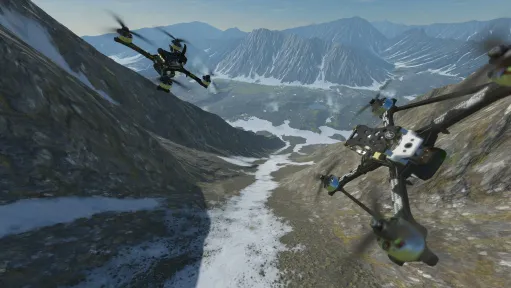
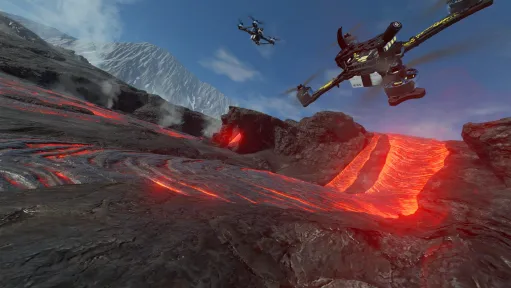
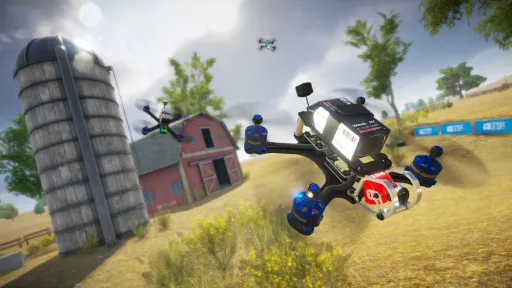
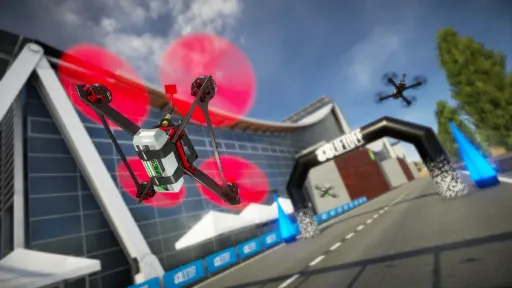
Liftoff: FPV Drone Racing from LuGus Studios is widely considered the most realistic FPV (first-person-view) drone simulator on PC — built specifically as a training tool for actual drone pilots, with physics that translate cleanly to real flight muscle memory. Standard transmitter integration is built in (most pilots wire up an actual radio controller), and the flight dynamics model power-loop physics, prop wash, and gyro behavior with the kind of fidelity that separates training-grade sims from arcade games.
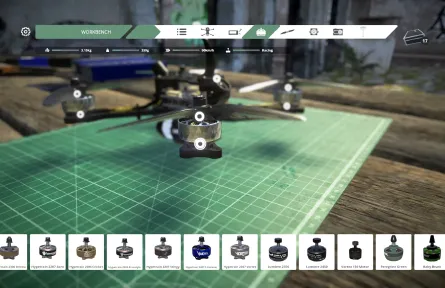
Beyond just learning to fly, the game has racing leagues, freestyle parks, a track editor, and a community-driven content layer that's been growing since the 2018 release. The drone customization is deep — frame, motor, FC firmware, prop pitch — and changes actually affect handling.
This download is build 14582210, packaged with CSF + Goldberg. Fully offline-playable. 17.6 GB installed. Multiplayer is technically present in the game but the cracked build cannot reach LuGus's matchmaking; LAN play between cracked clients works.
Screenshots
7 images
Version Information
Steam Patch Notes
Official update history
[img src="{STEAM_CLAN_IMAGE}/10770083/df1f0aa2a2db1ab43928fc136bbacec690cede0b.png"]Sun-soaked, vibrant, and packed with iconic FPV opportunities, Marina Bay isn't just another Liftoff level, it's the ultimate FPV destination. A tropical city built for speed, style, and the kind of flights you'll want to replay again and again.
Changelist
Added: Marina Bay environment.
Added: Five new official tracks and races.
Updated: The chat input field now disengages when a flight axis is deflected more than 75%. This allows you to start flying again without clicking outside of the chat window.
Updated: Internal file structures to decrease the total Liftoff install size and more efficient memory usage.
Updated: The Report a Problem window now requires an email address to send a report.
Fixed: The button setup menu now properly shows the labels of the buttons and axes for bound actions to your controller inputs.
Fixed: Loading the DJI FPV drone configuration from the DLC bundle.
Fixed: issue with motion blur effect.
Fixed: Several small memory issues that could cause hitches in framerate.
Fixed: Some Night Fever environments would behave differently with menu input.
Fixed: Sharing updates to tracks and races on the Steam Workshop. The sharing process would stall indefinitely.
Fixed: Copying drone setups from leaderboards and other players in multiplayer.
Fixed: A drone statistics warning would not display properly when viewing a drone setup in a tournament leaderboard.
Fixed: Starting a replay from a Knockout Tournament leaderboard.
Fixed: The Flight Controller Settings and Drone Selection menu's were available while watching a tournament replay.
Fixed: A text issue in the onboarding process.
Fixed: Rewinding while being out of the environment bounds would not properly reset the drone when the timer ran out.
Fixed: Signing up for a Liftoff Pro account without a properly formatted email address.
Note: A heartfelt thank you to everyone who helped test this level and shared their fantastic feedback with us over the past few weeks. Your support and insights have been greatly appreciated.
Marina Bay
This new Liftoff experience has been in development for more than a year, aiming to deliver the ultimate FPV sim level. Every aspect has been carefully designed, tested, and refined multiple times to get it just right.
[img src="{STEAM_CLAN_IMAGE}/10770083/e33c6f2f55290b5b34d79ee9cc0987d29969375b.gif"]
Freestyle
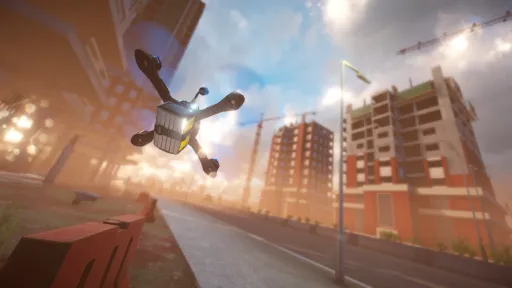
For Marina Bay, we focused on creating a freestyle playground with endless possibilities. Every skyscraper, rooftop garden, waterfront section, boulevard, and monorail route was carefully placed to create natural flow and encourage exploration. The map was designed around interconnected lines, smooth transfers, and dramatic elevation changes, combining extreme verticality with open sightlines to deliver a uniquely rewarding FPV experience.
[img src="{STEAM_CLAN_IMAGE}/10770083/28272c32872f6ec5935b10cef2c39188d827ad14.gif"]
Racing
Marina Bay was designed with racing in mind from the very beginning. The city layout naturally supports technical gate placement, high-speed waterfront sections, rooftop transitions, and dramatic tower dives, with water canals that flow naturally through the environment and help shape dynamic race lines. By combining diverse districts with strong route connectivity, we aimed to create a level that supports everything from competitive circuits to creative custom race tracks.
[img src="{STEAM_CLAN_IMAGE}/10770083/df1f0aa2a2db1ab43928fc136bbacec690cede0b.png"]Sun-soaked, vibrant, and packed with iconic FPV opportunities, Marina Bay isn't just another Liftoff level, it's the ultimate FPV destination. A tropical city built for speed, style, and the kind of flights you'll want to replay again and again.
Changelist
Added: Marina Bay environment.
Added: Five new official tracks and races.
Updated: The chat input field now disengages when a flight axis is deflected more than 75%. This allows you to start flying again without clicking outside of the chat window.
Updated: Internal file structures to decrease the total Liftoff install size and more efficient memory usage.
Updated: The Report a Problem window now requires an email address to send a report.
Fixed: The button setup menu now properly shows the labels of the buttons and axes for bound actions to your controller inputs.
Fixed: Loading the DJI FPV drone configuration from the DLC bundle.
Fixed: issue with motion blur effect.
Fixed: Several small memory issues that could cause hitches in framerate.
Fixed: Some Night Fever environments would behave differently with menu input.
Fixed: Sharing updates to tracks and races on the Steam Workshop. The sharing process would stall indefinitely.
Fixed: Copying drone setups from leaderboards and other players in multiplayer.
Fixed: A drone statistics warning would not display properly when viewing a drone setup in a tournament leaderboard.
Fixed: Starting a replay from a Knockout Tournament leaderboard.
Fixed: The Flight Controller Settings and Drone Selection menu's were available while watching a tournament replay.
Fixed: A text issue in the onboarding process.
Fixed: Rewinding while being out of the environment bounds would not properly reset the drone when the timer ran out.
Fixed: Signing up for a Liftoff Pro account without a properly formatted email address.
Note: A heartfelt thank you to everyone who helped test this level and shared their fantastic feedback with us over the past few weeks. Your support and insights have been greatly appreciated.
Marina Bay
This new Liftoff experience has been in development for more than a year, aiming to deliver the ultimate FPV sim level. Every aspect has been carefully designed, tested, and refined multiple times to get it just right.
[img src="{STEAM_CLAN_IMAGE}/10770083/e33c6f2f55290b5b34d79ee9cc0987d29969375b.gif"]
Freestyle
For Marina Bay, we focused on creating a freestyle playground with endless possibilities. Every skyscraper, rooftop garden, waterfront section, boulevard, and monorail route was carefully placed to create natural flow and encourage exploration. The map was designed around interconnected lines, smooth transfers, and dramatic elevation changes, combining extreme verticality with open sightlines to deliver a uniquely rewarding FPV experience.
[img src="{STEAM_CLAN_IMAGE}/10770083/28272c32872f6ec5935b10cef2c39188d827ad14.gif"]
Racing
Marina Bay was designed with racing in mind from the very beginning. The city layout naturally supports technical gate placement, high-speed waterfront sections, rooftop transitions, and dramatic tower dives, with water canals that flow naturally through the environment and help shape dynamic race lines. By combining diverse districts with strong route connectivity, we aimed to create a level that supports everything from competitive circuits to creative custom race tracks.
[img src="{STEAM_CLAN_IMAGE}/10770083/5be2657191747cf3e6f3881e83695885e86ef8fa.png"]Sometimes the best upgrades don’t make a big entrance, they just quietly make everything better. This update is full of those small-but-satisfying improvements.
The big highlight: Steam Cloud support (Yes, the one you’ve been asking about, we heard you 😉). Your drone setups, track creations, and personal records are now safely stored in the cloud. You can pick up right where you left off, whether you’re switching rigs or dusting off your sticks after a “strategic break.”
Changelist
Added Steam Cloud support
Added 'Report a Problem' to the main menu and pause menu. If you run into a technical problem in Liftoff, you can now immediately send a technical report along with the log files.
Updated: Your custom content e.g., tracks, races, drone setups, input configurations, personal times, etc. are no longer stored within in Liftoff's install directory. Instead, they're now stored in the following locations:
Windows: %USERPROFILE%\\AppData\\LocalLow\\LuGus Studios\\Liftoff
Mac: ~/Library/Application Support/LuGus Studios/Liftoff
Linux: ~/.config/unity3d/LuGus Studios/Liftoff
Fixed: Quick Rates curve
Fixed: Propeller audio was audible for an instant when an environment was being loaded
Fixed: A thrust clamping issue where some low-throttle effects weren't being applied correctly
Fixed: The race timer keeps going in race when resetting the drone right before passing the first gate
Fixed: The 'share' button being disabled. Note: this button used to check whether you have accepted the Steam Workshop EULA. This check is now disabled on the Liftoff-side due to backend changes on Steam not functioning properly. It's still possible your content might not be set public by default if you haven't accepted the latest Workshop EULA
Fixed: Controller connected/disconnected popup being off-position
Fixed: Several in-game UI elements being on top of pause menu elements, obstructing their use
Fixed: The dark overlay in popups not always being scaled correctly, leaving parts of the background exposed
Fixed: The 'reset' button was visible and usable during tournament replays, allowing you to fly your drone while a recording was playing
Fixed: The reported player count in a multiplayer game is now correct. This enables correctly triggering the multiplayer achievements again.
Fixed: Issue with the graphics options menu not showing the correct settings when opening it in the pause menu
Steam Cloud support
Now, your custom drone setups, tracks, races, custom HUD layouts and personal records are stored in Steam Cloud. Switching between systems should no longer require you to copy and paste files.
Note: input configurations are only sync'ed between compatible platforms e.g., Windows to Windows machines. For example Windows to Linux is not supported due to the difference in reported layout of controllers between platforms. WOULD YOU LIKE TO KNOW MORE?
Important notice
Your existing remote controller calibration will likely not work anymore. Upon starting Liftoff v1.7.2, you should go to the controller calibration menu and re-calibrate your remote controller.
This will also include any actions you may have bound to buttons on your remote controller such as 'Reset', 'Arm', etc.
We've received some report that other issues might occur after this update, regarding throttle. While we're working to fix this, you can temporarily revert to the previous version while we work on a fix by following the next steps:
Navigate to your Library in Steam and right-click ‘Liftoff’
Navigate to ‘Properties’
Navigate to ‘Game Versions & Betas’
Select the liftoff_1.7.1 version
[img src="{STEAM_CLAN_IMAGE}/10770083/2e43fd26b48a5fd266c019d84b2594281a28e49f.png"]
[img src="{STEAM_CLAN_IMAGE}/10770083/5be2657191747cf3e6f3881e83695885e86ef8fa.png"]Sometimes the best upgrades don’t make a big entrance, they just quietly make everything better. This update is full of those small-but-satisfying improvements.
The big highlight: Steam Cloud support (Yes, the one you’ve been asking about, we heard you 😉). Your drone setups, track creations, and personal records are now safely stored in the cloud. You can pick up right where you left off, whether you’re switching rigs or dusting off your sticks after a “strategic break.”
Changelist
Added Steam Cloud support
Added 'Report a Problem' to the main menu and pause menu. If you run into a technical problem in Liftoff, you can now immediately send a technical report along with the log files.
Updated: Your custom content e.g., tracks, races, drone setups, input configurations, personal times, etc. are no longer stored within in Liftoff's install directory. Instead, they're now stored in the following locations:
Windows: %USERPROFILE%\\AppData\\LocalLow\\LuGus Studios\\Liftoff
Mac: ~/Library/Application Support/LuGus Studios/Liftoff
Linux: ~/.config/unity3d/LuGus Studios/Liftoff
Fixed: Quick Rates curve
Fixed: Propeller audio was audible for an instant when an environment was being loaded
Fixed: A thrust clamping issue where some low-throttle effects weren't being applied correctly
Fixed: The race timer keeps going in race when resetting the drone right before passing the first gate
Fixed: The 'share' button being disabled. Note: this button used to check whether you have accepted the Steam Workshop EULA. This check is now disabled on the Liftoff-side due to backend changes on Steam not functioning properly. It's still possible your content might not be set public by default if you haven't accepted the latest Workshop EULA
Fixed: Controller connected/disconnected popup being off-position
Fixed: Several in-game UI elements being on top of pause menu elements, obstructing their use
Fixed: The dark overlay in popups not always being scaled correctly, leaving parts of the background exposed
Fixed: The 'reset' button was visible and usable during tournament replays, allowing you to fly your drone while a recording was playing
Fixed: The reported player count in a multiplayer game is now correct. This enables correctly triggering the multiplayer achievements again.
Fixed: Issue with the graphics options menu not showing the correct settings when opening it in the pause menu
Steam Cloud support
Now, your custom drone setups, tracks, races, custom HUD layouts and personal records are stored in Steam Cloud. Switching between systems should no longer require you to copy and paste files.
Note: input configurations are only sync'ed between compatible platforms e.g., Windows to Windows machines. For example Windows to Linux is not supported due to the difference in reported layout of controllers between platforms. WOULD YOU LIKE TO KNOW MORE?
Important notice
Your existing remote controller calibration will likely not work anymore. Upon starting Liftoff v1.7.2, you should go to the controller calibration menu and re-calibrate your remote controller.
This will also include any actions you may have bound to buttons on your remote controller such as 'Reset', 'Arm', etc.
We've received some report that other issues might occur after this update, regarding throttle. While we're working to fix this, you can temporarily revert to the previous version while we work on a fix by following the next steps:
Navigate to your Library in Steam and right-click ‘Liftoff’
Navigate to ‘Properties’
Navigate to ‘Game Versions & Betas’
Select the liftoff_1.7.1 version
[img src="{STEAM_CLAN_IMAGE}/10770083/2e43fd26b48a5fd266c019d84b2594281a28e49f.png"]
[img src="{STEAM_CLAN_IMAGE}/10770083/8e9b7020590be2701cc2f79312061be3e91c4384.png"]
"so i have reached over the 5000hrs on Liftoff and still my favourite sim of all time.." the conversation started. Then came the question: “Would it be possible to include my design in Liftoff?”
Our answer: “Yes. Let’s make it happen!”
Meet the Hell Cat! Created by Fly D.Signs and designed by FPV Fly. Born in the depths of Hell through fire and brimstone, the Hell Cat was built with a single purpose: to fly. And it shows. This part brings a bold new feel to your setup, offering a unique balance of style and capability for those ready to push things further. You can check out the real version here.
It’s ready and waiting for you in-game. Take it for a spin and see what it can do!
[img src="{STEAM_CLAN_IMAGE}/10770083/64aa8be377174f44107fc24faf0a6051e3db30bd.png"]
Current Release
14582210
Uploaded Jun 27, 2024
Update already requested
Uploaders have been notified
A newer version is available but not yet uploaded
Help keep this updated
Login Required
You need to be logged in to request game updates. Would you like to go to the login page?
Request Update
Request an update for Liftoff®: FPV Drone Racing? This will notify uploaders that this game has an available update.
Request Submitted
Your update request has been submitted successfully! Uploaders will be notified.
Request Failed
Failed to submit update request:
System Requirements
How to Install
Liftoff.exe to play
Troubleshooting tips
• Run Redist/_CommonRedist installers if game won't start
• Add folder to Windows Defender exclusions
• Run as administrator
Download
Direct link available
17.2 GB
14582210
You May Also Like
View AllDownload Liftoff®: FPV Drone Racing for PC with a direct link or via torrent. Get the full version of Liftoff®: FPV Drone Racing for free. Liftoff®: FPV Drone Racing is a Indie released by LuGus Studios.