







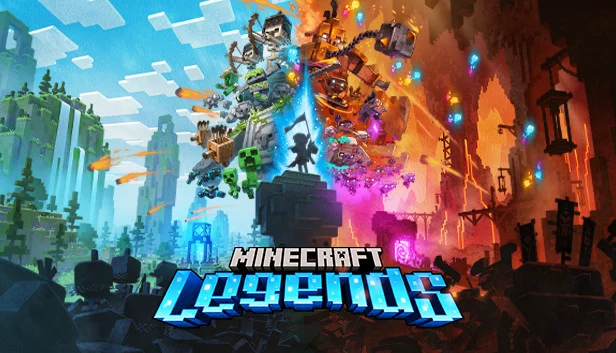

Minecraft Legends
by Mojang Studios · 18 Apr, 2023
256 downloads
Multiplayer · Cracked Only
Cracked Co-op Only
Online works only between cracked copies — you can't join official servers or players who bought the game.
ProtonDB: Silver
About the Game
Unite the Overworld
Experience an epic legend from the Minecraft universe and the Overworld as you’ve never seen it before.
Epic Battles
Form alliances with new friends and familiar mobs, then lead the charge in epic battles against the fierce piglins to defend the Overworld.
A vivid Overworld
Traverse a lush, dynamic world that’s rich in resources and different in each playthrough.
Multiplayer
Challenge your friends or team up in intense battles as you defend your village while leading your units to destroy your opponents’ settlements.
Experience an epic legend from the Minecraft universe and the Overworld as you’ve never seen it before.
Epic Battles
Form alliances with new friends and familiar mobs, then lead the charge in epic battles against the fierce piglins to defend the Overworld.
A vivid Overworld
Traverse a lush, dynamic world that’s rich in resources and different in each playthrough.
Multiplayer
Challenge your friends or team up in intense battles as you defend your village while leading your units to destroy your opponents’ settlements.
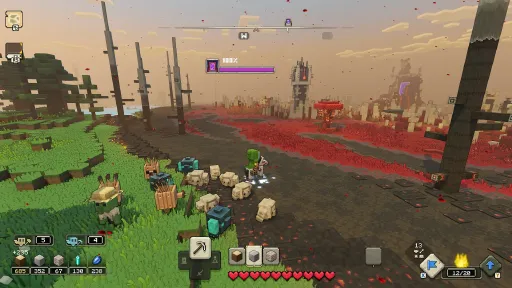
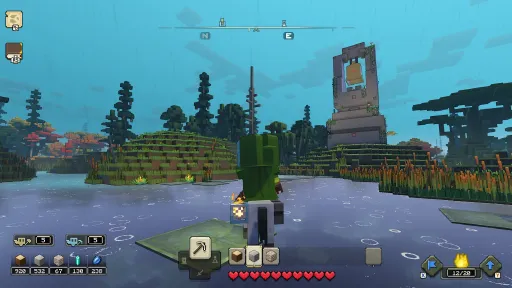
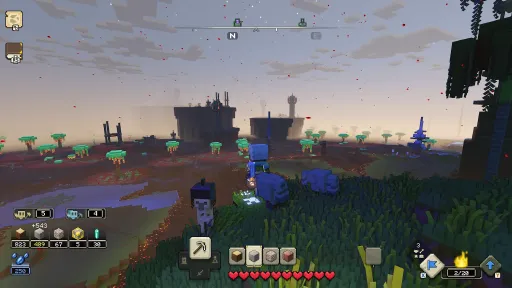
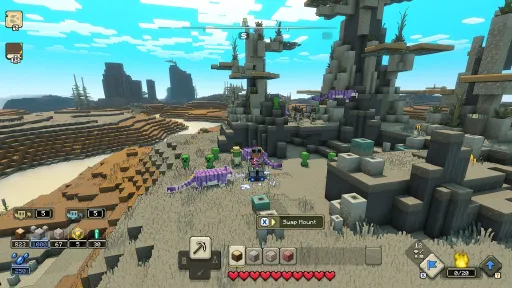
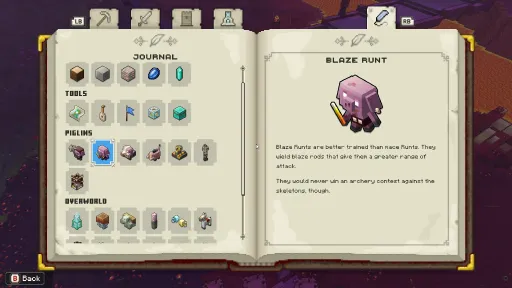
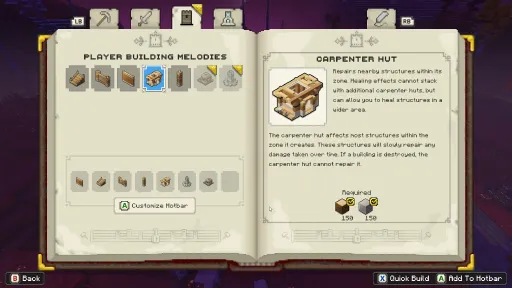
Screenshots
7 images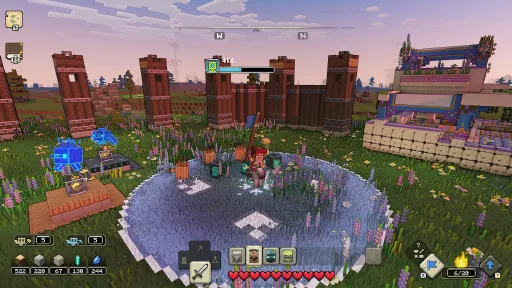
Version Information
Steam Patch Notes
Official update history
On the site: Build 12895632
Up to date
A new update has rolled out across all platforms that fixes up some issues that players have been facing. We continue to read all of your feedback and there are more updates to come, so let us know your thoughts on our Minecraft Legends Discord server at discord.gg/MinecraftLegends and report bugs at bugs.mojang.com.
View on Steam
Fixes:
- Fixed several crashes that could occur during gameplay
- Added missing German character dialogue and subtitles from the campaign prologue changes in the last game update
- Fixed several issues that caused players to get disconnected from multiplayer sessions
- Fixed a crash that could occur on Steam when signing into a Microsoft account via the Marketplace after backing out of an offline game
- Fixed an issue that could cause an old objective and empty map to appear after defeating the second piglin outpost in campaign
- Fixed in-game invitation prompts not responding to mouse input
- Fixed an issue with accepting a game invite from Xbox Game Bar while in a respawn state
- Fixed players being unable to join a friend's lobby if they had previously cancelled joining their game
A small hotfix has been released to re-enable community created mods, which were unintentionally disabled with the previous update. We love seeing your creations and look forward to seeing what you create next!
View on Steam
Crashes
Gameplay
Campaign
Versus Mode
Lost Legends
User Interface
Localization
View on Steam
- Fixed several crashes that could occur during gameplay
- Fixed a crash that could occur when launching the game
- Fixed a crash that could occur after defeating the final boss in campaign
- Fixed a crash when disconnecting from the internet while in the campaign lobby
Gameplay
- Made improvements to rubberbanding that could occur during gameplay
- Fixed player animations becoming glitchy in certain positions near water while riding the Real Tiger
- Fixed Nether Spreaders and Arrow Towers not visually reflecting their buffed states
- Fixed issues with the player's attack animation occasionally freezing
- Fixed the top of the Gather Iron upgrade structure appearing incorrectly
- Fixed wood golem footsteps being louder while being lured
- Tweaked the Mythic and Legendary difficulties to make it easier to survive a village attack when the player is not present
Campaign
- Players are now given 150 iron to build the Wellhouse in the first act of campaign
- Reduced the amount of dialogue of the Hosts telling players to "hurry" during the first act of campaign
- Fixed mob allegiance structures occasionally not spawning after clearing a homestead occupation
Versus Mode
- Improved player melee attacks to prevent players from being hit by other players that are visually too far away
- Fixed an issue with players getting assigned to the wrong team in the Versus Training lobby and not appearing in the lobby if leaving and rejoining
- Fixed issues with players getting disconnected from the lobby while downloading packs
Lost Legends
- Made several improvements to the Lost Legends lobby screen to show rewards and objectives
- Fixed the Objectives section of the pause menu sometimes getting cutoff when playing Lost Legends
User Interface
- Fixed resource counts missing from the HUD when standing next to a structure
- Fixed issues with being unable to link Microsoft Accounts on Steam
- Fixed strange player leg movements in the Hero Select menu
- Fixed hotkeys for Direct and Lure not immediately appearing on-screen when swapping between gamepad and keyboard controls
- Fixed players getting stuck on a black screen when skipping the opening cutscene at the very end
- The Hero Select screen now previews the selected skin correctly
- Fixed error messaging not referring to specific content if the game is unable to download the content
- Improved screen narration in several sections of the game
- Improved focus handling and navigation while using the keyboard in several areas of the UI
- Fixed the focus indicator becoming invisible when switching mount skins
- Fixed the focus indicator going off screen after a player left the campaign lobby
- Fixed hotbars and their contents not being properly narrated with text-to-speech
- Fixed screen narration not reading the button required to place a marker on the map
- Improved messaging when downloading free content from Marketplace
- Fixed the post-match screen appearing broken after reconnecting a disconnected controller
- Fixed "CANNOT_FIND_ICON" text appearing when spawning Warriors
- Fixed "CANNOT_FIND_ICON" text appearing when pinging the Flames of Creation improvement
- Improved visuals for the mob type-select interface including:
- Hotkeys for mob type-select are always on screen, making them easier to see which mobs are available
- Lured mob UI element has been updated to make it easier to see which mobs are being currently lured
Localization
- Fixed several translation issues with Ukranian localization
- Additional improvements to Hebrew localization
- Fixed debug text appearing in some areas of the game when playing in Chinese or Japanese
- Fixed the names of autosave files appearing truncated
- Fixed Friend's Offline status in Friends tab not being localized
- Fixed overlapping text for messages on the Versus post-match screen in several languages
General
Crashes
Gameplay
Versus Mode
Campaign
Lost Legends
User Interface
Audio
Localization
View on Steam
- Fixed an issue that prevented the game from being started on Steam due to the "out of data" prompt appearing despite having free space
- Pressing F11 on PC no longer causes the game’s controls to stop working
- Cross-platform play no longer defaults to OFF after signing in or linking a Microsoft account
- Added the ability to delete content that has been downloaded from Marketplace
- Item rarity of skins in Marketplace are now shown in item descriptions
Crashes
- Fixed several crashes that could occur during gameplay across all platforms
- Fixed a crash that could occur when a base was upgrading elsewhere and got ticked
- Fixed a crash that could occur when gathering wood during the tutorial
- Fixed a crash that could occur when pausing the game at the beginning of the second act
- Fixed a crash that could occur after leaving a Lost Legend
Gameplay
- Improved player rubberbanding that could occur when falling from high places and jumping for ledges
- The Fireforged Hero skin’s burning particle effect now appears when seen by other players
- Inverting controller Y axis no longer inverts Banner View controls
- Inverting controller Y axis no longer affects mouse camera movement as well
Versus Mode
- Players can now invite friends to their lobby after selecting "Replay" before the next game begins
- Improved latency in public matchmaking games in some situations
- Fixed a rare issue that caused lower than usual amounts of coal and iron to spawn in the world during Versus matches
Campaign
- Fixed the Horde of the Spore boss base sometimes not spawning
- Fixed the Horde of the Bastion boss not spawning
- Campaign files that were created with cross-platform play disabled can now be played properly when cross-platform play is enabled
- Fixed some tufts of Speed Wheat disappearing from the world after saving and loading at the Well of Fate
- Fixed some bridges at the Night Beacon Base not properly connecting
- Fixed a village that could not be teleported to from the map
- Fixed The Beast despawning if the player abandoned a village attack
- Fixed a rare issue that could cause the Night Beacon base to generate in the middle of a lake, which made it impossible to reach
- Fixed village attacks on Legendary difficulty not being defendable unless the player was present at the village
- The air above the Horde of the Bastion boss base no longer blocks projectiles
- The Unbreakable's fire spray attack can no longer damage mobs behind it
- Improved final boss pathfinding around structures
Lost Legends
- The Portal Pile: Fixed an issue that caused the game not to end if the player died when the fountain was destroyed
- The Portal Pile needs to be updated through Marketplace to fix this issue
- Fixed the reward not being visible in the menu until entering the Lost Legends lobby
User Interface
- Mount skins can now be seen and previewed in the Heroes and Mounts menu
- The map cursor's horizontal movement is no longer inverted after quickly opening and closing the map
- Main menu buttons no longer disappear briefly when hovered over
- Fixed the loading screen background briefly disappearing when loading into a game
- Fixed hotbar icons getting stuck on one category
- Fixed subtitles and Advanced Direct text overlapping in several languages
- The proper error message now appears when attempting to join a multiplayer game with the 'You can join multiplayer games' privilege is set to Blocked
- Clicking anywhere outside of the matchmaking prompt when searching for a match no longer cancels the matchmaking attempt
Audio
- The Lute sound no longer gets stuck playing if a mob spawner was destroyed while the player was spawning mobs
- Fixed Pigmadillos spamming sound effects while traveling through redthorn
- Fixed some exploration music not playing at the beginning of a Versus match on Nintendo Switch
- Added missing sound effects when constructing a Mossy Golem spawner
Localization
- Fixed Foresight’s first gameplay subtitle not being localized for several languages
- Fixed missing Arabic language text translations for building structures in the tutorial
- Fixed missing Arabic language text translations in the post-game screen for The Portal Pile
- Fixed several inconsistencies in the Songbook for French language
- Fixed Polish voiceovers and subtitles not lining up at the start of the tutorial
A new update has come to Minecraft Legends that introduces a variety of improvements to top issues that have been reported. Our second Lost Legend is also coming very soon, and we'll let you know when it's available!
Please take a look at our Known Issues article for a list of other issues we're continuing to investigate. We continue to read all of your feedback so we can keep improving the game, so let us know your thoughts on our Minecraft Legends Discord server at discord.gg/MinecraftLegends and report bugs at bugs.mojang.com.
View on Steam
Please take a look at our Known Issues article for a list of other issues we're continuing to investigate. We continue to read all of your feedback so we can keep improving the game, so let us know your thoughts on our Minecraft Legends Discord server at discord.gg/MinecraftLegends and report bugs at bugs.mojang.com.
General
- Fixed an issue that prevented the game from being started on Steam due to the "out of data" prompt appearing despite having free space MCLG-17
- Pressing F11 on PC no longer causes the game's controls to stop working MCLG-59
- Cross-platform play no longer defaults to OFF after signing in or linking a Microsoft account
- Added the ability to delete content that has been downloaded from Marketplace
- Item rarity of skins in Marketplace are now shown in item descriptions
Crashes
- Fixed several crashes that could occur during gameplay across all platforms
- Fixed a crash that could occur when a base was upgrading elsewhere and got ticked
- Fixed a crash that could occur when gathering wood during the tutorial
- Fixed a crash that could occur when pausing the game at the beginning of the second act
- Fixed a crash that could occur after leaving a Lost Legend
Gameplay
- Improved player rubberbanding that could occur when falling from high places and jumping for ledges
- The Fireforged Hero skin's burning particle effect now appears when seen by other players
- Inverting controller Y axis no longer inverts Banner View controls
- Inverting controller Y axis no longer affects mouse camera movement as well
Versus Mode
- Players can now invite friends to their lobby after selecting "Replay" before the next game begins
- Improved latency in public matchmaking games in some situations
- Fixed a rare issue that caused lower than usual amounts of coal and iron to spawn in the world during Versus matches
Campaign
- Fixed the Horde of the Spore boss base sometimes not spawning MCLG-75
- Fixed the Horde of the Bastion boss not spawning MCLG-145
- Campaign files that were created with cross-platform play disabled can now be played properly when cross-platform play is enabled
- Fixed some tufts of Speed Wheat disappearing from the world after saving and loading at the Well of Fate
- Fixed some bridges at the Night Beacon Base not properly connecting
- Fixed a village that could not be teleported to from the map
- Fixed The Beast despawning if the player abandoned a village attack
- Fixed a rare issue that could cause the Night Beacon base to generate in the middle of a lake, which made it impossible to reach
- Fixed village attacks on Legendary difficulty not being defendable unless the player was present at the village
- The air above the Horde of the Bastion boss base no longer blocks projectiles
- The Unbreakable's fire spray attack can no longer damage mobs behind it
- Improved final boss pathfinding around structures
Lost Legends
- The Portal Pile: Fixed an issue that caused the game not to end if the player died when the fountain was destroyed. The Portal Pile needs to be updated through Marketplace to fix this issue MCLG-113
- Fixed the reward not being visible in the menu until entering the Lost Legends lobby
User Interface
- Mount skins can now be seen and previewed in the Heroes and Mounts menu
- The map cursor's horizontal movement is no longer inverted after quickly opening and closing the map MCLG-19
- Main menu buttons no longer disappear briefly when hovered over
- Fixed the loading screen background briefly disappearing when loading into a game
- Fixed hotbar icons getting stuck on one category
- Fixed subtitles and Advanced Direct text overlapping in several languages
- The proper error message now appears when attempting to join a multiplayer game with the 'You can join multiplayer games' privilege is set to Blocked
- Clicking anywhere outside of the matchmaking prompt when searching for a match no longer cancels the matchmaking attempt
Audio
- The Lute sound no longer gets stuck playing if a mob spawner was destroyed while the player was spawning mobs
- Fixed Pigmadillos spamming sound effects while traveling through redthorn
- Added missing sound effects when constructing a Mossy Golem spawner
Localization
- Fixed Foresight's first gameplay subtitle not being localized for several languages
- Fixed missing Arabic language text translations for building structures in the tutorial
- Fixed missing Arabic language text translations in the post-game screen for The Portal Pile
- Fixed several inconsistencies in the Songbook for French language
- Fixed Polish voiceovers and subtitles not lining up at the start of the tutorial
Matchmaking Improvements
Performance and Stability
Localization
Japanese Localization
View on Steam
- Added the ability to invite friends to a lobby to join the same team before finding other players in matchmaking
- Lowered the timer to start a matchmaking game from 60 seconds to 10 seconds. Matches now start much faster once at least six players have joined a public lobby
Performance and Stability
- Fixed several crashes that could occur during gameplay
- Fixed a crash that could occur when launching the game
- Fixed a crash that could occur when starting Campaign
- Fixed a crash that could occur when mobs were directed by a player when attacking the Nether Beacon Base
- Fixed piglins spawning from piglin launcher crates before the crate hit the ground
- Fixed magma cubes causing audio spam when colliding with units
Localization
- Made several improvements to text wrapping with Arabic and Hebrew localization
Japanese Localization
- Fixed translation of “Orange Team” on several screens
- Fixed translation of “Log” in the Versus Mode lobby
- Fixed translation “Beak’s Eye View” on the post-game screen
- Removed unnecessary text “~007E” from the Private Match description
Full patch notes can be found at aka.ms/LegendsUpdate
View on Steam
- Crash and performance fixes
- Updated base escalation stingers and voiceovers
- Fix for nether spreaders placing off of nether
- Implemented music state switching during the Horde of the Spore boss fight
- Increased village warrior spawns during later game
- Tuned lava pools in the Bastion horde outposts
- Updates to Spore horde base layouts for easier player bridging
- Bastion horde corner zones now generate more organically
- Tuned the number of piglins in village attacks
- Mob alliance houses can now take damage and be disabled. When these and village houses are disabled, their spawners are deactivated
- Increased the bonus distance that roaming piglins can spawn next to villages by 50%
- Reduced the distance piglins spawn when attacking wellhouses
- Better tuning of the defense ratings granted by player structures
- Carpenter specialization adds bonus health to village attack auto-resolve calculations
- Tweaks to wildlife spawning times
- Legendary difficulty tuning and balancing
- Added a new music state for the final boss
- Village attack tuning: Engineers now appear in wave compositions for all hordes and deal effective damage to buildings from afar.
- Higher level attack horde waves no longer split into 4 groups
- Increased mob alliance distance from villages
- Updates to village, wellhouse, and mob alliance territory sizes
- Updated timing of cinematics and voiceovers in Act 1
- Updated tutorial and first time user experience flow
- Updated prompts and text displayed to the player during the game start
- Improved timing of objective nudges
- Tutorial page text updates
- Player is now immune to stunned state
- Villagers now have an outline in Banner View
- Piglin slowgrass speed debuff reduced to -50% move speed (previously -70%)
- Fixed fast travel position for wellhouses and fountains
- Removed the gold gather order
- Increased item pick-up life-time
- Updated damage to the player from lava, thorns, and other environmental hazards
- Increased redstone launcher range & reduced spyglass buff
- Increased upgrade structure buff ranges
- Orbit camera updated to feel more natural
- There is now an announcement when you've unlocked the ability to fast travel to a village
- Build times tuning + small cost tunings in PvP
- Ranged targeting on PvP HQ fixed
- PvP piglin barracks health tuning + prismarine drop tuning
- Updated prismarine loop in PvP
- Adjusted the distribution of stone in PvP matches
- Added a lapis flag onboarding tutorial message in PvP
- Updated world placements + increased wood gathered per block in PvP
- Piglin horde attack rates and wave sizes tuned in PvP
- Added player mob + RSL damage increase for late game PvP matches
- Added late game mechanic in PvP so mobs deal more damage after 40+ minute games
- Fixed the Firsts so they can properly be used while in Battle View
Current Release
Build 12895632
Uploaded Jul 25, 2026
System Requirements
OS
Windows 10 (May 2020 Update or higher) or Windows 11
CPU
Core i5 2.8GHz or equivalent
RAM
8 GB RAM
GPU
NVIDIA GeForce GTX 780 or AMD Radeon 285 or Intel HD 520 or equivalent DX12 GPU
How to Install
1
Download all files
2
Extract the .RAR file to a folder (use WinRAR or 7-Zip)
3
Run MinecraftLegends.Windows.exe to play
Troubleshooting tips
• Run Redist/_CommonRedist installers if game won't start
• Add folder to Windows Defender exclusions
• Run as administrator
Download
Direct link available
Archive password
Needed when extracting (WinRAR / 7-Zip) — not a site login.
CRC32
964480C9
SHA-256
e20e42aee10be066517c31f883279fb471e96c4bfb3ed4fb583337e61add934b
How: Right-click the downloaded file → 7-Zip / WinRAR → CRC SHA → compare with the values above.
You May Also Like
View All

Download Minecraft Legends for PC with a direct link or via torrent. Get the full version of Minecraft Legends for free. Minecraft Legends is a Action released by Mojang Studios.