







About the Game
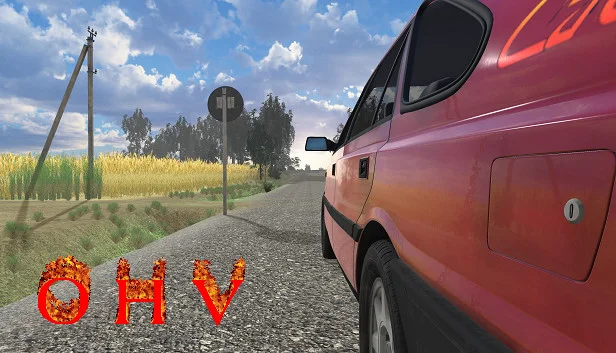
OHV (short for "off-highway vehicle") from solo Polish developer Przemysław Hadała is a deeply weird, deeply specific 1990s Eastern Bloc survival sim — you're a country boy in post-Communist Poland, the unemployment rate is 15%, the roads are full of potholes, and your hobby is fixing up an OHV in your garage while Eurodance music plays from a portable radio. The game's authenticity is its hook; the mechanical depth is the reason people stay.
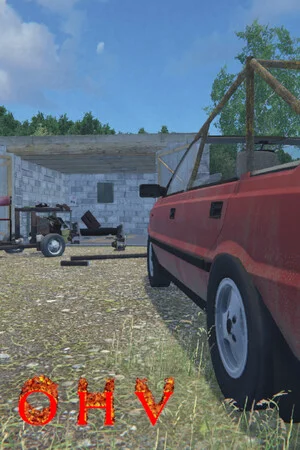
You buy a rusty OHV, scrub it, paint it, weld a custom buggy frame from cut-and-bent pipes, join the local Automobilklub, and race. Side activities range from delivering coal in a SMAR truck, to building muscle in your basement gym for weight-lifting contests, to making pickled cucumbers, robbing allotment gardens, and cutting catalytic converters off cars. It's My Summer Car's older Polish cousin.
This download is build 21609289, packaged with CSF + SAKURAA. Fully offline-playable. 1.7 GB installed. Single-player only.
Screenshots
5 images


Version Information
Steam Patch Notes
Official update history
This update includes changes to the Custom Cars system. Examples of all new features can be found in "EXAMPLE CAR ONLY FOR CREATORS".
All new features are optional, and existing vehicles should continue to work without any changes.
New Features
1. Paintables Texture Resolution
The general.paintablesResolution field in data/properties.json.
Allowed values: 256, 512, 1024.
2. isVisualSubpartAndBelongsTo Combined with openableParentId
Both keys can now be used in a single customPart.json.
Part visibility is controlled by isVisualSubpartAndBelongsTo, while its position in the hierarchy (e.g. under a door or hood) is controlled by openableParentId.
3. Video Support
A videos folder, containing a separate subfolder for each video.
Required:
Exactly one .mp4 file.
A videoData.json file containing the following fields:
videoId (must be unique).
meshIdToDisplayOn (a non-paintable partId on which the video will be displayed).
textureWidth and textureHeight.
Videos do not play automatically. They can be started and paused using an action trigger with triggerCustomActionId matching the videoId.
Example: videos/example, screen non_paintables/video_screen, action trigger actionTriggers/video_player.
4. Entering Triggers and Exit Positions
The following fields are available in data/properties.json:
leftDockTriggerPosition
rightDockTriggerPosition
leftDockUndockPosition
rightDockUndockPosition
All fields are optional.
Example: data/properties.json.
5. Action Triggers
An actionTriggers folder containing a separate subfolder for each trigger.
Required:
actionData.json
An activatedTrigger folder containing one .obj file (used to calculate the trigger's bounding box).
One of the following fields is required in actionData.json:
triggerPredefinedAction (MAINTENANCE, ENGINE, RADIO, LIGHTS).
triggerCustomActionId (an openable ID or a videoId).
Optional folders:
deactivatedTrigger
activatedMesh
deactivatedMesh
activationSound
deactivationSound
Optional fields:
openableParentId (reparent, works the same way as for vehicle meshes).
requiredPartId (the trigger only exists when the specified part is installed).
activationText
deactivationText
The example vehicle available on the Workshop contains all possible action trigger variations in its actionTriggers folder. This includes an openable front-left door with one trigger for opening it and another trigger for lowering the window.
6. Part Mounting Triggers
Every part with "isObtainable": true can have a mountTrigger subfolder containing one .obj file (used to calculate the trigger's bounding box).
Without a mountTrigger, the part is installed using the vehicle's shared trigger, just like before.
One trigger handles one part, so if there are multiple variants (e.g. different spoilers), I recommend placing their triggers next to each other to prevent them from overlapping.
7. Custom Cars Menu
The Custom Cars menu now supports more installable parts and can be scrolled.
8. Speed, RPM and Fuel Gauges
A gauges folder.
The example vehicle includes support for all three types of gauges.
9. Vehicle Subscription Handling
Unsubscribed vehicles will now also disappear from the game.
The vehicle's saved state is preserved, so after subscribing again, it will return with all its previously installed parts.
10. Expanded Debug Menu in Developer Mode
Y – Respawn the test vehicle.
1 – Show colliders.
2 – Show openable pivots.
3 – Show mounting triggers.
4 – Reload gauges without respawning the vehicle.
5 – Generate missing mounting triggers (paintables and non_paintables only).
If you have any questions about the new Custom Cars features, feel free to join our Discord! I'll be happy to answer any questions.
- add subparts support to custom cars
Custom Cars Changes (beta)
Trailer support. Supported through the hasTrailerHitch and trailerHitchPosition keys in properties.json. A trailer hitch can also be an installable part. In that case, these keys must be defined in the customPart.json file.
Support for dirt on windows. Supported through the new paintables_windows folder and the windowMaterial.json file. It is recommended that such windows use a double-sided mesh with identical UV positions on both sides.
First-person steering wheel support. Supported through the new steering_wheel folder. Two new keys must be added to properties.json: steeringWheelRotationX and steeringWheelPosition. Steering wheels can also be installable parts and support customPart.json.
Support for colliders on individual parts. Each folder in paintables/non_paintables/paintables_windows can optionally contain a colliders folder with .obj files that will serve as colliders for that part when installed on a vehicle. The same rules apply as for the main colliders folder.
Changes to the context menu. Driving mode can now be toggled through the context menu by holding the middle mouse button while standing next to a vehicle. Vehicle components can also be opened and closed through the context menu. Lights and radio are still controlled using the K and L keys, but will be moved to the context menu.
Support for openable and movable parts. Supported through the openable subfolder. This folder must contain an openable.json file with the following keys:
hingePosition – hinge/pivot position,
openRotation – used if you want a part to rotate open (e.g. a trunk),
openPosition – used if you want a part to slide (e.g. a car window).
Mesh placement rules remain unchanged for openable parts. The pivot is adjusted after the object is loaded into the game, based on the data in the JSON file. Pivot positions are displayed as purple spheres in debug mode.
Openable parts also support close_sound and open_sound audio files.
Support for changing an element's parent in the hierarchy. Supported through the new openableParentId key. By default, all vehicle components are spawned next to each other. Setting openableParentId to the ID of another component will make the given component its child, causing it to move together with its parent.
Changes to developer mode activation. Custom Cars developer mode is now enabled by launching the game with the -customCarsDev flag.
TEST CAR (beta)
All new features can be found in the TEST CAR (beta) vehicle, available on the Steam Workshop.
The front windows can be cleaned and moved. The trunk can be opened and has separate colliders. The spoiler is set as a child to ensure that its position is correctly synchronized when opening. The trailer hitch can be found next to the scrapyard.
The vehicle has been renamed from E30 by Poezja (beta) to TEST CAR (beta) because Poezja will upload their own version of the vehicle, while TEST CAR will serve as an example model showcasing all available features.
- fix bug with scythe
- fixed issue with placing building elements on map terrain
- further fixes for DLSS and missing textures in the game menu
- improved police behavior during chases, especially on uneven terrain
- improved police obstacle detection and obstacle avoidance
- fixed an issue where graphics were missing in the main game menu
- restored the "render scale" option, available when no upscaling method is enabled
- grilled pork neck and blood sausage now reduce hunger
- grilled catfish now saves correctly
- stale fish have a lower sale value
- Fixed bugs related to police patrols stationed along the roads
- fixed issues related to sunbathing
- fixed an issue with removing building elements using a crowbar
- fixed a bug that allowed players to select a Macau bet higher than their available money
- fixed an issue with refueling vehicles at gas stations and saving the fuel level for the SMAR vehicle
- fixed a bug causing trailers to duplicate after loading a saved game
- improved the performance of lights in constructed buildings
- if the player's inventory contains items that are incompatible with the current game version, the slot will be cleared when attempting to take the item out
- fixed the cigarette-related achievement, added total cifaretes smoked to the statistics screen, and corrected the displayed number of cigarettes remaining in a pack
Current Release
Build 25763002
Uploaded Oct 08, 2026
Requests are paused right now
PC Games requests are paused for now while we work through the backlog. Other areas and voting stay open.
Login Required
You need to be logged in to request game updates. Would you like to go to the login page?
Request Update
Request an update for OHV? This will notify uploaders that this game has an available update.
Request Submitted
Your update request has been submitted successfully! Uploaders will be notified.
Request Failed
Failed to submit update request:
System Requirements
How to Install
OHV.exe to play
Troubleshooting tips
• Run Redist/_CommonRedist installers if game won't start
• Add folder to Windows Defender exclusions
• Run as administrator
Download
Direct link available
Needed when extracting (WinRAR / 7-Zip) — not a site login.
AB7C07C7
267d472b062248bd223a579dbaa86baf184d4e6829da9e791981b9b390fc538b
You May Also Like
View All











Download OHV for PC with a direct link or via torrent. Get the full version of OHV for free. OHV is a Indie released by Przemysław Hadała.