




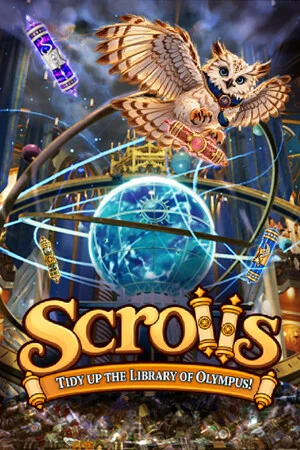
About the Game
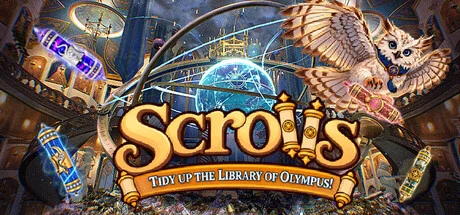
The gods have accomplished many great things, putting their scrolls away was apparently beneath them.
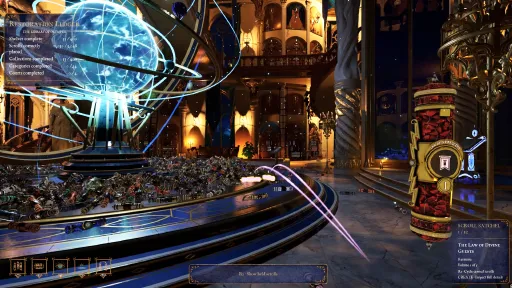
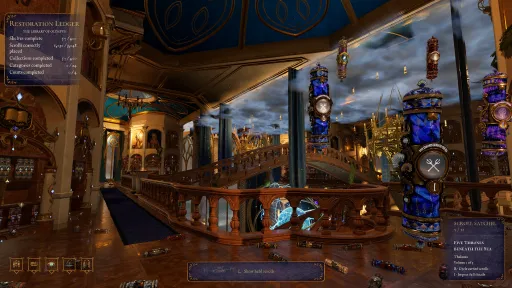
Welcome to the Library of Olympus, histories of fallen kingdoms, charts of the heavens, and tales of legendary heroes lie scattered together.
Restore order at your own pace, or invite friends to help tackle a mess of truly mythological proportions.
PUT THE HOUSE OF THE GODS IN ORDER
Sort 3,048 scrolls into 400 collections across 24 categories, from astronomy and geography to history and epic poetry, each with their own distinct handcrafted material.
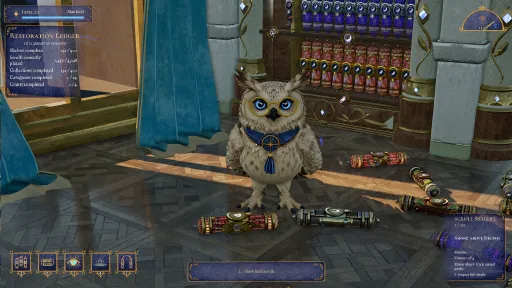
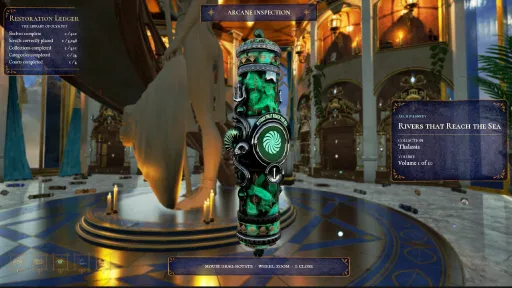
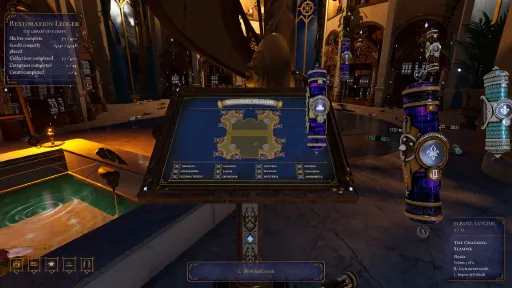
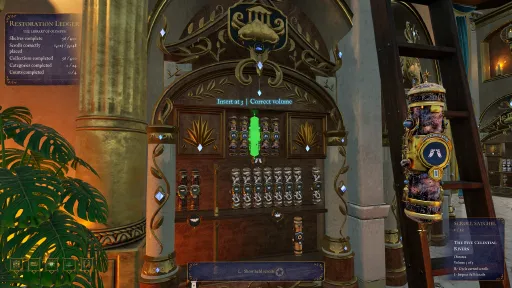
Study each scroll’s title, colour, emblem, and Roman numeral. Gather the scattered volumes of a collection, find their shelf, and arrange them in the proper order.
The wisdom of the ages deserves better than a pile on the floor.
MANY HANDS MAKE DIVINE WORK
Play solo or team up with friends in online co-op for up to 8 players, to restore the library together.
Divide the collections, track down each other’s missing volumes, and turn scattered scrolls into beautifully ordered shelves. Become a coordinated team of devoted librarians or spend an unreasonable amount of time arguing about where someone left Volume IV.
Shared progress is saved across all players!
EXAMINE ANCIENT WORKS
Bring scrolls close, turn them in your hands, and inspect their markings. Learn to recognize a collection by its emblem and spot the volume you need among the clutter.
Carry a stack across the library, carefully set aside your next collection, or toss a stray scroll towards your sorting pile. Move, insert, and swap shelved volumes until every numeral falls into place.
TURN HARD WORK INTO DIVINE POWER
Restoring the library earns upgrades that make your work increasingly magical.
Sort: Command the scrolls in your hands to arrange themselves.
Shelf Guide: Reveal the rightful shelf of a carried scroll.
Insight: Uncover nearby volumes belonging to the same collection.
Auto-Shelve: Send matching scrolls directly into their proper places.
Assemble: Summon scattered volumes from a collection into your hands.
Increase your carrying capacity, move faster, and reach higher as your abilities grow. Even a task fit for the gods becomes manageable with the right powers.
ORDER IN AN IMMORTAL WORLD
Watch scattered piles become complete collections. Recognize familiar symbols and find that last elusive volume and slide it into the gap you have been saving.
Enjoy the steady rhythm of sorting alone, share the satisfaction with friends, or combine your powers to clear the mountains worth of scrolls waiting at your feet.
Screenshots
7 images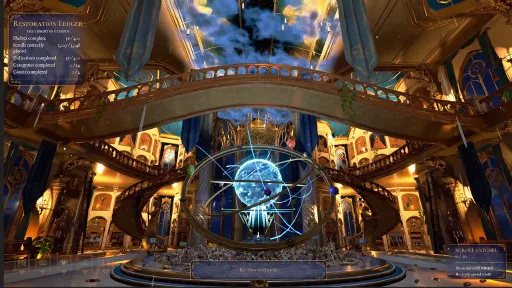
Version Information
Steam Patch Notes
Official update history
We're once again releasing a patch for common issues with the game, just a small one this time!
Windows: OUT NOW
Mac: Coming within 24 hours
Changes:
Improved behavior when placing a scroll on top of another, it no longer pushes other scrolls to the side but swaps it to your hand.
Added an unstuck button to the pause menu.
Changed a couple of scroll icons to better fit their theme.
Made optimizations to DX12 to prevent microstutters.
That's all for now, we hope you enjoy the game!
We've just rolled another fix the game customization screen! Here's the notes:
Customise Game
New Customise Game screen when you start a new game.
Four presets:
Standard: every display and hint on, with color-coded scrolls and plaques.
Original: like Standard, but scrolls and plaques use the original look.
Hard: like Original, with the green/red placement indicator also off.
Herculean: no displays or hints at all. The satchel shows only its count, and scrolls and plaques use the original look.
Several existing UI customization options can also be changed here and you can setup the game however you like, you don't need to use a preset.
Settings -> Gameplay has a new Customize Game section with a dropdown of the presets and other new customization options, such as Scroll look and plaque look.
Online co-op: the host’s choices apply to everyone. Guests see these options greyed out with “The host chose these settings for this game.”
Existing saves are unaffected. Both looks default to Color Coded.
Scroll Look and Plaque Look
Scroll Look: Original brings back each section’s original scroll model with smaller end caps but the metal bump now has an embossed category symbol. You can switch this live in game. Color Coded is the new default look with the bigger icons and louder colors.
Plaque Look: Original shows the bookcase plaques’ section symbol in gold. Finished bookcases give the gold a warm sheen and the usual finish flare. Color Coded is the new default and shows a color on each category plaque rather than just gold.
Performance
Shadows are cached on shadows that don't move
Candles and lanterns update less often while off screen.
Ambient effects pause when off screen and are culled by distance.
Objects smaller than a pixel on screen are no longer drawn.
Small props are culled at a distance.
SCROLLS v1.03 is here bringing some new requested features.
New
We won't spoil it, but we weren't happy with the ending sequence and it wasn't playing as intended, this has been fixed, we hope you enjoy the new ending sequence!
The Orrery now spins faster the less scrolls you have left to shelve
Added a new setting, Day/night speed (0.25× to 2×) in Gameplay & accessibility.
Added a UI indicator which displays the current closest Scroll category
Added a new setting to to show or hide the new category name under the clock.
Added a setting to scale the size of placement messages size (50–150%)
New library maps on the map stands, in all languages, have the correct orientation of letters and numbers.
Changes
Scroll impact sounds are 25% quieter and only play when a scroll actually lands, this should stop the noise spamming in the centre of the room.
UI sounds now play equally in both ears.
When you load a save or join a game, your achievements are checked against Steam and any missed ones are unlocked.
Fixes
Fixed scrolls stuck in piles thudding over and over
Fixed the squeaky sound near the ponds. The flying keys’ wing flutter is now only heard up close.
Fixed the remaining invisible collision on the walkways beside the ponds.
Fixed the in-game Join game list not showing Steam friends’ lobbies.
Fixed black patches appearing on certain scrolls.
We've fixed several issues and added some quality of life functions! Here's the notes:
Graphics & performance
New Very Low graphics preset and a Very Low level for every graphics option, for lower-end PCs.
Improved Low settings performance, it now uses standard shadows instead of virtual shadow maps.
Graphics settings are now chosen automatically for your graphics card. This happens on first launch and once after this update.
Resetting settings to default now uses the recommended settings for your graphics card.
The overall graphics preset now shows “Custom” when individual options are set differently.
Gameplay
Aiming is more precise and updates better. The highlight follows your cross-hair every frame, and clicking picks up exactly the highlighted scroll.
The scroll you pick up now becomes your selected scroll in your hand when picking up off the floor or shelf.
The centre scroll pile is lower and wider, so it’s easier to sort and target individual scrolls.
Interface
New setting: Target info box. Show or hide the info box above the scroll you’re aiming at.
New setting: Scroll satchel. Choose On, Only show scroll count, or Off.
Both new settings are in Settings > Gameplay & accessibility.
Fixes
Fixed a bug where the right-click zoom sometimes stayed zoomed in after letting the button go.
MacOS
Implemented SM6 support to improve performance on M2 Macs and newer.
Thanks to everyone for the amazing launch so far, we've been busy pulling an all-nighter to get this patch out to you to fix some common issues, here's the notes:
Patch Notes
Visuals
Improved the shading and shadow behaviour on the three large windows at the front of the library.
Improved sparkle particles for a softer look.
Removed some untextured geometry outside the windows.
Improved the dressing of the secret room
Settings
New Colour saturation slider in Settings - Display (50–150%, default 110%).
The Owl
Now plays proper turning animations when he turns to face you.
Interface
Fixed the “Scrolls correctly placed” counter overlapping its label once it passes 1,000.
Improved the look of the loading screen.
Localisation
The library maps on all four map stands now appear in your chosen language.
Performance
The “Preparing Shaders” screen now only appears the first time you launch the game or after a game update / graphics driver update. After this the game will always skip this screen, so less waiting!
Bugs
Fixed a bug where the Max level was 29 instead of 30 due to hover missing a second level-up tier.
Current Release
Build 26674488
Uploaded Nov 24, 2026
System Requirements
How to Install
scrolls.exe to play
Troubleshooting tips
• Run Redist/_CommonRedist installers if game won't start
• Add folder to Windows Defender exclusions
• Run as administrator
Download
Direct link available
Needed when extracting (WinRAR / 7-Zip) — not a site login.
AADFF887
8f53831e287e91b4e48056f43f73e1d5039cfec7e946980e4dfc578f4531a73f
You May Also Like
View All







Download SCROLLS: Tidy up the Library of Olympus! for PC with a direct link or via torrent. Get the full version of SCROLLS: Tidy up the Library of Olympus! for free. SCROLLS: Tidy up the Library of Olympus! is a Casual released by J+G.