







About the Game
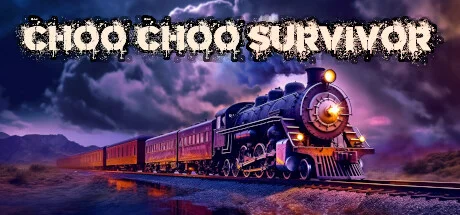
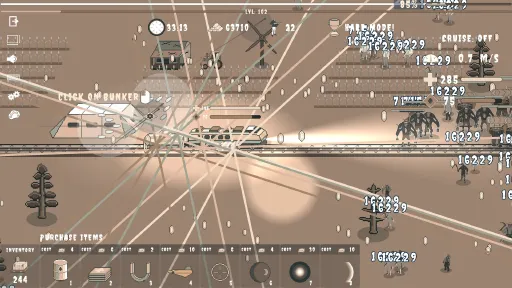
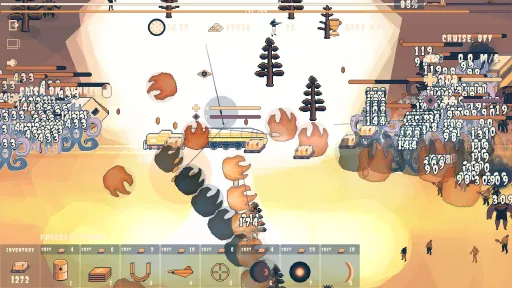
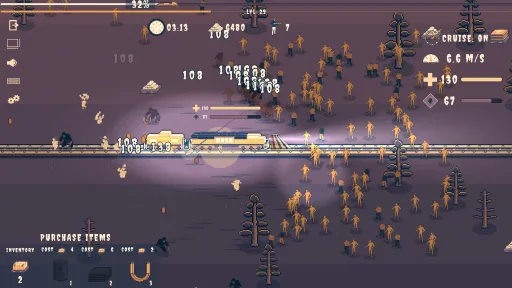
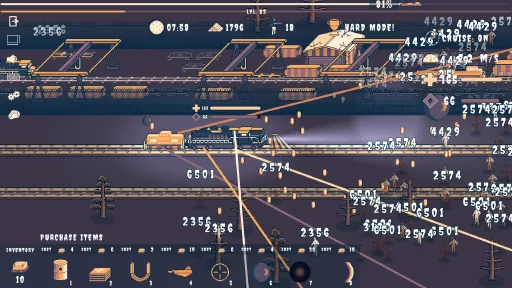
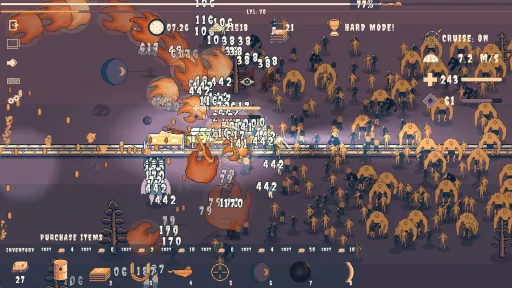
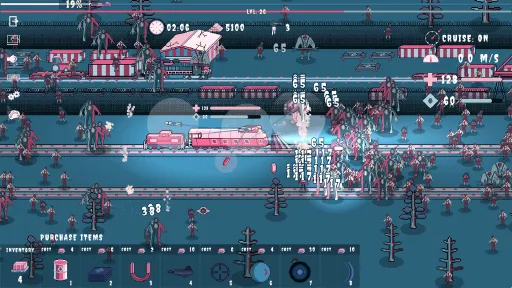
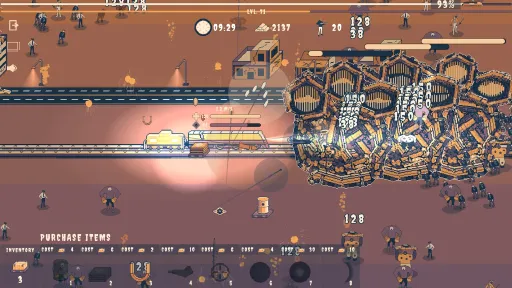
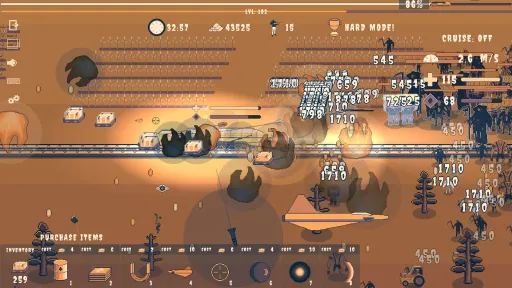
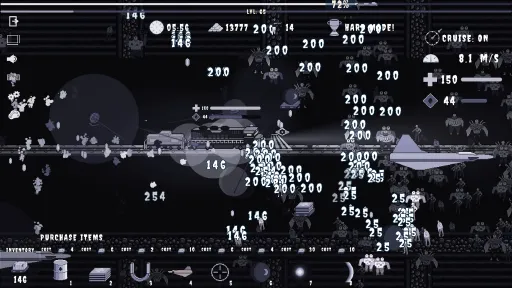
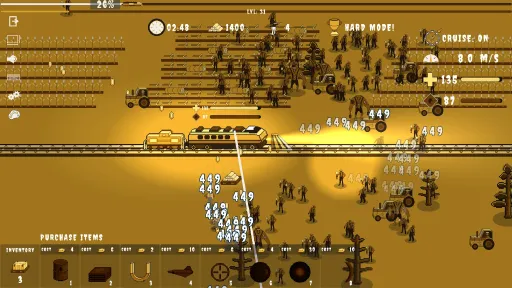
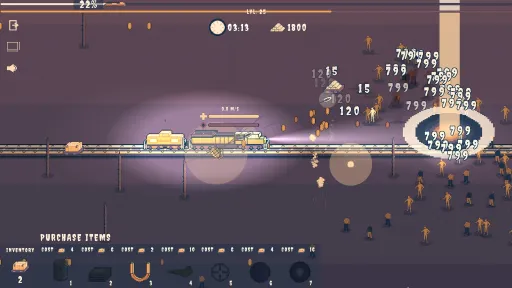
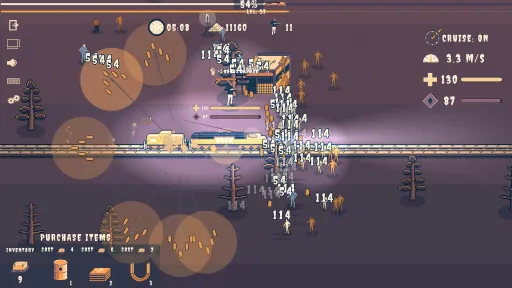
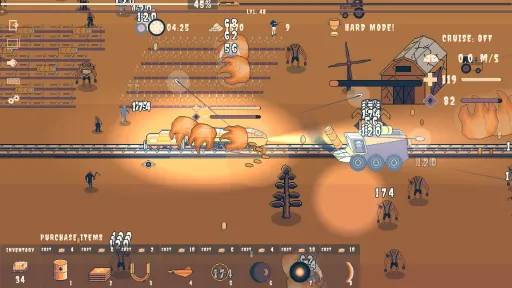
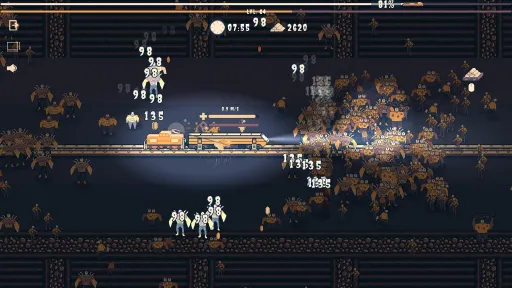
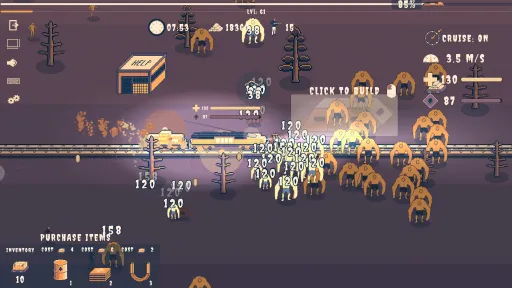
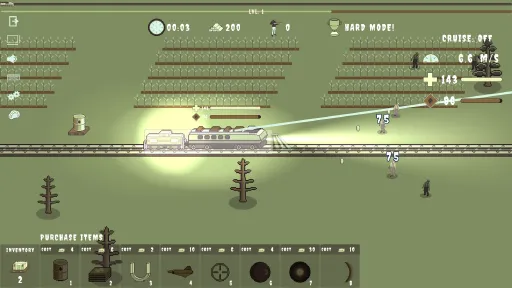
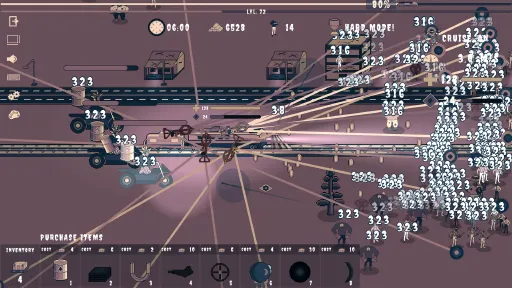
Command your train to safety in this post apocalyptic zombie wasteland. Upgrade your firepower and demolish ever growing hordes of deadly zombies!
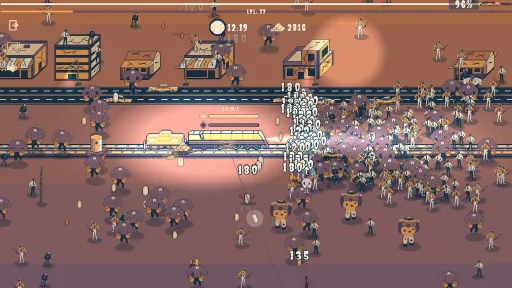
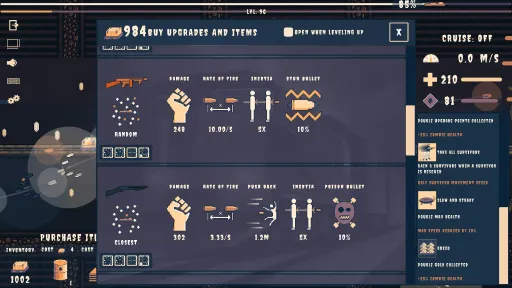
- This is a fresh take on the Bullet Heaven / Horde Survival genre where you define your weapon layout and upgrade the attributes of your weapons.
- 12 locomotives to unlock and 8 different weapons
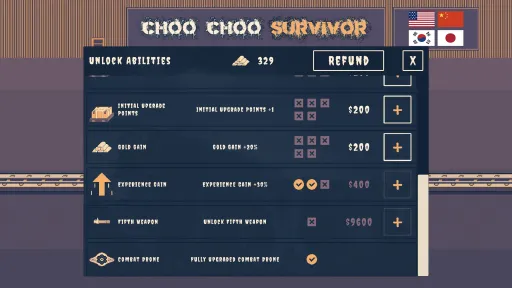
- Plenty of fun meta progression and over 180 Steam achievements to unlock.
- Awesome abilities such as the EXP magnet, critical strike, air strike, and orbital strike are all earned by accomplishing achievements.
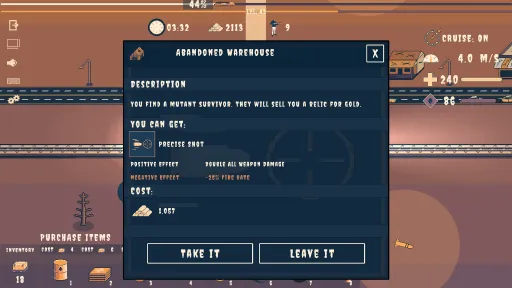
- Cool relics that you can obtain, and with a lucky combination will make your train incredibly over powered.
- Lots of different zombies and zombie bosses to shoot down or crush underneath your locomotive.
Screenshots
22 images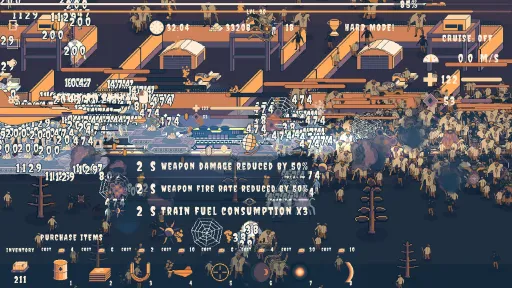
Version Information
Steam Patch Notes
Official update history
On the site: Build 18689660
Up to date
Hello Choo Choo Engineers!
It took me a couple of attempts but I believe I've now reduced loading time to about a third of what it was after the Choo Choo of the Dead update. The main slow down was from my color palette code and I think I've sped it up a lot. Application of color palettes should be fast now.
Thanks,
GTGD
View on Steam
It took me a couple of attempts but I believe I've now reduced loading time to about a third of what it was after the Choo Choo of the Dead update. The main slow down was from my color palette code and I think I've sped it up a lot. Application of color palettes should be fast now.
Thanks,
GTGD
Hello Choo Choo Engineers,
A Choo Choo Engineer found a bug where upon pressing the Try Again button all of their progress was deleted. Luckily they were a new player to the game and I hope this hasn't happened to anyone else. I made a minor edit to the code that delays a few lines of code where I have to read data from the save file after having accessed the save file to write data to the file (this is all called when the player loses a game). I think by adding the delay in reading data from the save file it will greatly reduce the likelihood of save file data being deleted. I think some aspects of code are dependent on computer hardware and most players including myself will never experience the bug.
Keep up the good work in reporting the bugs and sorry for the inconvenience. Let me know if you experience problems and I'll try to figure them out and fix them.
Regards,
GTGD
View on Steam
A Choo Choo Engineer found a bug where upon pressing the Try Again button all of their progress was deleted. Luckily they were a new player to the game and I hope this hasn't happened to anyone else. I made a minor edit to the code that delays a few lines of code where I have to read data from the save file after having accessed the save file to write data to the file (this is all called when the player loses a game). I think by adding the delay in reading data from the save file it will greatly reduce the likelihood of save file data being deleted. I think some aspects of code are dependent on computer hardware and most players including myself will never experience the bug.
Keep up the good work in reporting the bugs and sorry for the inconvenience. Let me know if you experience problems and I'll try to figure them out and fix them.
Regards,
GTGD
Hello Choo Choo Engineers!
A few Choo Choo Engineers encountered a truly mysterious bug where shadows of zombies would remain and they would be blocking the path of the train. This affected only a small number of players and the majority of us were unaffected. A word of thanks to BizzWare who provided enough information for me to try and have some guesses at figuring out what the problem could be. It seems like what was happening is that an animation event was not being fired on some computers. At the end of the death animation I had an event that would fire off to deactivate the zombie and add it back to the pool, but it looks like on some computers this event never fires and the reason for that will remain a mystery to me, but I'm guessing it is a CPU timing thing and perhaps a Unity Engine thing (wild guess). So I deleted the event and instead I've hard coded an Invoke call that deactivates the zombie, etc, when they reach 0 health, after exactly 0.36 seconds which is just after the animation ends.
Also, some of the Russian and Japanese translation was updated as well.
Thanks
GTGD
View on Steam
A few Choo Choo Engineers encountered a truly mysterious bug where shadows of zombies would remain and they would be blocking the path of the train. This affected only a small number of players and the majority of us were unaffected. A word of thanks to BizzWare who provided enough information for me to try and have some guesses at figuring out what the problem could be. It seems like what was happening is that an animation event was not being fired on some computers. At the end of the death animation I had an event that would fire off to deactivate the zombie and add it back to the pool, but it looks like on some computers this event never fires and the reason for that will remain a mystery to me, but I'm guessing it is a CPU timing thing and perhaps a Unity Engine thing (wild guess). So I deleted the event and instead I've hard coded an Invoke call that deactivates the zombie, etc, when they reach 0 health, after exactly 0.36 seconds which is just after the animation ends.
Also, some of the Russian and Japanese translation was updated as well.
Thanks
GTGD
Hello Choo Choo Engineers!
I've added an option to the game settings to allow you to run the game in the background if you want. So if you Alt-Tab out of the game it will still be running if you enable this option.
Thanks for the feedback and encouragement to help me make the game better!
GTGD
{STEAM_CLAN_IMAGE}/43786068/4e9abb710fcb7a41befe78dc94520f82036e4235.jpg
View on Steam
I've added an option to the game settings to allow you to run the game in the background if you want. So if you Alt-Tab out of the game it will still be running if you enable this option.
Thanks for the feedback and encouragement to help me make the game better!
GTGD
{STEAM_CLAN_IMAGE}/43786068/4e9abb710fcb7a41befe78dc94520f82036e4235.jpg
Hello Choo Choo Engineers!
Thanks to pe_yang for finding this bug. It's fixed now and all languages should be displaying the correct text.
{STEAM_CLAN_IMAGE}/43786068/9fe20e2db9aa7df037b76942493c24934feb43f2.jpg
Also, in case any German Choo Choo Engineers have missed it, German language is supported!
https://store.steampowered.com/news/app/2336200/view/3667670206804277773?l=english
Thanks,
GTGD
View on Steam
Thanks to pe_yang for finding this bug. It's fixed now and all languages should be displaying the correct text.
{STEAM_CLAN_IMAGE}/43786068/9fe20e2db9aa7df037b76942493c24934feb43f2.jpg
Also, in case any German Choo Choo Engineers have missed it, German language is supported!
https://store.steampowered.com/news/app/2336200/view/3667670206804277773?l=english
Thanks,
GTGD
Hello Choo Choo Engineers!
Thank you to Dan for volunteering to translate Choo Choo Survivor to German! All six spaces for flags are now occupied in the title screen which is nice to see.
{STEAM_CLAN_IMAGE}/43786068/a318052b1b769be3ead5dca820e966ebd2e6db11.png
I'm still hoping Chinese and Korean fans can help out with correcting the translation of the game in their languages.
I think for now I won't be adding anymore languages and it's time for me to get back to creating more content for the game. My next focus is to add more locomotives and I want to experiment and implement another weapon as well. It will probably take me at least two weeks to accomplish this. Implementing a new weapon is the more complex part for me as that requires lots of new code and caution in not slowing the game down.
Thanks,
GTGD
View on Steam
Thank you to Dan for volunteering to translate Choo Choo Survivor to German! All six spaces for flags are now occupied in the title screen which is nice to see.
{STEAM_CLAN_IMAGE}/43786068/a318052b1b769be3ead5dca820e966ebd2e6db11.png
I'm still hoping Chinese and Korean fans can help out with correcting the translation of the game in their languages.
I think for now I won't be adding anymore languages and it's time for me to get back to creating more content for the game. My next focus is to add more locomotives and I want to experiment and implement another weapon as well. It will probably take me at least two weeks to accomplish this. Implementing a new weapon is the more complex part for me as that requires lots of new code and caution in not slowing the game down.
Thanks,
GTGD
Hello Choo Choo Engineers!
Thanks to Wh00sh for bringing up this bug. If you had the Escape key assigned to quickly closing windows then even though a dialogue window such as the Upgrade menu or Scenario were open, on closing the Steam overlay the game would unpause but these dialogues would still be open.
The corrected behaviour is that when the Steam overlay is open, and the player presses the Escape key, if a dialogue window is open then the Steam overlay will close but the dialogue window underneath will stay open like expected and the game will remain paused like expected. If there is no open dialogue window underneath while the Steam overlay is open then when pressing the Escape key the Steam overlay will close and the game unpause which is the expected behaviour in that case.
Thanks for reporting bugs so that I can remove them!
View on Steam
Thanks to Wh00sh for bringing up this bug. If you had the Escape key assigned to quickly closing windows then even though a dialogue window such as the Upgrade menu or Scenario were open, on closing the Steam overlay the game would unpause but these dialogues would still be open.
The corrected behaviour is that when the Steam overlay is open, and the player presses the Escape key, if a dialogue window is open then the Steam overlay will close but the dialogue window underneath will stay open like expected and the game will remain paused like expected. If there is no open dialogue window underneath while the Steam overlay is open then when pressing the Escape key the Steam overlay will close and the game unpause which is the expected behaviour in that case.
Thanks for reporting bugs so that I can remove them!
Hello Choo Choo Engineers,
I wanted to say thank you to pe_yang (Japanese) and Berry (Russian) for volunteering their time to translate Choo Choo Survivor. This update is the very first pass at a human translation of the game to Japanese. Also if any of you Choo Choo Engineers see missing characters in the translated text please do let me know. It is an ongoing struggle for me to convince the game to display the font characters for each of the languages that are supported.
If there any Chinese and South Korean volunteers who can translate the game to their languages then please do get in touch over the Discord.
Thanks,
GTGD
View on Steam
I wanted to say thank you to pe_yang (Japanese) and Berry (Russian) for volunteering their time to translate Choo Choo Survivor. This update is the very first pass at a human translation of the game to Japanese. Also if any of you Choo Choo Engineers see missing characters in the translated text please do let me know. It is an ongoing struggle for me to convince the game to display the font characters for each of the languages that are supported.
If there any Chinese and South Korean volunteers who can translate the game to their languages then please do get in touch over the Discord.
Thanks,
GTGD
Hello Choo Choo Engineers,
I've migrated Choo Choo Survivor to the latest LTS build of Unity 2022 and there appears to be some performance improvement, mostly on Windows machines. I think games built with Unity 2022 have a bit better performance than those built with Unity 2021 and while testing I've noticed a nice FPS boost, therefore I've made this build of the game live.
Keep on demolishing the zombie hordes!
View on Steam
I've migrated Choo Choo Survivor to the latest LTS build of Unity 2022 and there appears to be some performance improvement, mostly on Windows machines. I think games built with Unity 2022 have a bit better performance than those built with Unity 2021 and while testing I've noticed a nice FPS boost, therefore I've made this build of the game live.
Keep on demolishing the zombie hordes!
Hello Choo Choo Engineers,
This is a bug fix patch. When refunding abilities in the Game Over menu, the locomotive was not reverting back to the default locomotive. That is fixed now.
Multiple windows could be opened when in game and it could easily result in a window being open and the game not paused. I believe I've fixed this now and when you open a window for anything (such as the upgrade menu, or resolution menu, etc.), any open window will be closed first and then the requested window will open and the game paused.
Keep up the great work in reporting bugs Choo Choo Engineers!
View on Steam
This is a bug fix patch. When refunding abilities in the Game Over menu, the locomotive was not reverting back to the default locomotive. That is fixed now.
Multiple windows could be opened when in game and it could easily result in a window being open and the game not paused. I believe I've fixed this now and when you open a window for anything (such as the upgrade menu, or resolution menu, etc.), any open window will be closed first and then the requested window will open and the game paused.
Keep up the great work in reporting bugs Choo Choo Engineers!
Hello Choo Choo Engineers, this is a bug fix and slight improvements patch!
Fixed a bug where the bunker second weapon could be refunded over and over making easy money. The downside is everyone must buy it again if it had been bought. The upside is that everyone who had unlocked it will receive 20,000 gold in compensation when they start the game.
{STEAM_CLAN_IMAGE}/43786068/7019b2e748c3f1d59c9c635898f32f1ac00e1390.png
In the main menu when selecting a locomotive the starting weapon on that locomotive is now the first one shown in the row.
Fixed a bug where if you didn't press the bunker button to advance time to 35 minutes, and you exceeded 31 minutes, you could press the button to go back to 31 minutes.
Once you have purchased the permanent EXP magnet and accomplished the Attracted To Learning achievement, exp magnet pallets will stop showing as a pickup and are no longer required. The spawn rate of all pallet types are independent of one another and don't affect each other.
Keep on winning Choo Choo Engineers!
View on Steam
Fixed a bug where the bunker second weapon could be refunded over and over making easy money. The downside is everyone must buy it again if it had been bought. The upside is that everyone who had unlocked it will receive 20,000 gold in compensation when they start the game.
{STEAM_CLAN_IMAGE}/43786068/7019b2e748c3f1d59c9c635898f32f1ac00e1390.png
In the main menu when selecting a locomotive the starting weapon on that locomotive is now the first one shown in the row.
Fixed a bug where if you didn't press the bunker button to advance time to 35 minutes, and you exceeded 31 minutes, you could press the button to go back to 31 minutes.
Once you have purchased the permanent EXP magnet and accomplished the Attracted To Learning achievement, exp magnet pallets will stop showing as a pickup and are no longer required. The spawn rate of all pallet types are independent of one another and don't affect each other.
Keep on winning Choo Choo Engineers!
I find myself mostly filling in the rate of fire stat before others and then I typically find myself filling in a stat for a weapon before filling in another stat for that same weapon. Clicking a lot was starting to get a bit tiring so I implemented fast point allocation buttons for each stat. Just one click and all points that can be allocated, will be allocated.
{STEAM_CLAN_IMAGE}/43786068/38eac93525471800efcf8da586c71797e6124367.png
{STEAM_CLAN_IMAGE}/43786068/18c6220a37c3db862f2bb10b7ee609284614813b.png
I've also implemented a new ability to unlock which is to automatically pull in upgrade and gold pallets. I priced it at $125,000 (you'll make your gold back quick on this one!). Also boss pallets will also be automatically pulled in which makes the 35 minute challenge a bit less hectic.
{STEAM_CLAN_IMAGE}/43786068/25e206720ff022f3caa144687c7a38ab46b6407e.png
I hope you like these changes Choo Choo Engineers and keep up the great work!
View on Steam
{STEAM_CLAN_IMAGE}/43786068/38eac93525471800efcf8da586c71797e6124367.png
{STEAM_CLAN_IMAGE}/43786068/18c6220a37c3db862f2bb10b7ee609284614813b.png
I've also implemented a new ability to unlock which is to automatically pull in upgrade and gold pallets. I priced it at $125,000 (you'll make your gold back quick on this one!). Also boss pallets will also be automatically pulled in which makes the 35 minute challenge a bit less hectic.
{STEAM_CLAN_IMAGE}/43786068/25e206720ff022f3caa144687c7a38ab46b6407e.png
I hope you like these changes Choo Choo Engineers and keep up the great work!
Current Release
Build 18689660
Uploaded May 14, 2026
System Requirements
OS
N/A
CPU
SSE2 instruction set support.
RAM
N/A
GPU
Graphics card with DX10 (shader model 4.0) capabilities.
How to Install
1
Download all files
2
Extract the .ZIP file to a folder (use WinRAR or 7-Zip)
3
Run Choo Choo Survivor.exe to play
Troubleshooting tips
• Run Redist/_CommonRedist installers if game won't start
• Add folder to Windows Defender exclusions
• Run as administrator
Download
Direct link available
Archive password
Needed when extracting (WinRAR / 7-Zip) — not a site login.
CRC32
DDAB5FE3
SHA-256
d7e0d8a5c0679e5d2c849260b098fdc55c692e6804f0920afb42369a721e981a
How: Right-click the downloaded file → 7-Zip / WinRAR → CRC SHA → compare with the values above.
You May Also Like
View All








Download Choo Choo Survivor for PC with a direct link or via torrent. Get the full version of Choo Choo Survivor for free. Choo Choo Survivor is a Action released by GTGD.