
Food Processing Simulator
by Bewolba Studios · 18 Dec, 2025
84 downloads
About the Game
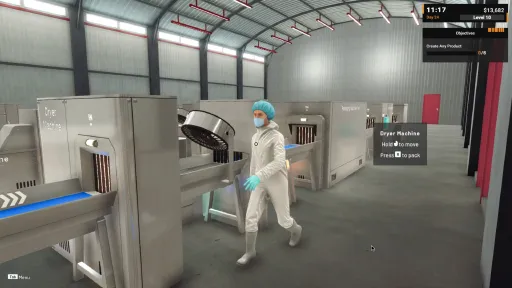
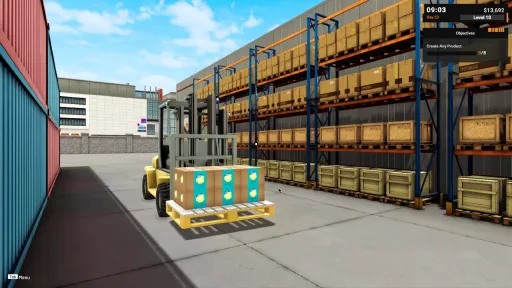
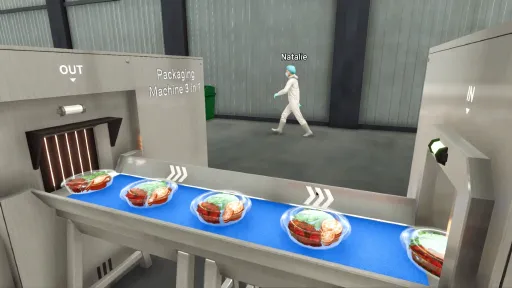
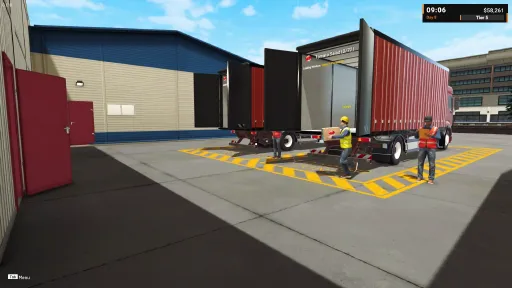
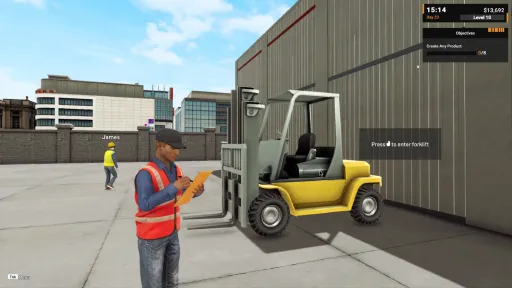
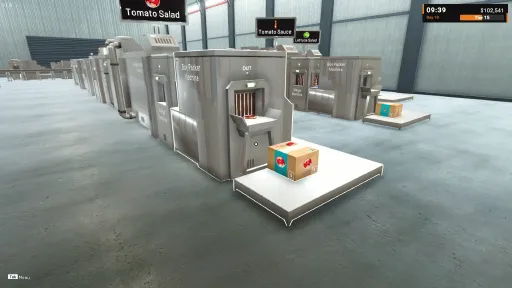
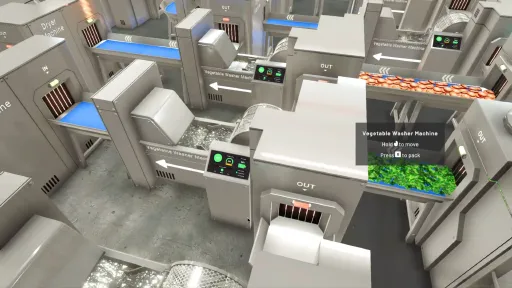
Step into the world of food production and grow your own processing facility from the ground up. Begin with a modest workshop, install machines to automate your workflow, and expand your factory into a fully functioning production line.
Automation
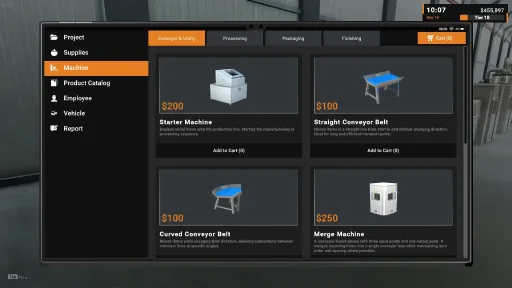
Set up and connect machines to handle different stages of production. Design your workflow, fine-tune your layout, and watch as your facility transforms into a smooth-running automated system.
Factory Expansion
Upgrade equipment, unlock new technologies, and expand your space to take on larger orders. Every expansion opens new opportunities to scale your business and push your production further.
Inventory Management
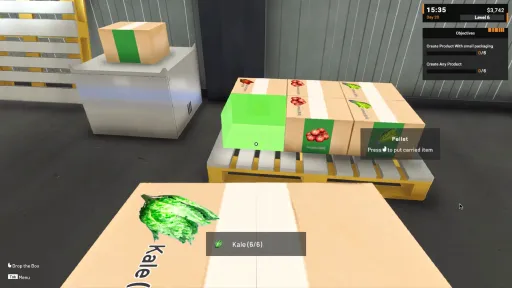
Keep track of raw ingredients, stored products, and shipping schedules. Smart inventory management ensures smooth operations and helps you deliver every order on time.
From a small workshop to a large-scale production empire, every decision shapes your path, whether you focus on efficiency, growth, or balance in building the ultimate food processing factory.
Screenshots
11 images
Version Information
Steam Patch Notes
Official update history
Hi everyone, 😄
Thank you very much for all the feedback, reports, and suggestions you’ve been sharing. This update focuses on improving production flexibility and helping players push higher production speeds as their factory grows. We also added a small but useful control option for Starter Machine behavior, along with a fix for an issue reported after the previous update.
Main Updates
1. New Multi Filter Machine
We added a new machine: Multi Filter Machine.
This machine can filter commodities into 3 different outputs, and each output can be configured to filter a specific commodity type. With this, you can create cleaner and more flexible routing for more advanced production lines.
The Multi Filter Machine can be especially useful for:
Handling 2-in-1 or 3-in-1 Packaging Machine setups
Separating different commodities into dedicated lines
Creating more organized pipelines where each output has a clear purpose
Reducing the need for multiple separate filter machines in certain layouts
This should give players more options when building complex production flows and help make multi-ingredient product setups easier to manage. This machine will be unlocked in higher tier.
[carousel autoadvance="true"][img src="{STEAM_CLAN_IMAGE}/45817262/78f9c3613afb3bc59844354f350c670e00379dff.jpg"][img src="{STEAM_CLAN_IMAGE}/45817262/a119243033b362a9bd399db675a2a67cf84ac54c.jpg"][carousel autoadvance="true"][img src="{STEAM_CLAN_IMAGE}/45817262/bb159e1bd673e764ab7fa6a2a3ab3beb9b30500f.png"][img src="{STEAM_CLAN_IMAGE}/45817262/571aa342f7cb4576c4747c72821240475bbee41c.png"][img src="{STEAM_CLAN_IMAGE}/45817262/0bd0a9595dc7af9dab86882c6f42fe586ab44ac8.jpg"][img src="{STEAM_CLAN_IMAGE}/45817262/cc12565d7a9076ae7b50777950823add667e2e8c.jpg"]2. Upgradeable Machines
All machines can now be upgraded to increase their processing speed.
Similar to the upgrade system already available for conveyors and utility machines, this update expands upgrade access to processing and production machines as well. This allows players to improve production speed and reach target output faster than before.
A few things to note:
Machine upgrade costs are different from utility upgrade costs.
The accessibility requirements for upgrades follow the same structure as conveyor and utility upgrades.
Upgrading machines should help reduce bottlenecks in production lines, especially when dealing with higher target projects or larger factory setups.
With this change, players now have more ways to improve production capacity without always needing to duplicate the production pipeline.
[carousel autoadvance="true"][img src="{STEAM_CLAN_IMAGE}/45817262/2a1028b1adfeb2995d5f7f2ed44a3a3ac53f6fdb.jpg"][img src="{STEAM_CLAN_IMAGE}/45817262/d6c3975b98f1a50231036563b40235fa9ee903cb.jpg"][carousel autoadvance="true"][img src="{STEAM_CLAN_IMAGE}/45817262/64f55b0643f7f26850c6e7080c7901d64084b431.jpg"][img src="{STEAM_CLAN_IMAGE}/45817262/b5d8c9528e7e59d5f601febe10b1b3bb845b7f97.jpg"]Improvements
1. Starter Machine Employee Settings: Turn Off Handling
We updated the Employee Settings on Starter Machines with a new option for handling machines that are turned off.
You can now decide whether employees should:
Still supply the Starter Machine while it is turned off, as long as the supply requirement has not been fulfilled, or
Stop supplying it completely while the machine is turned off
This gives players more control based on their preferred playstyle. Some players may want to prepare supplies in advance while the machine is off, while others may prefer employees to ignore inactive machines entirely.
[carousel autoadvance="true"][img src="{STEAM_CLAN_IMAGE}/45817262/69b34f27a5931c5ec0aaf6078cd66deb78238f5a.jpg"][img src="{STEAM_CLAN_IMAGE}/45817262/4317f0d59ab8b1138d6934be2268a645ef916b88.jpg"]Bug Fixes
Fixed an issue where the Tab Menu or Project Menu could become inaccessible after the previous update.
Thank you again for your continued support and feedback. We will keep reviewing the suggestions and reports you share, and we’ll continue prioritizing improvements based on feasibility and impact.
If you encounter any issues or unexpected behavior, please report them through the in-game Bug Report Menu and/or the Steam Discussions so we can investigate.
See you in the next update! 🥗🚚
[dynamiclink href="https://store.steampowered.com/app/3928990/Food_Processing_Simulator/"]
Improvements
Hi everyone, 😄
Thank you very much for all the feedback, reports, and suggestions you’ve been sharing. In this update, we focused on improving visual clarity to help with smoother deployment and day-to-day project completion. We also included a few minor performance improvements aimed at reducing unnecessary memory overhead in certain scenarios.
Here are the details for this version:
Main Updates
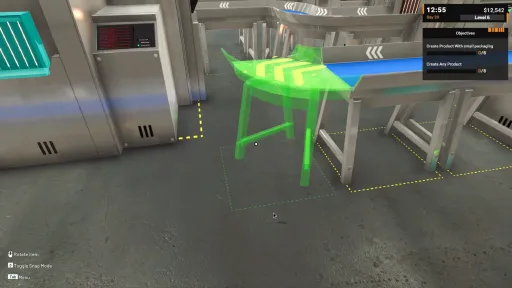
1. Prototype Direction Indicator Visual Update
We improved the look and color treatment of direction indicators while placing items in prototype mode.
The colors used to communicate input and output have been updated for clearer readability (in: orange, out: green, failed: red).
The visual presentation of the input/output markers has also been refined so players can more easily understand how machines connect and how the flow should be built.
The goal of this change is to make early factory building more intuitive, especially for new players learning how to deploy and connect machines correctly.
[img src="{STEAM_CLAN_IMAGE}/45817262/e5441bd303591b453488d774f912ea67949739ed.jpg"]
[img src="{STEAM_CLAN_IMAGE}/45817262/efec2d93b730db0a585146ee803321fad145f977.jpg"]
[img src="{STEAM_CLAN_IMAGE}/45817262/7a83ca4baf4836ecfcadd9ef77befff19ff179e9.jpg"]
2. Project Menu UI Update: Stock Count on Project Cards
We updated the Project Menu so each project card now displays your current stock count next to the project’s required target amount.
This makes it easier to immediately see how much you already have available when deciding which project to take or how close you are to completing a delivery.
The stock number shown is calculated only from items currently stored in Cold Storage.
Products that are not yet in Cold Storage (or are still being moved toward Cold Storage) are not counted.
Performance Improvements
Improved 3D material handling to prevent material overcounting and reduce RAM usage.
Optimized animator handling on certain objects that could create extra RAM overhead.
Thank you again for your continued support and feedback. We will keep iterating on usability improvements and continue working on further optimization where possible.
If you encounter any issues or unexpected behavior, please report them through the in-game Bug Report Menu and/or the Steam Discussions so we can investigate.
See you in the next update! 🥗🚚
[dynamiclink href="https://store.steampowered.com/app/3928990/Food_Processing_Simulator/"]
Improvements
Hi everyone, 😄
Thank you very much for all the feedback, reports, and suggestions you’ve been sharing. In this update, we focused on improving visual clarity to help with smoother deployment and day-to-day project completion. We also included a few minor performance improvements aimed at reducing unnecessary memory overhead in certain scenarios.
Here are the details for this version:
Main Updates
1. Prototype Direction Indicator Visual Update
We improved the look and color treatment of direction indicators while placing items in prototype mode.
The colors used to communicate input and output have been updated for clearer readability (in: orange, out: green, failed: red).
The visual presentation of the input/output markers has also been refined so players can more easily understand how machines connect and how the flow should be built.
The goal of this change is to make early factory building more intuitive, especially for new players learning how to deploy and connect machines correctly.
[img src="{STEAM_CLAN_IMAGE}/45817262/e5441bd303591b453488d774f912ea67949739ed.jpg"]
[img src="{STEAM_CLAN_IMAGE}/45817262/efec2d93b730db0a585146ee803321fad145f977.jpg"]
[img src="{STEAM_CLAN_IMAGE}/45817262/7a83ca4baf4836ecfcadd9ef77befff19ff179e9.jpg"]
2. Project Menu UI Update: Stock Count on Project Cards
We updated the Project Menu so each project card now displays your current stock count next to the project’s required target amount.
This makes it easier to immediately see how much you already have available when deciding which project to take or how close you are to completing a delivery.
The stock number shown is calculated only from items currently stored in Cold Storage.
Products that are not yet in Cold Storage (or are still being moved toward Cold Storage) are not counted.
Performance Improvements
Improved 3D material handling to prevent material overcounting and reduce RAM usage.
Optimized animator handling on certain objects that could create extra RAM overhead.
Thank you again for your continued support and feedback. We will keep iterating on usability improvements and continue working on further optimization where possible.
If you encounter any issues or unexpected behavior, please report them through the in-game Bug Report Menu and/or the Steam Discussions so we can investigate.
See you in the next update! 🥗🚚
[dynamiclink href="https://store.steampowered.com/app/3928990/Food_Processing_Simulator/"]
Hi everyone, 😄
Thank you very much for all the feedback, reports, and suggestions you’ve been sharing. We’re still reading everything and prioritizing improvements step by step based on feasibility and impact. Some updates can be delivered quickly as quality of life improvements, while others require deeper optimization work to ensure they remain stable for larger factories and longer play sessions.
This update focuses on improving mid to end game convenience, especially around Vendor Truck management and bulk box handling.
Main Updates
1. New Tablet Menu for Vendor Truck Information
Based on community feedback and our review of mid to end game gameplay, we found that having to manually walk to the garage every time just to check Vendor Truck status or claim sales can take a lot of time, especially after you unlock the Vendor Truck garage near the West Gate.
[img src="{STEAM_CLAN_IMAGE}/45817262/10d6bd196f12703d4a5f703010cc10e72b642372.jpg"]
To improve this, we added a new Vendor Truck menu in the Tablet. This menu allows you to:
Check the current trip status
Claim your sales results
Adjust employee settings for the selected Vendor Truck
You can also see how many Vendor Trucks you have already unlocked through this menu. However, the unlock process still requires you to visit each garage to complete the unlock interaction as usual.
With this change, we hope players can stay focused on building and managing the factory area while Vendor Truck income continues running in the background.
[img src="{STEAM_CLAN_IMAGE}/45817262/c0f6de257e5a65b771921c9e4763000e82c237bf.jpg"]
[img src="{STEAM_CLAN_IMAGE}/45817262/27482c533bf1a4a5b914e2fd78a2a1a55bf8c276.jpg"]
2. New Equipment: Box Carrier Large (Up to 12 Boxes)
We added a new equipment option: Box Carrier Large.
[img src="{STEAM_CLAN_IMAGE}/45817262/77b04dbe25ef763b040575caff90eabaa7c096ad.jpg"]
Box Carrier Large can carry up to 12 boxes at once.
This is designed to help with large scale logistics such as expanding production pipelines, moving supplies, or relocating products in bulk.
[img src="{STEAM_CLAN_IMAGE}/45817262/dacfa5598a03f8c07048bfc147dd4524ba076328.jpg"]
Bug Fixes
Fixed an issue where certain confirmation popups could appear multiple times, which could also negatively affect performance.
Notes About Save and Load Performance
We want to briefly address reports about slow save and load times. In many cases, this problem is strongly tied to how many boxes and products are being stored or piled up. When a save contains extremely large amounts of boxes, the game needs more time to process them during saving, loading, and also while rendering them during gameplay.
Optimization for these cases is still one of our ongoing tasks, and we are actively looking for better solutions.
For now, the best workaround we can recommend is to avoid excessive long-term stockpiling and reduce stored items by:
Selling through Vendor Truck
Completing Client Projects
Disposing items using the Trash Bin when needed
Thank you again for your continued support and feedback. While we work on deeper optimization improvements, we will continue delivering quality of life updates and refinements that can make the game more comfortable to play.
If you encounter any issues or unexpected behavior, please report them through the in-game Bug Report Menu and/or the Steam Discussions, so we can investigate further.
See you in the next update! 🥗🚚
[dynamiclink href="https://store.steampowered.com/app/3928990/Food_Processing_Simulator"]
Hi everyone, 😄
Thank you very much for all the feedback, reports, and suggestions you’ve been sharing. We are still reading and collecting everything, and many of your requests are helping us decide what should be improved first, especially when it comes to reducing repetitive steps and making day-to-day factory operations smoother.
Our approach remains the same: we will keep iterating and delivering improvements step by step, while prioritizing changes that are feasible to ship and have a meaningful impact for most players. Some ideas need more planning time because they touch multiple systems at once, but we will continue to move forward incrementally and share progress through devlogs as usual.
This update is focused on one big request we’ve seen repeatedly: adding more automation to purchasing supplies so you don’t need to repeat the same buying workflow every day.
Main Updates
1. Supply Drop Area Upgrade: Daily Supply Automation
Supply Drop Areas can now be upgraded to manage daily recurring purchases for any supply type, including commodities, packaging, and labels.
a. Updated Supply Drop Area visuals
The Supply Drop Area now has a clearer, more proper drop space. After upgrading, it will also display a monitor that you can interact with to configure daily supply settings.
b. Upgradeable at Tier 20
The Supply Drop Area upgrade becomes available at Tier 20, unlocking the Daily Supply management feature.
c. New Daily Supply Settings UI
A new UI screen has been added for Daily Supply configuration, with a layout designed to feel familiar and consistent with the tablet style UI.
d. Per-building Daily Supply configuration
Daily Supply settings are configured per Factory Supply Drop Area. This means you can set:
Factory Building 1 daily supplies, and
Factory Building 2 daily supplies (only if you have unlocked Factory Building 2).
If Factory Building 2 is not unlocked yet, only Supply Drop Area 1 can be configured.
[img src="{STEAM_CLAN_IMAGE}/45817262/57cc7478352d67d9fec33e933b838f7c849d3f4c.jpg"]
e. Temporary changes with confirmation and Apply
This UI uses a temporary state system. If you change settings and close the monitor (X or ESC), a confirmation prompt will appear to discard changes and revert to the previously saved configuration. Use Apply to confirm and save.
Once applied, daily purchases will be processed automatically at day change, whether you end the day normally or use Force End Day.
Improvements
Updated the Cold Storage Rack Employee Settings information to clarify that the Box Fill rule is also followed by employees when deciding which boxes should be stored.
Extra Notes
1. Reverted detailed idle information
Based on player feedback, we decided to temporarily postpone the detailed idle reason text that was introduced previously. While the extra detail could be useful, it also caused employees to spend time displaying and waiting on text, which made their work feel slower overall.
For now, we reverted the idle display back to a simpler state (without showing the reason). However, the wording has been adjusted so it is not only the plain word “Idle”.
Thank you again for your continued support and for helping shape the game through your feedback and suggestions. We will keep prioritizing improvements based on feasibility and impact, and continue pushing updates step by step as we validate each change.
If you encounter any issues or unexpected behavior, please report them through the in-game Bug Report Menu and/or the Steam Discussions, so we can investigate with your details and logs.
See you in the next update! 🥗🚚
[dynamiclink href="https://store.steampowered.com/app/3928990/Food_Processing_Simulator/"]
Hi everyone, 😄
Thank you very much for your continued support since the 1.0 launch. This is our first update after the full release, and it focuses on several quality of life improvements and system refinements to make the overall experience smoother and easier to manage.
We also want to mention optimization. Some performance improvements have been implemented in this update, but the impact may not feel significant in every situation. We are still actively working on additional optimization solutions, so that even when your factory becomes fully packed with machines, items, and employees, the game can continue running smoothly.
This update focuses on improving day-to-day organization and clarity, especially around storage management, Vendor Truck planning, and employee behavior. We also added several new utility machines to support elevated layouts and make advanced routing easier.
Main Updates
1. Cold Storage Rack Behavior: Full Box / Partial / Any
Based on community feedback, we noticed a common frustration: after deliveries, leftover items can sometimes be returned to racks as non-full boxes, which can disrupt the organization players have already set up.
To solve this, Cold Storage Racks now support a new rule setting that lets you decide how each rack should be filled:
Full Box Only: only full boxes are allowed
Partial Only: only partial boxes are allowed
Any: both full and partial boxes are allowed
This gives you more control over storage discipline and lets you define different rack purposes (for example, clean full-stock racks vs. partial box collection racks).
[img src="{STEAM_CLAN_IMAGE}/45817262/057a509ccffcbf766133977bd6c343e37cac129e.jpg"]
2. Vendor Truck Sales Locations: Product Demand System Update
We made several updates to the product demand system for Vendor Truck sales locations to make planning feel more predictable and less frustrating.
Demand rotation is no longer always daily
Each sales location now has its own demand cycle, and demand will change every 2 or 3 days depending on the location. When the timer ends, the demand list will rotate.[img src="{STEAM_CLAN_IMAGE}/45817262/256041efc9b6760015b42d5f96d40fe4122b10a8.jpg"]
Potential Products preview
Each sales location now shows potential products that can appear in its demand pool. This allows you to prepare products ahead of time if you want to plan for future rotations.[img src="{STEAM_CLAN_IMAGE}/45817262/81e8d5f300bf6b671a8c23dedabb734760980818.jpg"]
3. Employee Idle Behavior: Clearer Reason Display
Updated: This updates is halted and reverted back to before only appearing idle, because the current solution make the employee working slower. (v1.0.25)
When an employee becomes idle, the game will now display the reason why above their head.
This helps players understand why an employee is not working even though tasks are enabled in the priority list, and makes it easier to identify missing requirements such as unavailable items, missing access, blocked paths, or incompatible settings.
[carousel autoadvance="true"][img src="{STEAM_CLAN_IMAGE}/45817262/9f05e499cc81a7ba64ce530917d295ef61422eee.jpg"][img src="{STEAM_CLAN_IMAGE}/45817262/c5e9a65fddab14ea1d5d481ecd402ba8f33a28cf.jpg"][img src="{STEAM_CLAN_IMAGE}/45817262/6086fec93b6bee43fa2dea9866a41300cff2b060.jpg"]4. New Utility Machines for Elevated Layouts
We added several new utility machines designed specifically to support elevated pipeline builds:
Elevated Merge Machine
Lets you merge lines in elevated layouts, making it easier to combine overhead routing setups.Elevated Rotary Machine
An elevated version of the Rotary Machine to support multi-output routing on raised conveyor systems.Elevated Filter Machine
An elevated version of the Filter Machine so filtering can be done directly in overhead lines without forcing the flow back down.
These additions should make advanced elevated layouts cleaner and reduce the need for extra vertical transitions.
[img src="{STEAM_CLAN_IMAGE}/45817262/67bd32e2493d0122d5de4d8f8ea58d11c5801c79.jpg"]
Improvements
Employee Task UI Information
[carousel autoadvance="true"][img src="{STEAM_CLAN_IMAGE}/45817262/895c2a09283e01bb69b64c2aa03c201a406938eb.jpg"][img src="{STEAM_CLAN_IMAGE}/45817262/59c9fbf9e7062f597a25277be523360aa37ba1f3.jpg"][carousel autoadvance="true"][img src="{STEAM_CLAN_IMAGE}/45817262/e24b17c3a8e52bfd4dbb59be68885a148ed966f3.jpg"][img src="{STEAM_CLAN_IMAGE}/45817262/6599b9b0597e50c495b6c0665c5f40adac5dff7f.jpg"]
Added clearer job descriptions for each employee task. This information appears directly inside the Task Priority view, so you can quickly understand what each task does and how it affects behavior.Tutorial List Updated
The Tutorial menu has been updated to include newer content, so players can revisit explanations for recently added systems.[img src="{STEAM_CLAN_IMAGE}/45817262/2c036253b4e71b3c8798787bde2516904e8ebe45.jpg"]
Better UX for Level-Up Tutorial Popups
[carousel autoadvance="true"][img src="{STEAM_CLAN_IMAGE}/45817262/0b8cea31c4eff71f4703d328d8c07ce220f2791d.jpg"][img src="{STEAM_CLAN_IMAGE}/45817262/1652559b3a83f2d51438de7635dfe277aad69178.jpg"]
Improved the behavior of tutorial popups shown after leveling up. The popup can no longer be instantly closed while you are still at the first index. Instead, it will move through the tutorial pages first, and only close on the final page, helping ensure players do not accidentally skip important information.
Bug Fix
North Gate Culling Issue
Fixed an issue near the North Gate where occlusion culling could trigger incorrectly and cause parts of the environment to disappear visually.Cannot Fire Employee
Fixed issue where employee cannot be fired after version 1.0.20.
Once again, thank you very much for your feedback and support. We are still tracking everything and prioritizing improvements based on feasibility and impact as we continue refining the game after 1.0.
If you encounter any issues after updating to this version, please report them through the in-game Bug Report Menu and/or the Steam Discussions so we can investigate quickly.
See you in the next update! 🥗🚚
[dynamiclink href="https://store.steampowered.com/app/3928990/Food_Processing_Simulator/"]
Hi everyone, 😄
As we mentioned in our Early Access notes, our plan was to develop Food Processing Simulator in Early Access for up to 6 months, and we have now reached that milestone. With this update, we are officially leaving Early Access and releasing version 1.0.
Through regular updates shaped by your input, suggestions, and feedback (including support from influencers who covered the game), we truly want to say thank you for being part of this journey. Your reports and discussions helped us improve systems, polish the experience, and grow the game step by step.
Leaving Early Access does not mean we are stopping development. We know there are still important tasks we need to tackle, especially around optimization and additional QoL improvements. After the 1.0 launch, our next priority is to focus on those areas first. Content such as larger expansions or additional commodity categories will depend on performance stability, so we ask for your patience while we address optimization properly.
To celebrate the 1.0 launch, we are also running a 25% discount for the game from 14 May 2026 until 28 May 2026. If you have friends or creators who have been waiting for a good time to jump in, this is a great moment to grab the game at a special price.
Below are the updates included in this version:
Main Updates
1. Tier Cap Increased to 60
We increased the maximum Tier cap to 60 for the post-launch progression. This allows new features and new content to unlock across a wider range of progression milestones.
2. New Loading Zone Access: Up to 8 Zones
You can now expand your factory access to support up to 8 Loading Zones for Client Projects. Additional Loading Zones are unlocked through progression at higher tiers, allowing you to run more active project workflows as your factory scales.
[img src="{STEAM_CLAN_IMAGE}/45817262/fc58eecfb26990e073e6d43c9b68d2b94688d592.jpg"]
[carousel autoadvance="true"][img src="{STEAM_CLAN_IMAGE}/45817262/7f74e324c21c5d9171b2654748cbded7dad8e9cc.jpg"][img src="{STEAM_CLAN_IMAGE}/45817262/db8a9a63649cbe775835461f197cf05fd4989f7e.jpg"]3. New Vendor Truck Garages: Up to 6 Trucks
The Vendor Truck system has been expanded further. You can now own up to 6 Vendor Trucks in total. Each additional truck unlocks at specific Tier requirements, giving you more flexibility for sales routes and stock management.
[img src="{STEAM_CLAN_IMAGE}/45817262/05dcf13872910f79fe96bf8a80c664e6bb786123.jpg"]
4. New Vendor Truck Sales Locations
We added 4 new sales locations with stronger bonus potential and better support for newer product types, especially Spice and Fruit category products.
[img src="{STEAM_CLAN_IMAGE}/45817262/b24f19a0782bfbdb0458d2a02dac42d9cc9e4f7a.jpg"]
5. Vendor Truck Capacity Upgrades: Up to 10 Upgrades, 2160 Total Capacity
Vendor Truck capacity upgrades have been expanded to support up to 10 upgrade levels, reaching a total capacity of 2160 items. With larger capacity, high-volume selling becomes more efficient and profit generation scales faster.
[img src="{STEAM_CLAN_IMAGE}/45817262/eda905a153524892ea70b404080e652cf90d98af.jpg"]
[img src="{STEAM_CLAN_IMAGE}/45817262/2c0103bb7b49f9a5d62bc98d63a30fa100bd6e4f.jpg"]
6. New Commodity Category: Fruits
We are introducing a new commodity category: Fruits, with three new commodities:
Orange
Apple
Pineapple
Each fruit comes with new processed products, expanding your production targets and opening new pipeline setups.
[img src="{STEAM_CLAN_IMAGE}/45817262/014dc2956cc04a314f47e7936af90b7f74b92272.jpg"]
[carousel autoadvance="true"][img src="{STEAM_CLAN_IMAGE}/45817262/0e16a0c59256a52d1b14174e503a5fe02b3d6b5d.jpg"][img src="{STEAM_CLAN_IMAGE}/45817262/ecfde50d3788dd99f4448b159b11eb768d2f8ce5.jpg"][img src="{STEAM_CLAN_IMAGE}/45817262/f82b83a885c449878dcae783c6fd19b66bd9b4b3.jpg"][carousel autoadvance="true"][img src="{STEAM_CLAN_IMAGE}/45817262/0f94a9803a4db0c9ac9e25b6352c23c68025f6a8.jpg"][img src="{STEAM_CLAN_IMAGE}/45817262/e68a3b09aabd67b0c39353487fa5cc74fc0e9ea0.jpg"][img src="{STEAM_CLAN_IMAGE}/45817262/89965b9e89d1ac5f9e24354a3663ab0b522b4ada.jpg"][img src="{STEAM_CLAN_IMAGE}/45817262/73a4d435f974263b69f7b3746bb33cc0d7936ff0.jpg"]7. New Processing Machines for Fruits
Along with the new Fruits commodity category, we are also introducing a dedicated processing flow supported by three new fruit-specific machines:
Fruit Rinsing Machine
Used to rinse and clean fruit commodities before they enter the next processing step.Fruit Cutter Machine
Used to cut fruits into the appropriate piece sizes and shapes required for further processing.Fruit Processor Machine
Used to process fruits into the required form for the next stage before packaging.
These machines are designed specifically for fruit-based production lines and should be used in the intended flow before moving into packaging and labelling.
[img src="{STEAM_CLAN_IMAGE}/45817262/a2c1da73a4066ce5838e79c85b3a3c2eefd59784.jpg"]
[carousel autoadvance="true"][img src="{STEAM_CLAN_IMAGE}/45817262/7e16327da5c0038e7f5dae6cba60b159bf8767e0.jpg"][img src="{STEAM_CLAN_IMAGE}/45817262/9f09a0cc57dc3313cd9b71a46f61b3850d8a824b.jpg"][img src="{STEAM_CLAN_IMAGE}/45817262/f82b83a885c449878dcae783c6fd19b66bd9b4b3.jpg"]8. New Aseptic Carton Packaging and Packaging Machine
We added a new packaging type designed for fruit processing into liquid drink style products: Aseptic Carton Packaging, along with its dedicated packaging machine. This opens a new direction for fruit-based product lines.
[img src="{STEAM_CLAN_IMAGE}/45817262/79631b5ecd67e6355538a342c1a219d8891b8d43.jpg"]
[img src="{STEAM_CLAN_IMAGE}/45817262/73a4d435f974263b69f7b3746bb33cc0d7936ff0.jpg"]
[img src="{STEAM_CLAN_IMAGE}/45817262/dad31116d1ea4ba6cd6cd6fbea1678f92a2732d5.jpg"]
Improvements
Added more monitors for Employee Assignment settings across additional areas, not only at Loading Zone 1 and 2. These monitors are also placed near other Loading Zones and the newer Vendor Truck garages.
[carousel autoadvance="true"][img src="{STEAM_CLAN_IMAGE}/45817262/6d5a4ee6a9eef72de096b4a561979f7164331246.jpg"][img src="{STEAM_CLAN_IMAGE}/45817262/c45f14573a0249a92e3fa87f4964ae8091d4decc.jpg"][img src="{STEAM_CLAN_IMAGE}/45817262/16b0735470fd520f65e0846013b2a2e1b74ec670.jpg"]Updated gate area signage with clearer labels such as North Gate, East Gate, and West Gate to help players navigate locations more easily.
[carousel autoadvance="true"][img src="{STEAM_CLAN_IMAGE}/45817262/07140e630d6a2f8031e0517f4554fd5a58913ebc.jpg"][img src="{STEAM_CLAN_IMAGE}/45817262/4e71dd97db6634603d9eb85dbdd110ea20f74fd9.jpg"][img src="{STEAM_CLAN_IMAGE}/45817262/db8a9a63649cbe775835461f197cf05fd4989f7e.jpg"]Updated environment visuals with additional trees as decoration to improve the overall atmosphere.
[img src="{STEAM_CLAN_IMAGE}/45817262/8f05f921c634041e10a8b3b59f79c131b7475062.jpg"]
Updated the Credits list to include more players and influencers who actively contributed during the Early Access period.
[img src="{STEAM_CLAN_IMAGE}/45817262/9de7176eddaac23a17ae534eae4b5bb44742abea.jpg"]
Bug Fixes
Fixed an issue where employees could fail to restock packaging or labelling under certain conditions.
Thank you again for all the support, feedback, and reports. This 1.0 release is not the end of development for Food Processing Simulator. However, after launch, we plan to focus heavily on optimization, which may mean updates are not as frequent as they were during Early Access.
We will continue collecting reports and feedback, and we will keep improving and refining existing systems and content to make the overall experience smoother and more enjoyable.
If you encounter issues, please report them through the in-game Bug Report Menu and/or the Steam Discussions.
[dynamiclink href="https://store.steampowered.com/app/3928990/Food_Processing_Simulator/"]
Current Release
23776204
Uploaded Jun 20, 2026
Update already requested
Uploaders have been notified
A newer version is available but not yet uploaded
Help keep this updated
Login Required
You need to be logged in to request game updates. Would you like to go to the login page?
Request Update
Request an update for Food Processing Simulator? This will notify uploaders that this game has an available update.
Request Submitted
Your update request has been submitted successfully! Uploaders will be notified.
Request Failed
Failed to submit update request:
System Requirements
How to Install
Food Processing Simulator.exe to play
Troubleshooting tips
• Run Redist/_CommonRedist installers if game won't start
• Add folder to Windows Defender exclusions
• Run as administrator
Download
Direct link available
2.6 GB
23776204
You May Also Like
View AllDownload Food Processing Simulator for PC with a direct link or via torrent. Get the full version of Food Processing Simulator for free. Food Processing Simulator is a Indie released by Bewolba Studios.