







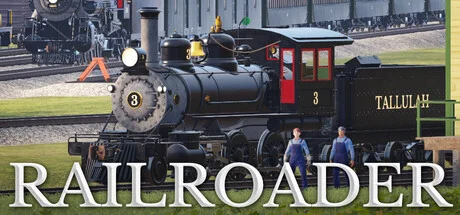
Railroader
by Giraffe Lab LLC · 7 Dec, 2023
274 downloads
About the Game
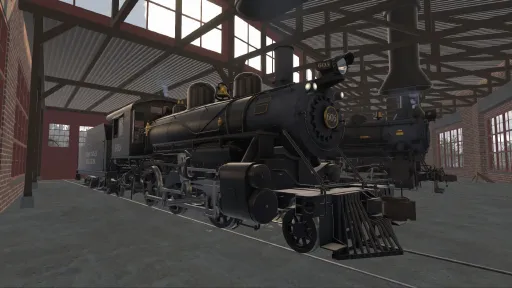
Railroader is an operations-focused railroad simulator set in transition era Appalachia. Manage and run your railroad to your desire while using period steam and diesel locomotives and rolling stock.
Trains with Purpose in a Player Driven World
Your railroad is the lifeblood of the communities it serves: delivering freight cars to customers and moving passengers along the steel arteries that wind along the rivers and up steep mountain passes. You'll receive cars at the interchange yard and it's up to you to get them safely to their destinations, whether it's boxcar loads of machine parts, or bulkhead flats of pulpwood. Every car delivered will get you closer to your goals, whatever they may be: buying powerful locomotives or handsome passenger cars, expanding your mainline, or upgrading your railroad. It's your railroad!A Scenic Mountain Railroad
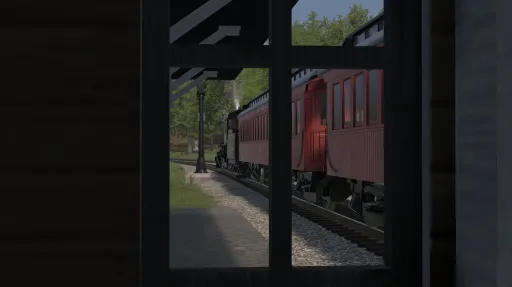
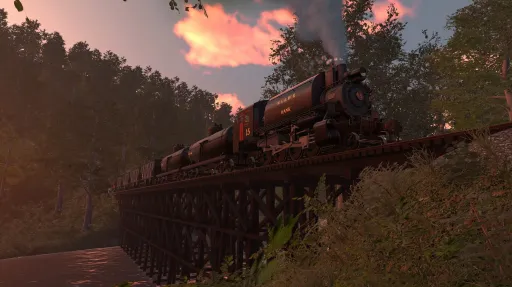
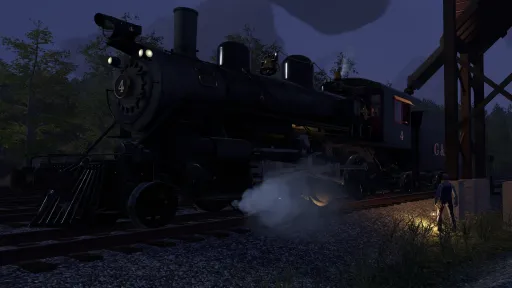
On the ground or in the cab, the tree-covered mountain vistas – inspired by the Southern Railway's Murphy Branch – will serve as backdrop to your rumbling mainline, night and day. Climb aboard and watch the miles go by in this picturesque environment.Run Solo or with Friends
Railroader is made to scale with your playing style. Shape your railroading experience by accepting contracts with the customers you want to serve, at the level your railroad can handle. Want to run a sleepy mixed train daily? Perhaps a bustling multiplayer server with formal jobs and organized crews? So do we – that's why we made this game! AI Engineers can help you fill in the gaps of your operations, too.What's this about AI Engineers?
AI Engineers can run a manifest freight between yards, or, when you're switching, let you focus on the moves while the AI focuses on the controls. Railroader's AI Engineers can help you be in multiple places at once.Make Your Railroad the Model of Efficiency
ABS and CTC signaling systems not only enable you to run your railroad safely and efficiently, they also give you another way to play: as Dispatcher! Railroader's lovingly recreated US&S Centralized Traffic Control machine will give you a dazzling array of lamps and satisfyingly tactile knobs to throw in command of your mainline.Chimes, Colors & Characters
It wouldn't be your railroad without the ability to make it look and sound the way you envision it. Customize the lettering on tenders and coaches, choose paint colors, and swap whistles to your heart's content!Screenshots
9 images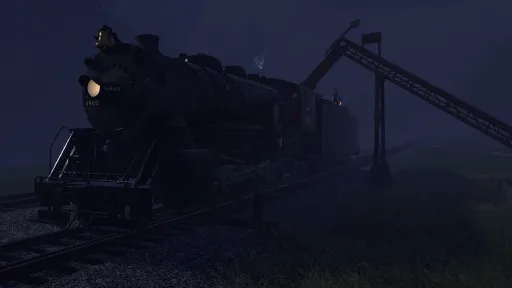
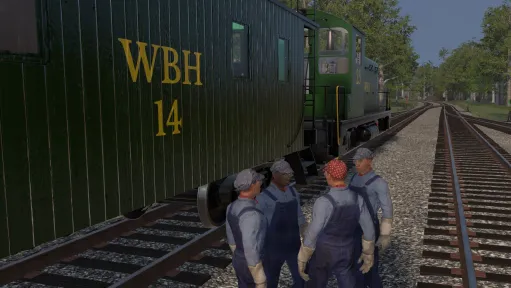
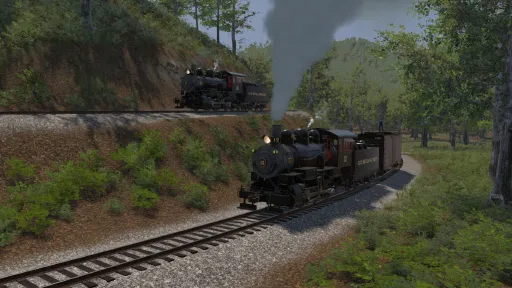
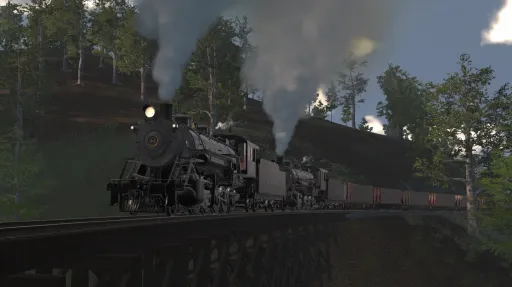
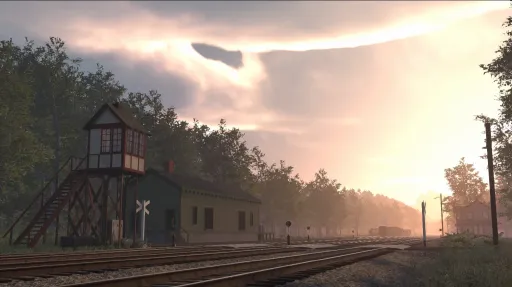
Version Information
Steam Patch Notes
Official update history
Hello, Railroaders! This is a big bug fix release for us. It includes a considerable number of refinements, as well as key additions to the map editor. More to come, and thank you for your continued feedback!
Gameplay
Picking an auto destination now updates the car’s waybill to match, so Cycle is no longer needed to apply the change.
Added an Interchange Fill To railroad setting (Settings > Features), 30-100%, that sets how full interchange service fills its tracks. The default is 70%, as in previous versions.
Scott Tie Plant no longer loads ties into the G-50 (GS) gondola. Ties now go in GB gondolas and flatcars, including from the interchange. GS cars already carrying ties can still be unloaded at the MoW yard or used by a work train. (RR-991)
Cars sent away via interchange (off railroad to purchase materials) are no longer lost when the track they left from changes, and interchanges no longer report a daily “Could not order cars” error for cars that went missing. (RR-1024)
Fixed waiting passengers disappearing from stations when loading a save. (RR-1002)
Fixed cut-out locomotives and tenders without a locomotive ignoring train brake applications. (RR-998)
Fixed opening an anglecock on a stopped train not venting air until something else changed, such as the brake handle or an air hose.
Fixed stopped trains counting as moving for several seconds after releasing their brakes. This delayed passenger boarding and MoW work cars (“In motion”), and could block fast forward.
Fixed the Loads tab listing non-fuel facilities under Engine Service.
Fixed interchange orders putting the load in the wrong slot, such as a modded oil tender arriving with oil in its coal slot.
Fixed car with couple-to-MoW work car waybill breaking the switch list and station agent windows. (RR-954)
Fixed /style import refusing to work in Company mode. (RR-1010)
Speed sign placement now says why it was refused, instead of always calling the track unfinished. (RR-1009)
Fast forward is no longer blocked by a locomotive in Manual coupled to a train running to an Auto Engineer waypoint, as long as its train brake is cut out and its reverser is centered or throttle closed. Previously it had to be MU’d. The Time window now names the engines preventing fast forward. (RR-1003)
Added confirmation dialog when sleeping.
Auto Engineer
Fixed the Auto Engineer braking to a crawl on the reverse curve west of Whittier, and on other curves with a slower speed restriction further ahead. (RR-999)
Auto Engineer now takes curves closer to their safe speed. Curve speeds are no longer rounded down to the nearest 5 mph, so “Track Speed” in the Auto Engineer status can now read values like 22 mph.
Fixed Auto Engineer running into cars fouling switches in some cases. The AE will not stop for such cars. (RR-912, RR-1018)
Fixed Auto Engineer creeping past a stop mark with its brakes released instead of stopping and holding.
Fixed Auto Engineer getting stuck on “Charging brake line” after coupling to standing cars. Brakes left lightly applied by a small reduction now release fully. (RR-804)
Fixed Auto Engineer waypoint orders leaving switches thrown when the order was cancelled, the engine left waypoint mode, or a reroute failed. A switch the train is standing on at arrival is now put back once a later order carries the train clear. (RR-601)
Fixed an issue that caused AE waypoints to fail when set from the map window.
Fixed the waypoint picker refusing far clicks under CTC. (RR-1014)
Maintenance of Way
Right-of-way clearing is now its own MoW job. Crews clear vegetation before repairing, so lightly damaged track no longer loses its brush immediately. (RR-963)
Adjusted MoW construction, unloading and repair rates closer to 2 mi/day on Medium and Low, and 1 mi/day on High. (RR-963)
Added a Reduce Class of Worn Track work car option, off by default. It lowers the class of track which is already worn to the point that it is below its built class. Essentially this enables downgrading track such that the tie paint no longer appears.
Track tooltips are clearer about speed limits and track class. Track class can only lower a speed limit, and the work car’s Maintain To Class picker now lists classes, with the speed as a caption. The track query tooltip now always shows the lowest of the posted class, equipment curve speed and effective speed limit, so healthy track shows its speed.
Updated the Maintenance of Way page in the in-game guide. (RR-947)
Fixed Same Route crews seeing only the nearest job on each side and reporting “No work in range” on track being built.
Fixed MoW upgrades being priced and recorded as repairs after the first tick. Older saves regrade finished track once on load. (RR-986)
Fixed “Infinity” work time in the work car tooltip while the train moves.
Fixed overlapping text in the car inspector MoW tab.
Fixed the densities of steel bridge beams and concrete. Cars carry more of each per load, so MoW trains need fewer cars: about half as many for steel bridge beams, and roughly a third to two-thirds fewer for concrete, depending on the car. Quantities, pricing, and existing loads are unchanged.
Track, Signals and Map
Added scenery around Bryson, the Connelly Creek log camps and Whittier. Reshaped the Scott Tie Plant switch at Sylva.
Fixed the CTC block east of Whittier showing occupied, or dropping its signal, because of cars or reversed switches on the East Whittier yard track instead of the main. (RR-985)
Fixed the Sylva West signal dropping to Stop when the station siding switch was lined. (RR-1005)
Fixed the McClain West siding switch not being controllable by CTC. (RR-1039)
Fixed gaps and overlaps between CTC blocks near Nantahala, Topton, Barker’s Creek, Alarka Jct, Bryson and Hemingway.
Fixed signal visual state getting out of sync with reality after repeated coded routes. (RR-1015)
Fixed crossing gates snapping shut on the first train approach after loading.
Fixed speed signs near Wesser/Hewitt and Fontana. Minor track alignment.
Fixed Hemingway sign position.
Fixed roads sinking below the terrain near control points on grades.
Fixed superelevated (tilted) curves kinking and waving their rails, ties and roadbed. Crossing pads and the ground under the roadbed now tilt with the track. Superelevation does not affect maximum safe speeds at this time. (RR-1033)
Rolling Stock
Tank cars (8000 gal and UTC ICC-104) can now be recolored, and their data lettering follows the paint scheme.
Fixed collision blocking the oiling points on numerous steam locomotives and tenders.
Fixed incorrect heating surface value on G-24 inflating its road performance and pricing.
Fixed ladders on the Southern SU and 1937 AAR boxcars.
Graphics and Audio
Added a Volumetric Clouds graphics option: Off, Half or Full resolution. Some systems will see significant performance by disabling volumetric clouds. Clouds also change more slowly. (RR-1001)
Reflections now include trees and track, and no longer pick up lanterns, headlights, cab, firebox and hotbox lights.
Track wear, clearing and tie paint changes now refresh only the affected track instead of rebuilding it. Wood trestles no longer blink when wear changes. (RR-913)
Constructing track and unlocking a milestones no longer rebuild all track on the map.
Audio now fades out during the loading screen.
Fixed whistles and horns working intermittently in an area with a lot of locomotives. (RR-996)
Fixed whistles and horns not properly stereo. (RR-981)
Fixed a discontinuity at the first horn/whistle blast after loading.
Fixed worn rails not rendering as such in certain orientations.
Fixed car parts that start hidden, such as optional details, missing their finish, wear and lettering once shown.
Fixed LOD issue with coupler.
UI and Input
The console, switch list and equipment purchase windows are now resizable, and open where you last left them. (RR-1007)
Added “Reset Positions and Sizes” button for windows to Preferences.
The car inspector now sizes itself to the selected tab.
The mod list keeps its scroll position when you toggle a mod.
Field labels in windows now use mixed case. Section headers remain all caps.
Context menus now open a row higher, so the pointer lands closer to the first action.
Clicking while a context menu is up no longer clicks the world behind/around, preventing accidental clicks like opening doors or uncoupling.
Fixed spurious opening of the context menu during/after right-drag camera movements.
Fixed a world tooltip staying visible in the pause menu.
Fixed auto-height windows jittering before resizing.
Fixed mods in a dependency cycle locking up Manage Mods. They are now refused with a message naming the cycle.
Multiplayer
Added join codes. Hosts find their railroad’s code in Settings > Multiplayer, and players enter it in Join Multiplayer, which also lists recently joined railroads and whether they’re online.
The Open Railroads tab in Join Multiplayer now lists only railroads that anyone can join without a password. The Visibility setting is gone: railroads with a new employee password, or open only to Steam friends, are not listed. Settings > Multiplayer says whether yours is listed. Players can block a host to hide its railroads from the list.
Chat and player names now use Steam’s text filter.
Reporting marks are now limited to A-Z and &.
Launch and Saves
Railroader now checks its home directory before anything else loads. If it can’t use the folder, it says why, such as Windows Security blocking it, a missing Documents folder, or a bad -homedir. It also warns when 0.6.0 or 0.6.1 left saves or preferences in the install folder due to Windows returning an empty string for the documents directory.
-homedir "D:\\Games\\Railroader\\", with a backslash before the closing quote, now works.
Fixed saving failing for the rest of the session after a railroad’s save file was removed outside the game. Saving now restores it or offers to save a new copy, and save failures show their reason.
Map Editor
Passenger stations can now be created in the map editor. This has been reorganized to also cover requirements for timetables. Stations and lines are edited under Ops: Passenger. A line’s stations, in order, set the passenger route network and the timetable. See Stations and lines.
Passenger stations defined in previous versions are migrated automatically, but will need to have a Line defined. (RR-955)
Creating a station, or turning on Passenger Stop, now opens a dialog to pick the stop’s industry. A new station can pick “No industry” to be a timing point. Passenger stops need an industry in order to appear in the Locations panel. This enables grouping them with team tracks. (RR-955)
The map editor now refuses ops ids it can’t use, with a message saying why: an industry id already used anywhere on the map (not just in its area), any ops id containing /, and a station code that’s empty, not all letters, or already taken. (RR-955)
Station agents, the clickable depot window that shows the station’s passengers and freight, can now be placed in the map editor as a Station Agent builtin. Pick its station from a list, and size the box to the window; the editor draws it as a wireframe box.
The outline now flags industries, stations, lines and spans with ops data problems, with the details in the tooltip.
Expanding or collapsing an outline row keeps the scroll position.
Save is always enabled, and turns orange when there are unsaved changes.
Crops biomes can now be painted. Changed crops biome color to gold. (RR-984)
Added downtown storefront, house, cottage, bungalow and rural house props, nearly all recolorable. Several existing houses, Frontier Stores, covered conveyors and Ela Agra can now be recolored too.
Edit Map now creates the map’s data file when mapData names one that doesn’t exist yet.
The move gizmo’s Z axis arrow (along the track) can now be grabbed at more shallow angles than before.
Rectangle and circle maps now support tilting to create sloped terrain. (RR-1040)
Modding
Added map patches: a Map definition with "role": "patch" changes an existing map instead of replacing it, including in existing saves, while its mod is enabled. Patch terrain can’t be edited yet. (RR-943)
Asset packs can now use assets from packs they depend on instead of carrying copies. A pack’s Build.json lists the folders whose assets other packs can use. (RR-923)
Definition Editor now correctly loads car, truck and prop models that come from another mod or a built-in pack. (RR-1000)
Definitions.json components now no longer persist identity/zero transform, null parent or enabled: true.
Relay: Car.setAutoDestination now takes an optional tag, such as which load an interchange should fill the car with.
Relay: Functions and properties meant for internal use have been renamed to start with _ to mark them as private. Mods should not rely on them; they may change or be removed in the future.
Added the -logLevelDebug command line argument, which writes debug messages to the log, including IModLogger.Debug. (RR-978)
Renamed “Allow Unsafe DLL Mods” to “Allow DLL Mods”. Turning it on now asks for confirmation and explains what DLL mods can do.
Internal: Upgraded to Unity 6000.3.28f1.
Now available on the Experimental branch:
Log camps, pulpwood spurs and maintenance of way yards now load and unload cars faster. Logs about 2.5X, pulpwood about 11X, MoW supplies 3-10X.
Crops are now laid out in fields.
Added a separate grass distance preference to allow for more distant… grass.
Fixed “unloader” industries not ordering cars on their first day: Alarka Fuel, Andrews Coal & Oil, Bryson Lumber Coal & Supply Co, Dillsboro Fuel, Ela Farm Supply, Hollifield Heating Oil, L. Smith Machining, MG Chemical, Nantahala Power & Light, Standard Oil, Sylva Building Supply, Sylva Coal & Lumber, Tatham Grain & Seed Co. This includes migration code to adjust it for existing saves.
Extended Whittier Saw Mill C2 and adjusted SO1/SO2.
Adjusted the track query tooltip to be more clear; more refinement needed.
Fixed switch point alignment not visible from a distance. (RR-944)
Fixed case which could cause auto engineer to miss its waypoint or derail while fast forwarding. (RR-959)
Fixed scroll wheel and other input getting lost when running at high frame rates.
Fixed F7 missing lettering color customization.
Fixed saves sometimes failing on Windows when another program has the file open.
Added check to ensure -homedir isn’t inside the install folder.
Modding: Removed error for steam locomotive components parented inside a wheelset transform.
Modding: Added validation issue indicator for identifier fields in map and definition editors.
Map Editor: Changed internals around interchanges to no longer require an InterchangedIndustryLoader to get equipment purchases to work.
Thank you for your continued bug reports and feedback! More fixes to come.
This bugfix release includes:
Start setup changed: T-17 is on the tracks, G-16 is in the ditch. Changed due to in-cab control differences and tutorial.
Adjusted system that builds seams between terrain tiles in the hopes that it will address some players’ issues with broken terrain seams. Please let us know if you previously experienced this issue and this build resolves it!
Tutorial: Changed to suggest Shift-/ for track condition query, rather than ?.
Tutorial: Fixed blank tutorial window after closing. (RR-937)
Fixed absent Dillsboro station agent. (RR-928)
Fixed unable to effectively oil G-16, T-17. (RR-929)
Fixed SD7 end walkway hard to navigate.
Fixed parametric whistle/horn editor not correctly applying the selected model. Models will need to be reselected before they appear. (RR-924)
Fixed railroad fuel service/repair parts deliveries paying terminal fee. (RR-935)
Fixed missing builder photo for USRA Wood Caboose (RR-931) and AAR 1937 boxcar (RR-934).
Removed errant Wilmot crossing pad.
Fixed issues that prevented “high country” terrain maps from appearing/being navigable. (RR-933)
/mode sandbox now advises using /debug on instead.
Map Editor: New RepairTrack and Interchange components now default to car type filter *.
Thank you for your bug reports! More fixes to come.
Meanwhile, work continues on the MoW update!
- Tutorial bug/typo fixes.
- Fix for broken Crews panel in the Company window.
- Adjusted Auto Engineer to make hard couples less likely. (RR-750)
- Adjusted Auto Engineer Waypoint Mode to take current train direction into account when planning its route. (RR-763)
- Fixed Auto Engineer Waypoint Mode slowing in advance of CTC switches when there was a non-CTC controlled switch beyond it, even when that switch was lined for its route. (RR-764)
- Waypoint selection is now cancelled when selecting another engine or changing the control mode. Fixed clicking on window setting the waypoint 'through' the window. (RR-595)
- Changed locomotive and tender brake cylinder pressure for a train brake application to match the 2.5X factor of standard cars. Additionally, locomotive brake cylinders will hold pressure applied via train brake until train brake is released. (RR-762)
- Overhead ("2") camera now restores its orientation after moving to stay above ground, such as when following a train through a tunnel.
- Added "Jump to Waypoint" item to gear menu in HUD controls. "Simplified Controls" toggle now only appears for engines in Manual control mode.
- Made waypoint overlay arrows gently emissive (more visible at night).
- Fixed waypoint overlay showing incorrect final waypoint arrow in some cases.
- Fixed leaks from audio clips from engines; would occur when engines are unloaded and then reloaded.
- Fixed unstable Sort by Destination order in switch list panel; added Sort by Location. (RR-676)
- Added timetable symbol dropdown to car inspector Operations tab.
- Timetable symbol dropdown now shows next departure time, or last arrival time if the next departure is too distant.
- Fixed Auto Dest on timetable passenger cars incorrectly checking passed stops. Note that it will check stops which are not reachable otherwise, such as a local passenger vs express passenger. (RR-732)
- Fixed Timetable editor showing large negative estimates between stops that span midnight. (RR-739)
- Fixed Auto Engineer Waypoint Mode setting switch behind lined CTC switch causing signal to drop. (RR-638, RR-742)
- Fixed Auto Engineer running 25mph max speed just west of Wesser. (RR-748)
- Fixed flat top handbrake only clickable from very close on some equipment. (RR-735)
- Fixed longstanding issue where brake line is incorrectly restored to 0 PSI when loading a save with an engine that had been bailed off.
- Fixed weight of liquids calculation. (RR-744)
- Improved waypoint picker consistency on switches. (RR-743)
- Moved Switch List window buttons into gear dropdown menu. (RR-396)
- Model refinements for C-40, C-55, S-23, P-43, P-48, SD7.
- Fixed steam engine trucks drifting forward/back, our of sync with engine. (RR-701)
- Fixed delivered cars not recognized at Bryson Lumber Coal & Supply D1, Nantahala Talc & Limestone T3. (RR-700)
- Fixed timetable passenger trains stopping at stations that are not on their timetable schedule. (RR-704)
- Fixed issue that caused derailments and equipment damage during regular movement, first seen in 2024.6.6.
- Fixed "Edit Timetable" button missing for clients in multiplayer.
- Fixed Auto Engineer Waypoint failing to operate when signals were not unlocked.
- Fixed missing Nantahala Power & Light building.
- Fixed pavement at Dillsboro grade crossing.
- Auto Engineer Waypoint Mode: Fixed AE balking at taking diverging route at CTC switches. (RR-662)
- Auto Engineer Waypoint Mode: Fixed AE not throwing switch and instead oscillating across it, particularly at west end of Sylva station siding. Fixed AE not throwing switch when a signal was just past it in some cases (east Dillsboro). (RR-655)
- Auto Engineer Waypoint Mode: Fixed notice not cleared after arriving at a waypoint and switching to a different AE mode. (RR-659)
- Auto Engineer: Removed end of track padding to allow AE to get right up to the bumper. (RR-651)
- Timetables: Fixed timetables not horizontally scrollable. (RR-643)
- Timetables: Fixed parse error caused by meet containing dash character. (RR-649)
- Timetables known issue: Passengers will board coaches for unchecked destinations if they can transfer at a later station. Essentially they want to get on the train as soon as possible. And who can blame them? (RR-656 can)
Happy Holidays from the Railroader team!
Current Release
Build 20238526
Uploaded May 11, 2026
System Requirements
How to Install
Railroader.exe to play
Troubleshooting tips
• Run Redist/_CommonRedist installers if game won't start
• Add folder to Windows Defender exclusions
• Run as administrator
Download
Direct link available
Needed when extracting (WinRAR / 7-Zip) — not a site login.
58FD57C0
9df15397e77d66a1adaa8d2474c2ea86ff32af72f9f93cace547073e857f4d4a
You May Also Like
View All






Download Railroader for PC with a direct link or via torrent. Get the full version of Railroader for free. Railroader is a Simulation released by Giraffe Lab LLC.