







Unrailed 2: Back on Track
by Indoor Astronaut · 7 Nov, 2024
221 downloads
About the Game
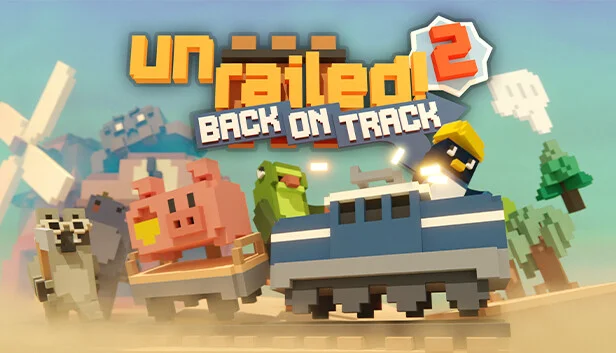
Unrailed 2: Back on Track brings chaotic local and online multiplayer track-building action to the next level – band together with friends to collaborate and build your track across new procedurally generated worlds - WHILST the train is running! So think fast, with more freedom than ever before, and conquer new obstacles in your way - before your trains becomes… a trainwreck!
YOUR JOURNEY GETS BETTER AND BETTER
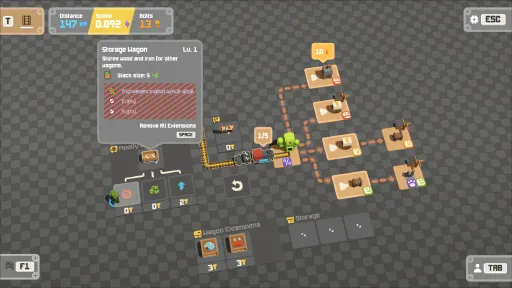
Every excursion your crew undertakes feels increasingly meaningful, with new rewards and permanent upgrades granting you character with gameplay-modifying abilities, as well as new train engines, wagons and extensions to unlock, giving you the tools to build a multitude of train configurations to play and experiment with. Each locomotive loss is an opportunity to rebuild and get… back on track!
CHOOSE YOUR TRACK
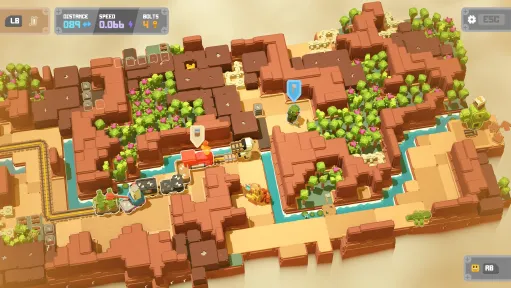
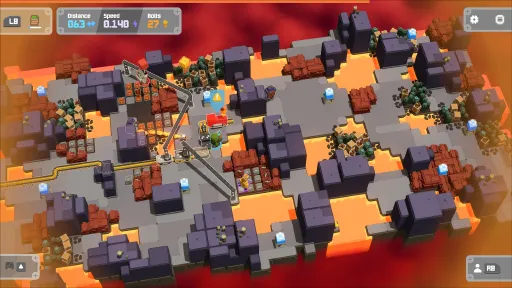
The game offers six biomes in total at the moment. Each biome has it's own unique game mechanics and a boss to beat at the end. On your journey you can find a whole bunch of different kinds of stations to upgrade your train with new wagons or by equipping cartridges to get access to new abilites. And of course there's a bunch of characters and equipment to unlock.
CREATE, SHARE AND PLAY WITH THE COMMUNITY
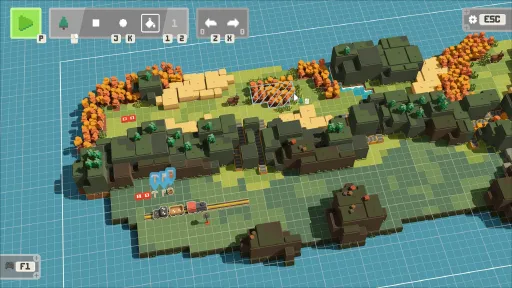
The all-new Terrain Conductor mode allows you unleash your imagination to create your very own custom maps and share these with the Unrailed community – with highlights being featured by the developers. Or if creating isn’t your thing, browse the limitless creations other players have built, so the frantic fun never ends!
CO-OPERATE TO COMPETE
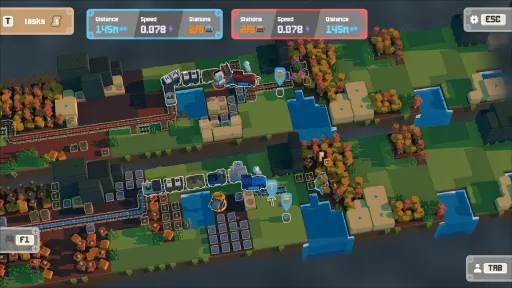
Fulfill your burning competitive urge – manically duke it out in against another team in the new 8-player Vs Mode. Test your team’s prowess in online leaderboards with action replays and see who can achieve the highest scores.
Screenshots
6 images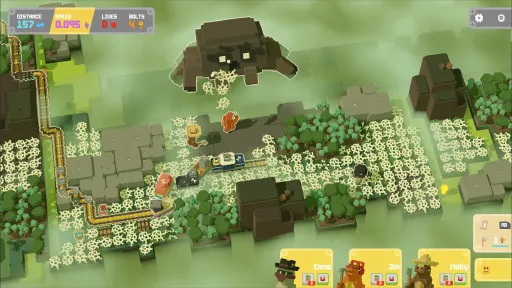
Version Information
Steam Patch Notes
Official update history
Hi everyone!
We just pushed another experimental version update.
Choose the experimental branch on Steam and disable crossplay in the online settings ingame to get the effect of the changes.
Let us know what you think!
Changelog v-1024-d861c7a
- Improvement: Tunnels to lab appear now also in loco labyrinth (crossplay disabled, in gameplay version 151)
- Improvement: Mapgen should terminate faster especially in loco labyrinth
- Bug fix: Controllers sometimes disconnect (by avoiding false positives from the double controlling fix)
- Bug fix: Multiple memory issues fixed
- Bug fix: Several z-index issues fixed
- Bug fix: Boxes in lab or also bolts might not spawn in rare cases when a tunnel is on a map
Hi everyone!
We pushed the last fixes on experimental live. Please let us know if you have any issues.
Changelog v-1009-7e0ad77:
Crash fix: Crash related to the bot
Crash fix: Crash related to closing the onscreen keyboard
Crash fix: Random crash fix related to memory issues
Bug fix: Some texts are cropped (especially in Japanese and Chinese)
Bug fix: Some players get two players spawned when using the controller (it's more a workaround, let me know if it works for you). Otherwise disable/enable Steam input.
Hi everyone!
We just pushed another experimental version update.
Choose the experimental branch on Steam and disable crossplay in the online settings ingame to get the effect of the changes.
Let us know what you think!
Changelog v-1009-7e0ad77:
Crash fix: Crash related to the bot
Crash fix: Crash related to closing the onscreen keyboard
Crash fix: Random crash fix related to memory issues
Bug fix: Some texts are cropped (especially in Japanese and Chinese)
Bug fix: Some players get two players spawned when using the controller (it's more a workaround, let me know if it works for you). Otherwise disable/enable Steam input.
Hi everyone!
We just pushed another experimental version update.
Choose the experimental branch on Steam and disable crossplay in the online settings ingame to get the effect of the changes.
Let us know what you think!
Changelog v-995-4f67746:
New: Assets for the rope engine
Balance: -1m rope length for the rope engine
Balance: The speed increase used to be capped to a linear function (in stations) at some point. Now it still increases in the endgame but slowly (3% per station)
Freeze fix: Freeze fix in this weeks time challenge
Hi everyone!
We just pushed another experimental version update.
Choose the experimental branch on Steam and disable crossplay in the online settings ingame to get the effect of the changes.
Let us know what you think!
Changelog v-994-309eef5:
New: Highscores include now a First Biome and First Round section for endless
Balance: Rope engine segements gets 0.5 tiles shorter for each connected player in a chain
Bug fix: Rope engine now doesn't change its speed in the credits anymore based on the players position
Bug fix: In time mode, "hold tools max x seconds" task didn't reset the timer when spawned
Bug fix: In time mode, new maps could overwrite cartridges on the ending of old maps
Balance: In time mode, the extension rewards are now only dependend on the seed and engine. The i-th task at the k-th station should now always give the same extension (Tasks may still differ based on the train and number of players though)
Balance: Lab weight and button are now placed right of the station
Hi everyone!
We just pushed another experimental version update.
Choose the experimental branch on Steam and disable crossplay in the online settings ingame to get the effect of the changes.
Let us know what you think!
Changelog v-989-0a55a5c:
New: Experimental Rope Engine added as last engine candidate: Ties every player to the engine with a rope. Nobody gets further away than the rope allows. Players pulling in front make the train faster, players lagging behind slow it down. A dash gives extra rope for a moment. Whoever gets stuck loses the rope and respawns at the engine.
Hi everyone!
We just pushed another experimental version update.
Let us know what you think!
Changelog v-941-f31da53:
Crash fix (regression): Crash when opening the lobby browser
Hi everyone!
We just pushed another experimental version update.
Let us know what you think!
Again if you're having connection issues and you're based in China, try the "China Networking (Experimental)" in the Online Settings and let us know whether it works better for you.
We'll bring it back to the main branch with the next patch :)!
Changelog v-940-f31da53
- Crash fix: Fixed a likely cause of the most common crash in compatibility graphics mode.
- Crash fix: Graphics driver crashes and out-of-video-memory no longer crash the game. You can keep playing or save & quit.
- Improvement: Modern AMD GPUs now use the faster, more stable Vulkan renderer automatically.
- Improvement: Improved crash reporting
- Improvement: We're building now with .NET 10 (instead of 8) which gives a small performance boost and fixes some potential issues
Dear Railroad Engineers!
We've extended our maintenance with an update of Godot and ANGLE, two very important dependencies we use. We notice crashes mostly outside of our code (either in drivers or in Godot code) and we try to fix as much as we can from our side. The auto-driver selection from us should now direct newer AMD GPUs to Vulkan which seems to run smoother.
Above that, to use Steam Input on macOS, a certain 'Accessibility' permission has to be given to Steam and when not given a ingame prompt is now shown when a controller is detected explaining what to do.
Changelog v-936-dc2dc1c:
- Change: Experimental China networking activated again
- Bug fix: Fixed several graphics-related crashes (out of video memory, driver resets)
- Bug fix: Modern AMD Radeon cards (RX 5000+) now use Vulkan automatically for better stability
- Bug fix: More detailed errors when joining a lobby fails (e.g. timeout, version mismatch, crossplay settings)
- Improvement: Connection error messages stay on screen longer
- Improvement: Gameplay version 129 is now default also when crossplay is enabled since console patches are live now as well
Hi everyone!
We just pushed another experimental version update.
Let us know what you think!
Again if you're having connection issues and you're based in China, try the "China Networking (Experimental)" in the Online Settings and let us know whether it works better for you.
We'll bring it back to the main branch with the next patch :)!
Changelog v-935-d9b26d9:
Change: Exp China networking activated again,
Bug fix: Fixed several graphics-related crashes (out of video memory, driver resets),
Bug fix: Modern AMD Radeon cards (RX 5000+) now use Vulkan automatically for better stability
Hi everyone!
We just pushed another experimental version update. We had some users crashing in AMD drivers, often using ANGLE. We're updating everything we can from our side.
In the end, we recommend trying different video drivers and see what works.
Let us know what you think!
Changelog v-933-6669bfc:
Improvement (Win only): Updated to Godot 4.6.3
Improvement (Win only): Updated ANGLE (to chromium/7578 version)
Crash fix: Fixed some potential crash causes in Godot
Bug fix: When selecting ANGLE as driver, the game might have used OpenGL instead
Bug fix (Mac only): MacOS didn't always ask for a macOS controller permission anymore
Changelog v-934-d5c477f:
Crash fix: Crash when closing the game
Improvement: Improved storage push and pull icons
Hi everyone!
We just pushed another experimental version update.
Let us know what you think!
Again if you're having connection issues and you're based in China, try the "China Networking (Experimental)" in the Online Settings and let us know whether it works better for you.
Changelog v-920-f062e1b
Improvement: China Networking is now selectable from the join and offline lobby menu
Bug fix (regression from main): Bot sometimes didn’t attach a track even though there was a track plan
Crash fix: Potential random crashes fixed
Current Release
Build 25756922
Uploaded Oct 20, 2026
System Requirements
How to Install
data_UnrailedGodot_windows_x86_64\Bootstrap.exe to play
Troubleshooting tips
• Run Redist/_CommonRedist installers if game won't start
• Add folder to Windows Defender exclusions
• Run as administrator
Download
Direct link available
Needed when extracting (WinRAR / 7-Zip) — not a site login.
17608898
2c5454a7dc700208d07f6ae097600cb77e818ed77b0ad4982d307d02a0a61a71
You May Also Like
View All





Download Unrailed 2: Back on Track for PC with a direct link or via torrent. Get the full version of Unrailed 2: Back on Track for free. Unrailed 2: Back on Track is a Action released by Indoor Astronaut.