








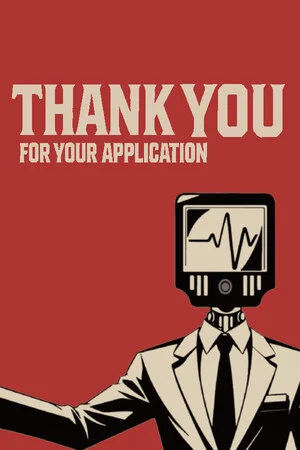
Thank You For Your Application
by IceLemonTea Studio · 19 Jun, 2026
467 downloads
About the Game
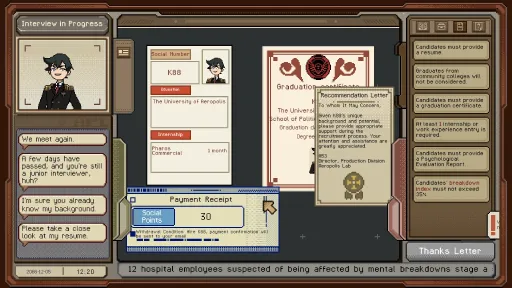
Thank You for Your Application is a work simulation game themed around job interviews. Players take on the role of an interviewer at the largest company in Aeropolis City, reviewing applicants’ resumes and documents according to strict and constantly changing hiring requirements, before making decisions that may alter the course of other people’s lives.
Throughout the game, players will encounter a wide range of applicants, absurd corporate systems, ever-changing policy demands, and the company’s dark secrets gradually coming to light. Against a backdrop of dark humour and corporate drudgery, players must make choice after choice in their everyday working life.

Decide the fate of job applicants: As an interviewer, will you side with capital and the rules, or give workers the green light?
Exercise your tiny slice of corporate power: Check application documents, raise questions, make judgements — and even shock applicants with electricity.
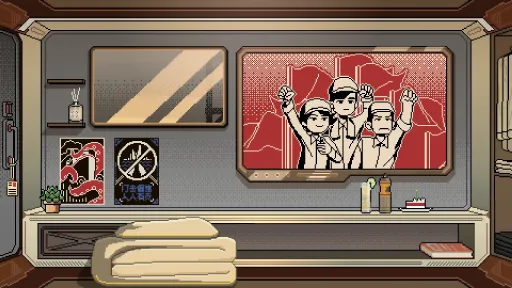
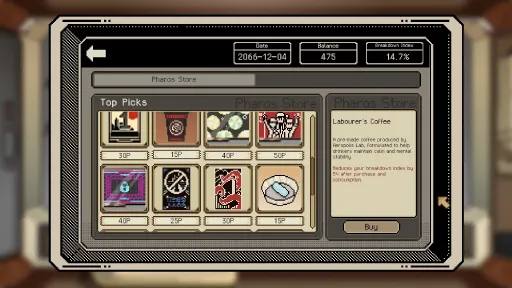
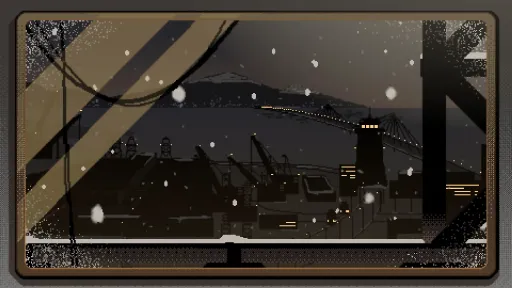
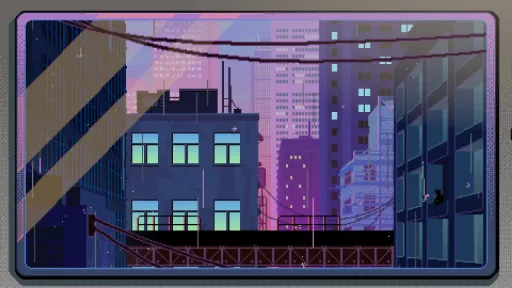
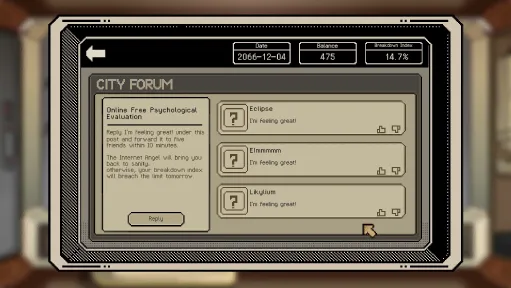
A bleak apartment life after work: Pay your bills, browse forums, buy daily necessities, and try to keep your mental state intact.
Multiple-ending narrative: Exploring themes such as workplace discipline, the shame of unemployment, efficiency-first thinking and discrimination against outsiders, your choices will shape the direction of the story.

Screen candidates’ resumes and documents according to the company’s daily hiring requirements, then decide whether to accept or eliminate them.
Check their internship certificates. We want graduates with experience.
Check their Psychological Evaluation Report. We want employees with a stable state of mind.
Check their graduation certificate. We want students from top universities.

Remember to pay your rent on time, lest you become a homeless illegal overstayer.
Remember to keep your mental state in check. The company has no need for employees who break down.
When recruitment becomes pretend recruitment, when pretend recruitment becomes redundancy, and when redundancy finally reaches you — where are workers supposed to go?
Screenshots
7 images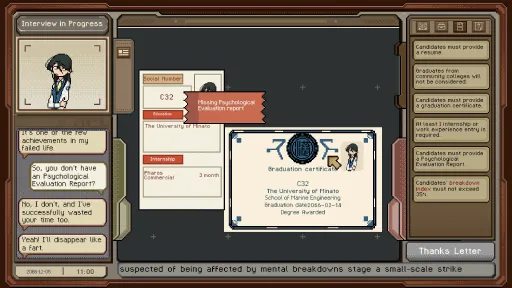
Version Information
Steam Patch Notes
Official update history
Fixed an issue where text displayed as "None" when using certain languages.
Fixed the issue where the apartment panel would go black when using Traditional Chinese.
\
Adjusted the Japanese and Chinese wording of the recruitment requirements on Days 20–21.
Adjusted autosave points so that autosaves are now created after each day’s settlement.
\
Fixed an issue on Day 20 where thank letters could not be generated for certain interviewees and F32 who hold a Residence Permit.
Fixed an issue where changing the date format would not consistently update the date format on interview documents.
Fixed an issue where referral text on the settlement sheet could overflow its text box.
Fixed an issue on Day 15 where Q&A errors for characters with incorrect dates could not be used to generate thank letters.
Fixed an issue where, if the bill was submitted before entering A02’s memory on Day 18, the bill would need to be submitted again after completing the A02 event.
Fixed an issue where, if Q&A bubbles appeared and the player then entered scoring mode, the Q&A dialogue would not add points.
Fixed an issue where the mouse wheel could not be used when there were too many save files.
\
Mac text display: If Mac users see "UI_XXX" displayed on the game's main screen, please click the globe icon in the lower left corner to switch languages and restore normal text.
Breakdown effects: If you see red and blue flashing effects on screen, this is not a bug. This effect is caused by the protagonist’s Breakdown value being too high. Please purchase items that reduce Breakdown value from the apartment shop to remove the effect.
Regarding issues with interview folders: If you are unable to use the Hire or Reject folder, please make sure that the file you are dragging is a resume, not a graduation certificate or other documents. It would be great if you can include a reproduction video or your exact steps in the bug feedback form so that we can investigate the cause. Thank you!
Future optimisation plans: Please click here to view the 1.0.14 announcement.
\
Added a Weather Sound Effects setting. You can now control weather sound effects in the apartment from Settings.
\
Adjusted the Korean forum content on Days 2 and 12.
Added autosave points for Days 27–29.
Adjusted the starting work dates and ages of characters on Days 27–30 to prevent cases where a character would appear to have started working at the age of 10.
Adjusted the requirement text “Demonstrates strong teamwork skills” by adding “(Q&A Mode)”.
\
Fixed an issue where Korean replies in department emails were displayed as square boxes.
Fixed an incorrect speaker issue in A01’s tutorial dialogue on Day 5.
Fixed an issue where sound effects could cause the game to stutter.
Fixed an issue where the English text in the Day 8 Internal Communication was not fully displayed.
Fixed several Chinese typos.
Fixed an issue where some French and German text was displayed in English.
Fixed an inconsistency between the Japanese Internal Communication text and Interview Requirements.
\
Breakdown effects: If you see red and blue flashing effects on screen, this is not a bug. This effect is caused by the protagonist’s Breakdown value being too high. Please purchase items that reduce Breakdown value from the apartment shop to remove the effect.
Regarding interview requirements where ID type does not match: On certain days, the company only recruits interviewees who hold a Permanent Residence Permit. If an interviewee only holds a “Residence Permit”, you can generate a thank letter by selecting the “Residence Permit” text on their document and the corresponding recruitment requirement.
If Mac users see "UI_XXX" displayed on the game's main screen, please click the globe icon in the lower left corner to switch languages and restore normal text.
Regarding achievements not unlocking
If certain achievements do not unlock, this may be caused by network issues or the game version not being up to date.
Confirm that your game is updated to the latest version: Please check whether the version number in the bottom-right corner of the main menu matches the version number in the latest announcement. If it does not, right-click the game in your Steam Library → Properties → Installed Files → click “Verify integrity of game files”, then wait for the repair to complete and restart the game.
Confirm Steam is online: Click the top-left corner of Steam and make sure it is not in “Offline Mode”. You need to be logged in and connected to the internet.
Launch the game from your Steam Library: Please do not launch the game directly from a desktop shortcut or the taskbar. You must click the “Play” button from your Steam Library, otherwise the Steam interface may be bypassed and achievements may not be recorded.
Run Steam as administrator: Fully exit Steam by right-clicking the tray icon in the bottom-right corner and choosing Exit. Then right-click the Steam icon and select “Run as administrator” before launching the game again.
Optimisation Notes
Thank you very much for all your feedback and suggestions regarding New Game Plus experience, save interactions, tutorial explanations, and other areas.
New features require more time for testing and adjustment, and we are currently prioritising fixes for bugs that affect the gameplay experience. Once the game version has stabilised, we will work through the suggestions we have recorded and optimise the game to improve the overall experience.
The following optimisations are currently planned:
Customisable hotkeys and more functional shortcuts
Scanner tutorial improvements
CG Gallery interface improvements
New Game Plus experience improvements and assistive tools
If you have any thoughts or suggestions, please feel free to share them with us through the community or the feedback form in the bottom-right corner of the game. Thank you!
Localization Plan
Thank you all so much for your incredible support since launch! We've received many requests for additional language support, and it truly means a lot to us.
[p align="start"]We want as many players as possible to enjoy the game. That said, we need to carefully consider the costs and testing involved in adding new languages to ensure a smooth experience for everyone.[p align="start"]After discussions with our publisher, we're happy to announce that we'll be adding official localization for the following languages:Spanish
Portuguese
Russian
About Mac:
If Mac users see "UI_XXX" displayed on the game's main screen, please click the globe icon in the lower left corner to switch languages and restore normal text.
【Adjustments】(Spoiler!)
The method for obtaining the MRA membership card (activating the Black Market) has been adjusted.
Reply to the MRA's email in the apartment on day 10, choose to donate once, and you will receive a card-issuing email from them on day 11.
Click to claim in the email to obtain the card.
Please note that unlocking the Black Market requires talking to A02 and verifying the card.
Two characters with perfect matching scores have been added on days 14 and 15.
The Korean character set has been updated, fixing the issue of Korean characters appearing as squares;
Some localization has been updated, and some typos have been fixed;
To address the issue where the tutorial would freeze when the question-and-answer button was clicked, the UI has been adjusted so that the question-and-answer button cannot be used when there is no file.
Adjust the dialogue text for the character's tasks on the 24th day, clearly stating that scanning H11 is necessary to complete the task.
【Fixes】
Because the save file overwrite function could cause problems, which involves the underlying logic of the save system and is inconvenient to make major adjustments, the save file overwrite function has been disabled. We sincerely apologize for any inconvenience this may cause. If you need to adjust your save file, you can use deletion or manual saving.
How to manually save: In the apartment, click on the apartment panel, scroll to the far right, and click "Save." The page will open, allowing you to manually save.
Fixed an issue where dragging files to the trash can in the A02 interface might not work.
Fixed an issue where the spacing between the English tutorial bubble characters was 0.
How to report an issue
If you encounter any bugs while playing, you can submit feedback by filling out a bug questionnaire or clicking the button in the lower right corner of the game's start menu.
We have received some feedback regarding incorrect interview characters that were correctly identified by the system. To quickly pinpoint the problem, please specify the day of the interview or provide the character's social ID when submitting feedback. Thank you!
【Added】
Added automatic save for key story nodes. An additional automatic save will be added after completing key story nodes from days 6 to 25.
How to manually save: Return to the apartment, click on the apartment panel, scroll to the far right, and click on the save function to manually save.
【Adjustments】
The scanner will display a green light after a successful scan.
【Fixes】
Fixed the issue where the inherited level and tutorial were not displayed when immediately exiting and starting a new game after completing the ending;
Fixed the issue when click data from start menu, the resolution could go wrong.
Fixed the issue in the clock out panel, holding Tab and switch to Bulltin may caused the game freeze.
Fixed the issue where the dialogue wouldn't play when questioning the interviewee with the temporary residence permit on day 20.
Fixed the history review button on the A02 interface.
Fixed the issue where some Korean text was displayed as Chinese.
If you encounter any issues in game, please fill in the feedback form below. We’ll work to fix them as soon as possible!
Note: If Mac users seeing UI_XXX in the main menu, try selecting the languages by clicking the Earth shape icon on the bottom left may fix the problem.
\ (Spoiler!)
Fixed an issue when player complete the task from masked guy on Day 24, day 25 have no follow-up quest feedback.
\
Adjusted "Pefect Match Score" phrase to"match score of 3" in English.
Note: If Mac users seeing UI_XXX in the main menu, try selecting the languages by clicking the Earth shape icon on the bottom left may fix the problem.
\ (spoiler!)
Fixed an issue where, after not experiencing the A02 special event on day 17, selecting "Don't tell K88" in the conversation on the train on day 18 would incorrectly lead to a branch where you do end up telling K88.
Fix the text error in Day 27's daily requirement regarding placing the employee information sheet into the red folder.
Fixed the issue where the folder in the computer interface of A02 scene could be obstructed.
\
Skip tutorial option is unlocked after completing the game once.
Patch Note 1.0.4
【Fixes】
Fixed an issue with abnormal full-screen display at certain resolutions;
Fixed an issue where pink bubbles in the Q&A section would cover other bubbles;
【Adjustments】
To avoid dead save file, an extra automatic save will be added on the fourth day when players choose to work overtime;
Adjusted the opening story music.
【Added】
Added 2560*1440 resolution;
Please restart the game to update.
Demo V.0.2.96
Fixes
Fixed an issue where mouse wheel scrolling was too fast in the Recruitment Requirements panel and the Stamps panel.
Fixed an issue where mouse wheel scrolling was too fast in the store panel.
Fixed an issue where some English/Japanese/Korean text strings were displayed in Chinese.
【Fixes】
Fixed an incorrect mapping between academy names and interview dialogues.
Fixed an issue where some English/Japanese/Korean text strings were displayed in Chinese.
【Optimizations】
Improved the translation of several Korean text strings.
The category of "Non local graduates must provide an Psychological Evaluation Report" can now be triggered by selecting the school names and requirements.
Demo V.0.1.64 Update
【Fixes】
Fixed an issue where Thank Letters could not be generated under certain conditions.
【Optimizations】
Improved dialogue box scrolling behavior in the interview screen.
Now it won’t automatically jump to the latest message while you're reviewing earlier dialogue.
Current Release
Build 24548249
Uploaded Aug 05, 2026
Update already requested
Uploaders have been notified
A newer version is available but not yet uploaded
Help keep this updated
Login Required
You need to be logged in to request game updates. Would you like to go to the login page?
Request Update
Request an update for Thank You For Your Application? This will notify uploaders that this game has an available update.
Request Submitted
Your update request has been submitted successfully! Uploaders will be notified.
Request Failed
Failed to submit update request:
System Requirements
How to Install
ThankYouForYourApplication.exe to play
Troubleshooting tips
• Run Redist/_CommonRedist installers if game won't start
• Add folder to Windows Defender exclusions
• Run as administrator
Download
Direct link available
Needed when extracting (WinRAR / 7-Zip) — not a site login.
2C5EB670
2eab97ae97318168ef3c5df483f819982e3ef685b324144d9881b9b4c7c23296
You May Also Like
View All






Download Thank You For Your Application for PC with a direct link or via torrent. Get the full version of Thank You For Your Application for free. Thank You For Your Application is a Indie released by IceLemonTea Studio.