







Wrench
by Missing Digit · Dec 19, 2018
482 downloads
About the Game
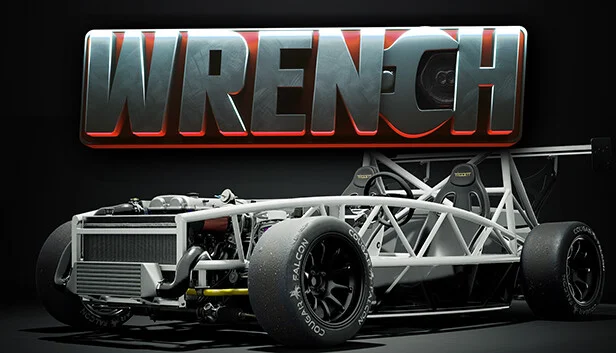
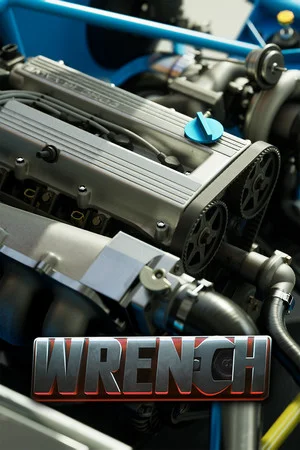
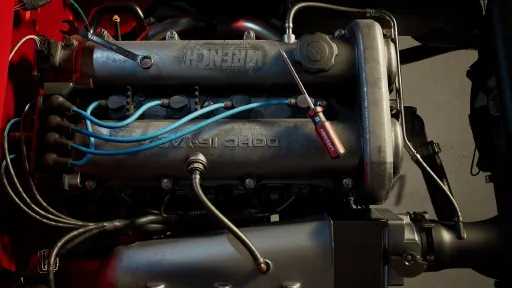
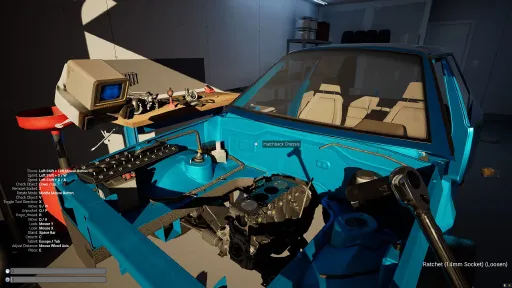
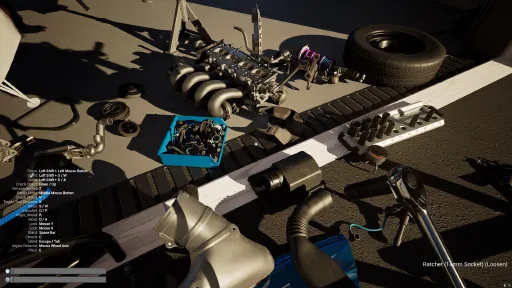
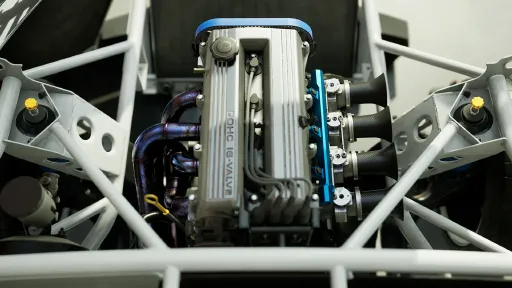
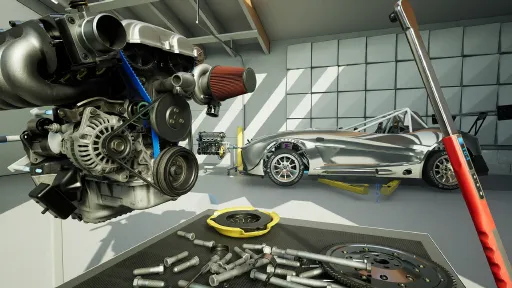
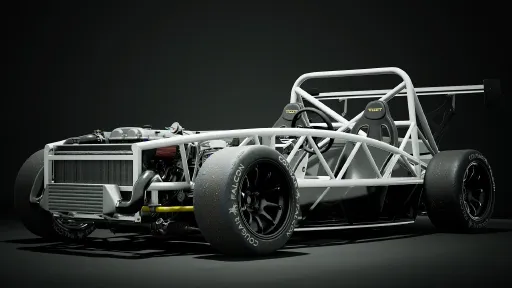
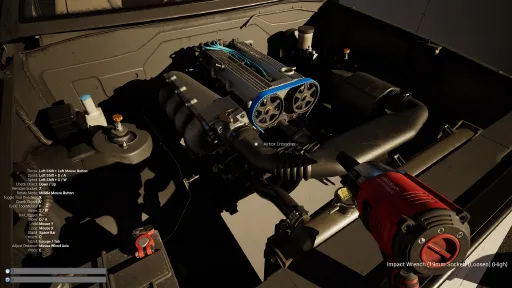
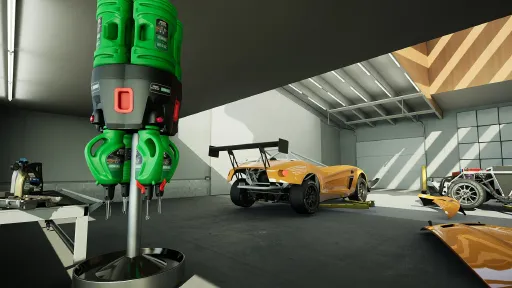
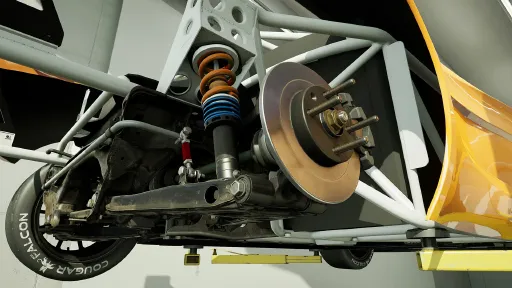
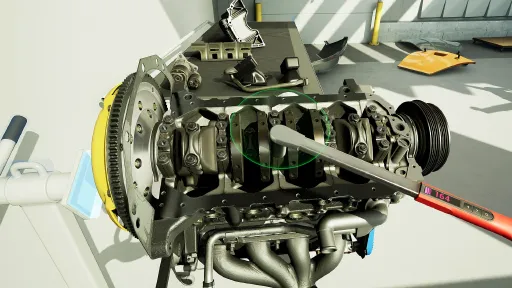
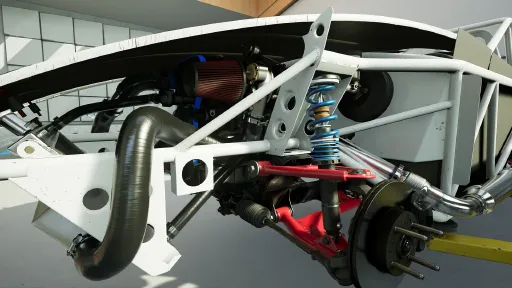
Players in Wrench use a variety of tools to disassemble and repair an extremely detailed car assembly. There are three chassis currently offered in the game. A hatchback streetcar, and two licensed kit cars. Our philosophy behind Wrench is to allow players to fail, get lost, and do things incorrectly. We use limited 2d UI and prefer world interactions. There is no automated inventory system, players must keep track of all of their parts, and we provide organizational tools to help players manage their spaces. The garage space has customizable workbenches, flooring, and storage.
Wrench is a traditional desktop keyboard and mouse game with a VR mode for Oculus, Index, WMR, Vive, and Vive Cosmos (experimental).
Co-op support
Socket Selection
Pegboard organization
Physics Containers
Combination Wrenches
Finger Threading
Socket Organizers
Impact Tools
Screenshots
12 images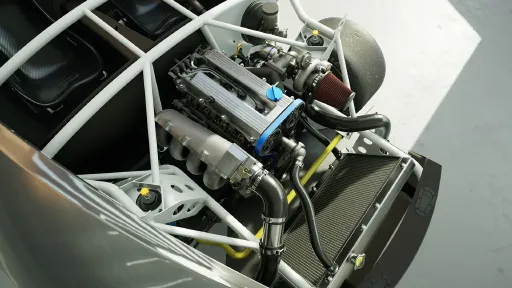
Version Information
Steam Patch Notes
Official update history
Patch Notes (Build 161)
Fix bugs in the engine simulator causing the engine to unexpectedly stop running or not be able to start
Optimize engine simulator to allow the engine to simulate faster
Fix bug causing the hoses and tubes in the intro level to be invisible and broken
Fix bug in the intro preventing progressing if the jackstands are deployed too early
Allow the CAS to be rotated in small increments in desktop mode using mousewheel (requires the CAS bolt to be completely removed right now)
Save state of some engine parts to maintain engine timing when saving and loading
Fix crashes related to engine simulation and installing/uninstalling certain parts
- Dumpster not coming back after emptying
- Fuses not showing the correct art when blown
- Some parts missing parts on the car not available in the garage
- Engine block couldn't be picked up
There is still a bug where flexible parts do not spawn correctly for everyone. This is intermittent and not all users. It will take time to figure out why it is happening. Saving and reloading the game should fix this when it happens.
- The "Purchase" action (context menu or shortcut) now adds the item to the cart instead of auto-ordering after a delay. You must manually complete the order from the catalog app.
- Fix a bug causing certain purchases to be free.
- Fix a bug causing the Exocet Race chassis to have no contribution to assembly weight.
VR:
- Fix install behavior of stainless M10 nuts used on exocet exhaust parts.
- Fix a bug preventing fasteners from auto-installing when using the auto-fastener.
- Fix a bug causing incorrect grab orientation when grabbing the tablet with the left hand.
- Fix a bug causing tablet to be summoned at a bad orientation when using tablet related context actions.
- Fix a bug causing the "Pew Pew" action shortcut to not work.
Added smooth rotation options for VR input
Fixed VR install issues with new manifolds and downpipe
General:
*Fixed funnel angle being wrong on Exocet
*Fixed valve cover rules for type 2 valve cover
*Tweaked size of installed part collisions being enabled. Improves parts of sub assemblies that didn’t have *collision with physics
*Fixed a bug where you could holster the tire changer with Q
*Fixed engine block horsepower wear config bug that resulted in negative horsepower
*Fixed a bug where brake bleed valves could spawn “under torqued” resulting in them being open
*Fixed service manual entry for head gasket change to include steps related to accessory belt parts.
*Moved front main seal to oil pump to fix bugs around a floating seal
*Fixed PPF bolt locations on the Exocet and install rules for the PPF
*Fixed 9LR Exocet wing being available too early- Allowing wing purchase but not the hardware.
- Fix bug causing piston and piston rings installation to be blocked incorrectly.
- Fix car assembly generation bug causing incorrect parts on Catfish chassis.
- Fix bug with brake fluid catch bottle tube not showing air bubbles correctly when flushing the brakes.
- Change default graphics interface to DX11. (Some users have experienced stability issues or graphical errors with DX12)
- Add "Graphics Interface Preference" setting to allow changing between DX11 and DX12. (requires application restart)
- Fix bug causing SteamVR to launch when running desktop or OculusVR modes from Steam.
- Add ability to access settings from main menu.
- Recenter Desktop HUD part torque/fluid info and add dark translucent background to improve visibility on bright scenes.
- Fix installation bug with swaybar jam nut.
- Fix duplicate bolt on alternator/oil pump.
- Fix a bug causing NPC racers to pit stop for the entire race. This affected limited class more than unlimited.
- Improve battery install rules.
* Install battery tray onto chassis, then install battery, then install hold down and bolts.
* Existing assemblies (from Build 126) should have their installations corrected automatically.
- Fix incorrect input bindings for SteamVR Vive Cosmos config.
- Fix bug causing parts to occasionally fall through tables when loading.
- Add symptom masking. This hides symptoms as appropriate based on the engine starting or the car being drivable.
- Fix 2-handed grabbing bugs in VR affecting at least the oil drain pan, funnel, and radio.
- Change chassis battery bracket fastener art to rivets. (it is not player-serviceable)
- Change save game backup method when loading a game from a previous save version.
- Other minor bugfixes and tweaks.
- Fixed bug causing cam lock, crank lock, and funnel tools to become invisible if installed on a job car that unloads.
- Fixed minor part bugs.
Build 86 : Hotfix
Desktop:
Auto-Fastener is now accessed by holding the R key and pressing the LMB.
Made cursor icon context sensitive
After unfastening, fasteners are now automatically added to the pocket.
VR:
Fixed a bug causing auto fastener to highlight parts when not triggering the action
Fixed all reported part installation issues.
Common Features and Improvements:
Physics: Fixed most small parts not resting still
Boxes: Reduces explosive behavior of parts when opening boxes
Boxes: Fixed a bug prevent box pickup on game load
Breaker bar: Fixed collision on tool that was pushing parts around during fastening
Vband clamps: Fixed a bug that caused latches to be visible when pocketed.
Oil Bottles: Fixed bugs preventing disposal
Helper Bot: Fixed collision and physics
Fixed highlight pulses not working on certain parts
Fixed bug allowing tire changer to be discarded
Build 78 8.19.2019
This update is primarily new content with a few small tweaks to game play.
New Content:
- Ignition Parts
- Socket Extension
- 5/8 spark plug socket
Common features and improvements:
- Updated to Unreal Engine 4.22. Users should see a performance boost, in some cases a large performance boost.
- Added Basic socket extension support. Toggling extensions no ratchets is accessed through the context menu. The socket extension is required for removing and installing spark plugs.
- Implemented a new car loading transition effect
- Added sounds and haptics to wrench torque adjustments
- Increase max torque of hand driven rotations, this allows camshaft/cam gear alignment without a tool.
- Catalog: Added oil and fluids to the catalog and removed the dispenser from the level
Desktop:
- Locked camera with hand driven rotations
- Decrease auto wrench torque when using auto wrench to drive part rotation through a fastener
- Impact Wrench: Auto mode is now fully momentary (click and hold)
- Impact Wrench: Camera is no longer locked when using the impact
- Cycle socket extension with Y key
Bugs:
- Fixed visual flicker on rear license plate area of car
Build 76 adds new content and makes many usability changes to both desktop and VR play modes.
New Content:
- Starter parts
- Steering column parts
Common Features and Improvements:
- Shop lighting updated, now brighter overall
- Trash: Parts fill up the bin until destroyed using the context menu or exiting the game.
- Trash: Parts can be retrieved from the bin by grabbing or using context menu on bin.
- Body panels: Implement cosmetic wear based on race time.
- Body panels: Implement latches. Must unlatch (by grabbing) to remove panels.
- Torque Wrenches: Improve logic for setting torque limit.
- Auto fastener: Improve visual, audible, and haptic feedback.
- Condense & colorize part info summary for targeted part.
- Remove blaster from tool list.
VR:
- Add context menu functionality. (see below for details)
- Add auto fastener functionality. (through context menu) - Add part info summary to a heads up display.
- Wrenches: Can be stabilized to prevent detachment by placing palm of the open hand on the back. A blue orb will appear while the wrench is being stabilized.
- Small parts magnet: Consolidates parts by type in a row on the back of the wrist.
- Small parts magnet: Magnet beam increases in size over time.
Desktop:
- One click/click and hold wrench turning: With a ratchet equipped, use left mouse to start/stop fastening or unfastening a fastener. Wrenches will continue to torque until they reach the set torque level or the player stops the action.
- Auto pumping: Grabbing a bottle oil pump will automatically pump it. Also while holding a pumpable bottle, holding "R" will pump it.
- Previous manual methods are available through options in the settings app.
- Purchase Replacement and Shop Catalog hotkeys work on a held part.
- Add small parts magnet functionality to get parts into pocket storage. (see below for details)
- Added Vsync option to settings which is enabled by default
Bugs
- Fixed bug in desktop mode causing input lockup when bringing up context menu while using object rotation.
- Fixed bug in Race Monitor app when switching apps that would block player input and not allow the player to continue.
- Fixed bug preventing Texture Quality setting from being applied properly on game load.
- Fixed bugs with auto fastener audio.
- Auto fastener correctly handles the transmission bellhousing bolts.
- Ratchets correctly ignores torque limiter when unfastening.
- Fixed minor bugs in how parts highlight.
VR Context Menu Details:
How to use:
1. Point grab laser at a target
2. Hold A on Rift / down on Vive (menu will pop up)
3. Point at an action selection
4. Release to take selected action on target (or cancel) - Context menu can also be used on the currently held part.
Pressing trigger will activate the most recently used action on the current target or held object (unique per hand).
Desktop Small Parts Magnet Controls:
- Z (quick press w/ held part): Store part
- Z (quick press w/ target): Store target
- Z (quick press w/o target): Unstore most recent stored type
- Z (hold): Enable magnet - Z (hold) + LMB: Unstore all stored parts
- Z (2 sec hold) + LMB: Unstore and shotgun all stored parts
- Z (hold) + MWheel: Cycle stored parts (also disables magnet)
Current Release
Build 23596656
Uploaded Jul 01, 2026
How to Install
WindowsNoEditor\WrenchGame.exe to play
Troubleshooting tips
• Run Redist/_CommonRedist installers if game won't start
• Add folder to Windows Defender exclusions
• Run as administrator
Download
Direct link available
Needed when extracting (WinRAR / 7-Zip) — not a site login.
8305650A
49a4777ad52af9633d607882969b6ffc7a5015ea725c81a2ba748087772bd113
You May Also Like
View All










Download Wrench for PC with a direct link or via torrent. Get the full version of Wrench for free. Wrench is a Indie released by Missing Digit.